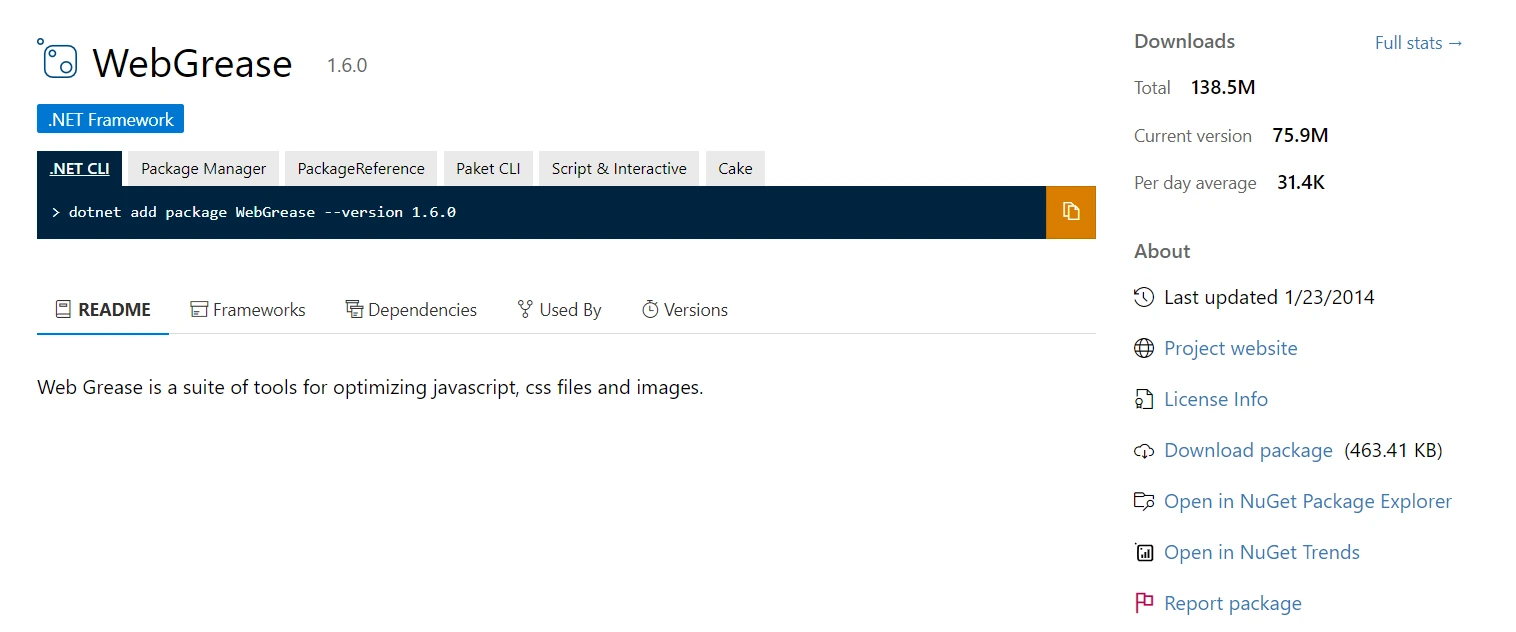
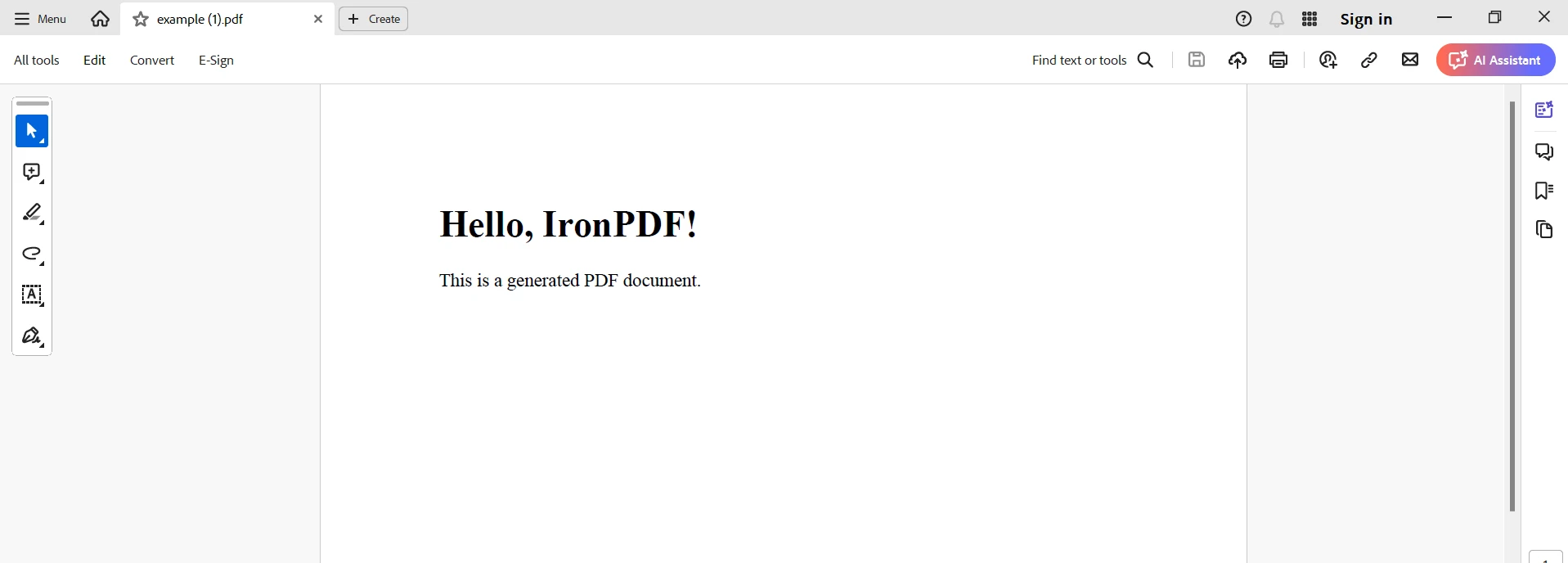
.NET 도움말 WebGrease .NET Core (How It Works For Developers) 커티스 차우 업데이트됨:6월 22, 2025 다운로드 IronPDF NuGet 다운로드 DLL 다운로드 윈도우 설치 프로그램 무료 체험 시작하기 LLM용 사본 LLM용 사본 LLM용 마크다운 형식으로 페이지를 복사하세요 ChatGPT에서 열기 ChatGPT에 이 페이지에 대해 문의하세요 제미니에서 열기 제미니에게 이 페이지에 대해 문의하세요 Grok에서 열기 Grok에게 이 페이지에 대해 문의하세요 혼란 속에서 열기 Perplexity에게 이 페이지에 대해 문의하세요 공유하다 페이스북에 공유하기 트위터에 공유하기 LinkedIn에 공유하기 URL 복사 이메일로 기사 보내기 WebGrease's integration with IronPDF and .NET Core offers a potent method for producing high-quality PDF documents and streamlining web application performance. With the use of JavaScript compression, image optimization, and CSS minification, WebGrease is a feature-rich package that makes websites run quicker and smoother for developers. Developers can easily create dynamic PDFs from several sources, including HTML and MVC views, by using IronPDF, a powerful .NET toolkit for producing and manipulating PDF documents. Web applications are kept fluid and adaptable with this integration, enabling effective resource management and dynamic PDF generation. WebGrease and IronPDF are fully compatible with .NET Core, allowing developers to create cross-platform applications that function flawlessly on Linux, macOS, and Windows. This results in an enhanced user experience thanks to optimized performance and superior document handling. What is WebGrease? Originally created as a component of the ASP.NET stack, WebGrease is a tool for automating processes such as optimizing JavaScript, compression, picture optimization, and CSS minification of static files in order to improve web performance. These optimizations contribute to the reduction of web resource sizes, which improves web application performance and speeds up load times. In the context of .NET Core, when we discuss WebGrease, we mean the application of these optimization methods to .NET Core applications. Microsoft created the cross-platform, open-source .NET Core framework to let developers create cutting-edge, scalable, and high-performing apps. Developers can apply performance optimization techniques from traditional ASP.NET applications to their .NET Core projects by integrating WebGrease. This way, developers can make sure that their web applications are efficient and performant on various platforms, such as Windows, Linux, and macOS. Features of WebGrease Within the framework of .NET Core, WebGrease provides a number of capabilities targeted at enhancing the effectiveness and speed of web applications. The salient characteristics are as follows: CSS Minification: Eliminates extraneous formatting, comments, and whitespace from CSS files. Reduces HTTP requests by combining numerous CSS files into a single file. Enhances performance and speeds up loading times for CSS. JavaScript Compression: Minimizes JavaScript files by removing unnecessary characters. Combines multiple JavaScript files into one. Reduces JavaScript file size to expedite download and execution times. Image Optimization: Compresses images without significantly reducing quality. Converts images to more efficient formats when appropriate. Optimizes image resources to increase loading speeds. HTML Minification: Removes whitespace and comments from HTML files. Simplifies HTML files for quicker browser parsing and rendering. Resource Bundling: Combines several JavaScript and CSS files into a single file. Reduces the number of HTTP requests needed to load a page, improving load times. Configuration Flexibility: Provides options for configuring the optimization process. Allows developers to choose which directories and files to optimize or exclude. Cross-Platform Compatibility: Fully compatible with .NET Core, allowing use on Windows, Linux, and macOS. Ensures performance improvements work well in various environments. Integration with Build Processes: Can be integrated into build procedures to automatically optimize resources during deployment and development. Supports automated processes to ensure consistent optimization across development phases. Improved Performance: Minimizes the resources that must be loaded, thereby improving overall web application performance. Enhances the user experience and speeds up page loading. Create and Configure WebGrease To use WebGrease in a .NET Core application, install the necessary packages, configure the build process, and set up optimization tasks. The following steps will help you establish and set up WebGrease in a .NET Core application: Create a .NET Core Project First, create a new .NET Core web application. You can use the .NET CLI for this purpose. dotnet new web -n WebGreaseApp cd WebGreaseApp dotnet new web -n WebGreaseApp cd WebGreaseApp SHELL Add Required Packages Although there isn't a direct .NET Core package for WebGrease, you can achieve similar functionality with other programs like BundlerMinifier. Add this package to your project. dotnet add package BundlerMinifier.Core dotnet add package BundlerMinifier.Core SHELL Configure Bundling and Minification Create a bundleconfig.json file in your project root to provide the bundling and minification settings for your CSS and JavaScript files. Here is an example configuration. [ { "outputFileName": "wwwroot/css/site.min.css", "inputFiles": [ "wwwroot/css/site.css" ], "minify": { "enabled": true, "renameLocals": true } }, { "outputFileName": "wwwroot/js/site.min.js", "inputFiles": [ "wwwroot/js/site.js" ], "minify": { "enabled": true } } ] Integrate with the Build Process Add instructions to execute the bundling and minification operations during the build process in your project file (.csproj). Add the following element inside the <Project> element in your .csproj file: <Target Name="PrepublishScript" BeforeTargets="PrepareForPublish"> <Exec Command="dotnet bundle" /> </Target> <Target Name="PrepublishScript" BeforeTargets="PrepareForPublish"> <Exec Command="dotnet bundle" /> </Target> XML Install and Run BundlerMinifier To use the BundlerMinifier tool, you must install the .NET utility. Execute the following command: dotnet tool install -g BundlerMinifier.Core dotnet tool install -g BundlerMinifier.Core SHELL To bundle and minify your files, run: dotnet bundle dotnet bundle SHELL Optimize Images You can use ImageSharp or other .NET Core-compliant image optimization tools for image optimization. Install ImageSharp Install the SixLabors.ImageSharp package: dotnet add package SixLabors.ImageSharp dotnet add package SixLabors.ImageSharp SHELL Here is an example of a code snippet for image optimization: using SixLabors.ImageSharp; using SixLabors.ImageSharp.Processing; using System.IO; public void OptimizeImage(string inputPath, string outputPath) { // Load the image using (var image = Image.Load(inputPath)) { // Resize and optimize the image image.Mutate(x => x.Resize(new ResizeOptions { Mode = ResizeMode.Max, Size = new Size(800, 600) })); // Save the image in an optimized format image.Save(outputPath); // Automatic encoder selected based on file extension. } } using SixLabors.ImageSharp; using SixLabors.ImageSharp.Processing; using System.IO; public void OptimizeImage(string inputPath, string outputPath) { // Load the image using (var image = Image.Load(inputPath)) { // Resize and optimize the image image.Mutate(x => x.Resize(new ResizeOptions { Mode = ResizeMode.Max, Size = new Size(800, 600) })); // Save the image in an optimized format image.Save(outputPath); // Automatic encoder selected based on file extension. } } $vbLabelText $csharpLabel Run your application to ensure bundling and minification are operating as intended. Open your application in the browser, then verify that the JavaScript and CSS files are minified. By following these steps, you can set up and configure WebGrease-like optimization for a .NET Core application using tools compatible with the current .NET environment. Getting Started with IronPDF Setting up performance optimization for your web resources and using IronPDF for PDF generation and manipulation are both necessary for integrating WebGrease-like optimization with IronPDF in a .NET Core application. Here's how to get started, step-by-step: What is IronPDF? The feature-rich .NET library IronPDF allows C# programs to produce, read, and edit PDF documents. With this program, developers can easily convert HTML, CSS, and JavaScript information into high-quality, print-ready PDFs. Among the most crucial tasks are adding headers and footers, dividing and combining PDFs, adding watermarks to documents, and converting HTML to PDF. IronPDF is helpful for a variety of applications because it supports both .NET Framework and .NET Core. Because PDFs are user-friendly and include extensive content, developers may easily incorporate them into their products. Because IronPDF can handle complex data layouts and formatting, the PDFs it generates as an output closely mirror the HTML text originally provided by the client. Features of IronPDF PDF Generation from HTML Converts JavaScript, HTML, and CSS to PDF. Supports media queries and responsive design, aligning with modern web standards. Useful for dynamically decorating PDF documents, reports, and invoices using HTML and CSS. PDF Editing Allows the addition of text, images, and other content to existing PDFs. Extracts text and images from PDF files. Merges multiple PDFs into one. Splits PDF files into separate documents. Includes watermarks, annotations, headers, and footers. PDF Conversion Converts a wide variety of file formats to PDF, including Word, Excel, and image files. Allows PDF to image conversion (PNG, JPEG, etc.). Performance and Reliability High performance and reliability, suitable for industrial applications. Handles large document sets with ease. Install IronPDF To gain the tools you need to work with PDFs in .NET projects, install the IronPDF package. dotnet add package IronPdf dotnet add package IronPdf SHELL Configure Bundling and Minification Ensure that the bundleconfig.json config file is in place to provide the bundling and minification settings again as needed: [ { "outputFileName": "wwwroot/css/site.min.css", "inputFiles": [ "wwwroot/css/site.css" ], "minify": { "enabled": true, "renameLocals": true } }, { "outputFileName": "wwwroot/js/site.min.js", "inputFiles": [ "wwwroot/js/site.js" ], "minify": { "enabled": true } } ] Connect to the Building Process Ensure that your .csproj file contains instructions for executing the minification and bundling operations during the build process. Add the following Target within the <Project> element: <Target Name="PrepublishScript" BeforeTargets="PrepareForPublish"> <Exec Command="dotnet bundle" /> </Target> <Target Name="PrepublishScript" BeforeTargets="PrepareForPublish"> <Exec Command="dotnet bundle" /> </Target> XML Integrate IronPDF Build a controller with IronPDF to produce PDFs. Create a new PdfController controller. using Microsoft.AspNetCore.Mvc; using IronPdf; namespace WebGreaseIronPdfApp.Controllers { public class PdfController : Controller { public IActionResult GeneratePdf() { // Create a PDF from a simple HTML string var renderer = new ChromePdfRenderer(); var pdf = renderer.RenderHtmlAsPdf("<h1>Hello, IronPDF!</h1><p>This is a generated PDF document.</p>"); // Save the PDF to a byte array var pdfBytes = pdf.BinaryData; // Return the PDF file as a download return File(pdfBytes, "application/pdf", "example.pdf"); } } } using Microsoft.AspNetCore.Mvc; using IronPdf; namespace WebGreaseIronPdfApp.Controllers { public class PdfController : Controller { public IActionResult GeneratePdf() { // Create a PDF from a simple HTML string var renderer = new ChromePdfRenderer(); var pdf = renderer.RenderHtmlAsPdf("<h1>Hello, IronPDF!</h1><p>This is a generated PDF document.</p>"); // Save the PDF to a byte array var pdfBytes = pdf.BinaryData; // Return the PDF file as a download return File(pdfBytes, "application/pdf", "example.pdf"); } } } $vbLabelText $csharpLabel The first thing we do in the PdfController code is import the required namespaces, which are Microsoft.AspNetCore.Mvc for ASP.NET Core MVC functionality and IronPDF for PDF generation. Because it derives from Controller, the PdfController class is an MVC controller. The GeneratePdf method in this class is defined to manage the creation of PDFs. To convert HTML material into a PDF, this function creates an instance of IronPDF's ChromePdfRenderer. A basic HTML string can be transformed into a PDF document using the RenderHtmlAsPdf function. The BinaryData attribute is then used to save this PDF to a byte array. Lastly, the PDF file is returned as a downloadable response using the File method, along with the requested filename (example.pdf) and the correct MIME type (application/pdf). The program can now dynamically create and serve PDF documents based on HTML content thanks to this integration. Route to Generate PDF Make sure that the PDF generation routing is included in your Startup.cs file. public void Configure(IApplicationBuilder app, IWebHostEnvironment env) { if (env.IsDevelopment()) { app.UseDeveloperExceptionPage(); } else { app.UseExceptionHandler("/Home/Error"); app.UseHsts(); } app.UseHttpsRedirection(); app.UseStaticFiles(); app.UseRouting(); app.UseAuthorization(); app.UseEndpoints(endpoints => { endpoints.MapControllerRoute( name: "default", pattern: "{controller=Home}/{action=Index}/{id?}"); endpoints.MapControllerRoute( name: "pdf", pattern: "pdf", defaults: new { controller = "Pdf", action = "GeneratePdf" }); }); } public void Configure(IApplicationBuilder app, IWebHostEnvironment env) { if (env.IsDevelopment()) { app.UseDeveloperExceptionPage(); } else { app.UseExceptionHandler("/Home/Error"); app.UseHsts(); } app.UseHttpsRedirection(); app.UseStaticFiles(); app.UseRouting(); app.UseAuthorization(); app.UseEndpoints(endpoints => { endpoints.MapControllerRoute( name: "default", pattern: "{controller=Home}/{action=Index}/{id?}"); endpoints.MapControllerRoute( name: "pdf", pattern: "pdf", defaults: new { controller = "Pdf", action = "GeneratePdf" }); }); } $vbLabelText $csharpLabel Run and Verify Run your application to ensure that you can create PDFs and that the bundling and minification are functioning properly. dotnet run dotnet run SHELL Open the browser and navigate to your application. It should be possible for you to navigate to /pdf and download a PDF document. Conclusion IronPDF and WebGrease-like optimization combined provide a potent combo for improving online performance and producing high-quality PDF documents in .NET Core applications. Developers can ensure their applications are efficient and flexible by using tools like IronPDF for creating PDFs and BundlerMinifier for optimizing resources. In addition to picture compression, resource optimization strategies like CSS and JavaScript minification also help to speed up page loads and enhance user experience. Concurrently, IronPDF has strong capabilities for dynamically creating PDFs from HTML text, simplifying the process of creating well-prepared documents like invoices, reports, and more. This integration provides a complete solution for contemporary web development needs within the .NET Core framework, not only improving online application performance but also adding useful features for processing PDFs. With IronPDF and Iron Software, you can enhance your toolkit for .NET development by taking advantage of OCR, barcode scanning, PDF creation, Excel connectivity, and much more. Starting at a competitive price, IronPDF offers developers access to more web apps and features, along with more efficient development, by combining its core concepts with the highly flexible Iron Software toolbox. The well-defined license options for the project make it easy for developers to select the optimal model, assisting in prompt, well-organized, and efficient execution of solutions for a wide range of issues. 자주 묻는 질문 .NET Core에서 웹 애플리케이션 성능을 최적화하려면 어떻게 해야 하나요? JavaScript 압축, 이미지 최적화 및 CSS 축소를 제공하는 WebGrease를 통합하여 .NET Core에서 웹 애플리케이션 성능을 향상시킬 수 있습니다. 이러한 기술은 리소스 크기를 줄이고 로드 시간을 단축하여 효율성과 사용자 경험을 향상시킵니다. .NET Core 애플리케이션에서 HTML로 PDF를 생성하면 어떤 이점이 있나요? IronPDF를 사용하여 .NET Core 애플리케이션의 HTML에서 PDF를 생성하면 개발자는 웹 콘텐츠에서 바로 인쇄 가능한 문서를 만들 수 있습니다. 이는 원본 HTML의 서식을 유지하면서 보고서, 송장 및 기타 문서를 동적으로 제작하는 데 이상적입니다. .NET Core 애플리케이션에서 동적 PDF를 만들려면 어떻게 해야 하나요? IronPDF를 사용하여 .NET Core 애플리케이션에서 동적 PDF를 만들 수 있습니다. HTML 및 MVC 뷰를 고품질 PDF로 변환하여 원본 구조와 디자인을 유지하는 문서를 생성할 수 있습니다. PDF 생성을 .NET Core 애플리케이션에 통합하는 프로세스는 무엇인가요? PDF 생성을 .NET Core 애플리케이션에 통합하려면 IronPDF 패키지를 설치하고, 애플리케이션에서 필요한 설정을 구성한 다음, HTML 콘텐츠를 PDF로 변환하는 RenderHtmlAsPdf와 같은 IronPDF의 방법을 사용하여 PDF 생성 로직을 구현하세요. WebGrease는 .NET Core 애플리케이션의 성능을 어떻게 개선하나요? WebGrease는 CSS 및 JavaScript 축소, 이미지 최적화, 리소스 번들링과 같은 최적화 프로세스를 자동화하여 .NET Core 애플리케이션의 성능을 향상시킵니다. 이러한 프로세스는 리소스 크기를 줄여 로드 시간을 단축하고 애플리케이션 효율성을 향상시킵니다. Linux 또는 macOS에서 WebGrease 및 IronPDF를 사용할 수 있나요? 예, WebGrease와 IronPDF는 모두 .NET Core와 호환되므로 Windows뿐만 아니라 Linux, macOS 등 다양한 운영 체제에서 해당 기능을 사용할 수 있습니다. .NET Core에서 IronPDF를 사용할 때 흔히 발생하는 문제 해결 시나리오는 무엇인가요? .NET Core에서 IronPDF를 사용할 때의 일반적인 문제 해결 시나리오에는 모든 종속성이 올바르게 설치되었는지 확인하고, 구성 설정을 확인하며, 프로젝트의 다른 라이브러리 또는 패키지와의 충돌이 있는지 확인하는 것이 포함됩니다. 문서 생성을 위한 IronPDF의 주요 기능은 무엇인가요? IronPDF의 주요 기능으로는 PDF 문서 생성, 읽기, 편집, HTML 및 다양한 파일 형식을 PDF로 변환하고 복잡한 데이터 레이아웃을 유지하여 .NET Core 애플리케이션 내에서 고품질 문서 처리를 보장하는 기능이 있습니다. IronPDF는 PDF 변환을 위해 HTML 콘텐츠를 어떻게 처리하나요? IronPDF는 HTML 콘텐츠를 원본 HTML 구조를 그대로 반영하는 고품질 PDF로 변환하여 처리합니다. 이렇게 하면 결과 PDF가 원본 콘텐츠의 의도된 레이아웃, 스타일 및 서식을 유지합니다. .NET Core 애플리케이션에서 이미지 처리를 최적화하려면 어떻게 해야 하나요? .NET Core 애플리케이션에서 이미지 처리를 최적화하려면 품질 손실 없이 이미지를 압축하고 보다 효율적인 형식으로 변환하여 전반적인 애플리케이션 성능을 향상시킬 수 있는 ImageSharp와 같은 이미지 최적화 도구를 사용하는 것을 고려하세요. 커티스 차우 지금 바로 엔지니어링 팀과 채팅하세요 기술 문서 작성자 커티스 차우는 칼턴 대학교에서 컴퓨터 과학 학사 학위를 취득했으며, Node.js, TypeScript, JavaScript, React를 전문으로 하는 프론트엔드 개발자입니다. 직관적이고 미적으로 뛰어난 사용자 인터페이스를 만드는 데 열정을 가진 그는 최신 프레임워크를 활용하고, 잘 구성되고 시각적으로 매력적인 매뉴얼을 제작하는 것을 즐깁니다. 커티스는 개발 분야 외에도 사물 인터넷(IoT)에 깊은 관심을 가지고 있으며, 하드웨어와 소프트웨어를 통합하는 혁신적인 방법을 연구합니다. 여가 시간에는 게임을 즐기거나 디스코드 봇을 만들면서 기술에 대한 애정과 창의성을 결합합니다. 관련 기사 업데이트됨 12월 11, 2025 Bridging CLI Simplicity & .NET : Using Curl DotNet with IronPDF Jacob Mellor has bridged this gap with CurlDotNet, a library created to bring the familiarity of cURL to the .NET ecosystem. 더 읽어보기 업데이트됨 12월 20, 2025 RandomNumberGenerator C# Using the RandomNumberGenerator C# class can help take your PDF generation and editing projects to the next level 더 읽어보기 업데이트됨 12월 20, 2025 C# String Equals (How it Works for Developers) When combined with a powerful PDF library like IronPDF, switch pattern matching allows you to build smarter, cleaner logic for document processing 더 읽어보기 DuckDB C# (How It Works For Developers)Azure.Messaging.ServiceBus Example ...
업데이트됨 12월 11, 2025 Bridging CLI Simplicity & .NET : Using Curl DotNet with IronPDF Jacob Mellor has bridged this gap with CurlDotNet, a library created to bring the familiarity of cURL to the .NET ecosystem. 더 읽어보기
업데이트됨 12월 20, 2025 RandomNumberGenerator C# Using the RandomNumberGenerator C# class can help take your PDF generation and editing projects to the next level 더 읽어보기
업데이트됨 12월 20, 2025 C# String Equals (How it Works for Developers) When combined with a powerful PDF library like IronPDF, switch pattern matching allows you to build smarter, cleaner logic for document processing 더 읽어보기