




업데이트됨 2026년 5월 8일
월별 계정 명세서를 PDF 문서로 생성하기
개발자는 IronPDF C# PDF 라이브러리를 사용하여 외부 서비스에 의존하지 않고도 .NET 프로젝트 내에서 HTML을 신뢰할 수 있는 PDF 파일로 변환할 수 있습니다.
더 읽어보기

최신 웹 애플리케이션은 정적 문서 생성 이상의 것을 요구합니다. 맞춤형 인보이스 생성, 데이터 기반 PDF 보고서 작성, 맞춤형 양식 필드 생산 여부에 상관없이 개발자는 런타임에 PDF 문서를 생성하기 위한 강력한 도구가 필요합니다. IronPDF는 C# 및 .NET Framework 환경에서 동적 PDF 생성을 위한 원활한 C# 통합을 제공하는 강력한 Chrome 기반 렌더링 기능을 통해 PDF 문서 생성을 선도하는 솔루션으로 등장했습니다.
C#의 동적 PDF 생성은 데이터베이스, API, 사용자 입력을 포함한 다양한 데이터 소스에서 변수 데이터를 사용하여 런타임에 PDF 문서를 생성하는 것입니다. 정적 PDF 파일과는 달리 런타임 생성은 개인화된 콘텐츠, 조건부 섹션 및 데이터 기반 레이아웃을 가능하게 합니다; 이것들은 적응력을 요구하는 송장, PDF 보고서, 인증서 및 양식에 필수적입니다. 이 방법으로 PDF를 프로그래밍 방식으로 생성하는 것은 최신 .NET Framework 및 .NET Core 애플리케이션에 필수적이 되었습니다.
먼저 Visual Studio의 패키지 관리자 콘솔을 통해 IronPDF NuGet 패키지를 설치하십시오.
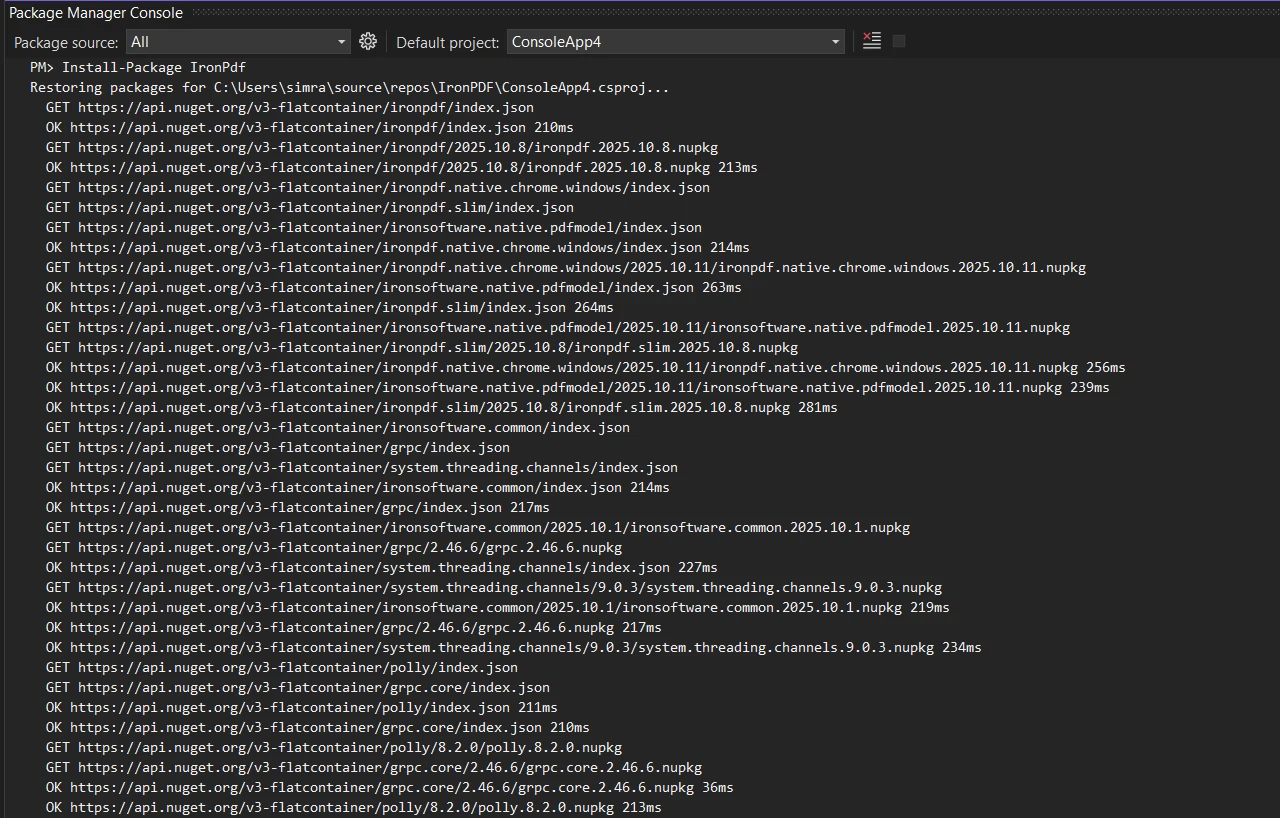
또는 NuGet 패키지 관리자 인터페이스를 사용하여 다운로드하고 설치할 수 있습니다. 픽셀 완벽한 PDF 생성을 위해 ChromePdfRenderer를 초기화하세요:
using IronPdf;
// Create Chrome renderer instance
var renderer = new ChromePdfRenderer();
// Configure rendering options for PDF format
renderer.RenderingOptions.MarginTop = 50;
renderer.RenderingOptions.MarginBottom = 50;
renderer.RenderingOptions.PrintHtmlBackgrounds = true;Imports IronPdf
' Create Chrome renderer instance
Dim renderer As New ChromePdfRenderer()
' Configure rendering options for PDF format
renderer.RenderingOptions.MarginTop = 50
renderer.RenderingOptions.MarginBottom = 50
renderer.RenderingOptions.PrintHtmlBackgrounds = TrueChromePdfRenderer 클래스는 런타임에 PDF를 생성하기 위한 기반을 제공합니다. 여백 설정은 헤더와 바닥글 공간을 보장하며, PrintHtmlBackgrounds는 디자인 요소를 유지합니다. 이 구성은 HTML 콘텐츠에 정확히 기반한 PDF 문서를 만드는 데 도움이 됩니다. PDF 문서를 사용자 정의하기 위한 렌더링 옵션에 대해 더 알아보십시오.
동적 데이터 삽입을 위한 자리 표시자와 함께 재사용 가능한 HTML 템플릿을 만드세요:
// Define HTML string template with placeholders
string invoiceTemplate = @"
<html>
<body>
    <h1>Invoice #[[INVOICE_NUMBER]]</h1>
    <p>Date: [[DATE]]</p>
    <p>Customer: [[CUSTOMER_NAME]]</p>
    <table>
        <tr><th>Item</th><th>Price</th></tr>
        [[ITEMS]]
    </table>
    <p><strong>Total: $[[TOTAL]]</strong></p>
</body>
</html>";
// Replace placeholders with dynamic data
var invoiceData = new {
    InvoiceNumber = "INV-2025-001",
    Date = DateTime.Now.ToString("yyyy-MM-dd"),
    CustomerName = "John Doe",
    Total = 1250.00m
};
string finalHtml = invoiceTemplate
    .Replace("[[INVOICE_NUMBER]]", invoiceData.InvoiceNumber)
    .Replace("[[DATE]]", invoiceData.Date)
    .Replace("[[CUSTOMER_NAME]]", invoiceData.CustomerName)
    .Replace("[[TOTAL]]", invoiceData.Total.ToString());
// Generate PDF from populated HTML content
var pdf = renderer.RenderHtmlAsPdf(finalHtml);
pdf.SaveAs("invoice.pdf");' Define HTML string template with placeholders
Dim invoiceTemplate As String = "
<html>
<body>
<h1>Invoice #[[INVOICE_NUMBER]]</h1>
<p>Date: [[DATE]]</p>
<p>Customer: [[CUSTOMER_NAME]]</p>
<table>
<tr><th>Item</th><th>Price</th></tr>
[[ITEMS]]
</table>
<p><strong>Total: $[[TOTAL]]</strong></p>
</body>
</html>"
' Replace placeholders with dynamic data
Dim invoiceData = New With {
.InvoiceNumber = "INV-2025-001",
.Date = DateTime.Now.ToString("yyyy-MM-dd"),
.CustomerName = "John Doe",
.Total = 1250.00D
}
Dim finalHtml As String = invoiceTemplate _
.Replace("[[INVOICE_NUMBER]]", invoiceData.InvoiceNumber) _
.Replace("[[DATE]]", invoiceData.Date) _
.Replace("[[CUSTOMER_NAME]]", invoiceData.CustomerName) _
.Replace("[[TOTAL]]", invoiceData.Total.ToString())
' Generate PDF from populated HTML content
Dim pdf = renderer.RenderHtmlAsPdf(finalHtml)
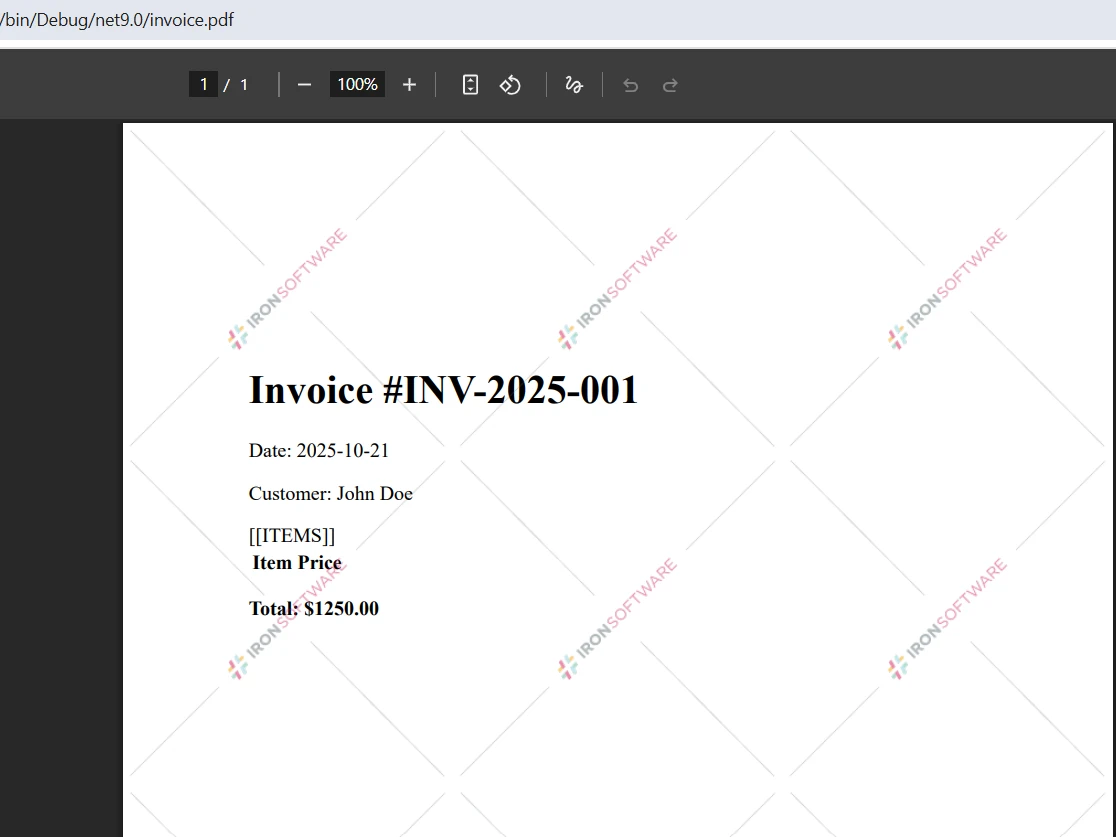
pdf.SaveAs("invoice.pdf")이 템플릿 접근 방식은 프레젠테이션을 데이터와 분리하여 디자이너가 복잡한 레이아웃을 수정할 수 있게 허용하고 개발자는 데이터 통합에 집중할 수 있게 합니다. Replace 메서드는 템플릿 ID 플레이스홀더를 런타임 값으로 대체하여 개인화된 PDF 문서를 생성합니다. HTML 콘텐츠를 반복 구역으로 변환하려면 PDF 변환 전에 루프를 사용하여 HTML을 동적으로 빌드하세요. 고급 템플릿 예제를 위한 HTML에서 PDF로의 예제를 더 살펴보십시오.
비동기 메서드로 대량 처리에 적합한 PDF 생성을 확장하십시오.
// Async batch generation for multiple PDF documents
public async Task GenerateMonthlyReportsAsync(List<Customer> customers)
{
    var renderer = new ChromePdfRenderer();
    var tasks = new List<Task>();
    foreach (var customer in customers)
    {
        tasks.Add(Task.Run(async () =>
        {
            // Create HTML content with dynamic data
            string html = $@"
                <h2>Monthly Report - {customer.Name}</h2>
                <p>Account Balance: ${customer.Balance:F2}</p>
                <p>Transactions: {customer.TransactionCount}</p>
                <div style='page-break-after: always;'></div>";
            // Convert HTML to PDF format
            var document = await renderer.RenderHtmlAsPdfAsync(html);
            await document.SaveAs($"reports/{customer.Id}_report.pdf");
        }));
    }
    await Task.WhenAll(tasks);
}Imports System.Threading.Tasks
Imports System.Collections.Generic
' Async batch generation for multiple PDF documents
Public Async Function GenerateMonthlyReportsAsync(customers As List(Of Customer)) As Task
Dim renderer = New ChromePdfRenderer()
Dim tasks = New List(Of Task)()
For Each customer In customers
tasks.Add(Task.Run(Async Function()
' Create HTML content with dynamic data
Dim html As String = $"
<h2>Monthly Report - {customer.Name}</h2>
<p>Account Balance: ${customer.Balance:F2}</p>
<p>Transactions: {customer.TransactionCount}</p>
<div style='page-break-after: always;'></div>"
' Convert HTML to PDF format
Dim document = Await renderer.RenderHtmlAsPdfAsync(html)
Await document.SaveAs($"reports/{customer.Id}_report.pdf")
End Function))
Next
Await Task.WhenAll(tasks)
End Function비동기 패턴은 동시 PDF 생성을 가능하게 하며, 배치로 PDF 문서를 생성할 때 처리량을 획기적으로 향상시킵니다. Task.WhenAll은 모든 PDF 파일이 완료될 때까지 진행되지 않도록 합니다. 위 코드는 CSS 페이지 균열 속성을 사용하여 페이지 나누기를 제어하며, 각 고객의 보고서가 새 페이지에서 시작되도록 보장합니다. Enterprise 웹 애플리케이션용 비동기 PDF 생성 문서를 검토하십시오.
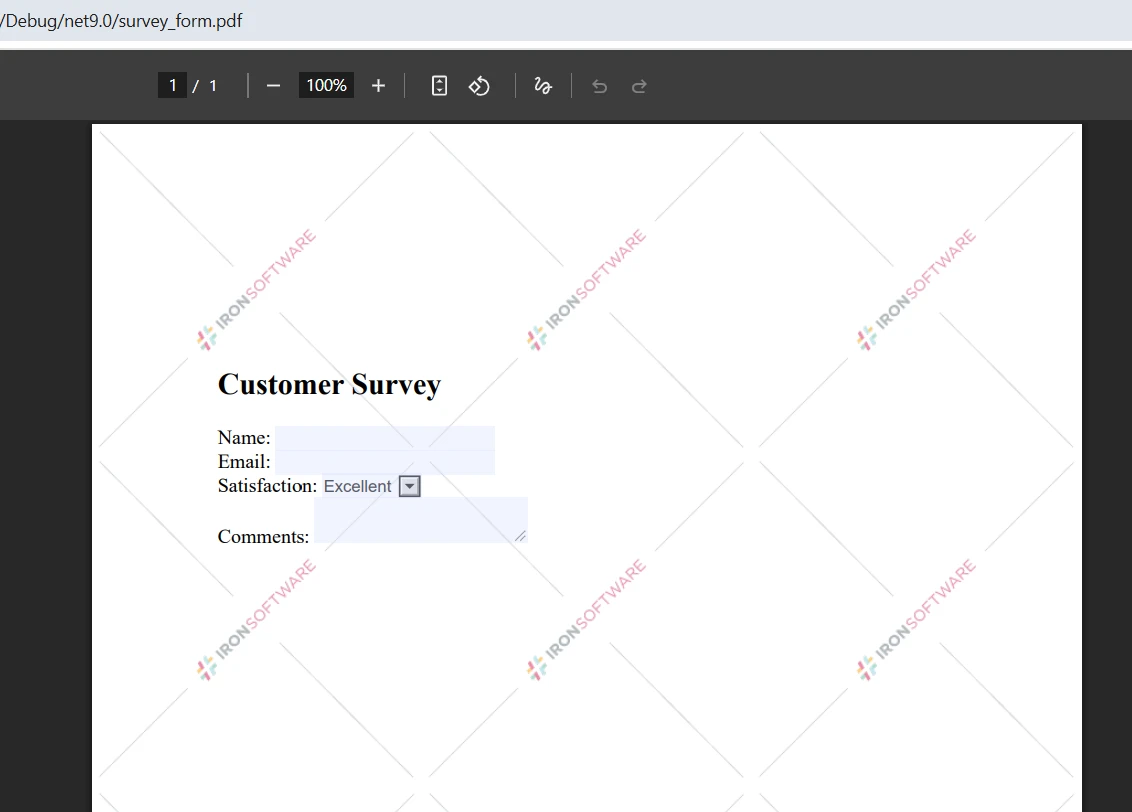
HTML 폼이 포함된 웹 페이지를 프로그래밍 방식으로 작성 가능한 PDF로 변환하세요:
// Enable form fields creation in rendering options
renderer.RenderingOptions.CreatePdfFormsFromHtml = true;
// Define HTML string with form elements
string formHtml = @"
<form>
    <h2>Customer Survey</h2>
    <label>Name:
    <label>Email:
    <label>Satisfaction:
        <select name='satisfaction'>
            <option>Excellent</option>
            <option>Good</option>
            <option>Fair</option>
        </select>
    </label><br>
    <label>Comments: <textarea name='comments'></textarea></label>
</form>";
// Create a PDF with interactive form fields
var pdfDocument = renderer.RenderHtmlAsPdf(formHtml);
pdfDocument.SaveAs("survey_form.pdf");' Enable form fields creation in rendering options
renderer.RenderingOptions.CreatePdfFormsFromHtml = True
' Define HTML string with form elements
Dim formHtml As String = "
<form>
<h2>Customer Survey</h2>
<label>Name:
<label>Email:
<label>Satisfaction:
<select name='satisfaction'>
<option>Excellent</option>
<option>Good</option>
<option>Fair</option>
</select>
</label><br>
<label>Comments: <textarea name='comments'></textarea></label>
</form>"
' Create a PDF with interactive form fields
Dim pdfDocument = renderer.RenderHtmlAsPdf(formHtml)
pdfDocument.SaveAs("survey_form.pdf")CreatePdfFormsFromHtml 설정은 HTML 양식 요소를 상호작용 PDF 양식 필드로 변환합니다. 사용자는 이러한 PDF 문서를 전자적으로 작성, 저장, 제출할 수 있습니다. 이 기능은 종이 양식을 제거하여 워크플로를 간소화하면서 익숙한 HTML 개발 패턴을 유지합니다. PDFDocument 객체는 양식 필드를 프로그래밍 방식으로 조작할 수 있는 접근 권한을 제공합니다. 디지털 서명을 포함한 고급 구현을 위한 PDF 양식 조작에 대해 알아보십시오.
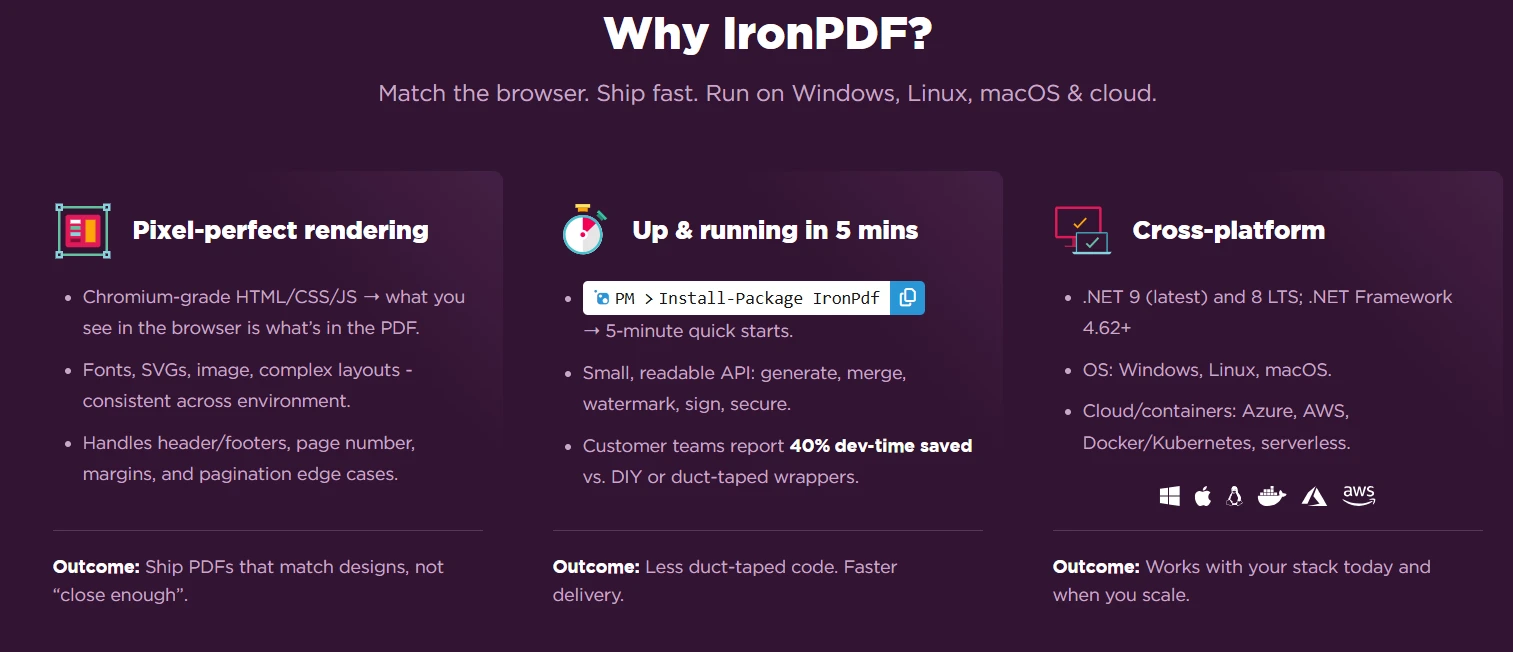
IronPDF의 Chrome 렌더링 엔진은 PDF를 생성할 때 픽셀 완벽한 정확도를 보장하여 오래된 WebKit 렌더링 엔진 솔루션의 타협을 제거합니다. 외부 실행 파일이나 헤드리스 브라우저 설치가 필요한 오픈 소스 라이브러리 대안과 달리, IronPDF는 종속성 없이 원활하게 통합됩니다. 유창한 API와 고급 API 디자인은 내장 클래스나 복잡한 Crystal Reports 구현보다 뛰어납니다.
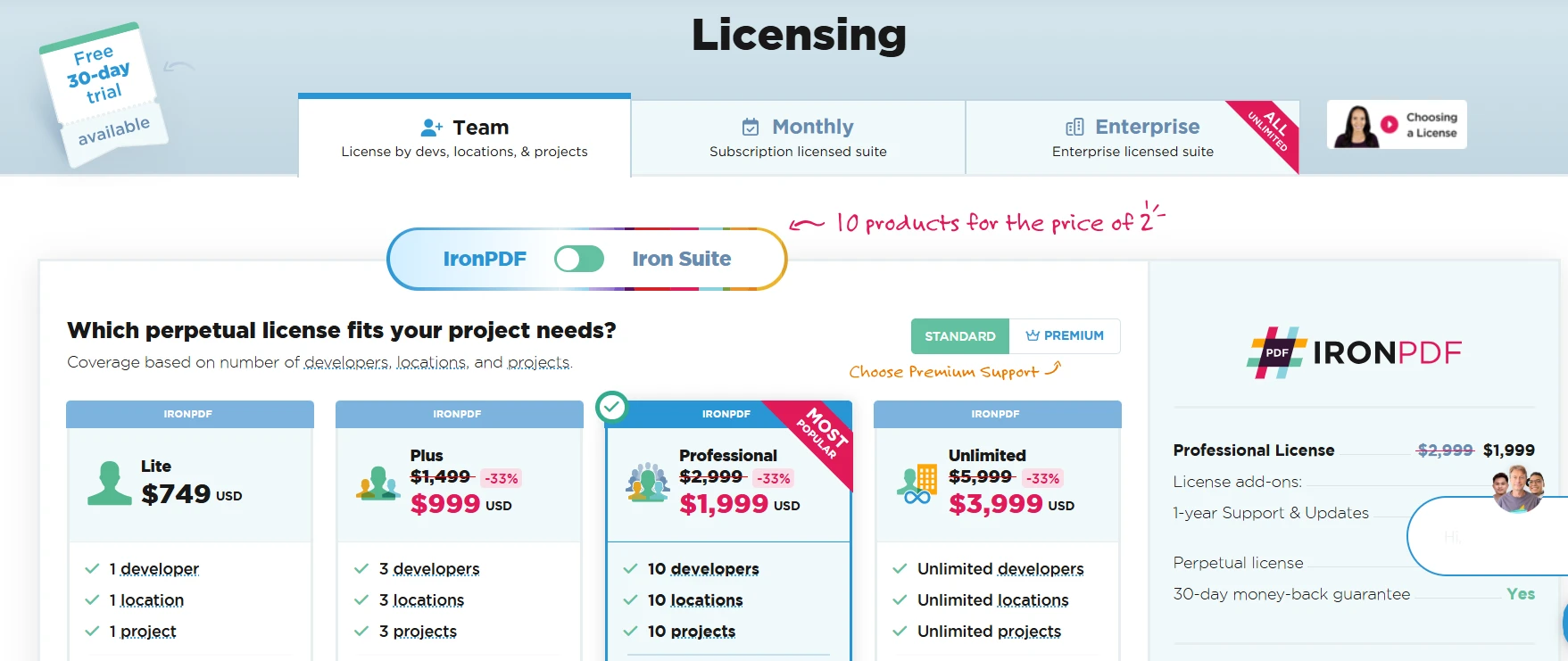
라이선스는 단일 개발자 라이선스로 $999부터 시작하며, 팀 및 Enterprise 옵션도 가능합니다. 각 패키지는 자체 장점을 가지며, 개발 시간 절약을 통해 투자 대비 가치를 증명합니다. 구매 시 즉시 API 키에 접근할 수 있습니다. 라이선스 옵션 보기를 통해 프로젝트에 적합한 NuGet 패키지를 찾으십시오.
C#에서의 동적 PDF 생성은 애플리케이션이 런타임에 맞춤형 문서를 제공하는 방식을 변화시킵니다. IronPDF는 HTML 콘텐츠, 웹 페이지 및 데이터 소스에서 PDF 파일을 생성하는 데 필요한 필수 도구를 제공합니다. Chrome 기반의 렌더링은 C#의 PDF가 설계 사양에 정확히 일치하도록 보장하며, 비동기 지원은 Enterprise 규모의 처리를 가능하게 합니다.
다음 명령이 당신의 여정을 시작합니다: Install-Package IronPdf. IronPDF를 사용하면 HTML 문자열을 변환하고, 이미지와 테이블이 포함된 복잡한 PDF를 생성하며, 페이지 번호를 추가하고, 글꼴 크기를 제어하고, 어떤 데이터 소스에서나 PDF 보고서를 생성할 수 있습니다. 각 새 문서는 단순한 var 페이지를 만들든 여러 var 문서 인스턴스를 가진 복잡한 레이아웃을 만들든 픽셀 완벽한 렌더링을 누릴 수 있습니다.
IronPDF의 무료 30일 체험판 번들로 시작하십시오.

커티스 차우는 칼턴 대학교에서 컴퓨터 과학 학사 학위를 취득했으며, Node.js, TypeScript, JavaScript, React를 전문으로 하는 프론트엔드 개발자입니다. 직관적이고 미적으로 뛰어난 사용자 인터페이스를 만드는 데 열정을 가진 그는 최신 프레임워크를 활용하고, 잘 구성되고 시각적으로 매력적인 매뉴얼을 제작하는 것을 즐깁니다.



IronPDF는 IRON SUITE 의 일부입니다.
10개의 .NET API 제품, 당신의 사무 문서를 위해











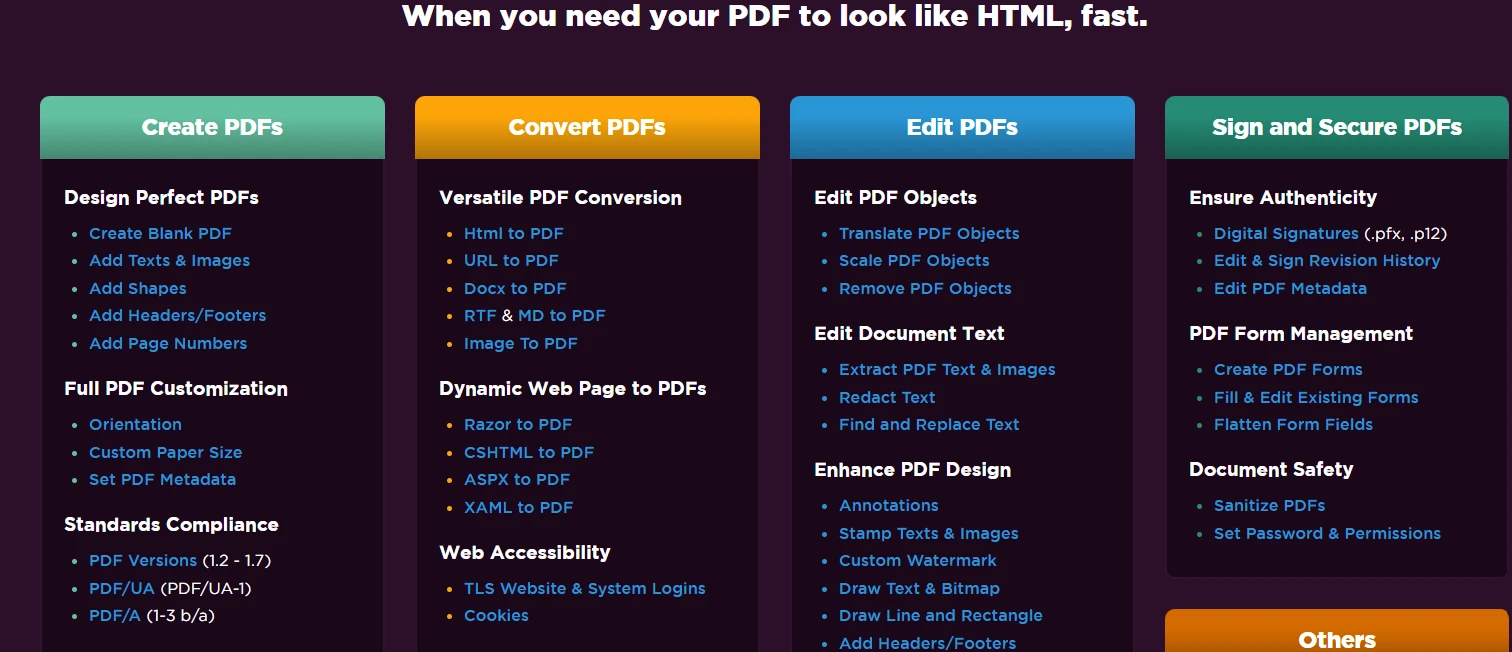
PDF 파일을 HTML처럼 빠르게 변환해야 할 때.


