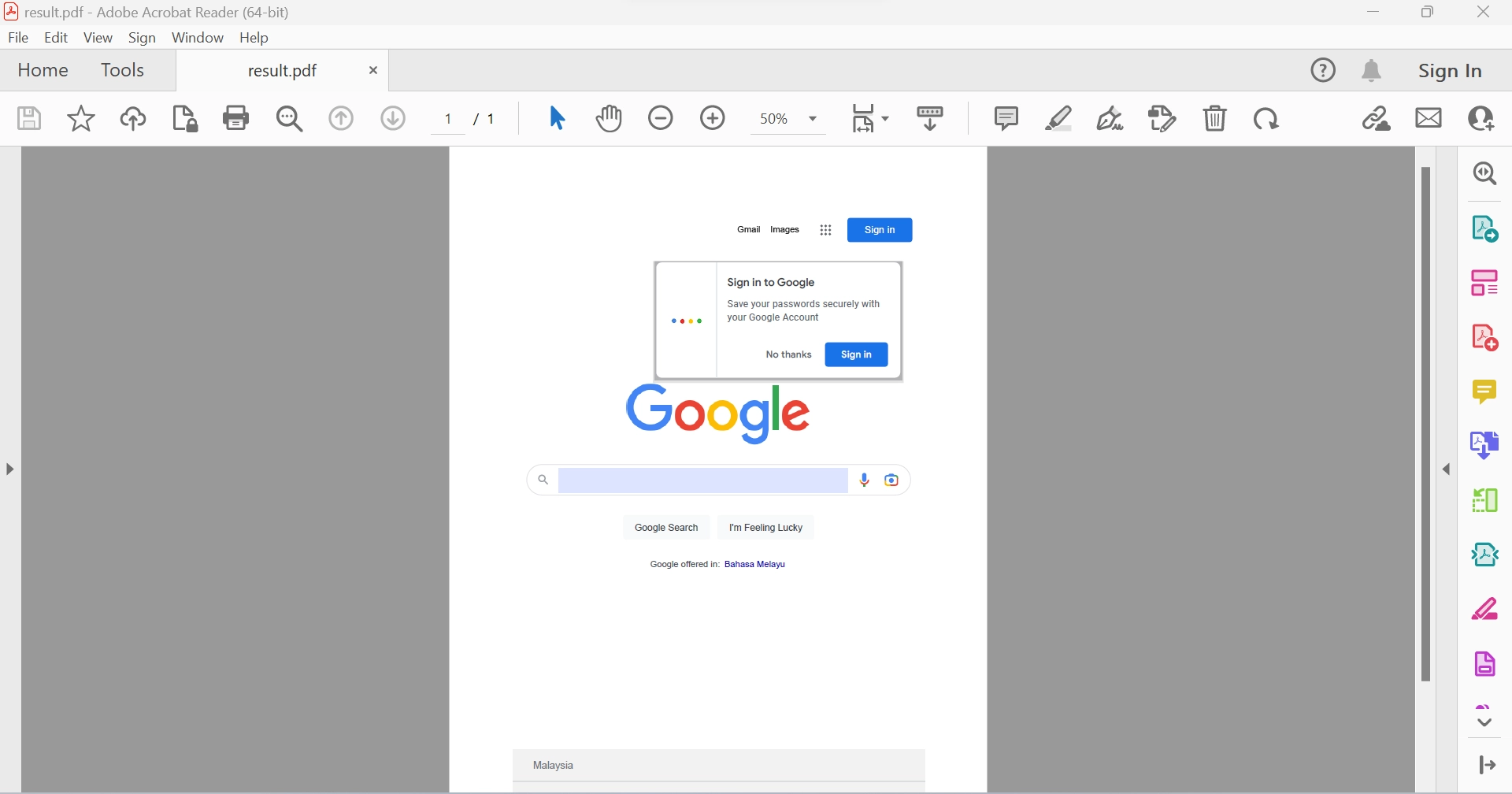
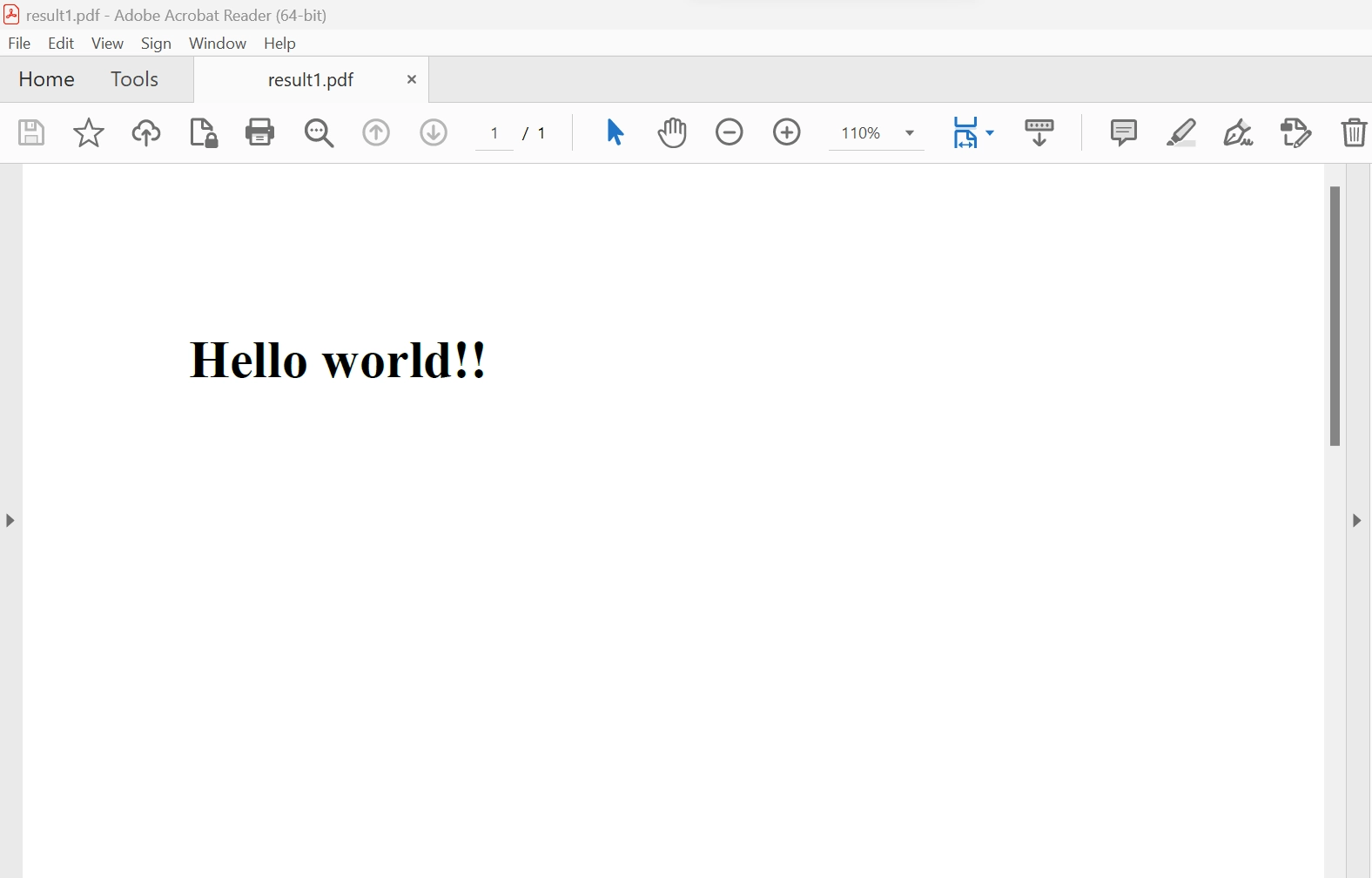
IRONPDF 사용 PDF API C# (Code Example Tutorial) 커티스 차우 업데이트됨:6월 22, 2025 다운로드 IronPDF NuGet 다운로드 DLL 다운로드 윈도우 설치 프로그램 무료 체험 시작하기 LLM용 사본 LLM용 사본 LLM용 마크다운 형식으로 페이지를 복사하세요 ChatGPT에서 열기 ChatGPT에 이 페이지에 대해 문의하세요 제미니에서 열기 제미니에게 이 페이지에 대해 문의하세요 Grok에서 열기 Grok에게 이 페이지에 대해 문의하세요 혼란 속에서 열기 Perplexity에게 이 페이지에 대해 문의하세요 공유하다 페이스북에 공유하기 트위터에 공유하기 LinkedIn에 공유하기 URL 복사 이메일로 기사 보내기 1. Introduction Adobe's Portable Document Format (PDF) is essential for various operations in many companies, including generating documents and invoices. Developers also use it to meet client requirements. Libraries have simplified the process of creating PDFs. When choosing a library, consider aspects such as build, read, and conversion capabilities. 2. IronPDF Features IronPDF is a robust PDF converter and API library that allows developers to generate, read, and manipulate PDF documents. It uses the Chrome engine to convert HTML to PDF and supports a variety of web components and .NET applications. It enables the creation of visually appealing PDFs using HTML5, JavaScript, CSS, and images, and includes a powerful HTML-to-PDF translator and an independent PDF conversion engine. The IronPDF library supports a variety of inputs for PDF production, including converting image files to PDF, transforming HTML5 documents into PDFs, generating PDFs from ASPX pages, and using Razor/MVC views for PDF creation. The library has tools for creating interactive PDF files, editing forms, dividing PDF files, extracting text and images, text searching, and converting PDF pages to images. In addition to using user agents, proxies, cookies, HTTP headers, and form variables for authentication in HTML login forms, the library also offers the usage of links as the foundation for PDF documents. IronPDF offers access to password-protected PDF files by requesting user names and passwords. With the IronPDF API, pre-existing PDF files can be read and edited. The library can extract pictures from PDF files and add text, graphics, bookmarks for document navigation, watermarks, custom headers, and footers to PDF documents. IronPDF enables users to divide and combine pages in a new or existing PDF document, and it can create PDF objects from text without using Acrobat Reader. CSS files can be transformed into PDF files, and CSS media queries can be converted into PDF documents. IronPDF enables users to fill out existing PDF forms and create new forms. 3. Create PDF Documents from URLs With the assistance of the IronPDF API library, generating PDF files becomes very easy by creating an HTML file from a URL and converting it to a PDF file using the built-in Chrome browser in IronPDF. The methods listed below make it simple to create PDF documents with just a few lines of code: // Instantiate the ChromePdfRenderer object from IronPdf IronPdf.ChromePdfRenderer renderer = new IronPdf.ChromePdfRenderer(); // Render the contents of a URL as a PDF document var pdf = renderer.RenderUrlAsPdf("https://www.google.co.in/"); // Save the rendered PDF document to a specified file path pdf.SaveAs("result.pdf"); // Instantiate the ChromePdfRenderer object from IronPdf IronPdf.ChromePdfRenderer renderer = new IronPdf.ChromePdfRenderer(); // Render the contents of a URL as a PDF document var pdf = renderer.RenderUrlAsPdf("https://www.google.co.in/"); // Save the rendered PDF document to a specified file path pdf.SaveAs("result.pdf"); $vbLabelText $csharpLabel According to the information above, the RenderUrlAsPdf method can be used to convert the link into a document by providing the link and the save location. The PDF file generated from a URL 4. Create a PDF from HTML Strings The IronPDF API library makes it easy to convert HTML strings into PDF files. Below is an example code for converting HTML strings into documents, and it allows the translation of any HTML tag into PDF files. // Use the ChromePdfRenderer to convert an HTML string to a PDF IronPdf.ChromePdfRenderer().RenderHtmlAsPdf("Hello world!!").SaveAs("result.pdf"); // Use the ChromePdfRenderer to convert an HTML string to a PDF IronPdf.ChromePdfRenderer().RenderHtmlAsPdf("Hello world!!").SaveAs("result.pdf"); $vbLabelText $csharpLabel This example code demonstrates how to convert an unlimited HTML text using RenderHtmlAsPdf, then save the document using the SaveAs method and the whole process is completed in just a matter of seconds. A PDF file generated from an HTML string 5. Reading PDF Documents With the help of the IronPDF API library, it is possible to read and extract data from existing PDF documents. The code below shows an example of how to do this: // Load an existing PDF file into a PdfDocument object var pdfDocument = IronPdf.PdfDocument.FromFile("result.pdf"); // Extract all text from the PDF document into a string string AllText = pdfDocument.ExtractAllText(); // Load an existing PDF file into a PdfDocument object var pdfDocument = IronPdf.PdfDocument.FromFile("result.pdf"); // Extract all text from the PDF document into a string string AllText = pdfDocument.ExtractAllText(); $vbLabelText $csharpLabel In this code, the FromFile function is used to read the PDF from an existing file and convert it into a PdfDocument object. This object can be used to access the text and images present on the PDF pages. The ExtractAllText method can be used to create a string containing every word on the PDF pages. For more information on how to use the IronPDF API library, refer to the code tutorials and documentation. 6. Conclusion The IronPDF library provides a free license for development, and different licenses are available for purchase for use in a production environment based on the developer's needs. The Lite package has a starting price of $799 and does not require any ongoing fees. The licenses offer redistribution options for SaaS and OEM and come with a permanent license, a 30-day money-back guarantee, and a year of product support and updates. They are suitable for development, staging, and production and require a one-time purchase. Moreover, IronPDF provides additional complimentary time-limited licenses. IronPDF also offers free licenses for redistribution coverage. For more information on IronPDF's complete pricing and licensing details, please visit the IronPDF licensing details page. 자주 묻는 질문 C#에서 HTML을 PDF로 변환하려면 어떻게 해야 하나요? IronPDF의 RenderHtmlAsPdf 메서드를 사용하여 HTML 문자열을 PDF로 변환할 수 있습니다. 또한 RenderHtmlFileAsPdf 메서드를 사용하여 HTML 파일을 PDF로 변환할 수도 있습니다. PDF 라이브러리의 주요 기능은 무엇인가요? IronPDF를 사용하면 개발자가 PDF 문서를 생성하고, 읽고, 조작할 수 있습니다. HTML, 이미지 파일, ASPX 페이지, Razor/MVC 뷰를 PDF로 변환하는 기능을 지원합니다. 또한 대화형 PDF 생성, 양식 편집, 텍스트 및 이미지 추출 등을 위한 도구도 제공합니다. C#을 사용하여 URL에서 PDF를 만들려면 어떻게 해야 하나요? IronPDF를 사용하여 URL에서 ChromePdfRenderer 객체를 인스턴스화하고 해당 객체의 RenderUrlAsPdf 메서드를 사용하여 PDF를 만들 수 있습니다. 이렇게 하면 URL의 콘텐츠가 PDF 문서로 렌더링됩니다. PDF 라이브러리를 사용하여 CSS 파일을 PDF로 변환할 수 있나요? 예, IronPDF는 CSS 파일을 PDF 문서로 변환하는 기능을 지원합니다. HTML을 렌더링할 때 CSS 스타일을 포함시켜 PDF 출력이 원하는 디자인과 일치하도록 할 수 있습니다. C#으로 된 PDF에서 텍스트를 추출하려면 어떻게 해야 하나요? C#에서 PDF에서 텍스트를 추출하려면 FromFile 메서드를 사용하여 PDF를 PdfDocument 객체에 로드한 다음 ExtractAllText 메서드를 사용하여 문서에서 텍스트 데이터를 검색합니다. PDF 라이브러리에는 어떤 라이선스 옵션을 사용할 수 있나요? IronPDF는 개발용 무료 라이선스와 SaaS 및 OEM 재배포 옵션을 포함한 프로덕션 사용을 위한 다양한 유료 라이선스를 제공합니다. 이러한 라이선스에는 일회성 구매, 영구 라이선스, 30일 환불 보장, 1년간의 제품 지원 및 업데이트가 포함됩니다. PDF 라이브러리로 암호로 보호된 PDF를 처리할 수 있나요? 예, IronPDF는 사용자 이름과 비밀번호를 요청하여 암호로 보호된 PDF 파일에 액세스할 수 있으므로 이러한 문서를 읽고 편집할 수 있습니다. PDF 라이브러리가 대화형 PDF 문서 생성을 지원하나요? 예, IronPDF는 양식 편집, 북마크, 워터마크, 사용자 지정 머리글 및 바닥글 추가를 포함한 대화형 PDF 문서 생성을 지원합니다. PDF 변환에 지원되는 입력 형식은 무엇인가요? IronPDF는 이미지 파일, HTML5 문서, ASPX 페이지, Razor/MVC 뷰, CSS 파일을 PDF 문서로 변환하는 기능을 지원합니다. API를 사용하여 URL에서 PDF를 만들려면 어떻게 해야 하나요? IronPDF API를 사용하면 내장된 Chrome 브라우저를 사용하여 몇 줄의 코드만으로 URL의 콘텐츠를 PDF 문서로 렌더링하여 URL에서 PDF를 쉽게 만들 수 있습니다. IronPDF는 .NET 10과 호환되나요? 예, IronPDF는 .NET 10과 완벽하게 호환됩니다. .NET 9, 8, 7, 6, 코어, 표준 및 프레임워크와 함께 .NET 10 프로젝트를 지원하며, 동일한 Chrome 렌더링 엔진 및 도구 세트를 사용하여 여러 플랫폼(Windows, Linux, macOS)에서 작동합니다. 커티스 차우 지금 바로 엔지니어링 팀과 채팅하세요 기술 문서 작성자 커티스 차우는 칼턴 대학교에서 컴퓨터 과학 학사 학위를 취득했으며, Node.js, TypeScript, JavaScript, React를 전문으로 하는 프론트엔드 개발자입니다. 직관적이고 미적으로 뛰어난 사용자 인터페이스를 만드는 데 열정을 가진 그는 최신 프레임워크를 활용하고, 잘 구성되고 시각적으로 매력적인 매뉴얼을 제작하는 것을 즐깁니다. 커티스는 개발 분야 외에도 사물 인터넷(IoT)에 깊은 관심을 가지고 있으며, 하드웨어와 소프트웨어를 통합하는 혁신적인 방법을 연구합니다. 여가 시간에는 게임을 즐기거나 디스코드 봇을 만들면서 기술에 대한 애정과 창의성을 결합합니다. 관련 기사 업데이트됨 1월 22, 2026 How to Create PDF Documents in .NET with IronPDF: Complete Guide Discover effective methods to create PDF files in C# for developers. Enhance your coding skills and streamline your projects. Read the article now! 더 읽어보기 업데이트됨 1월 21, 2026 How to Merge PDF Files in VB.NET: Complete Tutorial Merge PDF VB NET with IronPDF. Learn to combine multiple PDF files into one document using simple VB.NET code. Step-by-step examples included. 더 읽어보기 업데이트됨 1월 21, 2026 C# PDFWriter Tutorial: Create PDF Documents in .NET Learn to create PDFs efficiently using C# PDFWriter with this step-by-step guide for developers. Read the article to enhance your skills today! 더 읽어보기 How to Create PDF in ASP .NETHow to Add Images to PDF in VB .NET

업데이트됨 1월 22, 2026 How to Create PDF Documents in .NET with IronPDF: Complete Guide Discover effective methods to create PDF files in C# for developers. Enhance your coding skills and streamline your projects. Read the article now! 더 읽어보기
업데이트됨 1월 21, 2026 How to Merge PDF Files in VB.NET: Complete Tutorial Merge PDF VB NET with IronPDF. Learn to combine multiple PDF files into one document using simple VB.NET code. Step-by-step examples included. 더 읽어보기
업데이트됨 1월 21, 2026 C# PDFWriter Tutorial: Create PDF Documents in .NET Learn to create PDFs efficiently using C# PDFWriter with this step-by-step guide for developers. Read the article to enhance your skills today! 더 읽어보기