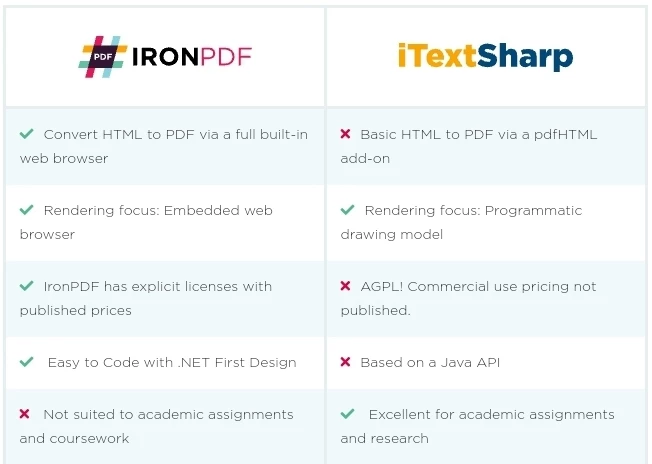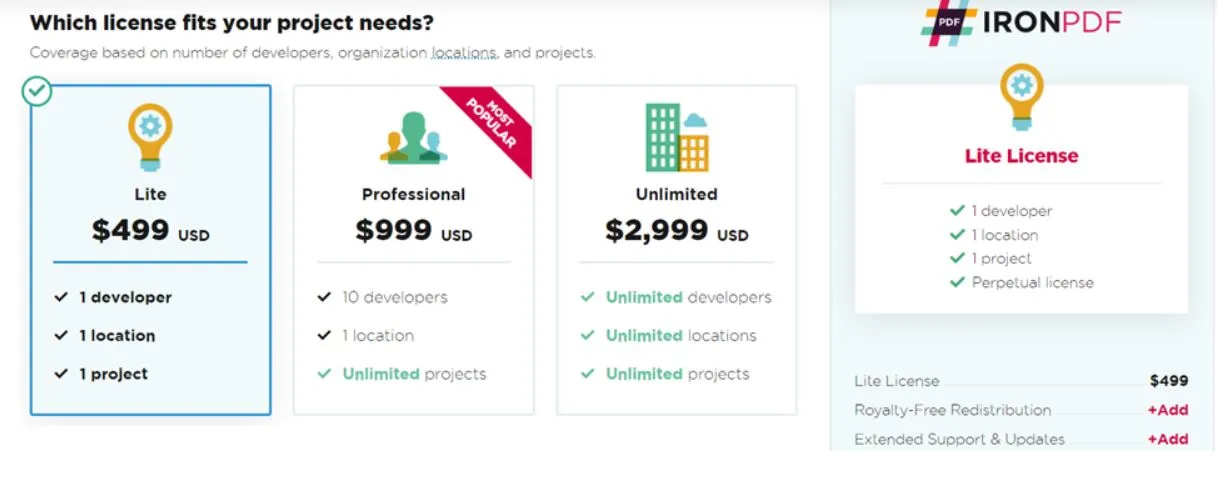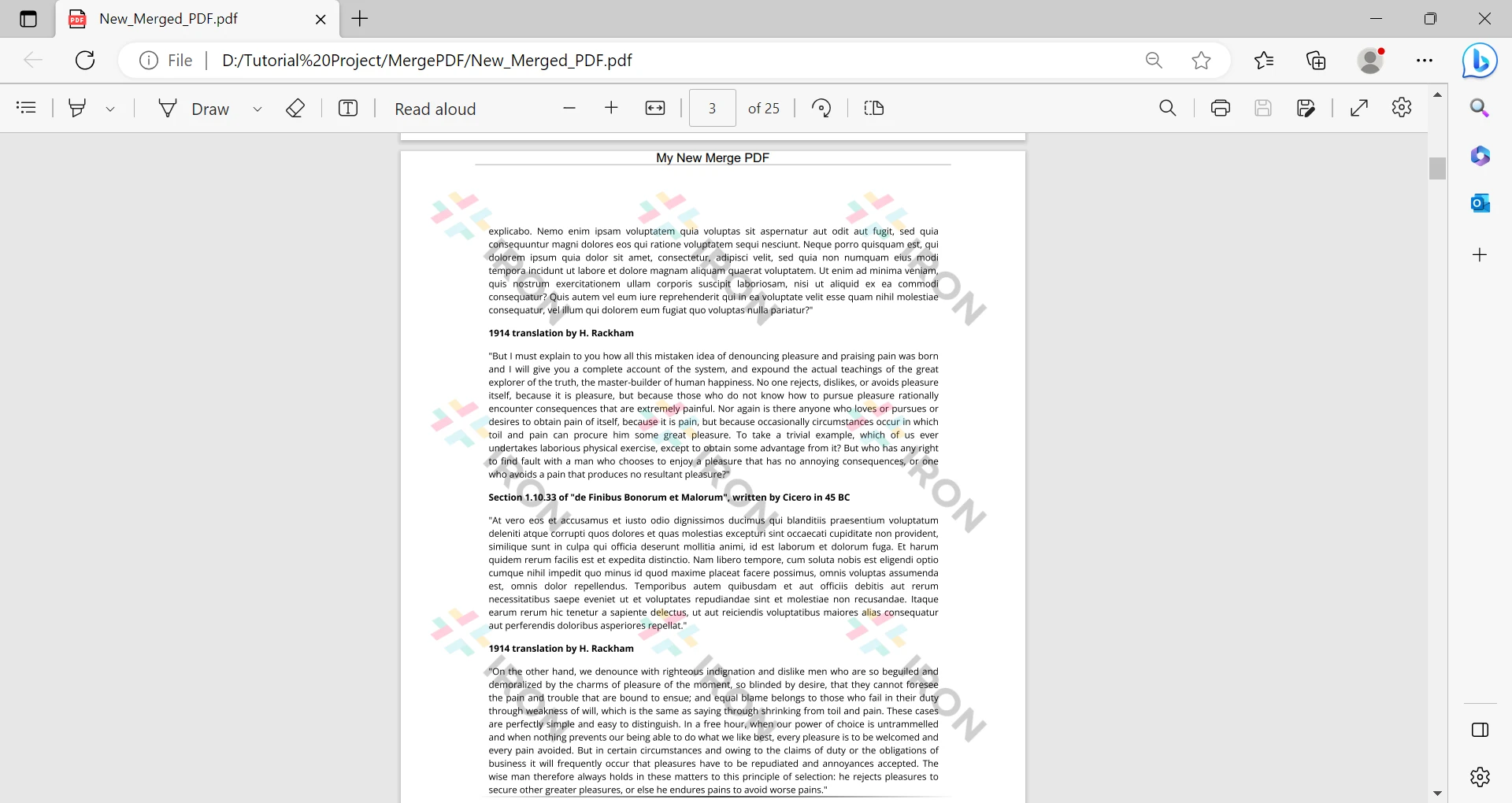
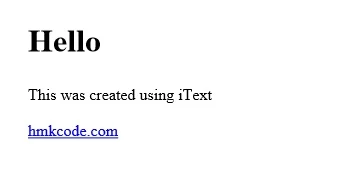
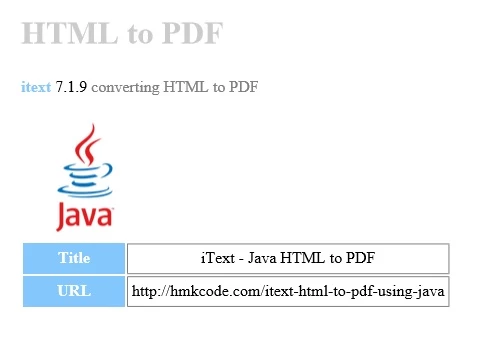
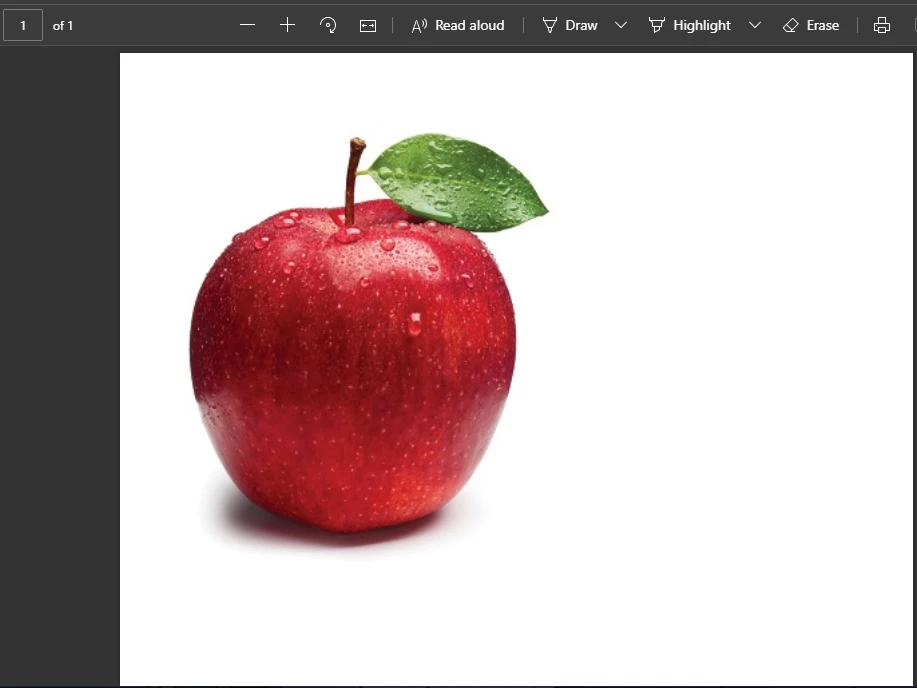
제품 비교 Java용 IronPDF와 Java용 iTextPDF itext7의 비교 커티스 차우 업데이트됨:8월 20, 2025 다운로드 IronPDF 메이븐 다운로드 JAR 다운로드 무료 체험 시작하기 LLM용 사본 LLM용 사본 LLM용 마크다운 형식으로 페이지를 복사하세요 ChatGPT에서 열기 ChatGPT에 이 페이지에 대해 문의하세요 제미니에서 열기 제미니에게 이 페이지에 대해 문의하세요 Grok에서 열기 Grok에게 이 페이지에 대해 문의하세요 혼란 속에서 열기 Perplexity에게 이 페이지에 대해 문의하세요 공유하다 페이스북에 공유하기 트위터에 공유하기 LinkedIn에 공유하기 URL 복사 이메일로 기사 보내기 Today, developers can benefit from better solutions thanks to ever-improving technology. The future of software development processes lies in automation. For a long time, PDF files have presented difficulties for developers. When working with PDFs (i.e., producing content and converting content from other formats to PDF), there are numerous considerations to be made. With the development of numerous libraries intended to aid in reading, writing, creating, and even converting PDFs from many formats, these needs are now met. This article will compare two of the most well-received PDF libraries for Java developers for editing, printing, and creating PDF files: IronPDF Java Library: A Java PDF library that focuses on generating PDFs from HTML. ITextPDF library: A Java-first, open-source library that focuses on generating PDFs using a programmable API. We will examine the features of the two libraries before moving on to the performance expenses for converting and handling the PDFs in order to determine which library is best for your application. Additionally, each library's duration will be recorded for later research. Installing IronPDF Java To install IronPDF for Java, you just declare it as a dependency. To define IronPDF as a dependency, please add the following to your pom.xml: <dependency> <groupId>com.ironsoftware</groupId> <artifactId>ironpdf</artifactId> <version>YOUR_VERSION_HERE</version> </dependency> <dependency> <groupId>com.ironsoftware</groupId> <artifactId>ironpdf</artifactId> <version>YOUR_VERSION_HERE</version> </dependency> XML Note: you can download the .jar manually: Go to IronPDF for Java Maven Repository to access the Maven Repo page. Extract the contents of the zip file. Create a folder and copy the contents of the zip folder. Open Eclipse IDE. Create a new Java project. Add the IronPDF .jar files in the class path. Finish the project creation wizard. That's it! IronPDF Features Developers can quickly produce, read, and manipulate PDFs with the help of the robust IronPDF PDF library. IronPDF uses the Chrome engine at its core and offers a wealth of practical and powerful features, including the ability to convert HTML5, JavaScript, CSS, and image files to PDF. IronPDF can also add unique headers and footers, and create PDF files precisely as they appear in a web browser. Various web formats, including HTML, ASPX, Razor View, and MVC, are supported by IronPDF. IronPDF's key attributes are as follows: Easily create, read, and edit PDFs with Java programs. Create PDFs from any website URL link that has settings for User-Agents, Proxies, Cookies, HTTP Headers, and Form Variables to support login using HTML login forms. Remove photos from already-existing PDF publications. Add text, photos, bookmarks, watermarks, and other elements to PDFs. Merge and divide the pages of several PDF documents. Convert media-type files, including CSS files, into documents. Installing ITextPDF Java ITextPDF is available for free at iTextPDF Website. This library is open-source under the AGPL software licensing model. To add the iText library into your application, include the following Maven repository into your pom.xml file. <dependency> <groupId>com.itextpdf</groupId> <artifactId>itextpdf</artifactId> <version>5.5.13.2</version> </dependency> <dependency> <groupId>com.itextpdf</groupId> <artifactId>itextpdf</artifactId> <version>5.5.13.2</version> </dependency> XML Download the iTextPDF .jar files directly and download the slf4j.jar file directly. To use the libraries add the iTextPDF .jar files to the classpath of the system. IText Library Features Create PDFs from HTML, XML, and Images (png, jpg, etc.). Add bookmarks, page numbers, and markers to PDF documents. Split a PDF file into multiple PDFs or combine multiple PDFs into a single PDF. Edit PDF Forms programmatically. Add text, images, and geometrical figures to PDFs. Convert HTML Strings to PDFs using iTextPDF Java In iText for Java, HTMLConverter is the primary class used to convert HTML to PDF. There are three main methods in HTMLConverter: convertToDocument, which returns a Document object. convertToElements, which returns a list of IElement objects. convertToPdf handles converting HTML content to PDF. This method accepts HTML input as a String, a File, or an InputStream, and returns a File, an OutputStream, or a Document object. package com.hmkcode; import java.io.FileNotFoundException; import java.io.FileOutputStream; import java.io.IOException; import com.itextpdf.html2pdf.HtmlConverter; public class App { // HTML content to be converted to PDF public static final String HTML = "<h1>Hello</h1>" + "<p>This was created using iText</p>" + "<a href='http://hmkcode.com'>hmkcode.com</a>"; public static void main(String[] args) throws FileNotFoundException, IOException { // Convert the HTML content to PDF and save it HtmlConverter.convertToPdf(HTML, new FileOutputStream("string-to-pdf.pdf")); System.out.println("PDF Created!"); } } package com.hmkcode; import java.io.FileNotFoundException; import java.io.FileOutputStream; import java.io.IOException; import com.itextpdf.html2pdf.HtmlConverter; public class App { // HTML content to be converted to PDF public static final String HTML = "<h1>Hello</h1>" + "<p>This was created using iText</p>" + "<a href='http://hmkcode.com'>hmkcode.com</a>"; public static void main(String[] args) throws FileNotFoundException, IOException { // Convert the HTML content to PDF and save it HtmlConverter.convertToPdf(HTML, new FileOutputStream("string-to-pdf.pdf")); System.out.println("PDF Created!"); } } JAVA Convert HTML Strings to PDFs using IronPDF Java The PdfDocument class from IronPDF offers multiple static methods that let Java developers produce HTML text from various sources. One such method is the PdfDocument.renderHtmlAsPdf method, which converts a string of HTML markup into a PDF document. import com.ironsoftware.ironpdf.*; import java.nio.file.Paths; public class IronPdfExample { public static void main(String[] args) { // Set the license and log path License.setLicenseKey("YOUR-LICENSE-KEY"); Settings.setLogPath(Paths.get("C:/tmp/IronPdfEngine.log")); // Convert the HTML content to a PDF PdfDocument myPdf = PdfDocument.renderHtmlAsPdf("<h1> ~Hello World~ </h1> Made with IronPDF!"); // Save the generated PDF myPdf.saveAs(Paths.get("html_saved.pdf")); } } import com.ironsoftware.ironpdf.*; import java.nio.file.Paths; public class IronPdfExample { public static void main(String[] args) { // Set the license and log path License.setLicenseKey("YOUR-LICENSE-KEY"); Settings.setLogPath(Paths.get("C:/tmp/IronPdfEngine.log")); // Convert the HTML content to a PDF PdfDocument myPdf = PdfDocument.renderHtmlAsPdf("<h1> ~Hello World~ </h1> Made with IronPDF!"); // Save the generated PDF myPdf.saveAs(Paths.get("html_saved.pdf")); } } JAVA Convert HTML Files to PDF using ITextPDF Java The convertToPdf method can be used to convert any HTML file to a PDF. Images and CSS files may be included in the HTML file. They must, however, be in the same location as the HTML file. We can use the ConverterProperties class to set the base path for referenced CSS and images. This is useful when the HTML file assets are located in different directories. Consider an index.html file containing the following markup. <html> <head> <title>HTML to PDF</title> <link href="style.css" rel="stylesheet" type="text/css" /> </head> <body> <h1>HTML to PDF</h1> <p> <span class="itext">itext</span> 7.1.9 <span class="description"> converting HTML to PDF</span> </p> <table> <tr> <th class="label">Title</th> <td>iText - Java HTML to PDF</td> </tr> <tr> <th>URL</th> <td>http://hmkcode.com/itext-html-to-pdf-using-java</td> </tr> </table> </body> </html> <html> <head> <title>HTML to PDF</title> <link href="style.css" rel="stylesheet" type="text/css" /> </head> <body> <h1>HTML to PDF</h1> <p> <span class="itext">itext</span> 7.1.9 <span class="description"> converting HTML to PDF</span> </p> <table> <tr> <th class="label">Title</th> <td>iText - Java HTML to PDF</td> </tr> <tr> <th>URL</th> <td>http://hmkcode.com/itext-html-to-pdf-using-java</td> </tr> </table> </body> </html> HTML The source code below converts the index.html file into a PDF: package com.hmkcode; import java.io.FileInputStream; import java.io.FileNotFoundException; import java.io.FileOutputStream; import java.io.IOException; import com.itextpdf.html2pdf.HtmlConverter; public class App { public static void main(String[] args) throws FileNotFoundException, IOException { // Convert the HTML file to PDF and save it HtmlConverter.convertToPdf(new FileInputStream("index.html"), new FileOutputStream("index-to-pdf.pdf")); System.out.println("PDF Created!"); } } package com.hmkcode; import java.io.FileInputStream; import java.io.FileNotFoundException; import java.io.FileOutputStream; import java.io.IOException; import com.itextpdf.html2pdf.HtmlConverter; public class App { public static void main(String[] args) throws FileNotFoundException, IOException { // Convert the HTML file to PDF and save it HtmlConverter.convertToPdf(new FileInputStream("index.html"), new FileOutputStream("index-to-pdf.pdf")); System.out.println("PDF Created!"); } } JAVA Convert HTML Files to PDF using IronPDF for Java IronPDF's PdfDocument.renderHtmlFileAsPdf method converts HTML files located on a computer or on a network file path. import com.ironsoftware.ironpdf.*; import java.nio.file.Path; import java.nio.file.Paths; public class IronPdfExample { public static void main(String[] args) { // Convert the HTML file to PDF and save it PdfDocument myPdf = PdfDocument.renderHtmlFileAsPdf("example.html"); myPdf.saveAs(Paths.get("html_file_saved.pdf")); } } import com.ironsoftware.ironpdf.*; import java.nio.file.Path; import java.nio.file.Paths; public class IronPdfExample { public static void main(String[] args) { // Convert the HTML file to PDF and save it PdfDocument myPdf = PdfDocument.renderHtmlFileAsPdf("example.html"); myPdf.saveAs(Paths.get("html_file_saved.pdf")); } } JAVA Add Images to PDF files using IronPDF Java You can use IronPDF's PdfDocument.fromImage method to render a group of images into a single PDF file. The next example uses this method on a short list of images located on different filesystem paths. import com.ironsoftware.ironpdf.*; import java.nio.file.Path; import java.nio.file.Paths; import java.util.ArrayList; import java.util.List; public class IronPdfExample { public static void main(String[] args) { // Create an ArrayList containing the list of images that you want to combine // into ONE PDF document Path imageA = Paths.get("directoryA/1.png"); Path imageB = Paths.get("directoryB/2.png"); Path imageC = Paths.get("3.png"); List<Path> imageFiles = new ArrayList<>(); imageFiles.add(imageA); imageFiles.add(imageB); imageFiles.add(imageC); // Convert the three images into a PDF and save them. PdfDocument.fromImage(imageFiles).saveAs(Paths.get("assets/composite.pdf")); } } import com.ironsoftware.ironpdf.*; import java.nio.file.Path; import java.nio.file.Paths; import java.util.ArrayList; import java.util.List; public class IronPdfExample { public static void main(String[] args) { // Create an ArrayList containing the list of images that you want to combine // into ONE PDF document Path imageA = Paths.get("directoryA/1.png"); Path imageB = Paths.get("directoryB/2.png"); Path imageC = Paths.get("3.png"); List<Path> imageFiles = new ArrayList<>(); imageFiles.add(imageA); imageFiles.add(imageB); imageFiles.add(imageC); // Convert the three images into a PDF and save them. PdfDocument.fromImage(imageFiles).saveAs(Paths.get("assets/composite.pdf")); } } JAVA Add Images to PDFs using ITextPDF Java The complete code example below uses iText to convert two images located in the current working directory into one PDF file. import java.io.*; import com.itextpdf.io.image.*; import com.itextpdf.kernel.pdf.*; import com.itextpdf.layout.Document; import com.itextpdf.layout.element.Image; public class InsertImagePDF { public static void main(String[] args) throws IOException { String currDir = System.getProperty("user.dir"); // Getting path of current working directory to create the pdf file in the same directory String pdfPath = currDir + "/InsertImage.pdf"; // Creating PdfWriter object to write the PDF file to the path PdfWriter writer = new PdfWriter(pdfPath); // Creating PdfDocument object PdfDocument pdfDoc = new PdfDocument(writer); // Creating a Document object Document doc = new Document(pdfDoc); // Creating ImageData from images on disk (from given paths) using ImageDataFactory ImageData imageDataA = ImageDataFactory.create(currDir + "/imageA.jpg"); Image imgA = new Image(imageDataA); ImageData imageDataB = ImageDataFactory.create(currDir + "/imageB.jpg"); Image imgB = new Image(imageDataB); // Adding images to the document doc.add(imgA); doc.add(imgB); // Close the document doc.close(); System.out.println("Image added successfully and PDF file created!"); } } import java.io.*; import com.itextpdf.io.image.*; import com.itextpdf.kernel.pdf.*; import com.itextpdf.layout.Document; import com.itextpdf.layout.element.Image; public class InsertImagePDF { public static void main(String[] args) throws IOException { String currDir = System.getProperty("user.dir"); // Getting path of current working directory to create the pdf file in the same directory String pdfPath = currDir + "/InsertImage.pdf"; // Creating PdfWriter object to write the PDF file to the path PdfWriter writer = new PdfWriter(pdfPath); // Creating PdfDocument object PdfDocument pdfDoc = new PdfDocument(writer); // Creating a Document object Document doc = new Document(pdfDoc); // Creating ImageData from images on disk (from given paths) using ImageDataFactory ImageData imageDataA = ImageDataFactory.create(currDir + "/imageA.jpg"); Image imgA = new Image(imageDataA); ImageData imageDataB = ImageDataFactory.create(currDir + "/imageB.jpg"); Image imgB = new Image(imageDataB); // Adding images to the document doc.add(imgA); doc.add(imgB); // Close the document doc.close(); System.out.println("Image added successfully and PDF file created!"); } } JAVA Licensing iTextSharp is open source and is licensed under the AGLP. This ensures that anyone who utilizes an application that incorporates iTextSharp is entitled to a complete copy of the application's source code, even if they do so over a corporate network or the internet. Contact iText directly to discuss the pricing of the license if you intend to use it for business applications. IronPDF is free for development and can always be licensed for commercial deployment. IronPDF License Details for single-project use, individual developers, agencies, and global corporations, as well as for SaaS and OEM redistribution. All licenses include a 30-day money-back guarantee, one year of product support and updates, validity for dev/staging/production, and also a permanent license (one-time purchase). Pricing for the Lite package starts from $799. Developers can enjoy unlimited use of the library for development. In terms of general licensing, the rates are very cost-effective. Free one-year unlimited support. Free trials are also available for licensing purposes. All licenses include a 30-day money-back guarantee. Licenses are valid for all environments (development, staging, production, etc.). Licenses include one year of unconditional support. IronPDF licenses require a one-time purchase. IronPDF vs iText There are several significant differences between iText and IronPDF. iText's API is structured around a programmatic model. Manipulation of PDF properties and content under this model are more low-level and granular. While this gives the programmer more control and flexibility, it also requires writing more code to implement use cases. IronPDF's API is structured around optimizing the developer's productivity. IronPDF simplifies PDF editing, manipulation, creation, and other complex tasks by allowing developers to complete them with just a few lines of code. Conclusion All customers of Iron Software have the option of purchasing the entire suite of packages with just two clicks. You can currently purchase all five libraries from the Iron Software Suite, along with ongoing support for each, for the cost of just two libraries from the suite. 참고해 주세요iTextPDF is a registered trademark of its respective owner. This site is not affiliated with, endorsed by, or sponsored by iTextPDF. All product names, logos, and brands are property of their respective owners. Comparisons are for informational purposes only and reflect publicly available information at the time of writing. 자주 묻는 질문 Java 라이브러리를 사용하여 HTML을 PDF로 변환하려면 어떻게 해야 하나요? IronPDF의 renderHtmlAsPdf 메서드를 사용하여 HTML 문자열을 PDF 문서로 변환할 수 있습니다. 또한 renderHtmlFileAsPdf 메서드를 사용하여 HTML 파일을 PDF로 변환할 수도 있습니다. Java PDF 라이브러리의 설치 단계는 어떻게 되나요? Java용 IronPDF를 설치하려면 pom.xml 파일에 종속성으로 선언하거나 IronPDF Maven 리포지토리에서 .jar를 수동으로 다운로드하여 프로젝트의 클래스 경로에 포함시켜야 합니다. Java용 IronPDF는 iTextPDF와 어떻게 다른가요? IronPDF는 HTML에서 PDF로의 변환을 위해 Chrome 엔진을 사용하여 더 적은 코드 줄로 작업을 단순화하는 데 중점을 둡니다. iTextPDF는 프로그래밍 방식의 API를 통해 보다 세분화된 제어 기능을 제공하지만 조작을 위해 더 많은 코드가 필요합니다. Java PDF 라이브러리를 사용하여 PDF에 이미지를 추가할 수 있나요? 예, IronPDF를 사용하면 이미지 파일 경로 목록을 제공하여 이미지를 단일 PDF 파일로 렌더링하는 PdfDocument.fromImage 메서드를 사용할 수 있습니다. Java PDF 라이브러리는 어떤 라이선스 옵션을 제공하나요? IronPDF는 단일 프로젝트, 개인 개발자, 대행사, 기업 라이선스 등 유연한 라이선스 옵션과 함께 SaaS 및 OEM 재배포 옵션을 제공합니다. 모든 라이선스에는 30일 환불 보장 정책과 1년간의 지원 서비스가 제공됩니다. Java용 IronPDF를 사용하여 PDF를 편집할 수 있나요? 예, IronPDF를 사용하면 PDF 문서를 편집, 병합 및 조작할 수 있습니다. 머리글, 바닥글을 추가하고 HTML, ASPX 및 MVC와 같은 여러 웹 형식을 처리할 수 있는 도구를 제공합니다. Java PDF 라이브러리에 사용할 수 있는 무료 옵션이 있나요? iTextPDF는 AGPL 라이선스에 따른 오픈 소스이므로 무료로 사용할 수 있지만 이를 사용하는 애플리케이션의 소스 코드를 공유해야 합니다. IronPDF는 개발용으로는 무료이지만 상업적 배포를 위해서는 라이선스가 필요합니다. Java에서 HTML 파일을 PDF로 변환하는 가장 좋은 방법은 무엇인가요? IronPDF의 renderHtmlFileAsPdf 메서드를 사용하면 로컬 또는 네트워크 파일 경로의 HTML 파일을 PDF 문서로 변환할 수 있어 개발자에게 간소화된 프로세스를 제공합니다. IronPDF는 PDF 생성을 위해 어떤 기능을 제공하나요? IronPDF는 HTML5, JavaScript, CSS, 이미지를 PDF로 변환, 머리글/바닥글 추가 등의 기능을 통해 PDF 생성, 읽기, 편집을 지원합니다. 개발자의 생산성과 사용 편의성에 중점을 두고 있습니다. ITextPDF를 Java 프로젝트에 통합하려면 무엇이 필요하나요? Java 프로젝트에 iTextPDF를 포함하려면 pom.xml 파일에 해당 Maven 리포지토리 세부 정보를 추가하고 통합에 필요한 .jar 파일을 다운로드해야 합니다. 커티스 차우 지금 바로 엔지니어링 팀과 채팅하세요 기술 문서 작성자 커티스 차우는 칼턴 대학교에서 컴퓨터 과학 학사 학위를 취득했으며, Node.js, TypeScript, JavaScript, React를 전문으로 하는 프론트엔드 개발자입니다. 직관적이고 미적으로 뛰어난 사용자 인터페이스를 만드는 데 열정을 가진 그는 최신 프레임워크를 활용하고, 잘 구성되고 시각적으로 매력적인 매뉴얼을 제작하는 것을 즐깁니다. 커티스는 개발 분야 외에도 사물 인터넷(IoT)에 깊은 관심을 가지고 있으며, 하드웨어와 소프트웨어를 통합하는 혁신적인 방법을 연구합니다. 여가 시간에는 게임을 즐기거나 디스코드 봇을 만들면서 기술에 대한 애정과 창의성을 결합합니다. 관련 기사 업데이트됨 7월 28, 2025 Java PDF 라이브러리 오픈 소스(무료 및 유료 도구 비교) 이 문서에서는 여러 오픈 소스 Java PDF 라이브러리와 IronPDF Java를 살펴봅니다. 더 읽어보기 업데이트됨 7월 28, 2025 Java용 IronPDF와 PDFium Java의 비교 이 블로그 게시물에서는 Java용 IronPDF 및 PDFium Java의 기능, 성능 및 사용 사례에 대해 자세히 설명합니다 더 읽어보기 업데이트됨 7월 28, 2025 Java용 IronPDF와 BFO Java PDF 라이브러리 비교 BFO Java(Big Faceless Organization Java)는 PDF 문서 생성 및 조작을 위한 Java 라이브러리로 높은 평가를 받고 있습니다. 광범위한 기능 세트와 강력한 기능을 갖추고 있습니다. 더 읽어보기 Java용 IronPDF와 Apache PDFBox의 비교2025년 최고의 Java PDF 라이...
업데이트됨 7월 28, 2025 Java PDF 라이브러리 오픈 소스(무료 및 유료 도구 비교) 이 문서에서는 여러 오픈 소스 Java PDF 라이브러리와 IronPDF Java를 살펴봅니다. 더 읽어보기
업데이트됨 7월 28, 2025 Java용 IronPDF와 PDFium Java의 비교 이 블로그 게시물에서는 Java용 IronPDF 및 PDFium Java의 기능, 성능 및 사용 사례에 대해 자세히 설명합니다 더 읽어보기
업데이트됨 7월 28, 2025 Java용 IronPDF와 BFO Java PDF 라이브러리 비교 BFO Java(Big Faceless Organization Java)는 PDF 문서 생성 및 조작을 위한 Java 라이브러리로 높은 평가를 받고 있습니다. 광범위한 기능 세트와 강력한 기능을 갖추고 있습니다. 더 읽어보기