푸터 콘텐츠로 바로가기
JAVA용 IRONPDF 사용

Java용 PDF(올인원 솔루션)

There are multiple PDF Java libraries available in the market such as iText Library and Apache PDFBox, but IronPDF is one of the powerful Java libraries which allow you to perform various types of PDF operations including digital signatures, extracting text from forms, inserting text, and more. This article will guide you on how to use IronPDF for Java to create PDF documents with an efficient and easy-to-use API.

IronPDF For Java - PDF Library

With the IronPDF Java Library Overview, developers may create PDFs, edit new documents, extract content from PDFs, and alter PDF documents with ease within their Java applications using the API. This library is a wonderful choice for Java developers who need to create PDF files from app data because it offers a lot of functionality, such as support for CJK fonts. IronPDF for Java also offers to merge multiple PDF files seamlessly into a single PDF file.

IronPDF supports creating a PDF from templates, adding new HTML content, customizing headers and footers, generating password-protected PDFs, digitally signing PDF files, adding backgrounds and foregrounds, creating outlines and bookmarks, forming complete PDF files from XML documents, and adding and editing annotations.

Creating PDF Documents Using HTML

IronPDF makes it simple for developers to incorporate fresh HTML information into their entire PDF document. Developers who wish to dynamically create PDF-form documents with rich HTML information will find this to be a very useful tool with easy integration. The library supports a wide range of HTML components, such as tables, links, and images. It is straightforward to create PDFs with a professional appearance by using CSS to style HTML text data or images.

import com.ironsoftware.ironpdf.*;

import java.io.IOException;
import java.nio.file.Paths;

public class GeneratePdf {
    public static void main(String[] args) throws IOException {
        // Apply your commercial license key
        License.setLicenseKey("YOUR-LICENSE-KEY");

        // Set a log file path
        Settings.setLogPath(Paths.get("C:/tmp/IronPdfEngine.log"));

        // Render the HTML as a PDF. Store in myPdf as type PdfDocument;
        PdfDocument myPdf = PdfDocument.renderHtmlAsPdf("<h1>Hello World</h1>");

        // Save the PdfDocument to a file
        myPdf.saveAs(Paths.get("Demo.pdf"));
    }
}
import com.ironsoftware.ironpdf.*;

import java.io.IOException;
import java.nio.file.Paths;

public class GeneratePdf {
    public static void main(String[] args) throws IOException {
        // Apply your commercial license key
        License.setLicenseKey("YOUR-LICENSE-KEY");

        // Set a log file path
        Settings.setLogPath(Paths.get("C:/tmp/IronPdfEngine.log"));

        // Render the HTML as a PDF. Store in myPdf as type PdfDocument;
        PdfDocument myPdf = PdfDocument.renderHtmlAsPdf("<h1>Hello World</h1>");

        // Save the PdfDocument to a file
        myPdf.saveAs(Paths.get("Demo.pdf"));
    }
}
JAVA

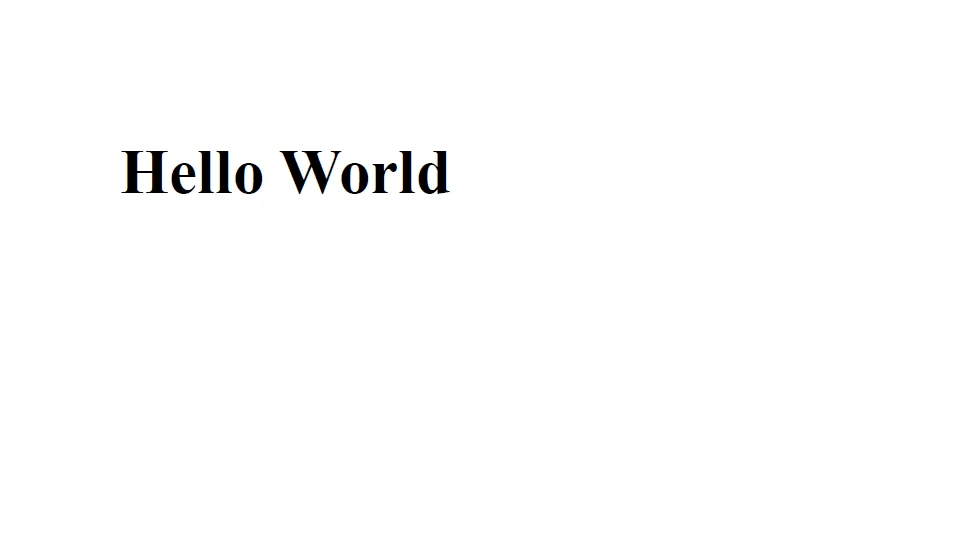
Below is the sample document generated from the above source code.

PDF For Java (All-in-One Solution), Figure 1: Output Output

HTML Headers and Footers

Adding HTML headers and footers to your documents is easy with IronPDF. In many PDF documents, the headers and footers are essential sections. With IronPDF, developers may customize the headers and footers of their PDF documents with text, PNG images, and page numbers. Businesses that need to put trademark or copyright information in their publications will find this capability to be highly beneficial.

import com.ironsoftware.ironpdf.PdfDocument;
import com.ironsoftware.ironpdf.headerfooter.HtmlHeaderFooter;

import java.io.IOException;
import java.nio.file.Paths;
import java.util.ArrayList;
import java.util.List;

public class HeaderFooterExample {
    public static void main(String[] args) throws IOException {
        PdfDocument pdf = PdfDocument.renderUrlAsPdf("https://ironpdf.com");

        // Build a footer using HTML
        // Merge Fields are: {page} {total-pages} {url} {date} {time} {html-title} & {pdf-title}
        HtmlHeaderFooter footer = new HtmlHeaderFooter();
        footer.setMaxHeight(15); // millimeters
        footer.setHtmlFragment("<center><i>{page} of {total-pages}</i></center>");
        footer.setDrawDividerLine(true);
        pdf.addHtmlFooter(footer);

        // Build a header using an image asset
        // Note the use of BaseUrl to set a relative path to the assets
        HtmlHeaderFooter header = new HtmlHeaderFooter();
        header.setMaxHeight(20); // millimeters
        header.setHtmlFragment("<img src=\"logo.png\" />");
        header.setBaseUrl("./assets/");
        pdf.addHtmlHeader(header);

        try {
            pdf.saveAs(Paths.get("assets/html_headers_footers.pdf"));
        } catch (IOException e) {
            throw new RuntimeException(e);
        }
    }
}
import com.ironsoftware.ironpdf.PdfDocument;
import com.ironsoftware.ironpdf.headerfooter.HtmlHeaderFooter;

import java.io.IOException;
import java.nio.file.Paths;
import java.util.ArrayList;
import java.util.List;

public class HeaderFooterExample {
    public static void main(String[] args) throws IOException {
        PdfDocument pdf = PdfDocument.renderUrlAsPdf("https://ironpdf.com");

        // Build a footer using HTML
        // Merge Fields are: {page} {total-pages} {url} {date} {time} {html-title} & {pdf-title}
        HtmlHeaderFooter footer = new HtmlHeaderFooter();
        footer.setMaxHeight(15); // millimeters
        footer.setHtmlFragment("<center><i>{page} of {total-pages}</i></center>");
        footer.setDrawDividerLine(true);
        pdf.addHtmlFooter(footer);

        // Build a header using an image asset
        // Note the use of BaseUrl to set a relative path to the assets
        HtmlHeaderFooter header = new HtmlHeaderFooter();
        header.setMaxHeight(20); // millimeters
        header.setHtmlFragment("<img src=\"logo.png\" />");
        header.setBaseUrl("./assets/");
        pdf.addHtmlHeader(header);

        try {
            pdf.saveAs(Paths.get("assets/html_headers_footers.pdf"));
        } catch (IOException e) {
            throw new RuntimeException(e);
        }
    }
}
JAVA

Stamp & Watermark

Developers are able to add watermarks and stamps to their PDF documents with IronPDF. A custom message or image is added to a new document using stamps; watermarks are translucent images or text that are displayed in the background of the document.

For companies who need to add a personalized message or safeguard their documents from unwanted use, these options are fantastic.

import com.ironsoftware.ironpdf.*;
import com.ironsoftware.ironpdf.stamp.HorizontalAlignment;
import com.ironsoftware.ironpdf.stamp.VerticalAlignment;
import java.io.IOException;
import java.nio.file.Paths;

public class WatermarkExample {
    public static void main(String[] args) throws IOException {
        // Apply your commercial license key
        License.setLicenseKey("Your-License");

        // Create a new PDF or load an existing one from the filesystem
        PdfDocument pdf = PdfDocument.fromFile(Paths.get("C:\\byteToPdf.pdf"));

        // Apply a text watermark to the PDF document
        pdf.applyWatermark("<h2 style='color:red'>SAMPLE</h2>", 
                           30, VerticalAlignment.TOP, HorizontalAlignment.CENTER);

        // Save the updated PDF document
        pdf.saveAs(Paths.get("assets/watermark.pdf"));
    }
}
import com.ironsoftware.ironpdf.*;
import com.ironsoftware.ironpdf.stamp.HorizontalAlignment;
import com.ironsoftware.ironpdf.stamp.VerticalAlignment;
import java.io.IOException;
import java.nio.file.Paths;

public class WatermarkExample {
    public static void main(String[] args) throws IOException {
        // Apply your commercial license key
        License.setLicenseKey("Your-License");

        // Create a new PDF or load an existing one from the filesystem
        PdfDocument pdf = PdfDocument.fromFile(Paths.get("C:\\byteToPdf.pdf"));

        // Apply a text watermark to the PDF document
        pdf.applyWatermark("<h2 style='color:red'>SAMPLE</h2>", 
                           30, VerticalAlignment.TOP, HorizontalAlignment.CENTER);

        // Save the updated PDF document
        pdf.saveAs(Paths.get("assets/watermark.pdf"));
    }
}
JAVA

Backgrounds & Foregrounds

With IronPDF, developers may additionally customize the foreground and background of their PDF documents. Custom text or images can be added to a document's foreground or background, while custom colors or images can be added to the background. Business owners will find this option especially helpful if they wish to add personalized branding or graphics to their papers or PDF forms.

import com.ironsoftware.ironpdf.*;

import java.io.IOException;
import java.nio.file.Paths;

public class BackgroundForegroundExample {
    public static void main(String[] args) throws IOException {
        // Load background and foreground PDFs from the filesystem (or create them programmatically)
        PdfDocument backgroundPdf = PdfDocument.fromFile(Paths.get("assets/MyBackground.pdf"));
        PdfDocument foregroundPdf = PdfDocument.fromFile(Paths.get("assets/MyForeground.pdf"));

        // Render content (HTML, URL, etc.) as a PDF Document
        PdfDocument pdf = PdfDocument.renderUrlAsPdf("https://www.nuget.org/packages/IronPdf");

        // Add the background and foreground PDFs to the newly-rendered document
        pdf.addBackgroundPdf(backgroundPdf);
        pdf.addForegroundPdf(foregroundPdf);

        // Save the updated PDF document
        pdf.saveAs(Paths.get("assets/BackgroundForegroundPdf.pdf"));
    }
}
import com.ironsoftware.ironpdf.*;

import java.io.IOException;
import java.nio.file.Paths;

public class BackgroundForegroundExample {
    public static void main(String[] args) throws IOException {
        // Load background and foreground PDFs from the filesystem (or create them programmatically)
        PdfDocument backgroundPdf = PdfDocument.fromFile(Paths.get("assets/MyBackground.pdf"));
        PdfDocument foregroundPdf = PdfDocument.fromFile(Paths.get("assets/MyForeground.pdf"));

        // Render content (HTML, URL, etc.) as a PDF Document
        PdfDocument pdf = PdfDocument.renderUrlAsPdf("https://www.nuget.org/packages/IronPdf");

        // Add the background and foreground PDFs to the newly-rendered document
        pdf.addBackgroundPdf(backgroundPdf);
        pdf.addForegroundPdf(foregroundPdf);

        // Save the updated PDF document
        pdf.saveAs(Paths.get("assets/BackgroundForegroundPdf.pdf"));
    }
}
JAVA

To learn more about the IronPDF for Java PDF library, refer to the HTML to PDF Tutorial for Java.

Conclusion

The ability to add annotations, bookmarks, HTML content, background and foreground colors, headers, and footers to PDF documents are just a few of the capabilities that are covered in this article. Developers can easily produce professional-looking PDF documents that match their individual demands by following the article's step-by-step instructions for integrating these capabilities using IronPDF.

The license is $799 in price. To help developers assess the library's capabilities before deciding on a purchase, IronPDF offers a free trial. All of the library's features, including support and upgrades, are available during the trial period. Users can opt to buy a license to keep accessing the library after the trial period concludes.

자주 묻는 질문

개발자는 Java에서 HTML을 사용하여 PDF 문서를 어떻게 만들 수 있나요?

IronPDF의 API를 사용하여 HTML 콘텐츠를 PDF 문서로 변환할 수 있습니다. 이를 통해 표, 링크, 이미지와 같은 풍부한 HTML 콘텐츠를 CSS로 스타일링하여 PDF 파일에 직접 포함할 수 있습니다.

IronPDF는 PDF 머리글과 바닥글 사용자 지정을 위해 어떤 기능을 제공하나요?

IronPDF를 사용하면 텍스트, 이미지 및 페이지 번호로 머리글과 바닥글을 사용자 지정할 수 있습니다. 이 기능은 개인화된 브랜딩이나 상표 및 저작권과 같은 법적 정보를 추가하는 데 유용합니다.

IronPDF를 사용하여 여러 PDF 문서를 하나로 병합할 수 있나요?

예, IronPDF는 포괄적인 API를 통해 여러 PDF 파일을 하나의 문서로 원활하게 병합하는 기능을 제공합니다.

IronPDF를 사용하여 PDF에 디지털 서명을 추가할 수 있나요?

예, IronPDF는 PDF 문서에 디지털 서명을 추가하여 파일의 보안과 신뢰성을 강화하는 기능을 지원합니다.

IronPDF는 PDF 문서에 워터마크를 추가하는 작업을 어떻게 처리하나요?

IronPDF를 사용하면 사용자 지정 메시지나 이미지를 스탬프로 오버레이하고 반투명 텍스트나 이미지를 PDF 문서에 워터마크로 적용할 수 있습니다.

IronPDF는 PDF 문서에 대한 비밀번호 보호를 지원하나요?

예, IronPDF를 사용하여 암호로 보호된 PDF를 생성하여 문서를 안전하게 보호하고 의도한 사용자만 액세스할 수 있도록 할 수 있습니다.

Java 개발자를 위해 IronPDF를 사용하면 어떤 이점이 있나요?

IronPDF는 원활한 PDF 통합을 위한 직관적인 API를 제공하고, 다양한 PDF 작업을 지원하며, 광범위한 사용자 정의 옵션을 제공하므로 PDF 파일을 관리하는 Java 개발자에게 유용한 도구입니다.

개발자를 위한 IronPDF 평가판이 있나요?

예, IronPDF는 무료 평가판을 제공하여 개발자가 라이선스를 구매하기 전에 모든 기능을 탐색하고 라이브러리의 기능을 평가할 수 있도록 합니다.

개발자가 IronPDF를 사용하여 PDF에 배경과 전경을 추가할 수 있나요?

예, IronPDF를 사용하면 사용자 지정 배경과 전경을 추가할 수 있어 PDF 문서에서 개인화된 브랜딩 또는 그래픽 향상을 구현할 수 있습니다.

IronPDF는 PDF 문서 관리를 위해 어떤 사용자 지정 옵션을 제공하나요?

IronPDF는 주석, 북마크, 개요, 머리글, 바닥글, 워터마크, 배경, 디지털 서명 추가 등 다양한 사용자 지정 옵션을 제공합니다.

커티스 차우
기술 문서 작성자

커티스 차우는 칼턴 대학교에서 컴퓨터 과학 학사 학위를 취득했으며, Node.js, TypeScript, JavaScript, React를 전문으로 하는 프론트엔드 개발자입니다. 직관적이고 미적으로 뛰어난 사용자 인터페이스를 만드는 데 열정을 가진 그는 최신 프레임워크를 활용하고, 잘 구성되고 시각적으로 매력적인 매뉴얼을 제작하는 것을 즐깁니다.


커티스는 개발 분야 외에도 사물 인터넷(IoT)에 깊은 관심을 가지고 있으며, 하드웨어와 소프트웨어를 통합하는 혁신적인 방법을 연구합니다. 여가 시간에는 게임을 즐기거나 디스코드 봇을 만들면서 기술에 대한 애정과 창의성을 결합합니다.