



已更新 2026年4月21日
如何在 Java 中將 TIFF 轉換為 PDF
本綜合指南將引導您逐步在 Java 中使用 IronPDF 無縫將 TIFF 圖像轉換為 PDF。
閱讀更多

市面上有多個PDF Java程式庫,例如iText Library和Apache PDFBox,但IronPDF是強大的Java程式庫之一,允許您執行各種PDF操作,包括數位簽名、從表單中提取文字、插入文字等。 本文將指導您如何使用IronPDF for Java來建立PDF文件,使用效率高且易於使用的API。
通過IronPDF Java Library Overview,開發者可以建立PDF、編輯新文件、從PDF中提取內容,並且輕鬆地在其Java應用程式中使用API來修改PDF文件。 此程式庫是需要從應用程式資料建立PDF文件的Java開發者的絕佳選擇,因為它提供了很多功能,比如支持CJK字體。 IronPDF for Java還提供無縫合併多個PDF文件到一個PDF文件中的功能。
IronPDF支持從模板建立PDF,新增新的HTML內容,自訂頁眉和頁腳,生成密碼保護的PDF,數位簽署PDF文件,新增背景和前景,建立大綱和書籤,從XML文件形成完整的PDF文件,並新增和編輯註釋。
IronPDF使開發者可以輕鬆地將新鮮的HTML資訊納入其完整的PDF文件中。 希望以豐富的HTML資訊動態建立PDF格式文件的開發者會發現這是一個非常有用且易於整合的工具。 該程式庫支持各種HTML組件,例如表格、連結和圖片。 使用CSS對HTML文字資料或圖片進行樣式處理,可以輕鬆建立出專業外觀的PDF文件。
import com.ironsoftware.ironpdf.*;

import java.io.IOException;
import java.nio.file.Paths;

public class GeneratePdf {
    public static void main(String[] args) throws IOException {
        // Apply your commercial license key
        License.setLicenseKey("YOUR-LICENSE-KEY");

        // Set a log file path
        Settings.setLogPath(Paths.get("C:/tmp/IronPdfEngine.log"));

        // Render the HTML as a PDF. Store in myPdf as type PdfDocument;
        PdfDocument myPdf = PdfDocument.renderHtmlAsPdf("<h1>Hello World</h1>");

        // Save the PdfDocument to a file
        myPdf.saveAs(Paths.get("Demo.pdf"));
    }
}下面是從上述程式碼生成的範例文件。
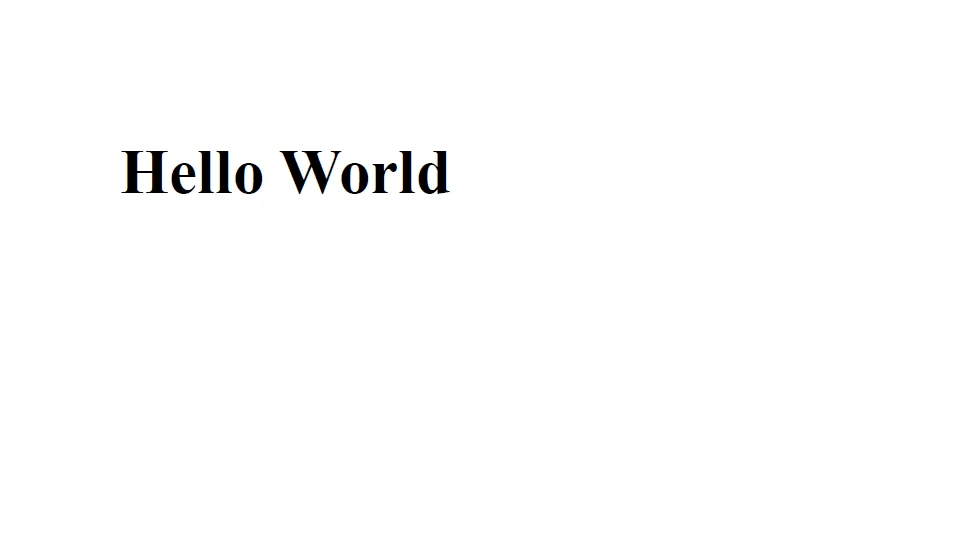 輸出
輸出
使用IronPDF新增HTML頁眉和頁腳到您的文件非常簡單。 在許多PDF文件中,頁眉和頁腳是必不可少的部分。 使用IronPDF,開發者可以自訂其PDF文件的頁眉和頁腳,包括文字、PNG圖片和頁碼。 需要在出版物上放置商標或版權資訊的企業會發現此功能極為有利。
import com.ironsoftware.ironpdf.PdfDocument;
import com.ironsoftware.ironpdf.headerfooter.HtmlHeaderFooter;

import java.io.IOException;
import java.nio.file.Paths;
import java.util.ArrayList;
import java.util.List;

public class HeaderFooterExample {
    public static void main(String[] args) throws IOException {
        PdfDocument pdf = PdfDocument.renderUrlAsPdf("https://ironpdf.com");

        // Build a footer using HTML
        // Merge Fields are: {page} {total-pages} {url} {date} {time} {html-title} & {pdf-title}
        HtmlHeaderFooter footer = new HtmlHeaderFooter();
        footer.setMaxHeight(15); // millimeters
        footer.setHtmlFragment("<center><i>{page} of {total-pages}</i></center>");
        footer.setDrawDividerLine(true);
        pdf.addHtmlFooter(footer);

        // Build a header using an image asset
        // Note the use of BaseUrl to set a relative path to the assets
        HtmlHeaderFooter header = new HtmlHeaderFooter();
        header.setMaxHeight(20); // millimeters
        header.setHtmlFragment("<img src=\"logo.png\" />");
        header.setBaseUrl("./assets/");
        pdf.addHtmlHeader(header);

        try {
            pdf.saveAs(Paths.get("assets/html_headers_footers.pdf"));
        } catch (IOException e) {
            throw new RuntimeException(e);
        }
    }
}開發人員可以使用IronPDF向他們的PDF文件中新增水印和印章。 使用印章向新文件新增自訂消息或圖片; 水印是在文件背景中顯示的半透明圖片或文字。
對於需要新增個性化資訊或保護其文件不被未經授權使用的公司來說,這些選項非常棒。
import com.ironsoftware.ironpdf.*;
import com.ironsoftware.ironpdf.stamp.HorizontalAlignment;
import com.ironsoftware.ironpdf.stamp.VerticalAlignment;
import java.io.IOException;
import java.nio.file.Paths;

public class WatermarkExample {
    public static void main(String[] args) throws IOException {
        // Apply your commercial license key
        License.setLicenseKey("Your-License");

        // Create a new PDF or load an existing one from the filesystem
        PdfDocument pdf = PdfDocument.fromFile(Paths.get("C:\\byteToPdf.pdf"));

        // Apply a text watermark to the PDF document
        pdf.applyWatermark("<h2 style='color:red'>SAMPLE</h2>",
                           30, VerticalAlignment.TOP, HorizontalAlignment.CENTER);

        // Save the updated PDF document
        pdf.saveAs(Paths.get("assets/watermark.pdf"));
    }
}使用IronPDF,開發者還可以自訂其PDF文件的前景和背景。 自訂文字或圖片可以被新增到文件的前景或背景中,自訂顏色或圖片可以被新增到背景中。 對於希望將個性化品牌或圖片新增到其文件或PDF表單的企業主來說,這一選擇特別有幫助。
import com.ironsoftware.ironpdf.*;

import java.io.IOException;
import java.nio.file.Paths;

public class BackgroundForegroundExample {
    public static void main(String[] args) throws IOException {
        // Load background and foreground PDFs from the filesystem (or create them programmatically)
        PdfDocument backgroundPdf = PdfDocument.fromFile(Paths.get("assets/MyBackground.pdf"));
        PdfDocument foregroundPdf = PdfDocument.fromFile(Paths.get("assets/MyForeground.pdf"));

        // Render content (HTML, URL, etc.) as a PDF Document
        PdfDocument pdf = PdfDocument.renderUrlAsPdf("https://www.nuget.org/packages/IronPdf");

        // Add the background and foreground PDFs to the newly-rendered document
        pdf.addBackgroundPdf(backgroundPdf);
        pdf.addForegroundPdf(foregroundPdf);

        // Save the updated PDF document
        pdf.saveAs(Paths.get("assets/BackgroundForegroundPdf.pdf"));
    }
}要了解更多關於IronPDF for Java PDF程式庫的資訊,請參閱HTML到PDF的Java教程。
文章中涵蓋了一些功能,例如在PDF文件中新增註釋、書籤、HTML內容、背景和前景顏色、頁眉和頁腳的能力。 開發人員可以輕鬆地按照文章中整合這些功能的逐步指南,建立符合他們個人需求的專業外觀PDF文件。
授權價格為$999。為了幫助開發者在決定購買之前評估程式庫的能力,IronPDF提供免費試用。 在試用期間,程式庫的所有功能,包括支援和升級,均可用。 試用期結束後,使用者可以選擇購買授權來繼續使用程式庫。

Curtis Chau擁有Carleton大學的電腦科學學士學位,專精於前端開發,擁有Node.js、TypeScript、JavaScript和React的專業知識。Curtis熱衷於建立直觀且美觀的使用者介面,喜愛使用現代框架並建立結構良好、視覺吸引力的手冊。

IronPDF 是 IRONSUITE 的一部分
10 款適用於辦公室文件的 .NET API 產品

當您需要您的PDF看起來像HTML一樣快速。













