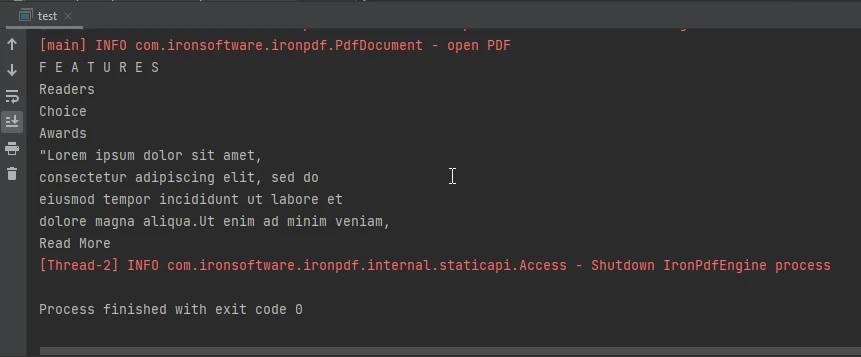
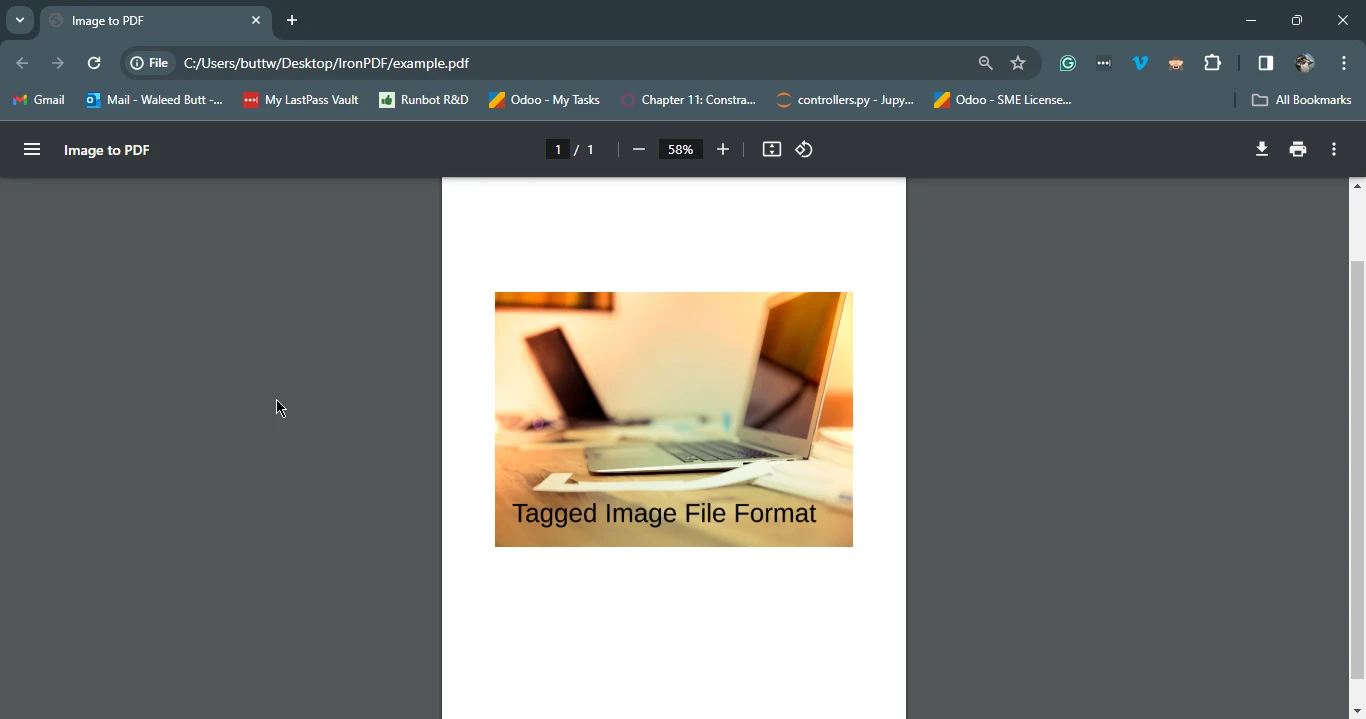
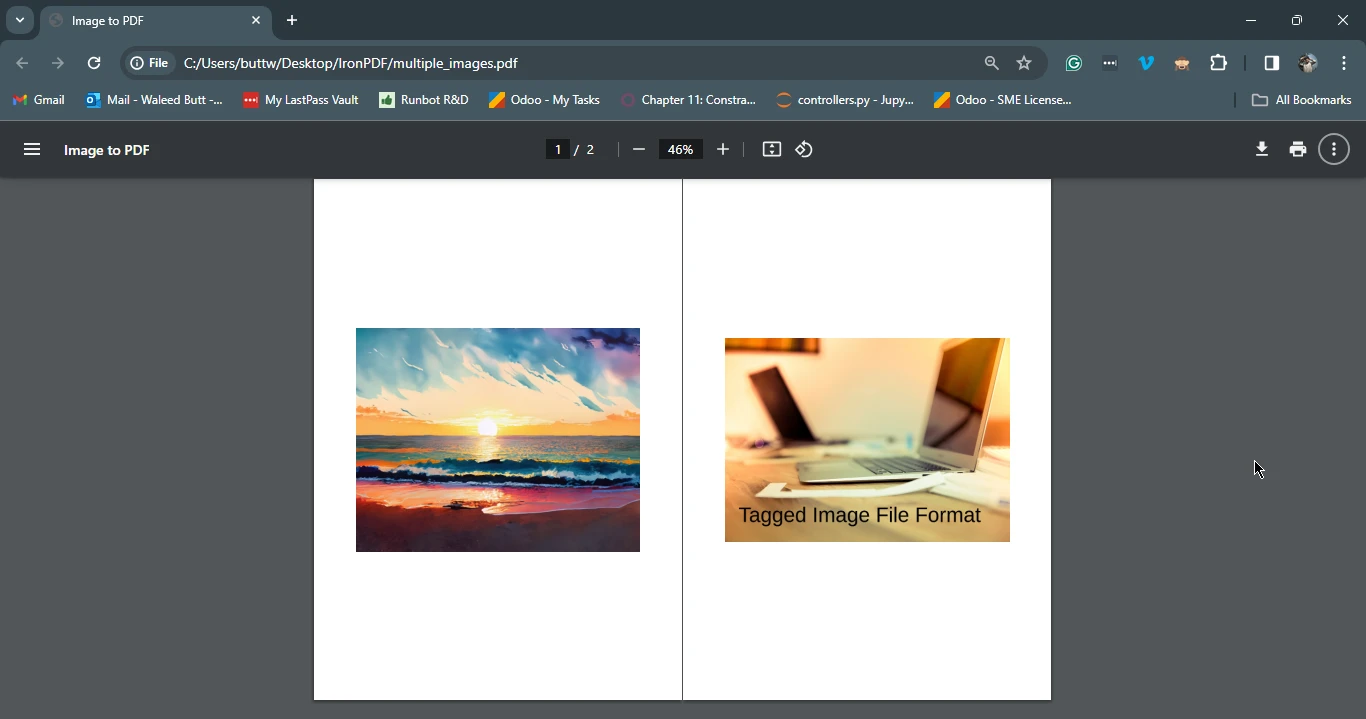
JAVA용 IRONPDF 사용 Java에서 TIFF를 PDF로 변환하는 방법 커티스 차우 업데이트됨:6월 22, 2025 다운로드 IronPDF 메이븐 다운로드 JAR 다운로드 무료 체험 시작하기 LLM용 사본 LLM용 사본 LLM용 마크다운 형식으로 페이지를 복사하세요 ChatGPT에서 열기 ChatGPT에 이 페이지에 대해 문의하세요 제미니에서 열기 제미니에게 이 페이지에 대해 문의하세요 Grok에서 열기 Grok에게 이 페이지에 대해 문의하세요 혼란 속에서 열기 Perplexity에게 이 페이지에 대해 문의하세요 공유하다 페이스북에 공유하기 트위터에 공유하기 LinkedIn에 공유하기 URL 복사 이메일로 기사 보내기 In the realm of digital document management, the need to convert various file formats to PDF is a common requirement. Among these, converting Tagged Image File Format or TIFF file images to PDF holds significant importance due to TIFF's widespread use in storing high-quality images and documents. Java developers often face challenges when tasked with TIFF to PDF conversion. However, with the assistance of IronPDF, a robust Java library, this TIFF to PDF process can be streamlined effectively. This comprehensive guide will walk you through the steps on how to convert TIFF image to PDF seamlessly in Java using IronPDF for Java Applications. How To Convert TIFF To PDF in Java Create a new Java project in IntelliJ or open an existing one. Add IronPDF dependencies in the pom.xml file. Add the necessary imports in your main.java file. Convert TIFF files to PDF using the PdfDocument.fromImage method. Save the PDF using the saveAs method. 2. Understanding the Importance of PDFs PDF (Portable Document Format) stands out as a versatile and universally accepted file format for document exchange and preservation. It offers numerous benefits, including consistent formatting, security features, PDF document import, and cross-platform compatibility. Converting TIFF images to converted PDF files further extends these advantages, enabling efficient document management and sharing while retaining image quality and integrity. 3. Introducing IronPDF for Java IronPDF for Java Library, a dynamic Java library developed by Iron Software, leverages the prowess of the .NET Framework to offer developers an intuitive and comprehensive suite of tools for PDF manipulation. Its seamless integration into Java ecosystems empowers developers to effortlessly create, edit, convert TIFF files, and convert PDF documents, all while abstracting away complexity through intuitive APIs and a rich feature set. With IronPDF, developers can tackle diverse PDF-related tasks with unparalleled ease and efficiency, enabling them to focus on building exceptional applications without compromise. 3.1. Prerequisites Before embarking on TIFF logical image files to PDF transformation with IronPDF, ensure that the following prerequisites are met: Java Development Kit (JDK): Download and install the latest version of JDK from the Oracle website. Maven: Install Maven, a build automation tool commonly used for Java projects. IronPDF Java Library: Add IronPDF as a dependency to your Java project. Include the following dependencies in your pom.xml file: <dependency> <groupId>com.ironsoftware</groupId> <artifactId>ironpdf</artifactId> <version>2024.1.1</version> </dependency> <dependency> <groupId>org.slf4j</groupId> <artifactId>slf4j-simple</artifactId> <version>2.0.5</version> </dependency> <dependency> <groupId>com.ironsoftware</groupId> <artifactId>ironpdf</artifactId> <version>2024.1.1</version> </dependency> <dependency> <groupId>org.slf4j</groupId> <artifactId>slf4j-simple</artifactId> <version>2.0.5</version> </dependency> XML 3.2. Converting TIFF to PDF: Step-by-Step Guide Input Images Step 1: Add Imports to Java Main File Begin by including the necessary imports in your Java main file to utilize IronPDF for TIFF to PDF conversion: import com.ironsoftware.ironpdf.*; import java.io.IOException; import java.nio.file.DirectoryStream; import java.nio.file.Files; import java.nio.file.Path; import java.nio.file.Paths; import java.util.ArrayList; import java.util.List; import com.ironsoftware.ironpdf.*; import java.io.IOException; import java.nio.file.DirectoryStream; import java.nio.file.Files; import java.nio.file.Path; import java.nio.file.Paths; import java.util.ArrayList; import java.util.List; JAVA Step 2: Convert Single TIFF to PDF File To convert a single TIFF image to a PDF file with just a few lines of code, follow the example below: import com.ironsoftware.ironpdf.PdfDocument; import java.nio.file.Path; import java.nio.file.Paths; import java.util.List; import java.util.ArrayList; public class TiffToPdfConverter { public static void main(String[] args) { // List to hold paths of images List<Path> paths = new ArrayList<>(); // Adding a single TIFF image to the list of paths paths.add(Paths.get("assets/file_example_TIFF_1MB.tiff")); // Convert the TIFF image to a PDF and save it PdfDocument.fromImage(paths).saveAs(Paths.get("example.pdf")); } } import com.ironsoftware.ironpdf.PdfDocument; import java.nio.file.Path; import java.nio.file.Paths; import java.util.List; import java.util.ArrayList; public class TiffToPdfConverter { public static void main(String[] args) { // List to hold paths of images List<Path> paths = new ArrayList<>(); // Adding a single TIFF image to the list of paths paths.add(Paths.get("assets/file_example_TIFF_1MB.tiff")); // Convert the TIFF image to a PDF and save it PdfDocument.fromImage(paths).saveAs(Paths.get("example.pdf")); } } JAVA Step 3: Convert Multiple TIFFs into a PDF File For converting multiple TIFF images into a single PDF document, use the following code: import com.ironsoftware.ironpdf.PdfDocument; import java.io.IOException; import java.nio.file.DirectoryStream; import java.nio.file.Files; import java.nio.file.Path; import java.nio.file.Paths; import java.util.ArrayList; import java.util.List; public class MultiTiffToPdfConverter { public static void main(String[] args) { // Directory containing the TIFF images Path imageDirectory = Paths.get("assets"); List<Path> imageFiles = new ArrayList<>(); // Load all TIFF images from the directory try (DirectoryStream<Path> stream = Files.newDirectoryStream(imageDirectory, "*.{tiff}")) { for (Path entry : stream) { imageFiles.add(entry); } // Convert the TIFF images to a single PDF and save it PdfDocument.fromImage(imageFiles).saveAs(Paths.get("multiple_images.pdf")); } catch (IOException exception) { throw new RuntimeException( String.format("Error converting images to PDF from directory: %s: %s", imageDirectory, exception.getMessage()), exception); } } } import com.ironsoftware.ironpdf.PdfDocument; import java.io.IOException; import java.nio.file.DirectoryStream; import java.nio.file.Files; import java.nio.file.Path; import java.nio.file.Paths; import java.util.ArrayList; import java.util.List; public class MultiTiffToPdfConverter { public static void main(String[] args) { // Directory containing the TIFF images Path imageDirectory = Paths.get("assets"); List<Path> imageFiles = new ArrayList<>(); // Load all TIFF images from the directory try (DirectoryStream<Path> stream = Files.newDirectoryStream(imageDirectory, "*.{tiff}")) { for (Path entry : stream) { imageFiles.add(entry); } // Convert the TIFF images to a single PDF and save it PdfDocument.fromImage(imageFiles).saveAs(Paths.get("multiple_images.pdf")); } catch (IOException exception) { throw new RuntimeException( String.format("Error converting images to PDF from directory: %s: %s", imageDirectory, exception.getMessage()), exception); } } } JAVA 4. Conclusion In this guide, we explored how to effortlessly convert TIFF images to PDF files using IronPDF in Java. By following the step-by-step instructions and leveraging the capabilities of IronPDF, developers can streamline their TIFF to PDF conversion workflows and enhance productivity. With its intuitive APIs, extensive features, and seamless integration, IronPDF empowers Java developers to simplify complex PDF-related tasks effectively. Whether converting single images or batches of TIFF images, IronPDF provides a reliable solution for Java developers seeking to optimize their document management processes. IronPDF Licensing Information available for deployment purposes. The detailed tutorial for converting images to PDF can be found in IronPDF Blog: How to Convert PNG to PDF in Java. 자주 묻는 질문 Java에서 TIFF 이미지를 PDF로 변환하려면 어떻게 해야 하나요? IronPDF의 PdfDocument.fromImage 메서드를 사용하여 Java에서 TIFF 이미지를 PDF로 변환할 수 있으며, 이를 통해 TIFF 이미지를 로드하고 효율적으로 PDF 문서로 변환할 수 있습니다. 개발자가 TIFF 파일을 PDF로 변환해야 하는 이유는 무엇인가요? PDF는 일관된 서식과 강화된 보안 기능을 제공하고 여러 플랫폼에서 범용적으로 호환되므로 문서 관리 및 공유에 이상적이므로 TIFF 파일을 PDF로 변환하는 것은 매우 중요합니다. Java 프로젝트에서 IronPDF를 설정하는 단계는 무엇인가요? Java 프로젝트에서 IronPDF를 설정하려면 JDK(Java 개발 키트)와 Maven이 설치되어 있는지 확인하세요. 그런 다음 프로젝트에 라이브러리를 포함하기 위해 pom.xml 파일에 IronPDF 및 SLF4J 종속성을 추가합니다. IronPDF를 사용하여 여러 개의 TIFF 파일을 하나의 PDF 문서로 변환할 수 있나요? 예, IronPDF는 각 TIFF 이미지를 목록에 로드하고 PdfDocument.fromImage 메서드를 사용하여 하나의 PDF로 컴파일하여 여러 개의 TIFF 파일을 단일 PDF 문서로 변환할 수 있습니다. IronPDF는 Java 개발자에게 어떤 이점을 제공하나요? IronPDF는 Java 개발자에게 PDF 생성, 편집 및 변환을 위한 강력한 도구 세트를 제공하며, 직관적인 API를 통해 원활한 통합과 효율적인 PDF 조작을 용이하게 합니다. IronPDF를 사용하여 TIFF를 PDF로 변환하는 샘플 코드가 있나요? 예, 이 튜토리얼에는 Java에서 IronPDF를 사용하여 TIFF 이미지를 PDF로 변환하는 방법을 보여주는 샘플 코드가 포함되어 있어 라이브러리 API의 사용 편의성과 효율성을 보여줍니다. 개발자가 이미지 변환에 IronPDF를 사용하는 데 대한 자세한 리소스는 어디에서 찾을 수 있나요? 개발자는 다양한 이미지 변환 작업에 대한 포괄적인 지침을 제공하는 PNG를 PDF로 변환하는 방법에 대한 가이드 등 IronPDF 웹사이트에서 더 많은 리소스와 자세한 튜토리얼을 찾을 수 있습니다. Java 프로젝트에서 IronPDF와 Maven을 통합하는 것의 중요성은 무엇인가요? IronPDF를 Maven과 통합하면 Java 프로젝트에서 종속성 관리가 간소화되어 필요한 모든 라이브러리를 쉽게 포함하고 유지 관리할 수 있으므로 개발 프로세스가 간소화됩니다. 커티스 차우 지금 바로 엔지니어링 팀과 채팅하세요 기술 문서 작성자 커티스 차우는 칼턴 대학교에서 컴퓨터 과학 학사 학위를 취득했으며, Node.js, TypeScript, JavaScript, React를 전문으로 하는 프론트엔드 개발자입니다. 직관적이고 미적으로 뛰어난 사용자 인터페이스를 만드는 데 열정을 가진 그는 최신 프레임워크를 활용하고, 잘 구성되고 시각적으로 매력적인 매뉴얼을 제작하는 것을 즐깁니다. 커티스는 개발 분야 외에도 사물 인터넷(IoT)에 깊은 관심을 가지고 있으며, 하드웨어와 소프트웨어를 통합하는 혁신적인 방법을 연구합니다. 여가 시간에는 게임을 즐기거나 디스코드 봇을 만들면서 기술에 대한 애정과 창의성을 결합합니다. 관련 기사 업데이트됨 7월 28, 2025 Java에서 PDF를 PDFA로 변환하는 방법 이 문서에서는 IronPDF를 사용하여 Java에서 PDF 파일을 PDF/A 형식으로 변환하는 방법을 살펴봅니다. 더 읽어보기 업데이트됨 7월 28, 2025 Java로 PDF 문서를 만드는 방법 이 문서에서는 주요 개념, 최고의 라이브러리 및 예제를 다루는 Java에서 PDF 작업에 대한 포괄적인 가이드를 제공합니다. 더 읽어보기 업데이트됨 7월 28, 2025 Java에서 PDF 파일을 읽는 방법 이 문서에서는 IronPDF를 사용하여 Java에서 PDF 파일을 읽는 방법을 살펴봅니다. PDF 파일에서 텍스트와 메타데이터 객체를 읽고 암호화된 문서를 만드는 방법을 다룹니다. 더 읽어보기 Java에서 PDF를 PDFA로 변환하...


업데이트됨 7월 28, 2025 Java에서 PDF를 PDFA로 변환하는 방법 이 문서에서는 IronPDF를 사용하여 Java에서 PDF 파일을 PDF/A 형식으로 변환하는 방법을 살펴봅니다. 더 읽어보기
업데이트됨 7월 28, 2025 Java로 PDF 문서를 만드는 방법 이 문서에서는 주요 개념, 최고의 라이브러리 및 예제를 다루는 Java에서 PDF 작업에 대한 포괄적인 가이드를 제공합니다. 더 읽어보기
업데이트됨 7월 28, 2025 Java에서 PDF 파일을 읽는 방법 이 문서에서는 IronPDF를 사용하여 Java에서 PDF 파일을 읽는 방법을 살펴봅니다. PDF 파일에서 텍스트와 메타데이터 객체를 읽고 암호화된 문서를 만드는 방법을 다룹니다. 더 읽어보기