Pliki PDF są doskonałymi narzędziami do przechowywania informacji, zachowywania układów dokumentów, a także czcionek i obrazów. To jeden z głównych powodów, dla których są nadal tak popularne. W nowoczesnych czasach wiele osób pracuje zdalnie. Wypełnianie i podpisywanie formularzy, wysyłanie plików oraz przetwarzanie dokumentów to tylko niektóre z głównych czynności, które firmy muszą wykonywać na co dzień. Jedną z takich głównych czynności jest podpisywanie dokumentów PDF jako alternatywa dla dokumentów papierowych. Podpisy cyfrowe stały się niezbędne, jako że firmy szukają sposobów na podpisywanie umów i kontraktów oraz udostępnianie formularzy PDF online. Ten artykuł zawiera listę narzędzi online do podpisywania dokumentów PDF.
Zalecane narzędzia do dodawania podpisu do pliku PDF
1. Adobe Acrobat Reader Online
Adobe Acrobat Reader lub narzędzie Adobe Acrobat Reader DC pomagają szybko i łatwo podpisać formularze. Dodaj pola tekstowe, znaki zależności i swój podpis lub inicjały. Narzędzie Wypełnij i podpisz Adobe Acrobat Reader pozwala podpisać PDF z dowolnej przeglądarki. Utwórz podpis, a następnie dodaj go lub swoje inicjały w dowolnym miejscu w pliku PDF.
Postępuj zgodnie z tymi łatwymi krokami, aby wypełnić i podpisać PDF używając podpisu elektronicznego:
- Kliknij przycisk Wybierz plik powyżej lub przeciągnij i upuść plik w obszarze przeciągania.
- Po przesłaniu pliku przez Acrobat, wypełnij i podpisz, aby zakończyć wypełnialny formularz pdf.
- Użyj paska narzędzi, aby wypełnić pola formularza i dodać swój podpis PDF.
- Kliknij Dalej. Postępuj zgodnie z tymi łatwymi krokami, aby wypełnić i podpisać PDF używając podpisu elektronicznego.
- Pobierz ukończony formularz lub uzyskaj link do udostępnienia swojego PDF online.
Aplikacja Adobe Acrobat Reader oferuje trzy różne opcje tworzenia podpisu elektronicznego: rysowanie podpisu cyfrowego za pomocą myszki lub touchpada, wpisanie swojego imienia i nazwiska, lub wstawienie obrazu podpisu i przesłanie go do dokumentu.
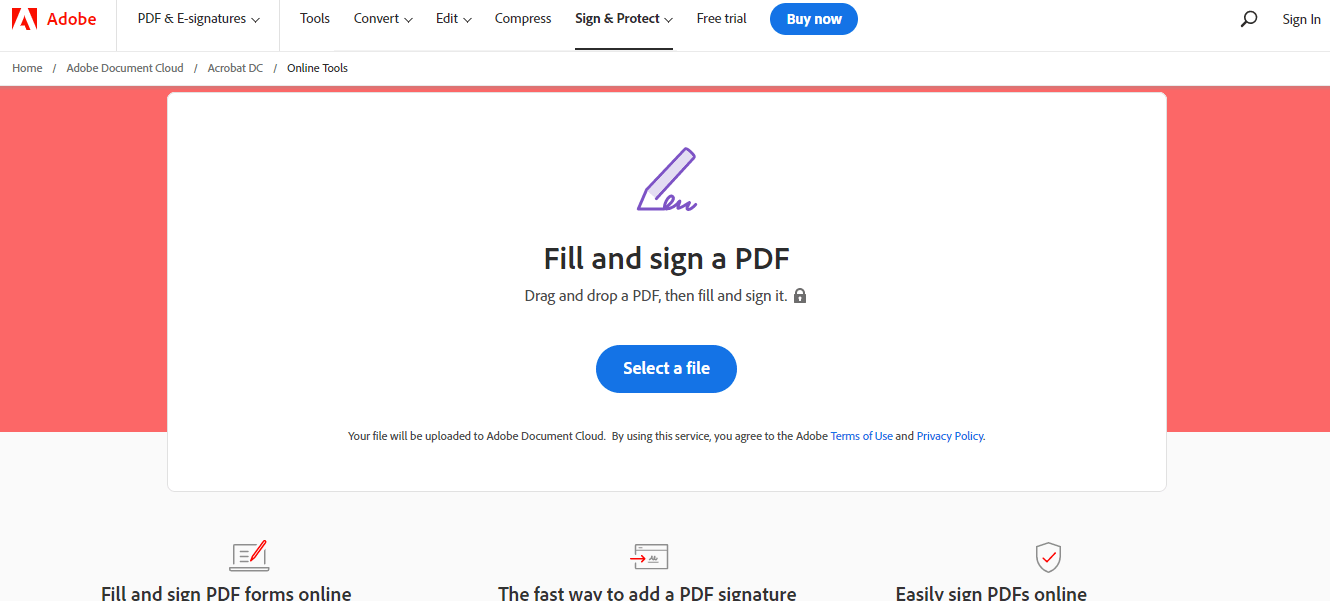
Adobe Reader Online - Adobe Sign PDF

Adobe Reader Online - Dodaj podpis cyfrowy
Online'owe narzędzie do podpisów PDF w Adobe Acrobat Reader umożliwia wypełnianie plików PDF i podpisywanie ich cyfrowo z pewnością. Ta alternatywa dla Adobe Acrobat Reader DC umożliwia szybkie i łatwe podpisywanie dokumentów PDF online.
2. DigiSigner - Darmowy Serwis Podpisu Online
DigiSigner pomaga wypełniać i podpisać PDF online. Możesz wypełniać i podpisać formularze PDF online dodając tekst, wybierając pola wyboru, wprowadzając aktualną datę, inicjując tam, gdzie to konieczne, i tak dalej.
Oferuje trzy różne opcje tworzenia podpisu elektronicznego: rysowanie podpisu elektronicznego za pomocą myszy lub touchpada, wpisanie swojego imienia i nazwiska, lub zeskanowanie obrazu podpisu i przesłanie go do dokumentu.

DigiSigner - Otwórz PDF, aby podpisać

DigiSigner - Podpisany Dokument
Cała komunikacja z tym narzędziem do podpisów online jest bezpiecznie chroniona za pomocą SSL (Secure Sockets Layer) encryption. Wszystkie Twoje dane zostaną automatycznie i trwale usunięte z serwerów, gdy tylko Twoja sesja wygasnie.
Oprócz podpisywania swojego PDF za pomocą tego oprogramowania do podpisu elektronicznego, możesz również stworzyć podpis w dokumentach Word, plikach Excel i zeskanowanych dokumentach w formatach PNG oraz JPEG, jak również w plikach TXT i RTF.
3. SmallPDF - Aplikacja do Podpisywania PDF Online
Z Smallpdf możesz stworzyć podpis i inicjały, podpisać dokumenty PDF elektronicznie i zaprosić innych do podpisania. Możesz utworzyć swój podpis elektroniczny, łatwo dodając tekst lub rysując podpis myszą lub touchpadem. Alternatywnie, możesz przesłać obraz swojego podpisu lub po prostu zrobić zdjęcie podpisu za pomocą kamery urządzenia.
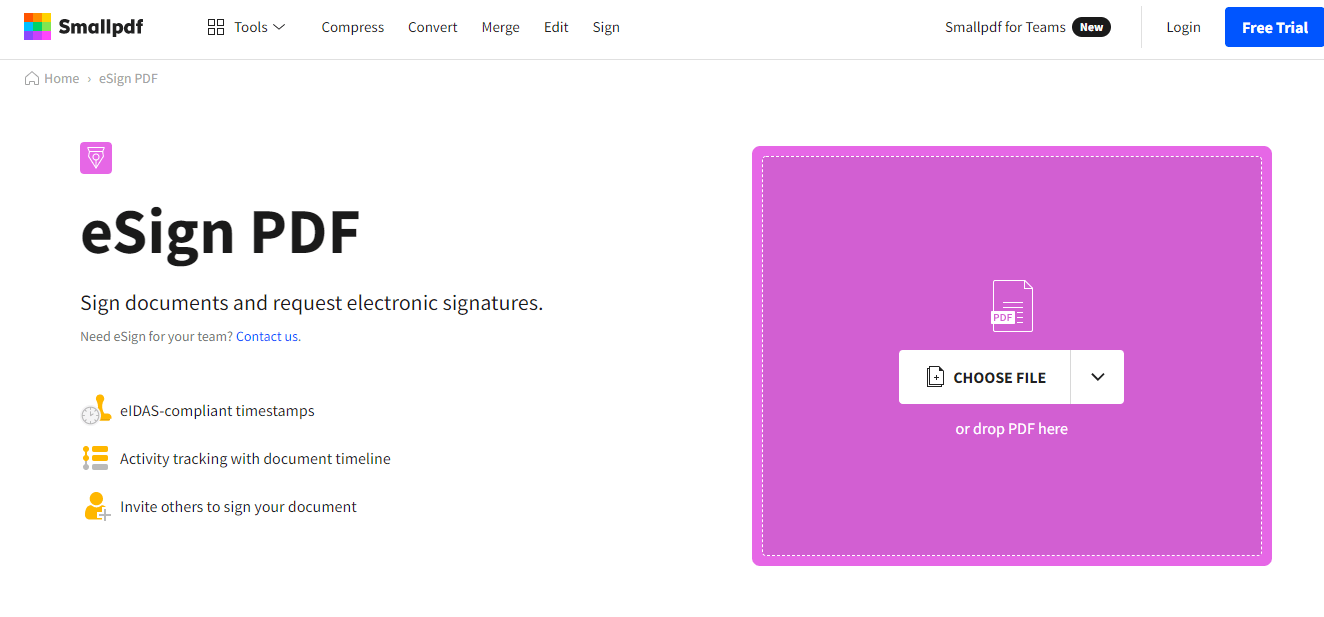
SmallPDF - Otwórz plik PDF

SmallPDF - Dodaj i zapisz podpis
Smallpdf jest najlepszą darmową aplikacją do tworzenia podpisów elektronicznych. Prześlij dokument, dodaj podpisy i podpisz dokument w mniej niż minutę. Wszystkie połączenia i transfery plików są zabezpieczone szyfrowaniem 256-bitowym TLS. To bezpieczeństwo klasy wojskowej gwarantuje prywatność dokumentów i podpisów online.
Narzędzie e-Podpis Smallpdf współpracuje z każdą przeglądarką internetową i na każdym urządzeniu, w tym Windows, Mac lub Linux. Dla Twojego bezpieczeństwa, przesłane pliki są usuwane z serwerów po godzinie.
4. SodaPDF - Narzędzie ePodpisu Online
SodaPDF pomaga Ci podpisać PDF ZA DARMO! Jest jednym z najlepszych narzędzi do podpisywania dokumentów lub wysyłania umów biznesowych do innych, aby podpisali pliki PDF. To narzędzie upraszcza proces podpisywania z dowolnego miejsca na dowolnym urządzeniu z bezpiecznym e-podpisem.
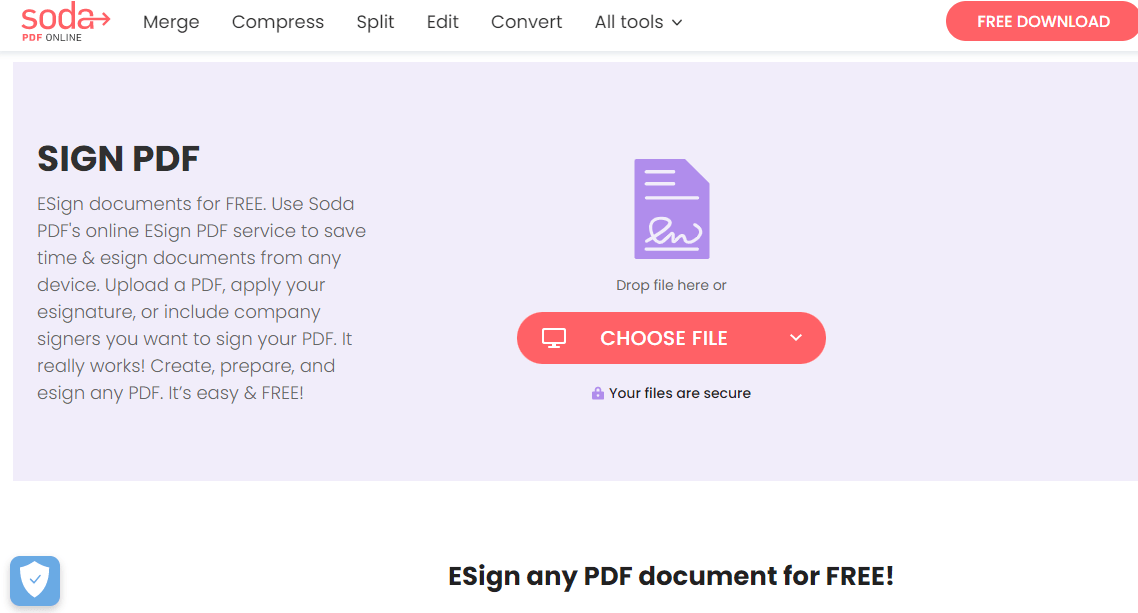
SodaPDF - Otwórz plik PDF
Jak podpisujesz dokument PDF?
- Otwórz plik PDF, aby podpisać lub wysłać do podpisu innym
- Z paska narzędzi ustaw szczegóły podpisującego
- Wyślij do podpisu
- Podpisz i pobierz

SodaPDF - Dodaj podpis cyfrowy
SodaPDF zapewnia Tobie i Twojej firmie bardziej efektywny i łatwiejszy sposób na podpisywanie umów, faktur lub innych ważnych dokumentów, wszystko w ciągu kilku sekund. SodaPDF zawiera zarówno rozwiązanie desktopowe, jak i online. Jest dostępny zarówno dla Windows, jak i Mac.
5. SignWell - Aplikacja do Podpisywania PDF Online
SignWell to darmowe narzędzie do podpisów PDF dla prawnie wiążących podpisów i szybkiego podpisywania dokumentów. Ułatwia podpisywanie dokumentów i skraca czas realizacji o połowę.
Pozwala również na ponowne użycie i ponowne wysłanie Twoich najczęściej używanych dokumentów. SignWell oferuje następujące zalety:
- Wiele osób może wypełniać i podpisywać dokumenty w dowolnej kolejności.
- Bezpłatne oprogramowanie do podpisów elektronicznych pozwala na prowadzenie prawnego rejestru podpisanych dokumentów.
- Łatwo jest udostępniać prezentacje.
- Oferuje łatwą konfigurację szablonów i dokumentów z automatycznym wykrywaniem pustych wierszy.

SignWell – Utwórz konto i prześlij plik PDF
Jak podpisać dokument PDF elektronicznie?
- Prześlij swój dokument
- Dodaj osoby, które będą pracować nad dokumentem.
- Kliknij "podpis" na pasku narzędzi znaczników.
- Wypełnij pole "podpis", korzystając z jednej z podanych opcji: wpisz tekst, narysuj nowy podpis lub prześlij zdjęcie podpisu.
- Po dodaniu ikony podpisu możesz zapisać i pobrać plik PDF.

SignWell – podpisany dokument PDF
Ponadto SignWell automatycznie wykrywa puste linie w dokumentach i pomaga umieścić pola w odpowiednim miejscu. Oznacza to, że proces przygotowywania dokumentów, które wymagają wypełnienia, staje się szybki i łatwy. Wystarczy przeciągnąć dowolne pole w pobliże wykrytych pustych wierszy, a SignWell zajmie się resztą.
IronPDF - Podpisuj PDF-y za pomocą biblioteki C#
IronPDF to idealne narzędzie do wszystkich zadań związanych z plikami PDF na komputerach stacjonarnych korzystających z języka C#. Pozwala to programistom na dodawanie podpisów, wypełnianie i podpisywanie dokumentów PDF, zabezpieczanie formularzy PDF za pomocą kryptografii, a nawet dodawanie obrazu własnego podpisu. IronPDF obejmuje wszystkie aspekty niezbędne do podpisania dokumentu PDF.
Programiści często pytają, jak programowo dodać podpis do pliku PDF przy użyciu IronPDF i C#. Zazwyczaj oznacza to różne rzeczy dla różnych programistów:
- Aby dodać graficzny obraz podpisu cyfrowego do istniejących plików PDF z pliku graficznego.
- Aby podpisać kryptograficznie plik PDF w celu zapewnienia, że nie został on sfałszowany.
- Aby podpisać plik PDF kryptograficznie i dodać ikonę odręcznego podpisu.
Pierwsza metoda umieszcza podpis w formacie PNG na istniejącej stronie PDF. Może być używany jako pieczęć firmowa lub podpis. Obsługiwana jest funkcja krycia. Cały proces wymaga zaledwie kilku linii kodu.
// Open an existing PDF document or create a new one
PdfDocument pdf = PdfDocument.FromFile(@"C:\Path\To\ASPX to PDF.pdf");

// Prepare a signature stamp with specified dimensions and position
var signatureStamp = new HtmlStamp()
{
    HTML = "<img src='signature.png' />",
    Width = 150,
    Height = 50,
    Bottom = 300,
    Left = 85,
    ZIndex = HtmlStamp.StampLayer.OnTopOfExistingPDFContent
};

// Apply the stamp to the first page of the PDF
pdf.StampHTML(signatureStamp, 1);

// Save the updated PDF file
pdf.SaveAs(@"C:\Path\To\ASPX to PDF.pdf");
// Open an existing PDF document or create a new one
PdfDocument pdf = PdfDocument.FromFile(@"C:\Path\To\ASPX to PDF.pdf");

// Prepare a signature stamp with specified dimensions and position
var signatureStamp = new HtmlStamp()
{
    HTML = "<img src='signature.png' />",
    Width = 150,
    Height = 50,
    Bottom = 300,
    Left = 85,
    ZIndex = HtmlStamp.StampLayer.OnTopOfExistingPDFContent
};

// Apply the stamp to the first page of the PDF
pdf.StampHTML(signatureStamp, 1);

// Save the updated PDF file
pdf.SaveAs(@"C:\Path\To\ASPX to PDF.pdf");
' Open an existing PDF document or create a new one
Dim pdf As PdfDocument = PdfDocument.FromFile("C:\Path\To\ASPX to PDF.pdf")
' Prepare a signature stamp with specified dimensions and position
Dim signatureStamp = New HtmlStamp() With {
.HTML = "<img src='signature.png' />",
.Width = 150,
.Height = 50,
.Bottom = 300,
.Left = 85,
.ZIndex = HtmlStamp.StampLayer.OnTopOfExistingPDFContent
}
' Apply the stamp to the first page of the PDF
pdf.StampHTML(signatureStamp, 1)
' Save the updated PDF file
pdf.SaveAs("C:\Path\To\ASPX to PDF.pdf")
' Open an existing PDF document or create a new one
Dim pdf As PdfDocument = PdfDocument.FromFile("C:\Path\To\ASPX to PDF.pdf")

' Prepare a signature stamp with specified dimensions and position
Dim signatureStamp = New HtmlStamp() With {
	.HTML = "<img src='signature.png' />",
	.Width = 150,
	.Height = 50,
	.Bottom = 300,
	.Left = 85,
	.ZIndex = HtmlStamp.StampLayer.OnTopOfExistingPDFContent
}

' Apply the stamp to the first page of the PDF
pdf.StampHTML(signatureStamp, 1)

' Save the updated PDF file
pdf.SaveAs("C:\Path\To\ASPX to PDF.pdf")
Poniższy kod kryptograficznie podpisuje plik PDF przy użyciu certyfikatu cyfrowego .pfx lub .p12 X509Certificate2, który można łatwo utworzyć za pomocą zaledwie jednej linii kodu.
// "123456" represents the password for the signature certificate
new IronPdf.PdfSignature("CertificateFile.p12", "123456").SignPdfFile("ASPX to PDF.pdf");
// "123456" represents the password for the signature certificate
new IronPdf.PdfSignature("CertificateFile.p12", "123456").SignPdfFile("ASPX to PDF.pdf");
' "123456" represents the password for the signature certificate
Call (New IronPdf.PdfSignature("CertificateFile.p12", "123456")).SignPdfFile("ASPX to PDF.pdf")
' "123456" represents the password for the signature certificate
Call (New IronPdf.PdfSignature("CertificateFile.p12", "123456")).SignPdfFile("ASPX to PDF.pdf")
Ten bardziej zaawansowany przykład pozwala na połączenie metody podpisywania cyfrowego identyfikatora .pfx / .p12 X509Certificate2 ze skanem podpisu odręcznego.
// Create a new PDF signature using a digital certificate
var signature = new IronPdf.PdfSignature("Iron.pfx", "123456");

// Render some content to PDF
PdfDocument doc = Renderer.RenderHtmlAsPdf("<h1>Testing 2048 bit digital security</h1>");

// Optional signing options and a handwritten signature graphic
signature.SigningContact = "support@ironsoftware.com";
signature.SigningLocation = "Chicago, USA";
signature.SigningReason = "To show how to sign a PDF";

// Load and apply a signature image to the document
signature.LoadSignatureImageFromFile("handwriting.png");

// Sign the PDF with the digital certificate and signature image
doc.SignPdfWithDigitalSignature(signature);

// Save the signed PDF document
doc.SaveAs("ASPX to PDF.pdf");
// Create a new PDF signature using a digital certificate
var signature = new IronPdf.PdfSignature("Iron.pfx", "123456");

// Render some content to PDF
PdfDocument doc = Renderer.RenderHtmlAsPdf("<h1>Testing 2048 bit digital security</h1>");

// Optional signing options and a handwritten signature graphic
signature.SigningContact = "support@ironsoftware.com";
signature.SigningLocation = "Chicago, USA";
signature.SigningReason = "To show how to sign a PDF";

// Load and apply a signature image to the document
signature.LoadSignatureImageFromFile("handwriting.png");

// Sign the PDF with the digital certificate and signature image
doc.SignPdfWithDigitalSignature(signature);

// Save the signed PDF document
doc.SaveAs("ASPX to PDF.pdf");
' Create a new PDF signature using a digital certificate
Dim signature = New IronPdf.PdfSignature("Iron.pfx", "123456")
' Render some content to PDF
Dim doc As PdfDocument = Renderer.RenderHtmlAsPdf("<h1>Testing 2048 bit digital security</h1>")
' Optional signing options and a handwritten signature graphic
signature.SigningContact = "support@ironsoftware.com"
signature.SigningLocation = "Chicago, USA"
signature.SigningReason = "To show how to sign a PDF"
' Load and apply a signature image to the document
signature.LoadSignatureImageFromFile("handwriting.png")
' Sign the PDF with the digital certificate and signature image
doc.SignPdfWithDigitalSignature(signature)
' Save the signed PDF document
doc.SaveAs("ASPX to PDF.pdf")
' Create a new PDF signature using a digital certificate
Dim signature = New IronPdf.PdfSignature("Iron.pfx", "123456")

' Render some content to PDF
Dim doc As PdfDocument = Renderer.RenderHtmlAsPdf("<h1>Testing 2048 bit digital security</h1>")

' Optional signing options and a handwritten signature graphic
signature.SigningContact = "support@ironsoftware.com"
signature.SigningLocation = "Chicago, USA"
signature.SigningReason = "To show how to sign a PDF"

' Load and apply a signature image to the document
signature.LoadSignatureImageFromFile("handwriting.png")

' Sign the PDF with the digital certificate and signature image
doc.SignPdfWithDigitalSignature(signature)

' Save the signed PDF document
doc.SaveAs("ASPX to PDF.pdf")
Otwórz dokumenty PDF za pomocą formularza C#:

Otwórz plik PDF, aby podpisać go elektronicznie

Wynik - Dokument z podpisem cyfrowym