using IronPdf;

// Disable local disk access or cross-origin requests
Installation.EnableWebSecurity = true;

// Instantiate Renderer
var renderer = new ChromePdfRenderer();

// Create a PDF from a HTML string using C#
var pdf = renderer.RenderHtmlAsPdf("<h1>Hello World</h1>");

// Export to a file or Stream
pdf.SaveAs("output.pdf");

// Advanced Example with HTML Assets
// Load external html assets: Images, CSS and JavaScript.
// An optional BasePath 'C:\site\assets\' is set as the file location to load assets from
var myAdvancedPdf = renderer.RenderHtmlAsPdf("<img src='icons/iron.png'>", @"C:\site\assets\");
myAdvancedPdf.SaveAs("html-with-assets.pdf");
using IronPdf;// Disable local disk access or cross-origin requestsInstallation.EnableWebSecurity = true;// Instantiate Renderervar renderer = new ChromePdfRenderer();// Create a PDF from a HTML string using C#var pdf = renderer.RenderHtmlAsPdf("<h1>Hello World</h1>");// Export to a file or Streampdf.SaveAs("output.pdf");// Advanced Example with HTML Assets// Load external html assets: Images, CSS and JavaScript.// An optional BasePath 'C:\site\assets\' is set as the file location to load assets fromvar myAdvancedPdf = renderer.RenderHtmlAsPdf("<img src='icons/iron.png'>", @"C:\site\assets\");myAdvancedPdf.SaveAs("html-with-assets.pdf");
PM >Install-Package IronPdf
Install-Package IronPdf
ATUALIZAÇÕES DO DESENVOLVEDOR
GraphQL em C# (Como funciona para desenvolvedores)
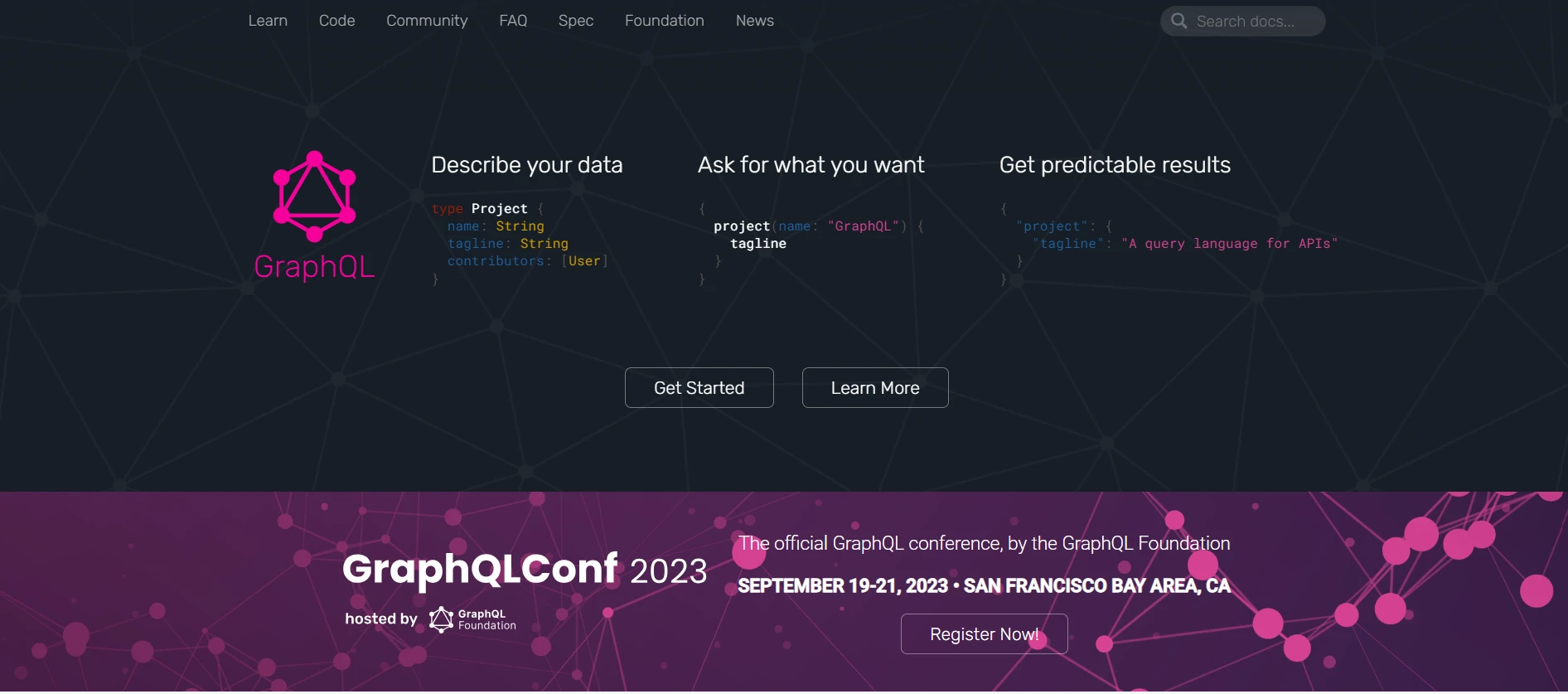
GraphQL ganhou popularidade significativa como uma alternativa às APIs RESTful para a construção de serviços web flexíveis e eficientes. GraphQL está disponível em várias linguagens diferentes, como Java, Python e .NET Core. Mas neste artigo, vamos nos aprofundar no uso do GraphQL no contexto do C#, explorando seus conceitos, implementação e utilização com exemplos práticos. Além disso, utilizaremos o IronPDF para C# para criar arquivos PDF com a ajuda da classe de consulta de definição de esquema GraphQL.
O que é GraphQL?
GraphQL é uma linguagem de consulta para APIs que permite aos clientes solicitar exatamente os dados de que precisam. Diferentemente das APIs RESTful, onde vários endpoints podem retornar estruturas de dados fixas, os serviços GraphQL permitem que os clientes especifiquem o formato dos dados que necessitam, tornando-os mais eficientes e flexíveis.
Setting up GraphQL in C#
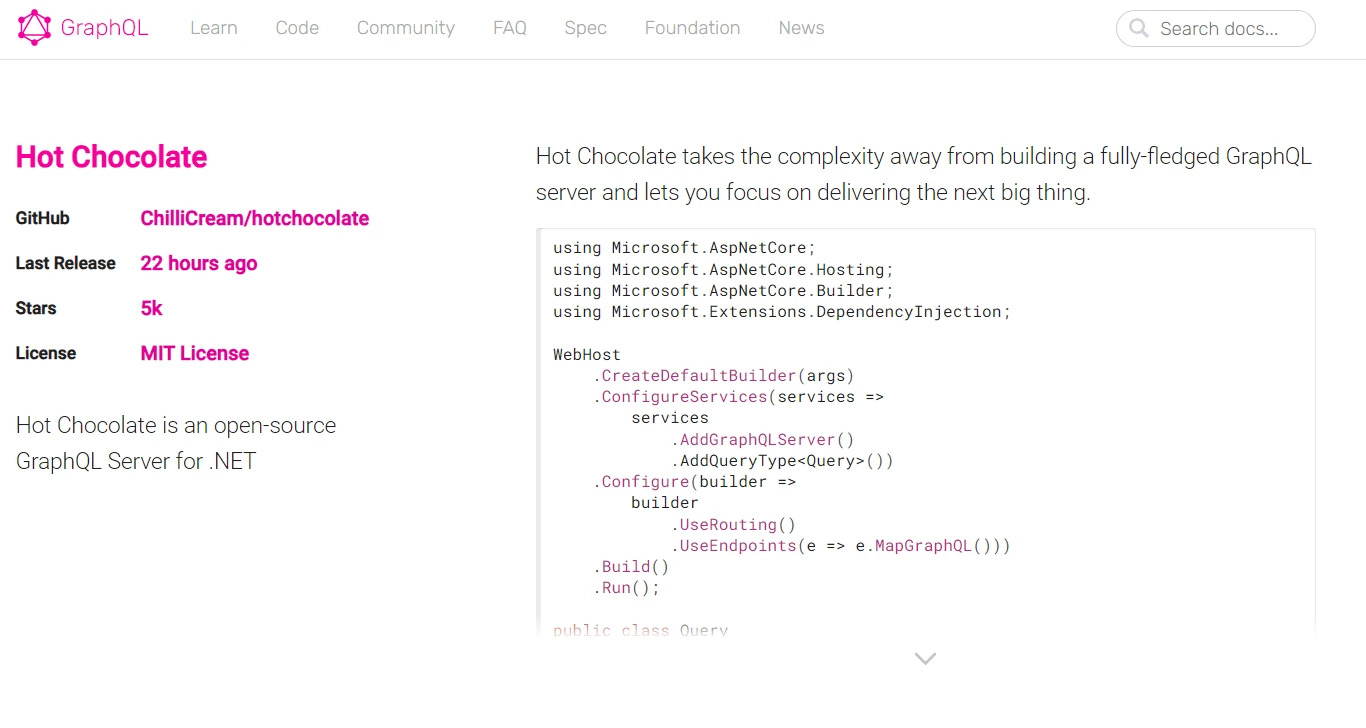
Para usar GraphQL em um projeto C#, você precisará da biblioteca HotChocolate, uma implementação popular de servidor de endpoints GraphQL for .NET.
Primeiro, instale o pacote NuGet Hot Chocolate:
PM > Install-Package HotChocolate.AspNetCore
Install-Package HotChocolate.AspNetCore
Criando um esquema GraphQL
Um esquema GraphQL define os tipos de dados e as operações disponíveis em sua API. Aqui está um exemplo simples de implementação "schema-first" para um aplicativo de blog:
using HotChocolate.Types;public class QueryType : ObjectType{ protected override voidConfigure(IObjectTypeDescriptor descriptor) { descriptor.Field("helloWorld") .Type<StringType>() .Resolve(context => "Hello, GraphQL!"); }}
using HotChocolate.Types;

public class QueryType : ObjectType
{
    protected override void Configure(IObjectTypeDescriptor descriptor)
    {
        descriptor.Field("helloWorld")
            .Type<StringType>()
            .Resolve(context => "Hello, GraphQL!");
    }
}
ImportsHotChocolate.TypesPublic Class QueryTypeInheritsObjectTypeProtectedOverrides Sub Configure(ByVal descriptor AsIObjectTypeDescriptor) descriptor.Field("helloWorld").Type(OfStringType)().Resolve(Function(context) "Hello, GraphQL!") End SubEnd Class
Imports HotChocolate.Types

Public Class QueryType
	Inherits ObjectType

	Protected Overrides Sub Configure(ByVal descriptor As IObjectTypeDescriptor)
		descriptor.Field("helloWorld").Type(Of StringType)().Resolve(Function(context) "Hello, GraphQL!")
	End Sub
End Class
Neste exemplo, definimos um campo helloWorld que retorna uma string "Olá, GraphQL!" quando consultado.
Criando um servidor GraphQL
Em seguida, configure um servidor GraphQL usando o ASP.NET Core:
using Microsoft.AspNetCore.Builder;using Microsoft.AspNetCore.Hosting;using Microsoft.Extensions.DependencyInjection;public class Startup{ public voidConfigureServices(IServiceCollection services) { services.AddGraphQLServer() .AddQueryType<QueryType>(); } public voidConfigure(IApplicationBuilder app, IWebHostEnvironment env) { app.UseRouting(); app.UseEndpoints(endpoints => { endpoints.MapGraphQL(); }); }}
using Microsoft.AspNetCore.Builder;
using Microsoft.AspNetCore.Hosting;
using Microsoft.Extensions.DependencyInjection;

public class Startup
{
    public void ConfigureServices(IServiceCollection services)
    {
        services.AddGraphQLServer()
            .AddQueryType<QueryType>();
    }

    public void Configure(IApplicationBuilder app, IWebHostEnvironment env)
    {
        app.UseRouting();
        app.UseEndpoints(endpoints =>
        {
            endpoints.MapGraphQL();
        });
    }
}
ImportsMicrosoft.AspNetCore.BuilderImportsMicrosoft.AspNetCore.HostingImportsMicrosoft.Extensions.DependencyInjectionPublic Class Startup Public Sub ConfigureServices(ByVal services AsIServiceCollection) services.AddGraphQLServer().AddQueryType(OfQueryType)() End Sub Public Sub Configure(ByVal app AsIApplicationBuilder, ByVal env AsIWebHostEnvironment) app.UseRouting() app.UseEndpoints(Sub(endpoints) endpoints.MapGraphQL() End Sub) End SubEnd Class
Imports Microsoft.AspNetCore.Builder
Imports Microsoft.AspNetCore.Hosting
Imports Microsoft.Extensions.DependencyInjection

Public Class Startup
	Public Sub ConfigureServices(ByVal services As IServiceCollection)
		services.AddGraphQLServer().AddQueryType(Of QueryType)()
	End Sub

	Public Sub Configure(ByVal app As IApplicationBuilder, ByVal env As IWebHostEnvironment)
		app.UseRouting()
		app.UseEndpoints(Sub(endpoints)
			endpoints.MapGraphQL()
		End Sub)
	End Sub
End Class
Querying GraphQL from C#
Agora, vamos ver como consultar esta API GraphQL a partir de um cliente C# usando o pacote NuGet GraphQL.Client:
using GraphQL.Client.Http;using GraphQL.Client.Serializer.Newtonsoft;using System;using System.Threading.Tasks;// GraphQL query class to interact with the APIpublic class Query{ public static async TaskMain() { // Set up the GraphQL client using var graphQLClient = new GraphQLHttpClient(new GraphQLHttpClientOptions {EndPoint = new Uri("http://localhost:5000/graphql") // GraphQL endpoint }, new NewtonsoftJsonSerializer()); // Define the GraphQL query var request = new GraphQLRequest {Query = @" { helloWorld }" }; var response = await graphQLClient.SendQueryAsync<dynamic>(request); // Print the response from the GraphQL serverConsole.WriteLine((string)response.Data.helloWorld); }}
using GraphQL.Client.Http;
using GraphQL.Client.Serializer.Newtonsoft;
using System;
using System.Threading.Tasks;

// GraphQL query class to interact with the API
public class Query
{
    public static async Task Main()
    {
        // Set up the GraphQL client
        using var graphQLClient = new GraphQLHttpClient(new GraphQLHttpClientOptions
        {
            EndPoint = new Uri("http://localhost:5000/graphql") // GraphQL endpoint
        }, new NewtonsoftJsonSerializer());

        // Define the GraphQL query
        var request = new GraphQLRequest
        {
            Query = @"
                {
                    helloWorld
                }"
        };

        var response = await graphQLClient.SendQueryAsync<dynamic>(request);
        // Print the response from the GraphQL server
        Console.WriteLine((string)response.Data.helloWorld);
    }
}
'INSTANT VB NOTE: 'Option Strict Off' is used here since dynamic typing is used:OptionStrictOffImportsGraphQL.Client.HttpImportsGraphQL.Client.Serializer.NewtonsoftImportsSystemImportsSystem.Threading.Tasks' GraphQL query class to interact with the APIPublic Class Query PublicSharedAsync Function Main() AsTask ' Set up the GraphQL client Dim graphQLClient = New GraphQLHttpClient(New GraphQLHttpClientOptionsWith {.EndPoint = New Uri("http://localhost:5000/graphql")}, New NewtonsoftJsonSerializer()) ' Define the GraphQL query Dim request = New GraphQLRequestWith {.Query = " { helloWorld }"}'INSTANT VB NOTE: In the following line, Instant VB substituted 'Object' for 'dynamic' - this will work in VB with Option Strict Off: Dim response = Await graphQLClient.SendQueryAsync(OfObject)(request) ' Print the response from the GraphQL serverConsole.WriteLine(CStr(response.Data.helloWorld)) End FunctionEnd Class
'INSTANT VB NOTE: 'Option Strict Off' is used here since dynamic typing is used:
Option Strict Off

Imports GraphQL.Client.Http
Imports GraphQL.Client.Serializer.Newtonsoft
Imports System
Imports System.Threading.Tasks

' GraphQL query class to interact with the API
Public Class Query
	Public Shared Async Function Main() As Task
		' Set up the GraphQL client
		Dim graphQLClient = New GraphQLHttpClient(New GraphQLHttpClientOptions With {.EndPoint = New Uri("http://localhost:5000/graphql")}, New NewtonsoftJsonSerializer())

		' Define the GraphQL query
		Dim request = New GraphQLRequest With {.Query = "
                {
                    helloWorld
                }"}

'INSTANT VB NOTE: In the following line, Instant VB substituted 'Object' for 'dynamic' - this will work in VB with Option Strict Off:
		Dim response = Await graphQLClient.SendQueryAsync(Of Object)(request)
		' Print the response from the GraphQL server
		Console.WriteLine(CStr(response.Data.helloWorld))
	End Function
End Class
GraphQL C# oferece uma maneira poderosa e flexível de projetar APIs e, com bibliotecas como HotChocolate, integrar um backend GraphQL em seus aplicativos C# torna-se simples. Ao definir um esquema e configurar um servidor, você pode expor seus dados por meio de uma API GraphQL e consultá-los de forma eficiente a partir de clientes C#.
Saída
Intro to IronPDF in C#
IronPDF é uma biblioteca C# versátil que permite criar, editar e manipular documentos PDF sem esforço. Nesta seção, apresentaremos o IronPDF e demonstraremos como usá-lo em conjunto com o GraphQL para gerar relatórios PDF dinâmicos.
O IronPDF se destaca por sua funcionalidade de conversão de HTML para PDF , preservando todos os layouts e estilos. Permite a criação de PDFs a partir de conteúdo da web, ideal para relatórios, faturas e documentação. Arquivos HTML, URLs e strings HTML podem ser convertidos em PDFs sem problemas.
using IronPdf;class Program{ static voidMain(string[] args) { var renderer = new ChromePdfRenderer(); // Convert HTML String to PDF var htmlContent = "<h1>Hello, IronPDF!</h1><p>This is a PDF from an HTML string.</p>"; var pdfFromHtmlString = renderer.RenderHtmlAsPdf(htmlContent); pdfFromHtmlString.SaveAs("HTMLStringToPDF.pdf"); // Convert HTML File to PDF var htmlFilePath = "path_to_your_html_file.html"; // Specify the path to your HTML file var pdfFromHtmlFile = renderer.RenderHtmlFileAsPdf(htmlFilePath); pdfFromHtmlFile.SaveAs("HTMLFileToPDF.pdf"); // Convert URL to PDF var url = "http://ironpdf.com"; // Specify the URL var pdfFromUrl = renderer.RenderUrlAsPdf(url); pdfFromUrl.SaveAs("URLToPDF.pdf"); }}
using IronPdf;

class Program
{
    static void Main(string[] args)
    {
        var renderer = new ChromePdfRenderer();

        // Convert HTML String to PDF
        var htmlContent = "<h1>Hello, IronPDF!</h1><p>This is a PDF from an HTML string.</p>";
        var pdfFromHtmlString = renderer.RenderHtmlAsPdf(htmlContent);
        pdfFromHtmlString.SaveAs("HTMLStringToPDF.pdf");

        // Convert HTML File to PDF
        var htmlFilePath = "path_to_your_html_file.html"; // Specify the path to your HTML file
        var pdfFromHtmlFile = renderer.RenderHtmlFileAsPdf(htmlFilePath);
        pdfFromHtmlFile.SaveAs("HTMLFileToPDF.pdf");

        // Convert URL to PDF
        var url = "http://ironpdf.com"; // Specify the URL
        var pdfFromUrl = renderer.RenderUrlAsPdf(url);
        pdfFromUrl.SaveAs("URLToPDF.pdf");
    }
}
ImportsIronPdfFriend Class ProgramShared Sub Main(ByVal args() AsString) Dim renderer = New ChromePdfRenderer() ' Convert HTML String to PDF Dim htmlContent = "<h1>Hello, IronPDF!</h1><p>This is a PDF from an HTML string.</p>" Dim pdfFromHtmlString = renderer.RenderHtmlAsPdf(htmlContent) pdfFromHtmlString.SaveAs("HTMLStringToPDF.pdf") ' Convert HTML File to PDF Dim htmlFilePath = "path_to_your_html_file.html" ' Specify the path to your HTML file Dim pdfFromHtmlFile = renderer.RenderHtmlFileAsPdf(htmlFilePath) pdfFromHtmlFile.SaveAs("HTMLFileToPDF.pdf") ' Convert URL to PDF Dim url = "http://ironpdf.com" ' Specify the URL Dim pdfFromUrl = renderer.RenderUrlAsPdf(url) pdfFromUrl.SaveAs("URLToPDF.pdf") End SubEnd Class
Imports IronPdf

Friend Class Program
	Shared Sub Main(ByVal args() As String)
		Dim renderer = New ChromePdfRenderer()

		' Convert HTML String to PDF
		Dim htmlContent = "<h1>Hello, IronPDF!</h1><p>This is a PDF from an HTML string.</p>"
		Dim pdfFromHtmlString = renderer.RenderHtmlAsPdf(htmlContent)
		pdfFromHtmlString.SaveAs("HTMLStringToPDF.pdf")

		' Convert HTML File to PDF
		Dim htmlFilePath = "path_to_your_html_file.html" ' Specify the path to your HTML file
		Dim pdfFromHtmlFile = renderer.RenderHtmlFileAsPdf(htmlFilePath)
		pdfFromHtmlFile.SaveAs("HTMLFileToPDF.pdf")

		' Convert URL to PDF
		Dim url = "http://ironpdf.com" ' Specify the URL
		Dim pdfFromUrl = renderer.RenderUrlAsPdf(url)
		pdfFromUrl.SaveAs("URLToPDF.pdf")
	End Sub
End Class
Instalando o IronPDF
Para começar a usar o IronPDF, instale o pacote NuGet :
PM > Install-Package IronPdf
Install-Package IronPdf
Gerando PDF com dados GraphQL usando IronPDF
Vamos criar um relatório em PDF que busque dados do usuário em nossa API GraphQL e os exiba de forma formatada.
Exemplo
using IronPdf;using GraphQL.Client.Http;using GraphQL.Client.Serializer.Newtonsoft;using System;using System.Threading.Tasks;public class PdfGenerator{ public async TaskGeneratePdfAsync() { // Initialize GraphQL client var graphQLClient = new GraphQLHttpClient(new GraphQLHttpClientOptions {EndPoint = new Uri("http://localhost:5000/graphql") }, new NewtonsoftJsonSerializer()); // Define GraphQL query var query = new GraphQLRequest {Query = @" { helloWorld }" }; var response = await graphQLClient.SendQueryAsync<dynamic>(query); var helloMessage = response.Data.helloWorld.ToString(); // Create HTML content for the PDF var htmlContent = $@" <html> <head><title>GraphQL Report</title></head> <body> <h1>GraphQL Report</h1> <p>{helloMessage}</p> </body> </html>"; var renderer = new ChromePdfRenderer(); var pdf = renderer.RenderHtmlAsPdf(htmlContent); pdf.SaveAs("GraphQLReport.pdf"); }}
using IronPdf;
using GraphQL.Client.Http;
using GraphQL.Client.Serializer.Newtonsoft;
using System;
using System.Threading.Tasks;

public class PdfGenerator
{
    public async Task GeneratePdfAsync()
    {
        // Initialize GraphQL client
        var graphQLClient = new GraphQLHttpClient(new GraphQLHttpClientOptions
        {
            EndPoint = new Uri("http://localhost:5000/graphql")
        }, new NewtonsoftJsonSerializer());

        // Define GraphQL query
        var query = new GraphQLRequest
        {
            Query = @"
                {
                    helloWorld
                }"
        };

        var response = await graphQLClient.SendQueryAsync<dynamic>(query);
        var helloMessage = response.Data.helloWorld.ToString();

        // Create HTML content for the PDF
        var htmlContent = $@"
            <html>
            <head><title>GraphQL Report</title></head>
            <body>
                <h1>GraphQL Report</h1>
                <p>{helloMessage}</p>
            </body>
            </html>";

        var renderer = new ChromePdfRenderer();
        var pdf = renderer.RenderHtmlAsPdf(htmlContent);
        pdf.SaveAs("GraphQLReport.pdf");
    }
}
'INSTANT VB NOTE: 'Option Strict Off' is used here since dynamic typing is used:OptionStrictOffImportsIronPdfImportsGraphQL.Client.HttpImportsGraphQL.Client.Serializer.NewtonsoftImportsSystemImportsSystem.Threading.TasksPublic Class PdfGenerator PublicAsync Function GeneratePdfAsync() AsTask ' Initialize GraphQL client Dim graphQLClient = New GraphQLHttpClient(New GraphQLHttpClientOptionsWith {.EndPoint = New Uri("http://localhost:5000/graphql")}, New NewtonsoftJsonSerializer()) ' Define GraphQL query Dim query As New GraphQLRequestWith {.Query = " { helloWorld }"}'INSTANT VB NOTE: In the following line, Instant VB substituted 'Object' for 'dynamic' - this will work in VB with Option Strict Off: Dim response = Await graphQLClient.SendQueryAsync(OfObject)(query) Dim helloMessage = response.Data.helloWorld.ToString() ' Create HTML content for the PDF Dim htmlContent = $" <html> <head><title>GraphQL Report</title></head> <body> <h1>GraphQL Report</h1> <p>{helloMessage}</p> </body> </html>" Dim renderer = New ChromePdfRenderer() Dim pdf = renderer.RenderHtmlAsPdf(htmlContent) pdf.SaveAs("GraphQLReport.pdf") End FunctionEnd Class
'INSTANT VB NOTE: 'Option Strict Off' is used here since dynamic typing is used:
Option Strict Off

Imports IronPdf
Imports GraphQL.Client.Http
Imports GraphQL.Client.Serializer.Newtonsoft
Imports System
Imports System.Threading.Tasks

Public Class PdfGenerator
	Public Async Function GeneratePdfAsync() As Task
		' Initialize GraphQL client
		Dim graphQLClient = New GraphQLHttpClient(New GraphQLHttpClientOptions With {.EndPoint = New Uri("http://localhost:5000/graphql")}, New NewtonsoftJsonSerializer())

		' Define GraphQL query
		Dim query As New GraphQLRequest With {.Query = "
                {
                    helloWorld
                }"}

'INSTANT VB NOTE: In the following line, Instant VB substituted 'Object' for 'dynamic' - this will work in VB with Option Strict Off:
		Dim response = Await graphQLClient.SendQueryAsync(Of Object)(query)
		Dim helloMessage = response.Data.helloWorld.ToString()

		' Create HTML content for the PDF
		Dim htmlContent = $"
            <html>
            <head><title>GraphQL Report</title></head>
            <body>
                <h1>GraphQL Report</h1>
                <p>{helloMessage}</p>
            </body>
            </html>"

		Dim renderer = New ChromePdfRenderer()
		Dim pdf = renderer.RenderHtmlAsPdf(htmlContent)
		pdf.SaveAs("GraphQLReport.pdf")
	End Function
End Class
Neste exemplo, usamos o cliente GraphQL para buscar a mensagem helloWorld da nossa API GraphQL. Em seguida, construímos um modelo HTML que inclui essa mensagem e usamos o ChromePdfRenderer do IronPDF para converter este HTML em um arquivo PDF.
Saída
Conclusão
O GraphQL surgiu como um divisor de águas no desenvolvimento de APIs, oferecendo uma maneira mais flexível e eficiente de consultar e manipular dados em comparação com as APIs RESTful tradicionais. Sua capacidade de permitir que os clientes solicitem apenas o tipo de dados de consulta de que precisam o torna particularmente atraente para aplicações web modernas, onde desempenho e flexibilidade são fundamentais.
Além disso, a combinação de GraphQL com ferramentas e pacotes como o IronPDF abre um mundo de possibilidades empolgantes para a geração de relatórios em PDF dinâmicos e orientados a dados. Seja para criar faturas, gerar relatórios ou produzir qualquer outro tipo de documento, a integração do IronPDF com GraphQL em C# oferece uma maneira poderosa e eficiente de automatizar a geração de PDFs.
Em resumo, GraphQL e C# formam uma combinação poderosa para a criação de aplicações web modernas, flexíveis e eficientes. Com bibliotecas como HotChocolate, GraphQL.Client, e IronPDF, os desenvolvedores têm todas as ferramentas necessárias para criar aplicações robustas e orientadas a dados que atendam às demandas do cenário digital atual.
Curtis Chau é bacharel em Ciência da Computação (Universidade Carleton) e se especializa em desenvolvimento front-end, com experiência em Node.js, TypeScript, JavaScript e React. Apaixonado por criar interfaces de usuário intuitivas e esteticamente agradáveis, Curtis gosta de trabalhar com frameworks modernos e criar manuais bem estruturados e visualmente atraentes.