OAuth2, kullanıcı kimlik doğrulama ve yetkilendirmesini ele alarak web uygulamalarınızı güvence altına almak için güçlü bir protokoldür. C# geliştirme alanında, OAuth2'yi anlamak, uygulamalarınızın güvenliğini ve işlevselliğini büyük ölçüde artırabilir.
Bu kılavuz, başlayanlar için anahtar kavramlar, pratik örnekler ve kolay anlaşılır açıklamalar üzerine odaklanmıştır. Ayrıca, OAuth2'yi IronPDF kütüphanesi ile kullanmak için bir kullanım durumu öğreneceğiz.
OAuth2 ve Önemini Anlamak
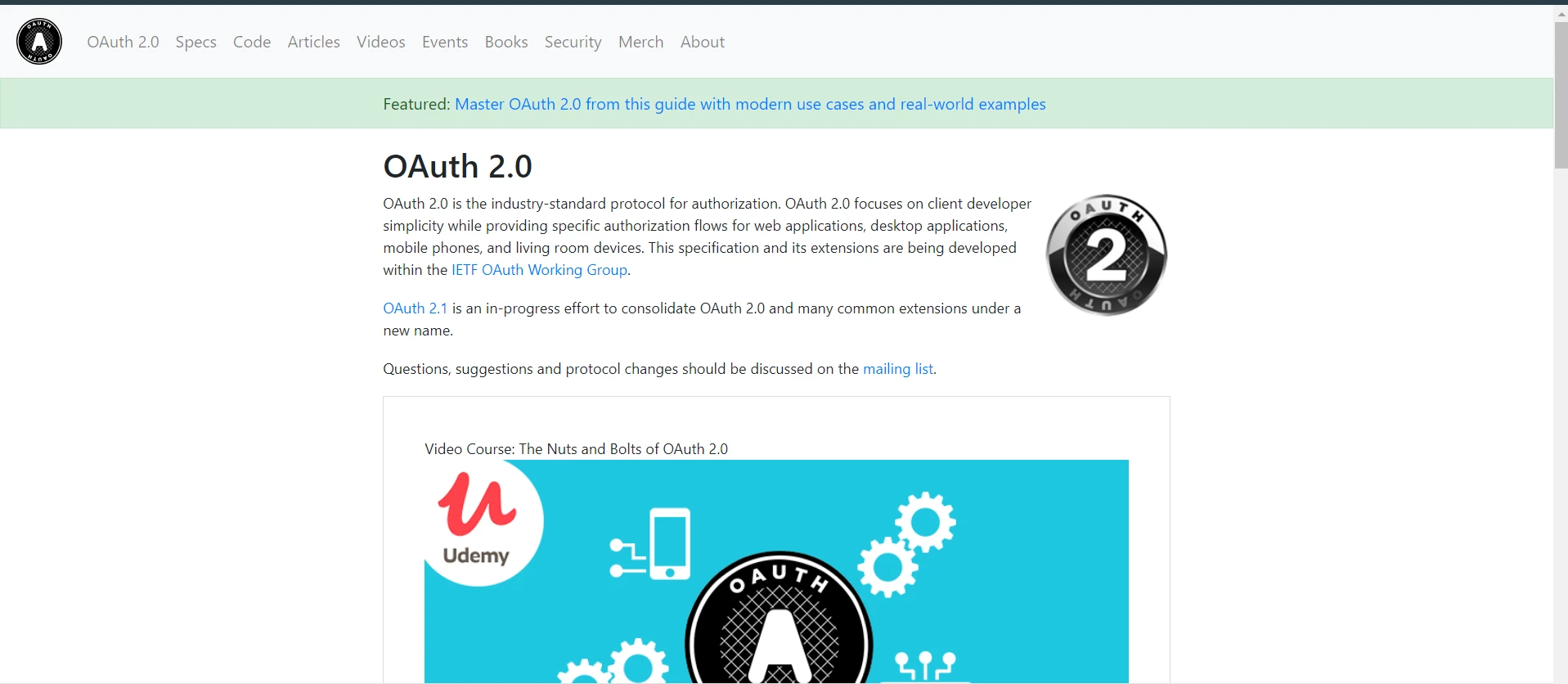
OAuth2, bir istemci uygulamanın bir kullanıcının adına, bir yetkilendirme sunucusu tarafından barındırılan kaynaklara erişim talep etmesine izin veren bir protokoldür. Modern web uygulamalarında kullanıcı kimlik doğrulama ve yetkilendirme işlemlerini yürütmek için yaygın bir yöntemdir.
OAuth2'nin birincil amacı, istemci uygulamaya doğrudan kullanıcı kimlik bilgilerini (kullanıcı adı ve parola gibi) paylaşmadan kaynaklara güvenli ve etkili erişim sağlamaktır.
OAuth2'deki Anahtar Kavramlar
Uygulamaya geçmeden önce, bazı temel OAuth2 terimlerini açıklığa kavuşturalım:
- İstemci Uygulama: Kullanıcının hesabına erişim talep eden uygulama.
- Yetkilendirme Sunucusu: Kullanıcıyı kimlik doğrulayan ve istemci uygulamaya erişim belirteçleri veren sunucu.
- Erişim Belirteci: İstemci uygulamaya kullanıcının hesabına sınırlı bir süre boyunca erişim sağlayan bir belirteç.
- Yenileme Belirteci: Şu anki belirtecin süresi dolduğunda, kullanıcı kimlik bilgilerini tekrar gerektirmeden yeni bir erişim belirteci almak için kullanılan bir belirteç.
- İstemci Kimliği ve İstemci Sırrı: İstemci uygulamayı yetkilendirme sunucusuna tanımlayan kimlik bilgileri.
- Yönlendirme URI'si: Yetkilendirme sunucusunun, istemci uygulamaya erişim izni verildiğinde veya reddedildiğinde kullanıcıyı göndereceği URI.
- Yetkilendirme Kodu Akışı: İstemci uygulamanın, erişim belirteci karşılığında değiştirmeden önce bir ara adım olarak bir yetkilendirme kodu aldığı güvenli bir yöntem.
C#'de OAuth2 Uygulama: Temel Bir Örnek
OAuth2 kullanarak kullanıcı kimlik doğrulaması yapan basit bir C# uygulaması oluşturalım. Bu örnek, OAuth2 istemcisinin nasıl kurulacağı, bir erişim belirtecinin nasıl alınacağı ve korunmuş bir kaynağa nasıl istek yapılacağı konusunda size rehberlik edecektir.
OAuth2 İstemcinizi Ayarlama
İlk önce, C# uygulamanızı OAuth2 yetkilendirme sunucusuna kaydetmeniz gerekir. Bu işlem sunucuya bağlı olarak değişir, ancak genellikle OAuth2 akışının kritik parçaları olan bir istemci kimliği ve bir istemci sırrı alırsınız.
Adım 1: Uygulama Kimlik Bilgilerinizi Tanımlayın
İlk adım olarak, istemci kimliği ve istemci sırrı gibi istemci kimlik bilgilerinizi ayarlayın. İşte örnek kod:
// Define your client credentials
class Program
{
    private static string clientId = "your-client-id"; // Your client ID
    private static string clientSecret = "your-client-secret"; // Your client secret
    private static string redirectUri = "your-redirect-uri"; // Your redirect URI
    static void Main(string[] args)
    {
        // OAuth2 implementation will go here
    }
}
// Define your client credentials
class Program
{
    private static string clientId = "your-client-id"; // Your client ID
    private static string clientSecret = "your-client-secret"; // Your client secret
    private static string redirectUri = "your-redirect-uri"; // Your redirect URI
    static void Main(string[] args)
    {
        // OAuth2 implementation will go here
    }
}
' Define your client credentials
Friend Class Program
Private Shared clientId As String = "your-client-id" ' Your client ID
Private Shared clientSecret As String = "your-client-secret" ' Your client secret
Private Shared redirectUri As String = "your-redirect-uri" ' Your redirect URI
Shared Sub Main(ByVal args() As String)
' OAuth2 implementation will go here
End Sub
End Class
' Define your client credentials
Friend Class Program
	Private Shared clientId As String = "your-client-id" ' Your client ID
	Private Shared clientSecret As String = "your-client-secret" ' Your client secret
	Private Shared redirectUri As String = "your-redirect-uri" ' Your redirect URI
	Shared Sub Main(ByVal args() As String)
		' OAuth2 implementation will go here
	End Sub
End Class
Adım 2: Kullanıcı Yetkilendirmesi İsteme
OAuth2 akışını başlatmak için kullanıcıyı yetkilendirme sunucusunun yetkilendirme noktasına yönlendirin. Yetkilendirme isteği için URL'yi nasıl oluşturacağınız:
static void Main(string[] args)
{
    var authorizationEndpoint = "https://authorization-server.com/auth"; // Authorization server endpoint
    var responseType = "code"; // Response type for authorization
    var scope = "email profile"; // Scopes for the authorization request
    var authorizationUrl = $"{authorizationEndpoint}?response_type={responseType}&client_id={clientId}&redirect_uri={redirectUri}&scope={scope}";
    // Redirect the user to authorizationUrl
}
static void Main(string[] args)
{
    var authorizationEndpoint = "https://authorization-server.com/auth"; // Authorization server endpoint
    var responseType = "code"; // Response type for authorization
    var scope = "email profile"; // Scopes for the authorization request
    var authorizationUrl = $"{authorizationEndpoint}?response_type={responseType}&client_id={clientId}&redirect_uri={redirectUri}&scope={scope}";
    // Redirect the user to authorizationUrl
}
Shared Sub Main(ByVal args() As String)
Dim authorizationEndpoint = "https://authorization-server.com/auth" ' Authorization server endpoint
Dim responseType = "code" ' Response type for authorization
Dim scope = "email profile" ' Scopes for the authorization request
Dim authorizationUrl = $"{authorizationEndpoint}?response_type={responseType}&client_id={clientId}&redirect_uri={redirectUri}&scope={scope}"
' Redirect the user to authorizationUrl
End Sub
Shared Sub Main(ByVal args() As String)
	Dim authorizationEndpoint = "https://authorization-server.com/auth" ' Authorization server endpoint
	Dim responseType = "code" ' Response type for authorization
	Dim scope = "email profile" ' Scopes for the authorization request
	Dim authorizationUrl = $"{authorizationEndpoint}?response_type={responseType}&client_id={clientId}&redirect_uri={redirectUri}&scope={scope}"
	' Redirect the user to authorizationUrl
End Sub
Adım 3: Yetkilendirme Yanıtını İşleme
Kullanıcı izin verdiğinde veya reddettiğinde, yetkilendirme sunucusu, yetkilendirme kodu veya bir hata mesajıyla kullanıcıyı uygulamanıza geri yönlendirir. Bu kodu yönlendirme URI'sinin sorgu parametrelerinden yakalamanız gerekir.
Adım 4: Yetkilendirme Kodunu Değiştirme
Şimdi, yetkilendirme kodunu bir erişim belirteci ile değiştireceksiniz. Bu, yetkilendirme sunucusunun token noktasına bir POST isteği gerektirir.
using System.IO;
using System.Net;
using System.Text;
using System.Threading.Tasks;

// Method to exchange authorization code for an access token
public static async Task<string> ExchangeAuthorizationCodeForAccessToken(string authorizationCode)
{
    var tokenEndpoint = "https://authorization-server.com/token"; // Token endpoint
    var postData = $"grant_type=authorization_code&code={authorizationCode}&redirect_uri={redirectUri}&client_id={clientId}&client_secret={clientSecret}";
    var data = Encoding.ASCII.GetBytes(postData);
    var request = WebRequest.Create(tokenEndpoint);
    request.Method = "POST"; // Use post method to request the access token
    request.ContentType = "application/x-www-form-urlencoded"; // Content type
    request.ContentLength = data.Length;
    using (var stream = request.GetRequestStream())
    {
        stream.Write(data, 0, data.Length);
    }
    var response = (HttpWebResponse)request.GetResponse();
    var responseString = new StreamReader(response.GetResponseStream()).ReadToEnd();
    // Extract and return the access token from the response
    var token = ExtractAccessTokenFromResponse(responseString);
    return token;
}
using System.IO;
using System.Net;
using System.Text;
using System.Threading.Tasks;

// Method to exchange authorization code for an access token
public static async Task<string> ExchangeAuthorizationCodeForAccessToken(string authorizationCode)
{
    var tokenEndpoint = "https://authorization-server.com/token"; // Token endpoint
    var postData = $"grant_type=authorization_code&code={authorizationCode}&redirect_uri={redirectUri}&client_id={clientId}&client_secret={clientSecret}";
    var data = Encoding.ASCII.GetBytes(postData);
    var request = WebRequest.Create(tokenEndpoint);
    request.Method = "POST"; // Use post method to request the access token
    request.ContentType = "application/x-www-form-urlencoded"; // Content type
    request.ContentLength = data.Length;
    using (var stream = request.GetRequestStream())
    {
        stream.Write(data, 0, data.Length);
    }
    var response = (HttpWebResponse)request.GetResponse();
    var responseString = new StreamReader(response.GetResponseStream()).ReadToEnd();
    // Extract and return the access token from the response
    var token = ExtractAccessTokenFromResponse(responseString);
    return token;
}
Imports System.IO
Imports System.Net
Imports System.Text
Imports System.Threading.Tasks
' Method to exchange authorization code for an access token
Public Shared Async Function ExchangeAuthorizationCodeForAccessToken(ByVal authorizationCode As String) As Task(Of String)
Dim tokenEndpoint = "https://authorization-server.com/token" ' Token endpoint
Dim postData = $"grant_type=authorization_code&code={authorizationCode}&redirect_uri={redirectUri}&client_id={clientId}&client_secret={clientSecret}"
Dim data = Encoding.ASCII.GetBytes(postData)
Dim request = WebRequest.Create(tokenEndpoint)
request.Method = "POST" ' Use post method to request the access token
request.ContentType = "application/x-www-form-urlencoded" ' Content type
request.ContentLength = data.Length
Using stream = request.GetRequestStream()
stream.Write(data, 0, data.Length)
End Using
Dim response = CType(request.GetResponse(), HttpWebResponse)
Dim responseString = (New StreamReader(response.GetResponseStream())).ReadToEnd()
' Extract and return the access token from the response
Dim token = ExtractAccessTokenFromResponse(responseString)
Return token
End Function
Imports System.IO
Imports System.Net
Imports System.Text
Imports System.Threading.Tasks

' Method to exchange authorization code for an access token
Public Shared Async Function ExchangeAuthorizationCodeForAccessToken(ByVal authorizationCode As String) As Task(Of String)
	Dim tokenEndpoint = "https://authorization-server.com/token" ' Token endpoint
	Dim postData = $"grant_type=authorization_code&code={authorizationCode}&redirect_uri={redirectUri}&client_id={clientId}&client_secret={clientSecret}"
	Dim data = Encoding.ASCII.GetBytes(postData)
	Dim request = WebRequest.Create(tokenEndpoint)
	request.Method = "POST" ' Use post method to request the access token
	request.ContentType = "application/x-www-form-urlencoded" ' Content type
	request.ContentLength = data.Length
	Using stream = request.GetRequestStream()
		stream.Write(data, 0, data.Length)
	End Using
	Dim response = CType(request.GetResponse(), HttpWebResponse)
	Dim responseString = (New StreamReader(response.GetResponseStream())).ReadToEnd()
	' Extract and return the access token from the response
	Dim token = ExtractAccessTokenFromResponse(responseString)
	Return token
End Function
Bu fonksiyon, gerekli verilerle token noktasına bir POST isteği gönderir ve yanıttan çıkarılan erişim belirtecini döndürür.
Adım 5: Yetkilendirilmiş İstekler Yapma
Erişim belirteciyle, artık kimlik doğrulama gerektiren kaynaklara isteklerde bulunabilirsiniz. Erişim belirtecini Bearer token olarak yetkilendirme başlığına ekleyin.
using System.Net.Http;
using System.Threading.Tasks;

// Method to make authorized requests
public static async Task<string> MakeAuthorizedRequest(string accessToken, string apiUrl)
{
    var httpClient = new HttpClient();
    httpClient.DefaultRequestHeaders.Authorization = new System.Net.Http.Headers.AuthenticationHeaderValue("Bearer", accessToken);
    // Make the request to the API
    var response = await httpClient.GetAsync(apiUrl);
    response.EnsureSuccessStatusCode();
    var responseString = await response.Content.ReadAsStringAsync();
    return responseString;
}
using System.Net.Http;
using System.Threading.Tasks;

// Method to make authorized requests
public static async Task<string> MakeAuthorizedRequest(string accessToken, string apiUrl)
{
    var httpClient = new HttpClient();
    httpClient.DefaultRequestHeaders.Authorization = new System.Net.Http.Headers.AuthenticationHeaderValue("Bearer", accessToken);
    // Make the request to the API
    var response = await httpClient.GetAsync(apiUrl);
    response.EnsureSuccessStatusCode();
    var responseString = await response.Content.ReadAsStringAsync();
    return responseString;
}
Imports System.Net.Http
Imports System.Threading.Tasks
' Method to make authorized requests
Public Shared Async Function MakeAuthorizedRequest(ByVal accessToken As String, ByVal apiUrl As String) As Task(Of String)
Dim httpClient As New HttpClient()
httpClient.DefaultRequestHeaders.Authorization = New System.Net.Http.Headers.AuthenticationHeaderValue("Bearer", accessToken)
' Make the request to the API
Dim response = Await httpClient.GetAsync(apiUrl)
response.EnsureSuccessStatusCode()
Dim responseString = Await response.Content.ReadAsStringAsync()
Return responseString
End Function
Imports System.Net.Http
Imports System.Threading.Tasks

' Method to make authorized requests
Public Shared Async Function MakeAuthorizedRequest(ByVal accessToken As String, ByVal apiUrl As String) As Task(Of String)
	Dim httpClient As New HttpClient()
	httpClient.DefaultRequestHeaders.Authorization = New System.Net.Http.Headers.AuthenticationHeaderValue("Bearer", accessToken)
	' Make the request to the API
	Dim response = Await httpClient.GetAsync(apiUrl)
	response.EnsureSuccessStatusCode()
	Dim responseString = Await response.Content.ReadAsStringAsync()
	Return responseString
End Function
IronPDF'ye Giriş
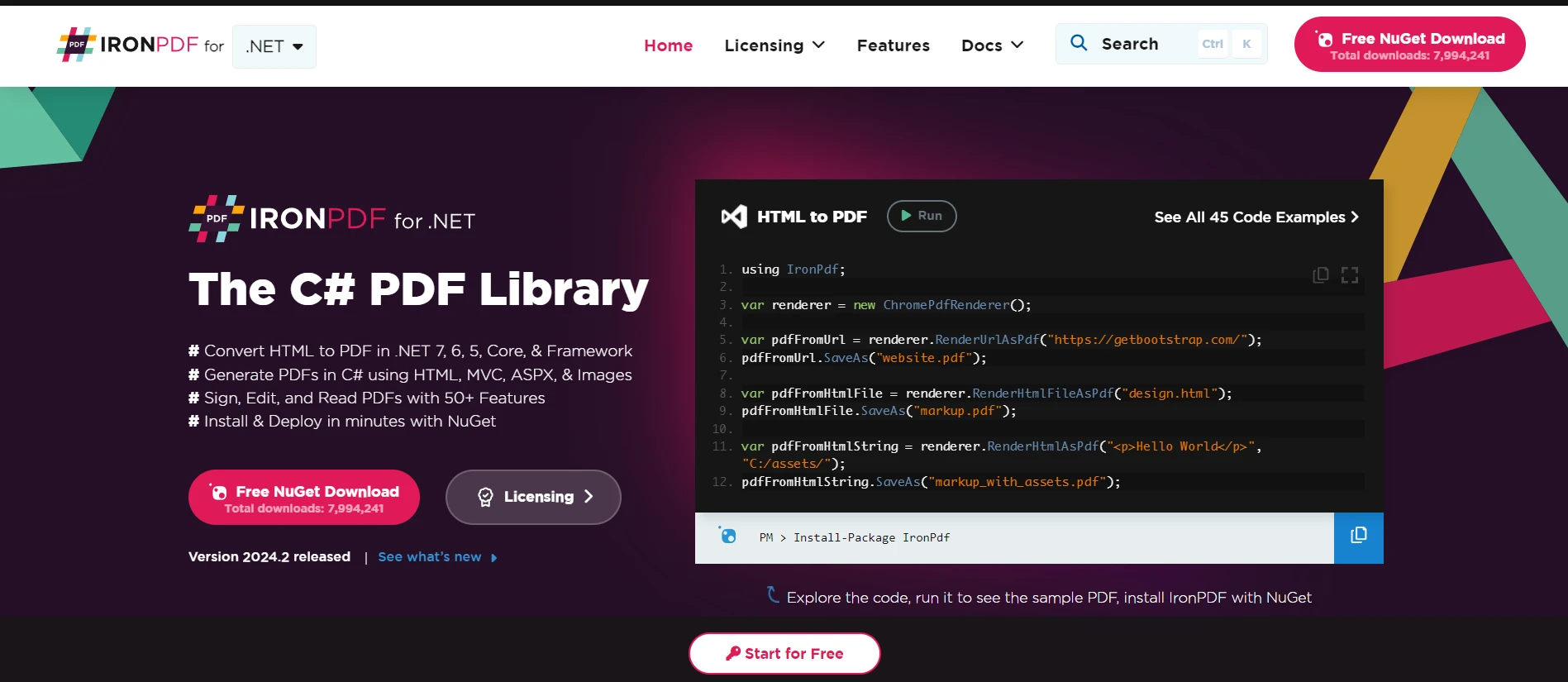
IronPDF, C# geliştiricileri için, PDF belgelerinin .NET uygulamaları içinde oluşturulmasını, manipüle edilmesini ve işlenmesini sağlayan çok yönlü bir kütüphanedir. Bu güçlü araç, karmaşık belgeler oluşturmayı, HTML'yi zahmetsizce PDF'ye dönüştürmeyi, PDF'lerden metin çıkarmayı ve daha fazlasını kolaylaştırır. Basit API'si, geliştiricilerin derin PDF spesifikasyon bilgisine ihtiyaç duymadan PDF işlevlerini uygulamalarına hızlıca entegre etmelerini sağlar.
IronPDF, HTML'den PDF'ye dönüştürme konusunda üstün, düzenleri ve stilleri korur. Bu özellik, web içeriğinden raporlar, faturalar ve belgeler oluşturmak için PDF'ler üretmeyi sağlar. HTML dosyalarını, URL'leri ve HTML stringlerini PDF'ye dönüştürmeyi destekler.
using IronPdf;

class Program
{
    static void Main(string[] args)
    {
        var renderer = new ChromePdfRenderer(); // Create an instance of the PDF renderer

        // 1. Convert HTML String to PDF
        var htmlContent = "<h1>Hello, IronPDF!</h1><p>This is a PDF from an HTML string.</p>"; // HTML content as string
        var pdfFromHtmlString = renderer.RenderHtmlAsPdf(htmlContent);
        pdfFromHtmlString.SaveAs("HTMLStringToPDF.pdf"); // Save the PDF

        // 2. Convert HTML File to PDF
        var htmlFilePath = "path_to_your_html_file.html"; // Specify the path to your HTML file
        var pdfFromHtmlFile = renderer.RenderHtmlFileAsPdf(htmlFilePath);
        pdfFromHtmlFile.SaveAs("HTMLFileToPDF.pdf"); // Save the PDF

        // 3. Convert URL to PDF
        var url = "http://ironpdf.com"; // Specify the URL
        var pdfFromUrl = renderer.RenderUrlAsPdf(url);
        pdfFromUrl.SaveAs("URLToPDF.pdf"); // Save the PDF
    }
}
using IronPdf;

class Program
{
    static void Main(string[] args)
    {
        var renderer = new ChromePdfRenderer(); // Create an instance of the PDF renderer

        // 1. Convert HTML String to PDF
        var htmlContent = "<h1>Hello, IronPDF!</h1><p>This is a PDF from an HTML string.</p>"; // HTML content as string
        var pdfFromHtmlString = renderer.RenderHtmlAsPdf(htmlContent);
        pdfFromHtmlString.SaveAs("HTMLStringToPDF.pdf"); // Save the PDF

        // 2. Convert HTML File to PDF
        var htmlFilePath = "path_to_your_html_file.html"; // Specify the path to your HTML file
        var pdfFromHtmlFile = renderer.RenderHtmlFileAsPdf(htmlFilePath);
        pdfFromHtmlFile.SaveAs("HTMLFileToPDF.pdf"); // Save the PDF

        // 3. Convert URL to PDF
        var url = "http://ironpdf.com"; // Specify the URL
        var pdfFromUrl = renderer.RenderUrlAsPdf(url);
        pdfFromUrl.SaveAs("URLToPDF.pdf"); // Save the PDF
    }
}
Imports IronPdf
Friend Class Program
Shared Sub Main(ByVal args() As String)
Dim renderer = New ChromePdfRenderer() ' Create an instance of the PDF renderer
' 1. Convert HTML String to PDF
Dim htmlContent = "<h1>Hello, IronPDF!</h1><p>This is a PDF from an HTML string.</p>" ' HTML content as string
Dim pdfFromHtmlString = renderer.RenderHtmlAsPdf(htmlContent)
pdfFromHtmlString.SaveAs("HTMLStringToPDF.pdf") ' Save the PDF
' 2. Convert HTML File to PDF
Dim htmlFilePath = "path_to_your_html_file.html" ' Specify the path to your HTML file
Dim pdfFromHtmlFile = renderer.RenderHtmlFileAsPdf(htmlFilePath)
pdfFromHtmlFile.SaveAs("HTMLFileToPDF.pdf") ' Save the PDF
' 3. Convert URL to PDF
Dim url = "http://ironpdf.com" ' Specify the URL
Dim pdfFromUrl = renderer.RenderUrlAsPdf(url)
pdfFromUrl.SaveAs("URLToPDF.pdf") ' Save the PDF
End Sub
End Class
Imports IronPdf

Friend Class Program
	Shared Sub Main(ByVal args() As String)
		Dim renderer = New ChromePdfRenderer() ' Create an instance of the PDF renderer

		' 1. Convert HTML String to PDF
		Dim htmlContent = "<h1>Hello, IronPDF!</h1><p>This is a PDF from an HTML string.</p>" ' HTML content as string
		Dim pdfFromHtmlString = renderer.RenderHtmlAsPdf(htmlContent)
		pdfFromHtmlString.SaveAs("HTMLStringToPDF.pdf") ' Save the PDF

		' 2. Convert HTML File to PDF
		Dim htmlFilePath = "path_to_your_html_file.html" ' Specify the path to your HTML file
		Dim pdfFromHtmlFile = renderer.RenderHtmlFileAsPdf(htmlFilePath)
		pdfFromHtmlFile.SaveAs("HTMLFileToPDF.pdf") ' Save the PDF

		' 3. Convert URL to PDF
		Dim url = "http://ironpdf.com" ' Specify the URL
		Dim pdfFromUrl = renderer.RenderUrlAsPdf(url)
		pdfFromUrl.SaveAs("URLToPDF.pdf") ' Save the PDF
	End Sub
End Class
Kod Örneği: Korunmuş İçerikten PDF Oluşturma
Sadece kimlik doğrulaması yapılmış kullanıcıların erişebileceği HTML içeriği döndüren bir endpoint'e sahip olduğunuzu hayal edin. Bu HTML içeriğini IronPDF kullanarak PDF belgesine dönüştürebilir, OAuth2 aracılığıyla elde edilen erişim belirtecinden faydalanabilirsiniz.
İlk olarak, bir erişim belirteci kullanarak korunmuş HTML içeriği almak için bir yöntem tanımlayalım:
using System.Net.Http;
using System.Threading.Tasks;

// Method to fetch protected content
public static async Task<string> FetchProtectedContent(string accessToken, string apiUrl)
{
    var httpClient = new HttpClient();
    httpClient.DefaultRequestHeaders.Authorization = new System.Net.Http.Headers.AuthenticationHeaderValue("Bearer", accessToken);
    var response = await httpClient.GetAsync(apiUrl); // Make the request to the protected API
    response.EnsureSuccessStatusCode();
    return await response.Content.ReadAsStringAsync(); // Return the HTML content
}
using System.Net.Http;
using System.Threading.Tasks;

// Method to fetch protected content
public static async Task<string> FetchProtectedContent(string accessToken, string apiUrl)
{
    var httpClient = new HttpClient();
    httpClient.DefaultRequestHeaders.Authorization = new System.Net.Http.Headers.AuthenticationHeaderValue("Bearer", accessToken);
    var response = await httpClient.GetAsync(apiUrl); // Make the request to the protected API
    response.EnsureSuccessStatusCode();
    return await response.Content.ReadAsStringAsync(); // Return the HTML content
}
Imports System.Net.Http
Imports System.Threading.Tasks
' Method to fetch protected content
Public Shared Async Function FetchProtectedContent(ByVal accessToken As String, ByVal apiUrl As String) As Task(Of String)
Dim httpClient As New HttpClient()
httpClient.DefaultRequestHeaders.Authorization = New System.Net.Http.Headers.AuthenticationHeaderValue("Bearer", accessToken)
Dim response = Await httpClient.GetAsync(apiUrl) ' Make the request to the protected API
response.EnsureSuccessStatusCode()
Return Await response.Content.ReadAsStringAsync() ' Return the HTML content
End Function
Imports System.Net.Http
Imports System.Threading.Tasks

' Method to fetch protected content
Public Shared Async Function FetchProtectedContent(ByVal accessToken As String, ByVal apiUrl As String) As Task(Of String)
	Dim httpClient As New HttpClient()
	httpClient.DefaultRequestHeaders.Authorization = New System.Net.Http.Headers.AuthenticationHeaderValue("Bearer", accessToken)
	Dim response = Await httpClient.GetAsync(apiUrl) ' Make the request to the protected API
	response.EnsureSuccessStatusCode()
	Return Await response.Content.ReadAsStringAsync() ' Return the HTML content
End Function
Şimdi, elde edilen HTML içeriğini IronPDF kullanarak bir PDF belgesine dönüştürelim:
using IronPdf;

// Method to convert HTML content to PDF
public static async Task ConvertHtmlToPdf(string accessToken, string apiUrl, string outputPdfPath)
{
    // Fetch protected content using the access token
    string htmlContent = await FetchProtectedContent(accessToken, apiUrl);
    // Use IronPDF to convert the HTML content to a PDF document
    var renderer = new IronPdf.HtmlToPdf();
    var pdf = renderer.RenderHtmlAsPdf(htmlContent);
    // Save the generated PDF to a file
    pdf.SaveAs(outputPdfPath);
}
using IronPdf;

// Method to convert HTML content to PDF
public static async Task ConvertHtmlToPdf(string accessToken, string apiUrl, string outputPdfPath)
{
    // Fetch protected content using the access token
    string htmlContent = await FetchProtectedContent(accessToken, apiUrl);
    // Use IronPDF to convert the HTML content to a PDF document
    var renderer = new IronPdf.HtmlToPdf();
    var pdf = renderer.RenderHtmlAsPdf(htmlContent);
    // Save the generated PDF to a file
    pdf.SaveAs(outputPdfPath);
}
Imports IronPdf
' Method to convert HTML content to PDF
Public Shared Async Function ConvertHtmlToPdf(ByVal accessToken As String, ByVal apiUrl As String, ByVal outputPdfPath As String) As Task
' Fetch protected content using the access token
Dim htmlContent As String = Await FetchProtectedContent(accessToken, apiUrl)
' Use IronPDF to convert the HTML content to a PDF document
Dim renderer = New IronPdf.HtmlToPdf()
Dim pdf = renderer.RenderHtmlAsPdf(htmlContent)
' Save the generated PDF to a file
pdf.SaveAs(outputPdfPath)
End Function
Imports IronPdf

' Method to convert HTML content to PDF
Public Shared Async Function ConvertHtmlToPdf(ByVal accessToken As String, ByVal apiUrl As String, ByVal outputPdfPath As String) As Task
	' Fetch protected content using the access token
	Dim htmlContent As String = Await FetchProtectedContent(accessToken, apiUrl)
	' Use IronPDF to convert the HTML content to a PDF document
	Dim renderer = New IronPdf.HtmlToPdf()
	Dim pdf = renderer.RenderHtmlAsPdf(htmlContent)
	' Save the generated PDF to a file
	pdf.SaveAs(outputPdfPath)
End Function
Yukarıdaki kodda, FetchProtectedContent, bir OAuth2 erişim belirteci kullanarak korunmuş bir kaynaktan HTML içeriğini almakla sorumludur. HTML içeriği alındığında, IronPDF'in HtmlToPdf render'ına gönderilir ve belirli bir yola kaydedilen bir PDF belgesi oluşturulur.
Sonuç
Bu kılavuz, C# uygulamalarında OAuth2 kullanmanın temellerini tanıttı, anahtar kavramlar, terimler ve doğrudan bir uygulama örneği kapsadı. OAuth2, web uygulamalarını kullanıcı kimlik doğrulama ve yetkilendirmesini verimli bir şekilde ele alarak güvence altına alır. Bu örnek, Yetkilendirme Kodu Akışı'nı gösterirken, OAuth2, farklı türdeki uygulamalar için uygun olan başka akışları da destekler.
Gelişmiş PDF Manipülasyonu için IronPDF 'yi entegre ederek, C# geliştiricileri, uygulamalarının yeteneklerini PDF oluşturma ve manipülasyonunu içerecek şekilde genişletebilir, kimliği doğrulanmış kullanıcılar için mevcut özellikleri zenginleştirir. IronPDF'in kullanım kolaylığı ve kapsamlı PDF manipülasyon yetenekleri, projelerinde PDF dosyaları ile çalışmak isteyen .NET geliştiricileri için mükemmel bir araç yapar. Tüm özellikleri keşfetmek için ücretsiz deneme sunar ve lisansları $999'den başlar.













