


C# OAuth2(開発者向けの動作方法)

OAuth2は、ユーザーの認証と認可を処理することによって、Web アプリケーションを保護するための強力なプロトコルです。 C# 開発の領域では、OAuth2 を理解することで、アプリケーションのセキュリティと機能が大幅に向上します。
このガイドは初心者向けに調整されており、主要な概念、実践例、そして理解しやすい説明に重点を置いています。 私たちはまた、IronPDFライブラリを使用してOAuth2を使用するユースケースを学びます。
OAuth2の理解とその重要性
OAuth2は、ユーザーに代わって認可サーバーがホストするリソースへのアクセスをクライアントアプリケーションがリクエストすることを可能にするプロトコルです。 これは、現代のウェブアプリケーションでのユーザー認証と認可を処理する一般的な方法です。
OAuth2の主な目的は、ユーザーの資格情報(ユーザー名とパスワードなど)をクライアントアプリケーションと直接共有することなく、リソースへの安全で効果的なアクセスを提供することです。
OAuth2の主要概念
実装に進む前に、いくつかの基本的なOAuth2用語を明確にしましょう:
*クライアント アプリケーション:*ユーザーのアカウントへのアクセスを要求するアプリケーション。 認可サーバー:ユーザーを認証し、クライアント アプリケーションにアクセス トークンを発行するサーバー。 アクセス トークン:クライアント アプリケーションにユーザーのアカウントへのアクセス権を一定期間付与するトークン。 リフレッシュ トークン:現在のアクセス トークンの有効期限が切れたときに、ユーザーの認証情報を再度要求せずに新しいアクセス トークンを取得するために使用されるトークン。 クライアント IDとクライアント シークレット:認可サーバーに対してクライアント アプリケーションを識別する資格情報。 リダイレクト URI:**認可サーバーがクライアント アプリケーションへのアクセスを許可または拒否した後にユーザーに送信する URI。 *認可コードフロー:クライアント アプリケーションがアクセス トークンと交換する前に、中間ステップとして認可コードを受信する安全な方法。
C#でのOAuth2の実装: 基本例
OAuth2を使用してユーザー認証を行う簡単な C# アプリケーションを作成しましょう。 この例では、OAuth2 クライアントの設定、アクセストークンの取得、保護されたリソースへのリクエストの作成をガイドします。
OAuth2クライアントのセットアップ
まず、OAuth2 認可サーバーにC#アプリケーションを登録する必要があります。 このプロセスはサーバーによって異なりますが、通常はクライアントIDとクライアントシークレットを受け取ります。これらはOAuth2フローにとって重要です。
ステップ 1:アプリケーションの資格情報を定義する
最初のステップとして、クライアントIDおよびクライアントシークレットのようなクライアントの資格情報をセットアップします。 以下はサンプルコードです:
// Define your client credentials
class Program
{
    private static string clientId = "your-client-id"; // Your client ID
    private static string clientSecret = "your-client-secret"; // Your client secret
    private static string redirectUri = "your-redirect-uri"; // Your redirect URI
    static void Main(string[] args)
    {
        // OAuth2 implementation will go here
    }
}
// Define your client credentials
class Program
{
private static string clientId = "your-client-id"; // Your client ID
private static string clientSecret = "your-client-secret"; // Your client secret
private static string redirectUri = "your-redirect-uri"; // Your redirect URI
static void Main(string[] args)
{
// OAuth2 implementation will go here
}
}' Define your client credentials
Friend Class Program
Private Shared clientId As String = "your-client-id" ' Your client ID
Private Shared clientSecret As String = "your-client-secret" ' Your client secret
Private Shared redirectUri As String = "your-redirect-uri" ' Your redirect URI
Shared Sub Main(ByVal args() As String)
' OAuth2 implementation will go here
End Sub
End Classステップ 2: ユーザー認証のリクエスト
OAuth2 フローを開始するには、ユーザーを認可サーバーの認可エンドポイントにリダイレクトします。 認可リクエスト用URLの構築方法は以下の通りです:
static void Main(string[] args)
{
    var authorizationEndpoint = "https://authorization-server.com/auth"; // Authorization server endpoint
    var responseType = "code"; // Response type for authorization
    var scope = "email profile"; // Scopes for the authorization request
    var authorizationUrl = $"{authorizationEndpoint}?response_type={responseType}&client_id={clientId}&redirect_uri={redirectUri}&scope={scope}";
    // Redirect the user to authorizationUrl
}
static void Main(string[] args)
{
var authorizationEndpoint = "https://authorization-server.com/auth"; // Authorization server endpoint
var responseType = "code"; // Response type for authorization
var scope = "email profile"; // Scopes for the authorization request
var authorizationUrl = $"{authorizationEndpoint}?response_type={responseType}&client_id={clientId}&redirect_uri={redirectUri}&scope={scope}";
// Redirect the user to authorizationUrl
}Shared Sub Main(ByVal args() As String)
Dim authorizationEndpoint = "https://authorization-server.com/auth" ' Authorization server endpoint
Dim responseType = "code" ' Response type for authorization
Dim scope = "email profile" ' Scopes for the authorization request
Dim authorizationUrl = $"{authorizationEndpoint}?response_type={responseType}&client_id={clientId}&redirect_uri={redirectUri}&scope={scope}"
' Redirect the user to authorizationUrl
End Subステップ 3:認可応答の処理
ユーザーが許可または拒否した後、認可サーバーは認可コードまたはエラーメッセージと一緒にユーザーをアプリケーションにリダイレクトします。 リダイレクトURIのクエリパラメータからこのコードをキャプチャする必要があります。
ステップ 4:認可コードの交換
次に、認可コードをアクセストークンに交換します。 これは認可サーバーのトークンエンドポイントへのPOSTリクエストを必要とします。
using System.IO;
using System.Net;
using System.Text;
using System.Threading.Tasks;

// Method to exchange authorization code for an access token
public static async Task<string> ExchangeAuthorizationCodeForAccessToken(string authorizationCode)
{
    var tokenEndpoint = "https://authorization-server.com/token"; // Token endpoint
    var postData = $"grant_type=authorization_code&code={authorizationCode}&redirect_uri={redirectUri}&client_id={clientId}&client_secret={clientSecret}";
    var data = Encoding.ASCII.GetBytes(postData);
    var request = WebRequest.Create(tokenEndpoint);
    request.Method = "POST"; // Use post method to request the access token
    request.ContentType = "application/x-www-form-urlencoded"; // Content type
    request.ContentLength = data.Length;
    using (var stream = request.GetRequestStream())
    {
        stream.Write(data, 0, data.Length);
    }
    var response = (HttpWebResponse)request.GetResponse();
    var responseString = new StreamReader(response.GetResponseStream()).ReadToEnd();
    // Extract and return the access token from the response
    var token = ExtractAccessTokenFromResponse(responseString);
    return token;
}
using System.IO;
using System.Net;
using System.Text;
using System.Threading.Tasks;
// Method to exchange authorization code for an access token
public static async Task<string> ExchangeAuthorizationCodeForAccessToken(string authorizationCode)
{
var tokenEndpoint = "https://authorization-server.com/token"; // Token endpoint
var postData = $"grant_type=authorization_code&code={authorizationCode}&redirect_uri={redirectUri}&client_id={clientId}&client_secret={clientSecret}";
var data = Encoding.ASCII.GetBytes(postData);
var request = WebRequest.Create(tokenEndpoint);
request.Method = "POST"; // Use post method to request the access token
request.ContentType = "application/x-www-form-urlencoded"; // Content type
request.ContentLength = data.Length;
using (var stream = request.GetRequestStream())
{
stream.Write(data, 0, data.Length);
}
var response = (HttpWebResponse)request.GetResponse();
var responseString = new StreamReader(response.GetResponseStream()).ReadToEnd();
// Extract and return the access token from the response
var token = ExtractAccessTokenFromResponse(responseString);
return token;
}Imports System.IO
Imports System.Net
Imports System.Text
Imports System.Threading.Tasks
' Method to exchange authorization code for an access token
Public Shared Async Function ExchangeAuthorizationCodeForAccessToken(ByVal authorizationCode As String) As Task(Of String)
Dim tokenEndpoint = "https://authorization-server.com/token" ' Token endpoint
Dim postData = $"grant_type=authorization_code&code={authorizationCode}&redirect_uri={redirectUri}&client_id={clientId}&client_secret={clientSecret}"
Dim data = Encoding.ASCII.GetBytes(postData)
Dim request = WebRequest.Create(tokenEndpoint)
request.Method = "POST" ' Use post method to request the access token
request.ContentType = "application/x-www-form-urlencoded" ' Content type
request.ContentLength = data.Length
Using stream = request.GetRequestStream()
stream.Write(data, 0, data.Length)
End Using
Dim response = CType(request.GetResponse(), HttpWebResponse)
Dim responseString = (New StreamReader(response.GetResponseStream())).ReadToEnd()
' Extract and return the access token from the response
Dim token = ExtractAccessTokenFromResponse(responseString)
Return token
End Functionこの関数は、必要なデータを含むPOSTリクエストをトークンエンドポイントに送信し、レスポンスから取得したアクセストークンを返します。
ステップ 5:認証されたリクエストの作成
アクセストークンを使用して、認証が必要なリソースへのリクエストを作成できます。 アクセストークンをAuthorizationヘッダーにBearerトークンとして付加します。
using System.Net.Http;
using System.Threading.Tasks;

// Method to make authorized requests
public static async Task<string> MakeAuthorizedRequest(string accessToken, string apiUrl)
{
    var httpClient = new HttpClient();
    httpClient.DefaultRequestHeaders.Authorization = new System.Net.Http.Headers.AuthenticationHeaderValue("Bearer", accessToken);
    // Make the request to the API
    var response = await httpClient.GetAsync(apiUrl);
    response.EnsureSuccessStatusCode();
    var responseString = await response.Content.ReadAsStringAsync();
    return responseString;
}
using System.Net.Http;
using System.Threading.Tasks;
// Method to make authorized requests
public static async Task<string> MakeAuthorizedRequest(string accessToken, string apiUrl)
{
var httpClient = new HttpClient();
httpClient.DefaultRequestHeaders.Authorization = new System.Net.Http.Headers.AuthenticationHeaderValue("Bearer", accessToken);
// Make the request to the API
var response = await httpClient.GetAsync(apiUrl);
response.EnsureSuccessStatusCode();
var responseString = await response.Content.ReadAsStringAsync();
return responseString;
}Imports System.Net.Http
Imports System.Threading.Tasks
' Method to make authorized requests
Public Shared Async Function MakeAuthorizedRequest(ByVal accessToken As String, ByVal apiUrl As String) As Task(Of String)
Dim httpClient As New HttpClient()
httpClient.DefaultRequestHeaders.Authorization = New System.Net.Http.Headers.AuthenticationHeaderValue("Bearer", accessToken)
' Make the request to the API
Dim response = Await httpClient.GetAsync(apiUrl)
response.EnsureSuccessStatusCode()
Dim responseString = Await response.Content.ReadAsStringAsync()
Return responseString
End FunctionIronPDFの紹介
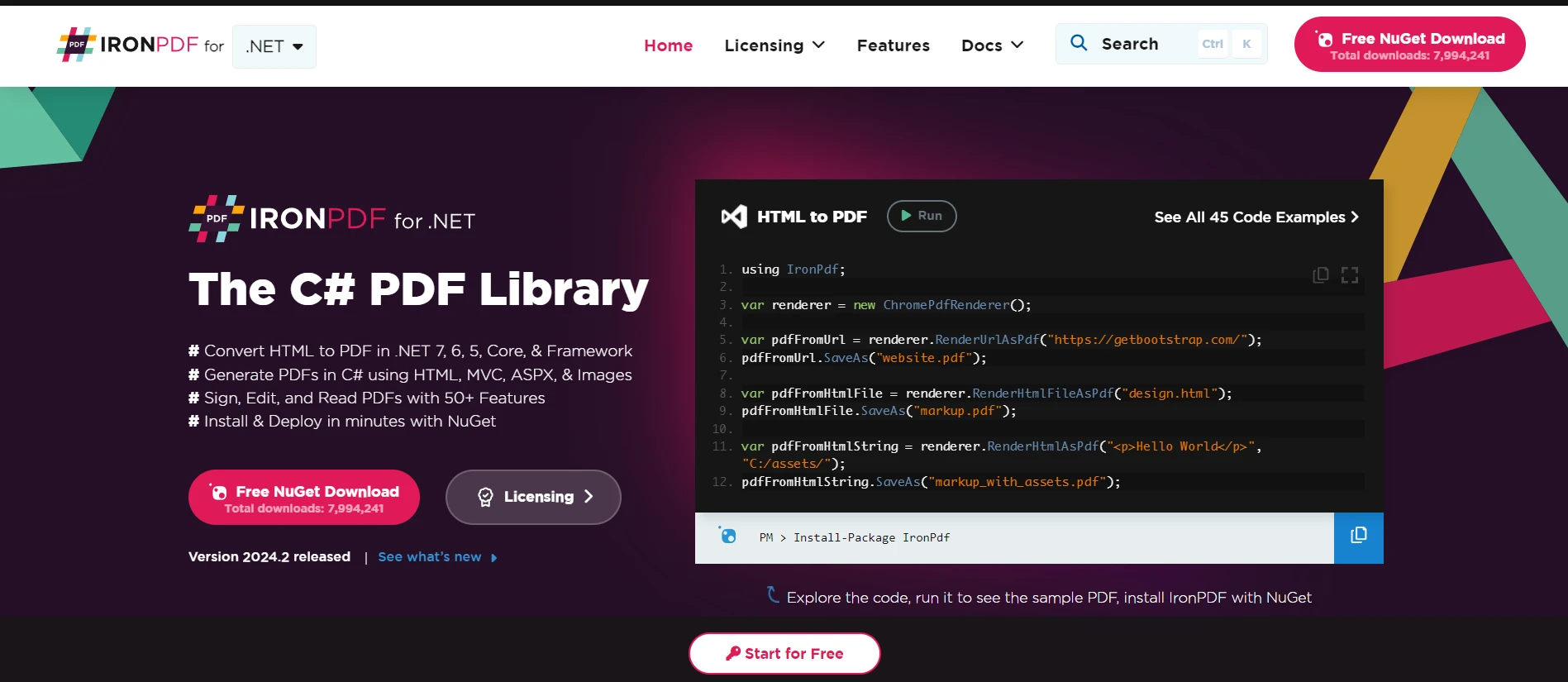
IronPDFは、C#開発者向けの多用途なライブラリであり、.NETアプリケーション内でPDFドキュメントの生成、操作、レンダリングを可能にします。 この強力なツールは、PDFファイルの作業を簡素化し、複雑な文書の作成、HTMLを簡単にPDFに変換する、PDFからのテキスト抽出などを容易にします。 そのシンプルなAPIにより、開発者はPDF機能を迅速にアプリケーションに組み込むことができ、PDFの仕様について深い知識を必要としません。
IronPDFは、HTMLからPDFへの変換に優れ、レイアウトとスタイルを保持します。 この機能により、報告書、請求書、およびドキュメントに役立つウェブコンテンツからPDFを生成できます。 HTMLファイル、URL、およびHTML文字列をPDFに変換することをサポートします。
using IronPdf;

class Program
{
    static void Main(string[] args)
    {
        var renderer = new ChromePdfRenderer(); // Create an instance of the PDF renderer

        // 1. Convert HTML String to PDF
        var htmlContent = "<h1>Hello, IronPDF!</h1><p>This is a PDF from an HTML string.</p>"; // HTML content as string
        var pdfFromHtmlString = renderer.RenderHtmlAsPdf(htmlContent);
        pdfFromHtmlString.SaveAs("HTMLStringToPDF.pdf"); // Save the PDF

        // 2. Convert HTML File to PDF
        var htmlFilePath = "path_to_your_html_file.html"; // Specify the path to your HTML file
        var pdfFromHtmlFile = renderer.RenderHtmlFileAsPdf(htmlFilePath);
        pdfFromHtmlFile.SaveAs("HTMLFileToPDF.pdf"); // Save the PDF

        // 3. Convert URL to PDF
        var url = "http://ironpdf.com"; // Specify the URL
        var pdfFromUrl = renderer.RenderUrlAsPdf(url);
        pdfFromUrl.SaveAs("URLToPDF.pdf"); // Save the PDF
    }
}
using IronPdf;
class Program
{
static void Main(string[] args)
{
var renderer = new ChromePdfRenderer(); // Create an instance of the PDF renderer
// 1. Convert HTML String to PDF
var htmlContent = "<h1>Hello, IronPDF!</h1><p>This is a PDF from an HTML string.</p>"; // HTML content as string
var pdfFromHtmlString = renderer.RenderHtmlAsPdf(htmlContent);
pdfFromHtmlString.SaveAs("HTMLStringToPDF.pdf"); // Save the PDF
// 2. Convert HTML File to PDF
var htmlFilePath = "path_to_your_html_file.html"; // Specify the path to your HTML file
var pdfFromHtmlFile = renderer.RenderHtmlFileAsPdf(htmlFilePath);
pdfFromHtmlFile.SaveAs("HTMLFileToPDF.pdf"); // Save the PDF
// 3. Convert URL to PDF
var url = "http://ironpdf.com"; // Specify the URL
var pdfFromUrl = renderer.RenderUrlAsPdf(url);
pdfFromUrl.SaveAs("URLToPDF.pdf"); // Save the PDF
}
}Imports IronPdf
Friend Class Program
Shared Sub Main(ByVal args() As String)
Dim renderer = New ChromePdfRenderer() ' Create an instance of the PDF renderer
' 1. Convert HTML String to PDF
Dim htmlContent = "<h1>Hello, IronPDF!</h1><p>This is a PDF from an HTML string.</p>" ' HTML content as string
Dim pdfFromHtmlString = renderer.RenderHtmlAsPdf(htmlContent)
pdfFromHtmlString.SaveAs("HTMLStringToPDF.pdf") ' Save the PDF
' 2. Convert HTML File to PDF
Dim htmlFilePath = "path_to_your_html_file.html" ' Specify the path to your HTML file
Dim pdfFromHtmlFile = renderer.RenderHtmlFileAsPdf(htmlFilePath)
pdfFromHtmlFile.SaveAs("HTMLFileToPDF.pdf") ' Save the PDF
' 3. Convert URL to PDF
Dim url = "http://ironpdf.com" ' Specify the URL
Dim pdfFromUrl = renderer.RenderUrlAsPdf(url)
pdfFromUrl.SaveAs("URLToPDF.pdf") ' Save the PDF
End Sub
End Classコード例:保護されたコンテンツからPDFを生成する
認証済みユーザーにのみアクセス可能なHTMLコンテンツを返すエンドポイントを持っていると想像してください。 このHTMLコンテンツを、OAuth2を介して取得したアクセストークンを利用してIronPDFを使用してPDFドキュメントに変換できます。
まず、アクセストークンを使用して保護されたHTMLコンテンツを取得するメソッドを定義しましょう:
using System.Net.Http;
using System.Threading.Tasks;

// Method to fetch protected content
public static async Task<string> FetchProtectedContent(string accessToken, string apiUrl)
{
    var httpClient = new HttpClient();
    httpClient.DefaultRequestHeaders.Authorization = new System.Net.Http.Headers.AuthenticationHeaderValue("Bearer", accessToken);
    var response = await httpClient.GetAsync(apiUrl); // Make the request to the protected API
    response.EnsureSuccessStatusCode();
    return await response.Content.ReadAsStringAsync(); // Return the HTML content
}
using System.Net.Http;
using System.Threading.Tasks;
// Method to fetch protected content
public static async Task<string> FetchProtectedContent(string accessToken, string apiUrl)
{
var httpClient = new HttpClient();
httpClient.DefaultRequestHeaders.Authorization = new System.Net.Http.Headers.AuthenticationHeaderValue("Bearer", accessToken);
var response = await httpClient.GetAsync(apiUrl); // Make the request to the protected API
response.EnsureSuccessStatusCode();
return await response.Content.ReadAsStringAsync(); // Return the HTML content
}Imports System.Net.Http
Imports System.Threading.Tasks
' Method to fetch protected content
Public Shared Async Function FetchProtectedContent(ByVal accessToken As String, ByVal apiUrl As String) As Task(Of String)
Dim httpClient As New HttpClient()
httpClient.DefaultRequestHeaders.Authorization = New System.Net.Http.Headers.AuthenticationHeaderValue("Bearer", accessToken)
Dim response = Await httpClient.GetAsync(apiUrl) ' Make the request to the protected API
response.EnsureSuccessStatusCode()
Return Await response.Content.ReadAsStringAsync() ' Return the HTML content
End Function次に、取得したHTMLコンテンツをIronPDFを使用してPDFドキュメントに変換しましょう:
using IronPdf;

// Method to convert HTML content to PDF
public static async Task ConvertHtmlToPdf(string accessToken, string apiUrl, string outputPdfPath)
{
    // Fetch protected content using the access token
    string htmlContent = await FetchProtectedContent(accessToken, apiUrl);
    // Use IronPDF to convert the HTML content to a PDF document
    var renderer = new IronPdf.HtmlToPdf();
    var pdf = renderer.RenderHtmlAsPdf(htmlContent);
    // Save the generated PDF to a file
    pdf.SaveAs(outputPdfPath);
}
using IronPdf;
// Method to convert HTML content to PDF
public static async Task ConvertHtmlToPdf(string accessToken, string apiUrl, string outputPdfPath)
{
// Fetch protected content using the access token
string htmlContent = await FetchProtectedContent(accessToken, apiUrl);
// Use IronPDF to convert the HTML content to a PDF document
var renderer = new IronPdf.HtmlToPdf();
var pdf = renderer.RenderHtmlAsPdf(htmlContent);
// Save the generated PDF to a file
pdf.SaveAs(outputPdfPath);
}Imports IronPdf
' Method to convert HTML content to PDF
Public Shared Async Function ConvertHtmlToPdf(ByVal accessToken As String, ByVal apiUrl As String, ByVal outputPdfPath As String) As Task
' Fetch protected content using the access token
Dim htmlContent As String = Await FetchProtectedContent(accessToken, apiUrl)
' Use IronPDF to convert the HTML content to a PDF document
Dim renderer = New IronPdf.HtmlToPdf()
Dim pdf = renderer.RenderHtmlAsPdf(htmlContent)
' Save the generated PDF to a file
pdf.SaveAs(outputPdfPath)
End Function上記のコードでは、FetchProtectedContentがOAuth2アクセストークンを使用して保護されたリソースからHTMLコンテンツを取得する役割を果たします。 HTMLコンテンツが取得されると、それはIronPDFのHtmlToPdfレンダラーに渡され、PDFドキュメントが生成され、指定されたパスに保存されます。
結論
このガイドは、C#アプリケーションでOAuth2を使用する基本を導入し、主要概念、用語、および簡単な実装例をカバーしました。 OAuth2は、ユーザーの認証と認可を効率的に処理することで、ウェブアプリケーションを保護する上で非常に重要な役割を果たします。 この例では認可コードフローを示しましたが、OAuth2はさまざまなタイプのアプリケーションに適した他のフローにも対応しています。
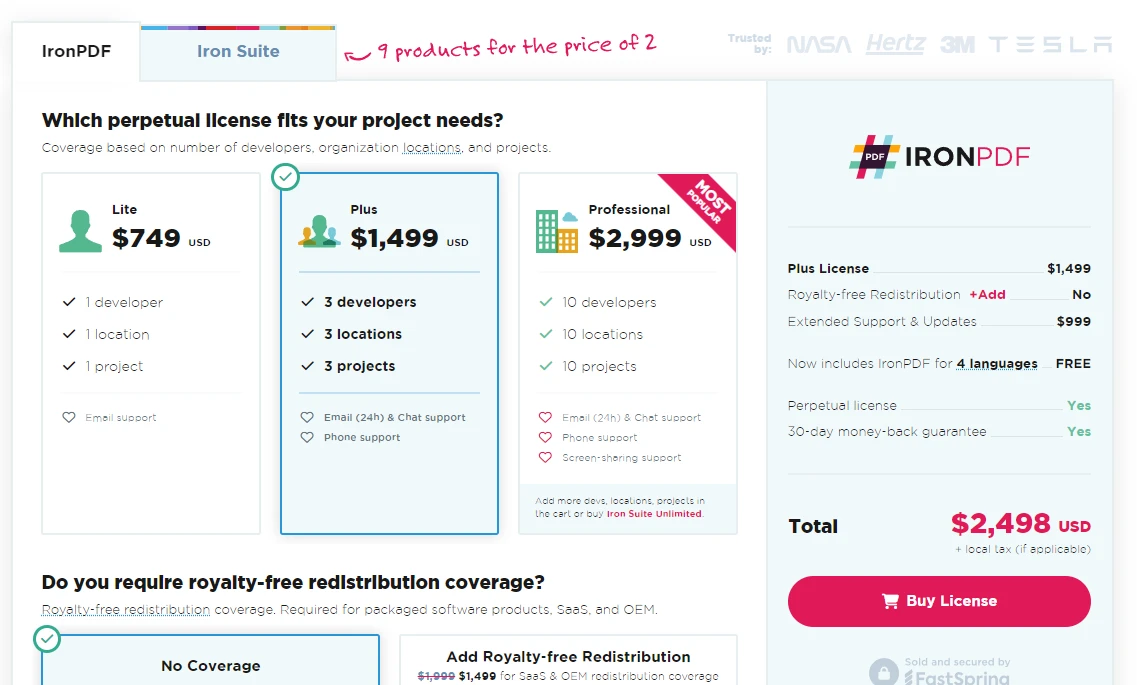
高度なPDF操作のためのIronPDFを統合することで、C#開発者はアプリケーションの機能を拡張し、PDFの生成と操作を含む機能を認証済みユーザーに提供できます。 IronPDFの使いやすさと総合的なPDF操作能力は、.NET開発者がプロジェクトでPDFファイルを扱う際の優れたツールとなります。 すべての機能を探索するための無料トライアルを提供しており、ライセンスは$999から始まります。
よくある質問
OAuth2 は C# アプリケーションでセキュリティをどのように強化しますか?
OAuth2 は、ユーザーの資格情報を直接共有する必要をなくし、安全なユーザー認証と認可を可能にすることで、C# アプリケーションのセキュリティを強化します。これにより資格情報の漏洩リスクが軽減され、保護されたリソースへのアクセスが安全になります。
C# アプリケーションで OAuth2 を実装する際に含まれるステップは何ですか?
C# アプリケーションで OAuth2 を実装するには、クライアント資格情報の設定、ユーザーの承認の要求、応答の処理、認可コードの交換、およびアクセストークンを使用して認可されたリクエストを行うことが含まれます。
IronPDF は、保護された HTML コンテンツから PDF を作成するためにどのように使用できますか?
IronPDF は、まずアクセストークンを使用して保護されたコンテンツを取得し、その後このコンテンツを IronPDF の機能を使用して PDF ドキュメントに変換することで、保護された HTML コンテンツから PDF を作成できます。
OAuth2 におけるアクセストークンの役割は何ですか?
OAuth2 のアクセストークンは、保護されたリソースへのリクエストを承認および認証するために使用されます。クライアントアプリケーションがアクセストークンを受け取ると、それを使用してユーザーの代わりにリソースにアクセスできます。
OAuth2 での Authorization Code Flow はどのように機能しますか?
OAuth2 では、Authorization Code Flow は、ユーザーの同意を通じて認可コードを取得し、それがアクセストークンと交換される流れです。この流れは安全であり、クライアントシークレットが安全に保存できる Web アプリケーションで通常使用されます。
C# で HTML 文字列から PDF を生成するにはどうすればよいですか?
IronPDF の HtmlToPdf メソッドを使用して、C# で HTML 文字列から PDF を生成できます。このメソッドは HTML 文字列を PDF ドキュメントに変換し、その後必要に応じて保存または操作できます。
Web アプリケーションにおける OAuth2 の実際の用途は何ですか?
OAuth2 は、ユーザーの資格情報を露出することなく、他のサービスからユーザーデータにアクセスすることを可能にする安全なユーザー認証と認可のために Web アプリケーションで使用されます。これは、サードパーティサービスを統合し、ユーザープライバシーを保護するために重要です。
IronPDF は C# アプリケーションにおける機能をどのように強化しますか?
IronPDF は、PDF ドキュメントを作成および操作するためのツールを提供することで、C# アプリケーションの機能を強化します。HTML コンテンツ、URL、および HTML 文字列やファイルを PDF に変換し、広範な PDF 操作機能を提供します。
C# で PDF 作成のために IronPDF を使用する利点は何ですか?
C# で PDF 作成のために IronPDF を使用する利点には、HTML コンテンツを正確に PDF に変換でき、文書のレイアウトとスタイリングを保持し、OAuth2 トークンを使用してコンテンツに安全にアクセスできることが含まれます。










 無料で始めましょう
 無料で始めましょう
 無料ライブデモを予約
















