




已更新 2026年4月23日
在 .NET 中用 Microsoft.Extensions.AI 簡化 LLM 整合
AI 正在改變軟體開發,但將大型語言模型 (LLM) 整合到 .NET 中一直很複雜。利用 IronPdf.AI 將 AI 整合推向更遠,為 .NET 應用程式帶來由 OpenAI 驅動的 PDF 解析、資料擷取和內容總結。
閱讀更多

OAuth2 是一個強大的協議,用於處理使用者驗證和授權,從而保護您的網頁應用程式。 在C#開發領域中,了解OAuth2可以大大增強您的應用程式的安全性和功能。
本指南專為初學者量身打造,重點介紹關鍵概念、實用範例和容易理解的解釋。 我們還將學習使用 IronPDF 程式庫搭配OAuth2的使用例。
OAuth2是一種協議,允許客戶端應用程式在使用者的授權下,請求存取由授權伺服器託管的資源。 它是現代網頁應用程式中常用的用來處理使用者驗證和授權的方法。
OAuth2的主要目標是提供安全且有效的資源存取,而不直接與客戶端應用程式共享使用者的憑證(如使用者名稱和密碼)。
在進入實作之前,讓我們澄清一些基本的OAuth2術語:
讓我們建立一個簡單的C#應用程式,使用OAuth2進行使用者驗證。 此範例將指導您設置OAuth2客戶端、獲取存取令牌並向受保護資源發出請求。
首先,您需要將您的C#應用程式註冊到OAuth2授權伺服器。 此過程取決於伺服器,但通常您會收到一個客戶端ID和一個客戶端密鑰,這些是OAuth2流程中的關鍵。
作為第一步,您需要設置客戶端憑證,如客戶端ID和客戶端密鑰。 這是範例程式碼:
// Define your client credentials
class Program
{
    private static string clientId = "your-client-id"; // Your client ID
    private static string clientSecret = "your-client-secret"; // Your client secret
    private static string redirectUri = "your-redirect-uri"; // Your redirect URI
    static void Main(string[] args)
    {
        // OAuth2 implementation will go here
    }
}' Define your client credentials
Friend Class Program
Private Shared clientId As String = "your-client-id" ' Your client ID
Private Shared clientSecret As String = "your-client-secret" ' Your client secret
Private Shared redirectUri As String = "your-redirect-uri" ' Your redirect URI
Shared Sub Main(ByVal args() As String)
' OAuth2 implementation will go here
End Sub
End Class要啟動OAuth2流程,將使用者重定向到授權伺服器的授權端點。 下面是如何構建授權請求的URL:
static void Main(string[] args)
{
    var authorizationEndpoint = "https://authorization-server.com/auth"; // Authorization server endpoint
    var responseType = "code"; // Response type for authorization
    var scope = "email profile"; // Scopes for the authorization request
    var authorizationUrl = $"{authorizationEndpoint}?response_type={responseType}&client_id={clientId}&redirect_uri={redirectUri}&scope={scope}";
    // Redirect the user to authorizationUrl
}Shared Sub Main(ByVal args() As String)
Dim authorizationEndpoint = "https://authorization-server.com/auth" ' Authorization server endpoint
Dim responseType = "code" ' Response type for authorization
Dim scope = "email profile" ' Scopes for the authorization request
Dim authorizationUrl = $"{authorizationEndpoint}?response_type={responseType}&client_id={clientId}&redirect_uri={redirectUri}&scope={scope}"
' Redirect the user to authorizationUrl
End Sub在使用者授予或拒絕權限後,授權伺服器會重定向他們回到您的應用程式,並帶著授權碼或錯誤訊息。 您需要從重定向URI的查詢參數中獲取此程式碼。
現在,您要將授權碼交換為存取令牌。 這需要向授權伺服器的令牌端點發送一個POST請求。
using System.IO;
using System.Net;
using System.Text;
using System.Threading.Tasks;

// Method to exchange authorization code for an access token
public static async Task<string> ExchangeAuthorizationCodeForAccessToken(string authorizationCode)
{
    var tokenEndpoint = "https://authorization-server.com/token"; // Token endpoint
    var postData = $"grant_type=authorization_code&code={authorizationCode}&redirect_uri={redirectUri}&client_id={clientId}&client_secret={clientSecret}";
    var data = Encoding.ASCII.GetBytes(postData);
    var request = WebRequest.Create(tokenEndpoint);
    request.Method = "POST"; // Use post method to request the access token
    request.ContentType = "application/x-www-form-urlencoded"; // Content type
    request.ContentLength = data.Length;
    using (var stream = request.GetRequestStream())
    {
        stream.Write(data, 0, data.Length);
    }
    var response = (HttpWebResponse)request.GetResponse();
    var responseString = new StreamReader(response.GetResponseStream()).ReadToEnd();
    // Extract and return the access token from the response
    var token = ExtractAccessTokenFromResponse(responseString);
    return token;
}Imports System.IO
Imports System.Net
Imports System.Text
Imports System.Threading.Tasks
' Method to exchange authorization code for an access token
Public Shared Async Function ExchangeAuthorizationCodeForAccessToken(ByVal authorizationCode As String) As Task(Of String)
Dim tokenEndpoint = "https://authorization-server.com/token" ' Token endpoint
Dim postData = $"grant_type=authorization_code&code={authorizationCode}&redirect_uri={redirectUri}&client_id={clientId}&client_secret={clientSecret}"
Dim data = Encoding.ASCII.GetBytes(postData)
Dim request = WebRequest.Create(tokenEndpoint)
request.Method = "POST" ' Use post method to request the access token
request.ContentType = "application/x-www-form-urlencoded" ' Content type
request.ContentLength = data.Length
Using stream = request.GetRequestStream()
stream.Write(data, 0, data.Length)
End Using
Dim response = CType(request.GetResponse(), HttpWebResponse)
Dim responseString = (New StreamReader(response.GetResponseStream())).ReadToEnd()
' Extract and return the access token from the response
Dim token = ExtractAccessTokenFromResponse(responseString)
Return token
End Function此函式發送一個POST請求到令牌端點,附上必要資料,並從回應中提取存取令牌。
使用存取令牌,您現在可以向需要身份驗證的資源發出請求。 將存取令牌作為Bearer令牌附加到您的請求的授權標頭中。
using System.Net.Http;
using System.Threading.Tasks;

// Method to make authorized requests
public static async Task<string> MakeAuthorizedRequest(string accessToken, string apiUrl)
{
    var httpClient = new HttpClient();
    httpClient.DefaultRequestHeaders.Authorization = new System.Net.Http.Headers.AuthenticationHeaderValue("Bearer", accessToken);
    // Make the request to the API
    var response = await httpClient.GetAsync(apiUrl);
    response.EnsureSuccessStatusCode();
    var responseString = await response.Content.ReadAsStringAsync();
    return responseString;
}Imports System.Net.Http
Imports System.Threading.Tasks
' Method to make authorized requests
Public Shared Async Function MakeAuthorizedRequest(ByVal accessToken As String, ByVal apiUrl As String) As Task(Of String)
Dim httpClient As New HttpClient()
httpClient.DefaultRequestHeaders.Authorization = New System.Net.Http.Headers.AuthenticationHeaderValue("Bearer", accessToken)
' Make the request to the API
Dim response = Await httpClient.GetAsync(apiUrl)
response.EnsureSuccessStatusCode()
Dim responseString = Await response.Content.ReadAsStringAsync()
Return responseString
End Function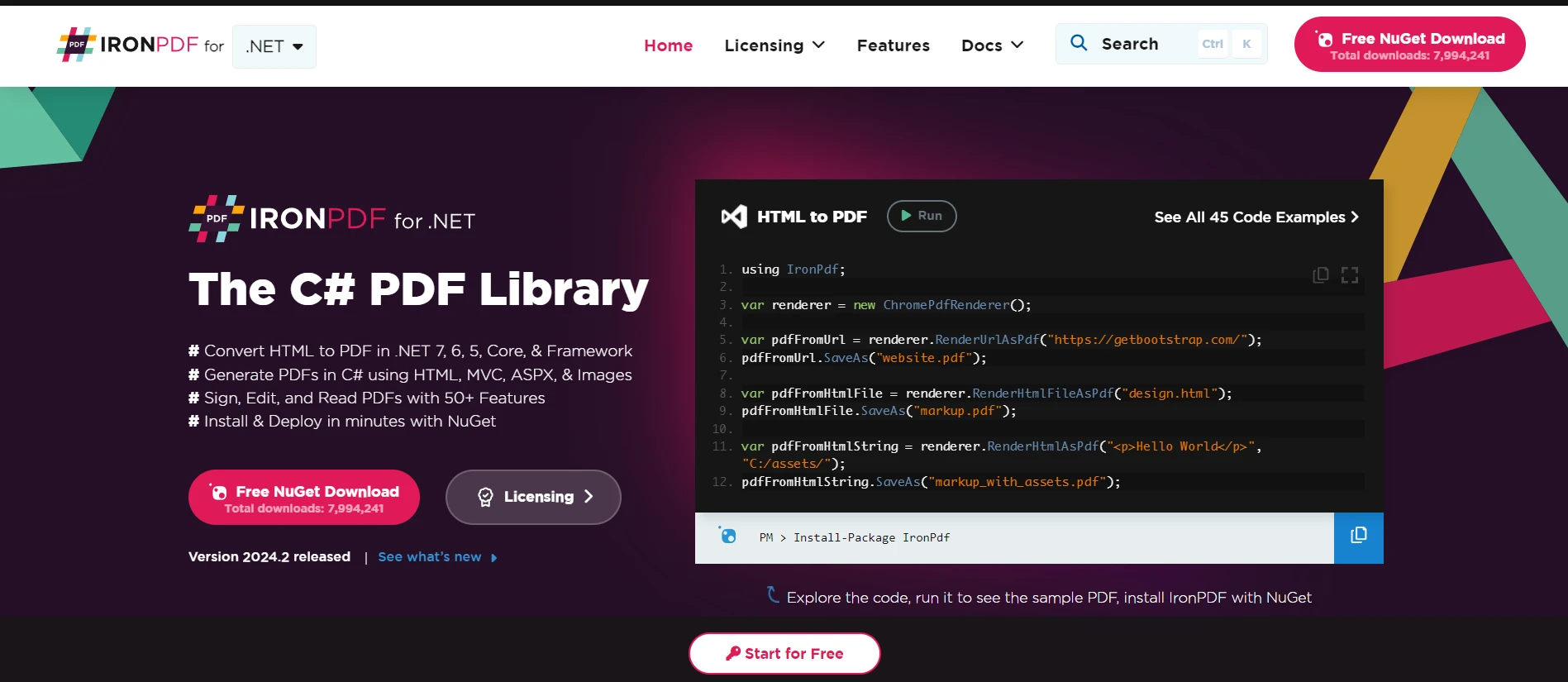
IronPDF 是一個多功能的C#程式庫,允許在.NET應用程式中直接生成、操作和渲染PDF文件。 這個強大的工具簡化了處理PDF文件的過程,使其輕鬆建立複雜的文件、毫不費力地將HTML轉換為PDF、從PDF中提取文字,還有更多功能。 其簡單明瞭的API允許開發者快速將PDF功能整合到他們的應用程式中,而無需深入了解PDF規範。
IronPDF在HTML轉換為PDF方面表現出色,保留佈局和樣式。 此功能允許從網頁內容生成PDF,非常適用於報告、發票和文件。 支持將HTML文件、URL和HTML字串轉換為PDF。
using IronPdf;

class Program
{
    static void Main(string[] args)
    {
        var renderer = new ChromePdfRenderer(); // Create an instance of the PDF renderer

        // 1. Convert HTML String to PDF
        var htmlContent = "<h1>Hello, IronPDF!</h1><p>This is a PDF from an HTML string.</p>"; // HTML content as string
        var pdfFromHtmlString = renderer.RenderHtmlAsPdf(htmlContent);
        pdfFromHtmlString.SaveAs("HTMLStringToPDF.pdf"); // Save the PDF

        // 2. Convert HTML File to PDF
        var htmlFilePath = "path_to_your_html_file.html"; // Specify the path to your HTML file
        var pdfFromHtmlFile = renderer.RenderHtmlFileAsPdf(htmlFilePath);
        pdfFromHtmlFile.SaveAs("HTMLFileToPDF.pdf"); // Save the PDF

        // 3. Convert URL to PDF
        var url = "http://ironpdf.com"; // Specify the URL
        var pdfFromUrl = renderer.RenderUrlAsPdf(url);
        pdfFromUrl.SaveAs("URLToPDF.pdf"); // Save the PDF
    }
}Imports IronPdf
Friend Class Program
Shared Sub Main(ByVal args() As String)
Dim renderer = New ChromePdfRenderer() ' Create an instance of the PDF renderer
' 1. Convert HTML String to PDF
Dim htmlContent = "<h1>Hello, IronPDF!</h1><p>This is a PDF from an HTML string.</p>" ' HTML content as string
Dim pdfFromHtmlString = renderer.RenderHtmlAsPdf(htmlContent)
pdfFromHtmlString.SaveAs("HTMLStringToPDF.pdf") ' Save the PDF
' 2. Convert HTML File to PDF
Dim htmlFilePath = "path_to_your_html_file.html" ' Specify the path to your HTML file
Dim pdfFromHtmlFile = renderer.RenderHtmlFileAsPdf(htmlFilePath)
pdfFromHtmlFile.SaveAs("HTMLFileToPDF.pdf") ' Save the PDF
' 3. Convert URL to PDF
Dim url = "http://ironpdf.com" ' Specify the URL
Dim pdfFromUrl = renderer.RenderUrlAsPdf(url)
pdfFromUrl.SaveAs("URLToPDF.pdf") ' Save the PDF
End Sub
End Class想像一下,您有一個端點,該端點僅供認證使用者存取HTML內容。 您可以使用IronPDF將此HTML內容轉換為PDF文件,利用通過OAuth2獲得的存取令牌。
首先,讓我們定義一個方法,使用存取令牌來獲取受保護的HTML內容:
using System.Net.Http;
using System.Threading.Tasks;

// Method to fetch protected content
public static async Task<string> FetchProtectedContent(string accessToken, string apiUrl)
{
    var httpClient = new HttpClient();
    httpClient.DefaultRequestHeaders.Authorization = new System.Net.Http.Headers.AuthenticationHeaderValue("Bearer", accessToken);
    var response = await httpClient.GetAsync(apiUrl); // Make the request to the protected API
    response.EnsureSuccessStatusCode();
    return await response.Content.ReadAsStringAsync(); // Return the HTML content
}Imports System.Net.Http
Imports System.Threading.Tasks
' Method to fetch protected content
Public Shared Async Function FetchProtectedContent(ByVal accessToken As String, ByVal apiUrl As String) As Task(Of String)
Dim httpClient As New HttpClient()
httpClient.DefaultRequestHeaders.Authorization = New System.Net.Http.Headers.AuthenticationHeaderValue("Bearer", accessToken)
Dim response = Await httpClient.GetAsync(apiUrl) ' Make the request to the protected API
response.EnsureSuccessStatusCode()
Return Await response.Content.ReadAsStringAsync() ' Return the HTML content
End Function現在,讓我們使用IronPDF將獲取的HTML內容轉換為PDF文件:
using IronPdf;

// Method to convert HTML content to PDF
public static async Task ConvertHtmlToPdf(string accessToken, string apiUrl, string outputPdfPath)
{
    // Fetch protected content using the access token
    string htmlContent = await FetchProtectedContent(accessToken, apiUrl);
    // Use IronPDF to convert the HTML content to a PDF document
    var renderer = new IronPdf.HtmlToPdf();
    var pdf = renderer.RenderHtmlAsPdf(htmlContent);
    // Save the generated PDF to a file
    pdf.SaveAs(outputPdfPath);
}Imports IronPdf
' Method to convert HTML content to PDF
Public Shared Async Function ConvertHtmlToPdf(ByVal accessToken As String, ByVal apiUrl As String, ByVal outputPdfPath As String) As Task
' Fetch protected content using the access token
Dim htmlContent As String = Await FetchProtectedContent(accessToken, apiUrl)
' Use IronPDF to convert the HTML content to a PDF document
Dim renderer = New IronPdf.HtmlToPdf()
Dim pdf = renderer.RenderHtmlAsPdf(htmlContent)
' Save the generated PDF to a file
pdf.SaveAs(outputPdfPath)
End Function在上述程式碼中,FetchProtectedContent 負責使用OAuth2存取令牌從受保護資源中檢索HTML內容。 一旦獲取HTML內容,就將其傳遞給IronPDF的 HtmlToPdf 渲染器,以生成PDF文件,然後保存到指定路徑。
本指南介紹了在C#應用程式中使用OAuth2的基礎,包括關鍵概念、術語和一個簡單明瞭的實作範例。 OAuth2通過高效處理使用者驗證和授權,對保護網頁應用程式起著關鍵作用。 雖然本範例演示了授權碼流程,但OAuth2還支持其他適合不同型別應用程式的流程。
通過整合IronPDF的高階PDF操作,C#開發者可以擴展其應用程式的能力,包含PDF生成和操作,豐富已認證使用者可享用的功能。 IronPDF使用簡單且全面的PDF操作能力,使其成為.NET開發者在項目中處理PDF文件的絕佳工具。 提供免費試用以探索所有功能,其授權價格從$999起。

Jacob Mellor是Iron Software的首席技術官,一位在C# PDF技術上開創先河的遠見工程師。作為Iron Software核心程式碼庫的原開發者,他從創立以來就一直在塑造公司的產品架構,與首席執行官Cameron Rimington一起將公司轉變為服務於NASA、特斯拉和全球政府公司的50多名人員的公司。



IronPDF 是 IRONSUITE 的一部分
10 款適用於辦公室文件的 .NET API 產品

當您需要您的PDF看起來像HTML一樣快速。












