using IronPdf;

// Disable local disk access or cross-origin requests
Installation.EnableWebSecurity = true;

// Instantiate Renderer
var renderer = new ChromePdfRenderer();

// Create a PDF from a HTML string using C#
var pdf = renderer.RenderHtmlAsPdf("<h1>Hello World</h1>");

// Export to a file or Stream
pdf.SaveAs("output.pdf");

// Advanced Example with HTML Assets
// Load external html assets: Images, CSS and JavaScript.
// An optional BasePath 'C:\site\assets\' is set as the file location to load assets from
var myAdvancedPdf = renderer.RenderHtmlAsPdf("<img src='icons/iron.png'>", @"C:\site\assets\");
myAdvancedPdf.SaveAs("html-with-assets.pdf");
using IronPdf;// Disable local disk access or cross-origin requestsInstallation.EnableWebSecurity = true;// Instantiate Renderervar renderer = new ChromePdfRenderer();// Create a PDF from a HTML string using C#var pdf = renderer.RenderHtmlAsPdf("<h1>Hello World</h1>");// Export to a file or Streampdf.SaveAs("output.pdf");// Advanced Example with HTML Assets// Load external html assets: Images, CSS and JavaScript.// An optional BasePath 'C:\site\assets\' is set as the file location to load assets fromvar myAdvancedPdf = renderer.RenderHtmlAsPdf("<img src='icons/iron.png'>", @"C:\site\assets\");myAdvancedPdf.SaveAs("html-with-assets.pdf");
PM >Install-Package IronPdf
Install-Package IronPdf
GELIŞTIRICI GÜNCELLEMELERI
Supersocket C# Örneği (Geliştiriciler İçin Nasıl Çalışır)
## SuperSocket ile Sunucu Tarafı Bir Soket Uygulaması Geliştirme ve IronPDF Entegrasyonu
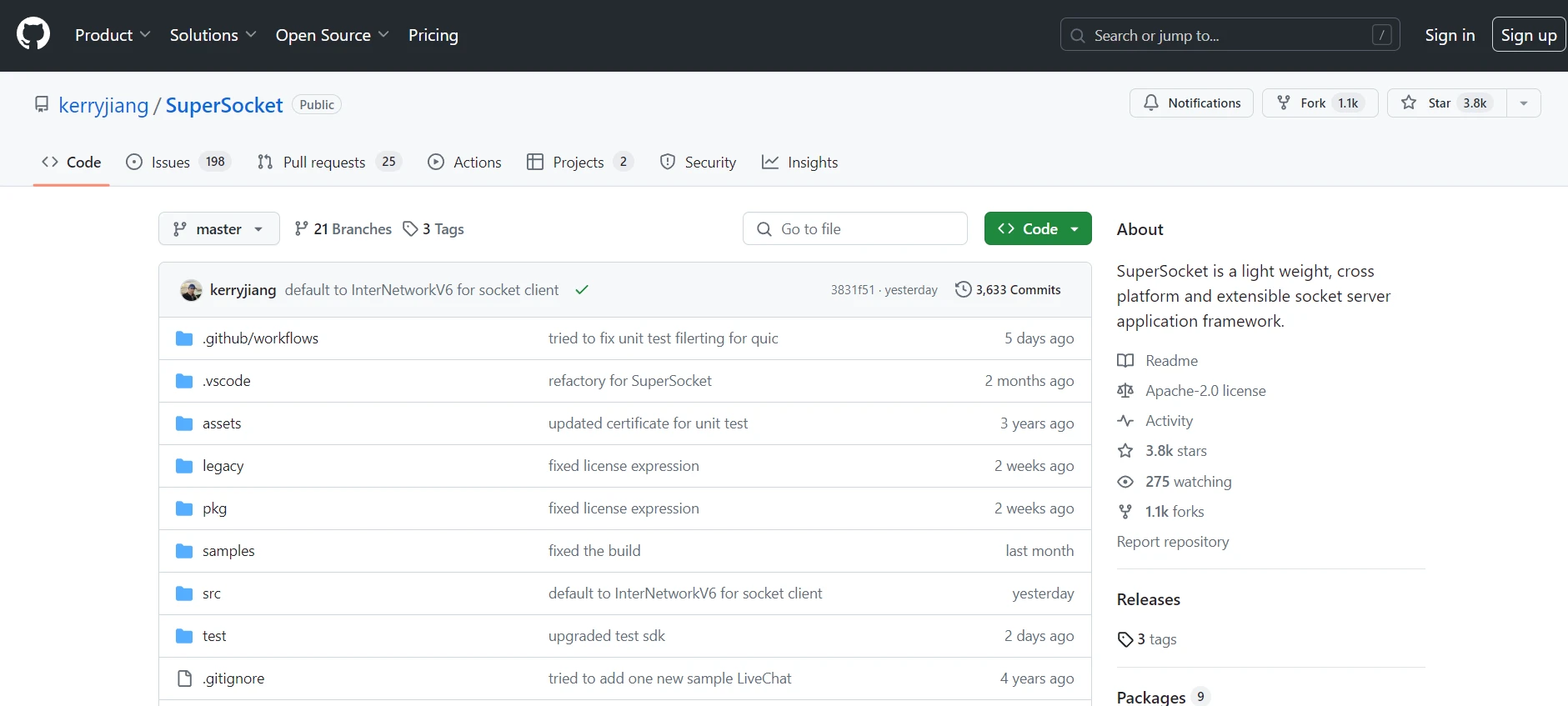
<p>[**SuperSocket C#**](https://github.com/kerryjiang/SuperSocket), bir GPS sunucusu veya endüstriyel kontrol sistemi üzerinde çalışmanız fark etmeksizin, bir sunucu tarafı soket uygulaması geliştirmek için mükemmel bir çerçevedir.</p> Çeşitli ağ protokol uygulamalarını destekler ve soketinizin verimli çalışmasını sağlar. Bu hafif ve platformlar arası çerçeve, farklı ortamlar için esneklik sağlayarak genişletilebilir olacak şekilde tasarlanmıştır. SuperSocket ile, istemciler ve sunucular arasında veri gönderimini kolayca yapabilir ve özel proje gereksinimlerini karşılamak için kaynak kodunu özelleştirmek için mevcut hale getirilmiştir.
Bu, açık kaynaklı bir çerçevedir, böylece herhangi bir geliştirici uygulayabilir ve GitHub aracılığıyla erişebilir.
<p>[**IronPDF**](/), PDF belgeleri oluşturmak, düzenlemek ve içerik çıkarmak için güçlü bir .NET kütüphanesidir.</p> Uygulamalarına PDF işlevselliği entegre etmesi gereken geliştiriciler için tasarlanmıştır. IronPDF, HTML'den PDF oluşturma, PDF'leri birleştirme ve PDF'lerden metin ve resimleri çıkarmak gibi çeşitli özellikleri destekler.
SuperSocket ve Iron PDF birlikte karmaşık sunucu tarafı uygulamaları güçlendirebilir. Modern .NET geliştiricilerinin ihtiyaçlarını karşılamak için geniş bir işlev yelpazesi sunarlar. Tüm gerçek zamanlı sohbet uygulamalarının gerekli olduğu güçlü bir oyun sunucusu veya veri toplama sunucusu geliştiriyorsanız, bu kütüphaneler mükemmel bir çözümdür.
## Getting Started with SuperSocket C#
### .NET Projelerinde SuperSocket C# Kurulumu
SuperSocket kullanmaya başlamak için .NET projenizi ayarlamanız gerekecek. İlk olarak, SuperSocket NuGet paketini yükleyin. Projenizi Visual Studio'da açın ve Paket Yöneticisi Konsolu'nda aşağıdaki komutu çalıştırın:
```shell
:InstallCmd Install-Package SuperSocket
```
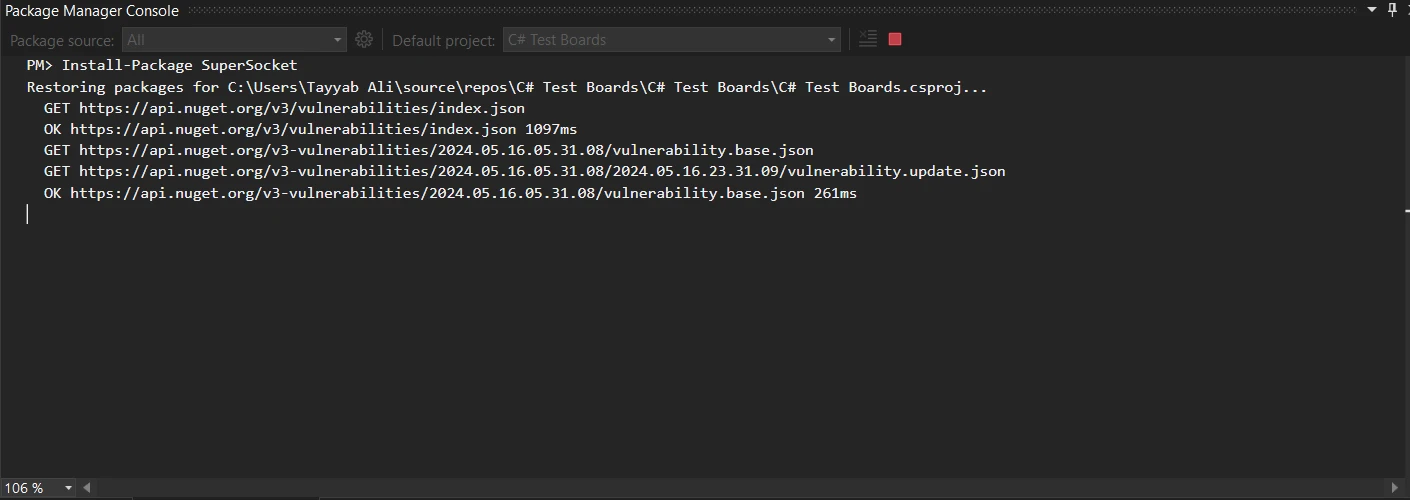
Kurulumdan sonra, sunucu örneğinizi yapılandırabilirsiniz. Yeni bir yapılandırma dosyası oluşturun ve `appsettings.json` olarak adlandırın. Bu dosya, dinleyiciler ve protokoller dahil olmak üzere sunucu ayarlarını tanımlayacaktır.
```json
{
  "serverOptions": {
    "name": "SuperSocketServer",
    "listeners": [
      {
        "ip": "Any",
        "port": 4040
      }
    ]
  }
}
```
Sonraki adımda, sunucuyu yapılandırmak için bir sınıf oluşturun. Bu sınıf, `appsettings.json` dosyasından ayarları okuyacak ve sunucu örneğini başlatacaktır.
```csharp
using Microsoft.Extensions.Configuration;
using SuperSocket;
using SuperSocket.Server;

public class ServerConfig
{
    public async Task Configure()
    {
        var host = SuperSocketHostBuilder.Create()
            .UseTcpServer()
            .UseSession<YourSession>()
            .ConfigureAppConfiguration((hostCtx, configApp) =>
            {
                configApp.AddJsonFile("appsettings.json", optional: false, reloadOnChange: true);
            })
            .Build();
        await host.RunAsync();
    }
}
```
### Basit bir SuperSocket C# Örneği
Gelin, bir SuperSocket C# uygulamasının basit bir örneğine göz atalım. Bu örnek, gelen verileri geri gönderen basit bir yankı sunucusu oluşturmayı gösterir.
Öncelikle, oturum sınıfını tanımlayın. Bu sınıf, soket bağlantılarını yönetecek ve veri iletişimini yönetecektir.
```csharp
using SuperSocket;
public class EchoSession : AppSession
{
protected override async ValueTask OnSessionStartedAsync()
{
await base.OnSessionStartedAsync();
Console.WriteLine("New session started.");
}
protected override async ValueTask OnSessionClosedAsync(CloseEventArgs e)
{
await base.OnSessionClosedAsync(e);
Console.WriteLine("Session closed.");
}
protected override async ValueTask OnPackageReceivedAsync(ReadOnlyMemory<byte> package)
{
await SendAsync(package);
}
}
```
Sonrasında, sunucuyu yankı oturumu ile yapılandırın ve çalıştırın.
```csharp
using Microsoft.Extensions.Configuration;
using SuperSocket;
using SuperSocket.Server;
public class EchoServer
{
public static async Task Main(string[] args)
{
var host = SuperSocketHostBuilder.Create()
.UseTcpServer()
.UseSession<EchoSession>()
.ConfigureAppConfiguration((hostCtx, configApp) =>
{
configApp.AddJsonFile("appsettings.json", optional: false, reloadOnChange: true);
})
.Build();
await host.RunAsync();
}
}
```
Bu örnek, SuperSocket C# kullanarak basit bir yankı sunucusunun nasıl oluşturulacağını gösterir. Sunucu, bağlantıları dinler ve aldığı verileri geri yansıtır.
## Implementing Features of SuperSocket C#
### Birden Fazla Dinleyici Yönetme
SuperSocket C#, sunucunuzun farklı protokoller ve portları yönetmesine olanak tanıyan birden fazla dinleyiciyi destekler. Bu özellik, veri toplama sunucuları ve GPS sunucuları gibi çok yönlü uygulamalar oluşturmak için kullanışlıdır.
İlk olarak, `appsettings.json` dosyanızı güncelleyerek birden fazla dinleyici ekleyin:
```json
{
"serverOptions": {
"name": "MultiListenerServer",
"listeners": [
{
"ip": "Any",
"port": 4040
},
{
"ip": "Any",
"port": 5050
}
]
}
}
```
Sonrasında, sunucunun bu dinleyicileri kullanacak şekilde yapılandırın:
```csharp
using Microsoft.Extensions.Configuration;
using SuperSocket;
using SuperSocket.Server;
public class MultiListenerServer
{
public static async Task Main(string[] args)
{
var host = SuperSocketHostBuilder.Create()
.UseTcpServer()
.UseSession<YourSession>()
.ConfigureAppConfiguration((hostCtx, configApp) =>
{
configApp.AddJsonFile("appsettings.json", optional: false, reloadOnChange: true);
})
.Build();
await host.RunAsync();
}
}
```
Bu kurulumla, sunucunuz hem 4040 hem de 5050 portlarında bağlantıları yönetebilir. Bu yetenek, çeşitli ağ protokollerini yönetmesi gereken uygulamalar için çok önemlidir.
### İkili Veri İşleme Uygulama
SuperSocket C#, ikili veri işleme konusunda etkilidir. Bu, sanayi kontrol sistemleri gibi ikili düzeyde uyumluluk gerektiren uygulamalar için önemlidir.
Öncelikle, ikili verileri işleyen bir oturum sınıfı tanımlayın:
```csharp
using System;
using SuperSocket;
public class BinaryDataSession : AppSession
{
protected override async ValueTask OnPackageReceivedAsync(ReadOnlyMemory<byte> package)
{
var data = package.ToArray();
Console.WriteLine("Received binary data: " + BitConverter.ToString(data));
await SendAsync(data);
}
}
```
Sonrasında, ikili veri oturumu ile sunucuyu yapılandırın ve çalıştırın:
```csharp
using Microsoft.Extensions.Configuration;
using SuperSocket;
using SuperSocket.Server;
public class BinaryDataServer
{
public static async Task Main(string[] args)
{
var host = SuperSocketHostBuilder.Create()
.UseTcpServer()
.UseSession<BinaryDataSession>()
.ConfigureAppConfiguration((hostCtx, configApp) =>
{
configApp.AddJsonFile("appsettings.json", optional: false, reloadOnChange: true);
})
.Build();
await host.RunAsync();
}
}
```
Bu örnek, SuperSocket C# kullanarak ikili verileri almanın ve göndermenin nasıl yapılacağını gösterir. İkili protokolleri işlemek zorunda olan yüksek performanslı uygulamalar için kullanışlıdır.
### Soket Bağlantılarını Yönetme
Soket bağlantılarını sürdürmek, güvenilir iletişim sağlamak için gereklidir. SuperSocket C#, bu süreci basitleştirir.
Öncelikle, soket bağlantılarını yöneten bir oturum sınıfı tanımlayın:
```csharp
using SuperSocket;
public class ConnectionSession : AppSession
{
protected override async ValueTask OnSessionStartedAsync()
{
await base.OnSessionStartedAsync();
Console.WriteLine("Connection started.");
}
protected override async ValueTask OnSessionClosedAsync(CloseEventArgs e)
{
await base.OnSessionClosedAsync(e);
Console.WriteLine("Connection closed.");
}
protected override async ValueTask OnPackageReceivedAsync(ReadOnlyMemory<byte> package)
{
await SendAsync(package);
}
}
```
Sonrasında, bağlantı oturumu ile sunucuyu yapılandırın ve çalıştırın:
```csharp
using Microsoft.Extensions.Configuration;
using SuperSocket;
using SuperSocket.Server;
public class ConnectionServer
{
public static async Task Main(string[] args)
{
var host = SuperSocketHostBuilder.Create()
.UseTcpServer()
.UseSession<ConnectionSession>()
.ConfigureAppConfiguration((hostCtx, configApp) =>
{
configApp.AddJsonFile("appsettings.json", optional: false, reloadOnChange: true);
})
.Build();
await host.RunAsync();
}
}
```
Bu kurulum, sunucunuzun sağlam ve güvenilir kalmasını sağlayarak soket bağlantılarını yönetmeye yardımcı olur.
### Komut Satırı Sunucusu Oluşturma
SuperSocket C#, komut satırı sunucuları oluşturmayı destekler. Bu özellik, basit metin tabanlı protokollere ihtiyaç duyan uygulamalar için kullanışlıdır.
Öncelikle, metin komutlarını işleyen bir komut sınıfı tanımlayın:
```csharp
using System.Text;
using System.Threading.Tasks;
using SuperSocket.Command;
using SuperSocket.ProtoBase;
public class MyCommand : IAsyncCommand<AppSession, StringPackageInfo>
{
public async ValueTask ExecuteAsync(AppSession session, StringPackageInfo package)
{
var commandKey = package.Key;
var parameters = package.Parameters;
await session.SendAsync(Encoding.UTF8.GetBytes($"You said: {string.Join(' ', parameters)}"));
}
}
```
Sonrasında, sunucuyu bu komutu kullanacak şekilde yapılandırın:
```csharp
using Microsoft.Extensions.Configuration;
using SuperSocket;
using SuperSocket.Command;
using SuperSocket.ProtoBase;
using SuperSocket.Server;
public class CommandLineServer
{
public static async Task Main(string[] args)
{
var host = SuperSocketHostBuilder.Create()
.UseTcpServer()
.UseSession<AppSession>()
.UseCommand<StringPackageParser>()
.AddCommand<MyCommand>()
.ConfigureAppConfiguration((hostCtx, configApp) =>
{
configApp.AddJsonFile("appsettings.json", optional: false, reloadOnChange: true);
})
.Build();
await host.RunAsync();
}
}
```
Bu örnek, SuperSocket C# kullanarak basit bir komut satırı sunucusunun nasıl oluşturulacağını gösterir. Hafif metin tabanlı protokoller için idealdir.
# Integrating SuperSocket C# with IronPDF
IronPDF'yi C# uygulamalarınızda SuperSocket ile entegre etmek, özellikle PDF dosyalarını işlerken sunucu yeteneklerinizi önemli ölçüde artırabilir. Bu iki güçlü kütüphaneyi nasıl etkili bir şekilde birleştireceğimizi keşfedelim.
### IronPDF'e Giriş
[IronPDF .NET Library](/) PDF belgelerinden içerik oluşturma, düzenleme ve çıkarma amacıyla tasarlanmış çok yönlü bir .NET kütüphanesidir. Raporlar, faturalar veya PDF tabanlı başka belgeler oluşturmanız gerekse de, IronPDF bu görevleri başarmak için kullanımı kolay bir API sağlar. Ana özelliği [HTML to PDF Dönüşüm](/examples/using-html-to-create-a-pdf/) yetenekleridir. PDF özelliklerinin karmaşıklığı ile uğraşmadan, uygulamalarınıza PDF işlevselliği eklemek isteyen geliştiriciler için harika bir araçtır.
IronPDF, [HTML'den PDF'ye](/tutorials/html-to-pdf/) dönüşümde mükemmeldir, özgün düzenler ve stillerin hassas bir şekilde korunmasını sağlar. Raporlar, faturalar ve belgeler gibi web tabanlı içeriklerden PDF oluşturmak için mükemmeldir. HTML dosyaları, URL'ler ve ham HTML dizeleri için destekle, IronPDF yüksek kaliteli PDF belgelerini kolayca üretir.
```csharp
using IronPdf;
class Program
{
static void Main(string[] args)
{
var renderer = new ChromePdfRenderer();
// 1. Convert HTML String to PDF
var htmlContent = "<h1>Hello, IronPDF!</h1><p>This is a PDF from an HTML string.</p>";
var pdfFromHtmlString = renderer.RenderHtmlAsPdf(htmlContent);
pdfFromHtmlString.SaveAs("HTMLStringToPDF.pdf");
// 2. Convert HTML File to PDF
var htmlFilePath = "path_to_your_html_file.html"; // Specify the path to your HTML file
var pdfFromHtmlFile = renderer.RenderHtmlFileAsPdf(htmlFilePath);
pdfFromHtmlFile.SaveAs("HTMLFileToPDF.pdf");
// 3. Convert URL to PDF
var url = "http://ironpdf.com"; // Specify the URL
var pdfFromUrl = renderer.RenderUrlAsPdf(url);
pdfFromUrl.SaveAs("URLToPDF.pdf");
}
}
```
### Use Case of Merging IronPDF with SuperSocket C#
Bir SuperSocket sunucusu oluşturduğunuzu hayal edin, dinamik olarak PDF belgeleri oluşturma ve gönderme isteklerini işlemek zorundadır. IronPDF entegrasyonu sayesinde sunucunuz bu istekleri işleyebilir, anında PDF'ler oluşturabilir ve bunları müşterilere sorunsuz bir şekilde gönderebilir.
## Kullanım Durumu İçin Kod Örneği
IronPDF ile SuperSocket entegrasyonunu gösteren eksiksiz bir kod örneği burada. Bu örnek, müşteri bağlantılarını dinleyen, bir PDF oluşturma isteğini işleyen ve oluşturulan PDF'yi müşteriye geri gönderen basit bir SuperSocket sunucusu kurar.
```csharp
using System;
using System.Net;
using System.Text;
using IronPdf;
using SuperSocket.SocketBase;
using SuperSocket.SocketBase.Protocol;
namespace SuperSocket IronPDFExample
{
class Program
{
static void Main(string[] args)
{
var appServer = new AppServer();
var serverConfig = new SuperSocket.SocketBase.Config.ServerConfig
{
Name = "SuperSocketServer",
Ip = "Any",
Port = 2012,
Mode = SuperSocket.SocketBase.SocketMode.Tcp,
MaxConnectionNumber = 100,
};
if (!appServer.Setup(serverConfig))
{
Console.WriteLine("Failed to set up!");
return;
}
appServer.NewSessionConnected += NewSessionConnected;
appServer.NewRequestReceived += (session, requestInfo) =>
{
if (requestInfo.Key == "GENPDF")
{
var pdfDocument = CreatePdfDocument(requestInfo.Body);
var pdfBytes = pdfDocument.BinaryData;
session.Send(pdfBytes, 0, pdfBytes.Length);
Console.WriteLine("PDF document sent to client.");
}
};
if (!appServer.Start())
{
Console.WriteLine("Failed to start!");
return;
}
Console.WriteLine("Server is running. Press any key to stop...");
Console.ReadKey();
appServer.Stop();
}
private static PdfDocument CreatePdfDocument(string content)
{
var pdfRenderer = new ChromePdfRenderer();
var pdfDocument = pdfRenderer.RenderHtmlAsPdf(content);
return pdfDocument;
}
private static void NewSessionConnected(AppSession session)
{
Console.WriteLine($"New session connected: {session.SessionID}");
}
}
public class AppServer : AppServer<AppSession, StringRequestInfo>
{
}
public class AppSession : AppSession<AppSession, StringRequestInfo>
{
}
}
```
Bu entegrasyon, SuperSocket sunucusu dahilinde IronPDF'nin güçlü özelliklerinden yararlanmanıza olanak tanır, dinamik PDF oluşturma ve verimli müşteri-sunucu iletişimini mümkün kılar.
## Sonuç
SuperSocket'i [IronPDF'nin Kapsamlı Özellikleri](/) ile entegre etmek, dinamik, yüksek performanslı sunucu uygulamaları oluşturmak için güçlü bir kombinasyondur, bu da PDF oluşturma ve işlemeyi sorunsuz bir şekilde yönetebilir. SuperSocket'in sağlam soket sunucu altyapısı ve IronPDF'nin kapsamlı PDF işlevleri ile veri toplama sistemlerinden oyun sunucularına ve endüstriyel kontrol sistemlerine kadar çeşitli ihtiyaçları karşılayan ölçeklenebilir ve çok yönlü uygulamalar geliştirebilirsiniz.
IronPDF, bir [**ücretsiz deneme**](trial-license) sunar ve lisanslaması `$liteLicense`'den başlar, geliştirme projelerinize getirdiği geniş olanaklar için mükemmel bir değer sağlar. Bu iki kütüphaneyi birleştirerek, sunucunuzun karmaşık görevleri verimli bir şekilde ele alma yeteneğini basitleştirebilir, işlevselliği ve performansı artırabilirsiniz.
SuperSocket ile Sunucu Tarafı Bir Soket Uygulaması Geliştirme ve IronPDF Entegrasyonu
SuperSocket C#, bir GPS sunucusu veya endüstriyel kontrol sistemi üzerinde çalışmanız fark etmeksizin, bir sunucu tarafı soket uygulaması geliştirmek için mükemmel bir çerçevedir.
Çeşitli ağ protokol uygulamalarını destekler ve soketinizin verimli çalışmasını sağlar. Bu hafif ve platformlar arası çerçeve, farklı ortamlar için esneklik sağlayarak genişletilebilir olacak şekilde tasarlanmıştır. SuperSocket ile, istemciler ve sunucular arasında veri gönderimini kolayca yapabilir ve özel proje gereksinimlerini karşılamak için kaynak kodunu özelleştirmek için mevcut hale getirilmiştir.
Bu, açık kaynaklı bir çerçevedir, böylece herhangi bir geliştirici uygulayabilir ve GitHub aracılığıyla erişebilir.
IronPDF, PDF belgeleri oluşturmak, düzenlemek ve içerik çıkarmak için güçlü bir .NET kütüphanesidir.
Uygulamalarına PDF işlevselliği entegre etmesi gereken geliştiriciler için tasarlanmıştır. IronPDF, HTML'den PDF oluşturma, PDF'leri birleştirme ve PDF'lerden metin ve resimleri çıkarmak gibi çeşitli özellikleri destekler.
SuperSocket ve Iron PDF birlikte karmaşık sunucu tarafı uygulamaları güçlendirebilir. Modern .NET geliştiricilerinin ihtiyaçlarını karşılamak için geniş bir işlev yelpazesi sunarlar. Tüm gerçek zamanlı sohbet uygulamalarının gerekli olduğu güçlü bir oyun sunucusu veya veri toplama sunucusu geliştiriyorsanız, bu kütüphaneler mükemmel bir çözümdür.
Getting Started with SuperSocket C#
.NET Projelerinde SuperSocket C# Kurulumu
SuperSocket kullanmaya başlamak için .NET projenizi ayarlamanız gerekecek. İlk olarak, SuperSocket NuGet paketini yükleyin. Projenizi Visual Studio'da açın ve Paket Yöneticisi Konsolu'nda aşağıdaki komutu çalıştırın:
PM > Install-Package SuperSocket
Install-Package SuperSocket
Kurulumdan sonra, sunucu örneğinizi yapılandırabilirsiniz. Yeni bir yapılandırma dosyası oluşturun ve appsettings.json olarak adlandırın. Bu dosya, dinleyiciler ve protokoller dahil olmak üzere sunucu ayarlarını tanımlayacaktır.
Sonraki adımda, sunucuyu yapılandırmak için bir sınıf oluşturun. Bu sınıf, appsettings.json dosyasından ayarları okuyacak ve sunucu örneğini başlatacaktır.
using Microsoft.Extensions.Configuration;using SuperSocket;using SuperSocket.Server;public class ServerConfig{ public async TaskConfigure() { var host = SuperSocketHostBuilder.Create() .UseTcpServer() .UseSession<YourSession>() .ConfigureAppConfiguration((hostCtx, configApp) => { configApp.AddJsonFile("appsettings.json", optional: false, reloadOnChange: true); }) .Build(); await host.RunAsync(); }}
using Microsoft.Extensions.Configuration;
using SuperSocket;
using SuperSocket.Server;

public class ServerConfig
{
    public async Task Configure()
    {
        var host = SuperSocketHostBuilder.Create()
            .UseTcpServer()
            .UseSession<YourSession>()
            .ConfigureAppConfiguration((hostCtx, configApp) =>
            {
                configApp.AddJsonFile("appsettings.json", optional: false, reloadOnChange: true);
            })
            .Build();
        await host.RunAsync();
    }
}
ImportsMicrosoft.Extensions.ConfigurationImportsSuperSocketImportsSuperSocket.ServerPublic Class ServerConfig PublicAsync Function Configure() AsTask Dim host = SuperSocketHostBuilder.Create().UseTcpServer().UseSession(OfYourSession)().ConfigureAppConfiguration(Sub(hostCtx, configApp) configApp.AddJsonFile("appsettings.json", [optional]:= False, reloadOnChange:= True) End Sub).Build()Await host.RunAsync() End FunctionEnd Class
Imports Microsoft.Extensions.Configuration
Imports SuperSocket
Imports SuperSocket.Server

Public Class ServerConfig
	Public Async Function Configure() As Task
		Dim host = SuperSocketHostBuilder.Create().UseTcpServer().UseSession(Of YourSession)().ConfigureAppConfiguration(Sub(hostCtx, configApp)
				configApp.AddJsonFile("appsettings.json", [optional]:= False, reloadOnChange:= True)
		End Sub).Build()
		Await host.RunAsync()
	End Function
End Class
Basit bir SuperSocket C# Örneği
Gelin, bir SuperSocket C# uygulamasının basit bir örneğine göz atalım. Bu örnek, gelen verileri geri gönderen basit bir yankı sunucusu oluşturmayı gösterir.
Öncelikle, oturum sınıfını tanımlayın. Bu sınıf, soket bağlantılarını yönetecek ve veri iletişimini yönetecektir.
ImportsSuperSocketPublic Class EchoSessionInheritsAppSessionProtectedOverridesAsync Function OnSessionStartedAsync() AsValueTaskAwaitMyBase.OnSessionStartedAsync()Console.WriteLine("New session started.") End FunctionProtectedOverridesAsync Function OnSessionClosedAsync(ByVal e AsCloseEventArgs) AsValueTaskAwaitMyBase.OnSessionClosedAsync(e)Console.WriteLine("Session closed.") End FunctionProtectedOverridesAsync Function OnPackageReceivedAsync(ByVal package AsReadOnlyMemory(OfByte)) AsValueTaskAwaitSendAsync(package) End FunctionEnd Class
Imports SuperSocket

Public Class EchoSession
	Inherits AppSession

	Protected Overrides Async Function OnSessionStartedAsync() As ValueTask
		Await MyBase.OnSessionStartedAsync()
		Console.WriteLine("New session started.")
	End Function

	Protected Overrides Async Function OnSessionClosedAsync(ByVal e As CloseEventArgs) As ValueTask
		Await MyBase.OnSessionClosedAsync(e)
		Console.WriteLine("Session closed.")
	End Function

	Protected Overrides Async Function OnPackageReceivedAsync(ByVal package As ReadOnlyMemory(Of Byte)) As ValueTask
		Await SendAsync(package)
	End Function
End Class
Sonrasında, sunucuyu yankı oturumu ile yapılandırın ve çalıştırın.
using Microsoft.Extensions.Configuration;using SuperSocket;using SuperSocket.Server;public class EchoServer{ public static async TaskMain(string[] args) { var host = SuperSocketHostBuilder.Create() .UseTcpServer() .UseSession<EchoSession>() .ConfigureAppConfiguration((hostCtx, configApp) => { configApp.AddJsonFile("appsettings.json", optional: false, reloadOnChange: true); }) .Build(); await host.RunAsync(); }}
using Microsoft.Extensions.Configuration;
using SuperSocket;
using SuperSocket.Server;

public class EchoServer
{
    public static async Task Main(string[] args)
    {
        var host = SuperSocketHostBuilder.Create()
            .UseTcpServer()
            .UseSession<EchoSession>()
            .ConfigureAppConfiguration((hostCtx, configApp) =>
            {
                configApp.AddJsonFile("appsettings.json", optional: false, reloadOnChange: true);
            })
            .Build();
        await host.RunAsync();
    }
}
ImportsMicrosoft.Extensions.ConfigurationImportsSuperSocketImportsSuperSocket.ServerPublic Class EchoServer PublicSharedAsync Function Main(ByVal args() AsString) AsTask Dim host = SuperSocketHostBuilder.Create().UseTcpServer().UseSession(OfEchoSession)().ConfigureAppConfiguration(Sub(hostCtx, configApp) configApp.AddJsonFile("appsettings.json", [optional]:= False, reloadOnChange:= True) End Sub).Build()Await host.RunAsync() End FunctionEnd Class
Imports Microsoft.Extensions.Configuration
Imports SuperSocket
Imports SuperSocket.Server

Public Class EchoServer
	Public Shared Async Function Main(ByVal args() As String) As Task
		Dim host = SuperSocketHostBuilder.Create().UseTcpServer().UseSession(Of EchoSession)().ConfigureAppConfiguration(Sub(hostCtx, configApp)
				configApp.AddJsonFile("appsettings.json", [optional]:= False, reloadOnChange:= True)
		End Sub).Build()
		Await host.RunAsync()
	End Function
End Class
Bu örnek, SuperSocket C# kullanarak basit bir yankı sunucusunun nasıl oluşturulacağını gösterir. Sunucu, bağlantıları dinler ve aldığı verileri geri yansıtır.
Implementing Features of SuperSocket C#
Birden Fazla Dinleyici Yönetme
SuperSocket C#, sunucunuzun farklı protokoller ve portları yönetmesine olanak tanıyan birden fazla dinleyiciyi destekler. Bu özellik, veri toplama sunucuları ve GPS sunucuları gibi çok yönlü uygulamalar oluşturmak için kullanışlıdır.
İlk olarak, appsettings.json dosyanızı güncelleyerek birden fazla dinleyici ekleyin:
Sonrasında, sunucunun bu dinleyicileri kullanacak şekilde yapılandırın:
using Microsoft.Extensions.Configuration;using SuperSocket;using SuperSocket.Server;public class MultiListenerServer{ public static async TaskMain(string[] args) { var host = SuperSocketHostBuilder.Create() .UseTcpServer() .UseSession<YourSession>() .ConfigureAppConfiguration((hostCtx, configApp) => { configApp.AddJsonFile("appsettings.json", optional: false, reloadOnChange: true); }) .Build(); await host.RunAsync(); }}
using Microsoft.Extensions.Configuration;
using SuperSocket;
using SuperSocket.Server;

public class MultiListenerServer
{
    public static async Task Main(string[] args)
    {
        var host = SuperSocketHostBuilder.Create()
            .UseTcpServer()
            .UseSession<YourSession>()
            .ConfigureAppConfiguration((hostCtx, configApp) =>
            {
                configApp.AddJsonFile("appsettings.json", optional: false, reloadOnChange: true);
            })
            .Build();
        await host.RunAsync();
    }
}
ImportsMicrosoft.Extensions.ConfigurationImportsSuperSocketImportsSuperSocket.ServerPublic Class MultiListenerServer PublicSharedAsync Function Main(ByVal args() AsString) AsTask Dim host = SuperSocketHostBuilder.Create().UseTcpServer().UseSession(OfYourSession)().ConfigureAppConfiguration(Sub(hostCtx, configApp) configApp.AddJsonFile("appsettings.json", [optional]:= False, reloadOnChange:= True) End Sub).Build()Await host.RunAsync() End FunctionEnd Class
Imports Microsoft.Extensions.Configuration
Imports SuperSocket
Imports SuperSocket.Server

Public Class MultiListenerServer
	Public Shared Async Function Main(ByVal args() As String) As Task
		Dim host = SuperSocketHostBuilder.Create().UseTcpServer().UseSession(Of YourSession)().ConfigureAppConfiguration(Sub(hostCtx, configApp)
				configApp.AddJsonFile("appsettings.json", [optional]:= False, reloadOnChange:= True)
		End Sub).Build()
		Await host.RunAsync()
	End Function
End Class
Bu kurulumla, sunucunuz hem 4040 hem de 5050 portlarında bağlantıları yönetebilir. Bu yetenek, çeşitli ağ protokollerini yönetmesi gereken uygulamalar için çok önemlidir.
İkili Veri İşleme Uygulama
SuperSocket C#, ikili veri işleme konusunda etkilidir. Bu, sanayi kontrol sistemleri gibi ikili düzeyde uyumluluk gerektiren uygulamalar için önemlidir.
Öncelikle, ikili verileri işleyen bir oturum sınıfı tanımlayın:
using System;using SuperSocket;public class BinaryDataSession : AppSession{ protected override async ValueTaskOnPackageReceivedAsync(ReadOnlyMemory<byte> package) { var data = package.ToArray();Console.WriteLine("Received binary data: " + BitConverter.ToString(data)); awaitSendAsync(data); }}
using System;
using SuperSocket;

public class BinaryDataSession : AppSession
{
    protected override async ValueTask OnPackageReceivedAsync(ReadOnlyMemory<byte> package)
    {
        var data = package.ToArray();
        Console.WriteLine("Received binary data: " + BitConverter.ToString(data));
        await SendAsync(data);
    }
}
ImportsSystemImportsSuperSocketPublic Class BinaryDataSessionInheritsAppSessionProtectedOverridesAsync Function OnPackageReceivedAsync(ByVal package AsReadOnlyMemory(OfByte)) AsValueTask Dim data = package.ToArray()Console.WriteLine("Received binary data: " & BitConverter.ToString(data))AwaitSendAsync(data) End FunctionEnd Class
Imports System
Imports SuperSocket

Public Class BinaryDataSession
	Inherits AppSession

	Protected Overrides Async Function OnPackageReceivedAsync(ByVal package As ReadOnlyMemory(Of Byte)) As ValueTask
		Dim data = package.ToArray()
		Console.WriteLine("Received binary data: " & BitConverter.ToString(data))
		Await SendAsync(data)
	End Function
End Class
Sonrasında, ikili veri oturumu ile sunucuyu yapılandırın ve çalıştırın:
using Microsoft.Extensions.Configuration;using SuperSocket;using SuperSocket.Server;public class BinaryDataServer{ public static async TaskMain(string[] args) { var host = SuperSocketHostBuilder.Create() .UseTcpServer() .UseSession<BinaryDataSession>() .ConfigureAppConfiguration((hostCtx, configApp) => { configApp.AddJsonFile("appsettings.json", optional: false, reloadOnChange: true); }) .Build(); await host.RunAsync(); }}
using Microsoft.Extensions.Configuration;
using SuperSocket;
using SuperSocket.Server;

public class BinaryDataServer
{
    public static async Task Main(string[] args)
    {
        var host = SuperSocketHostBuilder.Create()
            .UseTcpServer()
            .UseSession<BinaryDataSession>()
            .ConfigureAppConfiguration((hostCtx, configApp) =>
            {
                configApp.AddJsonFile("appsettings.json", optional: false, reloadOnChange: true);
            })
            .Build();
        await host.RunAsync();
    }
}
ImportsMicrosoft.Extensions.ConfigurationImportsSuperSocketImportsSuperSocket.ServerPublic Class BinaryDataServer PublicSharedAsync Function Main(ByVal args() AsString) AsTask Dim host = SuperSocketHostBuilder.Create().UseTcpServer().UseSession(OfBinaryDataSession)().ConfigureAppConfiguration(Sub(hostCtx, configApp) configApp.AddJsonFile("appsettings.json", [optional]:= False, reloadOnChange:= True) End Sub).Build()Await host.RunAsync() End FunctionEnd Class
Imports Microsoft.Extensions.Configuration
Imports SuperSocket
Imports SuperSocket.Server

Public Class BinaryDataServer
	Public Shared Async Function Main(ByVal args() As String) As Task
		Dim host = SuperSocketHostBuilder.Create().UseTcpServer().UseSession(Of BinaryDataSession)().ConfigureAppConfiguration(Sub(hostCtx, configApp)
				configApp.AddJsonFile("appsettings.json", [optional]:= False, reloadOnChange:= True)
		End Sub).Build()
		Await host.RunAsync()
	End Function
End Class
Bu örnek, SuperSocket C# kullanarak ikili verileri almanın ve göndermenin nasıl yapılacağını gösterir. İkili protokolleri işlemek zorunda olan yüksek performanslı uygulamalar için kullanışlıdır.
Soket Bağlantılarını Yönetme
Soket bağlantılarını sürdürmek, güvenilir iletişim sağlamak için gereklidir. SuperSocket C#, bu süreci basitleştirir.
Öncelikle, soket bağlantılarını yöneten bir oturum sınıfı tanımlayın:
ImportsSuperSocketPublic Class ConnectionSessionInheritsAppSessionProtectedOverridesAsync Function OnSessionStartedAsync() AsValueTaskAwaitMyBase.OnSessionStartedAsync()Console.WriteLine("Connection started.") End FunctionProtectedOverridesAsync Function OnSessionClosedAsync(ByVal e AsCloseEventArgs) AsValueTaskAwaitMyBase.OnSessionClosedAsync(e)Console.WriteLine("Connection closed.") End FunctionProtectedOverridesAsync Function OnPackageReceivedAsync(ByVal package AsReadOnlyMemory(OfByte)) AsValueTaskAwaitSendAsync(package) End FunctionEnd Class
Imports SuperSocket

Public Class ConnectionSession
	Inherits AppSession

	Protected Overrides Async Function OnSessionStartedAsync() As ValueTask
		Await MyBase.OnSessionStartedAsync()
		Console.WriteLine("Connection started.")
	End Function

	Protected Overrides Async Function OnSessionClosedAsync(ByVal e As CloseEventArgs) As ValueTask
		Await MyBase.OnSessionClosedAsync(e)
		Console.WriteLine("Connection closed.")
	End Function

	Protected Overrides Async Function OnPackageReceivedAsync(ByVal package As ReadOnlyMemory(Of Byte)) As ValueTask
		Await SendAsync(package)
	End Function
End Class
Sonrasında, bağlantı oturumu ile sunucuyu yapılandırın ve çalıştırın:
using Microsoft.Extensions.Configuration;using SuperSocket;using SuperSocket.Server;public class ConnectionServer{ public static async TaskMain(string[] args) { var host = SuperSocketHostBuilder.Create() .UseTcpServer() .UseSession<ConnectionSession>() .ConfigureAppConfiguration((hostCtx, configApp) => { configApp.AddJsonFile("appsettings.json", optional: false, reloadOnChange: true); }) .Build(); await host.RunAsync(); }}
using Microsoft.Extensions.Configuration;
using SuperSocket;
using SuperSocket.Server;

public class ConnectionServer
{
    public static async Task Main(string[] args)
    {
        var host = SuperSocketHostBuilder.Create()
            .UseTcpServer()
            .UseSession<ConnectionSession>()
            .ConfigureAppConfiguration((hostCtx, configApp) =>
            {
                configApp.AddJsonFile("appsettings.json", optional: false, reloadOnChange: true);
            })
            .Build();
        await host.RunAsync();
    }
}
ImportsMicrosoft.Extensions.ConfigurationImportsSuperSocketImportsSuperSocket.ServerPublic Class ConnectionServer PublicSharedAsync Function Main(ByVal args() AsString) AsTask Dim host = SuperSocketHostBuilder.Create().UseTcpServer().UseSession(OfConnectionSession)().ConfigureAppConfiguration(Sub(hostCtx, configApp) configApp.AddJsonFile("appsettings.json", [optional]:= False, reloadOnChange:= True) End Sub).Build()Await host.RunAsync() End FunctionEnd Class
Imports Microsoft.Extensions.Configuration
Imports SuperSocket
Imports SuperSocket.Server

Public Class ConnectionServer
	Public Shared Async Function Main(ByVal args() As String) As Task
		Dim host = SuperSocketHostBuilder.Create().UseTcpServer().UseSession(Of ConnectionSession)().ConfigureAppConfiguration(Sub(hostCtx, configApp)
				configApp.AddJsonFile("appsettings.json", [optional]:= False, reloadOnChange:= True)
		End Sub).Build()
		Await host.RunAsync()
	End Function
End Class
Bu kurulum, sunucunuzun sağlam ve güvenilir kalmasını sağlayarak soket bağlantılarını yönetmeye yardımcı olur.
Komut Satırı Sunucusu Oluşturma
SuperSocket C#, komut satırı sunucuları oluşturmayı destekler. Bu özellik, basit metin tabanlı protokollere ihtiyaç duyan uygulamalar için kullanışlıdır.
Öncelikle, metin komutlarını işleyen bir komut sınıfı tanımlayın:
using System.Text;using System.Threading.Tasks;using SuperSocket.Command;using SuperSocket.ProtoBase;public class MyCommand : IAsyncCommand<AppSession, StringPackageInfo>{ public async ValueTaskExecuteAsync(AppSession session, StringPackageInfo package) { var commandKey = package.Key; var parameters = package.Parameters; await session.SendAsync(Encoding.UTF8.GetBytes($"You said: {string.Join(' ', parameters)}")); }}
using System.Text;
using System.Threading.Tasks;
using SuperSocket.Command;
using SuperSocket.ProtoBase;

public class MyCommand : IAsyncCommand<AppSession, StringPackageInfo>
{
    public async ValueTask ExecuteAsync(AppSession session, StringPackageInfo package)
    {
        var commandKey = package.Key;
        var parameters = package.Parameters;
        await session.SendAsync(Encoding.UTF8.GetBytes($"You said: {string.Join(' ', parameters)}"));
    }
}
ImportsSystem.TextImportsSystem.Threading.TasksImportsSuperSocket.CommandImportsSuperSocket.ProtoBasePublic Class MyCommandImplementsIAsyncCommand(OfAppSession, StringPackageInfo) PublicAsync Function ExecuteAsync(ByValsessionAsAppSession, ByVal package AsStringPackageInfo) AsValueTask Dim commandKey = package.Key Dim parameters = package.ParametersAwaitsession.SendAsync(Encoding.UTF8.GetBytes($"You said: {String.Join(" "c, parameters)}")) End FunctionEnd Class
Imports System.Text
Imports System.Threading.Tasks
Imports SuperSocket.Command
Imports SuperSocket.ProtoBase

Public Class MyCommand
	Implements IAsyncCommand(Of AppSession, StringPackageInfo)

	Public Async Function ExecuteAsync(ByVal session As AppSession, ByVal package As StringPackageInfo) As ValueTask
		Dim commandKey = package.Key
		Dim parameters = package.Parameters
		Await session.SendAsync(Encoding.UTF8.GetBytes($"You said: {String.Join(" "c, parameters)}"))
	End Function
End Class
Sonrasında, sunucuyu bu komutu kullanacak şekilde yapılandırın:
using Microsoft.Extensions.Configuration;using SuperSocket;using SuperSocket.Command;using SuperSocket.ProtoBase;using SuperSocket.Server;public class CommandLineServer{ public static async TaskMain(string[] args) { var host = SuperSocketHostBuilder.Create() .UseTcpServer() .UseSession<AppSession>() .UseCommand<StringPackageParser>() .AddCommand<MyCommand>() .ConfigureAppConfiguration((hostCtx, configApp) => { configApp.AddJsonFile("appsettings.json", optional: false, reloadOnChange: true); }) .Build(); await host.RunAsync(); }}
using Microsoft.Extensions.Configuration;
using SuperSocket;
using SuperSocket.Command;
using SuperSocket.ProtoBase;
using SuperSocket.Server;

public class CommandLineServer
{
    public static async Task Main(string[] args)
    {
        var host = SuperSocketHostBuilder.Create()
            .UseTcpServer()
            .UseSession<AppSession>()
            .UseCommand<StringPackageParser>()
            .AddCommand<MyCommand>()
            .ConfigureAppConfiguration((hostCtx, configApp) =>
            {
                configApp.AddJsonFile("appsettings.json", optional: false, reloadOnChange: true);
            })
            .Build();
        await host.RunAsync();
    }
}
ImportsMicrosoft.Extensions.ConfigurationImportsSuperSocketImportsSuperSocket.CommandImportsSuperSocket.ProtoBaseImportsSuperSocket.ServerPublic Class CommandLineServer PublicSharedAsync Function Main(ByVal args() AsString) AsTask Dim host = SuperSocketHostBuilder.Create().UseTcpServer().UseSession(OfAppSession)().UseCommand(OfStringPackageParser)().AddCommand(OfMyCommand)().ConfigureAppConfiguration(Sub(hostCtx, configApp) configApp.AddJsonFile("appsettings.json", [optional]:= False, reloadOnChange:= True) End Sub).Build()Await host.RunAsync() End FunctionEnd Class
Imports Microsoft.Extensions.Configuration
Imports SuperSocket
Imports SuperSocket.Command
Imports SuperSocket.ProtoBase
Imports SuperSocket.Server

Public Class CommandLineServer
	Public Shared Async Function Main(ByVal args() As String) As Task
		Dim host = SuperSocketHostBuilder.Create().UseTcpServer().UseSession(Of AppSession)().UseCommand(Of StringPackageParser)().AddCommand(Of MyCommand)().ConfigureAppConfiguration(Sub(hostCtx, configApp)
				configApp.AddJsonFile("appsettings.json", [optional]:= False, reloadOnChange:= True)
		End Sub).Build()
		Await host.RunAsync()
	End Function
End Class
Bu örnek, SuperSocket C# kullanarak basit bir komut satırı sunucusunun nasıl oluşturulacağını gösterir. Hafif metin tabanlı protokoller için idealdir.
Integrating SuperSocket C# with IronPDF
IronPDF'yi C# uygulamalarınızda SuperSocket ile entegre etmek, özellikle PDF dosyalarını işlerken sunucu yeteneklerinizi önemli ölçüde artırabilir. Bu iki güçlü kütüphaneyi nasıl etkili bir şekilde birleştireceğimizi keşfedelim.
IronPDF'e Giriş
IronPDF .NET Library PDF belgelerinden içerik oluşturma, düzenleme ve çıkarma amacıyla tasarlanmış çok yönlü bir .NET kütüphanesidir. Raporlar, faturalar veya PDF tabanlı başka belgeler oluşturmanız gerekse de, IronPDF bu görevleri başarmak için kullanımı kolay bir API sağlar. Ana özelliği HTML to PDF Dönüşüm yetenekleridir. PDF özelliklerinin karmaşıklığı ile uğraşmadan, uygulamalarınıza PDF işlevselliği eklemek isteyen geliştiriciler için harika bir araçtır.
IronPDF, HTML'den PDF'ye dönüşümde mükemmeldir, özgün düzenler ve stillerin hassas bir şekilde korunmasını sağlar. Raporlar, faturalar ve belgeler gibi web tabanlı içeriklerden PDF oluşturmak için mükemmeldir. HTML dosyaları, URL'ler ve ham HTML dizeleri için destekle, IronPDF yüksek kaliteli PDF belgelerini kolayca üretir.
using IronPdf;class Program{ static voidMain(string[] args) { var renderer = new ChromePdfRenderer(); // 1. Convert HTML String to PDF var htmlContent = "<h1>Hello, IronPDF!</h1><p>This is a PDF from an HTML string.</p>"; var pdfFromHtmlString = renderer.RenderHtmlAsPdf(htmlContent); pdfFromHtmlString.SaveAs("HTMLStringToPDF.pdf"); // 2. Convert HTML File to PDF var htmlFilePath = "path_to_your_html_file.html"; // Specify the path to your HTML file var pdfFromHtmlFile = renderer.RenderHtmlFileAsPdf(htmlFilePath); pdfFromHtmlFile.SaveAs("HTMLFileToPDF.pdf"); // 3. Convert URL to PDF var url = "http://ironpdf.com"; // Specify the URL var pdfFromUrl = renderer.RenderUrlAsPdf(url); pdfFromUrl.SaveAs("URLToPDF.pdf"); }}
using IronPdf;

class Program
{
    static void Main(string[] args)
    {
        var renderer = new ChromePdfRenderer();

        // 1. Convert HTML String to PDF
        var htmlContent = "<h1>Hello, IronPDF!</h1><p>This is a PDF from an HTML string.</p>";
        var pdfFromHtmlString = renderer.RenderHtmlAsPdf(htmlContent);
        pdfFromHtmlString.SaveAs("HTMLStringToPDF.pdf");

        // 2. Convert HTML File to PDF
        var htmlFilePath = "path_to_your_html_file.html"; // Specify the path to your HTML file
        var pdfFromHtmlFile = renderer.RenderHtmlFileAsPdf(htmlFilePath);
        pdfFromHtmlFile.SaveAs("HTMLFileToPDF.pdf");

        // 3. Convert URL to PDF
        var url = "http://ironpdf.com"; // Specify the URL
        var pdfFromUrl = renderer.RenderUrlAsPdf(url);
        pdfFromUrl.SaveAs("URLToPDF.pdf");
    }
}
ImportsIronPdfFriend Class ProgramShared Sub Main(ByVal args() AsString) Dim renderer = New ChromePdfRenderer() ' 1. Convert HTML String to PDF Dim htmlContent = "<h1>Hello, IronPDF!</h1><p>This is a PDF from an HTML string.</p>" Dim pdfFromHtmlString = renderer.RenderHtmlAsPdf(htmlContent) pdfFromHtmlString.SaveAs("HTMLStringToPDF.pdf") ' 2. Convert HTML File to PDF Dim htmlFilePath = "path_to_your_html_file.html" ' Specify the path to your HTML file Dim pdfFromHtmlFile = renderer.RenderHtmlFileAsPdf(htmlFilePath) pdfFromHtmlFile.SaveAs("HTMLFileToPDF.pdf") ' 3. Convert URL to PDF Dim url = "http://ironpdf.com" ' Specify the URL Dim pdfFromUrl = renderer.RenderUrlAsPdf(url) pdfFromUrl.SaveAs("URLToPDF.pdf") End SubEnd Class
Imports IronPdf

Friend Class Program
	Shared Sub Main(ByVal args() As String)
		Dim renderer = New ChromePdfRenderer()

		' 1. Convert HTML String to PDF
		Dim htmlContent = "<h1>Hello, IronPDF!</h1><p>This is a PDF from an HTML string.</p>"
		Dim pdfFromHtmlString = renderer.RenderHtmlAsPdf(htmlContent)
		pdfFromHtmlString.SaveAs("HTMLStringToPDF.pdf")

		' 2. Convert HTML File to PDF
		Dim htmlFilePath = "path_to_your_html_file.html" ' Specify the path to your HTML file
		Dim pdfFromHtmlFile = renderer.RenderHtmlFileAsPdf(htmlFilePath)
		pdfFromHtmlFile.SaveAs("HTMLFileToPDF.pdf")

		' 3. Convert URL to PDF
		Dim url = "http://ironpdf.com" ' Specify the URL
		Dim pdfFromUrl = renderer.RenderUrlAsPdf(url)
		pdfFromUrl.SaveAs("URLToPDF.pdf")
	End Sub
End Class
Use Case of Merging IronPDF with SuperSocket C#
Bir SuperSocket sunucusu oluşturduğunuzu hayal edin, dinamik olarak PDF belgeleri oluşturma ve gönderme isteklerini işlemek zorundadır. IronPDF entegrasyonu sayesinde sunucunuz bu istekleri işleyebilir, anında PDF'ler oluşturabilir ve bunları müşterilere sorunsuz bir şekilde gönderebilir.
Kullanım Durumu İçin Kod Örneği
IronPDF ile SuperSocket entegrasyonunu gösteren eksiksiz bir kod örneği burada. Bu örnek, müşteri bağlantılarını dinleyen, bir PDF oluşturma isteğini işleyen ve oluşturulan PDF'yi müşteriye geri gönderen basit bir SuperSocket sunucusu kurar.
using System;using System.Net;using System.Text;using IronPdf;using SuperSocket.SocketBase;using SuperSocket.SocketBase.Protocol;namespace SuperSocket IronPDFExample{ class Program { static voidMain(string[] args) { var appServer = new AppServer(); var serverConfig = new SuperSocket.SocketBase.Config.ServerConfig {Name = "SuperSocketServer",Ip = "Any",Port = 2012,Mode = SuperSocket.SocketBase.SocketMode.Tcp,MaxConnectionNumber = 100, }; if (!appServer.Setup(serverConfig)) {Console.WriteLine("Failed to set up!"); return; } appServer.NewSessionConnected += NewSessionConnected; appServer.NewRequestReceived += (session, requestInfo) => { if (requestInfo.Key == "GENPDF") { var pdfDocument = CreatePdfDocument(requestInfo.Body); var pdfBytes = pdfDocument.BinaryData; session.Send(pdfBytes, 0, pdfBytes.Length);Console.WriteLine("PDF document sent to client."); } }; if (!appServer.Start()) {Console.WriteLine("Failed to start!"); return; }Console.WriteLine("Server is running. Press any key to stop...");Console.ReadKey(); appServer.Stop(); } private static PdfDocumentCreatePdfDocument(string content) { var pdfRenderer = new ChromePdfRenderer(); var pdfDocument = pdfRenderer.RenderHtmlAsPdf(content); return pdfDocument; } private static voidNewSessionConnected(AppSession session) {Console.WriteLine($"New session connected: {session.SessionID}"); } } public class AppServer : AppServer<AppSession, StringRequestInfo> { } public class AppSession : AppSession<AppSession, StringRequestInfo> { }}
using System;
using System.Net;
using System.Text;
using IronPdf;
using SuperSocket.SocketBase;
using SuperSocket.SocketBase.Protocol;

namespace SuperSocket IronPDFExample
{
    class Program
    {
        static void Main(string[] args)
        {
            var appServer = new AppServer();
            var serverConfig = new SuperSocket.SocketBase.Config.ServerConfig
            {
                Name = "SuperSocketServer",
                Ip = "Any",
                Port = 2012,
                Mode = SuperSocket.SocketBase.SocketMode.Tcp,
                MaxConnectionNumber = 100,
            };

            if (!appServer.Setup(serverConfig))
            {
                Console.WriteLine("Failed to set up!");
                return;
            }

            appServer.NewSessionConnected += NewSessionConnected;
            appServer.NewRequestReceived += (session, requestInfo) =>
            {
                if (requestInfo.Key == "GENPDF")
                {
                    var pdfDocument = CreatePdfDocument(requestInfo.Body);
                    var pdfBytes = pdfDocument.BinaryData;
                    session.Send(pdfBytes, 0, pdfBytes.Length);
                    Console.WriteLine("PDF document sent to client.");
                }
            };

            if (!appServer.Start())
            {
                Console.WriteLine("Failed to start!");
                return;
            }

            Console.WriteLine("Server is running. Press any key to stop...");
            Console.ReadKey();
            appServer.Stop();
        }

        private static PdfDocument CreatePdfDocument(string content)
        {
            var pdfRenderer = new ChromePdfRenderer();
            var pdfDocument = pdfRenderer.RenderHtmlAsPdf(content);
            return pdfDocument;
        }

        private static void NewSessionConnected(AppSession session)
        {
            Console.WriteLine($"New session connected: {session.SessionID}");
        }
    }

    public class AppServer : AppServer<AppSession, StringRequestInfo>
    {
    }

    public class AppSession : AppSession<AppSession, StringRequestInfo>
    {
    }
}
ImportsSystemImportsSystem.NetImportsSystem.TextImportsIronPdfImportsSuperSocket.SocketBaseImportsSuperSocket.SocketBase.ProtocolNamespaceSuperSocket_IronPDFExample Class ProgramShared Sub Main(args AsString()) Dim appServer = New AppServer() Dim serverConfig = New SuperSocket.SocketBase.Config.ServerConfig() With { .Name = "SuperSocketServer", .Ip = "Any", .Port = 2012, .Mode = SuperSocket.SocketBase.SocketMode.Tcp, .MaxConnectionNumber = 100 } IfNot appServer.Setup(serverConfig) ThenConsole.WriteLine("Failed to set up!") Return End IfAddHandler appServer.NewSessionConnected, AddressOfNewSessionConnectedAddHandler appServer.NewRequestReceived, Sub(session, requestInfo) If requestInfo.Key = "GENPDF" Then Dim pdfDocument = CreatePdfDocument(requestInfo.Body) Dim pdfBytes = pdfDocument.BinaryData session.Send(pdfBytes, 0, pdfBytes.Length)Console.WriteLine("PDF document sent to client.") End If End Sub IfNot appServer.Start() ThenConsole.WriteLine("Failed to start!") Return End IfConsole.WriteLine("Server is running. Press any key to stop...")Console.ReadKey() appServer.Stop() End Sub PrivateShared Function CreatePdfDocument(content AsString) AsPdfDocument Dim pdfRenderer = New ChromePdfRenderer() Dim pdfDocument = pdfRenderer.RenderHtmlAsPdf(content) Return pdfDocument End Function PrivateShared Sub NewSessionConnected(sessionAsAppSession)Console.WriteLine($"New session connected: {session.SessionID}") End Sub End Class Public Class AppServerInheritsAppServer(OfAppSession, StringRequestInfo) End Class Public Class AppSessionInheritsAppSession(OfAppSession, StringRequestInfo) End ClassEndNamespace
Imports System
Imports System.Net
Imports System.Text
Imports IronPdf
Imports SuperSocket.SocketBase
Imports SuperSocket.SocketBase.Protocol

Namespace SuperSocket_IronPDFExample
    Class Program
        Shared Sub Main(args As String())
            Dim appServer = New AppServer()
            Dim serverConfig = New SuperSocket.SocketBase.Config.ServerConfig() With {
                .Name = "SuperSocketServer",
                .Ip = "Any",
                .Port = 2012,
                .Mode = SuperSocket.SocketBase.SocketMode.Tcp,
                .MaxConnectionNumber = 100
            }

            If Not appServer.Setup(serverConfig) Then
                Console.WriteLine("Failed to set up!")
                Return
            End If

            AddHandler appServer.NewSessionConnected, AddressOf NewSessionConnected
            AddHandler appServer.NewRequestReceived, Sub(session, requestInfo)
                If requestInfo.Key = "GENPDF" Then
                    Dim pdfDocument = CreatePdfDocument(requestInfo.Body)
                    Dim pdfBytes = pdfDocument.BinaryData
                    session.Send(pdfBytes, 0, pdfBytes.Length)
                    Console.WriteLine("PDF document sent to client.")
                End If
            End Sub

            If Not appServer.Start() Then
                Console.WriteLine("Failed to start!")
                Return
            End If

            Console.WriteLine("Server is running. Press any key to stop...")
            Console.ReadKey()
            appServer.Stop()
        End Sub

        Private Shared Function CreatePdfDocument(content As String) As PdfDocument
            Dim pdfRenderer = New ChromePdfRenderer()
            Dim pdfDocument = pdfRenderer.RenderHtmlAsPdf(content)
            Return pdfDocument
        End Function

        Private Shared Sub NewSessionConnected(session As AppSession)
            Console.WriteLine($"New session connected: {session.SessionID}")
        End Sub
    End Class

    Public Class AppServer
        Inherits AppServer(Of AppSession, StringRequestInfo)
    End Class

    Public Class AppSession
        Inherits AppSession(Of AppSession, StringRequestInfo)
    End Class
End Namespace
Bu entegrasyon, SuperSocket sunucusu dahilinde IronPDF'nin güçlü özelliklerinden yararlanmanıza olanak tanır, dinamik PDF oluşturma ve verimli müşteri-sunucu iletişimini mümkün kılar.
Sonuç
SuperSocket'i IronPDF'nin Kapsamlı Özellikleri ile entegre etmek, dinamik, yüksek performanslı sunucu uygulamaları oluşturmak için güçlü bir kombinasyondur, bu da PDF oluşturma ve işlemeyi sorunsuz bir şekilde yönetebilir. SuperSocket'in sağlam soket sunucu altyapısı ve IronPDF'nin kapsamlı PDF işlevleri ile veri toplama sistemlerinden oyun sunucularına ve endüstriyel kontrol sistemlerine kadar çeşitli ihtiyaçları karşılayan ölçeklenebilir ve çok yönlü uygulamalar geliştirebilirsiniz.
IronPDF, bir ücretsiz deneme sunar ve lisanslaması $999'den başlar, geliştirme projelerinize getirdiği geniş olanaklar için mükemmel bir değer sağlar. Bu iki kütüphaneyi birleştirerek, sunucunuzun karmaşık görevleri verimli bir şekilde ele alma yeteneğini basitleştirebilir, işlevselliği ve performansı artırabilirsiniz.
Jacob Mellor, Iron Software'de Baş Teknoloji Yöneticisidir ve C# PDF teknolojisinde öncü bir mühendisdir. Iron Software'ın ana kod tabanının ilk geliştiricisi olarak, CEO Cameron Rimington ile birlikte şirketin ürün mimarisini 50'den fazla kişilik bir şirkete dönüştürmüştür ve NASA, Tesla ve dünya genelindeki devlet kurumlarına hizmet etmektedir.
















