IRONSOFTWAREHOME
IronPDF

PDF Creator for C#

  1. C# PDF Creator for ASP .NET Applications
  2. Supports VB and C# to create PDFs from HTML
  3. Available as a Library for C#, .NET

Or download the DLL directly here

using IronPdf;

var renderer = new ChromePdfRenderer();

var pdfFromUrl = renderer.RenderUrlAsPdf("https://ironpdf.com/");
pdfFromUrl.SaveAs("website.pdf");

var pdfFromHtmlFile = renderer.RenderHtmlFileAsPdf("design.html");
pdfFromHtmlFile.SaveAs("markup.pdf");

var pdfFromHtmlString = renderer.RenderHtmlAsPdf("<p>Hello World</p>", "C:/assets/");
pdfFromHtmlString.SaveAs("markup_with_assets.pdf");
NuGet Downloads Badge
PM >Install-Package IronPdf
Explore the code and run it to see the sample PDFs

C# PDF Creator: Generate PDF Files Using C#

Create, edit, and export your C# and .NET projects with IronPDF.

IronPDF: The C# PDF Solution You Have Been Looking For

IronPDF allows developers to create, edit, and extract PDF documents from .NET 6, 5, Core, Standard, and Framework projects. It has a vast C# Library that prioritizes ease of use, speed, and accuracy. It takes the stress out of generating PDF files because it doesn't rely on proprietary APIs. Rather, it lets developers use their existing skills of CSS, HTML, and JavaScript to generate print-quality PDF documents from within. HTML-to-PDF renders PDF documents by utilizing open standard archive designs like CSS, GIF, HTML, JS, JPG, and SVG.

[Download Now]

Features of the C# PDF Creation

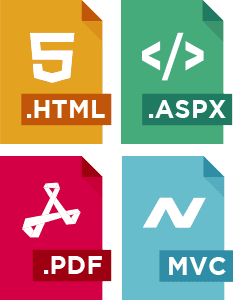
  1. Create PDF documents using HTML Templates & Strings, HTML documents, ASPX Webforms, ASP.NET MVC Views, and any URL.
  2. Convert PDF documents to and from images.
  3. Load or save PDF files from files, binary data, and memory streams.
  4. Add, edit, and extract PDF documents.
  5. Extract plain images and texts from existing PDF documents.
  6. Add headers and footers in PDFs.
  7. Supports signing encrypted PDFs and metadata enhancements.
  8. Compatible with Framework 4 & above, Core 2.0 & above, and .NET Standard 2.0 & above.

Benefits of Our C# PDF Creator

Creating PDFs with IronPDF C# PDF Library is easy. It offers several benefits, including:

  • Convert printable documents to PDF in 125ms.
  • Control PDF settings such as annotations, outlines, bookmarks, watermarks, foreground or background overlays, and more.
  • It excels in ease of use. It runs as a single DLL and only requires normal permissions for use in web and regular applications.
  • Licensing is free for testing and development. You can get free trial keys.
  • It has excellent PDF printing options such as standard and non-standard formats. Print margins are also included.
  • You can control CSS media directives, screenprint, overhead stylesheets, and enabling or disabling AJAX and JavaScript.

Aetna logo
NASA logo
WWF logo
United States of America, Department of State seal
Tesla logo
3M logo
gsk logo
Hertz logo
Pizza Hut logo
Qualcomm logo
GE logo
Porsche logo

Download Our C# Software for PDF Creation Today

Trusted by Millions of Engineers Worldwide, IronPDF is every developer's dream come true. Download and try our C# PDF creator.

[Try it with NuGet]

Key in blue circle

Get your free 30-day Trial Key instantly.

Your trial license will be sent to your email address

No limitations. 100% unlocked. No credit card.

OR
bullet_checkedNo credit card or account creation requiredNo limitations. 100% unlocked. No credit card.
  • Logo Aetna
  • Logo NASA
  • Logo GE
  • Logo Porsche
  • Logo USDA
  • Logo Qatar
Join Millions of Engineers who’ve tried Iron Suite
Book your free Live Demo
Booking Badge

Trusted by Millions of Engineers Worldwide

Iron Software's customer logos
Get Your No-Obligation Consult
Complete the form below or email sales@ironsoftware.com
Your details will always be kept confidential.
Trusted by Millions of Engineers Worldwide
Iron Software's customer logos
Get your free 30-day Trial Key instantly.
No credit card or account creation required
C# NuGet Library for PDF
Install with NuGet

Version: 2026.9

PM > Install-Package IronPdf
nuget.org/packages/IronPdf/
  1. In Solution Explorer, right-click References, Manage NuGet Packages
  2. Select Browse and search "IronPdf"
  3. Select the package and install
C# PDF DLL
Download DLL

Version: 2026.9

or download Windows Installer here.

  1. Download and unzip IronPDF to a location such as ~/Libs within your Solution directory
  2. In Visual Studio Solution Explorer, right click References. Select Browse, "IronPdf.dll"

Licenses from $999