




Updated April 23, 2026
简化 .NET 与 Microsoft.Extensions.AI 的 LLM 集成
AI正在改变软件开发,但将大型语言模型(LLM)集成到.NET中直到现在一直很复杂。通过IronPdf.AI,将AI集成更进一步,该产品为.NET应用程序带来了OpenAI驱动的PDF解析、数据提取和内容摘要。
Read More

全局变量 是编程中的强大工具,能够存储需要在应用程序不同部分访问的数据。 虽然 C# 本身不支持真正的全局变量,但它提供了静态变量、常量和依赖注入等替代方法,以实现类似的功能。
今天,我们将更深入地探讨管理全局变量,同时探索 IronPDF。 这个强大的库允许开发人员直接从 C# 代码创建、编辑和操作 PDF 文件。 将全局变量与 IronPDF 集成,可以简化在每个生成的 PDF 中包含公用数据(如页眉、页脚和品牌)的过程。
全局变量是可以从应用程序的任何部分访问的变量。 它们存储需要跨多个方法、类或模块共享的数据。 然而,在 C# 中,没有像某些其他编程语言(如 Python 的"global"关键字)中真正意义上的全局变量。 相反,您可以使用静态字段、常量或依赖注入来模拟全局变量,这个过程取决于您的个人经验,可以是很容易的。
***静态变量:**属于类本身的变量,而不是属于类的实例的变量。 这些变量在多次调用中保持其值,可以全局访问。 ***常量:**在编译时定义的不可变值,可以全局访问。 ***依赖注入:**一种设计模式,允许将对象作为依赖项传递,从而提供对共享数据的受控访问。
全局变量通常用于需要存储将在应用程序的各个部分使用的数据的情况。 常见的用例包括:
***配置设置:**全局变量可以存储应用程序范围的配置数据,例如 API 密钥或数据库连接字符串。 ***共享资源:**在不同模块中使用的文件路径、图像或模板等资产。 ***会话数据:**需要在多个会话或事务中持久保存的数据。
仔细管理全局变量是很重要的。 过度使用可能导致组件之间的紧耦合,使代码更难以维护和测试。
首先,让我们看看如何在 C# 中创建全局变量,绕过任何原生全局变量的缺乏,使用 static 关键字和静态类。
// Our globals class
public class GlobalSettings
{
    // Static variables accessible globally
    public static string CompanyName = "IronSoftware";
    public static string LogoPath = "IronPdfLogo.png";
}

class Program
{
    static void Main(string[] args)
    {
        // Access global variables
        Console.WriteLine(GlobalSettings.CompanyName);
    }
}' Our globals class
Public Class GlobalSettings
' Static variables accessible globally
Public Shared CompanyName As String = "IronSoftware"
Public Shared LogoPath As String = "IronPdfLogo.png"
End Class
Friend Class Program
Shared Sub Main(ByVal args() As String)
' Access global variables
Console.WriteLine(GlobalSettings.CompanyName)
End Sub
End Class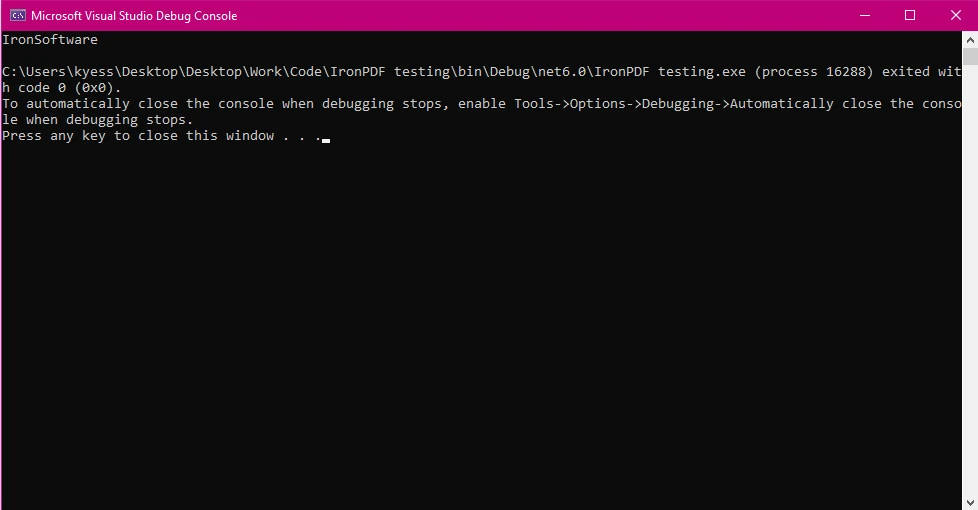
在上面的例子中,我们创建了一个公共类,名为 GlobalSettings,其中包含我们的全局变量 CompanyName 和 LogoPath。 然后,我们在主方法中使用 GlobalSettings.CompanyName 访问 CompanyName 变量。
要开始使用 IronPDF,您首先需要安装它。 如果它已经安装,那么您可以跳到下一节,否则以下步骤涵盖如何安装 IronPDF 库。
要使用 NuGet 包管理器控制台安装 IronPDF,打开 Visual Studio 并导航到包管理器控制台。 然后运行以下命令:
PM > Install-Package IronPdf
瞧! IronPDF 将被添加到您的项目中,您可以马上开始工作。
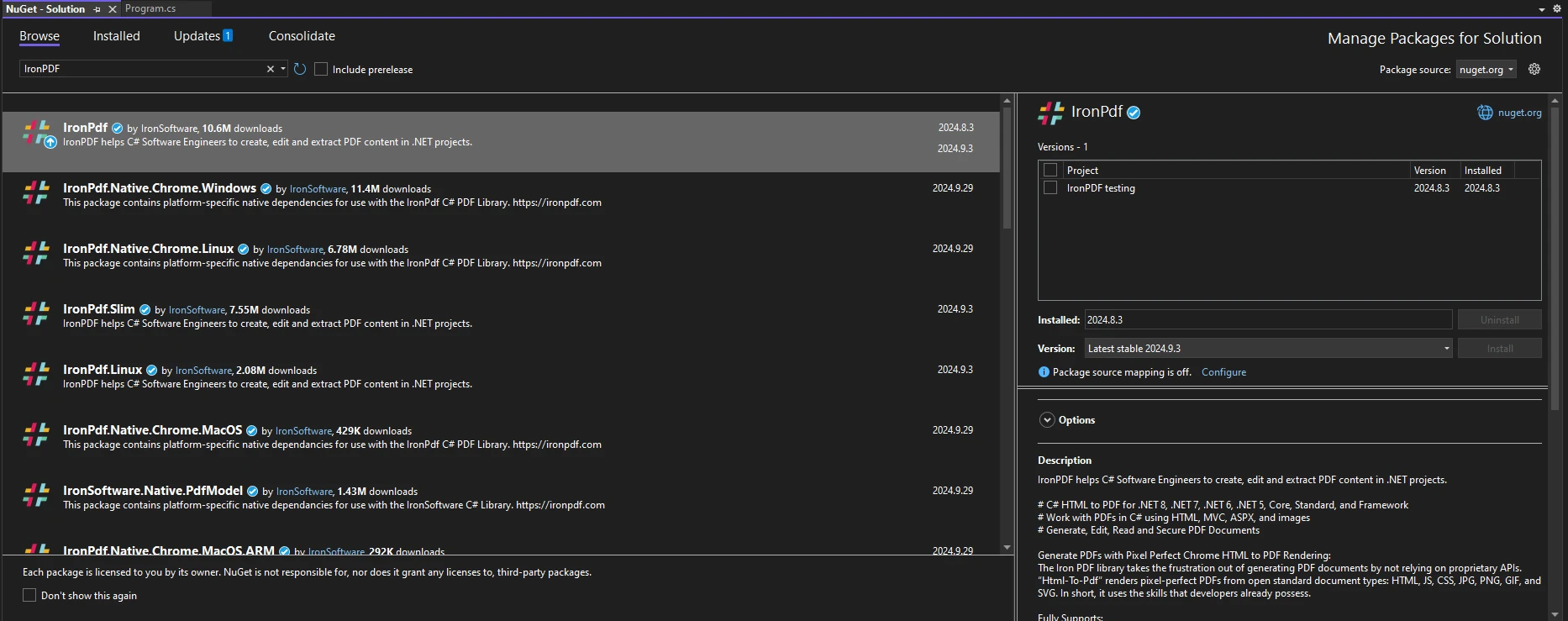
打开 Visual Studio,前往"工具 -> NuGet 包管理器 -> 管理解决方案的 NuGet 包"并搜索 IronPDF。 从这里,您只需选择您的项目并点击"安装",IronPDF将被添加到您的项目中。
一旦您安装了 IronPDF,您所需添加的全部内容就是在代码顶部添加正确的 using 语句以开始使用 IronPDF:
using IronPdf;Imports IronPdf当您希望确保多个 PDF 文档之间一致性时,全局变量特别有用。 例如,如果您的 PDF 报告需要在每一页上包括公司名称和标志,您可以全局存储此数据。
这是如何使用此类全局变量将公司名称和标识插入由 IronPDF 生成的每个 PDF 的示例:
using System;
using IronPdf;

public class GlobalSettings
{
    // Static members of the global settings class
    public static string CompanyName = "IronSoftware";
    public static string LogoPath = "IronPdfLogo.png";
}

class Program
{
    static void Main(string[] args)
    {
        // Create a Chrome PDF renderer
        ChromePdfRenderer renderer = new ChromePdfRenderer();

        // Define HTML content incorporating global variables
        string htmlContent = $@"
            <html>
            <body>
                <header>
                    <h1>{GlobalSettings.CompanyName}</h1>
                    <img src='{GlobalSettings.LogoPath}' />
                </header>
                <p>This is a dynamically generated PDF using global variables!</p>
            </body>
            </html>";

        // Render HTML to PDF
        PdfDocument pdf = renderer.RenderHtmlAsPdf(htmlContent);

        // Save the PDF to file
        pdf.SaveAs("globalVar.pdf");
    }
}Imports System
Imports IronPdf
Public Class GlobalSettings
' Static members of the global settings class
Public Shared CompanyName As String = "IronSoftware"
Public Shared LogoPath As String = "IronPdfLogo.png"
End Class
Class Program
Shared Sub Main(args As String())
' Create a Chrome PDF renderer
Dim renderer As New ChromePdfRenderer()
' Define HTML content incorporating global variables
Dim htmlContent As String = $"
<html>
<body>
<header>
<h1>{GlobalSettings.CompanyName}</h1>
<img src='{GlobalSettings.LogoPath}' />
</header>
<p>This is a dynamically generated PDF using global variables!</p>
</body>
</html>"
' Render HTML to PDF
Dim pdf As PdfDocument = renderer.RenderHtmlAsPdf(htmlContent)
' Save the PDF to file
pdf.SaveAs("globalVar.pdf")
End Sub
End Class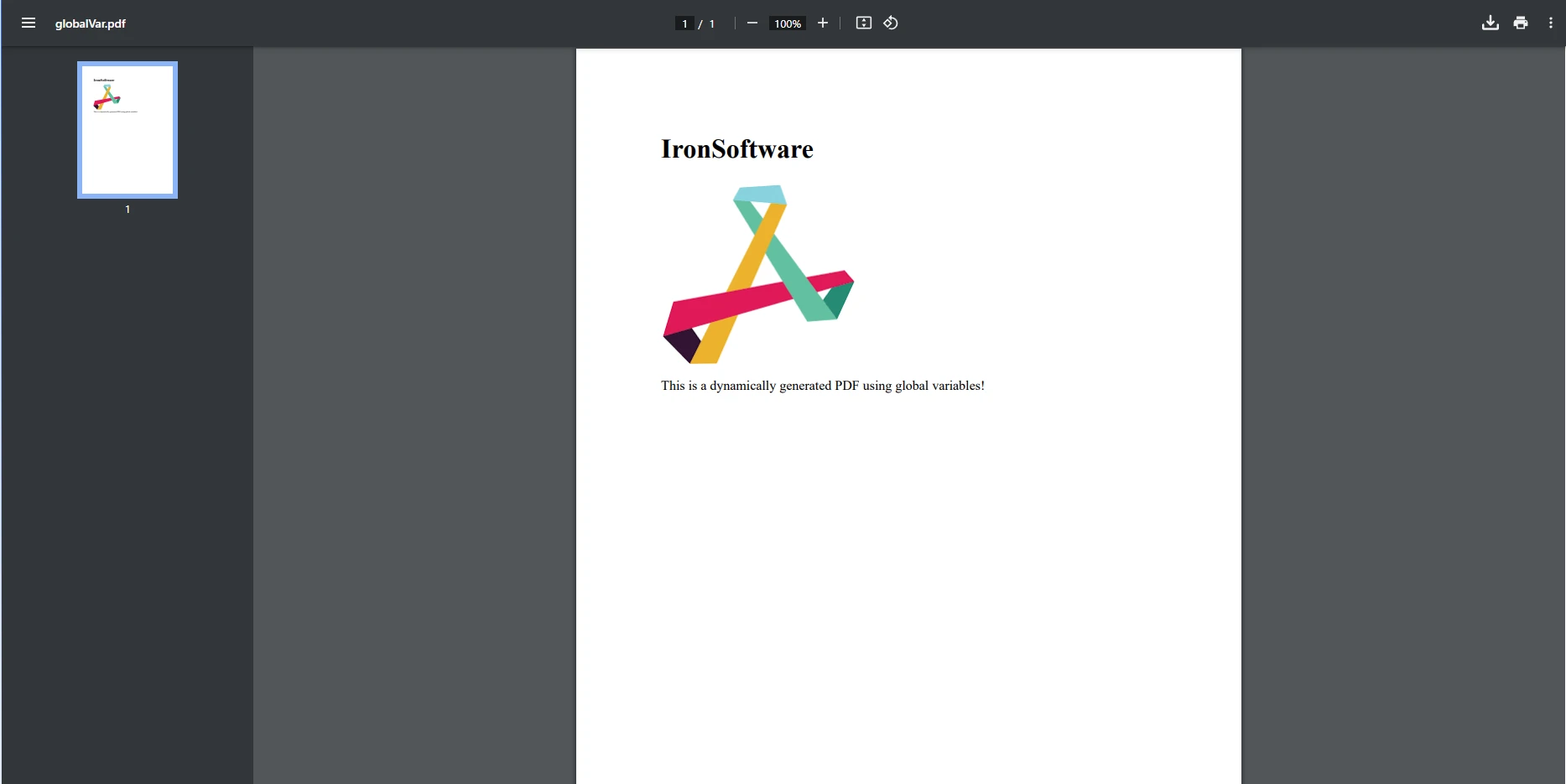
在此示例中,我们实例化 ChromePdfRenderer 类以创建一个新的渲染器,用于将 HTML 内容渲染为 PDF。 HTML 内容包括我们在前面的示例中创建的静态全局变量 CompanyName 和 LogoPath 。 然后,我们使用 RenderHtmlAsPdf 方法与我们的 PdfDocument 对象一起渲染 HTML 内容为 PDF,最后保存生成的 PDF。
设想一个场景,您想生成财务报告,并需要在每个报告中包括公司的品牌。 通过使用全局变量,您可以存储公司的名称、标识和其他相关信息,并在所有生成的 PDF 中一致应用。
using System;
using IronPdf;

public class GlobalSettings
{
    // Static variable types go here
    public static string CompanyName = "IronSoftware";
    public static string ReportContent { get; set; } = "This is the default report content.";
    public static string FooterText = "Created using IronPDF and Global Variables";
}

public class PDFReport
{
    // Method to dynamically set report content
    public static void SetDynamicContent(string reportContent)
    {
        GlobalSettings.ReportContent = reportContent;
    }

    // Method to generate PDF report
    public static void GenerateReport()
    {
        ChromePdfRenderer renderer = new ChromePdfRenderer();

        // Using global variables in HTML content
        string htmlTemplate = $@"
            <html>
            <body>
                <header style='text-align:center;'>
                    <h1>{GlobalSettings.CompanyName}</h1>
                </header>
                <section>
                    <p>{GlobalSettings.ReportContent}</p>
                </section>
                <footer style='text-align:center;'>
                    <p>{GlobalSettings.FooterText}</p>
                </footer>
            </body>
            </html>";

        // Render HTML to PDF
        PdfDocument pdf = renderer.RenderHtmlAsPdf(htmlTemplate);

        // Save the PDF to file
        pdf.SaveAs("dynamic_report.pdf");
    }
}

class Program
{
    static void Main(string[] args)
    {
        // Set global variables dynamically at runtime
        PDFReport.SetDynamicContent("This report highlights the latest innovations in technology.");

        // Generate the PDF report
        PDFReport.GenerateReport();
    }
}Imports System
Imports IronPdf
Public Class GlobalSettings
' Static variable types go here
Public Shared CompanyName As String = "IronSoftware"
Public Shared Property ReportContent As String = "This is the default report content."
Public Shared FooterText As String = "Created using IronPDF and Global Variables"
End Class
Public Class PDFReport
' Method to dynamically set report content
Public Shared Sub SetDynamicContent(ByVal reportContent As String)
GlobalSettings.ReportContent = reportContent
End Sub
' Method to generate PDF report
Public Shared Sub GenerateReport()
Dim renderer As New ChromePdfRenderer()
' Using global variables in HTML content
Dim htmlTemplate As String = $"
<html>
<body>
<header style='text-align:center;'>
<h1>{GlobalSettings.CompanyName}</h1>
</header>
<section>
<p>{GlobalSettings.ReportContent}</p>
</section>
<footer style='text-align:center;'>
<p>{GlobalSettings.FooterText}</p>
</footer>
</body>
</html>"
' Render HTML to PDF
Dim pdf As PdfDocument = renderer.RenderHtmlAsPdf(htmlTemplate)
' Save the PDF to file
pdf.SaveAs("dynamic_report.pdf")
End Sub
End Class
Module Program
Sub Main(ByVal args As String())
' Set global variables dynamically at runtime
PDFReport.SetDynamicContent("This report highlights the latest innovations in technology.")
' Generate the PDF report
PDFReport.GenerateReport()
End Sub
End Module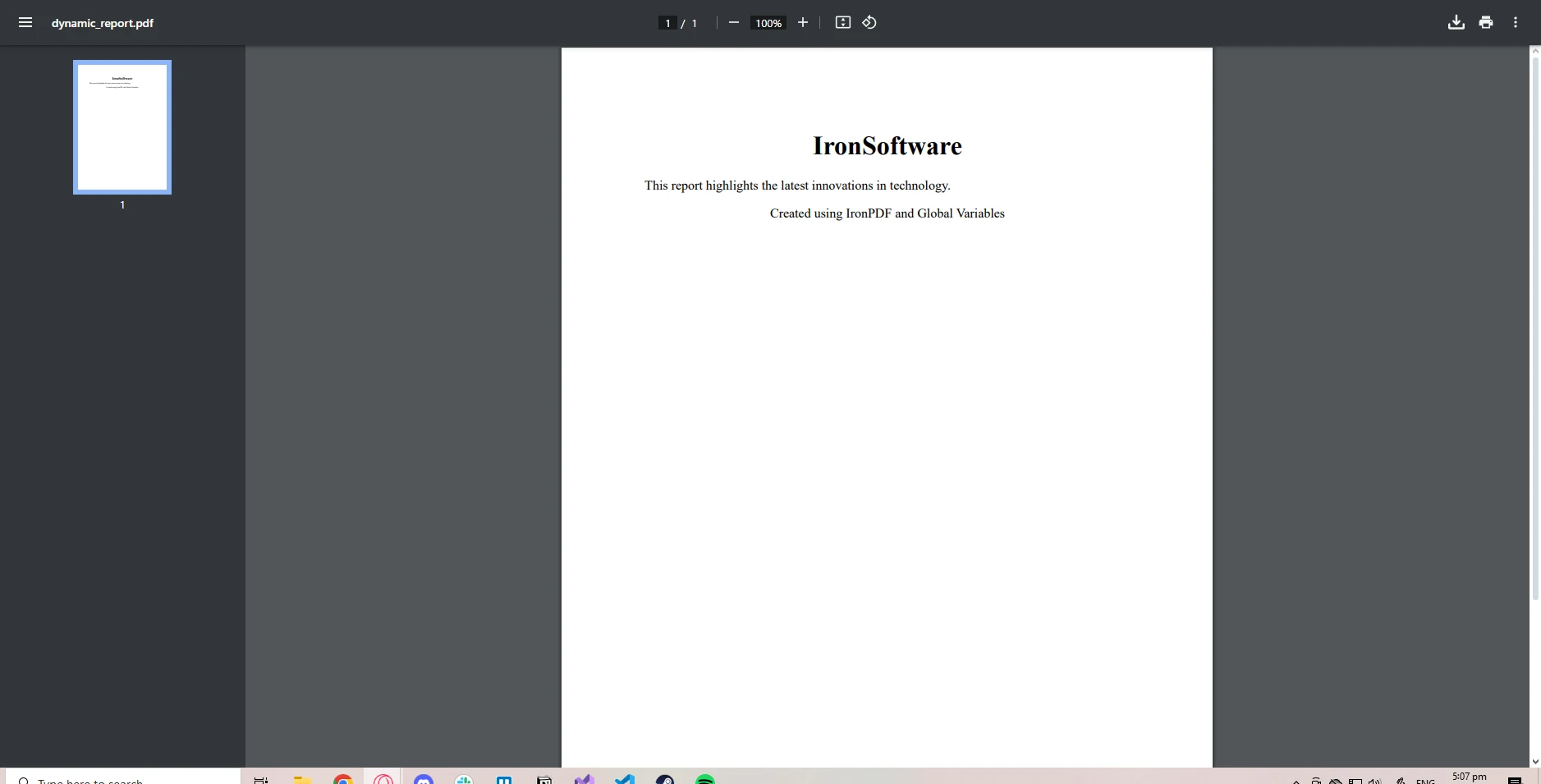
在此示例中,我们在 GlobalSettings 类中创建了一个名为 ReportContent 的全局变量。 这包括set方法,以便其值可以在运行时更新。SetDynamicContent方法允许在生成PDF之前动态设置全局变量。 此方法可以扩展以从配置文件、数据库或用户输入中获取数据。 用于创建 PDF 的 HTML 内容 是根据全局变量的值动态生成的。
全局变量方便,但仅在它们简化代码并减少冗余时才应使用。 例如,使用全局变量用于应用程序设置、公共资源或 PDF 生成中的常量可以节省时间并防止错误。
然而,如果您的全局数据易于更改或仅在特定上下文中相关,那么最好通过方法参数传递数据或使用依赖注入,以确保更好的代码结构和可维护性。
全局变量的一些常见问题包括紧耦合,这使得组件相互依赖,从而使代码更难以测试或修改。 以下是避免这些陷阱的一些建议:
***对常量使用只读:**如果静态全局变量在初始化后不应该被修改,则将其标记为只读。 ***将全局数据封装在单例类中:**使用单例模式来确保对共享数据的受控访问。
全局变量还可以存储经常使用的资源,如文件路径、数据结构、模板或图像资产。 通过这样做,您优化了 PDF 生成,因为这些资源在不同的 PDF 报告中被缓存和重用。
using System;
using System.IO;
using IronPdf;

public class GlobalSettings
{
    // Readonly global variables for shared resources
    public static readonly string TemplatePath = "report.html";
    public static readonly string ImageDirectory = "Images/";
}

public class PDFReport
{
    // Generate a PDF report using a reusable template
    public static void GenerateReport()
    {
        ChromePdfRenderer renderer = new ChromePdfRenderer();

        // Read content from a template file
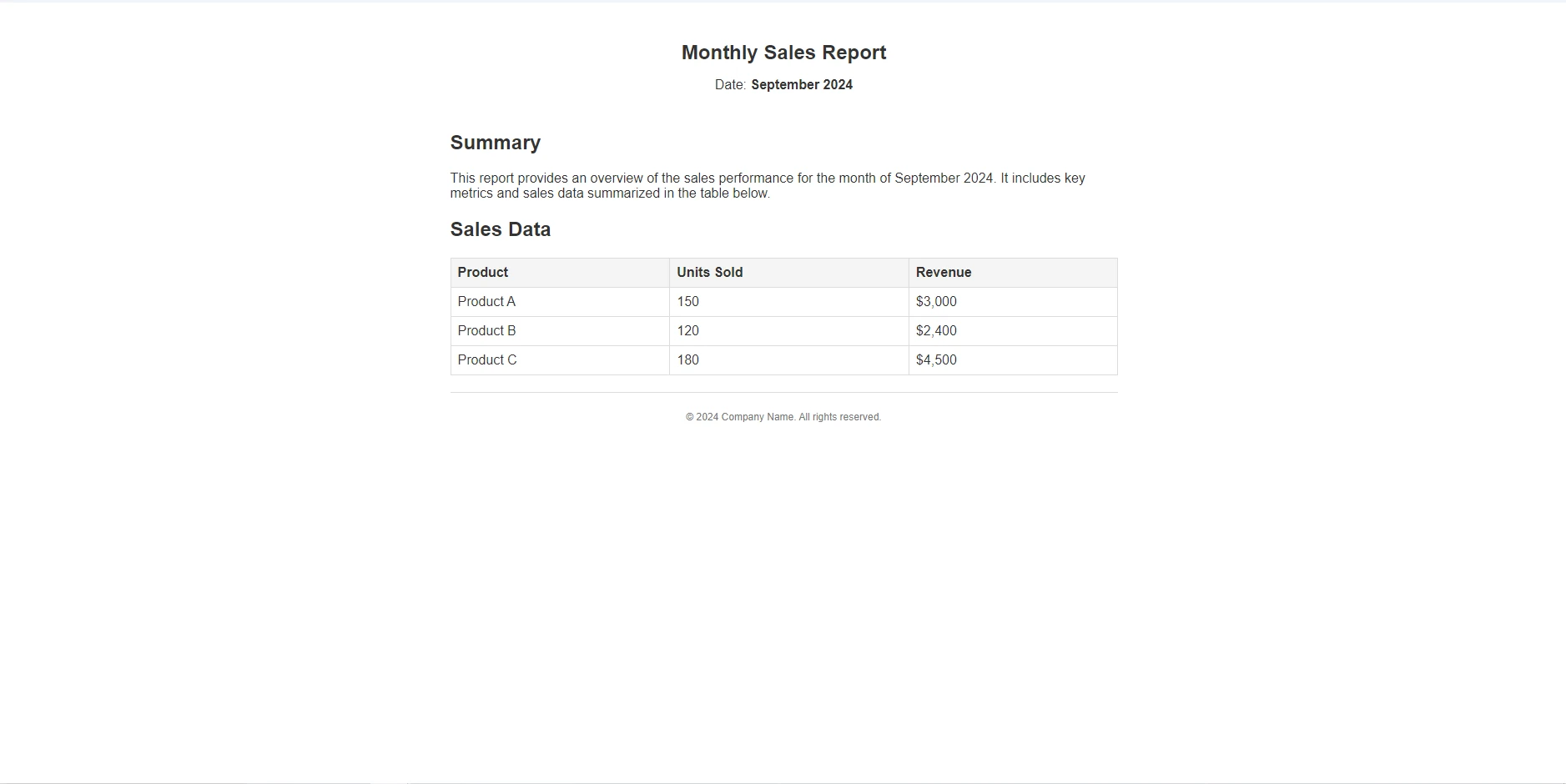
        string templateContent = File.ReadAllText(GlobalSettings.TemplatePath);

        // Render HTML to PDF
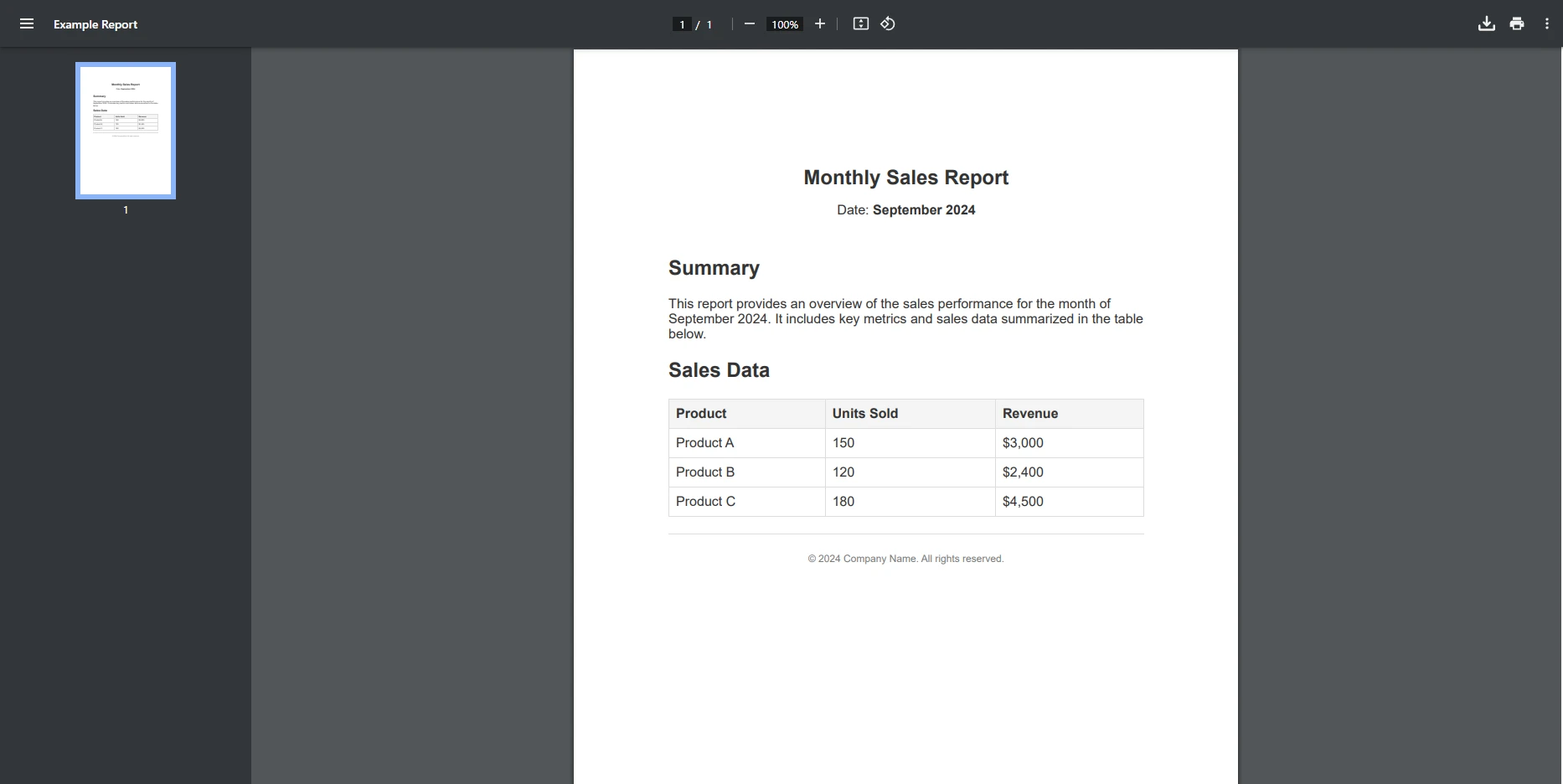
        PdfDocument pdf = renderer.RenderHtmlAsPdf(templateContent);

        // Save the PDF to file
        pdf.SaveAs("templateReport.pdf");
    }
}

class Program
{
    static void Main(string[] args)
    {
        // Generate the PDF report
        PDFReport.GenerateReport();
    }
}Imports System
Imports System.IO
Imports IronPdf
Public Class GlobalSettings
' Readonly global variables for shared resources
Public Shared ReadOnly TemplatePath As String = "report.html"
Public Shared ReadOnly ImageDirectory As String = "Images/"
End Class
Public Class PDFReport
' Generate a PDF report using a reusable template
Public Shared Sub GenerateReport()
Dim renderer As New ChromePdfRenderer()
' Read content from a template file
Dim templateContent As String = File.ReadAllText(GlobalSettings.TemplatePath)
' Render HTML to PDF
Dim pdf As PdfDocument = renderer.RenderHtmlAsPdf(templateContent)
' Save the PDF to file
pdf.SaveAs("templateReport.pdf")
End Sub
End Class
Module Program
Sub Main(args As String())
' Generate the PDF report
PDFReport.GenerateReport()
End Sub
End Module输入模板
输出
IronPDF 拥有丰富的功能集,使得处理 PDF 文档变得轻松,能够处理从简单的 HTML 到 PDF 转换,至 PDF 加密和解密的一切。
在使用基于数据的 PDF 生成时,IronPDF 提供了多种简化从全局数据生成 PDF 的特性:
IronPDF 可以顺利地与 .NET 应用程序集成,并支持使用静态数据或配置设置以实现一致的 PDF 生成。 这是一个适应性良好的库,适用于需要共享数据以生成专业 PDF 文档的应用程序。 当与全局变量的强大功能相结合时,您将能够使用 IronPDF 流线化所有 PDF 生成任务。
全局变量是管理应用程序中共享数据的绝佳方式,并且它们与IronPDF无缝协作,今天就看看它如何简化您的PDF生成过程。

Jacob Mellor is Chief Technology Officer at Iron Software and a visionary engineer pioneering C# PDF technology. As the original developer behind Iron Software's core codebase, he has shaped the company's product architecture since its inception, transforming it alongside CEO Cameron Rimington into a 50+ person company serving NASA, Tesla, and global government agencies.



当您需要PDF看起来像HTML时,速度快。














