


C# ref 参数(开发人员如何使用)

在 C# 中,ref 关键字 是一个强大的特性,允许方法修改传递的引用类型变量的参数值。 理解如何使用ref可以增强您在应用程序中管理和处理数据的能力。
本文将指导您了解ref关键字的基础知识、其应用及其在不同数据类型中的使用细微差别。我们还将了解IronPDF library for .NET,这是一个PDF库。
理解 ref 参数
ref参数是作为方法中变量的引用来使用的方法参数。 与标准值参数不同,标准值参数只传递变量的副本,而ref参数允许被调用的方法修改原始变量的值。 当您需要方法更新传递给它的变量状态时,这种行为至关重要。
请参考以下示例以展示ref的基本用法,重点是引用类型变量如何在整个方法调用过程中保持其参数值在同一对象中:
class Program
{
    static void Main()
    {
        int number = 100;
        ModifyNumber(ref number);
        Console.WriteLine(number); // Output: 200
    }

    // Method that modifies the original number through 'ref'
    static void ModifyNumber(ref int number)
    {
        number = 200; // Modifies the original value
    }
}
class Program
{
static void Main()
{
int number = 100;
ModifyNumber(ref number);
Console.WriteLine(number); // Output: 200
}
// Method that modifies the original number through 'ref'
static void ModifyNumber(ref int number)
{
number = 200; // Modifies the original value
}
}Friend Class Program
Shared Sub Main()
Dim number As Integer = 100
ModifyNumber(number)
Console.WriteLine(number) ' Output: 200
End Sub
' Method that modifies the original number through 'ref'
Private Shared Sub ModifyNumber(ByRef number As Integer)
number = 200 ' Modifies the original value
End Sub
End Class在本示例中,ref 参数传递。 在Main方法中的原始值中也有体现,200被输出到控制台。
ref 参数如何工作
当您声明一个用ref关键字进行的方法参数时,您是在告诉编译器该参数将引用原始变量而不是其副本。 这通过传递变量的内存地址而不是实际值来实现。 调用方法和被调用方法都访问同一个内存位置,这意味着对参数所做的任何更改都直接对原始变量进行更改。
理解ref的关键在于认识到它可以用于值类型和引用类型。值类型包括简单的数据类型,如整数和结构体,而引用类型包括对象和数组。 然而,尽管引用类型变量天生就持有内存地址,使用ref与引用类型允许您修改实际引用,而不仅仅是对象的内容。
ref 和 out 之间的区别
尽管out关键字都允许修改原始变量,但它们之间有重要区别。 out参数不需要在传递给方法前进行初始化。 相反,ref参数要求变量在传递之前需要初始化。 此外,使用out参数的方法有义务在方法返回前分配一个值。 此要求不适用于ref参数。
以下是您可能使用out关键字的方式:
class Program
{
    static void Main()
    {
        int result;
        CalculateResult(out result);
        Console.WriteLine(result); // Output: 100
    }

    // Method that calculates a result and assigns it via 'out'
    static void CalculateResult(out int calculation)
    {
        calculation = 20 * 5; // Must initialize the out parameter
    }
}
class Program
{
static void Main()
{
int result;
CalculateResult(out result);
Console.WriteLine(result); // Output: 100
}
// Method that calculates a result and assigns it via 'out'
static void CalculateResult(out int calculation)
{
calculation = 20 * 5; // Must initialize the out parameter
}
}Friend Class Program
Shared Sub Main()
Dim result As Integer = Nothing
CalculateResult(result)
Console.WriteLine(result) ' Output: 100
End Sub
' Method that calculates a result and assigns it via 'out'
Private Shared Sub CalculateResult(ByRef calculation As Integer)
calculation = 20 * 5 ' Must initialize the out parameter
End Sub
End Class在这种情况下,Main反映了结果。
方法重载中 ref 的实际用途
ref关键字而改变。 方法签名由方法名及其参数类型组成,包括参数是通过引用(out 参数传递。
考虑基于ref和值参数重载方法:
class Program
{
    static void Main()
    {
        int normalParameter = 10, refParameter = 10;
        IncrementValue(normalParameter);
        IncrementValue(ref refParameter);
        Console.WriteLine($"Normal: {normalParameter}, Ref: {refParameter}"); // Output: Normal: 10, Ref: 11
    }

    // Method that increments a copy of the integer
    static void IncrementValue(int number)
    {
        number++;
    }

    // Method that increments the original integer using 'ref'
    static void IncrementValue(ref int number)
    {
        number++;
    }
}
class Program
{
static void Main()
{
int normalParameter = 10, refParameter = 10;
IncrementValue(normalParameter);
IncrementValue(ref refParameter);
Console.WriteLine($"Normal: {normalParameter}, Ref: {refParameter}"); // Output: Normal: 10, Ref: 11
}
// Method that increments a copy of the integer
static void IncrementValue(int number)
{
number++;
}
// Method that increments the original integer using 'ref'
static void IncrementValue(ref int number)
{
number++;
}
}Friend Class Program
Shared Sub Main()
Dim normalParameter As Integer = 10, refParameter As Integer = 10
IncrementValue(normalParameter)
IncrementValue(refParameter)
Console.WriteLine($"Normal: {normalParameter}, Ref: {refParameter}") ' Output: Normal: 10, Ref: 11
End Sub
' Method that increments a copy of the integer
'INSTANT VB TODO TASK: VB does not allow method overloads which differ only in parameter ByVal/ByRef:
'ORIGINAL LINE: static void IncrementValue(int number)
Private Shared Sub IncrementValue(ByVal number As Integer)
number += 1
End Sub
' Method that increments the original integer using 'ref'
'INSTANT VB TODO TASK: VB does not allow method overloads which differ only in parameter ByVal/ByRef:
'ORIGINAL LINE: static void IncrementValue(ref int number)
Private Shared Sub IncrementValue(ByRef number As Integer)
number += 1
End Sub
End Class在这里,ref参数。 ref版本增加了原始变量,而正常版本只更改了副本。
IronPDF简介
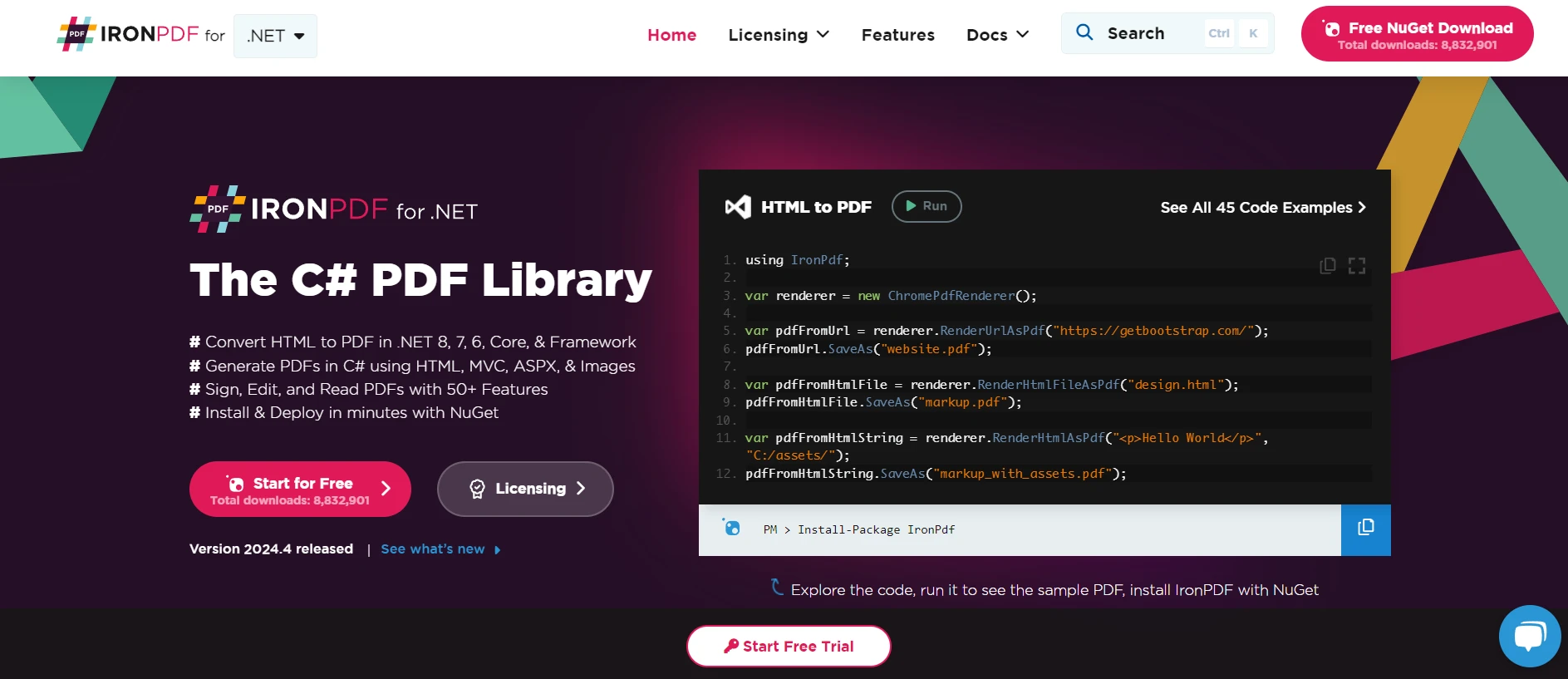
IronPDF 适用于 .NET PDF 解决方案是一个全面的 .NET 库,设计用于处理 PDF 文档。 它主要用 C# 构建,专注于简化从HTML 内容创建和操作 PDF。 通过采用 Chrome 渲染引擎,IronPDF 提供高质量的、像素完美的 PDF 文档,能够捕捉 HTML、CSS、JavaScript 和图像内容的细节。
此库通用,支持包括 .NET Framework、.NET Core 和 .NET Standard 在内的广泛 .NET 环境,使其适用于从桌面系统到基于 Web 的各种应用程序。 IronPDF 不仅支持 PDF 创建,还提供编辑、保护和将 PDF 转换为其他格式的功能。
这种功能扩展到提取文本和图像、填写表单,甚至应用数字签名,确保在 .NET 应用程序中全面处理 PDF 文档。
将IronPDF与C#和ref关键字集成
IronPDF可以与C#集成以利用该语言的强大功能,包括使用ref关键字来传递参数。 这种集成允许动态 PDF 生成,其中内容可能取决于运行时确定值的变量。
为了说明IronPDF与C#的集成使用ref关键字,考虑生成一个包含动态计算值的PDF报告的情景。 该值将在接受ref参数的方法中计算,允许方法修改此值,然后在生成的PDF中反映。
代码示例:使用 ref 生成具有动态内容的 PDF
以下C#代码演示了如何结合使用IronPDF和ref关键字生成PDF文档。 代码计算一个值,通过接受ref参数的方法进行修改,然后使用IronPDF生成包含此动态内容的PDF。
using IronPdf;
using System;

class Program
{
    static void Main(string[] args)
    {
        // Set your IronPDF license key
        License.LicenseKey = "License-Key";

        // Initialize the value
        int totalSales = 150;

        // Modify the value within the method using 'ref'
        AddMonthlyBonus(ref totalSales);

        // Use IronPDF to generate a PDF report
        var Renderer = new ChromePdfRenderer();
        var PDF = Renderer.RenderHtmlAsPdf($"<h1>Monthly Sales Report</h1><p>Total Sales, including bonus: {totalSales}</p>");

        // Save the PDF to a file
        PDF.SaveAs("MonthlySalesReport.pdf");

        // Confirm the PDF has been generated
        Console.WriteLine("PDF generated successfully. Check your project directory.");
    }

    // Method that adds a monthly bonus to sales using 'ref'
    static void AddMonthlyBonus(ref int sales)
    {
        // Assume a bonus of 10% of the sales
        sales += (int)(sales * 0.1);
    }
}
using IronPdf;
using System;
class Program
{
static void Main(string[] args)
{
// Set your IronPDF license key
License.LicenseKey = "License-Key";
// Initialize the value
int totalSales = 150;
// Modify the value within the method using 'ref'
AddMonthlyBonus(ref totalSales);
// Use IronPDF to generate a PDF report
var Renderer = new ChromePdfRenderer();
var PDF = Renderer.RenderHtmlAsPdf($"<h1>Monthly Sales Report</h1><p>Total Sales, including bonus: {totalSales}</p>");
// Save the PDF to a file
PDF.SaveAs("MonthlySalesReport.pdf");
// Confirm the PDF has been generated
Console.WriteLine("PDF generated successfully. Check your project directory.");
}
// Method that adds a monthly bonus to sales using 'ref'
static void AddMonthlyBonus(ref int sales)
{
// Assume a bonus of 10% of the sales
sales += (int)(sales * 0.1);
}
}Imports IronPdf
Imports System
Friend Class Program
Shared Sub Main(ByVal args() As String)
' Set your IronPDF license key
License.LicenseKey = "License-Key"
' Initialize the value
Dim totalSales As Integer = 150
' Modify the value within the method using 'ref'
AddMonthlyBonus(totalSales)
' Use IronPDF to generate a PDF report
Dim Renderer = New ChromePdfRenderer()
Dim PDF = Renderer.RenderHtmlAsPdf($"<h1>Monthly Sales Report</h1><p>Total Sales, including bonus: {totalSales}</p>")
' Save the PDF to a file
PDF.SaveAs("MonthlySalesReport.pdf")
' Confirm the PDF has been generated
Console.WriteLine("PDF generated successfully. Check your project directory.")
End Sub
' Method that adds a monthly bonus to sales using 'ref'
Private Shared Sub AddMonthlyBonus(ByRef sales As Integer)
' Assume a bonus of 10% of the sales
sales += CInt(Math.Truncate(sales * 0.1))
End Sub
End Class
在本例中,ref关键字引用传递该值,计算10%的奖金,并将其添加到原始销售额中。 IronPDF 然后生成一个包含报告总销售额(包括奖金)的 HTML 片段的 PDF 文档。 最终文档以"MonthlySalesReport.pdf"的形式保存在本地。
结论

理解C#中的ref关键字提供了管理数据在方法间传递的有价值工具。 通过允许方法直接修改传递给它们的参数的原始值,ref可以使您的方法更加灵活和强大。
随着您对ref经验的积累,您将更好地理解何时何地如何有效地使用它来满足您的编程需求。 IronPDF提供了开始使用PDF功能的免费试用,价格从$999起。
常见问题解答
如何修改 C# 中引用类型变量的参数值?
在 C# 中,可以使用 ref 关键字来允许方法修改引用类型变量的参数值。这使得方法可以修改原始变量,而不仅仅是副本。
C# 中 ref 和 out 关键字有什么区别?
ref 关键字要求变量在传递给方法之前进行初始化,而 out 关键字不需要事先初始化,但要求方法返回之前分配一个值。
C# 中的 ref 关键字可以与值类型和引用类型一起使用吗?
是的,ref 关键字可以与值类型(如整数)和引用类型(如对象)一起使用,允许方法修改实际数据或引用本身。
如何在 C# 中的方法重载中使用 ref 关键字?
ref 关键字可以在方法重载中用于区分方法签名。这允许根据参数是通过引用还是通过值传递来调用不同的方法。
如何在 .NET 中创建和操作 PDF 文档?
您可以使用 IronPDF,这是一个 .NET 库,用于创建和操作 PDF 文档。它提供编辑、保护和转换 PDF 的功能,并与各种 .NET 环境兼容。
如何使用 ref 关键字将 .NET PDF 库与 C# 集成?
您可以将 IronPDF 与 C# 集成,通过使用 ref 关键字来传递和修改表示数据的变量,比如动态更新 PDF 内容中的值。
C#方法中ref关键字的实际使用案例是什么?
ref 关键字的实际用例是通过确保更改反映在方法之外,在方法中修改变量的值,例如在报告中调整财务总额。
using ref 关键字如何增强 C# 方法的灵活性?
ref 关键字通过允许直接修改原始参数值来增强方法的灵活性,方便在多个方法调用之间的数据管理和更新。
在 C# 中使用 ref 关键字时应该采取哪些预防措施?
在 C# 中使用 ref 关键字时,确保在传递变量给方法之前对其进行初始化,因为 ref 需要预初始化的变量才能正常工作。
在哪里可以找到更多关于 PDF 操作的 .NET 库的信息?
您可以通过访问 IronPDF 的官方网站获取更多信息,包括其功能和集成细节,还提供免费试用和定价信息。










 免费开始
免费开始 免费开始
免费开始 预定免费现场演示
















