


C# 목록 초기화 (개발자를 위한 작동 방식)

리스트는 System.Collections.Generic 네임스페이스의 일부로 데이터 컬렉션을 다루기에 다재다능합니다. C#의 리스트는 동적이며 실행 시 크기를 변경할 수 있습니다. 이러한 유연성은 요소 수가 미리 알려지지 않은 많은 소프트웨어 엔지니어링 시나리오에서 매우 유용합니다. C#에서 리스트를 초기화하는 다양한 방법을 살펴보겠습니다. 기본 기술, 객체 이니셜라이저 구문, 컬렉션 이니셜라이저를 다루고 IronPDF 라이브러리도 다루겠습니다.
기본 리스트 초기화
목록을 초기화하려면 List<t> 클래스의 인스턴스를 생성하여 시작합니다. 이때 T은(는) 목록의 요소 유형입니다. 가장 일반적인 유형은 string이지만, 다른 모든 유형도 사용할 수 있습니다.
using System;
using System.Collections.Generic;

class Program
{
    static void Main()
    {
        // Initialize an empty list
        List<string> fruits = new List<string>();

        // Adding elements to the list
        fruits.Add("Apple");
        fruits.Add("Banana");
        fruits.Add("Cherry");

        // Display the list
        foreach (var fruit in fruits)
        {
            Console.WriteLine(fruit);
        }
    }
}
using System;
using System.Collections.Generic;
class Program
{
static void Main()
{
// Initialize an empty list
List<string> fruits = new List<string>();
// Adding elements to the list
fruits.Add("Apple");
fruits.Add("Banana");
fruits.Add("Cherry");
// Display the list
foreach (var fruit in fruits)
{
Console.WriteLine(fruit);
}
}
}Imports System
Imports System.Collections.Generic
Friend Class Program
Shared Sub Main()
' Initialize an empty list
Dim fruits As New List(Of String)()
' Adding elements to the list
fruits.Add("Apple")
fruits.Add("Banana")
fruits.Add("Cherry")
' Display the list
For Each fruit In fruits
Console.WriteLine(fruit)
Next fruit
End Sub
End Class위의 예에서는 빈 목록을 생성하고 Add 메서드를 사용하여 요소를 추가했습니다. List<string>은 문자열의 목록을 나타내며, 우리는 Add 메서드를 사용하여 이를 값으로 채웠습니다.
컬렉션 이니셜라이저 구문 사용
C#은 컬렉션 이니셜라이저 구문을 사용하여 리스트를 초기화하는 더 간결한 방법을 제공합니다. 이렇게 하면 Add 메서드를 반복해서 호출하지 않고도 목록을 생성할 때 직접 채울 수 있습니다.
public void InitializeList()
{
    List<string> fruits = new List<string> { "Apple", "Banana", "Cherry" };
}
public void InitializeList()
{
List<string> fruits = new List<string> { "Apple", "Banana", "Cherry" };
}Public Sub InitializeList()
Dim fruits As New List(Of String) From {"Apple", "Banana", "Cherry"}
End Sub이 코드는 이전 예제와 같은 결과를 더 간결하게 달성합니다. 컬렉션 이니셜라이저는 단일 구문으로 리스트를 값으로 초기화할 수 있게 해주어 코드의 가독성을 높입니다.
객체 이니셜라이저와 리스트 초기화
객체 이니셜라이저 구문은 주로 사용자 정의 객체를 다룰 때 리스트를 초기화하는 또 다른 방법입니다. 다음은 객체 이니셜라이저가 리스트와 함께 작동하는 방법의 예입니다:
class Person
{
    public string Name { get; set; }
    public int Age { get; set; }
}

List<Person> people = new List<Person>
{
    new Person { Name = "John", Age = 30 },
    new Person { Name = "Jane", Age = 25 },
    new Person { Name = "Jack", Age = 35 }
};
class Person
{
public string Name { get; set; }
public int Age { get; set; }
}
List<Person> people = new List<Person>
{
new Person { Name = "John", Age = 30 },
new Person { Name = "Jane", Age = 25 },
new Person { Name = "Jack", Age = 35 }
};Friend Class Person
Public Property Name() As String
Public Property Age() As Integer
End Class
Private people As New List(Of Person) From {
New Person With {
.Name = "John",
.Age = 30
},
New Person With {
.Name = "Jane",
.Age = 25
},
New Person With {
.Name = "Jack",
.Age = 35
}
}이 예제에서는 객체 이니셜라이저를 사용하여 Person 객체의 목록을 생성합니다. Person 클래스에는 두 개의 속성인 Name와(과) Age이(가) 있으며, 목록이 생성될 때 명시적으로 값이 할당됩니다.
초기 크기를 가진 리스트 생성
리스트는 크기가 동적이지만, 리스트에 몇 개의 요소가 포함될지 대략적으로 아는 경우 초기 용량을 지정할 수 있습니다. 이는 메모리 재할당 횟수를 줄여 성능을 향상시킬 수 있습니다.
List<string> fruits = new List<string>(10); // Initial size of 10List<string> fruits = new List<string>(10); // Initial size of 10Dim fruits As New List(Of String)(10) ' Initial size of 10이는 초기 용량이 10인 빈 리스트를 생성합니다. 요소는 추가하지 않지만, 내부 배열 크기를 조정할 필요 없이 최대 10개의 요소를 담을 수 있도록 충분한 메모리를 할당합니다.
배열에서 리스트 초기화
기존 배열을 사용하여 IEnumerable<t> 인수를 받는 목록 생성자를 호출하여 목록을 초기화할 수도 있습니다. 이것은 배열을 가지고 있으며 변환하여 리스트로 사용하려는 경우에 유용합니다.
// New String array of fruit
string[] fruitArray = { "Apple", "Banana", "Cherry" };
List<string> fruits = new List<string>(fruitArray);
// New String array of fruit
string[] fruitArray = { "Apple", "Banana", "Cherry" };
List<string> fruits = new List<string>(fruitArray);' New String array of fruit
Dim fruitArray() As String = { "Apple", "Banana", "Cherry" }
Dim fruits As New List(Of String)(fruitArray)여기서 새로운 배열이 생성된 후 목록 초기화에 사용됩니다. 이렇게 하면 fruitArray 배열이 목록으로 변환됩니다. 배열을 포함한 모든 IEnumerable<t>은 목록 생성자에 전달되어 초기화될 수 있습니다.
AddRange 메소드 사용
기존 항목 컬렉션이 있는 경우, AddRange 메서드를 사용하여 여러 요소를 함께 목록에 추가할 수 있습니다.
List<string> fruits = new List<string> { "Apple", "Banana" };
string[] moreFruits = { "Cherry", "Date", "Elderberry" };
fruits.AddRange(moreFruits);
List<string> fruits = new List<string> { "Apple", "Banana" };
string[] moreFruits = { "Cherry", "Date", "Elderberry" };
fruits.AddRange(moreFruits);Dim fruits As New List(Of String) From {"Apple", "Banana"}
Dim moreFruits() As String = { "Cherry", "Date", "Elderberry" }
fruits.AddRange(moreFruits)이 예제에서는 두 개의 요소가 포함된 목록으로 시작하여 배열에서 여러 새 항목을 AddRange을(를) 사용하여 추가합니다. 이 방법은 요소를 대량으로 추가하여 성능을 향상시킬 수 있으며, 이는 여러 번의 재할당 필요성을 최소화합니다.
사용자 정의 객체로 리스트 초기화
사용자 정의 객체의 리스트를 초기화할 때, 객체 이니셜라이저와 컬렉션 이니셜라이저를 결합하여 단일 표현식으로 복잡한 데이터 구조를 만들 수 있습니다.
List<Person> people = new List<Person>
{
    new Person { Name = "Alice", Age = 28 },
    new Person { Name = "Bob", Age = 32 },
    new Person { Name = "Charlie", Age = 40 }
};
List<Person> people = new List<Person>
{
new Person { Name = "Alice", Age = 28 },
new Person { Name = "Bob", Age = 32 },
new Person { Name = "Charlie", Age = 40 }
};Dim people As New List(Of Person) From {
New Person With {
.Name = "Alice",
.Age = 28
},
New Person With {
.Name = "Bob",
.Age = 32
},
New Person With {
.Name = "Charlie",
.Age = 40
}
}이 기법은 단일 구문으로 객체의 리스트를 생성하고 초기화할 수 있게 해주어 코드가 간결하고 읽기 쉽게 만듭니다.
확장 메소드를 사용한 리스트 초기화
맞춤 방식을 사용하여 리스트를 초기화하기 위해 확장 메소드를 구현할 수도 있습니다. 확장 메소드는 기존 타입에 원래 구조를 변경하지 않고 새로운 기능을 추가할 수 있는 메커니즘을 제공합니다.
public static class ListExtensions
{
    public static List<t> InitializeWith<t>(this List<t> list, params T[] elements)
    {
        list.AddRange(elements);
        return list;
    }
}

// Usage
List<string> fruits = new List<string>().InitializeWith("Apple", "Banana", "Cherry");
public static class ListExtensions
{
public static List<t> InitializeWith<t>(this List<t> list, params T[] elements)
{
list.AddRange(elements);
return list;
}
}
// Usage
List<string> fruits = new List<string>().InitializeWith("Apple", "Banana", "Cherry");Imports System.Collections.Generic
Public Module ListExtensions
<System.Runtime.CompilerServices.Extension>
Public Function InitializeWith(Of T)(list As List(Of T), ParamArray elements As T()) As List(Of T)
list.AddRange(elements)
Return list
End Function
End Module
' Usage
Dim fruits As List(Of String) = New List(Of String)().InitializeWith("Apple", "Banana", "Cherry")여기서는 확장 메서드 InitializeWith을 정의하여 목록에 요소를 추가하고 목록 자체를 반환합니다. 이를 통해 리스트의 초기화 및 내용을 체인으로 연결할 수 있습니다.
IronPDF: C# PDF 라이브러리
만약 과일 리스트와 같은 것이 있다면, 이는 HTML 테이블로 만들어 PDF로 렌더링할 수 있으며, 모두 IronPDF를 사용하여 몇 줄의 코드로 가능합니다. 이 과정은 간단합니다: 리스트를 초기화하고, HTML로 변환한 후 IronPDF가 PDF를 생성하게 합니다. 다음은 예시입니다.
using IronPdf;
using System;
using System.Collections.Generic;
using System.Text;

class Program
{
    static void Main()
    {
        // Initialize a list of strings representing data
        List<string> fruits = new List<string> { "Apple", "Banana", "Cherry" };

        // Convert the list to an HTML table
        StringBuilder htmlContent = new StringBuilder();
        htmlContent.Append("<table border='1'><tr><th>Fruit Name</th></tr>");
        foreach (var fruit in fruits)
        {
            htmlContent.Append($"<tr><td>{fruit}</td></tr>");
        }
        htmlContent.Append("</table>");

        // Render the HTML to PDF using IronPDF
        var Renderer = new ChromePdfRenderer();
        var PDF = Renderer.RenderHtmlAsPdf(htmlContent.ToString());

        // Save the PDF to a file
        PDF.SaveAs("FruitsList.pdf");
        Console.WriteLine("PDF generated successfully.");
    }
}
using IronPdf;
using System;
using System.Collections.Generic;
using System.Text;
class Program
{
static void Main()
{
// Initialize a list of strings representing data
List<string> fruits = new List<string> { "Apple", "Banana", "Cherry" };
// Convert the list to an HTML table
StringBuilder htmlContent = new StringBuilder();
htmlContent.Append("<table border='1'><tr><th>Fruit Name</th></tr>");
foreach (var fruit in fruits)
{
htmlContent.Append($"<tr><td>{fruit}</td></tr>");
}
htmlContent.Append("</table>");
// Render the HTML to PDF using IronPDF
var Renderer = new ChromePdfRenderer();
var PDF = Renderer.RenderHtmlAsPdf(htmlContent.ToString());
// Save the PDF to a file
PDF.SaveAs("FruitsList.pdf");
Console.WriteLine("PDF generated successfully.");
}
}Imports IronPdf
Imports System
Imports System.Collections.Generic
Imports System.Text
Friend Class Program
Shared Sub Main()
' Initialize a list of strings representing data
Dim fruits As New List(Of String) From {"Apple", "Banana", "Cherry"}
' Convert the list to an HTML table
Dim htmlContent As New StringBuilder()
htmlContent.Append("<table border='1'><tr><th>Fruit Name</th></tr>")
For Each fruit In fruits
htmlContent.Append($"<tr><td>{fruit}</td></tr>")
Next fruit
htmlContent.Append("</table>")
' Render the HTML to PDF using IronPDF
Dim Renderer = New ChromePdfRenderer()
Dim PDF = Renderer.RenderHtmlAsPdf(htmlContent.ToString())
' Save the PDF to a file
PDF.SaveAs("FruitsList.pdf")
Console.WriteLine("PDF generated successfully.")
End Sub
End Class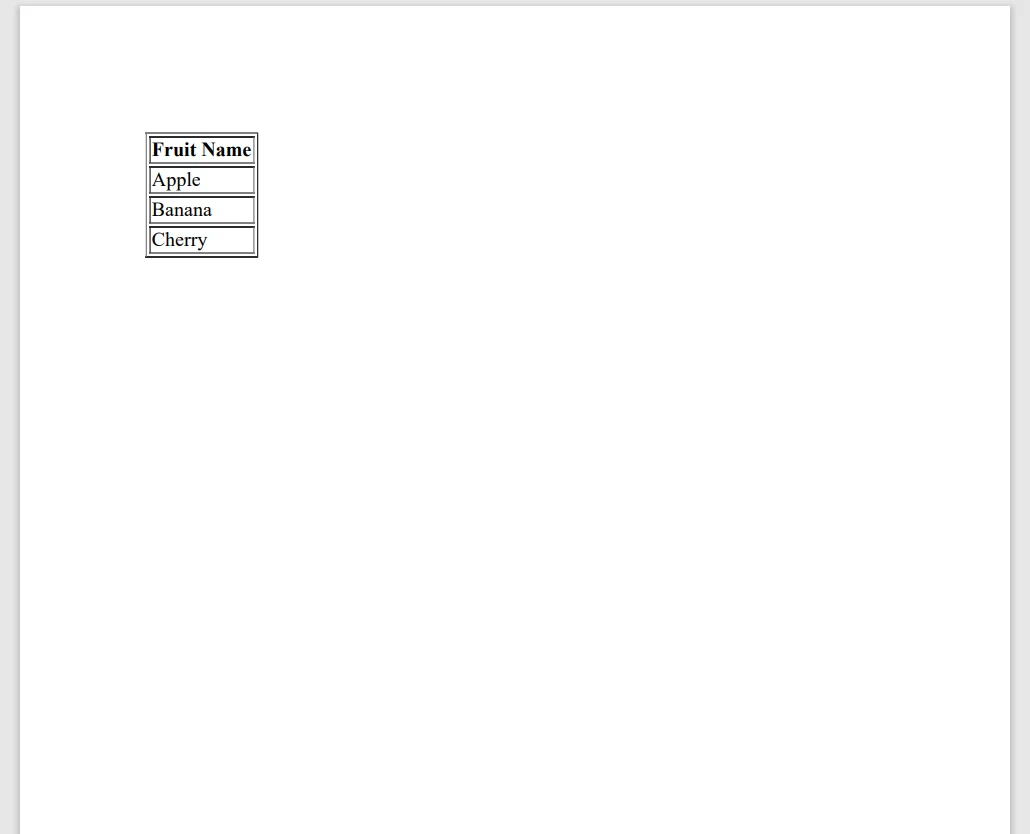
이 코드는 리스트를 초기화하고, 이를 통해 HTML 테이블을 생성하며 IronPDF를 사용하여 PDF 파일을 생성합니다. 데이터를 수집하여 PDF로 변환하는 간단하고 직접적인 방법입니다.
결론
C#에서의 리스트 초기화는 모든 소프트웨어 엔지니어가 반드시 숙달해야 할 기본 개념입니다. 간단한 문자열 목록을 사용하든 복잡한 객체 목록을 사용하든, C#은 목록을 효율적으로 초기화하고 채우기 위한 몇 가지 방법을 제공합니다. 기본 초기화에서부터 객체 및 컬렉션 초기화기까지, 이러한 기술은 깨끗하고 간결하며 유지 보수 가능한 코드를 작성하는 데 도움이 됩니다.
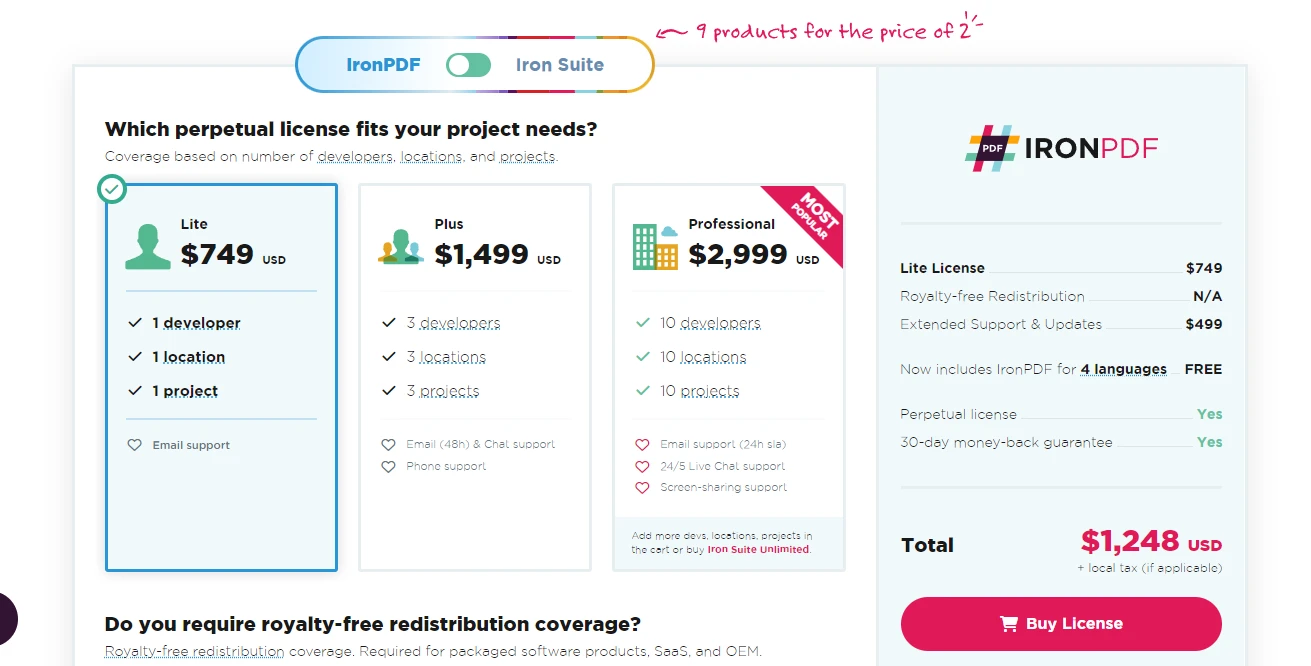
IronPDF는 초기 투자 없이 제품을 체험해볼 수 있는 무료 체험판을 제공합니다. 필요에 부합한다고 확신할 때, 라이선스는 $999에서 시작합니다.
자주 묻는 질문
C#에서 리스트를 초기화하는 기본 방법은 무엇인가요?
C#에서는 List<T> 클래스의 인스턴스를 생성하여 리스트를 초기화할 수 있습니다. 여기서 T는 요소의 타입입니다. 예를 들어, List<string> fruits = new List<string>();는 리스트를 초기화하는 기본 방법입니다.
리스트 초기화 시 컬렉션 초기화자 구문이 어떻게 도움이 되나요?
컬렉션 초기화자 구문은 생성 시 리스트를 직접 채울 수 있게 하며, 코드가 더욱 간결해집니다. 예를 들면: List<string> fruits = new List<string> { 'Apple', 'Banana', 'Cherry' };.
리스트 초기화 시 객체 초기화자 구문은 어떤 목적으로 사용되나요?
객체 초기화자 구문은 맞춤 객체로 리스트를 초기화할 때 유용하며, 리스트 생성 시 속성 값을 설정할 수 있습니다. 예를 들어: new Person { Name = 'John', Age = 30 };를 리스트 내에서 사용할 때.
초기 리스트 용량을 설정할 수 있나요, 그리고 왜 이것이 유용할까요?
네, 리스트의 초기 용량을 설정하면 리스트가 커질 때 메모리 재할당 필요성을 줄여 성능을 향상시킬 수 있습니다. 예: List<string> fruits = new List<string>(10);.
C#에서 기존 배열로 리스트를 초기화할 수 있는 방법은 무엇인가요?
배열을 IEnumerable<T>를 받는 리스트 생성자를 사용하여 리스트로 초기화할 수 있습니다. 예: List<string> fruits = new List<string>(fruitArray);.
리스트 초기화에서 AddRange 메소드는 어떤 역할을 하나요?
AddRange 메소드는 컬렉션의 여러 요소를 한 번에 리스트에 추가하여 메모리 재할당을 최소화함으로써 성능을 최적화합니다. 예: fruits.AddRange(moreFruits);.
리스트에서 초기화를 위해 맞춤 객체를 어떻게 사용할 수 있나요?
맞춤 객체는 객체 및 컬렉션 초기화자를 조합하여 리스트를 초기화할 수 있으며, 리스트 생성을 위한 단일 표현식을 사용할 수 있습니다. 예: new List<Person> { new Person { Name = 'Alice', Age = 28 } };.
확장 메소드는 무엇이며 리스트 초기화와 어떻게 관련되나요?
확장 메소드는 기존 타입에 새로운 기능을 추가할 수 있습니다. 예를 들어, 리스트 초기화 및 채우기를 간소화하기 위해 InitializeWith와 같은 확장 메소드를 작성할 수 있습니다.
C#에서 리스트를 PDF로 변환할 수 있는 방법은 무엇인가요?
IronPDF를 사용하여 리스트를 HTML 테이블로 변환하고 이를 PDF로 렌더링 하여 C#에서 데이터 컬렉션으로부터 PDF를 생성하는 과정을 간소화합니다.
데이터 컬렉션으로부터 PDF를 생성하는 데 무료 체험이 가능한가요?
네, IronPDF는 무료 체험판을 제공하여 사용자들이 초기 구매 없이 데이터 컬렉션에서 PDF를 생성하는 기능을 테스트할 수 있습니다.










 무료로 시작하세요
 무료로 시작하세요
 무료 라이브 데모 예약하기





 신용카드나 계정 생성은 필요하지 않습니다.










