




업데이트됨 2026년 4월 23일
.NET에서 Microsoft.Extensions.AI로 LLM 통합 간소화
AI는 소프트웨어 개발을 변혁하고 있으나, 대규모 언어 모델(LLM)을 .NET에 통합하는 것은 지금까지 복잡했습니다. 현대에는 OpenAI 기반 PDF 파싱, 데이터 추출 및 콘텐츠 요약을 .NET 애플리케이션에 가져오는 IronPdf.AI로 AI 통합을 더욱 확장하세요.
더 읽어보기

프로그래밍의 영역에서 루프는 명시된 조건에 따라 코드 블록의 반복 실행을 촉진하는 필수적인 구조로 작용합니다. C#에서 사용할 수 있는 많은 루프 유형 중 'while' 루프는 그 단순함과 다재다능함으로 두드러집니다. 명확한 문법과 강력한 기능을 가지고 있는 'while' 루프는 개발자가 지정된 조건이나 반복 문이 참으로 평가되는 한 반복적으로 코드를 실행할 수 있도록 합니다.
이 포괄적인 가이드는 C# 'while' 루프의 뉘앙스를 깊이 탐구하며, 개발자가 이 기본 구조를 마스터하는 데 도움이 되는 상세한 설명, 실용적인 코드 예제, 모범 사례를 제공합니다. 또한 C#에서 IronPDF를 사용하여 PDF 보고서 데이터를 생성하기 위해 while 키워드를 사용하는 방법에 대해 설명합니다.
본질적으로 C# 'while' 루프는 지정된 조건이나 반복 값이 참으로 평가되는 한 코드 블록을 반복적으로 실행합니다. 'while' 루프 문법은 다음과 같습니다:
// while loop
while (condition)
{
    // Code block to execute
}' while loop
Do While condition
' Code block to execute
Loop여기서, condition은 루프가 계속 반복할지를 결정하는 불리언 표현식 또는 루프 변수를 나타냅니다. 계속해서 condition이 참인 한, 'while' 루프 중괄호로 둘러싸인 코드 블록이 반복해서 실행됩니다. 일단 condition이 거짓으로 평가되면 루프가 종료되고 프로그램과 제어 흐름은 'while' 루프 다음의 문장으로 이동합니다.
'while' 루프를 다양한 시나리오에서 사용하는 방법을 설명하기 위해 실용적인 예제를 탐험해봅시다.
// Countdown Timer Example
int count = 5;

// Loop while count is greater than 0
while (count > 0)
{
    Console.WriteLine($"Countdown: {count}");
    count--; // Decrement count
}

Console.WriteLine("Blastoff!");' Countdown Timer Example
Dim count As Integer = 5
' Loop while count is greater than 0
Do While count > 0
Console.WriteLine($"Countdown: {count}")
count -= 1 ' Decrement count
Loop
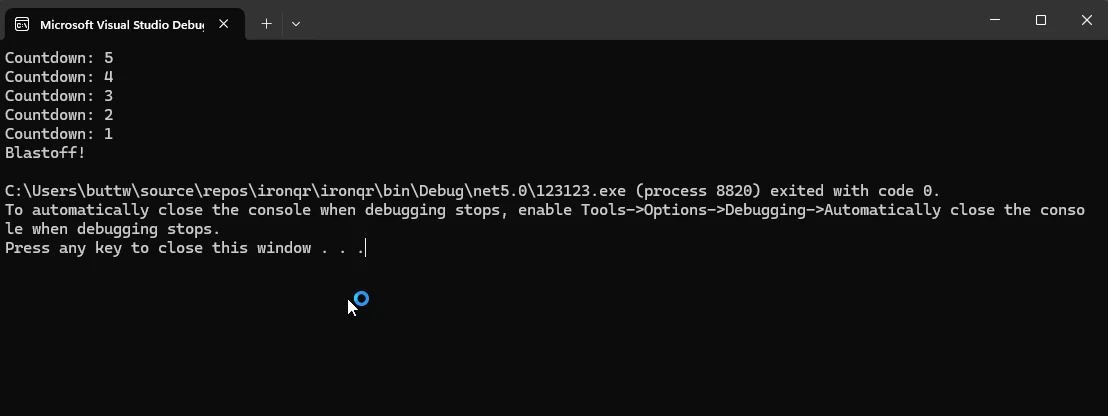
Console.WriteLine("Blastoff!")이 예제에서, 'while' 루프는 count 변수가 0보다 큰 동안 반복합니다. 각 반복에서 count을 1씩 감소시키고 카운트다운 값을 출력합니다. 한번 count이 0이 되면, 루프가 종료되고 "발사!"가 표시됩니다.
// User Input Validation Example
string userInput;

// Infinite loop until a valid input is received
while (true)
{
    Console.Write("Enter a positive number: ");
    userInput = Console.ReadLine();

    // Try to parse input and check if it's a positive number
    if (int.TryParse(userInput, out int number) && number > 0)
    {
        Console.WriteLine($"You entered: {number}");
        break; // Exit loop if valid input
    }
    else
    {
        Console.WriteLine("Invalid input. Please try again.");
    }
}' User Input Validation Example
Dim userInput As String
' Infinite loop until a valid input is received
Do
Console.Write("Enter a positive number: ")
userInput = Console.ReadLine()
' Try to parse input and check if it's a positive number
Dim number As Integer
If Integer.TryParse(userInput, number) AndAlso number > 0 Then
Console.WriteLine($"You entered: {number}")
Exit Do ' Exit loop if valid input
Else
Console.WriteLine("Invalid input. Please try again.")
End If
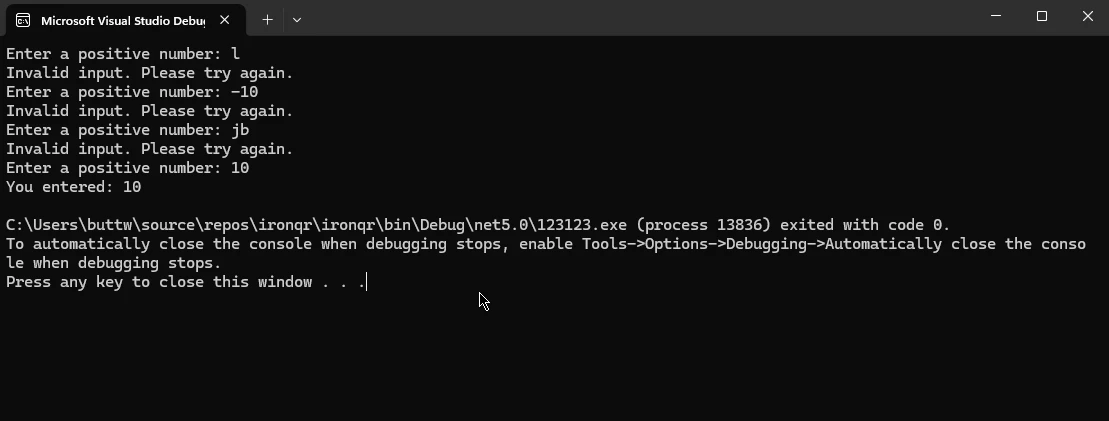
Loop이 예제에서 'while' 루프는 사용자가 유효한 양수를 입력할 때까지 무기한 계속됩니다. 사용자에게 입력을 요청하고 입력을 유효성 검사한 후, 유효한 양수를 입력하면 루프를 벗어납니다.
// Generating Fibonacci Series Example
int a = 0, b = 1, nextTerm;

Console.WriteLine("Fibonacci Series:");

// Compute Fibonacci numbers up to 1000
while (a <= 1000)
{
    Console.WriteLine(a); // Print current Fibonacci number
    nextTerm = a + b; // Calculate next term
    a = b; // Update a to the next term
    b = nextTerm; // Update b to nextTerm
}' Generating Fibonacci Series Example
Dim a As Integer = 0, b As Integer = 1, nextTerm As Integer
Console.WriteLine("Fibonacci Series:")
' Compute Fibonacci numbers up to 1000
Do While a <= 1000
Console.WriteLine(a) ' Print current Fibonacci number
nextTerm = a + b ' Calculate next term
a = b ' Update a to the next term
b = nextTerm ' Update b to nextTerm
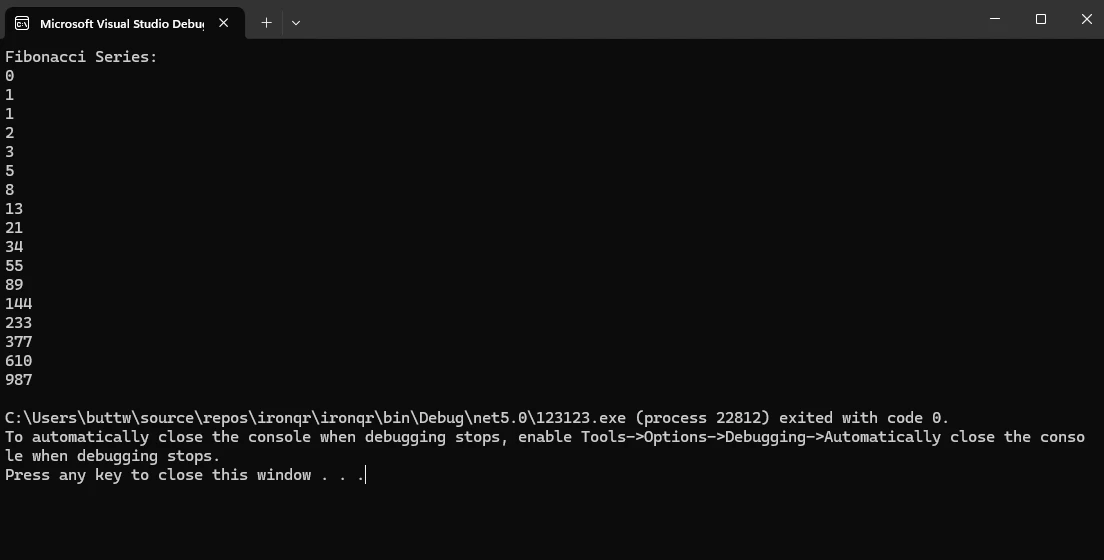
Loop이 코드 스니펫은 'while' 루프를 사용하여 최대 값이 1000인 피보나치 수열을 생성합니다. 첫 두 피보나치 수로 a와 b 변수를 초기화하고 a이 1000을 초과할 때까지 반복적으로 다음 항목을 계산하여 출력합니다.
'while' 루프는 유연성과 편리함을 제공하지만, 효율적이고 유지보수 가능한 코드를 보장하기 위해 모범 사례를 따르는 것이 중요합니다:
break와 continue 구문은 유용할 수 있지만, 과도한 사용은 복잡하고 읽기 어려운 코드를 초래할 수 있습니다. break과 continue을 많이 사용하는 경우 대안 접근을 고려하거나 복잡한 루프를 리팩터링하십시오.IronPDF는 C# 개발에 있어 강력한 솔루션으로서, 개발자에게 애플리케이션 내에서 PDF 문서를 원활하게 생성, 편집, 조작할 수 있는 강력한 도구를 제공하는 중추적 역할을 합니다. 직관적인 API와 광범위한 기능 세트를 갖춘 IronPDF는 개발자에게 PDF 기능을 C# 프로젝트에 손쉽게 통합할 수 있는 기능을 부여하여 문서 생성, 보고, 콘텐츠 배포에서 무한한 가능성을 열어줍니다.
IronPDF는 NuGet 패키지 관리자 콘솔을 사용하여 쉽게 설치할 수 있습니다. IronPDF를 설치하려면 다음 명령을 실행하십시오:
'while' 루프를 사용하여 데이터를 동적으로 채우고 IronPDF를 사용하여 PDF 보고서를 생성하는 예제를 고려해보겠습니다.
using IronPdf;
using System;

class Program
{
    static void Main(string[] args)
    {
        // Initialize PDF Renderer
        var pdfRenderer = new ChromePdfRenderer();

        // Initialize HTML content
        string htmlContent = "<h1>Dynamic Data Report</h1><ul>";

        // Generate dynamic data using a while loop
        int count = 1;
        while (count <= 10)
        {
            htmlContent += $"<li>Data Point {count}</li>";
            count++;
        }
        htmlContent += "</ul>";

        // Render HTML content as PDF
        var pdfOutput = pdfRenderer.RenderHtmlAsPdf(htmlContent);

        // Save PDF to file
        var outputPath = "Dynamic_Data_Report.pdf";
        pdfOutput.SaveAs(outputPath);

        // Display success message
        Console.WriteLine($"PDF report generated successfully: {outputPath}");
    }
}Imports IronPdf
Imports System
Friend Class Program
Shared Sub Main(ByVal args() As String)
' Initialize PDF Renderer
Dim pdfRenderer = New ChromePdfRenderer()
' Initialize HTML content
Dim htmlContent As String = "<h1>Dynamic Data Report</h1><ul>"
' Generate dynamic data using a while loop
Dim count As Integer = 1
Do While count <= 10
htmlContent &= $"<li>Data Point {count}</li>"
count += 1
Loop
htmlContent &= "</ul>"
' Render HTML content as PDF
Dim pdfOutput = pdfRenderer.RenderHtmlAsPdf(htmlContent)
' Save PDF to file
Dim outputPath = "Dynamic_Data_Report.pdf"
pdfOutput.SaveAs(outputPath)
' Display success message
Console.WriteLine($"PDF report generated successfully: {outputPath}")
End Sub
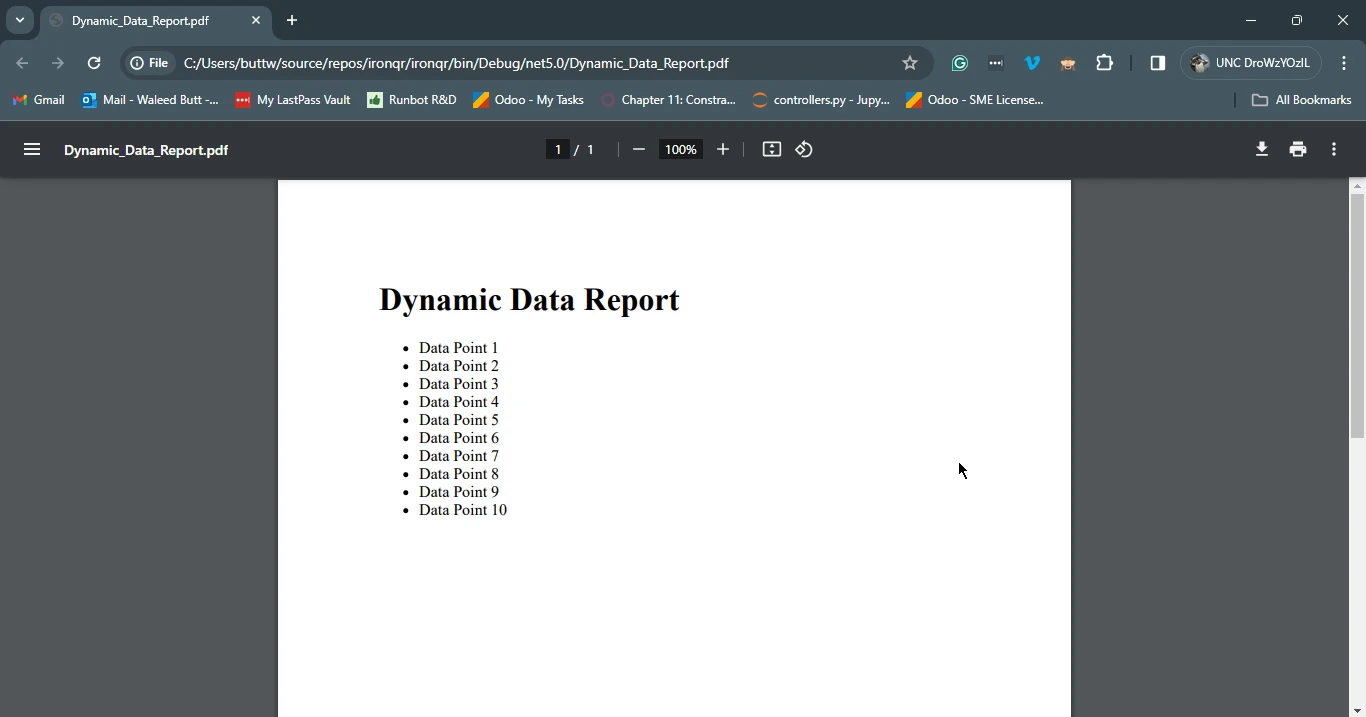
End Class이 예제에서는 헤더와 무순서 목록을 포함하는 HTML 문자열을 초기화합니다. 그런 다음 'while' 문을 사용하여 증가된 데이터 포인트로 항목 목록을 동적으로 생성합니다. HTML 컨텐츠는 IronPDF의 ChromePdfRenderer를 사용하여 PDF로 렌더링되며, 결과 PDF 보고서는 "Dynamic_Data_Report.pdf"라는 파일에 저장됩니다. 이는 'while' 루프가 IronPDF와 원활하게 통합되어 C# 애플리케이션 내에서 동적이고 맞춤화된 PDF 문서를 생성할 수 있음을 보여줍니다.
결론적으로, 'while' 루프는 C# 프로그래밍에서 기본적인 구조로, 개발자가 지정된 조건에 따라 코드를 반복적으로 실행할 수 있는 유연하고 강력한 메커니즘을 제공합니다. 'while' 루프와 관련된 문법, 사용법 및 모범 사례를 이해하면 개발자는 다양한 프로그래밍 과제를 효과적으로 해결할 수 있습니다. 간단한 카운트다운 타이머부터 복잡한 데이터 처리 작업까지 'while' 루프는 개발자가 효율적이고 유지보수 가능한 코드를 작성할 수 있게 합니다.
게다가 IronPDF와 같은 도구와 함께 사용될 때 'while' 루프는 동적이고 시각적으로 매력적인 PDF 문서를 생성할 수 있어 C# 애플리케이션의 기능을 향상시킵니다. 개발자가 C# 프로그래밍의 가능성을 계속 탐구해 나가며, 'while' 루프를 마스터하는 것은 강력하고 확장 가능한 소프트웨어 솔루션을 구축하는 데 중요합니다.
IronPDF에 대한 문서는 오늘 IronPDF 문서 페이지에서 찾을 수 있습니다.

제이콥 멜러는 Iron Software의 최고 기술 책임자(CTO)이자 C# PDF 기술을 개척한 선구적인 엔지니어입니다. Iron Software의 핵심 코드베이스를 최초로 개발한 그는 창립 초기부터 회사의 제품 아키텍처를 설계해 왔으며, CEO인 캐머런 리밍턴과 함께 회사를 NASA, 테슬라, 그리고 전 세계 정부 기관에 서비스를 제공하는 50명 이상의 직원을 보유한 기업으로 성장시켰습니다.



IronPDF는 IRON SUITE 의 일부입니다.
10개의 .NET API 제품, 당신의 사무 문서를 위해











PDF 파일을 HTML처럼 빠르게 변환해야 할 때.


