


MediatR C# (개발자를 위한 작동 방식)

MediatR는 객체가 직접적으로가 아닌 중재자를 통해 서로 통신할 수 있도록 하는 중재자 패턴을 구현한 인기 있는 .NET 라이브러리입니다. 이런 접근방식은 구성 요소 간 결합 수준을 낮게 유지하는 것이 바람직한 애플리케이션에서 특히 유용합니다. 이 기사에서는 C# 개발의 맥락에서 MediatR을 상세히 살펴보며, 실용적인 예제와 웹 애플리케이션 프로젝트에의 통합 방법에 대한 안내를 제공합니다. 또한 ASP.NET Core 프로젝트에서 PDF 기능을 통합하기 위해 .NET 애플리케이션의 PDF 기능을 위한 IronPDF 라이브러리를 탐색할 것입니다.
중재자 패턴과 MediatR 소개
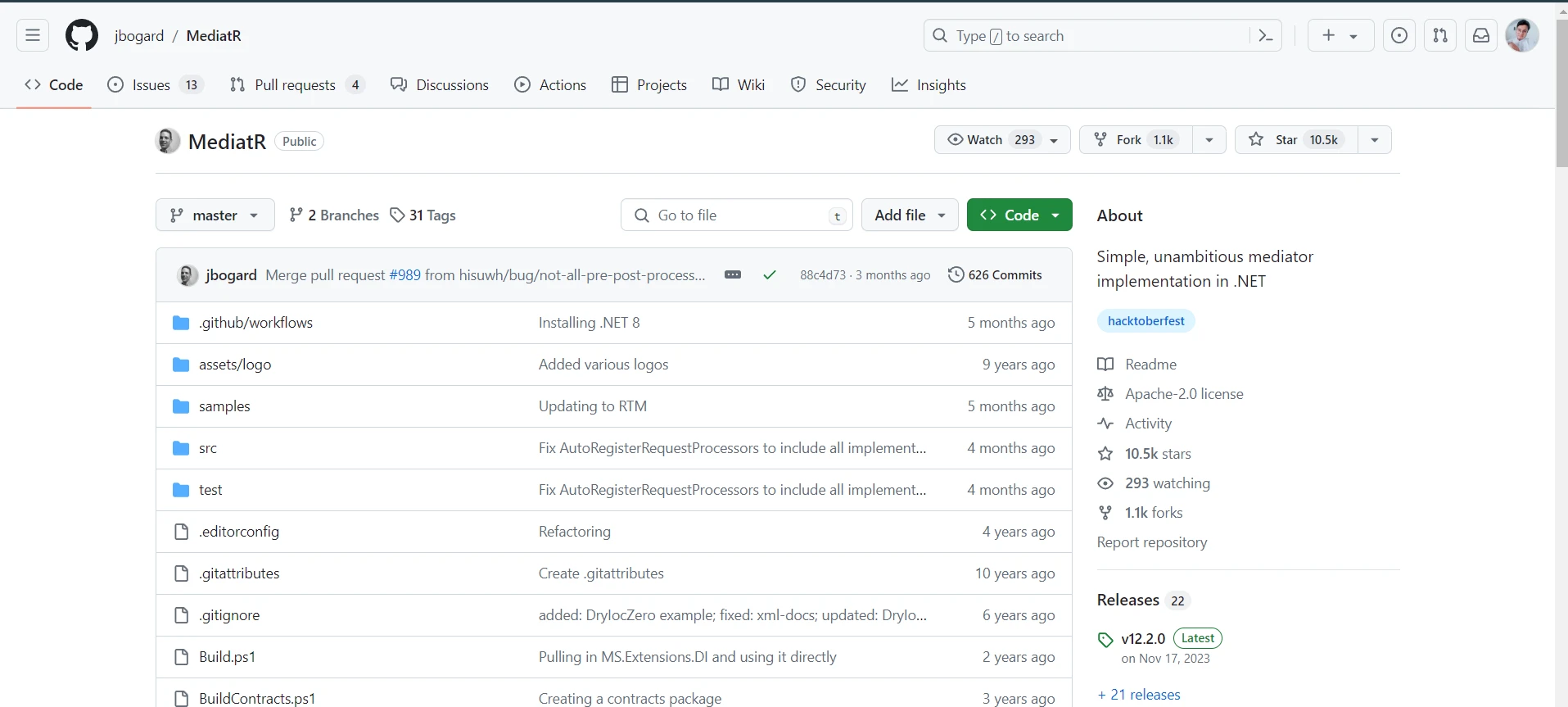
중재자 패턴은 객체 간의 상호작용을 직접적인 종속성을 줄이면서 느슨한 결합을 촉진하는 방식으로 용이하게 하는 소프트웨어 디자인 패턴입니다. MediatR은 객체 통신을 용이하게 하는 데 있어 단순함과 효율성에 중점을 두고 야심적이지 않은 중재자 구현을 제공합니다.
MediatR 라이브러리의 핵심에는 요청과 다중 핸들러의 개념이 있습니다. 요청 시점에서 객체는 운영 또는 작업 세부 사항을 캡슐화하고 MediatR 메커니즘에 의해 처리되기를 기다립니다. 각 요청은 요청을 실행하기 위한 비즈니스 로직을 포함한 해당 처리기 또는 핸들 메서드에 의해 처리되며, 이는 읽기 및 쓰기 작업을 분리할 수 있는 명령 쿼리 책임 분리(CQRS) 패턴을 구현하는 데 특히 유용합니다. 이는 보다 유지 보수 가능하고 확장 가능한 소프트웨어 아키텍처를 이끌 수 있습니다.
패키지 관리자 콘솔을 사용한 .NET Core 프로젝트의 MediatR 설치
ASP.NET Core 프로젝트에서 MediatR을 사용하기 시작하려면 먼저 MediatR 패키지를 설치해야 합니다. 패키지 관리자 콘솔에서 아래 명령을 통해 Visual Studio에서 이를 수행할 수 있습니다:
Install-Package MediatR

Install-Package 후, ASP.NET Core 종속성 주입 컨테이너에 MediatR을 추가해야 합니다. 이는 일반적으로 웹 애플리케이션 프로젝트의 Program.cs 또는 Startup.cs 파일에서 수행되며, 사용하는 ASP.NET Core 버전에 따라 다릅니다. Minimal API 표현 레이어가 있는 프로그램에서 이를 수행하는 방법은 다음과 같습니다.
// Initialize a new web application
var builder = WebApplication.CreateBuilder(args);

// Add MediatR to the service container
builder.Services.AddMediatR(typeof(Program).Assembly);

// Build the web application
var app = builder.Build();
// Initialize a new web application
var builder = WebApplication.CreateBuilder(args);
// Add MediatR to the service container
builder.Services.AddMediatR(typeof(Program).Assembly);
// Build the web application
var app = builder.Build();' Initialize a new web application
Dim builder = WebApplication.CreateBuilder(args)
' Add MediatR to the service container
builder.Services.AddMediatR(GetType(Program).Assembly)
' Build the web application
Dim app = builder.Build()프로그램 클래스에서 var builder = WebApplication.CreateBuilder(args);는 웹 애플리케이션을 초기화하여 MediatR 통합을 위한 무대를 설정합니다.
첫 번째 MediatR 요청 및 처리기 생성하기
MediatR 요청은 특정 작업을 수행하는 데 필요한 데이터를 나타내는 간단한 클래스입니다. 새 사용자를 생성하는 명령을 나타내는 요청 클래스의 예는 다음과 같습니다.
public class CreateUserCommand : IRequest<int>
{
    public string Name { get; set; }
    public string Email { get; set; }
    public int Id { get; set; }
}
public class CreateUserCommand : IRequest<int>
{
public string Name { get; set; }
public string Email { get; set; }
public int Id { get; set; }
}Public Class CreateUserCommand
Implements IRequest(Of Integer)
Public Property Name() As String
Public Property Email() As String
Public Property Id() As Integer
End Class이 예에서, CreateUserCommand 클래스는 IRequest<int> 인터페이스를 구현하며, 이는 이 요청이 생성된 사용자의 ID를 나타낼 수 있는 정수 응답을 기대한다는 것을 나타냅니다.
다음으로, 이 요청에 대한 핸들러를 생성해야 합니다. 각 핸들러 내의 Handle 메서드는 요청의 로직이 실행되는 곳입니다:
public class CreateUserHandler : IRequestHandler<CreateUserCommand, int>
{
    public async Task<int> Handle(CreateUserCommand command, CancellationToken token)
    {
        // Implement logic to create a user here
        // For this example, let's pretend we create a user and return the ID
        return await Task.FromResult(1); // Assume the user's ID is 1
    }
}
public class CreateUserHandler : IRequestHandler<CreateUserCommand, int>
{
public async Task<int> Handle(CreateUserCommand command, CancellationToken token)
{
// Implement logic to create a user here
// For this example, let's pretend we create a user and return the ID
return await Task.FromResult(1); // Assume the user's ID is 1
}
}Public Class CreateUserHandler
Implements IRequestHandler(Of CreateUserCommand, Integer)
Public Async Function Handle(ByVal command As CreateUserCommand, ByVal token As CancellationToken) As Task(Of Integer)
' Implement logic to create a user here
' For this example, let's pretend we create a user and return the ID
Return Await Task.FromResult(1) ' Assume the user's ID is 1
End Function
End Class애플리케이션에서 MediatR 사용하기
MediatR 설정에 사용된 동일한 프로세스를 따라, 애플리케이션의 워크플로에 통합합니다. 이는 일반적으로 ASP.NET Core 애플리케이션의 컨트롤러나 엔드포인트를 통해 수행됩니다. API 컨트롤러를 사용하는 예는 다음과 같습니다:
[ApiController]
[Route("[controller]")]
public class UsersController : ControllerBase
{
    private readonly IMediator _mediator;

    public UsersController(IMediator mediator)
    {
        _mediator = mediator;
    }

    [HttpPost]
    public async Task<ActionResult<int>> Create(CreateUserCommand command)
    {
        var userId = await _mediator.Send(command);
        return CreatedAtRoute("GetUser", new { id = userId }, command);
    }
}
[ApiController]
[Route("[controller]")]
public class UsersController : ControllerBase
{
private readonly IMediator _mediator;
public UsersController(IMediator mediator)
{
_mediator = mediator;
}
[HttpPost]
public async Task<ActionResult<int>> Create(CreateUserCommand command)
{
var userId = await _mediator.Send(command);
return CreatedAtRoute("GetUser", new { id = userId }, command);
}
}<ApiController>
<Route("[controller]")>
Public Class UsersController
Inherits ControllerBase
Private ReadOnly _mediator As IMediator
Public Sub New(ByVal mediator As IMediator)
_mediator = mediator
End Sub
<HttpPost>
Public Async Function Create(ByVal command As CreateUserCommand) As Task(Of ActionResult(Of Integer))
Dim userId = Await _mediator.Send(command)
Return CreatedAtRoute("GetUser", New With {Key .id = userId}, command)
End Function
End Class이 컨트롤러에서, Create 액션 메서드는 _mediator.Send(command) 호출을 통해 CreateUserCommand를 MediatR로 보냅니다. 그러면 MediatR이 이 명령에 적합한 처리기를 찾아 실행합니다. 결과는 반환되어 동일한 프로세스에서 응답을 생성하는 데 사용됩니다.
기본 요청을 넘어서: 알림과 동작
MediatR은 또한 알림 및 동작을 지원합니다. 알림은 여러 처리기가 구독하고 처리할 수 있는 메시지로, 애플리케이션 내에서 보다 이벤트 중심의 접근을 가능하게 합니다. 반면, 동작은 MediatR 요청을 위한 미들웨어와 유사하여 로깅, 검증 또는 트랜잭션 관리와 같은 횡단 관심사를 구현할 수 있습니다.
IronPDF 라이브러리 소개
IronPDF는 .NET 개발자를 위해 설계된 C# 라이브러리로, 애플리케이션에서 PDF 파일을 생성, 편집하고 작업할 수 있는 간단한 방법을 제공합니다. 개발자는 복잡한 API에 관여하지 않고 웹 페이지나 HTML 코드를 직접 PDF 형식으로 변환하여 PDF를 생성할 수 있습니다. IronPDF는 단순히 PDF를 생성하는 것에 국한되지 않습니다; 텍스트, 이미지, 페이지를 추가하거나 PDF 문서 내에서 양식을 작성하고 편집하는 등 PDF 편집 기능을 제공합니다. 개발자는 PDF 병합, 분할, 비밀번호 및 권한으로 보안을 포함하는 작업 등 PDF와 포괄적으로 작업할 수 있습니다.
IronPDF는 HTML을 PDF로 변환하는 데 전문적이며, 원본 레이아웃과 스타일을 정확하게 보존합니다. 이것은 보고서, 인보이스, 문서화 같은 웹 기반 콘텐츠로부터 PDF를 생성하는 데 이상적입니다. HTML 파일, URL, 심지어 원시 HTML 문자열까지 PDF 파일로 변환을 지원합니다.
using IronPdf;

class Program
{
    static void Main(string[] args)
    {
        var renderer = new ChromePdfRenderer();

        // 1. Convert HTML String to PDF
        var htmlContent = "<h1>Hello, IronPDF!</h1><p>This is a PDF from an HTML string.</p>";
        var pdfFromHtmlString = renderer.RenderHtmlAsPdf(htmlContent);
        pdfFromHtmlString.SaveAs("HTMLStringToPDF.pdf");

        // 2. Convert HTML File to PDF
        var htmlFilePath = "path_to_your_html_file.html"; // Specify the path to your HTML file
        var pdfFromHtmlFile = renderer.RenderHtmlFileAsPdf(htmlFilePath);
        pdfFromHtmlFile.SaveAs("HTMLFileToPDF.pdf");

        // 3. Convert URL to PDF
        var url = "http://ironpdf.com"; // Specify the URL
        var pdfFromUrl = renderer.RenderUrlAsPdf(url);
        pdfFromUrl.SaveAs("URLToPDF.pdf");
    }
}
using IronPdf;
class Program
{
static void Main(string[] args)
{
var renderer = new ChromePdfRenderer();
// 1. Convert HTML String to PDF
var htmlContent = "<h1>Hello, IronPDF!</h1><p>This is a PDF from an HTML string.</p>";
var pdfFromHtmlString = renderer.RenderHtmlAsPdf(htmlContent);
pdfFromHtmlString.SaveAs("HTMLStringToPDF.pdf");
// 2. Convert HTML File to PDF
var htmlFilePath = "path_to_your_html_file.html"; // Specify the path to your HTML file
var pdfFromHtmlFile = renderer.RenderHtmlFileAsPdf(htmlFilePath);
pdfFromHtmlFile.SaveAs("HTMLFileToPDF.pdf");
// 3. Convert URL to PDF
var url = "http://ironpdf.com"; // Specify the URL
var pdfFromUrl = renderer.RenderUrlAsPdf(url);
pdfFromUrl.SaveAs("URLToPDF.pdf");
}
}Imports IronPdf
Friend Class Program
Shared Sub Main(ByVal args() As String)
Dim renderer = New ChromePdfRenderer()
' 1. Convert HTML String to PDF
Dim htmlContent = "<h1>Hello, IronPDF!</h1><p>This is a PDF from an HTML string.</p>"
Dim pdfFromHtmlString = renderer.RenderHtmlAsPdf(htmlContent)
pdfFromHtmlString.SaveAs("HTMLStringToPDF.pdf")
' 2. Convert HTML File to PDF
Dim htmlFilePath = "path_to_your_html_file.html" ' Specify the path to your HTML file
Dim pdfFromHtmlFile = renderer.RenderHtmlFileAsPdf(htmlFilePath)
pdfFromHtmlFile.SaveAs("HTMLFileToPDF.pdf")
' 3. Convert URL to PDF
Dim url = "http://ironpdf.com" ' Specify the URL
Dim pdfFromUrl = renderer.RenderUrlAsPdf(url)
pdfFromUrl.SaveAs("URLToPDF.pdf")
End Sub
End Class코드 예제
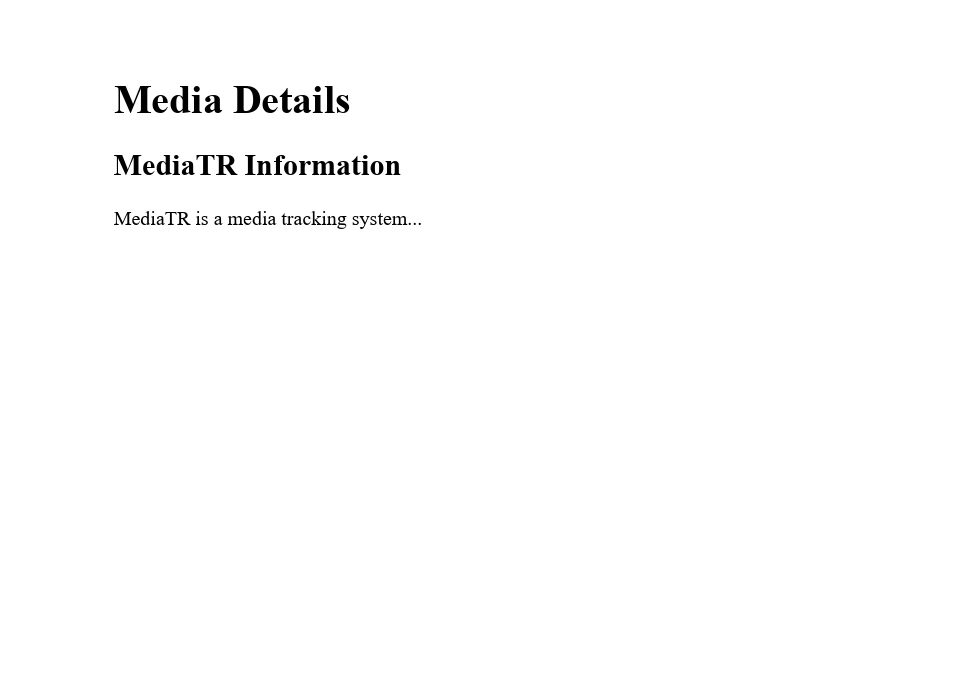
이 예에서, MediatR 요청은 우리가 PDF에 포함하려는 미디어 콘텐츠나 메타데이터의 일부 형태를 나타낸다고 가정해 봅시다. MediatR은 IronPDF의 기능과 직접 관련이 없기 때문에, 이 내용을 포함한 HTML 콘텐츠에서 PDF 문서를 생성하여 시작할 것입니다.
using IronPdf;

public class PdfGenerator
{
    public void CreatePdfWithMediaInfo(string htmlContent)
    {
        // Insert your License Key here if required
        License.LicenseKey = "License-Key";

        // Initialize the HtmlToPdf renderer
        var renderer = new ChromePdfRenderer();

        // Create an HTML template with media information
        string htmlTemplate = $@"
            <html>
            <head>
                <title>Media Information</title>
            </head>
            <body>
                <h1>Media Details</h1>

                {htmlContent}
            </body>
            </html>";

        // Convert the HTML string to a PDF document
        var pdfDocument = renderer.RenderHtmlAsPdf(htmlTemplate);
        pdfDocument.SaveAs("MediaInformation.pdf");
    }
}

class Program
{
    static void Main(string[] args)
    {
        // Example HTML content with MediatR information
        string htmlContent = @"
            <div>
                <h2>MediatR Information</h2>
                <p>MediatR is a media tracking system...</p>
            </div>";

        // Create an instance of PdfGenerator
        PdfGenerator pdfGenerator = new PdfGenerator();

        // Call the CreatePdfWithMediaInfo method to generate the PDF
        pdfGenerator.CreatePdfWithMediaInfo(htmlContent);

        Console.WriteLine("PDF generated successfully.");
    }
}
using IronPdf;
public class PdfGenerator
{
public void CreatePdfWithMediaInfo(string htmlContent)
{
// Insert your License Key here if required
License.LicenseKey = "License-Key";
// Initialize the HtmlToPdf renderer
var renderer = new ChromePdfRenderer();
// Create an HTML template with media information
string htmlTemplate = $@"
<html>
<head>
<title>Media Information</title>
</head>
<body>
<h1>Media Details</h1>
{htmlContent}
</body>
</html>";
// Convert the HTML string to a PDF document
var pdfDocument = renderer.RenderHtmlAsPdf(htmlTemplate);
pdfDocument.SaveAs("MediaInformation.pdf");
}
}
class Program
{
static void Main(string[] args)
{
// Example HTML content with MediatR information
string htmlContent = @"
<div>
<h2>MediatR Information</h2>
<p>MediatR is a media tracking system...</p>
</div>";
// Create an instance of PdfGenerator
PdfGenerator pdfGenerator = new PdfGenerator();
// Call the CreatePdfWithMediaInfo method to generate the PDF
pdfGenerator.CreatePdfWithMediaInfo(htmlContent);
Console.WriteLine("PDF generated successfully.");
}
}Imports IronPdf
Public Class PdfGenerator
Public Sub CreatePdfWithMediaInfo(htmlContent As String)
' Insert your License Key here if required
License.LicenseKey = "License-Key"
' Initialize the HtmlToPdf renderer
Dim renderer As New ChromePdfRenderer()
' Create an HTML template with media information
Dim htmlTemplate As String = $"
<html>
<head>
<title>Media Information</title>
</head>
<body>
<h1>Media Details</h1>
{htmlContent}
</body>
</html>"
' Convert the HTML string to a PDF document
Dim pdfDocument = renderer.RenderHtmlAsPdf(htmlTemplate)
pdfDocument.SaveAs("MediaInformation.pdf")
End Sub
End Class
Module Program
Sub Main(args As String())
' Example HTML content with MediatR information
Dim htmlContent As String = "
<div>
<h2>MediatR Information</h2>
<p>MediatR is a media tracking system...</p>
</div>"
' Create an instance of PdfGenerator
Dim pdfGenerator As New PdfGenerator()
' Call the CreatePdfWithMediaInfo method to generate the PDF
pdfGenerator.CreatePdfWithMediaInfo(htmlContent)
Console.WriteLine("PDF generated successfully.")
End Sub
End Module이 코드 스니펫에서는 htmlContent가 HTML 형식으로 미디어 정보를 포함해야 하는 변수입니다. 이는 텍스트, 이미지, 비디오 링크 또는 기타 HTML 호환 콘텐츠를 포함할 수 있습니다. IronPDF는 이 HTML 콘텐츠를 PDF 문서로 변환하여 HTML에서 지정한 레이아웃과 형식을 보존할 것입니다.
결론
이 기사에 설명된 단계를 따르면, MediatR을 프로젝트에 통합하여 기본 명령 및 쿼리 처리부터 알림 및 동작과 같은 고급 기능을 활용할 수 있습니다. 애플리케이션이 성장하고 진화함에 따라, MediatR은 코드베이스를 깨끗하고 유지 보수하기 쉬우며 확장 가능하게 유지하는 데 도움이 되는 도구와 패턴을 제공합니다.
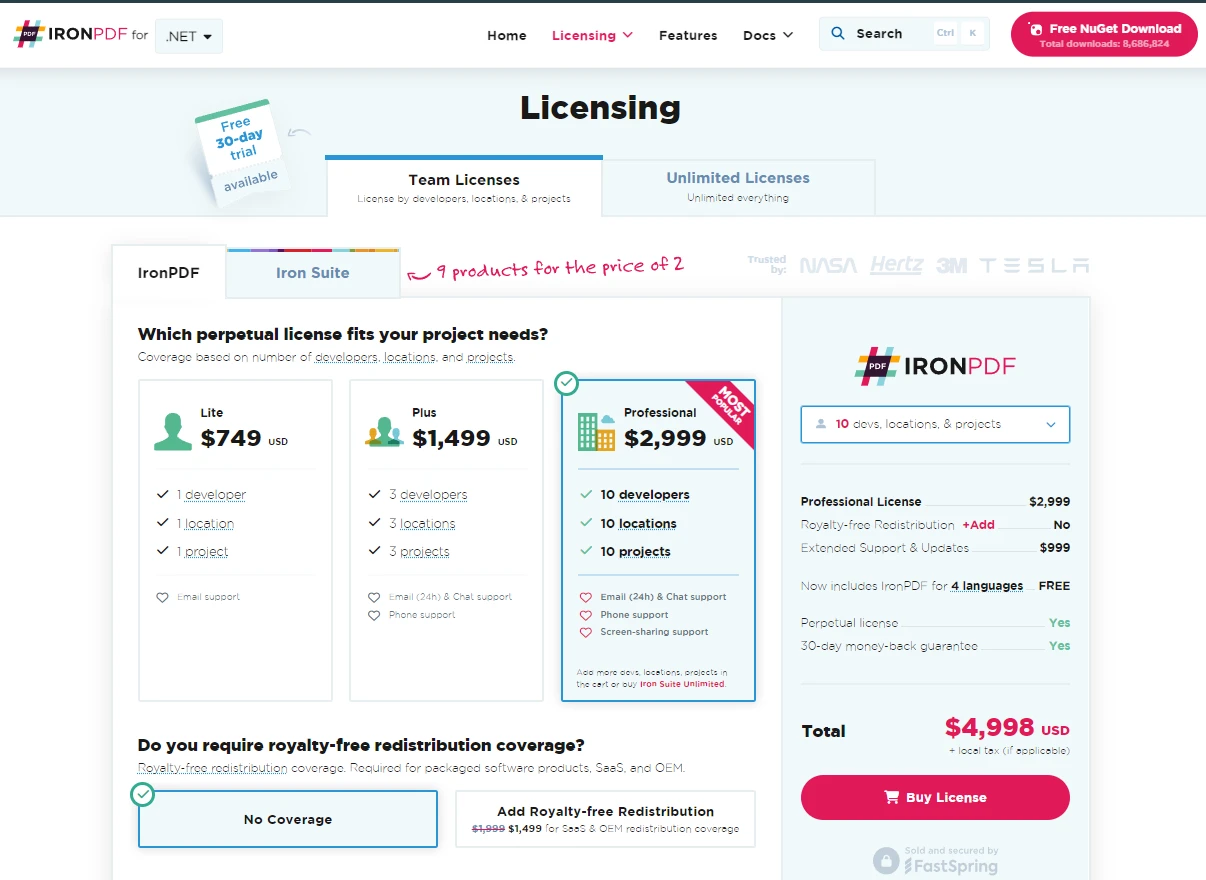
결론적으로, IronPDF와 같은 다양한 라이브러리와 도구를 탐색하고 통합하면 .NET 프로젝트를 더욱 향상시킬 수 있습니다. IronPDF는 고급 PDF 기능의 무료 체험판을 제공합니다. 고급 PDF 기능을 요구하는 프로젝트의 경우, IronPDF의 라이선싱은 $999에서 시작하며, 애플리케이션의 기능을 확장하려는 .NET 개발자에게 강력한 솔루션을 제공합니다.
자주 묻는 질문
MediatR을 ASP.NET Core 프로젝트에 어떻게 통합할 수 있나요?
ASP.NET Core 프로젝트에 MediatR을 통합하려면 Program.cs나 Startup.cs 파일에서 종속성 주입 컨테이너에 추가하세요. 패키지 관리자 콘솔에서 Install-Package MediatR 명령으로 설치할 수 있습니다.
MediatR에서 요청과 핸들러는 어떤 역할을 하나요?
MediatR에서는 요청이 작업의 세부 정보를 캡슐화하고 핸들러가 필요한 비즈니스 로직을 실행하여 요청을 처리합니다. 이는 Command Query Responsibility Segregation (CQRS) 패턴을 지원하며, 애플리케이션의 유지보수성을 향상시킵니다.
알림과 행위들이 MediatR을 어떻게 향상시키나요?
MediatR에서 알림은 여러 핸들러가 단일 메시지에 반응할 수 있게 하여 이벤트 중심 접근 방식을 촉진합니다. 행위는 로깅, 유효성 검사, 예외 처리와 같은 횡단 관심사를 처리하기 위한 미들웨어로 작용합니다.
.NET 애플리케이션에서 중재자 패턴을 사용하는 이점은 무엇인가요?
MediatR에 의해 구현된 중재자 패턴은 구성 요소 간의 직접적인 종속성을 줄여 느슨한 결합을 촉진합니다. 이는 깨끗한 아키텍처 원칙을 따름으로써 .NET 애플리케이션의 유지보수성 및 확장성을 향상시킵니다.
.NET 애플리케이션에서 HTML을 어떻게 PDF로 변환할 수 있나요?
IronPDF는 .NET 애플리케이션에서 HTML을 PDF로 변환할 수 있게 합니다. RenderHtmlAsPdf 메서드를 사용하여 HTML 문자열을 변환하거나 RenderUrlAsPdf로 URL을 변환할 수 있으며, 결과 PDF에서 레이아웃이 유지됩니다.
IronPDF가 PDF 관리에 대해 제공하는 고급 기능은 무엇인가요?
IronPDF는 PDF 병합, 분할, 편집 및 비밀번호 및 권한으로 보안을 제공하는 고급 PDF 관리 기능을 제공합니다. 이러한 기능은 보고서 생성, 송장 및 기타 문서 작업에 이상적입니다.
MediatR이 CQRS 패턴을 어떻게 지원하나요?
MediatR은 명령 요청을 처리하는 로직을 쿼리에서 분리함으로써 CQRS 패턴을 지원합니다. 이 분리는 각 작업 유형을 독립적으로 최적화하고 관리할 수 있게 하여 더 확장 가능하고 유지 가능한 코드를 허용합니다.
.NET 프로젝트에서 IronPDF를 사용하는 장점은 무엇인가요?
IronPDF는 .NET 프로젝트에서 PDF 파일을 생성, 편집 및 관리하는 데 쉬운 API를 제공합니다. 레이아웃을 유지하면서 HTML을 PDF로 변환할 수 있는 능력은 보고서 및 문서 생성을 위한 강력한 도구로 만듭니다.










 무료로 시작하세요
 무료로 시작하세요
 무료 라이브 데모 예약하기





 신용카드나 계정 생성은 필요하지 않습니다.










