




업데이트됨 2026년 4월 23일
.NET에서 Microsoft.Extensions.AI로 LLM 통합 간소화
AI는 소프트웨어 개발을 변혁하고 있으나, 대규모 언어 모델(LLM)을 .NET에 통합하는 것은 지금까지 복잡했습니다. 현대에는 OpenAI 기반 PDF 파싱, 데이터 추출 및 콘텐츠 요약을 .NET 애플리케이션에 가져오는 IronPdf.AI로 AI 통합을 더욱 확장하세요.
더 읽어보기

Specflow C#은 행동 주도 개발(BDD)을 지원하고 테스트 시나리오를 위한 기능 파일을 생성할 수 있게 해주는 오픈 소스 테스트 프레임워크입니다. .NET Framework 프로젝트와 매끄럽게 통합됩니다.
테스트를 간단한 언어로 설명할 수 있습니다. 이 방법은 개발자와 비개발자간의 협업을 용이하게 합니다. 모두가 테스트 시나리오에 기여할 수 있습니다. Specflow는 주로 기능 폴더 내의 모든 테스트를 관리하고 실행하기 위해 기능 파일을 사용합니다.
반면 IronPDF는 .NET 내에서 PDF 조작에 중점을 둔 라이브러리입니다. PDF 파일을 쉽게 생성, 편집, 읽을 수 있습니다. HTML을 직접적으로 PDF로 변환할 수 있습니다. 특히 응용 프로그램 내에서 보고서나 문서를 생성하는 데 유용합니다. IronPDF는 .NET의 다양한 버전, 즉 Core, Framework, Standard와 호환됩니다.
Specflow C#과 IronPDF는 서로 다른 목적을 제공하지만, 개발자의 도구 상자에 귀중한 도구입니다. 프로젝트 내에서 효과적으로 결합할 수 있습니다. 예를 들어, Specflow C#을 사용하여 데이터를 검색하고 처리하는 기능을 정의하고 테스트한 다음, IronPDF를 사용하여 테스트 결과를 기반으로 보고서를 생성할 수 있습니다. 이 Specflow와 IronPDF 통합 튜토리얼은 이러한 도구들이 어떻게 함께 작동하여 응용 프로그램 개발 프로세스를 향상시킬 수 있는지를 보여줍니다.
.NET 프로젝트에서 Specflow를 사용하기 시작하려면 먼저 Specflow NuGet 패키지를 설치하여 테스트 프레임워크를 설정하고, 기능 파일을 만들고, 테스트 시나리오를 정의해야 합니다.
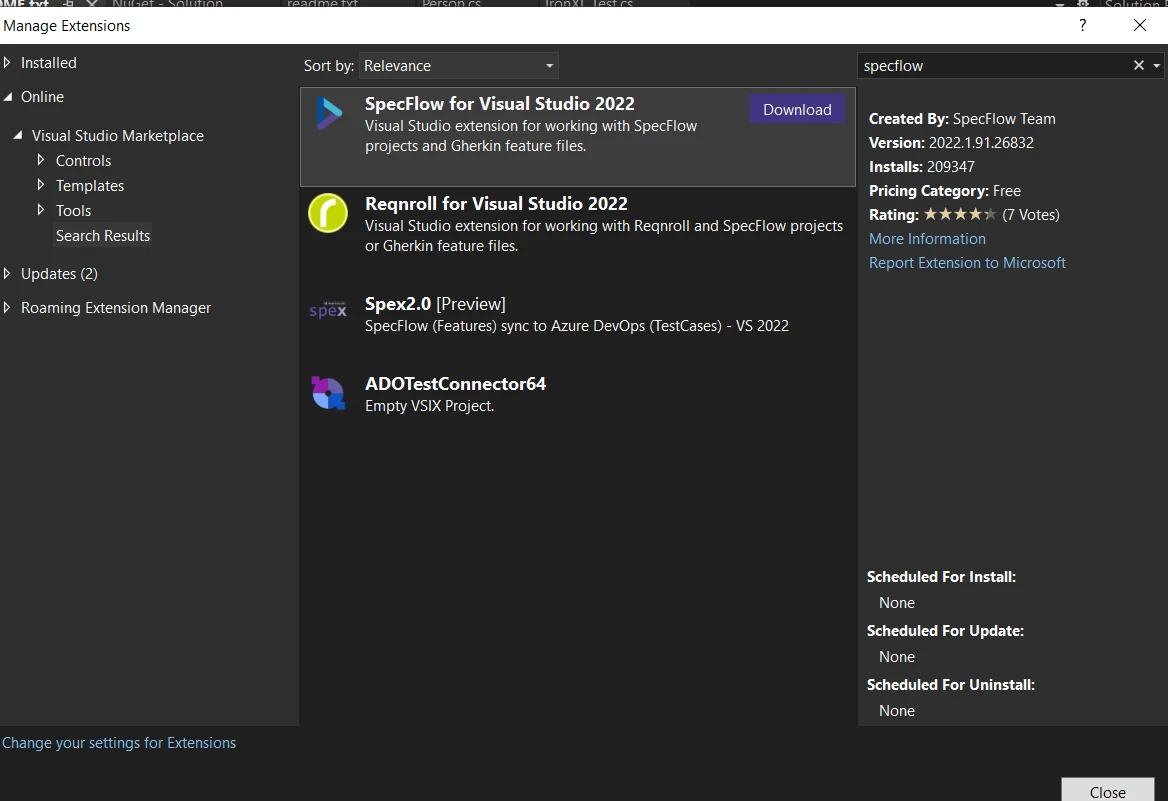
Specflow가 설정되면, 기능 폴더에 첫 번째 기능 파일을 생성할 수 있습니다. Specflow의 기능 파일은 테스트하려는 동작을 읽기 쉬운 형식으로 서술합니다. 새 기능 파일을 만들고 시나리오를 정의하는 간단한 예입니다:
Feature: Login Feature
    Scenario: Successful Login with Valid Credentials
        Given I am on the login page
        When I enter valid credentials
Then I should be redirected to the dashboard이 기능 파일은 기본 로그인 프로세스를 설명합니다. Given은 테스트의 장면을 설정합니다. When은 동작을 설명합니다. Then는 예상되는 결과를 정의합니다. 이 문장들을 평범한 영어로 작성합니다. 이렇게 하면 테스트의 흐름과 목적을 이해하기 쉽습니다.
Specflow에서 테스트는 기능 파일에 개요로 정리된 시나리오에 의해 진행됩니다. 이 시나리오를 실행 가능하게 만들려면 스텝 정의가 필요합니다. 스텝 정의는 평범한 언어의 스텝을 C# 코드에 연결합니다. 여기 스텝 정의를 정의하는 방법이 있습니다:
[Binding]
public class LoginSteps
{
    [Given(@"I am on the login page")]
    public void GivenIAmOnTheLoginPage()
    {
        // Code to navigate to the login page
    }

    [When(@"I enter valid credentials")]
    public void WhenIEnterValidCredentials()
    {
        // Code to input username and password
    }

    [Then(@"I should be redirected to the dashboard")]
    public void ThenIShouldBeRedirectedToTheDashboard()
    {
        // Code to verify the dashboard is displayed
    }
}<Binding>
Public Class LoginSteps
<Given("I am on the login page")>
Public Sub GivenIAmOnTheLoginPage()
' Code to navigate to the login page
End Sub
<[When]("I enter valid credentials")>
Public Sub WhenIEnterValidCredentials()
' Code to input username and password
End Sub
<[Then]("I should be redirected to the dashboard")>
Public Sub ThenIShouldBeRedirectedToTheDashboard()
' Code to verify the dashboard is displayed
End Sub
End Class이 C# 클래스는 로그인 시나리오의 스텝을 나타냅니다. 각 메소드는 특정 스텝을 식별하기 위한 문자열 키 같은 Specflow 속성으로 태그됩니다.
Specflow는 여러 세트의 테스트 데이터를 시나리오에서 사용할 수 있게 하여 데이터 기반 테스트를 지원합니다. 이렇게 하면 여러 세트의 데이터로 시나리오를 테스트할 수 있습니다. 기능 파일에서 테이블을 사용하는 예가 있습니다:
Scenario: Login with multiple users
    Given I am on the login page
    When I login with the following credentials:
        | Username  | Password |
        | user1     | pass1    |
        | user2     | pass2    |
Then I should see user specific dashboard스텝 정의에서 데이터를 다음과 같이 접근할 수 있습니다:
[When(@"I login with the following credentials:")]
public void WhenILoginWithTheFollowingCredentials(Table table)
{
    foreach(var row in table.Rows)
    {
        string username = row["Username"];
        string password = row["Password"];
        // Code to perform login
    }
}<[When]("I login with the following credentials:")>
Public Sub WhenILoginWithTheFollowingCredentials(ByVal table As Table)
For Each row In table.Rows
Dim username As String = row("Username")
Dim password As String = row("Password")
' Code to perform login
Next row
End SubSpecflow는 Visual Studio의 Test Explorer와 통합되어 모든 테스트를 효율적으로 실행하고 관리할 수 있습니다. 이렇게 하면 테스트를 실행하고 관리하기가 쉽습니다. 프로젝트가 올바르게 구성되었는지 확인하세요. 프로젝트를 빌드하면 테스트가 Test Explorer에 나타납니다. 개별 테스트 또는 모든 테스트를 한 번에 실행할 수 있습니다.
Specflow는 전체 실행 시간을 줄이기 위해 병렬로 테스트를 실행할 수 있도록 지원합니다. 이렇게 하면 모든 테스트를 실행하는 데 걸리는 시간이 줄어듭니다. 병렬 실행을 활성화하려면 specflow.json 파일 또는 AssemblyInfo.cs을(를) 구성해야 합니다:
{
  "specFlow": {
    "runtime": {
      "testThreadCount": 4,
      "testSchedulingMode": "Parallel"
    }
  }
}이 설정은 최대 네 개의 테스트를 동시에 실행할 수 있게 해줍니다.
Specflow는 사용자 정의 후크를 정의할 수 있게 합니다. 이러한 후크는 테스트 수명 주기의 다양한 시점에 코드 실행할 수 있습니다. 기본 데이터베이스를 설정하기 전에 실행할 후크를 정의하는 방법은 다음과 같습니다:
[BeforeTestRun]
public static void SetUpDatabase()
{
    // Code to set up database
}<BeforeTestRun>
Public Shared Sub SetUpDatabase()
' Code to set up database
End Sub사용자 정의 후크는 강력한 기능입니다. 테스트 설정과 종료 과정을 관리하는 데 도움이 됩니다.
이 섹션에서는 .NET 프로젝트의 테스트 프레임워크를 향상시킬 수 있는 Specflow의 다섯 가지 주요 기능을 다뤘습니다. 각 기능은 테스트 자동화 노력을 향상시키기 위해 설계되었습니다.
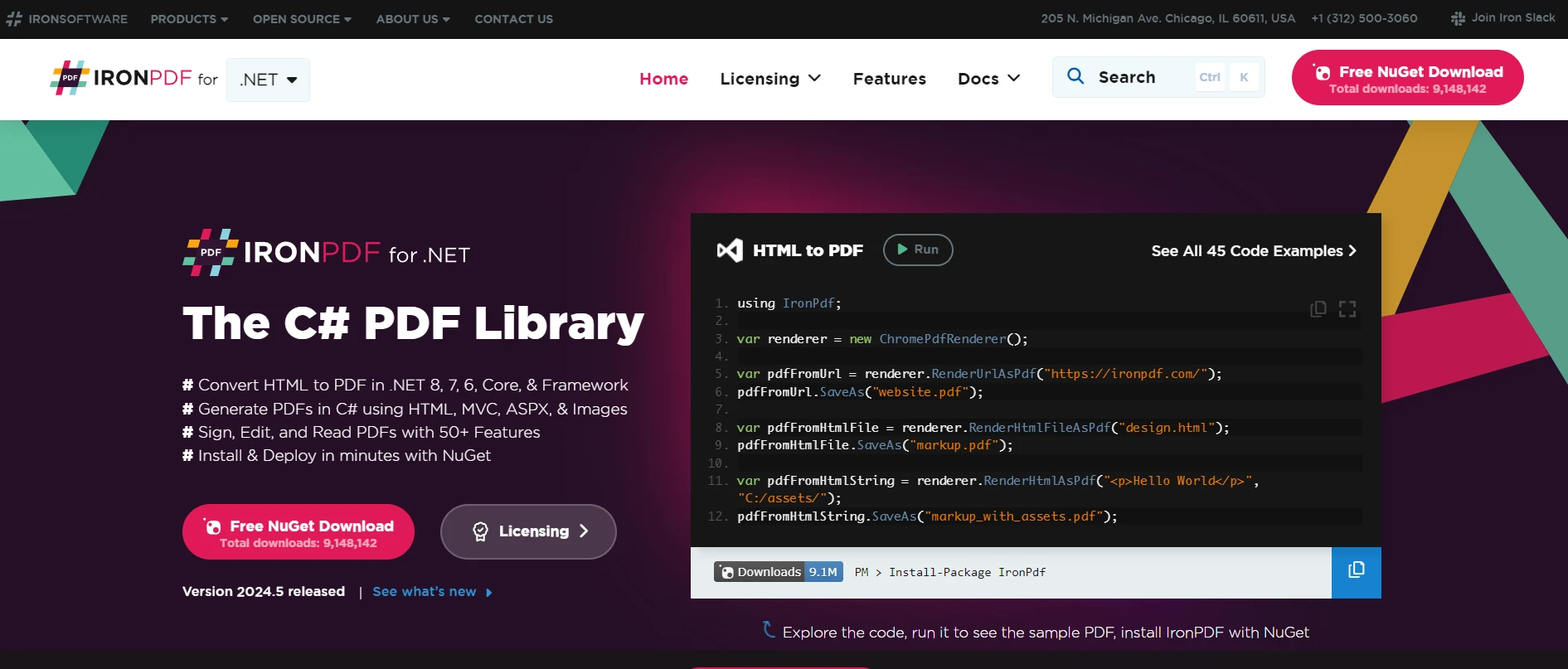
IronPDF는 개발자가 .NET 애플리케이션 내에서 PDF 파일을 생성, 조작 및 렌더링할 수 있게 해주는 C# 라이브러리입니다. 이 강력한 도구는 Specflow, .NET의 행동주도 개발(BDD) 프레임워크와 함께 사용할 때 귀중한 테스트 도구가 될 수 있습니다.
IronPDF를 통합하면 귀하의 애플리케이션에서 PDF 출력의 테스트를 자동화하여 요구된 사양을 충족하는지 확인할 수 있습니다.
IronPDF와 Specflow의 실용적인 사용 사례는 애플리케이션에서 생성된 PDF 보고서의 내용 및 서식을 검증하는 것입니다. 예를 들어, 보고서가 올바른 데이터를 포함하고, 예상 레이아웃을 따르며, 규정된 요구사항 내에서 접근 가능 여부를 자동으로 테스트할 수 있습니다. 정확한 문서화가 중요한 송장이나 규정 준수 보고서 같은 시나리오에서 이 통합은 특히 유용합니다.
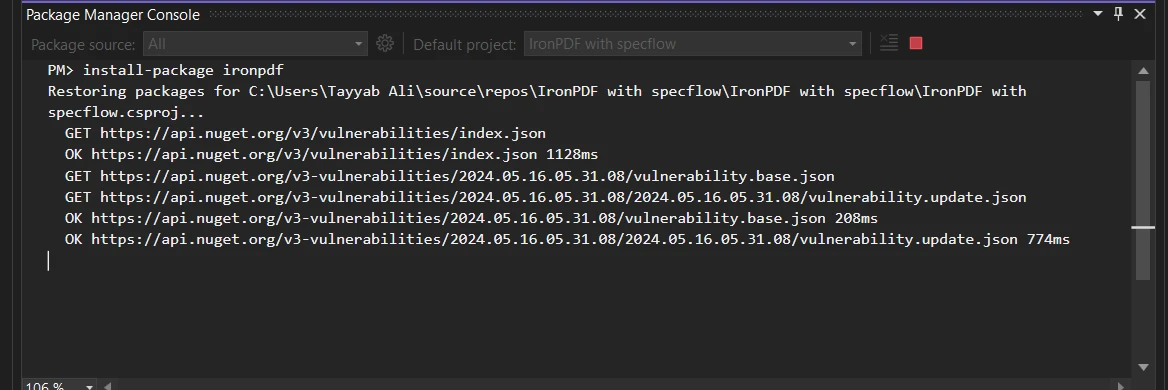
IronPDF가 설치되었는지 확인하십시오. NuGet 패키지 콘솔을 사용하여 설치할 수 있습니다:
IronPDF를 사용하여 PDF 내용을 테스트하기 위해 SpecFlow 스텝 정의를 설정하는 방법을 보여주는 완전한 코드 예제입니다. 이 예제는 특정 텍스트를 포함해야 하는 애플리케이션에서 생성된 PDF 문서를 테스트 중이라고 가정합니다:
using IronPdf;
using TechTalk.SpecFlow;

[Binding]
public class PdfContentSteps
{
    private string? _pdfPath;
    private PdfDocument? _pdfDocument;

    [Given(@"a PDF file generated at '(.*)'")]
    public void GivenAPDFFileGeneratedAt(string pdfPath)
    {
        _pdfPath = pdfPath;
        _pdfDocument = new PdfDocument(_pdfPath);
    }

    [Then(@"the PDF should contain the text '(.*)'")]
    public void ThenThePDFShouldContainTheText(string expectedText)
    {
        // Extract text from the PDF and check if it contains the expected text
        var textContent = _pdfDocument.ExtractAllText();
        if (!textContent.Contains(expectedText))
        {
            throw new Exception("PDF content does not contain the expected text.");
        }
    }
}Imports IronPdf
Imports TechTalk.SpecFlow
<Binding>
Public Class PdfContentSteps
'INSTANT VB WARNING: Nullable reference types have no equivalent in VB:
'ORIGINAL LINE: private string? _pdfPath;
Private _pdfPath As String
Private _pdfDocument? As PdfDocument
<Given("a PDF file generated at '(.*)'")>
Public Sub GivenAPDFFileGeneratedAt(ByVal pdfPath As String)
_pdfPath = pdfPath
_pdfDocument = New PdfDocument(_pdfPath)
End Sub
<[Then]("the PDF should contain the text '(.*)'")>
Public Sub ThenThePDFShouldContainTheText(ByVal expectedText As String)
' Extract text from the PDF and check if it contains the expected text
Dim textContent = _pdfDocument.ExtractAllText()
If Not textContent.Contains(expectedText) Then
Throw New Exception("PDF content does not contain the expected text.")
End If
End Sub
End Class이 코드에서는 지정된 경로에서 PDF를 먼저 로드한 다음, 이 PDF가 예상 텍스트를 포함하는지를 검증하는 Specflow 스텝을 정의합니다. IronPdf.PdfDocument 클래스는 PDF 파일을 로드하고 조작하는 데 사용됩니다. 이 설정을 통해 PDF 검증을 자동화된 테스트에 통합하여 오류를 더 쉽게 잡을 수 있습니다.
요약하면, Specflow C#과 IronPDF를 결합하면 PDF 문서를 다룰 때 특히 .NET 프로젝트의 기능을 향상시킵니다. Specflow는 평문으로 세부적인 테스트 시나리오를 정의하고 실행하는 데 능숙합니다.
IronPDF는 강력한 PDF 조작 기능을 제공하여 이를 보완합니다. 이 두 강력한 도구를 통합하면 테스트 프로세스를 간소화할 수 있습니다. 이 기능들을 실험해 보고 싶다면, IronPDF를 무료로 시도해 보세요.

제이콥 멜러는 Iron Software의 최고 기술 책임자(CTO)이자 C# PDF 기술을 개척한 선구적인 엔지니어입니다. Iron Software의 핵심 코드베이스를 최초로 개발한 그는 창립 초기부터 회사의 제품 아키텍처를 설계해 왔으며, CEO인 캐머런 리밍턴과 함께 회사를 NASA, 테슬라, 그리고 전 세계 정부 기관에 서비스를 제공하는 50명 이상의 직원을 보유한 기업으로 성장시켰습니다.



IronPDF는 IRON SUITE 의 일부입니다.
10개의 .NET API 제품, 당신의 사무 문서를 위해

PDF 파일을 HTML처럼 빠르게 변환해야 할 때.


