PDF 파일은 정보 저장, 문서 레이아웃과 글꼴, 이미지를 유지하는 데 훌륭한 도구입니다. 이것이 오늘날에도 여전히 그렇게 인기가 있는 주요 이유 중 하나입니다. 현대 시대에는 많은 사람들이 원격으로 작업하고 있습니다. 양식 작성 및 서명, 파일 전송, 문서 처리는 기업이 매일 완료해야 하는 주요 활동 중 일부입니다. 주요 활동 중 하나는 종이 문서 대신 PDF 문서에 서명하는 것입니다. 전자 서명은 회사가 계약 및 협정을 체결하고 온라인으로 PDF 양식을 공유할 방법을 모색하면서 필수적이 되었습니다. 이 글은 PDF 문서를 위한 온라인 서명 도구를 나열합니다.
PDF 파일에 서명을 추가하기 위한 추천 도구
1. Adobe Acrobat Reader 온라인
Adobe Acrobat Reader 또는 Adobe Acrobat Reader DC 도구는 양식을 빠르고 쉽게 서명할 수 있도록 도와줍니다. 텍스트 상자, 체크 표시, 서명 또는 이니셜을 추가하세요. Adobe Acrobat Reader Fill & Sign 도구를 사용하면 브라우저에서 PDF에 서명할 수 있습니다. 서명을 생성한 다음 서명이나 이니셜을 PDF 파일 어디에나 추가하세요.
Adobe Acrobat Reader 앱으로 온라인에서 PDF 양식을 채우고 서명하는 방법
e-서명을 사용하여 PDF를 채우고 서명하는 간단한 단계를 따르세요:
- 위의 파일 선택 버튼을 클릭하거나 파일을 드롭 존에 드래그 앤 드롭합니다.
- Acrobat이 파일을 업로드한 후, 양식을 채워 PDF 양식을 완료합니다.
- 도구모음을 사용하여 양식 필드를 채우고 PDF 서명을 추가합니다.
- 다음을 클릭합니다. e-서명을 사용하여 PDF를 채우고 서명하는 간단한 단계를 따르세요.
- 완료된 양식을 다운로드하거나 PDF를 온라인으로 공유할 링크를 받습니다.
Adobe Acrobat Reader 앱은 전자 서명을 만들기 위한 세 가지 옵션을 제공합니다: 마우스나 터치패드로 디지털 서명 그리기, 이름 입력, 서명 이미지 삽입 및 문서에 업로드.
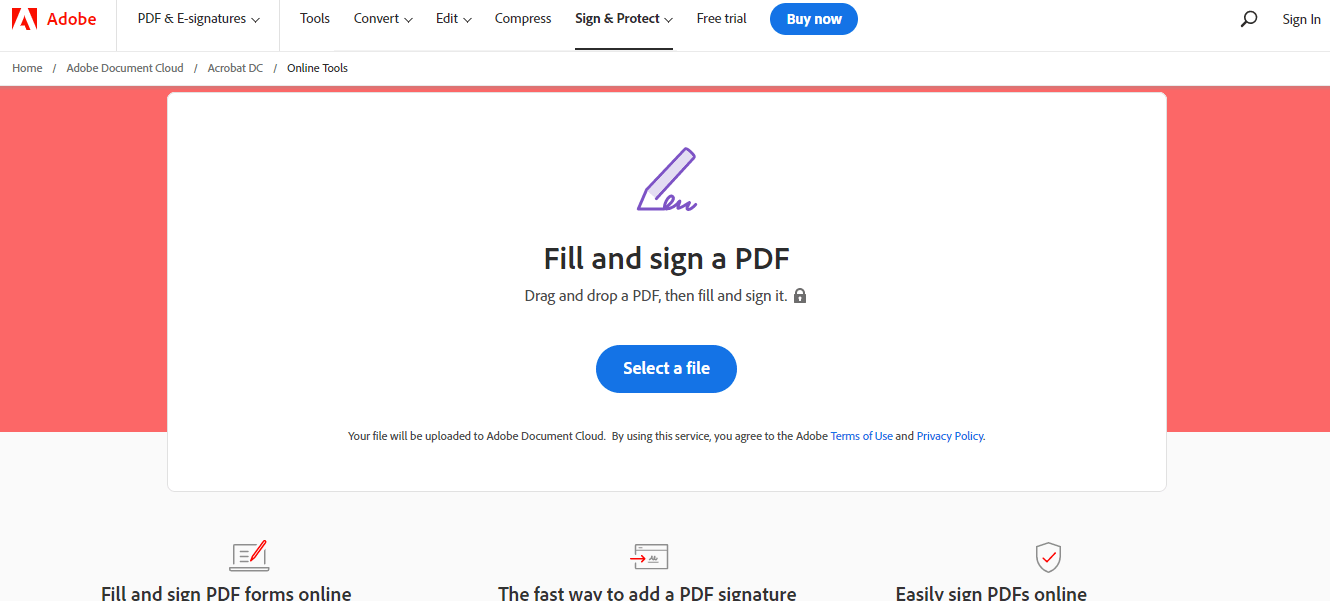
Adobe Reader 온라인 - Adobe Sign PDF

Adobe Reader Online - 디지털 서명 추가
Adobe Acrobat Reader PDF 온라인 서명 도구를 사용하면 PDF를 작성하고 자신 있게 전자 서명을 할 수 있습니다. Adobe Acrobat Reader DC를 대신해 PDF 문서를 온라인으로 신속하고 쉽게 서명할 수 있습니다.
2. DigiSigner — 무료 온라인 서명 서비스
DigiSigner는 PDF를 온라인으로 작성하고 서명할 수 있도록 도와줍니다. 텍스트 추가, 체크박스 선택, 현재 날짜 삽입, 필요한 곳에 이니셜 추가 등을 통해 PDF 양식을 온라인으로 작성하고 서명할 수 있습니다.
전자 서명을 만드는 세 가지 옵션을 제공합니다: 마우스 또는 터치패드를 사용하여 전자 서명을 그리거나, 이름을 입력하거나, 서명 이미지를 스캔하여 문서에 업로드합니다.

DigiSigner - 서명할 PDF 열기

DigiSigner - 서명된 문서
이 온라인 서명 도구와의 모든 통신은 SSL(보안 소켓 계층) 암호화를 사용하여 안전하게 보호됩니다. 세션이 만료되면 모든 데이터는 서버에서 자동으로 영구 삭제됩니다.
이 전자 서명 소프트웨어로 PDF에 서명하는 것 외에도 Word 문서, Excel 파일, PNG 및 JPEG 형식의 스캔 문서, 그리고 TXT 및 RTF 파일에 서명을 만들 수 있습니다.
3. SmallPDF — 온라인 PDF 서명 앱
Smallpdf를 사용하면 서명 및 이니셜을 만들고, PDF 문서에 전자적으로 서명하며, 다른 사람들에게 서명을 요청할 수 있습니다. 간단하게 텍스트를 추가하거나 마우스 또는 트랙패드를 이용해 서명을 그려 e-서명을 만들 수 있습니다. 또는 서명 이미지 업로드나 디바이스 카메라로 서명을 찍는 것도 가능합니다.
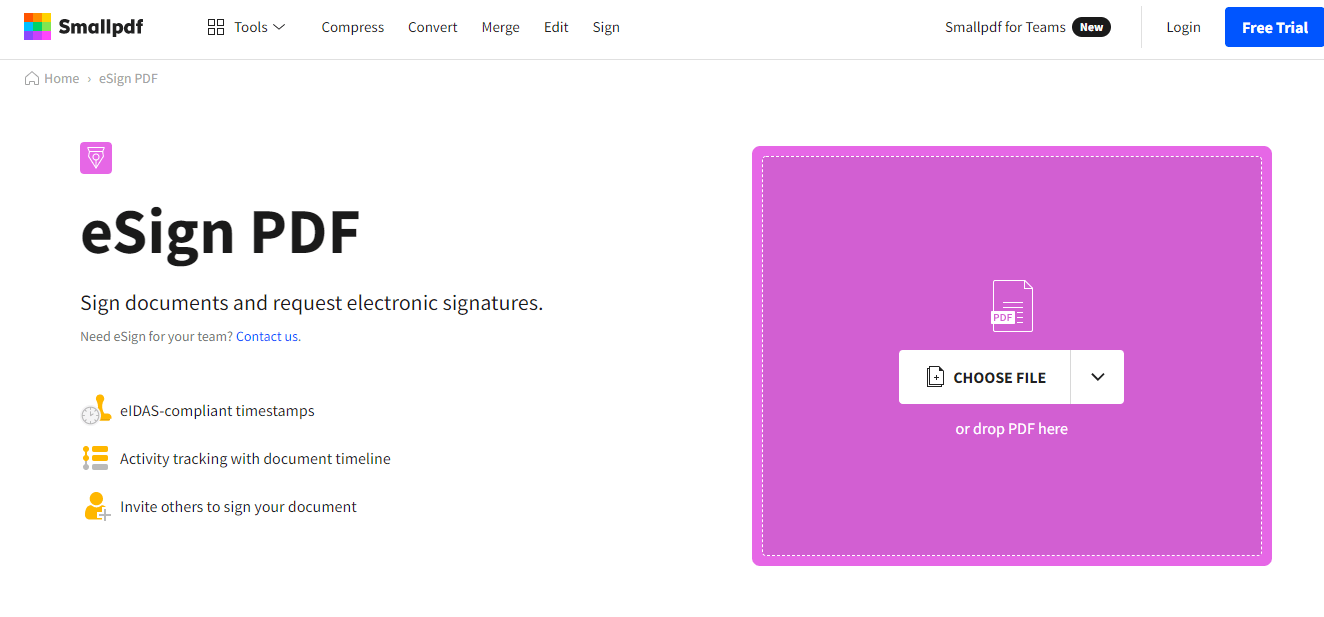
SmallPDF - PDF 파일 열기

SmallPDF - 서명 추가 및 저장
Smallpdf는 전자 서명을 만드는 최고의 무료 애플리케이션입니다. 문서를 업로드하고 서명을 추가한 뒤, 1분 내에 문서에 서명할 수 있습니다. 모든 연결 및 파일 전송은 256비트 TLS 암호화를 통해 보호됩니다. 이 군용 보안은 문서 및 온라인 서명의 개인 정보를 보장합니다.
Smallpdf E-Sign 도구는 모든 인터넷 브라우저 및 기기에서, Windows, Mac 또는 Linux에서 작동합니다. 안전을 위해 업로드된 파일은 1시간 후 서버에서 제거됩니다.
4. SodaPDF — 온라인 전자 서명 도구
SodaPDF는 무료로 PDF에 서명할 수 있도록 도와줍니다! 문서에 서명하거나 타인에게 PDF 파일을 서명하도록 비즈니스 계약을 보내는 최고의 도구 중 하나입니다. 이 도구는 안전한 전자 서명을 사용하여 어디서나 어떤 기기에서든 서명 과정을 간소화합니다.
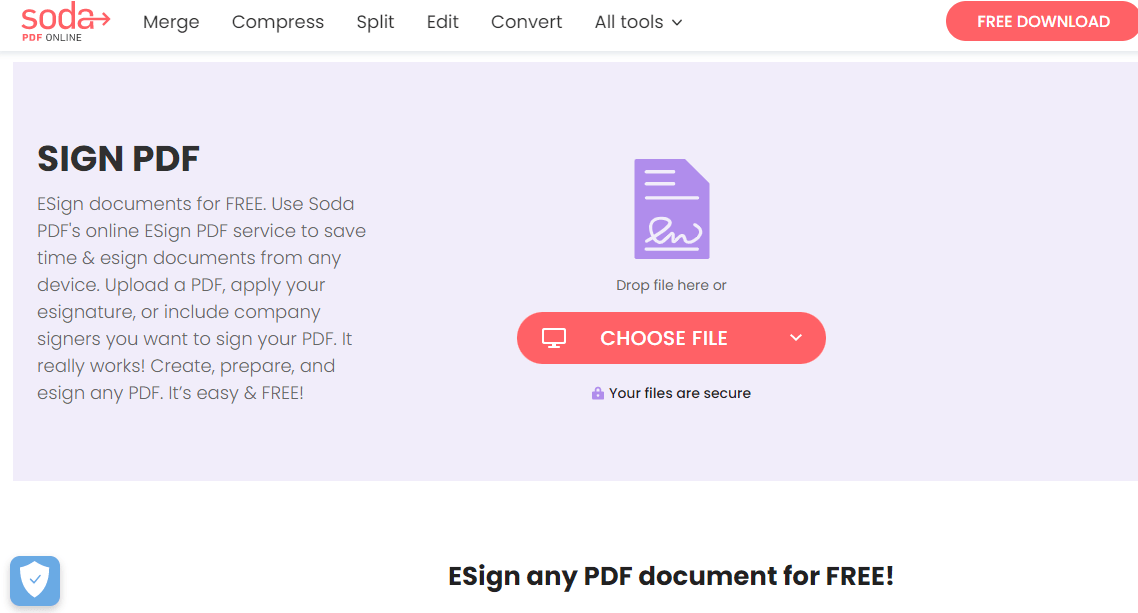
SodaPDF - PDF 파일 열기
PDF 문서에 서명하는 방법은?
- 서명할 PDF를 열거나 서명자에게 발송
- 도구 모음에서 서명자 세부 정보를 설정
- 서명 요청 발송
- 서명 후 다운로드

SodaPDF - 디지털 서명 추가
SodaPDF는 계약서, 송장 또는 다른 중요한 문서에 더 효율적이고 손쉬운 서명 방법을 제공합니다. 단 몇 초 만에 가능합니다. SodaPDF는 데스크탑 및 온라인 소프트웨어 솔루션을 포함합니다. Windows 및 Mac 모두 사용 가능합니다.
5. SignWell — 온라인 PDF 서명 앱
SignWell는 법적으로 구속력 있는 서명과 신속한 문서 서명을 위한 무료 PDF 서명 도구입니다. 문서에 서명하기 매우 쉽고 처리 시간을 절반으로 줄여줍니다.
가장 자주 사용하는 문서를 다시 사용하고 재전송할 수 있습니다. SignWell의 장점은 다음과 같습니다:
- 여러 사람이 어떤 순서로든 문서 작성 및 서명 가능
- 무료 e-서명 소프트웨어는 서명된 문서의 법적 기록을 보관할 수 있습니다.
- 프레젠테이션 공유가 쉽습니다.
- 빈 줄 자동 탐지를 통해 간편한 템플릿 및 문서 설정을 제공합니다.

SignWell - 계정 생성 및 PDF 파일 업로드
PDF 문서를 전자 서명하는 방법은?
- 문서 업로드
- 문서를 완성할 연락처 추가
- 마크업 도구 모음에서 '서명' 클릭
- 제공된 옵션 중 하나를 사용하여 '서명' 필드 작성: 텍스트 입력, 새 서명 그리기 또는 서명 사진 업로드
- 서명 아이콘 추가 후 PDF 저장 및 다운로드

SignWell - 서명된 PDF 문서
또한, SignWell은 문서의 빈 줄을 자동으로 감지하고 필드를 올바른 위치에 배치하는 데 도움을 줍니다. 이는 채워야 할 문서를 설정하는 과정을 빠르고 쉽게 만듭니다. 탐지된 빈 줄 근처에 필드를 끌어다 놓으면 나머지는 SignWell이 처리합니다.
IronPDF — C# 라이브러리를 사용하여 PDF 서명하기
IronPDF는 C#을 사용하는 데스크톱 컴퓨터의 모든 PDF 관련 작업에 완벽한 도구입니다. 개발자는 서명을 추가하고, PDF 문서를 작성하고 서명하며, PDF 양식을 암호학적으로 안전하게 만들고, 서명의 이미지를 추가할 수도 있습니다. IronPDF는 PDF 문서에 서명하는 데 필요한 모든 측면을 다룹니다.
개발자들은 IronPDF와 C#을 사용하여 프로그램적으로 PDF에 서명을 추가하는 방법을 자주 묻습니다. 보통 이것은 다양한 개발자들에게 다른 의미를 가집니다:
- 기존 PDF 파일에 이미지 파일에서 그래픽 디지털 서명 이미지를 추가합니다.
- PDF가 변조되지 않았음을 보장하기 위해 암호학적으로 서명합니다.
- PDF에 암호학적으로 서명하고, 인간이 손으로 쓴 서명 아이콘을 추가합니다.
첫 번째 방법은 기존 PDF 페이지에 서명 PNG를 스탬프합니다. 이는 회사 스탬프나 서명으로 사용될 수 있습니다. 불투명도가 지원됩니다. 전체 과정은 몇 줄의 코드만 필요합니다.
// Open an existing PDF document or create a new one
PdfDocument pdf = PdfDocument.FromFile(@"C:\Path\To\ASPX to PDF.pdf");

// Prepare a signature stamp with specified dimensions and position
var signatureStamp = new HtmlStamp()
{
    HTML = "<img src='signature.png' />",
    Width = 150,
    Height = 50,
    Bottom = 300,
    Left = 85,
    ZIndex = HtmlStamp.StampLayer.OnTopOfExistingPDFContent
};

// Apply the stamp to the first page of the PDF
pdf.StampHTML(signatureStamp, 1);

// Save the updated PDF file
pdf.SaveAs(@"C:\Path\To\ASPX to PDF.pdf");
// Open an existing PDF document or create a new one
PdfDocument pdf = PdfDocument.FromFile(@"C:\Path\To\ASPX to PDF.pdf");

// Prepare a signature stamp with specified dimensions and position
var signatureStamp = new HtmlStamp()
{
    HTML = "<img src='signature.png' />",
    Width = 150,
    Height = 50,
    Bottom = 300,
    Left = 85,
    ZIndex = HtmlStamp.StampLayer.OnTopOfExistingPDFContent
};

// Apply the stamp to the first page of the PDF
pdf.StampHTML(signatureStamp, 1);

// Save the updated PDF file
pdf.SaveAs(@"C:\Path\To\ASPX to PDF.pdf");
' Open an existing PDF document or create a new one
Dim pdf As PdfDocument = PdfDocument.FromFile("C:\Path\To\ASPX to PDF.pdf")
' Prepare a signature stamp with specified dimensions and position
Dim signatureStamp = New HtmlStamp() With {
.HTML = "<img src='signature.png' />",
.Width = 150,
.Height = 50,
.Bottom = 300,
.Left = 85,
.ZIndex = HtmlStamp.StampLayer.OnTopOfExistingPDFContent
}
' Apply the stamp to the first page of the PDF
pdf.StampHTML(signatureStamp, 1)
' Save the updated PDF file
pdf.SaveAs("C:\Path\To\ASPX to PDF.pdf")
' Open an existing PDF document or create a new one
Dim pdf As PdfDocument = PdfDocument.FromFile("C:\Path\To\ASPX to PDF.pdf")

' Prepare a signature stamp with specified dimensions and position
Dim signatureStamp = New HtmlStamp() With {
	.HTML = "<img src='signature.png' />",
	.Width = 150,
	.Height = 50,
	.Bottom = 300,
	.Left = 85,
	.ZIndex = HtmlStamp.StampLayer.OnTopOfExistingPDFContent
}

' Apply the stamp to the first page of the PDF
pdf.StampHTML(signatureStamp, 1)

' Save the updated PDF file
pdf.SaveAs("C:\Path\To\ASPX to PDF.pdf")
다음 코드는 .pfx 또는 .p12 X509Certificate2 디지털 인증서를 사용하여 암호학적으로 PDF에 서명합니다. 이는 한 줄의 코드로 쉽게 생성할 수 있습니다.
// "123456" represents the password for the signature certificate
new IronPdf.PdfSignature("CertificateFile.p12", "123456").SignPdfFile("ASPX to PDF.pdf");
// "123456" represents the password for the signature certificate
new IronPdf.PdfSignature("CertificateFile.p12", "123456").SignPdfFile("ASPX to PDF.pdf");
' "123456" represents the password for the signature certificate
Call (New IronPdf.PdfSignature("CertificateFile.p12", "123456")).SignPdfFile("ASPX to PDF.pdf")
' "123456" represents the password for the signature certificate
Call (New IronPdf.PdfSignature("CertificateFile.p12", "123456")).SignPdfFile("ASPX to PDF.pdf")
이보다 더 발전된 예는 .pfx / .p12 X509Certificate2 디지털 ID 서명 방법을 손으로 쓴 서명의 스캔과 결합할 수 있게 해줍니다.
// Create a new PDF signature using a digital certificate
var signature = new IronPdf.PdfSignature("Iron.pfx", "123456");

// Render some content to PDF
PdfDocument doc = Renderer.RenderHtmlAsPdf("<h1>Testing 2048 bit digital security</h1>");

// Optional signing options and a handwritten signature graphic
signature.SigningContact = "support@ironsoftware.com";
signature.SigningLocation = "Chicago, USA";
signature.SigningReason = "To show how to sign a PDF";

// Load and apply a signature image to the document
signature.LoadSignatureImageFromFile("handwriting.png");

// Sign the PDF with the digital certificate and signature image
doc.SignPdfWithDigitalSignature(signature);

// Save the signed PDF document
doc.SaveAs("ASPX to PDF.pdf");
// Create a new PDF signature using a digital certificate
var signature = new IronPdf.PdfSignature("Iron.pfx", "123456");

// Render some content to PDF
PdfDocument doc = Renderer.RenderHtmlAsPdf("<h1>Testing 2048 bit digital security</h1>");

// Optional signing options and a handwritten signature graphic
signature.SigningContact = "support@ironsoftware.com";
signature.SigningLocation = "Chicago, USA";
signature.SigningReason = "To show how to sign a PDF";

// Load and apply a signature image to the document
signature.LoadSignatureImageFromFile("handwriting.png");

// Sign the PDF with the digital certificate and signature image
doc.SignPdfWithDigitalSignature(signature);

// Save the signed PDF document
doc.SaveAs("ASPX to PDF.pdf");
' Create a new PDF signature using a digital certificate
Dim signature = New IronPdf.PdfSignature("Iron.pfx", "123456")
' Render some content to PDF
Dim doc As PdfDocument = Renderer.RenderHtmlAsPdf("<h1>Testing 2048 bit digital security</h1>")
' Optional signing options and a handwritten signature graphic
signature.SigningContact = "support@ironsoftware.com"
signature.SigningLocation = "Chicago, USA"
signature.SigningReason = "To show how to sign a PDF"
' Load and apply a signature image to the document
signature.LoadSignatureImageFromFile("handwriting.png")
' Sign the PDF with the digital certificate and signature image
doc.SignPdfWithDigitalSignature(signature)
' Save the signed PDF document
doc.SaveAs("ASPX to PDF.pdf")
' Create a new PDF signature using a digital certificate
Dim signature = New IronPdf.PdfSignature("Iron.pfx", "123456")

' Render some content to PDF
Dim doc As PdfDocument = Renderer.RenderHtmlAsPdf("<h1>Testing 2048 bit digital security</h1>")

' Optional signing options and a handwritten signature graphic
signature.SigningContact = "support@ironsoftware.com"
signature.SigningLocation = "Chicago, USA"
signature.SigningReason = "To show how to sign a PDF"

' Load and apply a signature image to the document
signature.LoadSignatureImageFromFile("handwriting.png")

' Sign the PDF with the digital certificate and signature image
doc.SignPdfWithDigitalSignature(signature)

' Save the signed PDF document
doc.SaveAs("ASPX to PDF.pdf")
C# 양식을 사용하여 PDF 문서를 엽니다:

PDF 파일을 열어 전자 서명

출력 - 디지털 서명된 문서