



업데이트됨 2026년 4월 21일
Java에서 참조에 의한 전달(개발자를 위한 작동 방식)
Java 프로그래밍 언어에서 매개변수 전달은 항상 값으로 전달됩니다. 객체를 다룰 때는 참조 변수가 값으로 전달됩니다.
더 읽어보기

자바 프로그래밍에서 문자열 조작은 다양한 응용 프로그램의 기본 요소입니다. 문자열을 소문자 또는 대문자와 같은 일관된 형식으로 변환하는 기능은 종종 필수적입니다. Java의 문자열 toLowerCase() 메서드는 이러한 변환을 수행하는 간단하고 효과적인 방법을 제공합니다.
이 글에서는 toLowerCase() 함수의 구문, 실제 적용 사례 및 예제를 통해 Java 개발자가 문자열 클래스 변환을 완벽하게 익힐 수 있도록 돕겠습니다.
Java의 String 클래스에 있는 toLowerCase 메서드는 문자의 대소문자 구분을 처리하는 데 유용한 도구입니다. 이 방법은 전체 문자열에 적용하든 지정된 기본 로케일에 따라 특정 문자에 적용하든 대문자 관리에 있어 유연성과 정확성을 보장합니다.
toLowerCase() 메서드는 java.lang.String 클래스의 일부이므로 모든 Java 문자열 객체에서 쉽게 사용할 수 있습니다. 구문은 간단합니다.
public String toLowerCase() // Converts all characters to lowercase이 메서드는 매개변수를 받지 않으며, 모든 문자를 소문자로 변환한 새로운 문자열을 반환합니다. 원본 문자열을 수정하지 않습니다. 대신, 문자를 소문자로 변환한 새로운 문자열을 생성합니다.
toLowerCase() 함수의 일반적인 용도 중 하나는 대소문자를 구분하지 않는 문자열 비교입니다. 두 문자열을 모두 소문자로 변환하면 개발자는 대소문자 차이에 대한 걱정 없이 정확한 비교를 할 수 있습니다.
String str = "Hello";
String str2 = "hello";
if (str.toLowerCase().equals(str2.toLowerCase())) {
    System.out.println("The strings are equal (case-insensitive).");
} else {
    System.out.println("The strings are not equal.");
}사용자 입력을 처리할 때 대소문자를 표준화하면 처리의 일관성을 보장할 수 있습니다. 예를 들어, 이메일 주소나 사용자 이름을 검증할 때 저장하거나 비교하기 전에 소문자로 변환하면 의도치 않은 불일치를 방지할 수 있습니다.
String userInput = "UsErNaMe@eXample.com";
String normalizedInput = userInput.toLowerCase();
// Store or compare normalizedInputtoLowerCase() 메서드는 특히 대소문자 구분이 중요하지 않은 경우 문자열을 검색하거나 필터링할 때 유용합니다. 예를 들어, 대소문자를 구분하지 않고 파일 이름 목록을 필터링하는 경우:
import java.util.Arrays;
import java.util.List;

List<String> filenames = Arrays.asList("Document.txt", "Image.jpg", "Data.csv");
String searchTerm = "image";
for (String filename : filenames) {
    if (filename.toLowerCase().contains(searchTerm.toLowerCase())) {
        System.out.println("Found: " + filename);
    }
}String originalString = "Hello World!";
String lowercaseString = originalString.toLowerCase();
System.out.println("Original: " + originalString);
System.out.println("Lowercase: " + lowercaseString);이 예제는 문자열 내의 모든 대문자를 소문자로 변환합니다.
Original: Hello World!
Lowercase: hello world!String input1 = "Java";
String input2 = "java";
if (input1.toLowerCase().equals(input2.toLowerCase())) {
System.out.println("The strings are equal (case-insensitive).");
} else {
System.out.println("The strings are not equal.");
}이 방법은 두 문자열을 비교하기 전에 모두 소문자로 변환하여 원래 대소문자와 관계없이 동일함을 보여줍니다.
The strings are equal (case-insensitive).String userInput = "UsErInPut";
String normalizedInput = userInput.toLowerCase();
System.out.println("Original Input: " + userInput);
System.out.println("Normalized Input: " + normalizedInput);이 예시는 입력값을 소문자로 변환하는 것이 사용자 이름이나 비밀번호를 비교할 때처럼 대소문자 표기가 일관되지 않은 문제를 해결하는 데 어떻게 도움이 되는지 보여줍니다.
Original Input: UsErInPut
Normalized Input: userinputIronPDF for Java는 PDF 문서의 생성, 조작 및 관리를 간소화하도록 설계된 강력한 Java 라이브러리입니다. IronPDF for Java에 대해 자세히 알아보세요. HTML을 PDF로 렌더링하든, 기존 파일을 변환하든, 고급 PDF 작업을 수행하든, IronPDF 프로세스를 간소화하여 다양한 분야의 개발자가 쉽게 사용할 수 있도록 지원합니다.
IronPDF 사용하면 개발자는 텍스트 추출, 이미지 삽입, 정밀한 서식 지정 등 PDF 관련 작업을 향상시키는 다양한 기능을 활용할 수 있습니다. 이 제품은 다양한 요구 사항을 충족하는 포괄적인 도구 세트를 제공하므로 PDF 처리가 필요한 Java 애플리케이션에 매우 유용한 자산입니다.
Java 프로젝트에서 IronPDF 사용하려면 프로젝트 구성 파일에 IronPDF를 종속성으로 정의해야 합니다. 다음 단계는 Maven을 사용하여 이 작업을 수행하는 방법을 보여줍니다.
pom.xml 파일에 다음 종속성을 추가하세요.
<dependencies>
    <!-- Add IronPDF Java. Use the latest version in the version tag. -->
    <dependency>
        <groupId>com.ironsoftware</groupId>
        <artifactId>ironpdf</artifactId>
        <version>20xx.xx.xxxx</version>
    </dependency>
    <!-- Adds the slf4j logger which IronPDF Java uses. -->
    <dependency>
        <groupId>org.slf4j</groupId>
        <artifactId>slf4j-simple</artifactId>
        <version>2.0.3</version>
    </dependency>
</dependencies>또는 Sonatype의 IronPDF 다운로드 페이지 에서 JAR 파일을 수동으로 다운로드할 수도 있습니다.
다음은 Java에서 IronPDF 사용하여 HTML 문자열로부터 PDF 문서를 생성하는 방법을 보여주는 간단한 예제입니다.
import com.ironsoftware.ironpdf.*;
import java.io.IOException;

public class IronPDFExample {
    public static void main(String[] args) {
    // Create a PDF document from an HTML string
        PdfDocument myPdf = PdfDocument.renderHtmlAsPdf("<h1>Hello, IronPDF!</h1>");
        try {
            // Save the PdfDocument to a file
            myPdf.saveAs("output.pdf");
            System.out.println("PDF created successfully.");
        } catch (IOException e) {
            System.err.println("Error saving PDF: " + e.getMessage());
        }
    }
}이 코드는 HTML 문자열로부터 PDF 파일을 생성합니다. 출력 결과는 PDF 생성이 성공적으로 완료되었음을 나타냅니다.
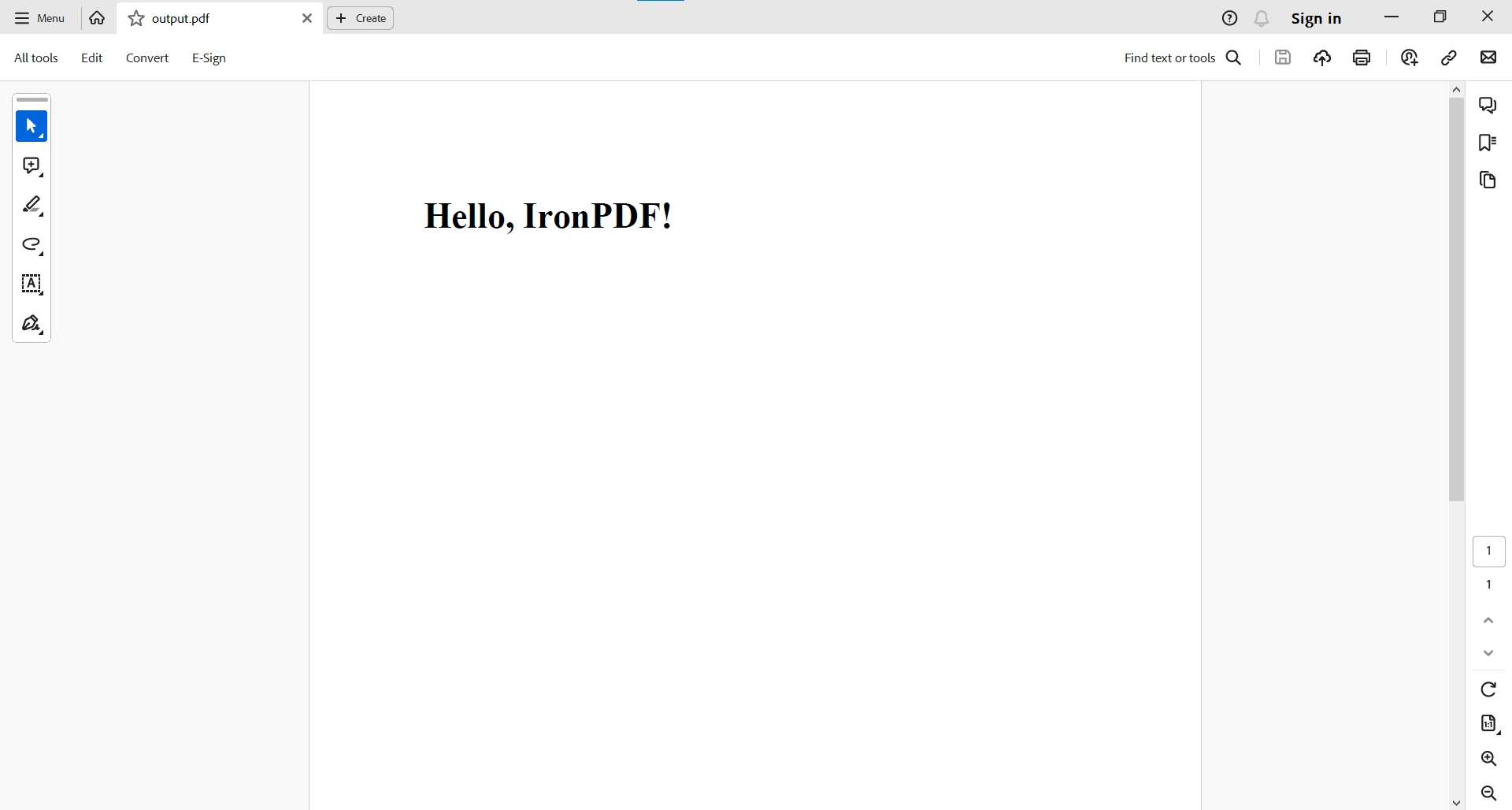
보다 복잡한 PDF 작업을 위해서는IronPDF 용 Java 예제를 참조하세요.
toLowerCase() 와 같은 문자열 연산은 많은 프로그래밍 작업의 기본이 되며, 개발자가 텍스트를 효과적으로 조작하고 표준화할 수 있도록 해줍니다. 다행인 점은 IronPDF 표준 Java 문자열 연산과 완벽하게 통합된다는 것입니다.
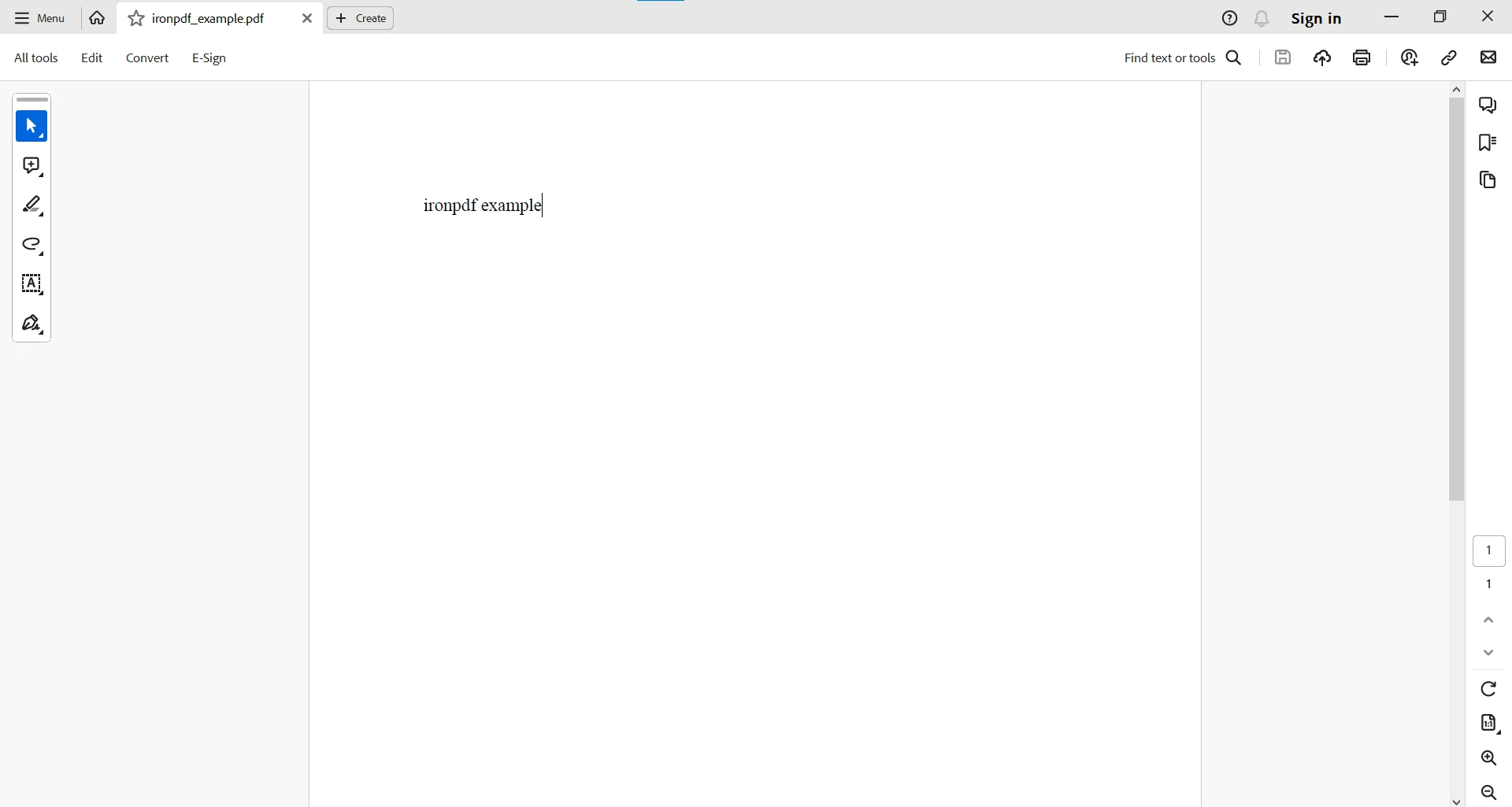
IronPDF 와 함께 toLowerCase() 함수를 사용하는 간단한 예시는 다음과 같습니다.
import com.ironsoftware.ironpdf.*;

public class IronPDFExample {
    public static void main(String[] args) {
        try {
    // Create a PDF document from HTML
            PdfDocument pdfDocument = PdfDocument.renderHtmlAsPdf("<h1>IronPDF Example</h1>");
            // Extract text from the PDF and convert to lowercase
            String extractedText = pdfDocument.extractAllText().toLowerCase();
            // Create a new PDF with the lowercase text
            PdfDocument pdf = PdfDocument.renderHtmlAsPdf(extractedText);
            // Save the newly created PDF
            pdf.saveAs("ironpdf_example.pdf");
            System.out.println("PDF processed and saved with lowercase text.");
        } catch (Exception e) {
            System.err.println("An unexpected exception occurred: " + e.getMessage());
        }
    }
}이 예제에서는 IronPDF 사용하여 HTML을 PDF로 렌더링하고, PDF에서 텍스트를 추출한 다음, toLowerCase() 를 적용하여 텍스트를 정규화합니다. 그런 다음 파일을 소문자로 다시 저장합니다. 호환성은 IronPDF PDF 관련 기능을 사용하고, toLowerCase() 를 포함한 표준 Java 문자열 연산을 워크플로에 원활하게 통합할 수 있다는 사실에 있습니다.
Java의 toLowerCase() 메서드는 문자열 변환을 위한 다용도 솔루션을 제공하여 개발자가 문자열 조작의 다양한 측면을 간소화할 수 있도록 합니다. 대소문자를 구분하지 않는 비교, 입력값 정규화, 검색 및 필터링 작업 등 어떤 용도든 toLowerCase() 함수를 숙달하면 Java 애플리케이션의 유연성과 안정성을 향상시킬 수 있습니다. 이 방법을 코딩 도구에 통합하면 더욱 효율적이고 사용자 친화적인 소프트웨어를 만들 수 있으며, 문자열 처리의 일관성을 보장하고 전반적인 사용자 경험을 개선할 수 있습니다.
IronPDF for Java는 애플리케이션에서 PDF 관련 작업을 수행하는 개발자에게 믿을 수 있는 동반자 역할을 합니다. 보시 IronPDF 는 toLowerCase() 와 같은 표준 Java 문자열 연산과 호환되므로 개발자는 PDF를 처리할 때 익숙한 기술을 적용할 수 있습니다. 이러한 상호 운용성을 통해 개발자는 Java의 문자열 조작 기능을 IronPDF 와 함께 최대한 활용하여 Java 애플리케이션에서 효율적이고 효과적인 PDF 처리를 위한 조화로운 환경을 조성할 수 있습니다.
PDF 관련 작업에 대한 자세한 내용은 IronPDF 문서를 참조하십시오.
IronPDF 는 개발 목적으로는 무료로 사용할 수 있지만, 개발자가 충분한 정보를 바탕으로 구매 결정을 내리기 전에 모든 기능을 테스트하려면 라이선스를 취득해야 합니다. Java용 IronPDF 라이브러리를 Get IronPDF 에서 다운로드하여 사용해 보세요.

커티스 차우는 칼턴 대학교에서 컴퓨터 과학 학사 학위를 취득했으며, Node.js, TypeScript, JavaScript, React를 전문으로 하는 프론트엔드 개발자입니다. 직관적이고 미적으로 뛰어난 사용자 인터페이스를 만드는 데 열정을 가진 그는 최신 프레임워크를 활용하고, 잘 구성되고 시각적으로 매력적인 매뉴얼을 제작하는 것을 즐깁니다.


IronPDF는 IRON SUITE 의 일부입니다.
10개의 .NET API 제품, 당신의 사무 문서를 위해

PDF 파일을 HTML처럼 빠르게 변환해야 할 때.

