Node.js의 템플릿에서 PDF 파일을 생성하는 방법
This Article will explore an example of how you can generate a PDF document from an HTML template using a PDF library named IronPDF for Node.js.
What Is IronPDF for Node.js
IronPDF for Node.js is a powerful and versatile tool that seamlessly integrates with Node.js, allowing developers to effortlessly generate, manipulate, and manage PDF documents within their applications. With its comprehensive set of features and an intuitive API, IronPDF enables developers to streamline their various PDF creation-related tasks, from creating visually appealing documents to adding interactive elements, all while maintaining a high level of control and customization. Whether it's generating reports, invoices, or other vital documentation, IronPDF for Node.js offers a reliable and efficient solution to meet a variety of PDF page generation needs in a seamless and developer-friendly manner.
IronPDF Features
- PDF Generation from HTML/CSS: Create PDF documents from HTML and CSS sources. This allows you to convert web pages or HTML templates into PDF format.
- PDF Manipulation and Editing: Edit and modify existing PDFs by adding, removing, or updating text, images, annotations, and other elements within the PDF file.
- Merging and Splitting PDFs: Combine multiple PDF documents into one (merge) or split a single PDF into multiple smaller PDFs.
- Printing and Forms Handling: Control printing settings and handle interactive forms within PDFs, including form submissions and validation.
- Security and Encryption: Implement security measures like password protection, encryption, access control, and digital signatures to protect the PDF documents.
- Text Extraction: Extract text and data from PDFs, allowing you to use the content in other applications or for data analysis.
- Customization: Customize the appearance and layout of PDF documents, including page size, fonts, colors, headers, footers, and other design elements.
- Cross-Platform Compatibility: Ensure that the library is compatible with Node.js on different operating systems, making it versatile for developers working on various platforms.
Installing IronPDF for Node.js
This section will cover how to install IronPDF for Node.js and set up a Node.js project.
Before beginning, ensure that Node.js is installed on your system.
Open the Command Prompt (CMD) and initiate a new Node.js project using the following commands:
mkdir IronPDF # Create a new directory for the project. cd IronPDF # Navigate to the newly created directory. npm init -y # Create a package.json file to store project-related metadata and dependencies.mkdir IronPDF # Create a new directory for the project. cd IronPDF # Navigate to the newly created directory. npm init -y # Create a package.json file to store project-related metadata and dependencies.SHELL
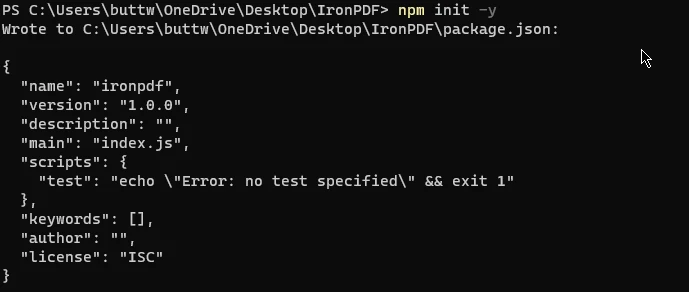
Open the Command Prompt (CMD) and execute the commandOnce the initial setup is complete, install IronPDF using the following command:
npm install @ironsoftware/ironpdfnpm install @ironsoftware/ironpdfSHELL- Open the project in Visual Studio Code and create a new file named "index.js".
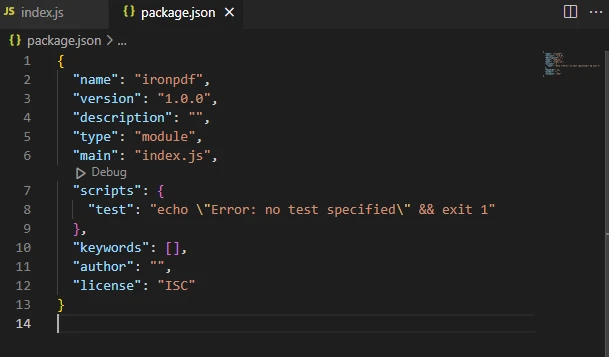
Open the package.json file and add the following line under "type" to enable module usage:
"type": "module",
The sample package.json file
With these steps, IronPDF for Node.js is successfully installed, and the environment is set up for running IronPDF code.
Create PDF from HTML Template Using IronPDF for Node.js
IronPDF for Node.js offers a feature that allows users to create PDFs from either an HTML template or an HTML page. This functionality enables users to populate these templates with inputs provided by the user.
The code provided below will demonstrate how to generate and write a PDF document using an HTML template.
import { PdfDocument } from "@ironsoftware/ironpdf";
import readline from 'readline';
// Function to generate a PDF document based on user input and an HTML template
const generatePdf = async (userInput, fileName) => {
// HTML template with placeholders for dynamic content
const htmlTemplate = `
<!DOCTYPE html>
<html>
<body>
<h1>${userInput.title}</h1>
<p>User's name: ${userInput.userName}</p>
<p>User's email: ${userInput.userEmail}</p>
</body>
</html>
`;
// Create a PDF from the modified HTML template
const pdf = await PdfDocument.fromHtml(htmlTemplate);
// Save the PDF document under the specified file name
await pdf.saveAs(fileName);
console.log(`PDF saved as ${fileName}`);
};
// Create an interface for reading data from the terminal
const rl = readline.createInterface({
input: process.stdin,
output: process.stdout
});
// Collect user input for the PDF document
rl.question('Enter title: ', (title) => {
rl.question('Enter user name: ', (userName) => {
rl.question('Enter user email: ', async (userEmail) => {
// Store user-provided data in an object
const userInput = {
title,
userName,
userEmail
};
// Generate the PDF using the user input
await generatePdf(userInput, "output.pdf");
// Close the readline interface
rl.close();
});
});
});import { PdfDocument } from "@ironsoftware/ironpdf";
import readline from 'readline';
// Function to generate a PDF document based on user input and an HTML template
const generatePdf = async (userInput, fileName) => {
// HTML template with placeholders for dynamic content
const htmlTemplate = `
<!DOCTYPE html>
<html>
<body>
<h1>${userInput.title}</h1>
<p>User's name: ${userInput.userName}</p>
<p>User's email: ${userInput.userEmail}</p>
</body>
</html>
`;
// Create a PDF from the modified HTML template
const pdf = await PdfDocument.fromHtml(htmlTemplate);
// Save the PDF document under the specified file name
await pdf.saveAs(fileName);
console.log(`PDF saved as ${fileName}`);
};
// Create an interface for reading data from the terminal
const rl = readline.createInterface({
input: process.stdin,
output: process.stdout
});
// Collect user input for the PDF document
rl.question('Enter title: ', (title) => {
rl.question('Enter user name: ', (userName) => {
rl.question('Enter user email: ', async (userEmail) => {
// Store user-provided data in an object
const userInput = {
title,
userName,
userEmail
};
// Generate the PDF using the user input
await generatePdf(userInput, "output.pdf");
// Close the readline interface
rl.close();
});
});
});The above code example defines a JavaScript program that takes user input for a title, user name, and user email through the command line using the readline module. The generatePdf() method is defined to create a PDF document using a provided HTML template and save it with the given file name. The HTML template includes placeholders for the title, user name, and user email, which are filled in with the user-provided data. The PdfDocument class from the @ironsoftware/ironpdf package is used to create the PDF from the HTML template. After generating the PDF, it is saved with the specified file name and a message confirming the save is logged to the console.
The readline module is used to prompt the user for relevant data as input, asking for the title, username, and user email in a sequence of questions. The user's responses to these prompts are collected and stored in an object called userInput. The generatePdf() method is then called with this user input and a default file name "output.pdf" to create and save or download the PDF document based on the provided data. Finally, the readline interface is closed, ending the program.
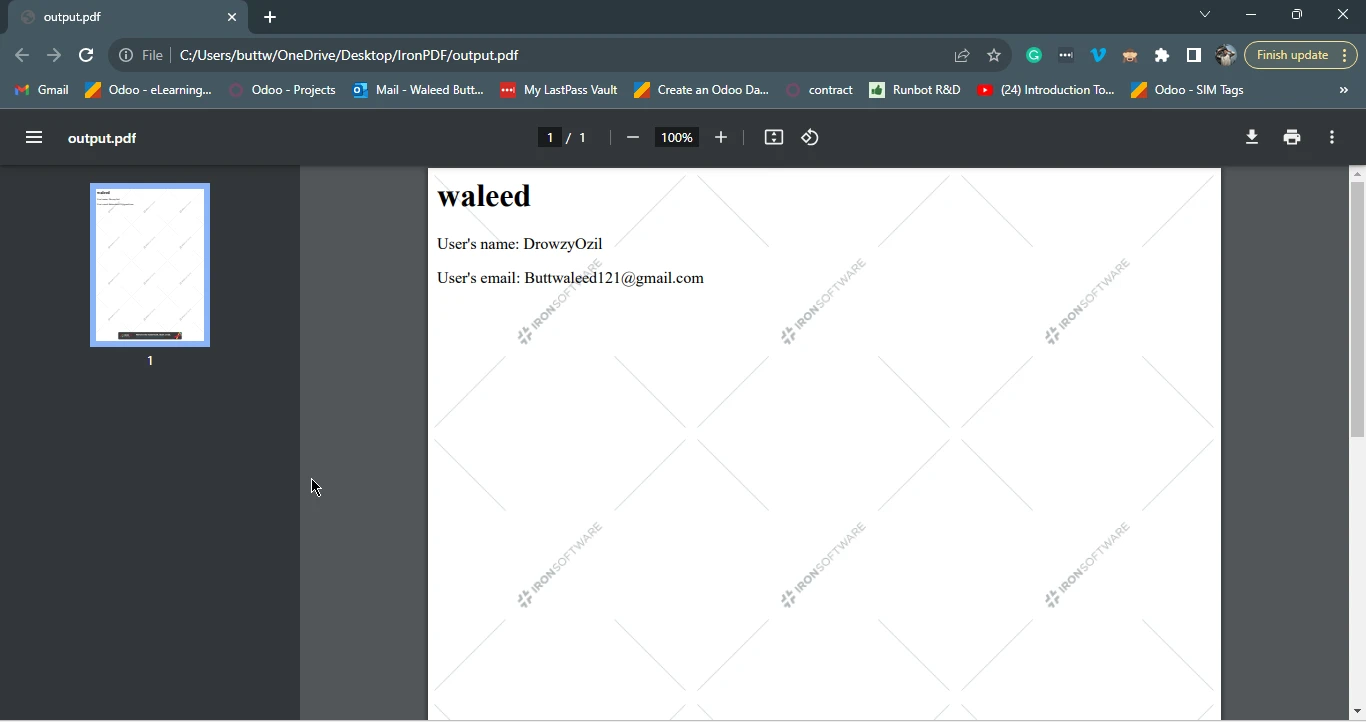
PDF Generation Test#1
The Console output
The output.pdf
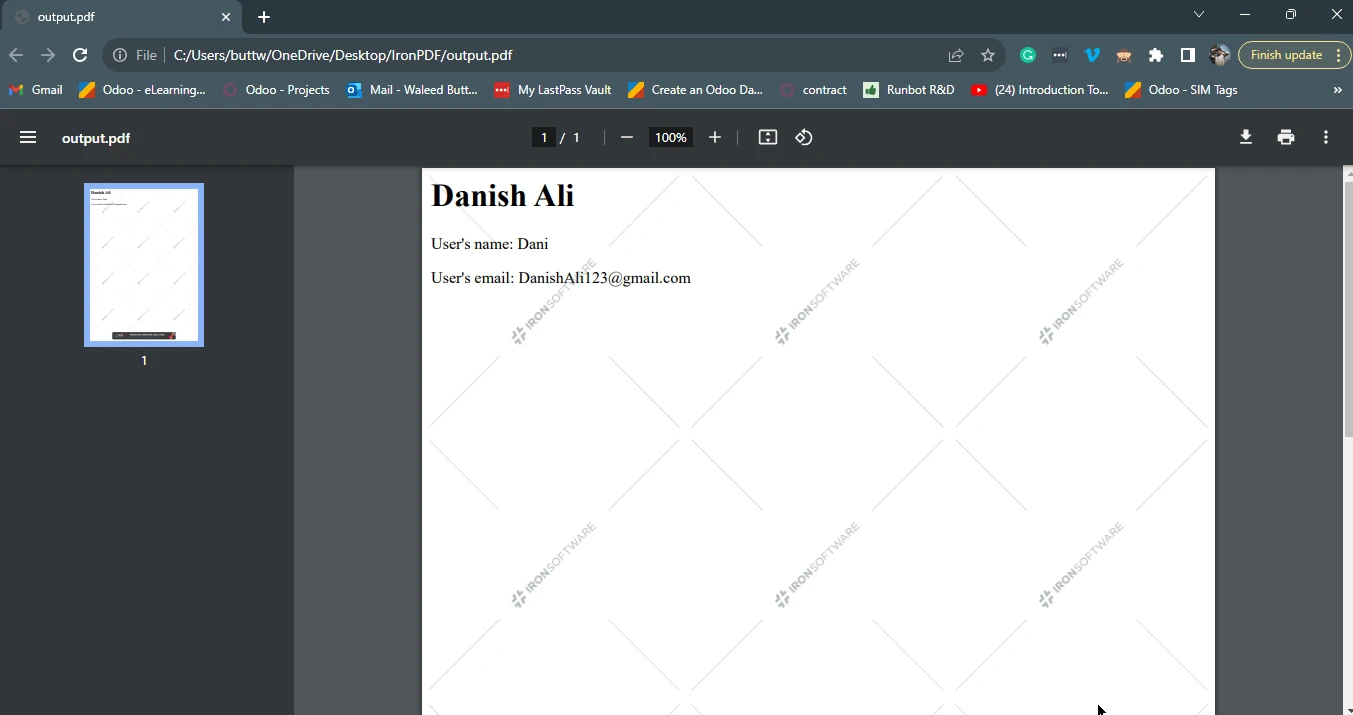
PDF Generation Test#2
The Console output
The output.pdf file
Conclusion
This tutorial unveiled the process of utilizing Node.js to effortlessly generate PDFs by merging dynamic data with predefined templates, highlighting the pivotal role of IronPDF.
IronPDF for Node.js seamlessly integrates with Node.js, empowering developers to create, manipulate, and manage PDF documents effectively, presenting a comprehensive set of features like PDF generation from HTML/CSS, editing existing PDF files, merging/splitting them, handling forms, ensuring security, enabling text extraction, and customization.
The step-by-step installation process and practical example demonstrated how to implement IronPDF effectively within a Node.js project. By seamlessly integrating template-based PDF generation, developers can efficiently cater to various document generation needs, making Node.js and IronPDF a potent combination for streamlined and developer-friendly PDF generation. This same technique can be used for generating invoices dynamically on the go.
You can install IronPDF for Node.js and find the code examples at the following npm webpage.
IronPDF offers a free trial license, so users can try out all the features offered by IronPDF before purchasing. For more information, please visit the IronPDF licensing page.
자주 묻는 질문
Node.js의 HTML 템플릿에서 PDF를 생성하려면 어떻게 해야 하나요?
IronPDF를 사용하여 Node.js의 HTML 템플릿에서 PDF를 생성할 수 있습니다. PdfDocument 클래스를 활용하면 HTML 템플릿을 동적 데이터로 채우고 이를 PDF 파일로 변환할 수 있습니다.
Node.js 환경에서 IronPDF를 설치하려면 어떤 단계가 필요하나요?
Node.js 환경에서 IronPDF를 설치하려면 먼저 Node.js가 설치되어 있는지 확인한 다음 npm을 사용하여 새 프로젝트를 시작하고 npm install @ironsoftware/ironpdf를 실행하여 프로젝트에 IronPDF를 추가하세요.
IronPDF는 Node.js 개발자를 위해 어떤 기능을 제공하나요?
IronPDF는 HTML/CSS에서 PDF 생성, PDF 편집, 문서 병합 및 분할, 양식 처리, 텍스트 추출, 보안 및 암호화, 사용자 지정 옵션과 같은 기능을 제공합니다.
IronPDF는 Node.js 애플리케이션에서 PDF 문서 생성을 어떻게 향상시키나요?
IronPDF는 개발자가 PDF를 쉽게 생성, 조작 및 관리할 수 있는 강력한 API를 제공하여 Node.js 애플리케이션에서 PDF 문서 생성을 향상시킵니다. 여기에는 HTML 템플릿에서 송장과 같은 동적 문서 생성이 포함됩니다.
IronPDF는 여러 운영 체제에서 사용할 수 있나요?
예, IronPDF는 다양한 운영 체제와 호환되므로 여러 플랫폼에서 작업하는 개발자에게 유연성을 제공합니다.
PDF 생성 예제에서 '읽기줄' 모듈의 목적은 무엇인가요?
예제 코드의 'readline' 모듈은 제목 및 사용자 이름과 같은 사용자 입력을 수집하는 데 사용되며, 이 모듈은 PDF 생성을 위한 HTML 템플릿을 채우는 데 활용됩니다.
IronPDF의 기능을 테스트할 수 있는 무료 평가판이 있나요?
IronPDF는 사용자가 구매하기 전에 기능과 기능을 살펴볼 수 있는 무료 평가판 라이선스를 제공합니다.
IronPDF는 PDF 보안 및 암호화를 어떻게 처리하나요?
IronPDF는 PDF에 보안 및 암호화를 추가하는 기능을 제공하여 문서를 보호하고 요구 사항에 따라 액세스를 제어할 수 있도록 합니다.