


Octokit .NET (Como funciona para desenvolvedores)

Introdução ao Octokit .NET
Configurando o Octokit .NET em projetos .NET
Para começar a usar o Octokit .NET em seus projetos, primeiro você precisa instalar o pacote. Você pode adicioná-lo via NuGet, que é o método mais fácil. No Visual Studio, você pode usar o Gerenciador de Pacotes NuGet . Procure por Octokit e instale-o no seu projeto.
Exemplo de código básico: acessando informações de usuário do GitHub
Aqui está um exemplo simples de como usar o Octokit .NET para recuperar informações sobre um usuário do GitHub . Este exemplo pressupõe que você já configurou seu projeto com o Octokit .NET.
using Octokit;
using System;
using System.Threading.Tasks;

class Program
{
    static async Task Main(string[] args)
    {
        // Create a new instance of the GitHubClient class with your application name
        var client = new GitHubClient(new ProductHeaderValue("YourAppName"));

        // Retrieve user information for the specified GitHub username
        var user = await client.User.Get("octocat");

        // Output the user's name to the console
        Console.WriteLine("User Name: " + user.Name);
    }
}
using Octokit;
using System;
using System.Threading.Tasks;
class Program
{
static async Task Main(string[] args)
{
// Create a new instance of the GitHubClient class with your application name
var client = new GitHubClient(new ProductHeaderValue("YourAppName"));
// Retrieve user information for the specified GitHub username
var user = await client.User.Get("octocat");
// Output the user's name to the console
Console.WriteLine("User Name: " + user.Name);
}
}Imports Octokit
Imports System
Imports System.Threading.Tasks
Friend Class Program
Shared Async Function Main(ByVal args() As String) As Task
' Create a new instance of the GitHubClient class with your application name
Dim client = New GitHubClient(New ProductHeaderValue("YourAppName"))
' Retrieve user information for the specified GitHub username
Dim user = Await client.User.Get("octocat")
' Output the user's name to the console
Console.WriteLine("User Name: " & user.Name)
End Function
End ClassEste trecho de código cria um novo cliente GitHub e recupera informações para um usuário específico, octocat. Em seguida, imprime o nome do usuário no console. Note que isso demonstra o acesso à API do GitHub sem autenticação para informações públicas do usuário.
Implementar funcionalidades do Octokit .NET
Pesquisando repositórios
Você pode pesquisar repositórios do GitHub por critérios usando o Octokit .NET. Eis como realizar uma pesquisa:
using Octokit;
using System;
using System.Threading.Tasks;

class Program
{
    static async Task Main(string[] args)
    {
        var client = new GitHubClient(new ProductHeaderValue("YourAppName"));

        // Define search criteria: topic 'machine learning' and language 'C#'
        var searchRepositoriesRequest = new SearchRepositoriesRequest("machine learning")
        {
            Language = Language.CSharp
        };

        // Execute the search and retrieve the results
        var result = await client.Search.SearchRepo(searchRepositoriesRequest);

        // Iterate and print each repository's full name
        foreach (var repo in result.Items)
        {
            Console.WriteLine(repo.FullName);
        }
    }
}
using Octokit;
using System;
using System.Threading.Tasks;
class Program
{
static async Task Main(string[] args)
{
var client = new GitHubClient(new ProductHeaderValue("YourAppName"));
// Define search criteria: topic 'machine learning' and language 'C#'
var searchRepositoriesRequest = new SearchRepositoriesRequest("machine learning")
{
Language = Language.CSharp
};
// Execute the search and retrieve the results
var result = await client.Search.SearchRepo(searchRepositoriesRequest);
// Iterate and print each repository's full name
foreach (var repo in result.Items)
{
Console.WriteLine(repo.FullName);
}
}
}Imports Octokit
Imports System
Imports System.Threading.Tasks
Friend Class Program
Shared Async Function Main(ByVal args() As String) As Task
Dim client = New GitHubClient(New ProductHeaderValue("YourAppName"))
' Define search criteria: topic 'machine learning' and language 'C#'
Dim searchRepositoriesRequest As New SearchRepositoriesRequest("machine learning") With {.Language = Language.CSharp}
' Execute the search and retrieve the results
Dim result = Await client.Search.SearchRepo(searchRepositoriesRequest)
' Iterate and print each repository's full name
For Each repo In result.Items
Console.WriteLine(repo.FullName)
Next repo
End Function
End ClassEste código busca repositórios relacionados a "aprendizado de máquina" escritos em C#. Ele exibe os nomes completos dos repositórios.
Gerenciando repositórios bifurcados
Para gerenciar repositórios bifurcados, você pode listar e criar bifurcações. Eis como listar os forks de um repositório:
using Octokit;
using System;
using System.Threading.Tasks;

class Program
{
    static async Task Main(string[] args)
    {
        var client = new GitHubClient(new ProductHeaderValue("YourAppName"));

        // List all forks for the 'Hello-World' repository owned by 'octocat'
        var forks = await client.Repository.Forks.GetAll("octocat", "Hello-World");

        // Print each fork's ID and owner login
        foreach (var fork in forks)
        {
            Console.WriteLine("Fork ID: " + fork.Id + " - Owner: " + fork.Owner.Login);
        }
    }
}
using Octokit;
using System;
using System.Threading.Tasks;
class Program
{
static async Task Main(string[] args)
{
var client = new GitHubClient(new ProductHeaderValue("YourAppName"));
// List all forks for the 'Hello-World' repository owned by 'octocat'
var forks = await client.Repository.Forks.GetAll("octocat", "Hello-World");
// Print each fork's ID and owner login
foreach (var fork in forks)
{
Console.WriteLine("Fork ID: " + fork.Id + " - Owner: " + fork.Owner.Login);
}
}
}Imports Octokit
Imports System
Imports System.Threading.Tasks
Friend Class Program
Shared Async Function Main(ByVal args() As String) As Task
Dim client = New GitHubClient(New ProductHeaderValue("YourAppName"))
' List all forks for the 'Hello-World' repository owned by 'octocat'
Dim forks = Await client.Repository.Forks.GetAll("octocat", "Hello-World")
' Print each fork's ID and owner login
For Each fork In forks
Console.WriteLine("Fork ID: " & fork.Id & " - Owner: " & fork.Owner.Login)
Next fork
End Function
End ClassEste exemplo lista todos os forks do repositório "Hello-World" de propriedade de octocat.
Limites de taxa de manuseio
Compreender e lidar com os limites de taxa é crucial ao interagir com a API do GitHub . O Octokit .NET fornece ferramentas para verificar seus limites de taxa:
using Octokit;
using System;
using System.Threading.Tasks;

class Program
{
    static async Task Main(string[] args)
    {
        var client = new GitHubClient(new ProductHeaderValue("YourAppName"));

        // Retrieve the current rate limits for your GitHub API usage
        var rateLimit = await client.Miscellaneous.GetRateLimits();

        // Display the core API usage limit information
        Console.WriteLine("Core Limit: " + rateLimit.Resources.Core.Limit);
    }
}
using Octokit;
using System;
using System.Threading.Tasks;
class Program
{
static async Task Main(string[] args)
{
var client = new GitHubClient(new ProductHeaderValue("YourAppName"));
// Retrieve the current rate limits for your GitHub API usage
var rateLimit = await client.Miscellaneous.GetRateLimits();
// Display the core API usage limit information
Console.WriteLine("Core Limit: " + rateLimit.Resources.Core.Limit);
}
}Imports Octokit
Imports System
Imports System.Threading.Tasks
Friend Class Program
Shared Async Function Main(ByVal args() As String) As Task
Dim client = New GitHubClient(New ProductHeaderValue("YourAppName"))
' Retrieve the current rate limits for your GitHub API usage
Dim rateLimit = Await client.Miscellaneous.GetRateLimits()
' Display the core API usage limit information
Console.WriteLine("Core Limit: " & rateLimit.Resources.Core.Limit)
End Function
End ClassEste trecho de código verifica e exibe o limite principal de uso da API do GitHub , ajudando você a gerenciar as solicitações sem exceder os limites de taxa.
Suporte a extensões reativas
O Octokit .NET oferece suporte a extensões reativas (Rx) para programação reativa. Eis um exemplo básico:
using Octokit.Reactive;
using System;

class ReactiveExample
{
    static void Main(string[] args)
    {
        var client = new ObservableGitHubClient(new ProductHeaderValue("YourAppName"));

        // Subscribe to retrieve user information and handle data/error reactively
        var subscription = client.User.Get("octocat").Subscribe(
            user => Console.WriteLine("User Name: " + user.Name),
            error => Console.WriteLine("Error: " + error.Message)
        );

        // Unsubscribe when done to avoid memory leaks
        subscription.Dispose();
    }
}
using Octokit.Reactive;
using System;
class ReactiveExample
{
static void Main(string[] args)
{
var client = new ObservableGitHubClient(new ProductHeaderValue("YourAppName"));
// Subscribe to retrieve user information and handle data/error reactively
var subscription = client.User.Get("octocat").Subscribe(
user => Console.WriteLine("User Name: " + user.Name),
error => Console.WriteLine("Error: " + error.Message)
);
// Unsubscribe when done to avoid memory leaks
subscription.Dispose();
}
}Imports Octokit.Reactive
Imports System
Friend Class ReactiveExample
Shared Sub Main(ByVal args() As String)
Dim client = New ObservableGitHubClient(New ProductHeaderValue("YourAppName"))
' Subscribe to retrieve user information and handle data/error reactively
Dim subscription = client.User.Get("octocat").Subscribe(Sub(user) Console.WriteLine("User Name: " & user.Name), Sub([error]) Console.WriteLine("Error: " & [error].Message))
' Unsubscribe when done to avoid memory leaks
subscription.Dispose()
End Sub
End ClassEste exemplo demonstra como recuperar informações do usuário de forma assíncrona e processá-las de forma reativa.
Trabalhando com Tags
Para trabalhar com tags Git através do Octokit .NET, você pode recuperar tags de um repositório:
using Octokit;
using System;
using System.Threading.Tasks;

class Program
{
    static async Task Main(string[] args)
    {
        var client = new GitHubClient(new ProductHeaderValue("YourAppName"));

        // Retrieve all tags for the 'Hello-World' repository owned by 'octocat'
        var tags = await client.Repository.GetAllTags("octocat", "Hello-World");

        // Print each tag's name
        foreach (var tag in tags)
        {
            Console.WriteLine("Tag Name: " + tag.Name);
        }
    }
}
using Octokit;
using System;
using System.Threading.Tasks;
class Program
{
static async Task Main(string[] args)
{
var client = new GitHubClient(new ProductHeaderValue("YourAppName"));
// Retrieve all tags for the 'Hello-World' repository owned by 'octocat'
var tags = await client.Repository.GetAllTags("octocat", "Hello-World");
// Print each tag's name
foreach (var tag in tags)
{
Console.WriteLine("Tag Name: " + tag.Name);
}
}
}Imports Octokit
Imports System
Imports System.Threading.Tasks
Friend Class Program
Shared Async Function Main(ByVal args() As String) As Task
Dim client = New GitHubClient(New ProductHeaderValue("YourAppName"))
' Retrieve all tags for the 'Hello-World' repository owned by 'octocat'
Dim tags = Await client.Repository.GetAllTags("octocat", "Hello-World")
' Print each tag's name
For Each tag In tags
Console.WriteLine("Tag Name: " & tag.Name)
Next tag
End Function
End ClassEste código lista todas as tags para o repositório "Hello-World" de propriedade de octocat.
Integrando o Octokit .NET com o IronPDF
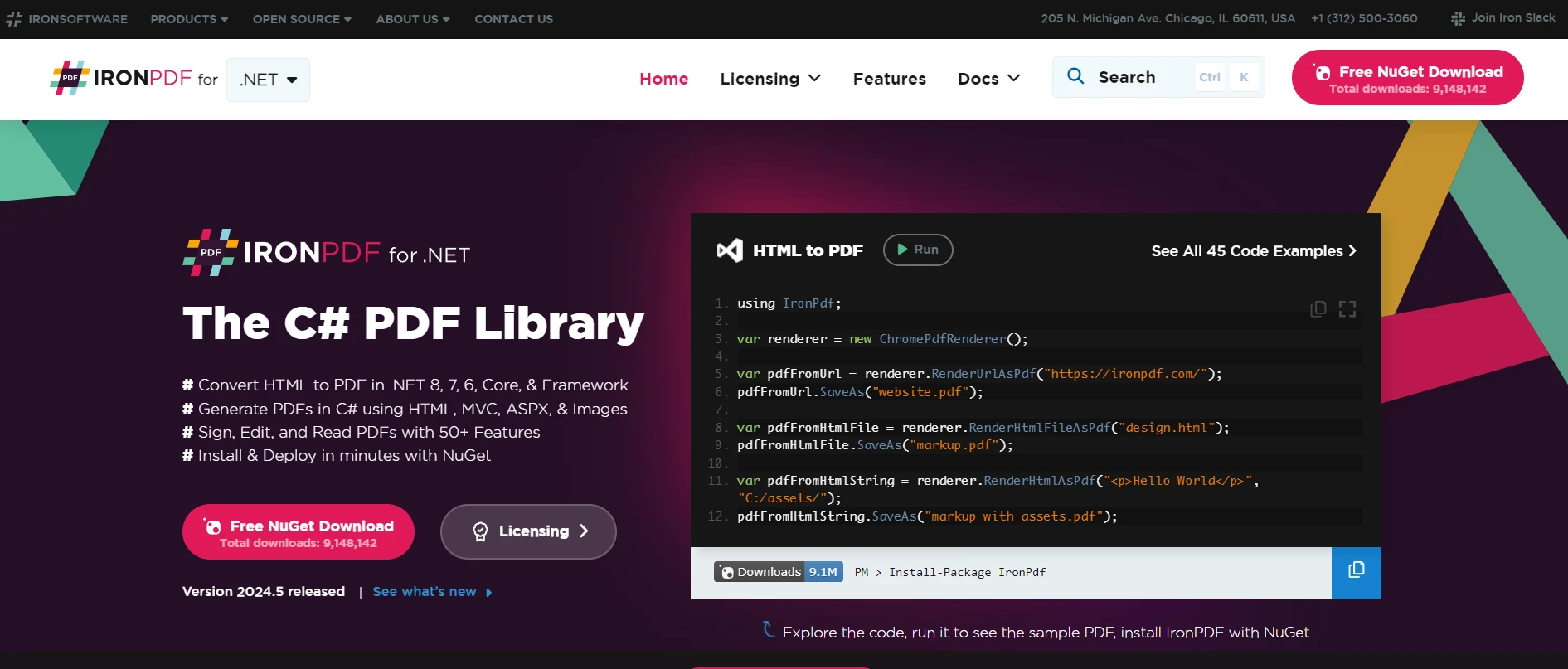
IronPDF é uma biblioteca .NET popular que permite aos desenvolvedores criar, manipular e renderizar PDFs diretamente em aplicativos C# e .NET . É uma ferramenta poderosa para gerar relatórios em PDF a partir de HTML, faturas ou qualquer documento que precise de um formato de layout fixo. Quando combinado com o Octokit .NET, que interage com a API do GitHub, o potencial para automatizar processos de documentação, especialmente envolvendo repositórios de código, aumenta significativamente.
Explore a biblioteca IronPDF
Para saber mais sobre o IronPDF e suas funcionalidades, visite o site oficial do IronPDF . O site deles oferece recursos e documentação abrangentes para apoiar seu processo de desenvolvimento.
Caso de uso da integração do IronPDF com o Octokit .NET
Um caso de uso prático para a integração do IronPDF com o Octokit .NET é a geração automática de um relatório em PDF da documentação de um projeto armazenada em um repositório do GitHub . Por exemplo, você pode obter todos os arquivos Markdown de um repositório específico, convertê-los em um documento PDF e, em seguida, distribuir esse documento entre as partes interessadas ou clientes que prefiram uma versão compilada da documentação ou das notas de versão.
Exemplo de código de caso de uso
Vamos criar uma aplicação simples que demonstre essa integração. O aplicativo executará as seguintes tarefas:
- Autentique-se e conecte-se ao GitHub usando o Octokit .NET.
- Obter arquivos de um repositório específico.
- Converta esses arquivos de Markdown para PDF usando o IronPDF.
- Salve o PDF no computador local.
Eis como você poderia escrever isso em C#:
using Octokit;
using IronPdf;
using System;
using System.Threading.Tasks;
using System.Linq;

class Program
{
    static async Task Main(string[] args)
    {
        // GitHub client setup
        var client = new GitHubClient(new ProductHeaderValue("YourAppName"));
        var tokenAuth = new Credentials("your_github_token"); // Replace with your GitHub token
        client.Credentials = tokenAuth;

        // Repository details
        var owner = "repository_owner";
        var repo = "repository_name";

        // Fetch repository content
        var contents = await client.Repository.Content.GetAllContents(owner, repo);

        // Initialize the PDF builder
        var pdf = new ChromePdfRenderer();

        // Convert each markdown file to PDF
        foreach (var content in contents.Where(c => c.Name.EndsWith(".md")))
        {
            pdf.RenderHtmlAsPdf(content.Content).SaveAs($"{content.Name}.pdf");
            Console.WriteLine($"Created PDF for: {content.Name}");
        }
    }
}
using Octokit;
using IronPdf;
using System;
using System.Threading.Tasks;
using System.Linq;
class Program
{
static async Task Main(string[] args)
{
// GitHub client setup
var client = new GitHubClient(new ProductHeaderValue("YourAppName"));
var tokenAuth = new Credentials("your_github_token"); // Replace with your GitHub token
client.Credentials = tokenAuth;
// Repository details
var owner = "repository_owner";
var repo = "repository_name";
// Fetch repository content
var contents = await client.Repository.Content.GetAllContents(owner, repo);
// Initialize the PDF builder
var pdf = new ChromePdfRenderer();
// Convert each markdown file to PDF
foreach (var content in contents.Where(c => c.Name.EndsWith(".md")))
{
pdf.RenderHtmlAsPdf(content.Content).SaveAs($"{content.Name}.pdf");
Console.WriteLine($"Created PDF for: {content.Name}");
}
}
}Imports Octokit
Imports IronPdf
Imports System
Imports System.Threading.Tasks
Imports System.Linq
Friend Class Program
Shared Async Function Main(ByVal args() As String) As Task
' GitHub client setup
Dim client = New GitHubClient(New ProductHeaderValue("YourAppName"))
Dim tokenAuth = New Credentials("your_github_token") ' Replace with your GitHub token
client.Credentials = tokenAuth
' Repository details
Dim owner = "repository_owner"
Dim repo = "repository_name"
' Fetch repository content
Dim contents = Await client.Repository.Content.GetAllContents(owner, repo)
' Initialize the PDF builder
Dim pdf = New ChromePdfRenderer()
' Convert each markdown file to PDF
For Each content In contents.Where(Function(c) c.Name.EndsWith(".md"))
pdf.RenderHtmlAsPdf(content.Content).SaveAs($"{content.Name}.pdf")
Console.WriteLine($"Created PDF for: {content.Name}")
Next content
End Function
End ClassNeste exemplo, após configurar o cliente GitHub e especificar suas credenciais, você busca conteúdo de um repositório. Para cada arquivo Markdown no repositório, o IronPDF converte o conteúdo em um arquivo PDF, que é então salvo localmente. Este fluxo de trabalho simples, porém eficaz, pode ser expandido para incluir filtragem mais complexa, formatação ou até mesmo processamento em lote de arquivos para repositórios maiores.
Conclusão
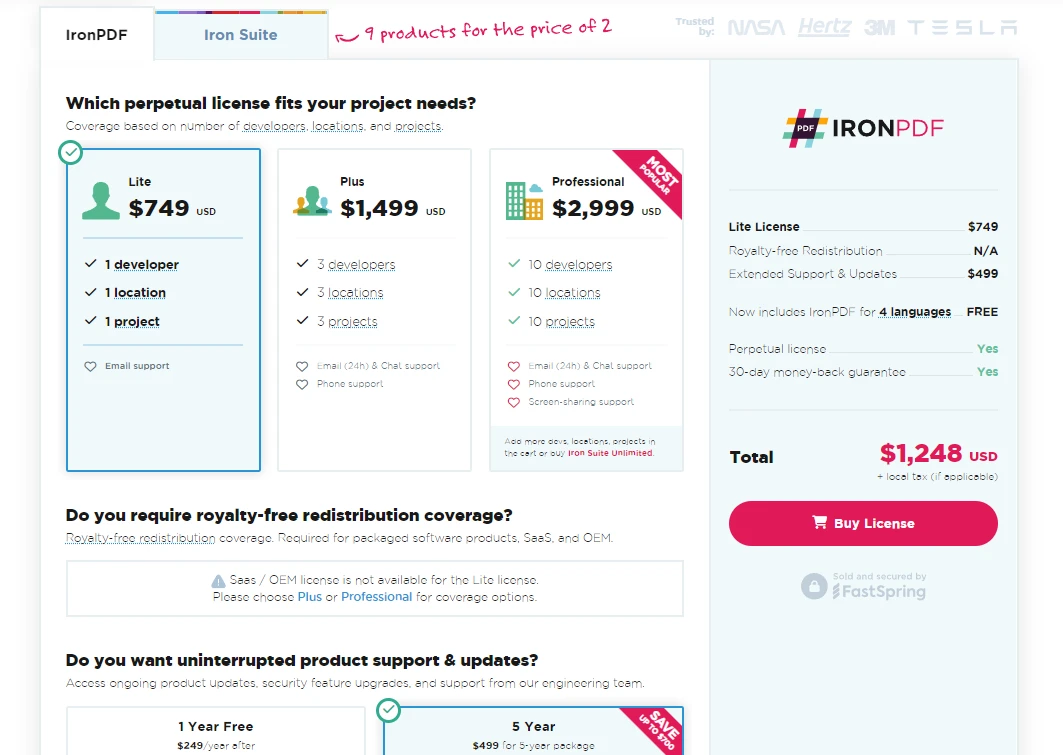
A integração do Octokit .NET com o IronPDF oferece uma abordagem perfeita para automatizar e otimizar os fluxos de trabalho de documentos em seus projetos do GitHub . Ao utilizar essas ferramentas, você pode aumentar a eficiência no gerenciamento de documentos, tornando-os facilmente acessíveis em formatos que atendam a diversas necessidades profissionais. O IronPDF, em particular, oferece uma plataforma robusta para manipulação de PDFs, e vale ressaltar que eles oferecem versões de avaliação gratuitas para você começar. Caso você decida implementá-lo no seu projeto, o licenciamento começa a partir de $999.
Para obter mais informações sobre os produtos oferecidos pela Iron Software, incluindo o IronPDF e outras bibliotecas como IronBarcode, IronOCR, IronWebScraper e muito mais, visite a página de Bibliotecas de Produtos da Iron Software .
Perguntas frequentes
Como posso integrar o Octokit.NET com ferramentas de geração de PDF?
Você pode integrar o Octokit.NET com bibliotecas como o IronPDF para automatizar a geração de relatórios em PDF a partir do conteúdo de repositórios do GitHub. Ao usar o Octokit.NET para obter arquivos Markdown e o IronPDF para convertê-los em PDFs, você pode otimizar os fluxos de trabalho de documentação.
Quais são os passos para converter arquivos Markdown do GitHub em PDFs usando .NET?
Primeiro, utilize o Octokit.NET para acessar os arquivos Markdown do seu repositório GitHub. Em seguida, use ChromePdfRenderer do IronPDF para converter esses arquivos Markdown em formato PDF, permitindo fácil distribuição e arquivamento.
É possível automatizar fluxos de trabalho de documentação com o Octokit.NET?
Sim, ao combinar o Octokit.NET com o IronPDF, você pode automatizar o processo de obtenção de conteúdo de repositórios do GitHub e convertê-lo em documentos PDF, aumentando assim a eficiência dos fluxos de trabalho de documentação.
Como faço para obter o conteúdo de um repositório usando o Octokit.NET?
Para obter conteúdo de um repositório com Octokit.NET, inicialize um GitHubClient e use métodos como Repository.GetAllContents para recuperar arquivos ou diretórios de um repositório específico.
Quais são os benefícios que os relatórios em PDF oferecem para a documentação do GitHub?
A geração de relatórios em PDF a partir da documentação do GitHub garante que o conteúdo seja facilmente distribuível e acessível offline. Ferramentas como o IronPDF facilitam esse processo, criando documentos profissionais e com formatação consistente.
Como os limites de taxa de requisições podem afetar meu uso do Octokit.NET?
O Octokit.NET inclui métodos para monitorar limites de taxa de API, como o Miscellaneous.GetRateLimits . Isso ajuda você a gerenciar solicitações de API de forma eficaz, evitando interrupções causadas pela ultrapassagem dos limites de taxa.
Por que usar extensões reativas com o Octokit.NET?
As extensões reativas do Octokit.NET permitem gerenciar fluxos de dados assíncronos de forma eficiente, oferecendo uma abordagem reativa para o tratamento de dados e erros, o que é benéfico para aplicações que exigem um processamento robusto de dados.










 Comece GRATUITAMENTE
 Comece GRATUITAMENTE
 Agende uma demonstração ao vivo gratuita





 Não é necessário cartão de crédito nem criação de conta.










