




已更新 2026年4月23日
在 .NET 中用 Microsoft.Extensions.AI 簡化 LLM 整合
AI 正在改變軟體開發,但將大型語言模型 (LLM) 整合到 .NET 中一直很複雜。利用 IronPdf.AI 將 AI 整合推向更遠,為 .NET 應用程式帶來由 OpenAI 驅動的 PDF 解析、資料擷取和內容總結。
閱讀更多

要在您的專案中開始使用Octokit.NET,您首先需要安裝該套件。 您可以通過NuGet新增它,這是最簡單的方法。 在Visual Studio中,您可以使用NuGet套件管理器。 搜尋Octokit並將其安裝在您的專案中。
以下是一個簡單的範例,展示如何使用Octokit.NET檢索GitHub使用者的資訊。 此範例假設您已經使用Octokit.NET設置了您的專案。
using Octokit;
using System;
using System.Threading.Tasks;

class Program
{
    static async Task Main(string[] args)
    {
        // Create a new instance of the GitHubClient class with your application name
        var client = new GitHubClient(new ProductHeaderValue("YourAppName"));

        // Retrieve user information for the specified GitHub username
        var user = await client.User.Get("octocat");

        // Output the user's name to the console
        Console.WriteLine("User Name: " + user.Name);
    }
}Imports Octokit
Imports System
Imports System.Threading.Tasks
Module Program
Async Function Main(ByVal args As String()) As Task
' Create a new instance of the GitHubClient class with your application name
Dim client = New GitHubClient(New ProductHeaderValue("YourAppName"))
' Retrieve user information for the specified GitHub username
Dim user = Await client.User.Get("octocat")
' Output the user's name to the console
Console.WriteLine("User Name: " & user.Name)
End Function
End Module此程式碼片段建立了一個新的GitHub客戶端並檢索特定使用者的資訊,octocat。 然後將使用者的名稱列印到控制台。 請注意,這示範了在不進行身份驗證的情況下存取GitHub API以獲取公共使用者資訊。
您可以使用Octokit.NET按條件搜尋GitHub倉庫。 以下是如何進行搜尋的示範:
using Octokit;
using System;
using System.Threading.Tasks;

class Program
{
    static async Task Main(string[] args)
    {
        var client = new GitHubClient(new ProductHeaderValue("YourAppName"));

        // Define search criteria: topic 'machine learning' and language 'C#'
        var searchRepositoriesRequest = new SearchRepositoriesRequest("machine learning")
        {
            Language = Language.CSharp
        };

        // Execute the search and retrieve the results
        var result = await client.Search.SearchRepo(searchRepositoriesRequest);

        // Iterate and print each repository's full name
        foreach (var repo in result.Items)
        {
            Console.WriteLine(repo.FullName);
        }
    }
}Imports Octokit
Imports System
Imports System.Threading.Tasks
Friend Class Program
Shared Async Function Main(ByVal args() As String) As Task
Dim client = New GitHubClient(New ProductHeaderValue("YourAppName"))
' Define search criteria: topic 'machine learning' and language 'C#'
Dim searchRepositoriesRequest As New SearchRepositoriesRequest("machine learning") With {.Language = Language.CSharp}
' Execute the search and retrieve the results
Dim result = Await client.Search.SearchRepo(searchRepositoriesRequest)
' Iterate and print each repository's full name
For Each repo In result.Items
Console.WriteLine(repo.FullName)
Next repo
End Function
End Class此程式碼搜尋與"機器學習"相關的且用C#編寫的倉庫。 它輸出倉庫的完整名稱。
要管理分叉的倉庫,您可以列舉和建立分叉。 以下是如何列出倉庫的分叉:
using Octokit;
using System;
using System.Threading.Tasks;

class Program
{
    static async Task Main(string[] args)
    {
        var client = new GitHubClient(new ProductHeaderValue("YourAppName"));

        // List all forks for the 'Hello-World' repository owned by 'octocat'
        var forks = await client.Repository.Forks.GetAll("octocat", "Hello-World");

        // Print each fork's ID and owner login
        foreach (var fork in forks)
        {
            Console.WriteLine("Fork ID: " + fork.Id + " - Owner: " + fork.Owner.Login);
        }
    }
}Imports Octokit
Imports System
Imports System.Threading.Tasks
Friend Class Program
Shared Async Function Main(ByVal args() As String) As Task
Dim client = New GitHubClient(New ProductHeaderValue("YourAppName"))
' List all forks for the 'Hello-World' repository owned by 'octocat'
Dim forks = Await client.Repository.Forks.GetAll("octocat", "Hello-World")
' Print each fork's ID and owner login
For Each fork In forks
Console.WriteLine("Fork ID: " & fork.Id & " - Owner: " & fork.Owner.Login)
Next fork
End Function
End Class此範例列出由octocat擁有的"Hello-World"倉庫的所有分叉。
了解和處理速率限制是使用GitHub API時至關重要的。 Octokit.NET提供了檢查您的速率限制的工具:
using Octokit;
using System;
using System.Threading.Tasks;

class Program
{
    static async Task Main(string[] args)
    {
        var client = new GitHubClient(new ProductHeaderValue("YourAppName"));

        // Retrieve the current rate limits for your GitHub API usage
        var rateLimit = await client.Miscellaneous.GetRateLimits();

        // Display the core API usage limit information
        Console.WriteLine("Core Limit: " + rateLimit.Resources.Core.Limit);
    }
}Imports Octokit
Imports System
Imports System.Threading.Tasks
Friend Class Program
Shared Async Function Main(ByVal args() As String) As Task
Dim client = New GitHubClient(New ProductHeaderValue("YourAppName"))
' Retrieve the current rate limits for your GitHub API usage
Dim rateLimit = Await client.Miscellaneous.GetRateLimits()
' Display the core API usage limit information
Console.WriteLine("Core Limit: " & rateLimit.Resources.Core.Limit)
End Function
End Class此片段檢查並顯示您GitHub API使用的核心限制,幫助您在不超出速率限制的情況下管理請求。
Octokit.NET支持Reactive Extensions (Rx)做反應式程式設計。 這是基本範例:
using Octokit.Reactive;
using System;

class ReactiveExample
{
    static void Main(string[] args)
    {
        var client = new ObservableGitHubClient(new ProductHeaderValue("YourAppName"));

        // Subscribe to retrieve user information and handle data/error reactively
        var subscription = client.User.Get("octocat").Subscribe(
            user => Console.WriteLine("User Name: " + user.Name),
            error => Console.WriteLine("Error: " + error.Message)
        );

        // Unsubscribe when done to avoid memory leaks
        subscription.Dispose();
    }
}Imports Octokit.Reactive
Imports System
Friend Class ReactiveExample
Shared Sub Main(ByVal args() As String)
Dim client = New ObservableGitHubClient(New ProductHeaderValue("YourAppName"))
' Subscribe to retrieve user information and handle data/error reactively
Dim subscription = client.User.Get("octocat").Subscribe(Sub(user) Console.WriteLine("User Name: " & user.Name), Sub([error]) Console.WriteLine("Error: " & [error].Message))
' Unsubscribe when done to avoid memory leaks
subscription.Dispose()
End Sub
End Class此範例展示了如何以非同步方式檢索使用者資訊並做反應式處理。
若要通過Octokit.NET使用Git標籤,您可以從倉庫中檢索標籤:
using Octokit;
using System;
using System.Threading.Tasks;

class Program
{
    static async Task Main(string[] args)
    {
        var client = new GitHubClient(new ProductHeaderValue("YourAppName"));

        // Retrieve all tags for the 'Hello-World' repository owned by 'octocat'
        var tags = await client.Repository.GetAllTags("octocat", "Hello-World");

        // Print each tag's name
        foreach (var tag in tags)
        {
            Console.WriteLine("Tag Name: " + tag.Name);
        }
    }
}Imports Octokit
Imports System
Imports System.Threading.Tasks
Friend Class Program
Shared Async Function Main(ByVal args() As String) As Task
Dim client = New GitHubClient(New ProductHeaderValue("YourAppName"))
' Retrieve all tags for the 'Hello-World' repository owned by 'octocat'
Dim tags = Await client.Repository.GetAllTags("octocat", "Hello-World")
' Print each tag's name
For Each tag In tags
Console.WriteLine("Tag Name: " & tag.Name)
Next tag
End Function
End Class此程式碼列出octocat擁有的"Hello-World"倉庫的所有標籤。
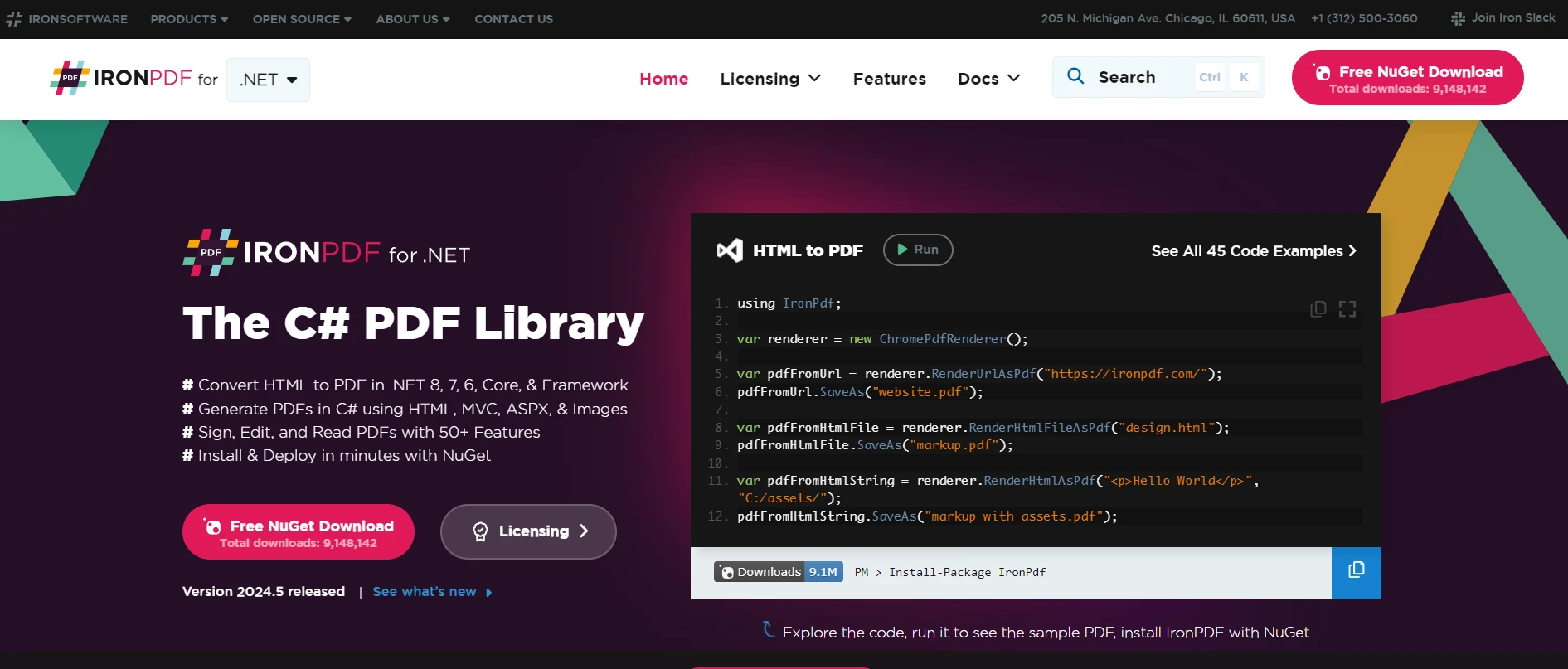
IronPDF是一個流行的.NET程式庫,允許開發人員直接在C#和.NET應用程式中建立、操作和渲染PDF。 這是一個強大的工具,用於從HTML、發票或任何需要固定佈局格式的文件生成PDF報告。 當與Octokit.NET結合時(該工具與GitHub的API互動),自動化文件處理流程的潛力,特別是涉及程式碼倉庫的,顯著提高。
若要了解更多有關IronPDF及其功能的資訊,請參訪IronPDF官方網站。 他們的網站提供了全面的資源和文件,以支持您的開發過程。
將IronPDF與Octokit.NET整合的一個實例用例是自動生成儲存在GitHub倉庫中的專案文件的PDF報告。 例如,您可以從特定倉庫獲取所有Markdown文件,將它們轉換為PDF文件,然後在偏好編輯文件或發布說明的利害相關者或客戶之間分發此文件。
讓我們建立一個簡單的應用程式來展示這種整合。 該應用程式將執行以下任務:
這是用C#撰寫此功能的方法:
using Octokit;
using IronPdf;
using System;
using System.Threading.Tasks;
using System.Linq;

class Program
{
    static async Task Main(string[] args)
    {
        // GitHub client setup
        var client = new GitHubClient(new ProductHeaderValue("YourAppName"));
        var tokenAuth = new Credentials("your_github_token"); // Replace with your GitHub token
        client.Credentials = tokenAuth;

        // Repository details
        var owner = "repository_owner";
        var repo = "repository_name";

        // Fetch repository content
        var contents = await client.Repository.Content.GetAllContents(owner, repo);

        // Initialize the PDF builder
        var pdf = new ChromePdfRenderer();

        // Convert each markdown file to PDF
        foreach (var content in contents.Where(c => c.Name.EndsWith(".md")))
        {
            pdf.RenderHtmlAsPdf(content.Content).SaveAs($"{content.Name}.pdf");
            Console.WriteLine($"Created PDF for: {content.Name}");
        }
    }
}Imports Octokit
Imports IronPdf
Imports System
Imports System.Threading.Tasks
Imports System.Linq
Friend Class Program
Shared Async Function Main(ByVal args() As String) As Task
' GitHub client setup
Dim client = New GitHubClient(New ProductHeaderValue("YourAppName"))
Dim tokenAuth = New Credentials("your_github_token") ' Replace with your GitHub token
client.Credentials = tokenAuth
' Repository details
Dim owner = "repository_owner"
Dim repo = "repository_name"
' Fetch repository content
Dim contents = Await client.Repository.Content.GetAllContents(owner, repo)
' Initialize the PDF builder
Dim pdf = New ChromePdfRenderer()
' Convert each markdown file to PDF
For Each content In contents.Where(Function(c) c.Name.EndsWith(".md"))
pdf.RenderHtmlAsPdf(content.Content).SaveAs($"{content.Name}.pdf")
Console.WriteLine($"Created PDF for: {content.Name}")
Next content
End Function
End Class在此範例中,設置GitHub客戶端並指定您的憑證後,您可以從倉庫中獲取內容。 對於倉庫中的每個Markdown文件,IronPDF將內容轉換為PDF文件,然後將其本地保存。 這種簡單但有效的工作流程可擴展以包含更複雜的過濾、格式化甚至是對於較大型倉庫的文件批量處理。
將Octokit.NET與IronPDF整合提供了在您的GitHub專案中自動化和簡化文件工作流程的無縫方法。 通過利用這些工具,您可以提高文件處理效率,使其以符合各種專業需求的格式輕鬆存取。 特別值得注意的是,IronPDF提供了一個強大的PDF操作平台,並提供免費試用以供您開始使用。 如果您決定在您的專案中實施它,授權從$999開始。
有關Iron Software的產品,包括IronPDF和其他程式庫如IronBarcode、IronOCR、IronWebScraper等的更多資訊,請存取Iron Software程式庫產品。

Jacob Mellor是Iron Software的首席技術官,一位在C# PDF技術上開創先河的遠見工程師。作為Iron Software核心程式碼庫的原開發者,他從創立以來就一直在塑造公司的產品架構,與首席執行官Cameron Rimington一起將公司轉變為服務於NASA、特斯拉和全球政府公司的50多名人員的公司。



IronPDF 是 IRONSUITE 的一部分
10 款適用於辦公室文件的 .NET API 產品

當您需要您的PDF看起來像HTML一樣快速。












