




已更新 2026年4月23日
在 .NET 中用 Microsoft.Extensions.AI 簡化 LLM 整合
AI 正在改變軟體開發,但將大型語言模型 (LLM) 整合到 .NET 中一直很複雜。利用 IronPdf.AI 將 AI 整合推向更遠,為 .NET 應用程式帶來由 OpenAI 驅動的 PDF 解析、資料擷取和內容總結。
閱讀更多

錯誤處理是穩健應用程式開發的一個基本方面。 在C#中,try-catch-finally區塊是強大的工具,可以確保您的應用程式可以優雅地處理意外情況,而不會崩潰。 有效的錯誤處理不僅有助於管理運行時錯誤,還有助於維持應用程式的穩定性和可靠性。
IronPDF是.NET的一個全面PDF程式庫,簡化了PDF的建立、操作和呈現。 將IronPDF整合到您的.NET專案中時,了解如何有效地使用錯誤處理對於構建可靠的基於PDF的應用程式至關重要。 在本文中,我們將看看如何在IronPDF專案中實施try-catch-finally語句以更好地處理例外狀況,以及這如何提高您的PDF工作區的效率和性能。
在C#中,try-catch區塊允許您處理在程式碼執行期間發生的例外狀況。 try區塊部分包含可能拋出例外的程式碼,而catch區塊在例外發生時處理該例外。 這種結構對於防止應用程式崩潰至關重要,因為它能夠優雅地處理例外,避免讓它們上傳到調用堆疊。
try區塊是您放置任何可能潛在拋出例外的程式碼的地方。 此區塊作為保護措施,允許您指定應監控錯誤的程式碼段。 如果try區塊的任何部分拋出例外,控制權會立即轉移到相應的catch區塊。
catch區塊緊隨try區塊之後,用於處理由try區塊程式碼拋出的例外。 您可以設置多個catch區塊來分別處理不同型別的可能例外。 每個catch區塊指定它處理的例外型別,並包含處理例外的程式碼,例如記錄錯誤或顯示關於錯誤的使用者友好訊息。
using IronPdf;
public static void Main(string[] args)
{
    try
    {
        // Create a PDF renderer using Chrome.
        ChromePdfRenderer renderer = new ChromePdfRenderer();
        // Render an HTML file as a PDF.
        var pdf = renderer.RenderHtmlFileAsPdf("Example.html");
        // Save the PDF to the specified file path.
        pdf.SaveAs("output.pdf");
    }
    catch (FileNotFoundException ex)
    {
        // Handle file not found exception
        Console.WriteLine("File not found: " + ex.Message);
    }
    catch (UnauthorizedAccessException ex)
    {
        // Handle unauthorized access exception
        Console.WriteLine("Error: Access to the file is denied. " + ex.Message);
    }
    catch (Exception ex)
    {
        // Handle any other exceptions
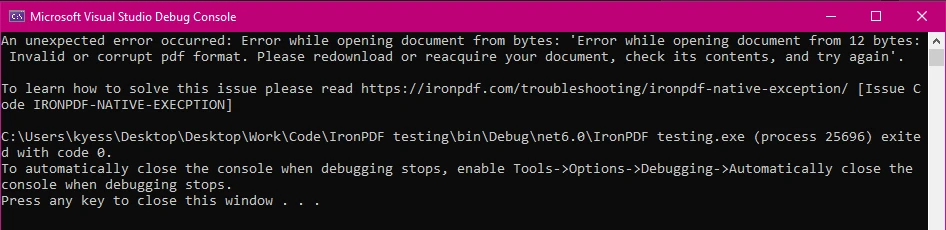
        Console.WriteLine("An unexpected error occurred: " + ex.Message);
    }
}Imports IronPdf
Public Shared Sub Main(ByVal args() As String)
Try
' Create a PDF renderer using Chrome.
Dim renderer As New ChromePdfRenderer()
' Render an HTML file as a PDF.
Dim pdf = renderer.RenderHtmlFileAsPdf("Example.html")
' Save the PDF to the specified file path.
pdf.SaveAs("output.pdf")
Catch ex As FileNotFoundException
' Handle file not found exception
Console.WriteLine("File not found: " & ex.Message)
Catch ex As UnauthorizedAccessException
' Handle unauthorized access exception
Console.WriteLine("Error: Access to the file is denied. " & ex.Message)
Catch ex As Exception
' Handle any other exceptions
Console.WriteLine("An unexpected error occurred: " & ex.Message)
End Try
End Sub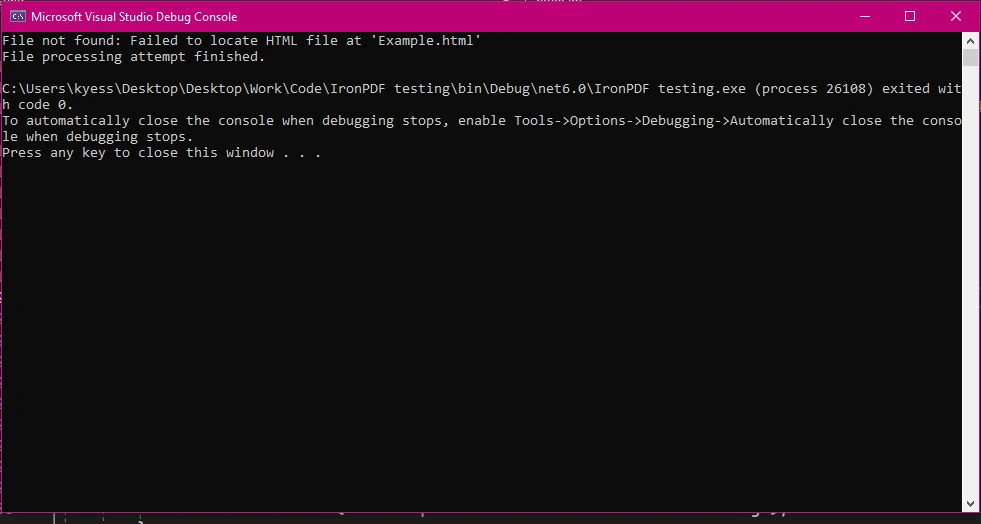
finally區塊用於執行無論是否拋出例外物件都必須運行的程式碼。 這通常用於清理資源,例如關閉文件流或資料庫連接,以確保這些資源得到正確釋放。 finally區塊中的程式碼始終會被執行,使其理想用於無論try區塊中發生什麼事情都需要執行的任務。
public static void Main(string[] args)
{
    try
    {
        // Example operation that throws an exception
        int num = 10;
        int result = num / 0;
    }
    catch (Exception ex)
    {
        // Handle division by zero exception
        Console.WriteLine("Cannot divide by zero. " + ex.Message);
    }
    finally
    {
        // This finally block executes regardless of whether an exception was thrown
        Console.WriteLine("Cleanup code runs here");
    }
}Public Shared Sub Main(ByVal args() As String)
Try
' Example operation that throws an exception
Dim num As Integer = 10
Dim result As Integer = num \ 0
Catch ex As Exception
' Handle division by zero exception
Console.WriteLine("Cannot divide by zero. " & ex.Message)
Finally
' This finally block executes regardless of whether an exception was thrown
Console.WriteLine("Cleanup code runs here")
End Try
End Sub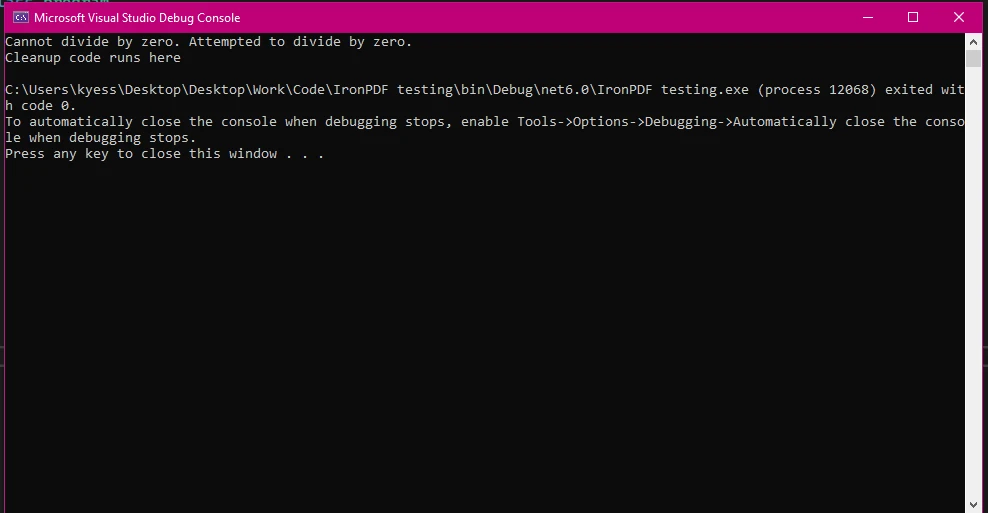
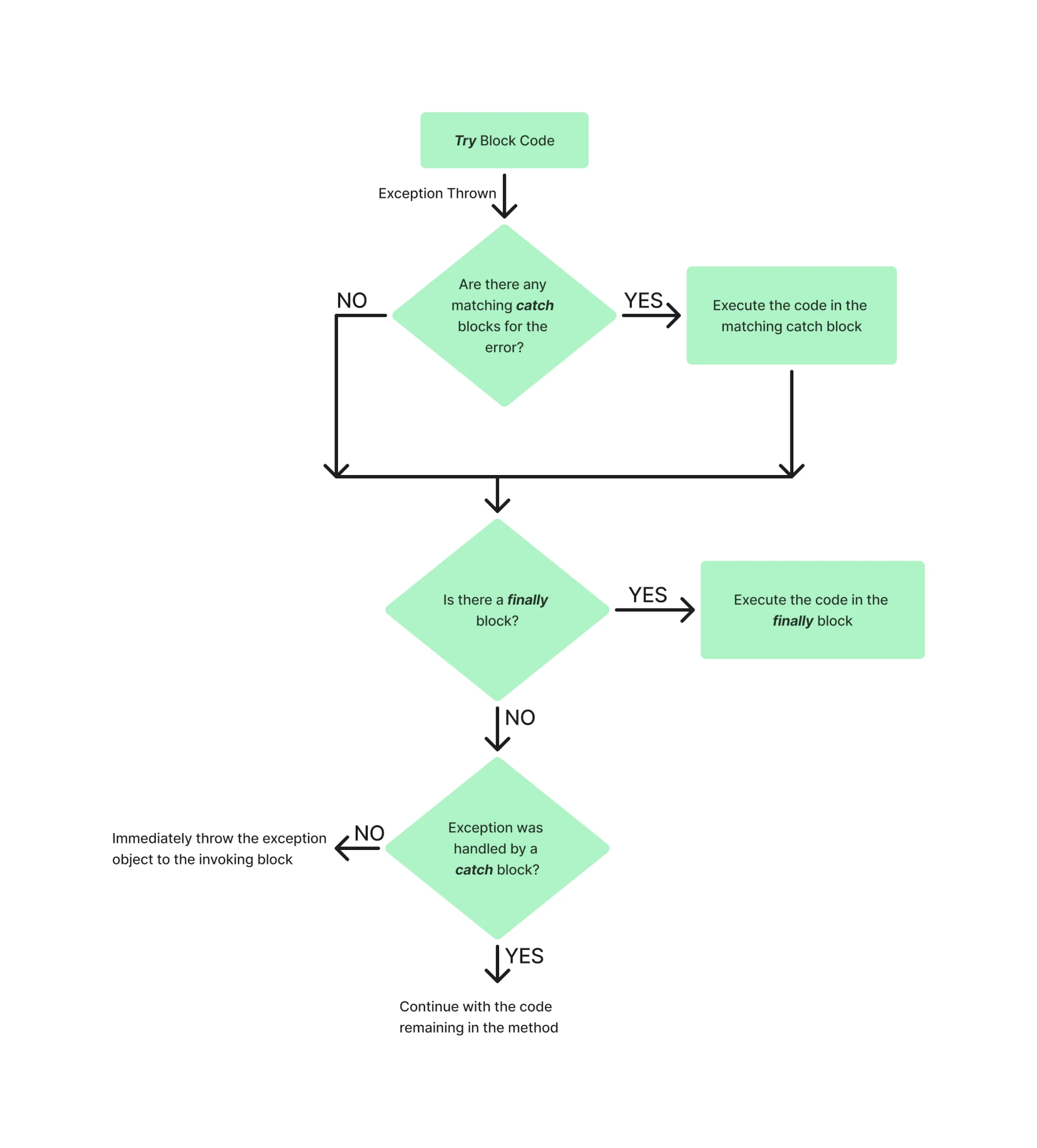
在程式中try-catch-finally區塊的流程範例可能如下所示:
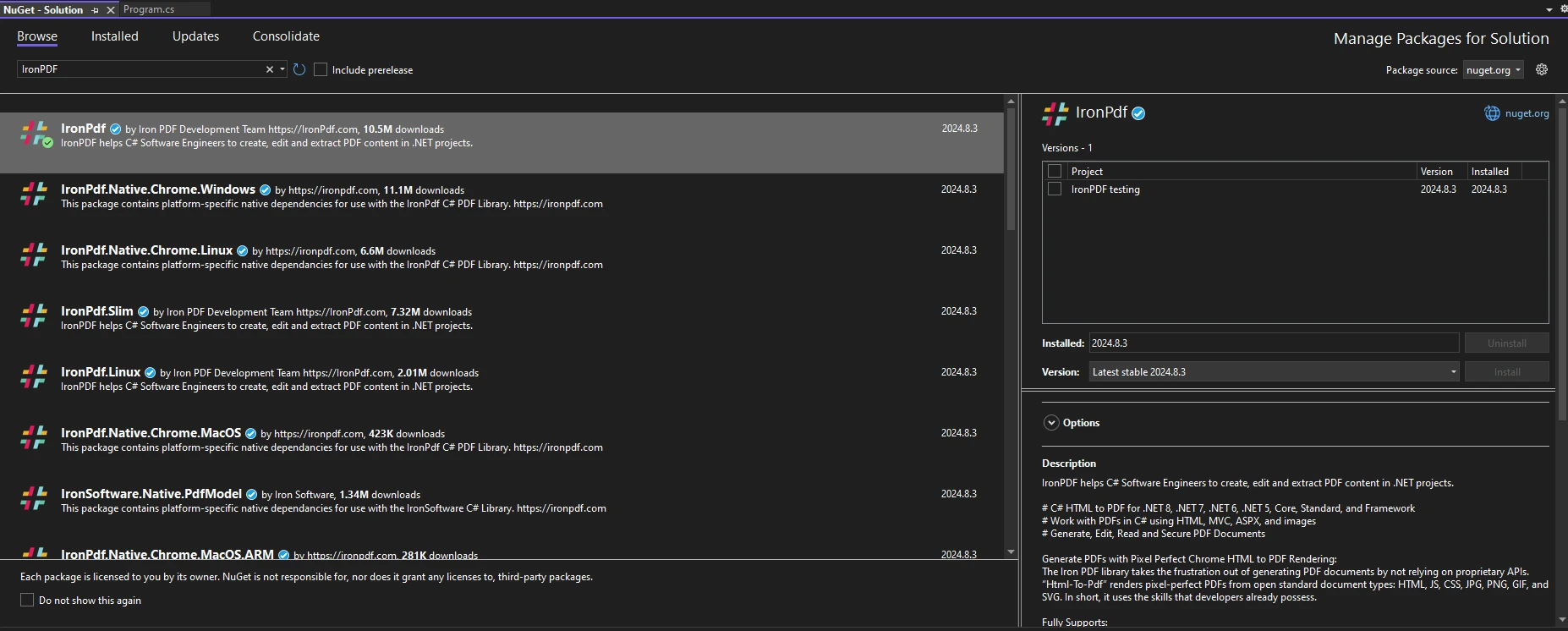
要開始在您的.NET專案中使用IronPDF程式庫,首先需要透過NuGet套件管理器安裝它。 其中一種方法是導航到工具> NuGet套件管理器> 解決方案的NuGet套件管理器並搜尋IronPDF:
或者,可以在封裝管理器控制台中運行以下命令:
要在您的程式碼中開始使用IronPDF,請確保您已在程式碼文件的頂部放置using IronPdf語句。 如需更深入的設置IronPDF環境指南,請查看新手入門頁面。
當與IronPDF一起生成PDF時,預測和處理過程中可能出現的各種例外至關重要。 正確實施例外處理程式碼不僅可以防止應用程式崩潰,還可以提供一種優雅回應錯誤的方法,從而提升應用程式的整體穩健性和使用者體驗。 可能拋出的某些常見例外包括:
File.Exists(path)驗證文件的存在,或者將操作包裹在一個if語句塊中以檢查文件是否存在。某些IronPDF特定的例外型別包括:
using IronPdf;
using IronPdf.Exceptions;
public static void Main(string[] args)
{
    try
    {
        // Set the IronPDF license key
        IronPdf.License.LicenseKey = "license-key";
        // Create a PDF renderer
        ChromePdfRenderer renderer = new ChromePdfRenderer();
        // Generate PDF from HTML
        var pdf = renderer.RenderHtmlAsPdf("<h1>Hello, World!</h1>");
        // Save the PDF
        pdf.SaveAs("output.pdf");
    }
    catch (IronPdfProductException ex)
    {
        // Handle PDF generation specific exceptions
        Console.WriteLine("Error During IronPDF execution: " + ex.Message);
    }
    catch (Exception ex)
    {
        // Handle general exceptions
        Console.WriteLine("An unexpected error occurred: " + ex.Message);
    }
}Imports IronPdf
Imports IronPdf.Exceptions
Public Shared Sub Main(ByVal args() As String)
Try
' Set the IronPDF license key
IronPdf.License.LicenseKey = "license-key"
' Create a PDF renderer
Dim renderer As New ChromePdfRenderer()
' Generate PDF from HTML
Dim pdf = renderer.RenderHtmlAsPdf("<h1>Hello, World!</h1>")
' Save the PDF
pdf.SaveAs("output.pdf")
Catch ex As IronPdfProductException
' Handle PDF generation specific exceptions
Console.WriteLine("Error During IronPDF execution: " & ex.Message)
Catch ex As Exception
' Handle general exceptions
Console.WriteLine("An unexpected error occurred: " & ex.Message)
End Try
End SubIronPDF的例外處理範例可能是許可證金鑰錯誤或缺失。 在這種情況下,IronPdfProductException如果被用作例外處理過程的一部分,將被用於顯示相應的錯誤訊息。
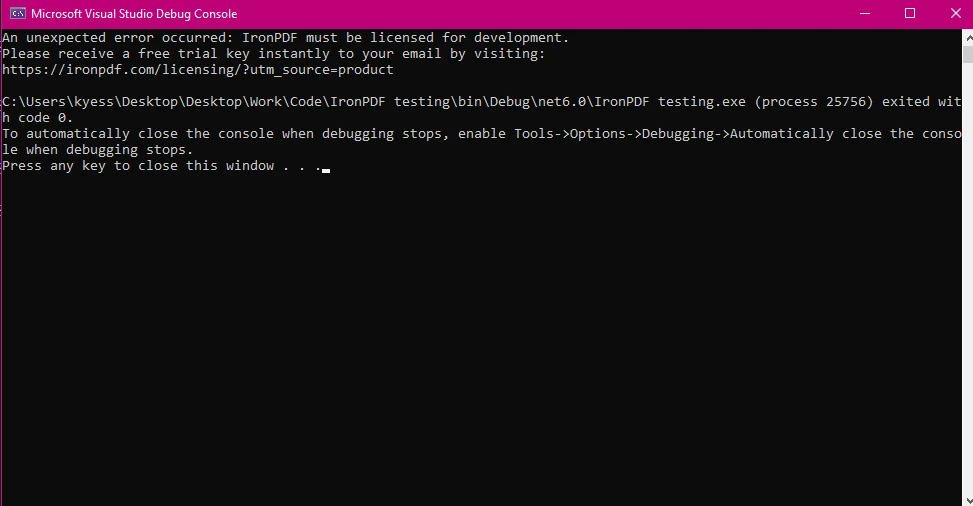
在涉及文件操作或資源管理的情況下,finally區塊確保即使在過程中發生錯誤,所有資源都得到適當釋放。
在操作文件時,常見的做法是打開一個文件流以進行讀取或寫入。 如果在處理文件時發生例外,未能關閉流可能會使文件被鎖定或引發其他問題。 finally區塊確保文件流始終關閉,從而釋放資源。
public static void Main(string[] args)
{
    FileStream fileStream = null;
    try
    {
        ChromePdfRenderer renderer = new ChromePdfRenderer();
        // Generate PDF from HTML
        var pdf = renderer.RenderHtmlAsPdf("<h1>Hello, World!</h1>");
        pdf.SaveAs("output.pdf");
        pdfGenerated = true;
    }
    catch (IronPdf.Exceptions.IronPdfProductException ex)
    {
        // Handle PDF generation specific exceptions
        Console.WriteLine("Error During IronPDF execution: " + ex.Message);
    }
    catch (Exception ex)
    {
        // Handle general exceptions to avoid any unhandled exception issues
        Console.WriteLine("An unexpected error occurred: " + ex.Message);
    }
    finally
    {
        // Cleanup resources if necessary
        if (fileStream != null)
        {
            fileStream.Close();
            fileStream.Dispose();
        }
    }
}Public Shared Sub Main(ByVal args() As String)
Dim fileStream As FileStream = Nothing
Try
Dim renderer As New ChromePdfRenderer()
' Generate PDF from HTML
Dim pdf = renderer.RenderHtmlAsPdf("<h1>Hello, World!</h1>")
pdf.SaveAs("output.pdf")
pdfGenerated = True
Catch ex As IronPdf.Exceptions.IronPdfProductException
' Handle PDF generation specific exceptions
Console.WriteLine("Error During IronPDF execution: " & ex.Message)
Catch ex As Exception
' Handle general exceptions to avoid any unhandled exception issues
Console.WriteLine("An unexpected error occurred: " & ex.Message)
Finally
' Cleanup resources if necessary
If fileStream IsNot Nothing Then
fileStream.Close()
fileStream.Dispose()
End If
End Try
End Sub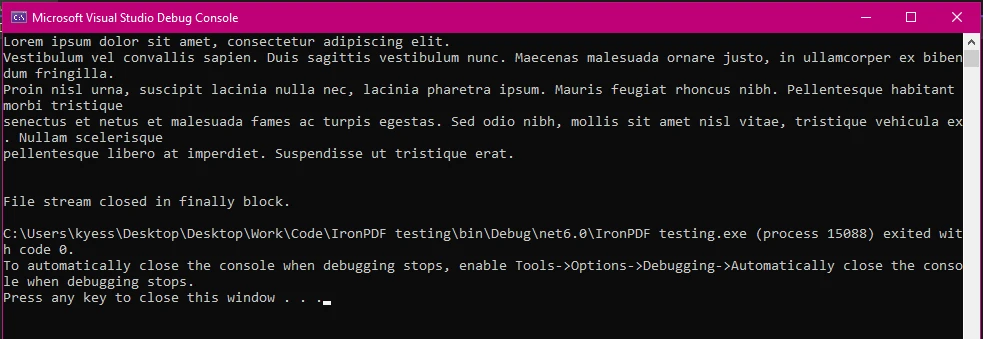
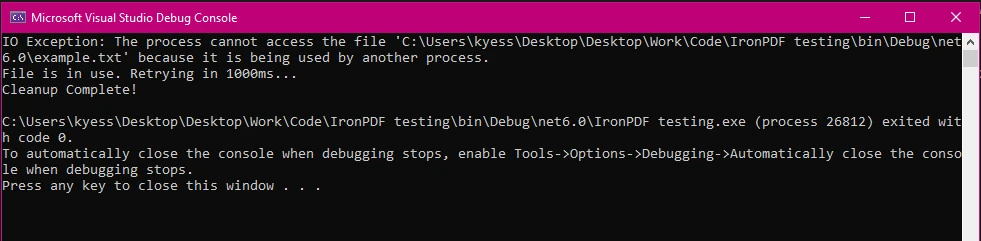
在IronPDF中進行文件操作時,像FileNotFoundException和UnauthorizedAccessException之類的例外處理至關重要。 這些例外通常在文件丟失或許可權受到限制時出現。 正確處理這些例外對於維持應用程式的穩健性和可靠性至關重要,因為它們通常在文件路徑、可用性或存取許可權出現問題時發生。
using IronPdf;
using System.IO;
using IronPdf.Exceptions;
public static void Main(string[] args)
{
    try
    {
        // Generate PDF from an RTF file
        ChromePdfRenderer renderer = new ChromePdfRenderer();
        var pdf = renderer.RenderRtfFileAsPdf("filePath");
        pdf.SaveAs("output.pdf");
    }
    catch (IronPdf.Exceptions.IronPdfProductException ex)
    {
        // Handle PDF generation specific exceptions
        Console.WriteLine("Error During IronPDF execution: " + ex.Message);
    }
    catch (IOException ex)
    {
        int retries = 5;
        int delay = 1000; // Delay in milliseconds
        Console.WriteLine("IO Exception: " + ex.Message);
        retries--;
        if (retries > 0)
        {
            Console.WriteLine("File is in use. Retrying in " + delay + "ms...");
            System.Threading.Thread.Sleep(delay);
        }
        else
        {
            Console.WriteLine("Failed to access the file after multiple attempts.");
        }
    }
    catch (Exception ex)
    {
        // Handle general exceptions
        Console.WriteLine("An unexpected error occurred: " + ex.Message);
    }
    finally
    {
        // Delete the temporary file
        if (File.Exists("temp.txt"))
        {
            File.Delete("temp.txt");
            Console.WriteLine("Cleanup Complete!");
        }
    }
}Imports IronPdf
Imports System.IO
Imports IronPdf.Exceptions
Public Shared Sub Main(ByVal args() As String)
Try
' Generate PDF from an RTF file
Dim renderer As New ChromePdfRenderer()
Dim pdf = renderer.RenderRtfFileAsPdf("filePath")
pdf.SaveAs("output.pdf")
Catch ex As IronPdf.Exceptions.IronPdfProductException
' Handle PDF generation specific exceptions
Console.WriteLine("Error During IronPDF execution: " & ex.Message)
Catch ex As IOException
Dim retries As Integer = 5
Dim delay As Integer = 1000 ' Delay in milliseconds
Console.WriteLine("IO Exception: " & ex.Message)
retries -= 1
If retries > 0 Then
Console.WriteLine("File is in use. Retrying in " & delay & "ms...")
System.Threading.Thread.Sleep(delay)
Else
Console.WriteLine("Failed to access the file after multiple attempts.")
End If
Catch ex As Exception
' Handle general exceptions
Console.WriteLine("An unexpected error occurred: " & ex.Message)
Finally
' Delete the temporary file
If File.Exists("temp.txt") Then
File.Delete("temp.txt")
Console.WriteLine("Cleanup Complete!")
End If
End Try
End Sub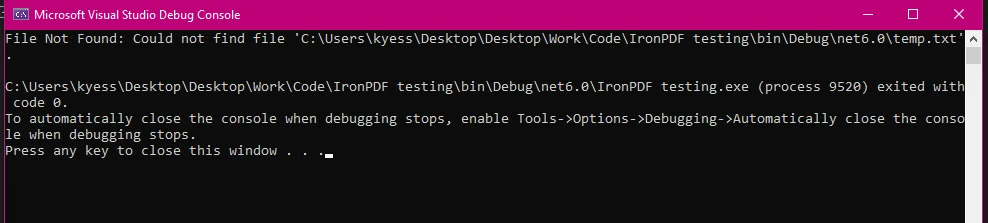
在PDF處理過程中記錄錯誤對於除錯和監控至關重要。 它允許您捕獲發生問題的詳細資訊,這對於診斷問題和提高應用程式的可靠性非常有價值。
using IronPdf;
using IronPdf.Logging;
public static void Main(string[] args)
{
    IronPdf.Logging.Logger.LogFilePath = "Default.log";
    IronPdf.Logging.Logger.LoggingMode = IronPdf.Logging.Logger.LoggingModes.All;
    try
    {
        ChromePdfRenderer renderer = new ChromePdfRenderer();
        var pdf = renderer.RenderHtmlFileAsPdf("report.html");
        pdf.SaveAs("output.pdf");
    }
    catch (Exception ex)
    {
        // Log the exception
        IronSoftware.Logger.Log("PDF processing failed: " + ex.Message);
    }
    finally
    {
        Console.WriteLine("PDF processing attempt finished.");
    }
}Imports IronPdf
Imports IronPdf.Logging
Public Shared Sub Main(ByVal args() As String)
IronPdf.Logging.Logger.LogFilePath = "Default.log"
IronPdf.Logging.Logger.LoggingMode = IronPdf.Logging.Logger.LoggingModes.All
Try
Dim renderer As New ChromePdfRenderer()
Dim pdf = renderer.RenderHtmlFileAsPdf("report.html")
pdf.SaveAs("output.pdf")
Catch ex As Exception
' Log the exception
IronSoftware.Logger.Log("PDF processing failed: " & ex.Message)
Finally
Console.WriteLine("PDF processing attempt finished.")
End Try
End Sub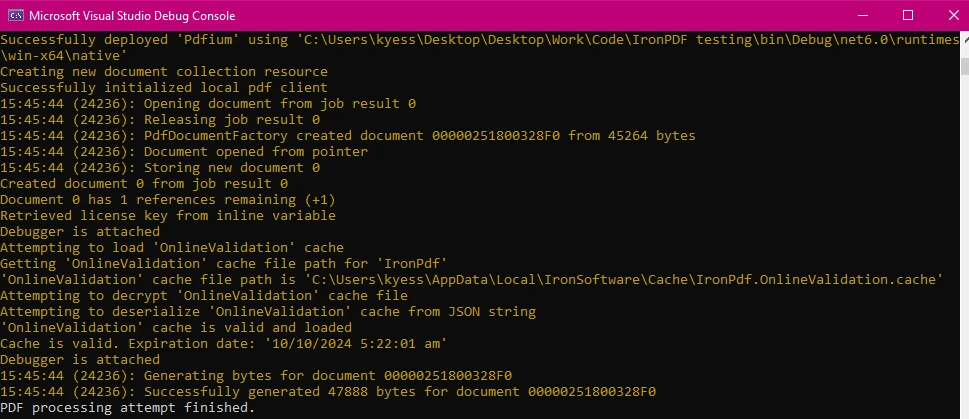
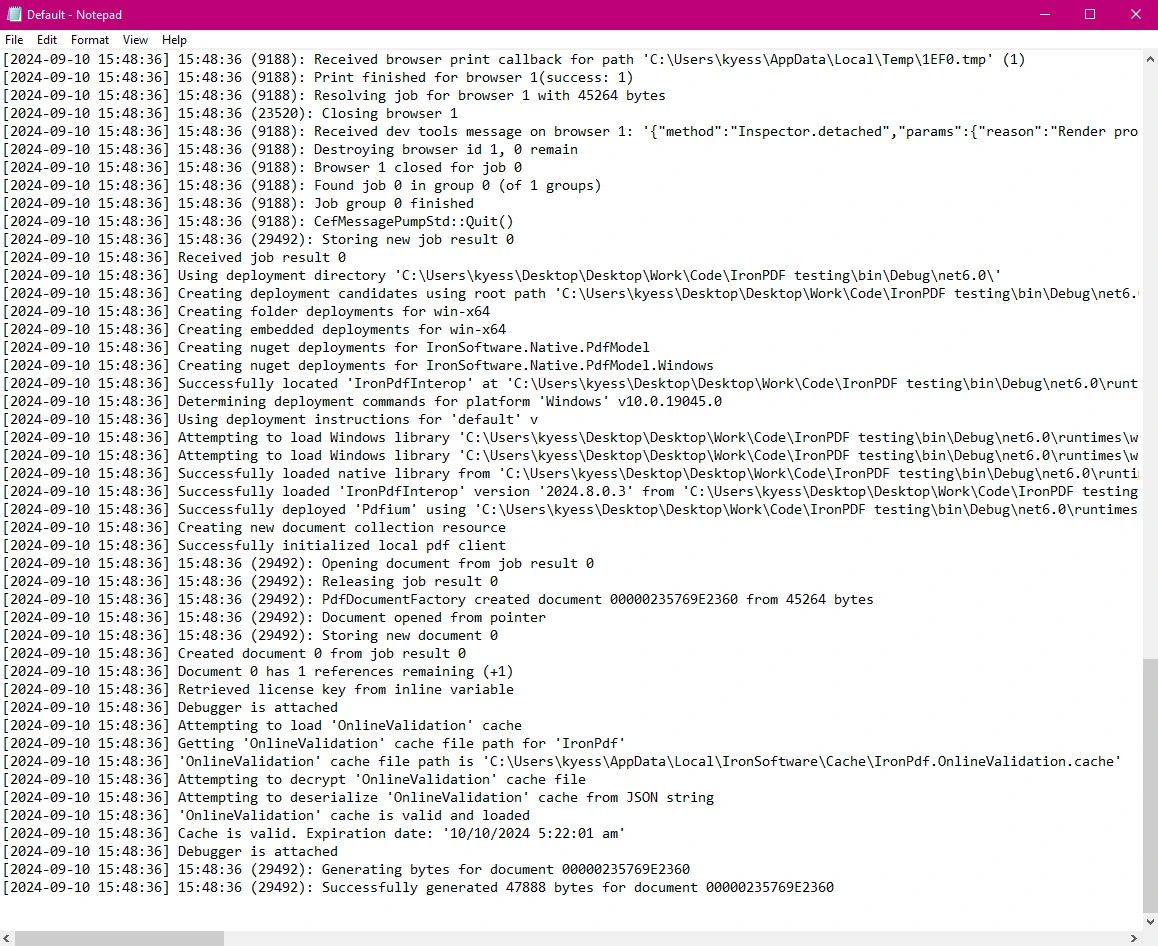
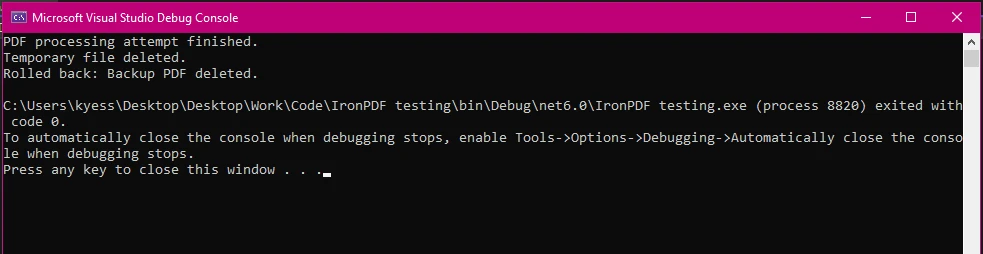
finally區塊確保即使在發生錯誤後,所有清理操作都已執行,從而保持應用程式的狀態一致性。 在finally區塊中新增回滾機制可確保在PDF生成過程中發生錯誤時,所做的任何更改都會被還原,從而保持資料一致性。
using IronPdf;
using System.IO;
using System;
using IronPdf.Exceptions;
public static void Main(string[] args)
{
    string tempFilePath = "temp.txt";
    bool pdfGenerated = false; // Flag to track if PDF generation was successful
    string backupPdfPath = "backup.pdf";
    try
    {
        File.WriteAllText(tempFilePath, "Temporary content for processing.");
        ChromePdfRenderer renderer = new ChromePdfRenderer();
        var pdf = renderer.RenderHtmlFileAsPdf("report.html");
        pdf.SaveAs("output.pdf");
    }
    catch (IronPdf.Exceptions.IronPdfProductException ex)
    {
        Console.WriteLine("IronPDF error: " + ex.Message);
    }
    catch (IOException ex)
    {
        Console.WriteLine("IO Exception: " + ex.Message);
    }
    catch (Exception ex)
    {
        Console.WriteLine("An unexpected error occurred: " + ex.Message);
    }
    finally
    {
        Console.WriteLine("PDF processing attempt finished.");
        // Delete the temporary file if it exists
        if (File.Exists(tempFilePath))
        {
            File.Delete(tempFilePath);
            Console.WriteLine("Temporary file deleted.");
        }
        // Rollback operations if PDF generation was not successful
        if (!pdfGenerated)
        {
            if (File.Exists(backupPdfPath))
            {
                File.Delete(backupPdfPath);
                Console.WriteLine("Rolled back: Backup PDF deleted.");
            }
        }
        else
        {
            // Ensure the backup PDF is deleted after a successful save
            if (File.Exists(backupPdfPath))
            {
                File.Delete(backupPdfPath); // Remove backup after successful save
                Console.WriteLine("Backup PDF removed after successful save.");
            }
        }
    }
}Imports IronPdf
Imports System.IO
Imports System
Imports IronPdf.Exceptions
Public Shared Sub Main(ByVal args() As String)
Dim tempFilePath As String = "temp.txt"
Dim pdfGenerated As Boolean = False ' Flag to track if PDF generation was successful
Dim backupPdfPath As String = "backup.pdf"
Try
File.WriteAllText(tempFilePath, "Temporary content for processing.")
Dim renderer As New ChromePdfRenderer()
Dim pdf = renderer.RenderHtmlFileAsPdf("report.html")
pdf.SaveAs("output.pdf")
Catch ex As IronPdf.Exceptions.IronPdfProductException
Console.WriteLine("IronPDF error: " & ex.Message)
Catch ex As IOException
Console.WriteLine("IO Exception: " & ex.Message)
Catch ex As Exception
Console.WriteLine("An unexpected error occurred: " & ex.Message)
Finally
Console.WriteLine("PDF processing attempt finished.")
' Delete the temporary file if it exists
If File.Exists(tempFilePath) Then
File.Delete(tempFilePath)
Console.WriteLine("Temporary file deleted.")
End If
' Rollback operations if PDF generation was not successful
If Not pdfGenerated Then
If File.Exists(backupPdfPath) Then
File.Delete(backupPdfPath)
Console.WriteLine("Rolled back: Backup PDF deleted.")
End If
Else
' Ensure the backup PDF is deleted after a successful save
If File.Exists(backupPdfPath) Then
File.Delete(backupPdfPath) ' Remove backup after successful save
Console.WriteLine("Backup PDF removed after successful save.")
End If
End If
End Try
End Sub後備建立:
backupPdfPath)。成功操作:
pdfGenerated = true),後備PDF被移動到最終輸出位置。失敗回滾:
pdfGenerated保持為false,後備PDF在finally區塊中會被刪除以撤消任何部分更改。清理:
通過實施此回滾機制,您可以確保即使在PDF生成過程中發生錯誤,檔案系統仍保持一致狀態。
IronPDF的API旨在簡化錯誤處理,使其更容易在複雜的PDF操作過程中管理例外。 與其他PDF程式庫相比,IronPDF提供了一種更為簡單的例外處理和資源管理方法。 其定義特定例外型別的能力,如IronPdfProductException及IronPdfNativeException,使在用IronPDF生成或操作PDF文件時更容易避免意外錯誤或應用崩潰。
此外,IronPDF拋出的例外附有詳細的錯誤訊息,可提供故障發生的深入洞察。 這種清晰度有助於更高效地診斷問題。 例如,IronPdfNativeException可能指出本地組件的問題,而IronPdfUnsupportedException則強調不支持的功能或格式。
IronPDF提供詳細的文件和支援資源,可幫助開發者理解和實施有效的錯誤處理實踐。 這種全面支持在.NET專案中的故障排除和優化PDF操作方面非常珍貴。
IronPDF 提供:
欲了解更多資訊,請查看 IronPDF 的詳盡文件。
如果您想試用IronPDF並探索其廣泛的功能範圍,您可以輕鬆做到,因為其免費試用期。 透過快速安裝,您可以在PDF項目中快速上手使用IronPDF。如果您想繼續使用並利用其強大的功能來提升您的PDF專案,許可證只需從$999開始。
使用C# try-catch-finally區塊進行有效的錯誤處理是構建穩健應用程式的重要條件,特別是在使用像IronPDF這樣的庫時。 通過理解和實施這些錯誤處理機制,您可以確保PDF生成和操作過程可靠並能應對意外問題。
IronPDF,藉由其全面直觀的API,簡化了這一過程。 通過提供特定套用慮錯型別如IronPdfProductException,IronPdfNativeException以及IronPdfUnsupportedException,IronPDF可以讓開發者更精確地針對和管理錯誤。 這種具體性,加上詳細的錯誤訊息,有助於簡化除錯過程並提高您應用程式的整體穩健性。
通過利用IronPDF的功能並遵循錯誤處理和資源管理的最佳實踐,您可以確保您的PDF操作既可靠又穩健,從而造就一個更加穩定和高效的應用程式。

Jacob Mellor是Iron Software的首席技術官,一位在C# PDF技術上開創先河的遠見工程師。作為Iron Software核心程式碼庫的原開發者,他從創立以來就一直在塑造公司的產品架構,與首席執行官Cameron Rimington一起將公司轉變為服務於NASA、特斯拉和全球政府公司的50多名人員的公司。



IronPDF 是 IRONSUITE 的一部分
10 款適用於辦公室文件的 .NET API 產品

當您需要您的PDF看起來像HTML一樣快速。












