

如何在 Java 中使用 String.split

在Java程式設計的動態世界中,字串操作是一項基本技能,開發者經常用於各種任務。 split() 方法巢狀在 java.lang.String 類別中,作為根據指定的分隔符劃分字串為子字串的強大工具脫穎而出。
本文深入探討 split() method,了解其語法、應用並提供生動範例以幫助Java開發者掌握字串操作。
理解 String.split() 的基本知識
Java中的 String.split() 方法是一個強大的工具,用於根據作為參數提供的字串分隔符劃分字串。 使用此方法時,開發人員可以使用字串正則表達式模式或簡單字元作為分隔符來劃分給定的字串。
Java 字串 split() 方法是公共和靜態的,通常在Java程式的 main 方法中找到,其中可以使用 string args 參數進行命令列輸入。 方法的結果是字串陣列,包含分割操作產生的所有子字串。
開發者應注意 limit 參數,因為它可以影響陣列中包含的空字串數量,特別是在使用正則表達式作為分隔符時。 認真考慮正則表達式模式及分隔符選擇可確保 split() 方法準確分割原始字串,提供完整的子字串陣列以供進一步處理。
分割方法的語法
在其語法中,方法簽名包括表示要分割的整個字串 str 的 string str 以及可選的 int limit 參數,用於控制結果陣列中子字串的最大數量。 split() 方法提供了一個簡單的語法:
public String[] split(String regex)public String[] split(String regex)regex: 作為分隔符用於字串分割的正則表達式。
該方法返回字串陣列,代表根據指定正則表達式分割原始字串後獲得的子字串。
String.split() 的實際應用
字元化和資料解析
split() 對於字元化字串非常重要,尤其是處理CSV(逗號分隔值)或TSV(制表符分隔值)等資料格式時。 它允許開發人員將字串分解為不同的資料元素。
String csvData = "John,Doe,30,New York";
String[] tokens = csvData.split(",");
String csvData = "John,Doe,30,New York";
String[] tokens = csvData.split(",");以下是根據提供給分割方法的正則表達式生成的標記:
tokens: ["John", "Doe", "30", "New York"]從句子中提取單詞
對於自然語言處理任務,split() 能夠提取句子中的單個單詞。
String sentence = "Java programming is fascinating";
String[] words = sentence.split(" ");
String sentence = "Java programming is fascinating";
String[] words = sentence.split(" ");在此,Java字串分割方法根據空格分割句子單詞:
words: ["Java", "programming", "is", "fascinating"]解析URL組件
處理URL時,可使用 split() 來提取協定、域名和路徑等組件。
String url = "https://www.example.com/page/index.html";
String[] urlComponents = url.split(":|/|\\.");
// urlComponents: ["https", "https", "www", "example", "com", "page", "index", "html"]
String url = "https://www.example.com/page/index.html";
String[] urlComponents = url.split(":|/|\\.");
// urlComponents: ["https", "https", "www", "example", "com", "page", "index", "html"]用於演示String.split()用法的Java程式碼範例
範例 1:基礎字元化
String array = "Apple,Orange,Banana";
String[] fruits = array.split(",");
for (String fruit : fruits) {
    System.out.println(fruit);
}
String array = "Apple,Orange,Banana";
String[] fruits = array.split(",");
for (String fruit : fruits) {
System.out.println(fruit);
}輸出
Apple
Orange
Banana
範例 2:提取單詞
String str = "Java programming is versatile";
String[] words = str.split(" ");
for (String word : words) {
    System.out.println(word);
}
String str = "Java programming is versatile";
String[] words = str.split(" ");
for (String word : words) {
System.out.println(word);
}輸出
Java
programming
is
versatile
範例 3:解析URL組件
String url = "https://www.example.com/page/index.html";
String[] urlComponents = url.split(":|/|\\.");
for (String component : urlComponents) {
    System.out.println(component);
}
String url = "https://www.example.com/page/index.html";
String[] urlComponents = url.split(":|/|\\.");
for (String component : urlComponents) {
System.out.println(component);
}輸出
https
www
example
com
page
index
html
介紹IronPDF for Java及其與String.split()的相容性
介紹IronPDF for Java
IronPDF for Java 是一個強大的程式庫,為開發人員提供了一套功能,方便進行PDF生成和操作。 從渲染HTML到PDF到轉換現有文件,IronPDF簡化了複雜的PDF相關任務,使得需要文件處理的Java應用中成為無價資産。
將IronPDF定義為Java依賴項
要在您的Java專案中使用IronPDF,您需要在專案配置中將其定義為依賴項。 以下步驟演示了如何使用Maven來實現這一點。
pom.xml依賴項
將以下依賴項新增到 pom.xml 文件中:
<dependencies>

    <dependency>
        <groupId>com.ironsoftware</groupId>
        <artifactId>ironpdf</artifactId>
        <version>20xx.xx.xxxx</version>
    </dependency>

    <dependency>
        <groupId>org.slf4j</groupId>
        <artifactId>slf4j-simple</artifactId>
        <version>2.0.3</version>
    </dependency>
</dependencies>
<dependencies>
<dependency>
<groupId>com.ironsoftware</groupId>
<artifactId>ironpdf</artifactId>
<version>20xx.xx.xxxx</version>
</dependency>
<dependency>
<groupId>org.slf4j</groupId>
<artifactId>slf4j-simple</artifactId>
<version>2.0.3</version>
</dependency>
</dependencies>下載JAR文件
或者,您可以從Sonatype手動下載JAR文件。
使用IronPDF建立PDF文件
這裡有一個簡單的例子演示了如何使用IronPDF從Java中的HTML字串生成PDF文件:
import com.ironsoftware.ironpdf.*;

public class IronPDFExample {
    public static void main(String[] args) {
        // Create a PDF document
        PdfDocument myPdf = PdfDocument.renderHtmlAsPdf("<h1>Hello, IronPDF!</h1>");
        // Save the PdfDocument to a file
        myPdf.saveAs("output.pdf");
        System.out.println("PDF created successfully.");
    }
}
import com.ironsoftware.ironpdf.*;
public class IronPDFExample {
public static void main(String[] args) {
// Create a PDF document
PdfDocument myPdf = PdfDocument.renderHtmlAsPdf("<h1>Hello, IronPDF!</h1>");
// Save the PdfDocument to a file
myPdf.saveAs("output.pdf");
System.out.println("PDF created successfully.");
}
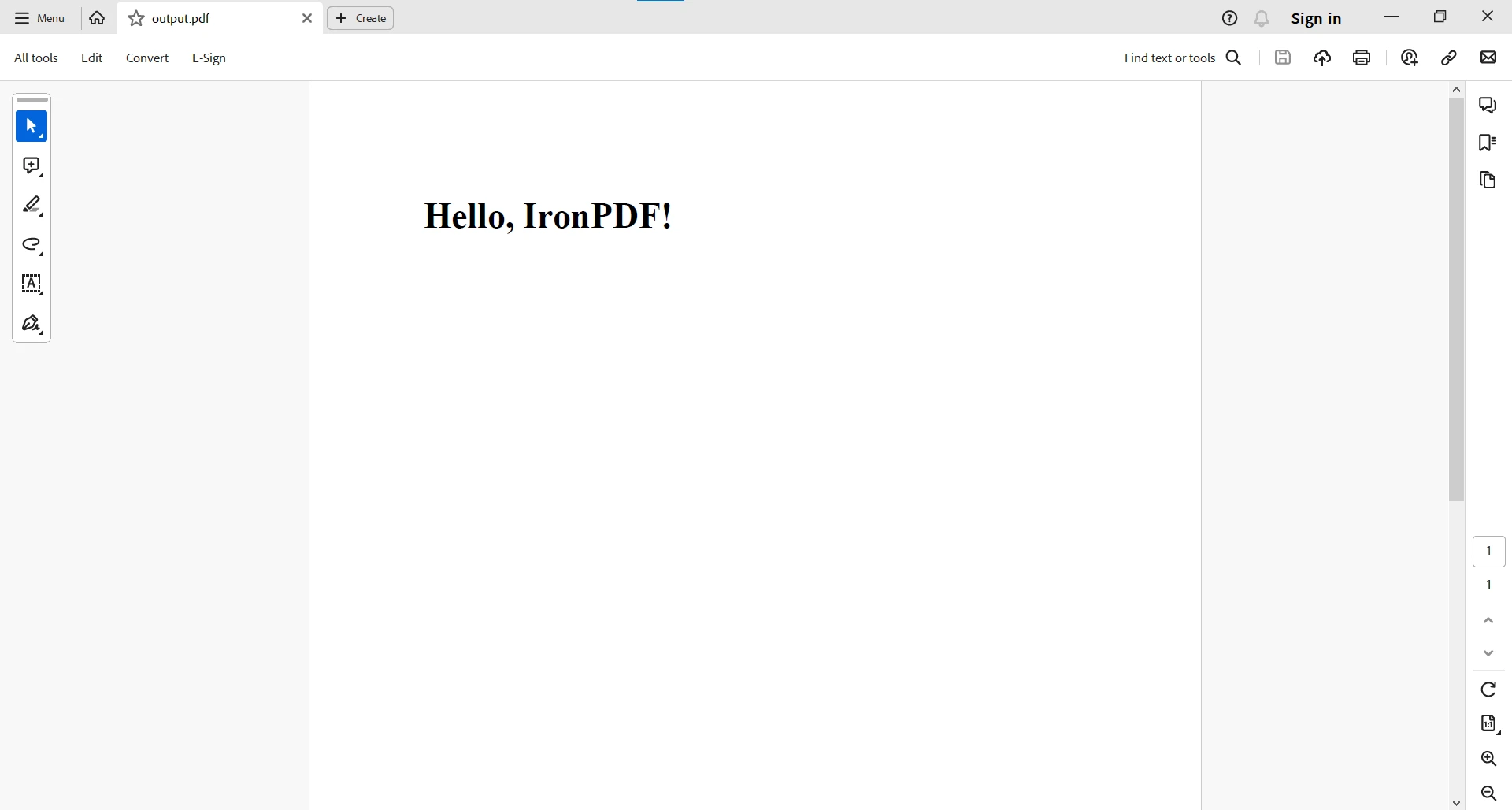
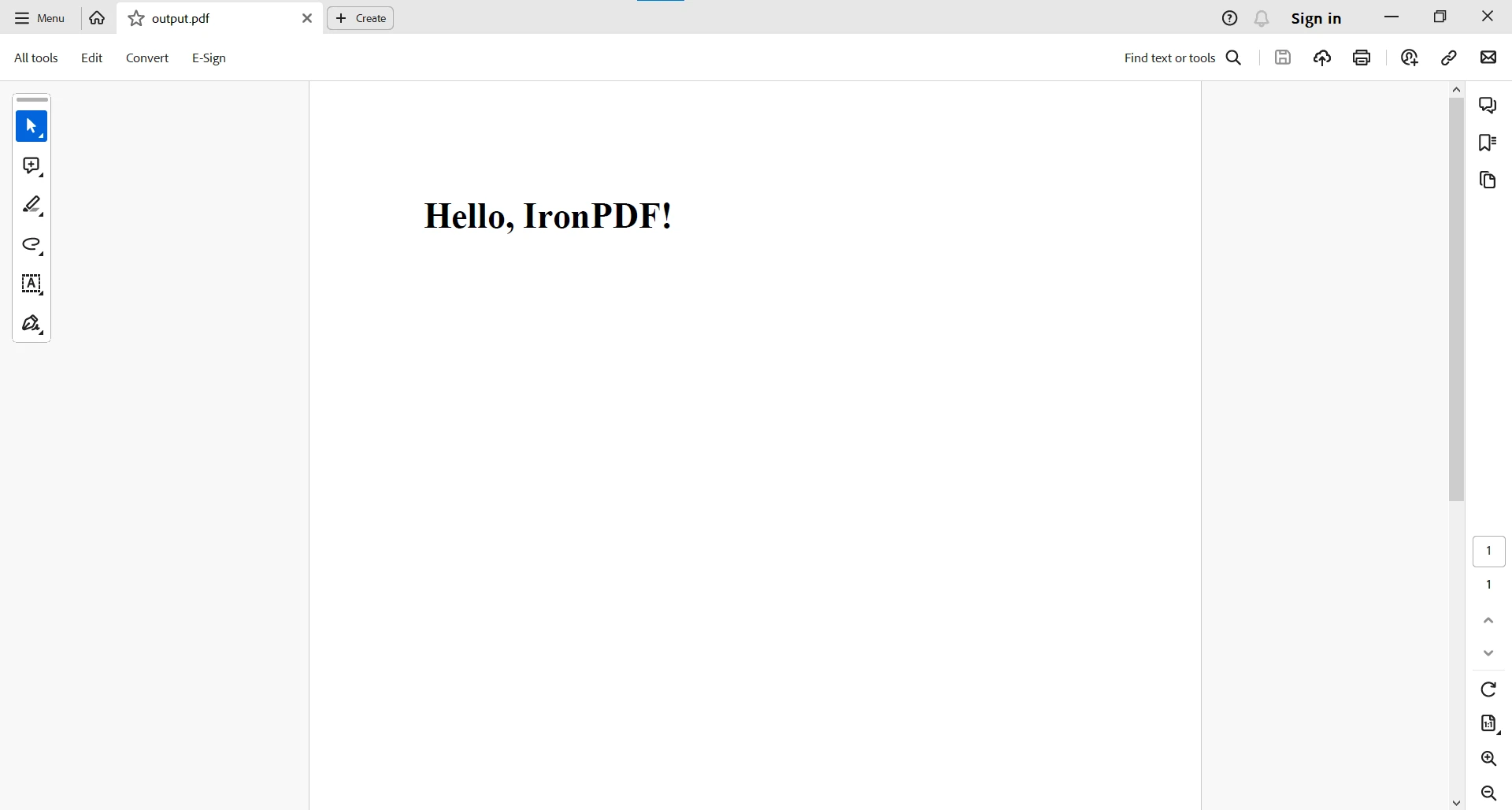
}程式碼範例從HTML字串生成了一個PDF文件。 這裡是輸出:
對於更複雜的PDF任務,您可以造訪此程式碼範例頁面。
與String.split()的相容性
現在,讓我們來探討IronPDF與標準Java字串操作的 String.split() 相容性。 讓我們建立一個範例,在其中我們獲取資料,將其轉換成儲存在字串變數中的HTML表格,然後使用IronPDF的 renderHtmlAsPdf 方法從HTML表格生成PDF。
假設我們有一個員工資料列表,這裡是如何建立HTML表格並生成PDF的方法:
import com.ironsoftware.ironpdf.*;

public class EmployeeDataToPDF {
    // Sample list of employee data (comma-separated values: Name, Age, Position)
    public static String employeeData = "John Doe,30,Software Engineer\nJane Smith,25,Graphic Designer\nBob Johnson,35,Manager";

    public static void main(String[] args) {
        // Split the employeeData into individual records based on newline character
        String[] employeeRecords = employeeData.split("\n");
        // Create HTML table string
        StringBuilder htmlTable = new StringBuilder("<table border='1'><tr><th>Name</th><th>Age</th><th>Position</th></tr>");
        // Iterate through each employee record
        for (String record : employeeRecords) {
            // Split the record into individual details based on the comma character
            String[] details = record.split(",");
            // Assuming we want to display Name, Age, and Position in the table
            String name = details[0];
            String age = details[1];
            String position = details[2];
            // Add a row to the HTML table
            htmlTable.append("<tr><td>").append(name).append("</td><td>").append(age).append("</td><td>").append(position).append("</td></tr>");
        }
        // Close the HTML table
        htmlTable.append("</table>");
        // Create a PDF document using IronPDF
        PdfDocument pdfDocument = PdfDocument.renderHtmlAsPdf(htmlTable.toString());
        // Save the PDF to a file
        pdfDocument.saveAs("EmployeeDetails.pdf");
    }
}
import com.ironsoftware.ironpdf.*;
public class EmployeeDataToPDF {
// Sample list of employee data (comma-separated values: Name, Age, Position)
public static String employeeData = "John Doe,30,Software Engineer\nJane Smith,25,Graphic Designer\nBob Johnson,35,Manager";
public static void main(String[] args) {
// Split the employeeData into individual records based on newline character
String[] employeeRecords = employeeData.split("\n");
// Create HTML table string
StringBuilder htmlTable = new StringBuilder("<table border='1'><tr><th>Name</th><th>Age</th><th>Position</th></tr>");
// Iterate through each employee record
for (String record : employeeRecords) {
// Split the record into individual details based on the comma character
String[] details = record.split(",");
// Assuming we want to display Name, Age, and Position in the table
String name = details[0];
String age = details[1];
String position = details[2];
// Add a row to the HTML table
htmlTable.append("<tr><td>").append(name).append("</td><td>").append(age).append("</td><td>").append(position).append("</td></tr>");
}
// Close the HTML table
htmlTable.append("</table>");
// Create a PDF document using IronPDF
PdfDocument pdfDocument = PdfDocument.renderHtmlAsPdf(htmlTable.toString());
// Save the PDF to a file
pdfDocument.saveAs("EmployeeDetails.pdf");
}
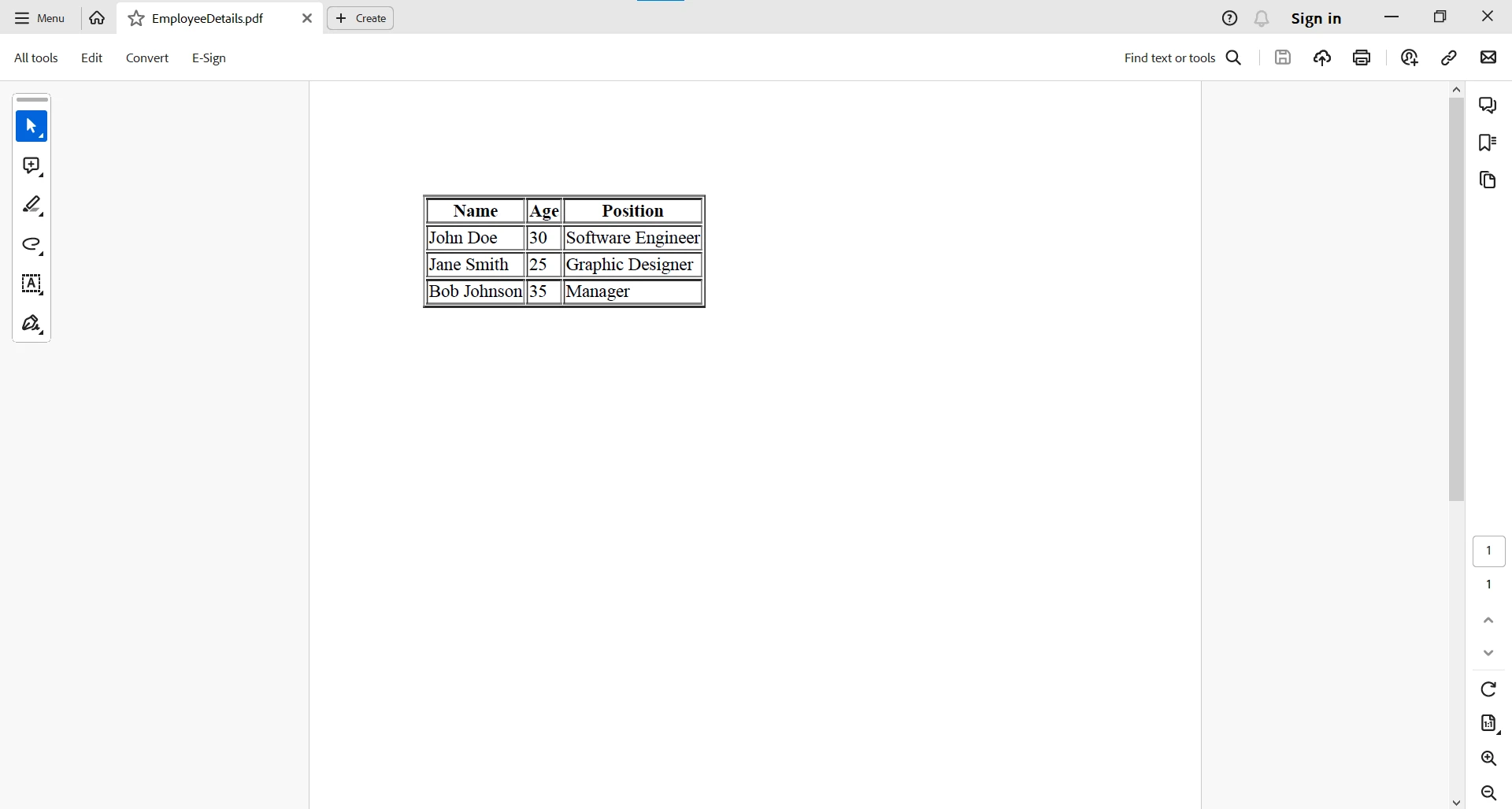
}在此範例中,我們使用 StringBuilder 動態生成HTML表格字串,每行包含員工詳細資訊。 此HTML表格包含姓名、年齡和職位等標頭,確保員工資料的結構化表示。 利用IronPDF的 renderHtmlAsPdf 方法,我們能夠將HTML表格流暢地轉換成PDF文件,無縫整合HTML與PDF世界於Java。 生成的PDF將表格式員工詳情封裝成一種視覺吸引力的格式。 最后,程式將生成的PDF儲存為"EmployeeDetails.pdf",提供了一種方便且可共享的格式,用於儲存和展示員工資料。
結論
Java字串類中的方法 split() 為開發人員提供了輕鬆解析和操作字串的能力。 其在各種情境中的靈活性和適用性,使其成為Java開發者工具箱中的寶貴工具,從資料解析到URL元件提取應有盡有。 通過掌握 split() 字串方法,開發人員能夠高效地處理和處理所有字串,有助於開發堅固而靈活的Java應用。 無論是分解資料、提取有意義的資訊、分割字元或字元化文字,split() 方法都提供了一個在不斷發展的Java程式設計環境中進行字串操作的強大機制。
詳細的相容性情境讓開發人員可以自信地利用IronPDF的能力,結合標準Java字串操作,增強其應用的整體功能性和靈活性。 無論您是在操作PDF文件還是處理字串,IronPDF與標準Java操作的協同作用允許建立全方位且功能豐富的Java應用。
如需獲得更多關於PDF相關任務的資訊,請瀏覽文件頁面。
IronPDF爲商業使用提供免費試用。







 免費開始
免費開始 免費開始
免費開始 預訂免費直播演示
















