

如何在 JavaScript 中建立 PDF 文件

在文件共享的領域中,由Adobe首創的可攜式文件格式(PDF)在保持文字豐富且視覺上吸引人的內容的完整性方面發揮了至關重要的作用。 在線存取PDF文件通常需要一個專用程式。 在當前的數位環境中,PDF文件已成為各種重要出版物不可或缺的一部分。 許多企業依賴PDF檔案建立專業文件和發票。 此外,開發者經常利用PDF建立程式庫來滿足特定客戶需求。 隨著現代程式庫的出現,生成PDF的過程已被簡化。 當選擇一個適合PDF生成相關專案的程式庫時,考慮如建立、閱讀和轉換功能等因素至關重要,以確保無縫整合和最佳性能。
JavaScript程式庫
考慮一個情境,我們希望客戶能夠輕鬆下載並列印我們的PDF發票副本。 此外,我們必須保持發票的精確佈局並確保完美的列印質量。
在本節中,我們將探討一系列公認的JavaScript程式庫,這些程式庫在將HTML轉換和建立為PDF文件方面表現出色,為我們提供高效和精確的文件生成和轉換的多重工具。
1. PDFKit
PDFKit是一個PDF程式庫,是第一批進入大型JavaScript程式庫生態系統的程式庫之一。 自2012年首次發布以來,其受歡迎程度顯著增長,截至2021年,仍在定期升級。
使用Webpack,PDFKit提供對Node程式庫和Web瀏覽器的支持,並支持自定義字體和圖像嵌入。
然而,正如我們在比較中將看到的,有些PDF程式庫實際上只是PDFKit的包裝器,可能比PDFKit更容易使用。
PDFKit沒有高級API可用。 說明文件也經常很難找到。 使用JavaScript生成PDF可能並不總是最簡單的事情,這需要一些習慣。
// Requiring the necessary modules for file system and PDF document creation.
const fs = require('fs');
const PDFDocument = require('pdfkit');

// Create a new PDF document instance
const doc = new PDFDocument();

// Add text content to the PDF document
doc.text('Hello world!');

// Define the output file location and start writing the PDF content to it
doc.pipe(fs.createWriteStream('Demo.pdf'));

// Finalize the PDF file
doc.end();
// Requiring the necessary modules for file system and PDF document creation.
const fs = require('fs');
const PDFDocument = require('pdfkit');
// Create a new PDF document instance
const doc = new PDFDocument();
// Add text content to the PDF document
doc.text('Hello world!');
// Define the output file location and start writing the PDF content to it
doc.pipe(fs.createWriteStream('Demo.pdf'));
// Finalize the PDF file
doc.end();2. pdfmake
與使用傳統命令式方法生成內容的PDFKit不同,pdfmake採用宣告式方法。 因此,使用pdfmake程式庫使專注於PDF生成的預期功能變得更簡單,而不是花時間教程式庫如何達成某個結果。
必須記住,儘管某些解決方案可能看似有前景,但它們可能並不完美。 一個例子是使用Webpack與pdfmake整合自定義字體時可能導致問題。 遺憾的是,關於此特定問題的在線文件有限。 然而,如果您不使用Webpack,您可以輕鬆克隆Git儲存庫並執行字體嵌入腳本來克服與自定義字體整合相關的潛在障礙。
<!DOCTYPE html>
<html>
<head>
    <script type="text/javascript" src="https://cdnjs.cloudflare.com/ajax/libs/pdfmake/0.1.56/pdfmake.min.js"></script>
    <script type="text/javascript" src="https://cdnjs.cloudflare.com/ajax/libs/pdfmake/0.1.56/vfs_fonts.js"></script>
</head>
<body>
    <script type="text/javascript">
        // Function to create and print a PDF document
        function CreatePdf() {
            // Define document content and styles
            var docDefinition = {
                content: [
                    { text: "Hello world" } // Text content to be included in the PDF
                ],
                defaultStyle: {}
            };
            // Create and print the PDF using pdfMake library
            pdfMake.createPdf(docDefinition).print();
        }
    </script>

    <button onclick="CreatePdf()">Print pdf</button>
</body>
</html>
<!DOCTYPE html>
<html>
<head>
<script type="text/javascript" src="https://cdnjs.cloudflare.com/ajax/libs/pdfmake/0.1.56/pdfmake.min.js"></script>
<script type="text/javascript" src="https://cdnjs.cloudflare.com/ajax/libs/pdfmake/0.1.56/vfs_fonts.js"></script>
</head>
<body>
<script type="text/javascript">
// Function to create and print a PDF document
function CreatePdf() {
// Define document content and styles
var docDefinition = {
content: [
{ text: "Hello world" } // Text content to be included in the PDF
],
defaultStyle: {}
};
// Create and print the PDF using pdfMake library
pdfMake.createPdf(docDefinition).print();
}
</script>
<button onclick="CreatePdf()">Print pdf</button>
</body>
</html>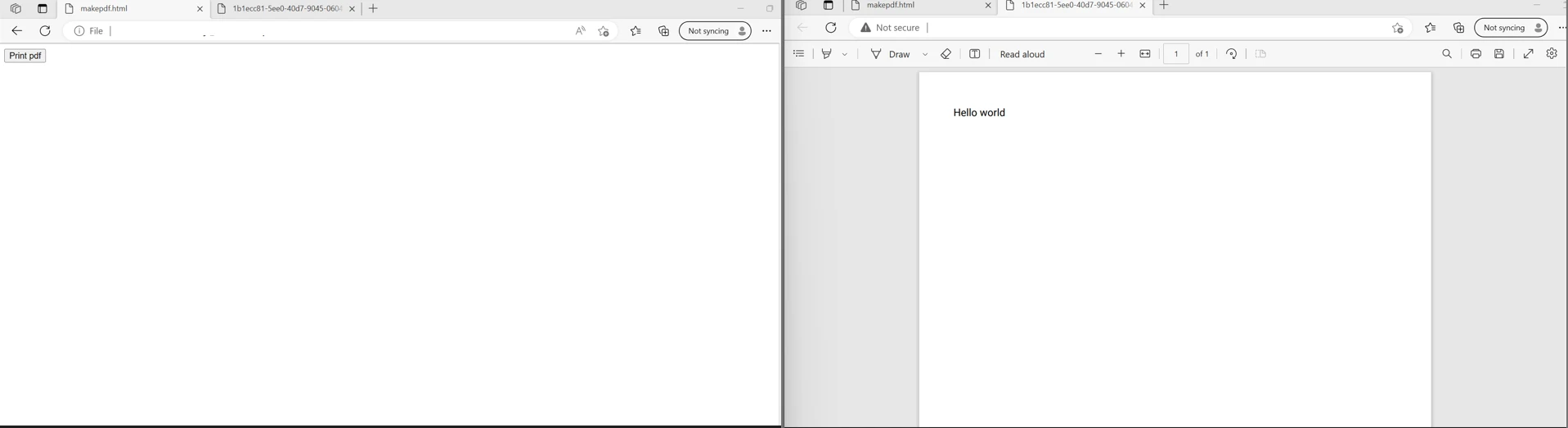
3. IronPDF
IronPDF是為了使開發者更容易建立、瀏覽和編輯PDF文件而建立的。 它作為一個強大的PDF轉換器而運行,並提供一個基礎API來建立、編輯和處理PDF文件。
IronPDF for Node.js簡化了編碼建立和自定義PDF文件的過程。 由受信任的高效能文件處理程式庫提供商Iron Software開發,IronPDF為Node.js環境中的PDF生成提供強大的解決方案。 它與Node.js專案無縫整合,為開發者提供了強大的工具,使生成、格式化和編輯PDF變得輕而易舉。
IronPDF程式庫具有廣泛的功能,包括將新或現有PDF文件中的頁面拆分和合併、閱讀和編輯現有PDF文件、從PDF文件提取圖像、向PDF文件新增文字、圖形、書籤、水印、標頭和頁腳,且無需Acrobat Reader。 可以從CSS和CSS媒體文件生成PDF文件。 IronPDF允許使用者建立、上傳和更新新的和已有的PDF表單。
IronPDF for Node.js的主要功能:
- 多功能PDF生成:通過IronPDF,開發者可以從包括HTML、CSS、JavaScript、圖像和其他文件型別在內的各種來源生成PDF。此靈活性使能夠建立針對特定要求量身定制的動態且視覺上吸引人的PDF文件。
- 高級文件自定義:IronPDF使開發者能夠通過新增標頭、頁腳、附件、數位簽名、水印和書籤等功能來增強PDF文件。 這允許建立具有豐富內容和互動元素的專業級PDF。
- 安全功能:IronPDF提供穩健的安全功能以保護PDF免受未經授權的存取。 開發者可以執行如密碼、數位簽名、元資料和其他安全設置等安全措施來保護PDF文件中包含的敏感資訊。
- 優化性能:IronPDF是為優化性能而設計,具備完整的多執行緒和非同步支持。 這確保了高效的PDF生成,使其適合在性能至關重要的任務中使用。
- 綜合集合功能:IronPDF提供超過50種功能來建立、格式化和編輯PDF文件,提供一個完善的方案來處理所有與PDF相關的任務。 從基本文件生成到高級自定義和安全,IronPDF擁有滿足開發者需求的廣泛功能。
下面的程式碼演示了如何使用JavaScript渲染HTML成為像素完美的PDF文件:
import { PdfDocument } from "@ironsoftware/ironpdf";

(async () => {
    // HTML content containing JavaScript to be executed upon rendering
    const htmlWithJavaScript = `<h1>This is HTML</h1>
    <script>
        document.write('<h1>This is JavaScript</h1>');
        window.ironpdf.notifyRender(); // Notify IronPDF when rendering is done
    </script>`;

    // Rendering options to enable JavaScript
    const renderOptions = {
        enableJavaScript: true,
    };

    // Render HTML content to a PDF
    const pdf = await PdfDocument.fromHtml(htmlWithJavaScript, { renderOptions });

    // Save the PDF to a file
    await pdf.saveAs("javascript-in-html.pdf");
})();
import { PdfDocument } from "@ironsoftware/ironpdf";
(async () => {
// HTML content containing JavaScript to be executed upon rendering
const htmlWithJavaScript = `<h1>This is HTML</h1>
<script>
document.write('<h1>This is JavaScript</h1>');
window.ironpdf.notifyRender(); // Notify IronPDF when rendering is done
</script>`;
// Rendering options to enable JavaScript
const renderOptions = {
enableJavaScript: true,
};
// Render HTML content to a PDF
const pdf = await PdfDocument.fromHtml(htmlWithJavaScript, { renderOptions });
// Save the PDF to a file
await pdf.saveAs("javascript-in-html.pdf");
})();您還可以執行自定義JavaScript來毫不費力地修改HTML內容的外觀:
import { PdfDocument } from "@ironsoftware/ironpdf";

(async () => {
    // JavaScript code to change the text color of header tags to red
    const javascriptCode = "document.querySelectorAll('h1').forEach(function(el){ el.style.color = 'red'; })";

    // HTML content which will be affected by the custom JavaScript
    const htmlContent = "<h1>Happy New Year!</h1>";

    // Rendering options to enable and apply the custom JavaScript
    const renderOptions = {
        enableJavaScript: true,
        javascript: javascriptCode,
    };

    // Render HTML content to a PDF
    const pdf = await PdfDocument.fromHtml(htmlContent, { renderOptions });

    // Save the PDF with the applied JavaScript effects
    await pdf.saveAs("executed_js.pdf");
})();
import { PdfDocument } from "@ironsoftware/ironpdf";
(async () => {
// JavaScript code to change the text color of header tags to red
const javascriptCode = "document.querySelectorAll('h1').forEach(function(el){ el.style.color = 'red'; })";
// HTML content which will be affected by the custom JavaScript
const htmlContent = "<h1>Happy New Year!</h1>";
// Rendering options to enable and apply the custom JavaScript
const renderOptions = {
enableJavaScript: true,
javascript: javascriptCode,
};
// Render HTML content to a PDF
const pdf = await PdfDocument.fromHtml(htmlContent, { renderOptions });
// Save the PDF with the applied JavaScript effects
await pdf.saveAs("executed_js.pdf");
})();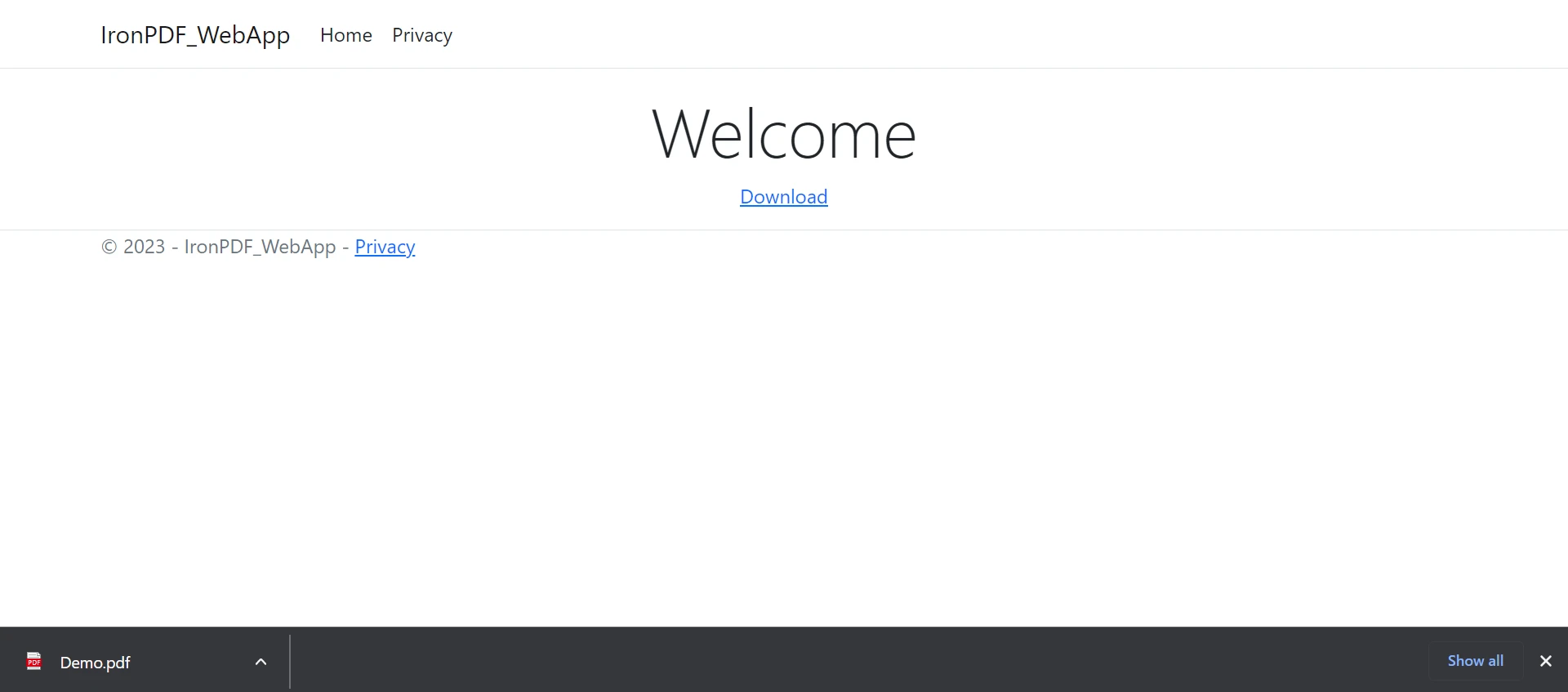
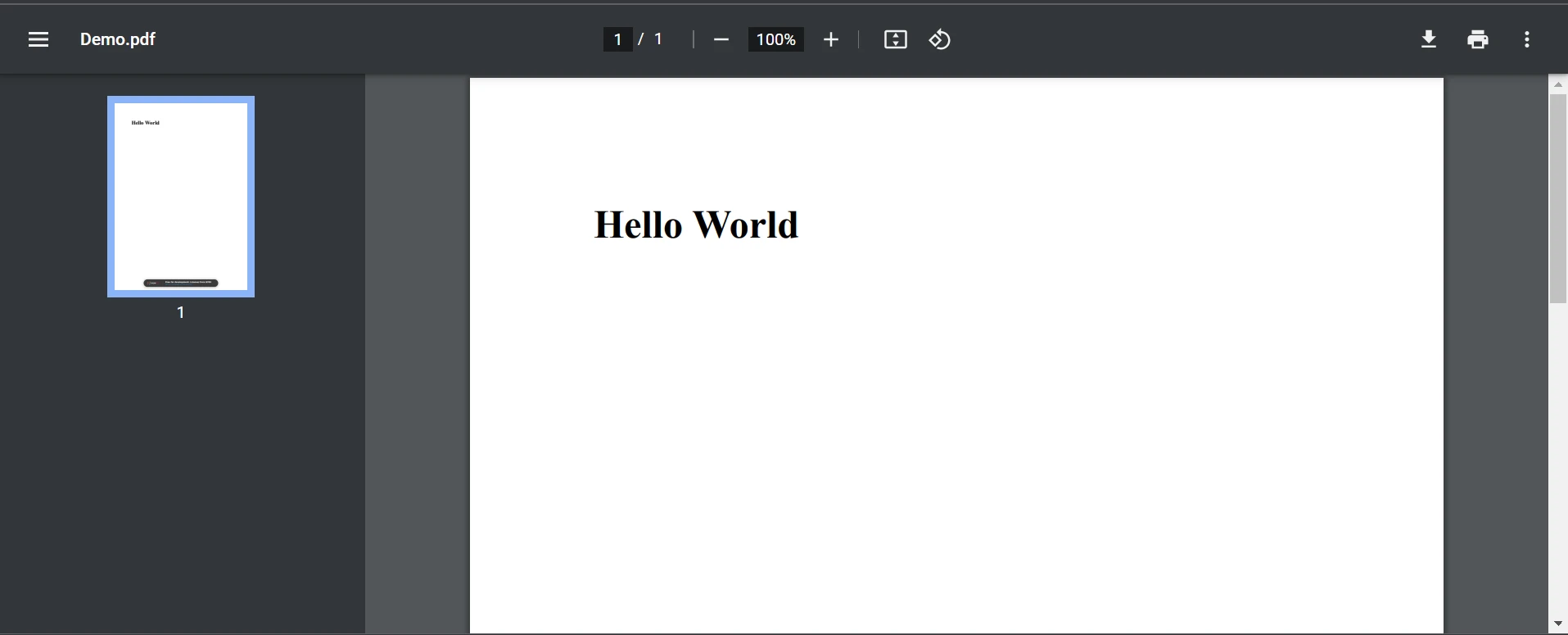
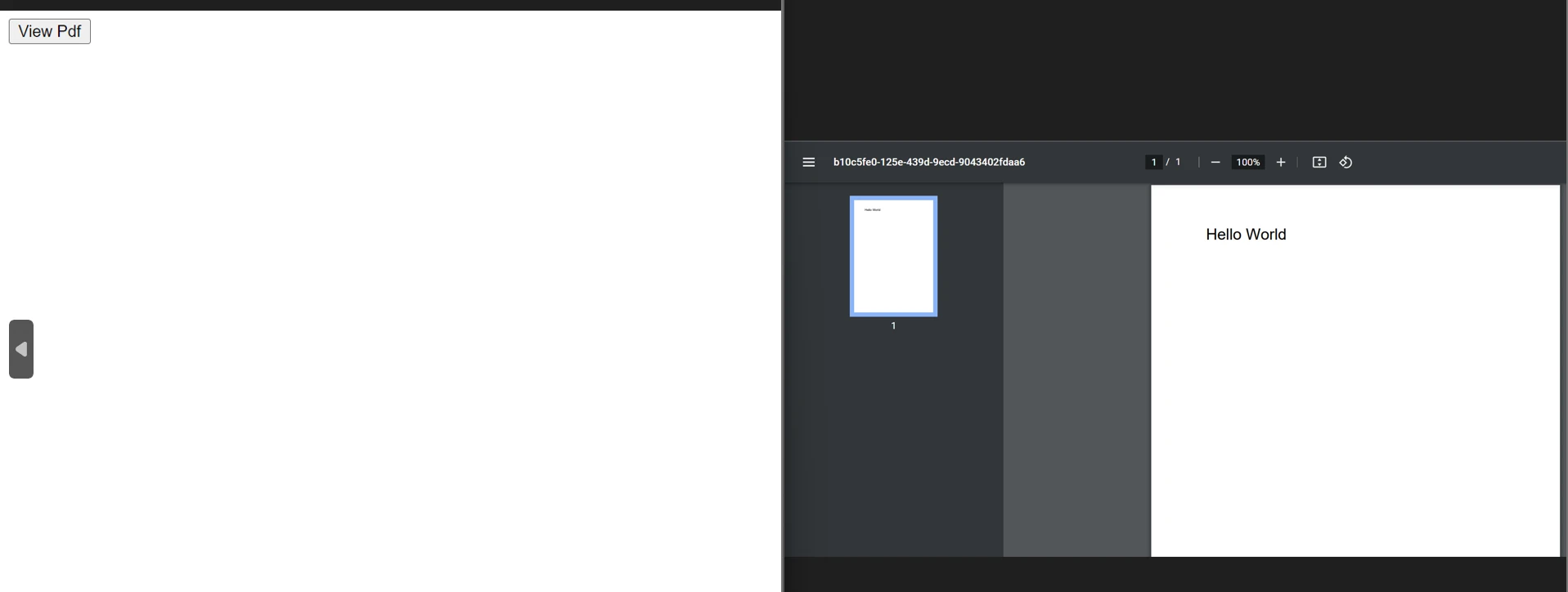
當我們點擊下載按鈕時,它將下載PDF文件,如上圖PDF頁面所示。 生成的PDF文件將如下所示。
結論
應提到的是,上述的JavaScript程式碼在被他人使用時有可能導致濫用和安全問題。 在將此類程式碼放入網頁或網站時,需要考慮未經授權存取和資料安全漏洞等風險。此外,還需要考慮支持可能缺少所有必要功能的過時瀏覽器以及與各系統和瀏覽器可能存在的相容性問題。
IronPDF不僅適用於Node.js,還適用於其他熱門平台,包括.NET、Java和Python。 此跨平台的可用性確保了從事不同技術堆疊的開發者的一致性和靈活性。 憑藉其豐富的功能集、無縫的整合和穩健的性能,IronPDF是希望簡化其Node.js專案內PDF生成的開發者的寶貴工具。
為滿足各種開發者需求,該程式庫提供多種授權選項,包括免費試用授權和可供購買的額外開發者授權。 $999 Lite方案配備永久授權、30天退款保證、一年軟體支援及升級選項。 除了初始購買外,沒有其他費用。






 免費開始
免費開始 免費開始
免費開始 預訂免費直播演示
















