


C# iList(开发人员如何使用)

IList 简介
IList 是 .NET Framework 的 Collections 命名空间的一部分。 它是一个非泛型集合接口,为可以通过其索引单独访问的对象集合提供蓝图。 与数组不同, IList允许动态数量的对象值元素,这意味着您可以根据需要向集合中添加或删除元素。 它作为 .NET Framework 中所有非泛型列表的基础接口,提供了一种比数组更灵活地管理对象集合的方法。 在本教程中,我们将学习 IList 接口和IronPDF C# PDF 库。
了解 IList 接口
public interface IList 声明是 C# 中创建符合 .NET Framework 的 Collections 命名空间所指定的 IList 约定的自定义集合的基本组成部分。 IList 包含属性和方法,可以访问集合中的元素、计算元素数量,并通过添加、插入或删除元素来修改集合。 以下是 IList 接口中定义的一些关键属性和方法:
- 诸如
IsFixedSize和IsReadOnly之类的属性分别表明集合是固定大小还是只读的。 - 诸如
Add、Insert、Remove和RemoveAt之类的方法用于修改集合中的元素。 您可以添加、插入和移除元素。 IndexOf方法用于定位元素,而Item属性(或 C# 中的索引器)允许根据元素的索引获取和设置元素。
IList 接口的实际应用
为了展示 IList 的工作原理,让我们创建一个简单的示例。 本示例将演示如何声明一个 IList,向其中添加项目,并遍历其内容。
创建和修改 IList
首先,我们来看看如何声明一个 IList 并向其中添加项目:
using System;
using System.Collections;
class Program
{
static void Main(string[] args)
{
// Creating an IList instance
IList myIList = new ArrayList();
// Adding elements to the IList
myIList.Add("Hello");
myIList.Add(10);
myIList.Add(new object());
// Displaying the number of values in the IList using the Count property
Console.WriteLine($"Number of elements: {myIList.Count}");
// Accessing elements using a loop
foreach (var element in myIList)
{
Console.WriteLine(element);
}
}
}using System;
using System.Collections;
class Program
{
static void Main(string[] args)
{
// Creating an IList instance
IList myIList = new ArrayList();
// Adding elements to the IList
myIList.Add("Hello");
myIList.Add(10);
myIList.Add(new object());
// Displaying the number of values in the IList using the Count property
Console.WriteLine($"Number of elements: {myIList.Count}");
// Accessing elements using a loop
foreach (var element in myIList)
{
Console.WriteLine(element);
}
}
}Imports System
Imports System.Collections
Friend Class Program
Shared Sub Main(ByVal args() As String)
' Creating an IList instance
Dim myIList As IList = New ArrayList()
' Adding elements to the IList
myIList.Add("Hello")
myIList.Add(10)
myIList.Add(New Object())
' Displaying the number of values in the IList using the Count property
Console.WriteLine($"Number of elements: {myIList.Count}")
' Accessing elements using a loop
For Each element In myIList
Console.WriteLine(element)
Next element
End Sub
End Class在上面的示例中,我们使用 ArrayList 创建了一个 IList 实例。 我们添加了各种不同类型的对象,以证明 IList 可以容纳任何对象。 最后,我们遍历了集合,打印出每个元素。
基于索引的访问和修改
通过索引访问和修改元素是 IList 的一个关键特性。 以下示例展示了您是如何做到的:
using System;
using System.Collections;
class Program
{
static void Main(string[] args)
{
IList myIList = new ArrayList { "Hello", 10, new object() };
// Accessing an element by index
object value = myIList[1];
Console.WriteLine($"Element at index 1: {value}");
// Modifying an element by index
myIList[1] = 20;
Console.WriteLine($"Modified element at index 1: {myIList[1]}");
}
}using System;
using System.Collections;
class Program
{
static void Main(string[] args)
{
IList myIList = new ArrayList { "Hello", 10, new object() };
// Accessing an element by index
object value = myIList[1];
Console.WriteLine($"Element at index 1: {value}");
// Modifying an element by index
myIList[1] = 20;
Console.WriteLine($"Modified element at index 1: {myIList[1]}");
}
}Imports System
Imports System.Collections
Friend Class Program
Shared Sub Main(ByVal args() As String)
Dim myIList As IList = New ArrayList From { "Hello", 10, New Object() }
' Accessing an element by index
Dim value As Object = myIList(1)
Console.WriteLine($"Element at index 1: {value}")
' Modifying an element by index
myIList(1) = 20
Console.WriteLine($"Modified element at index 1: {myIList(1)}")
End Sub
End Class实现自定义 IList
有时您可能需要一个继承自 IList 的定制集合。 这允许对元素的存储、访问和修改进行更多的控制。 以下是一个实现 IList 的简单自定义集合示例:
using System;
using System.Collections;
public class CustomCollection : IList
{
private ArrayList _innerList = new ArrayList();
public object this[int index]
{
get => _innerList[index];
set => _innerList[index] = value;
}
public bool IsFixedSize => _innerList.IsFixedSize;
public bool IsReadOnly => _innerList.IsReadOnly;
public int Count => _innerList.Count;
public bool IsSynchronized => _innerList.IsSynchronized;
public object SyncRoot => _innerList.SyncRoot;
public int Add(object value)
{
return _innerList.Add(value);
}
public void Clear()
{
_innerList.Clear();
}
public bool Contains(object value)
{
return _innerList.Contains(value);
}
public int IndexOf(object value)
{
return _innerList.IndexOf(value);
}
public void Insert(int index, object value)
{
_innerList.Insert(index, value);
}
public void Remove(object value)
{
_innerList.Remove(value);
}
public void RemoveAt(int index)
{
_innerList.RemoveAt(index);
}
public void CopyTo(Array array, int index)
{
_innerList.CopyTo(array, index);
}
public IEnumerator GetEnumerator()
{
return _innerList.GetEnumerator();
}
}using System;
using System.Collections;
public class CustomCollection : IList
{
private ArrayList _innerList = new ArrayList();
public object this[int index]
{
get => _innerList[index];
set => _innerList[index] = value;
}
public bool IsFixedSize => _innerList.IsFixedSize;
public bool IsReadOnly => _innerList.IsReadOnly;
public int Count => _innerList.Count;
public bool IsSynchronized => _innerList.IsSynchronized;
public object SyncRoot => _innerList.SyncRoot;
public int Add(object value)
{
return _innerList.Add(value);
}
public void Clear()
{
_innerList.Clear();
}
public bool Contains(object value)
{
return _innerList.Contains(value);
}
public int IndexOf(object value)
{
return _innerList.IndexOf(value);
}
public void Insert(int index, object value)
{
_innerList.Insert(index, value);
}
public void Remove(object value)
{
_innerList.Remove(value);
}
public void RemoveAt(int index)
{
_innerList.RemoveAt(index);
}
public void CopyTo(Array array, int index)
{
_innerList.CopyTo(array, index);
}
public IEnumerator GetEnumerator()
{
return _innerList.GetEnumerator();
}
}Imports System
Imports System.Collections
Public Class CustomCollection
Implements IList
Private _innerList As New ArrayList()
Default Public Property Item(ByVal index As Integer) As Object Implements IList.Item
Get
Return _innerList(index)
End Get
Set(ByVal value As Object)
_innerList(index) = value
End Set
End Property
Public ReadOnly Property IsFixedSize() As Boolean Implements IList.IsFixedSize
Get
Return _innerList.IsFixedSize
End Get
End Property
Public ReadOnly Property IsReadOnly() As Boolean Implements IList.IsReadOnly
Get
Return _innerList.IsReadOnly
End Get
End Property
Public ReadOnly Property Count() As Integer Implements System.Collections.ICollection.Count
Get
Return _innerList.Count
End Get
End Property
Public ReadOnly Property IsSynchronized() As Boolean Implements System.Collections.ICollection.IsSynchronized
Get
Return _innerList.IsSynchronized
End Get
End Property
Public ReadOnly Property SyncRoot() As Object Implements System.Collections.ICollection.SyncRoot
Get
Return _innerList.SyncRoot
End Get
End Property
Public Function Add(ByVal value As Object) As Integer Implements IList.Add
Return _innerList.Add(value)
End Function
Public Sub Clear() Implements IList.Clear
_innerList.Clear()
End Sub
Public Function Contains(ByVal value As Object) As Boolean Implements IList.Contains
Return _innerList.Contains(value)
End Function
Public Function IndexOf(ByVal value As Object) As Integer Implements IList.IndexOf
Return _innerList.IndexOf(value)
End Function
Public Sub Insert(ByVal index As Integer, ByVal value As Object) Implements IList.Insert
_innerList.Insert(index, value)
End Sub
Public Sub Remove(ByVal value As Object) Implements IList.Remove
_innerList.Remove(value)
End Sub
Public Sub RemoveAt(ByVal index As Integer) Implements IList.RemoveAt
_innerList.RemoveAt(index)
End Sub
Public Sub CopyTo(ByVal array As Array, ByVal index As Integer) Implements System.Collections.ICollection.CopyTo
_innerList.CopyTo(array, index)
End Sub
Public Function GetEnumerator() As IEnumerator Implements System.Collections.IEnumerable.GetEnumerator
Return _innerList.GetEnumerator()
End Function
End Class这个 CustomCollection 类封装了一个 ArrayList 类,该类本身实现了 IList 。 我们的 CustomCollection 将调用转发到底层 ArrayList,使其能够像任何其他实现了 IList 的集合一样运行。 本示例演示如何创建一个可通过索引访问、修改(添加、插入或删除项)和迭代的集合,就像任何实现了 IList 的内置 .NET 集合一样。
使用 IList 进行高级操作
除了基本的添加、删除和访问操作之外,IList 还允许进行更复杂的操作和查询。 例如,检查集合中是否包含特定对象或查找集合中对象的索引是对某些应用程序至关重要的操作:
using System;
using System.Collections;
class Program
{
static void Main(string[] args)
{
IList myIList = new ArrayList { "Hello", 10, new object() };
// Check if the IList contains a specific object
bool contains = myIList.Contains(10); // Assuming 10 was added previously
Console.WriteLine($"Contains 10: {contains}");
// Find the index of a specific object
int index = myIList.IndexOf(10);
Console.WriteLine($"Index of 10: {index}");
}
}using System;
using System.Collections;
class Program
{
static void Main(string[] args)
{
IList myIList = new ArrayList { "Hello", 10, new object() };
// Check if the IList contains a specific object
bool contains = myIList.Contains(10); // Assuming 10 was added previously
Console.WriteLine($"Contains 10: {contains}");
// Find the index of a specific object
int index = myIList.IndexOf(10);
Console.WriteLine($"Index of 10: {index}");
}
}Imports System
Imports System.Collections
Friend Class Program
Shared Sub Main(ByVal args() As String)
Dim myIList As IList = New ArrayList From { "Hello", 10, New Object() }
' Check if the IList contains a specific object
Dim contains As Boolean = myIList.Contains(10) ' Assuming 10 was added previously
Console.WriteLine($"Contains 10: {contains}")
' Find the index of a specific object
Dim index As Integer = myIList.IndexOf(10)
Console.WriteLine($"Index of 10: {index}")
End Sub
End Class这些操作在处理对象集合时特别有用,当您需要在不遍历整个集合的情况下确定特定项目的存在或位置时。
IronPDF:C# PDF 库
IronPDF 是一个为 .NET 开发人员提供的 PDF 库,允许在 .NET 应用程序中直接创建和操作 PDF 文档。 它支持将 HTML 转换为 PDF 文档、图像和网页到 PDF。 开发人员可以轻松地通过此库将 PDF 功能添加到他们的应用程序中。 IronPDF 还包括用于编辑、合并和拆分 PDF 文件的功能,提供全面的 PDF 操作控制。
IronPDF在HTML到PDF转换方面表现出色,确保精确保留原始布局和样式。 它非常适合从基于Web的内容中创建PDF,如报告、发票和文档。 利用对HTML文件、URL和原始HTML字符串的支持,IronPDF轻松生成高质量的PDF文档。
using IronPdf;
class Program
{
static void Main(string[] args)
{
var renderer = new ChromePdfRenderer();
// 1. Convert HTML String to PDF
var htmlContent = "<h1>Hello, IronPDF!</h1><p>This is a PDF from an HTML string.</p>";
var pdfFromHtmlString = renderer.RenderHtmlAsPdf(htmlContent);
pdfFromHtmlString.SaveAs("HTMLStringToPDF.pdf");
// 2. Convert HTML File to PDF
var htmlFilePath = "path_to_your_html_file.html"; // Specify the path to your HTML file
var pdfFromHtmlFile = renderer.RenderHtmlFileAsPdf(htmlFilePath);
pdfFromHtmlFile.SaveAs("HTMLFileToPDF.pdf");
// 3. Convert URL to PDF
var url = "http://ironpdf.com"; // Specify the URL
var pdfFromUrl = renderer.RenderUrlAsPdf(url);
pdfFromUrl.SaveAs("URLToPDF.pdf");
}
}using IronPdf;
class Program
{
static void Main(string[] args)
{
var renderer = new ChromePdfRenderer();
// 1. Convert HTML String to PDF
var htmlContent = "<h1>Hello, IronPDF!</h1><p>This is a PDF from an HTML string.</p>";
var pdfFromHtmlString = renderer.RenderHtmlAsPdf(htmlContent);
pdfFromHtmlString.SaveAs("HTMLStringToPDF.pdf");
// 2. Convert HTML File to PDF
var htmlFilePath = "path_to_your_html_file.html"; // Specify the path to your HTML file
var pdfFromHtmlFile = renderer.RenderHtmlFileAsPdf(htmlFilePath);
pdfFromHtmlFile.SaveAs("HTMLFileToPDF.pdf");
// 3. Convert URL to PDF
var url = "http://ironpdf.com"; // Specify the URL
var pdfFromUrl = renderer.RenderUrlAsPdf(url);
pdfFromUrl.SaveAs("URLToPDF.pdf");
}
}Imports IronPdf
Friend Class Program
Shared Sub Main(ByVal args() As String)
Dim renderer = New ChromePdfRenderer()
' 1. Convert HTML String to PDF
Dim htmlContent = "<h1>Hello, IronPDF!</h1><p>This is a PDF from an HTML string.</p>"
Dim pdfFromHtmlString = renderer.RenderHtmlAsPdf(htmlContent)
pdfFromHtmlString.SaveAs("HTMLStringToPDF.pdf")
' 2. Convert HTML File to PDF
Dim htmlFilePath = "path_to_your_html_file.html" ' Specify the path to your HTML file
Dim pdfFromHtmlFile = renderer.RenderHtmlFileAsPdf(htmlFilePath)
pdfFromHtmlFile.SaveAs("HTMLFileToPDF.pdf")
' 3. Convert URL to PDF
Dim url = "http://ironpdf.com" ' Specify the URL
Dim pdfFromUrl = renderer.RenderUrlAsPdf(url)
pdfFromUrl.SaveAs("URLToPDF.pdf")
End Sub
End Class代码示例
以下是一个简单的示例,演示如何使用 IronPDF 和 IList 接口从字符串列表生成简单的 PDF 文档:
using IronPdf;
using System.Collections.Generic;

public class PDFGenerator
{
    public static void GeneratePDFFromList(IList<string> dataList)
    {
        // Initialize the HtmlToPdf renderer
        var renderer = new ChromePdfRenderer();

        // Start building HTML content from the dataList
        var htmlContent = "<h1>My Data List</h1><ul>";

        foreach (var item in dataList)
        {
            htmlContent += $"<li>{item}</li>";
        }

        htmlContent += "</ul>";

        // Convert HTML string to PDF
        var pdfDocument = renderer.RenderHtmlAsPdf(htmlContent);

        // Save the PDF to a file
        pdfDocument.SaveAs("DataList.pdf");
    }
}

// Example usage
class Program
{
    static void Main(string[] args)
    {
        License.LicenseKey = "License-Key";
        IList<string> myDataList = new List<string> { "Apple", "Banana", "Cherry" };
        PDFGenerator.GeneratePDFFromList(myDataList);
    }
}using IronPdf;
using System.Collections.Generic;
public class PDFGenerator
{
public static void GeneratePDFFromList(IList<string> dataList)
{
// Initialize the HtmlToPdf renderer
var renderer = new ChromePdfRenderer();
// Start building HTML content from the dataList
var htmlContent = "<h1>My Data List</h1><ul>";
foreach (var item in dataList)
{
htmlContent += $"<li>{item}</li>";
}
htmlContent += "</ul>";
// Convert HTML string to PDF
var pdfDocument = renderer.RenderHtmlAsPdf(htmlContent);
// Save the PDF to a file
pdfDocument.SaveAs("DataList.pdf");
}
}
// Example usage
class Program
{
static void Main(string[] args)
{
License.LicenseKey = "License-Key";
IList<string> myDataList = new List<string> { "Apple", "Banana", "Cherry" };
PDFGenerator.GeneratePDFFromList(myDataList);
}
}Imports IronPdf
Imports System.Collections.Generic
Public Class PDFGenerator
Public Shared Sub GeneratePDFFromList(ByVal dataList As IList(Of String))
' Initialize the HtmlToPdf renderer
Dim renderer = New ChromePdfRenderer()
' Start building HTML content from the dataList
Dim htmlContent = "<h1>My Data List</h1><ul>"
For Each item In dataList
htmlContent &= $"<li>{item}</li>"
Next item
htmlContent &= "</ul>"
' Convert HTML string to PDF
Dim pdfDocument = renderer.RenderHtmlAsPdf(htmlContent)
' Save the PDF to a file
pdfDocument.SaveAs("DataList.pdf")
End Sub
End Class
' Example usage
Friend Class Program
Shared Sub Main(ByVal args() As String)
License.LicenseKey = "License-Key"
Dim myDataList As IList(Of String) = New List(Of String) From {"Apple", "Banana", "Cherry"}
PDFGenerator.GeneratePDFFromList(myDataList)
End Sub
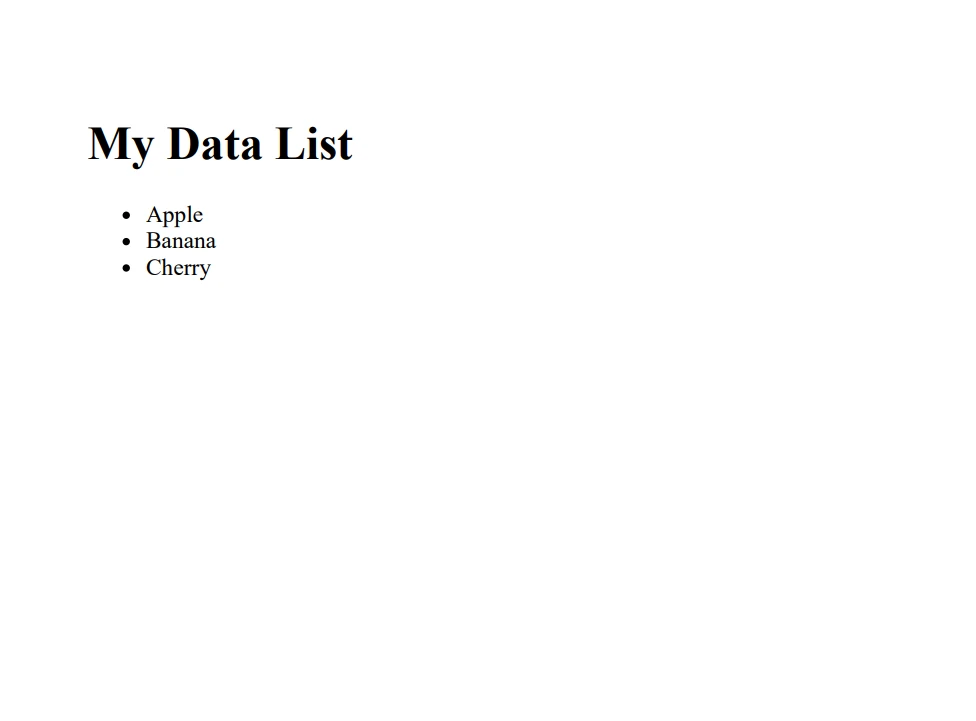
End Class在这个例子中,使用 IList<string> 来存储水果名称的集合。 然后,该方法遍历此列表,构建一个包含无序列表每个项目的 HTML 字符串。IronPDF 的 ChromePdfRenderer 将此 HTML 内容转换为 PDF 文档,随后将其保存到文件中。
结论
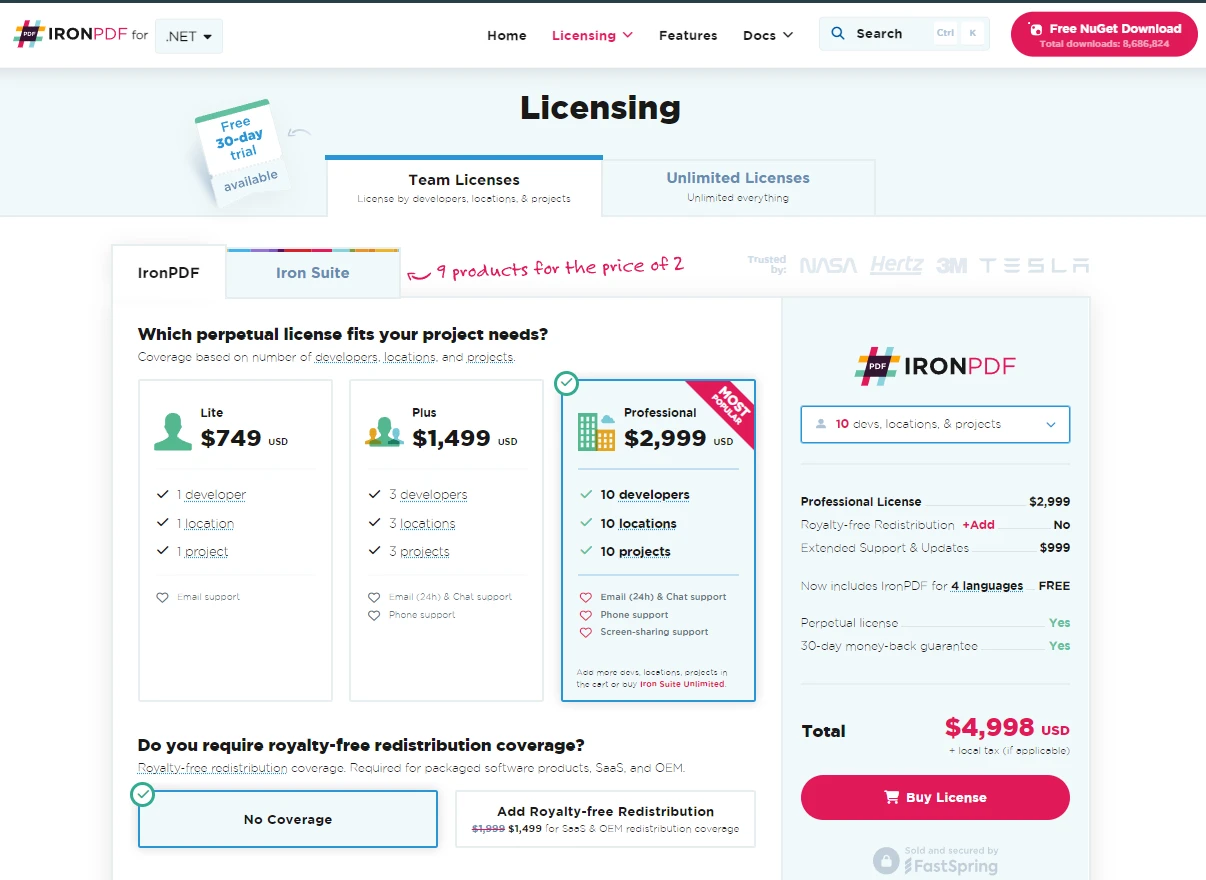
本入门级指南旨在介绍 C# 中 IList 的基础知识和实际用途。 从简单的用法到自定义实现,各种示例都表明 IList 是 C# 开发人员工具包中的强大工具。 无论您是在处理数据集合还是构建集合类型,IList 都提供了有效软件开发所需的功能和灵活性。 IronPDF 为感兴趣的用户提供免费试用其 PDF 库,许可证价格从 $999 起。
常见问题解答
C# 中的 IList 接口是什么?
`IList` 接口是 .NET Framework 的 Collections 命名空间的一部分,用于创建可以通过索引访问的动态集合。它提供了添加、插入、删除和访问元素的方法,比静态数组提供了更多的灵活性。
如何在C#中将HTML转换为PDF?
您可以通过使用 IronPDF 的 `RenderHtmlAsPdf` 方法在 C# 中将 HTML 转换为 PDF。这使您能够将 HTML 字符串、文件或 URL 转换为高质量的 PDF 文档。
IList 接口的一些关键方法有哪些?
`IList` 接口的关键方法包括 `Add`、`Insert`、`Remove`、`RemoveAt` 和 `IndexOf`。这些方法对于动态管理和修改集合中的元素至关重要。
如何在 C# 中创建自定义 IList?
要在 C# 中创建自定义 `IList`,可以在一个类中实现 `IList` 接口,重写如 `Add`、`Remove` 和 `IndexOf` 等必要的方法和属性,以自定义集合处理其元素的方式。
IronPDF 如何从 HTML 创建 PDF?
IronPDF 使用 `ChromePdfRenderer` 类将 HTML 内容转换为 PDF。它支持从 HTML 字符串、文件或 URL 进行转换,确保从网页内容创建准确的 PDF。
您可以从 IList 的数据生成 PDF 吗?
是的,您可以通过遍历列表构建 HTML 字符串,然后使用 IronPDF 的 `ChromePdfRenderer` 将 HTML 转换为可以使用 `SaveAs` 方法保存的 PDF 文档。
IList 支持哪些高级操作?
`IList` 中的高级操作包括使用 `Contains` 检查集合中是否包含特定对象,以及使用 `IndexOf` 找到对象的索引。这些功能有助于高效管理集合,而不需要手动搜索元素。
如何在 C# 中解决 PDF 生成问题?
如果在 C# 中遇到 PDF 生成问题,请确保您的 HTML 内容格式正确,并且您正在使用最新版本的 IronPDF。检查转换过程中抛出的任何异常以获取更多信息。



















 免费开始
免费开始 免费开始
免费开始 预定免费现场演示





 无需信用卡或创建账户










