




已更新 2026年4月23日
简化 .NET 与 Microsoft.Extensions.AI 的 LLM 集成
AI正在改变软件开发,但将大型语言模型(LLM)集成到.NET中直到现在一直很复杂。通过IronPdf.AI,将AI集成更进一步,该产品为.NET应用程序带来了OpenAI驱动的PDF解析、数据提取和内容摘要。
阅读更多

数学函数在编程中起着关键作用,为开发人员提供了执行计算和数据操作的工具以提高效率。 其中一个函数是Math.Max C# 方法,允许程序员在两个数值之间确定最大值,这在许多应用中是常见需求。
对于 .NET 开发人员来说,IronPDF是一个强大的库,用于生成和操作 PDF 文档。 凭借其丰富的功能和用户友好的 API,IronPDF 简化了以编程方式创建 PDF 的过程。 在本文中,我们将探讨如何使用 Math.Max C# 方法及其与 IronPDF 的集成。
Math.Max 是 System 命名空间中的一个静态方法,返回两个指定数字中较大的一个。 该方法可以处理各种数据类型,包括整数、小数和浮点值,使其适用于不同的应用程序。
用例:
using Math.Max 的语法很简单:
int maxValue = Math.Max(value1, value2);Dim maxValue As Integer = Math.Max(value1, value2)参数:
value1:第一个要比较的数字。value2:第二个要比较的数字。返回值: 返回较大的数值。 如果两个值相等,则返回该值。
让我们来看一个简单的例子,如何在 C# 控制台应用程序中使用 Math.Max 来找到两个整数的最大值。
using System;

class Program
{
    public static void Main(string[] args)
    {
        // Calling the Max method
        Max();
    }

    // Method to find and print the maximum of two numbers
    public static int Max()
    {
        int num1 = 10;
        int num2 = 20;
        int max = Math.Max(num1, num2);

        // Output the maximum value to the console
        Console.WriteLine($"The maximum value is: {max}");
        return max;
    }
}Imports System
Module Program
Sub Main(args As String())
' Calling the Max method
Max()
End Sub
' Method to find and print the maximum of two numbers
Public Function Max() As Integer
Dim num1 As Integer = 10
Dim num2 As Integer = 20
Dim max As Integer = Math.Max(num1, num2)
' Output the maximum value to the console
Console.WriteLine($"The maximum value is: {max}")
Return max
End Function
End Module在这个例子中,程序比较num2,输出最大值,这将是20。
要开始使用 IronPDF,您首先需要安装它。 如果已经安装,您可以跳到下一节。 否则,以下步骤将介绍如何安装IronPDF库。
要使用 NuGet 包管理器控制台安装 IronPDF,打开 Visual Studio 并导航到包管理器控制台。 然后运行以下命令:
在 Visual Studio 中,转到"工具 -> NuGet 包管理器 -> 为解决方案管理 NuGet 包"并搜索 IronPDF。 选择您的项目,点击"安装",然后 IronPDF 将被添加到您的项目中。
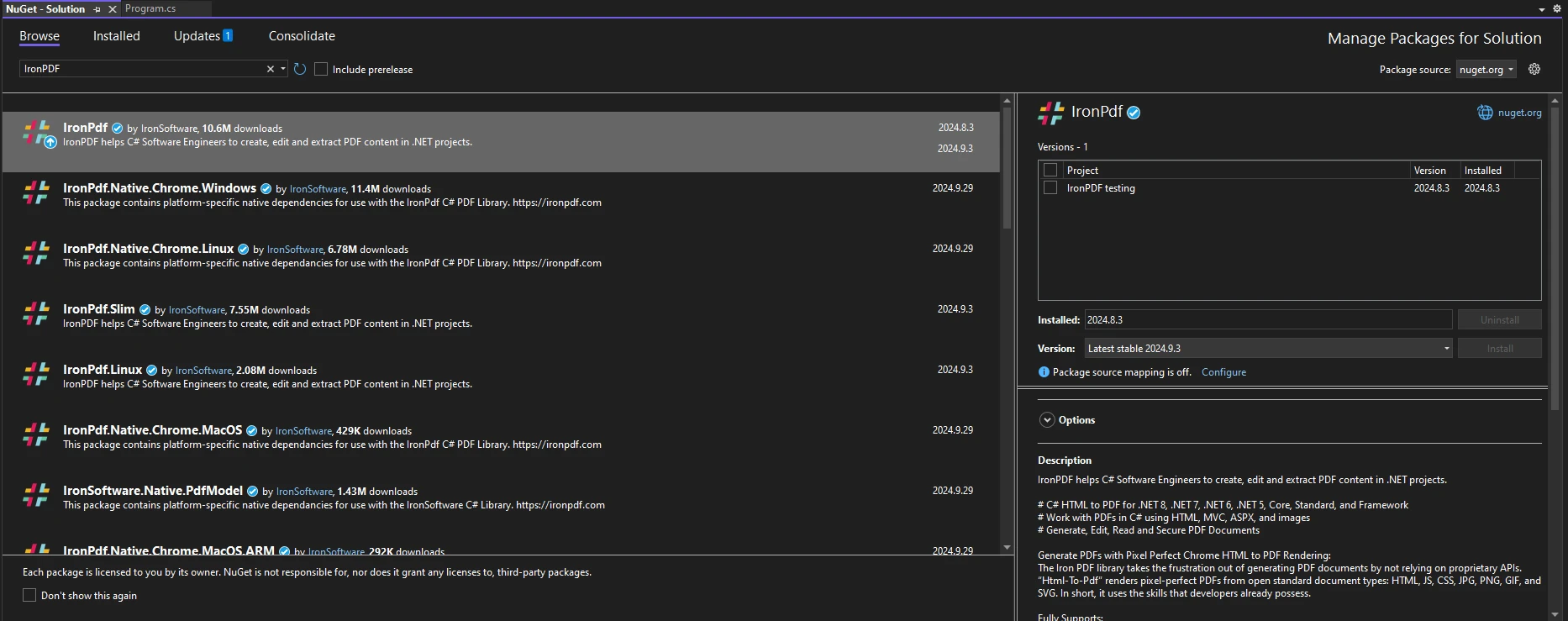
安装 IronPDF 后,在代码的顶部添加适当的 using 语句:
using IronPdf;Imports IronPdf在处理 PDF 时,有些情况下确定最大尺寸是必不可少的。 例如,当创建报告时,您可能希望确保内容符合特定的边界。
以下示例演示了如何使用 Math.Max 结合 IronPDF 来控制 PDF 文档的尺寸:
using IronPdf;
using System;

public class Program
{
    public static void Main(string[] args)
    {
        ChromePdfRenderer renderer = new ChromePdfRenderer();

        // Define your content dimensions
        int contentWidth = 600;
        int contentHeight = 800;

        // Set maximum allowable dimensions
        int maxWidth = 500;
        int maxHeight = 700;

        // Calculate actual dimensions using Math.Max
        int finalWidth = Math.Max(contentWidth, maxWidth);
        int finalHeight = Math.Max(contentHeight, maxHeight);

        // Generate PDF with content styled to fit within the final dimensions
        string htmlContent = $@"
        <div style='width: {finalWidth}px; height: {finalHeight}px; border: 1px solid black;'>
            <h1>Hello World</h1>
            <p>This PDF content is sized dynamically based on input dimensions.</p>
        </div>";

        PdfDocument pdf = renderer.RenderHtmlAsPdf(htmlContent);
        pdf.SaveAs($"GeneratedPDF_{finalWidth}x{finalHeight}.pdf");
    }
}Imports IronPdf
Imports System
Public Class Program
Public Shared Sub Main(ByVal args As String())
Dim renderer As New ChromePdfRenderer()
' Define your content dimensions
Dim contentWidth As Integer = 600
Dim contentHeight As Integer = 800
' Set maximum allowable dimensions
Dim maxWidth As Integer = 500
Dim maxHeight As Integer = 700
' Calculate actual dimensions using Math.Max
Dim finalWidth As Integer = Math.Max(contentWidth, maxWidth)
Dim finalHeight As Integer = Math.Max(contentHeight, maxHeight)
' Generate PDF with content styled to fit within the final dimensions
Dim htmlContent As String = $"
<div style='width: {finalWidth}px; height: {finalHeight}px; border: 1px solid black;'>
<h1>Hello World</h1>
<p>This PDF content is sized dynamically based on input dimensions.</p>
</div>"
Dim pdf As PdfDocument = renderer.RenderHtmlAsPdf(htmlContent)
pdf.SaveAs($"GeneratedPDF_{finalWidth}x{finalHeight}.pdf")
End Sub
End Class以下输出图片是生成的 PDF:
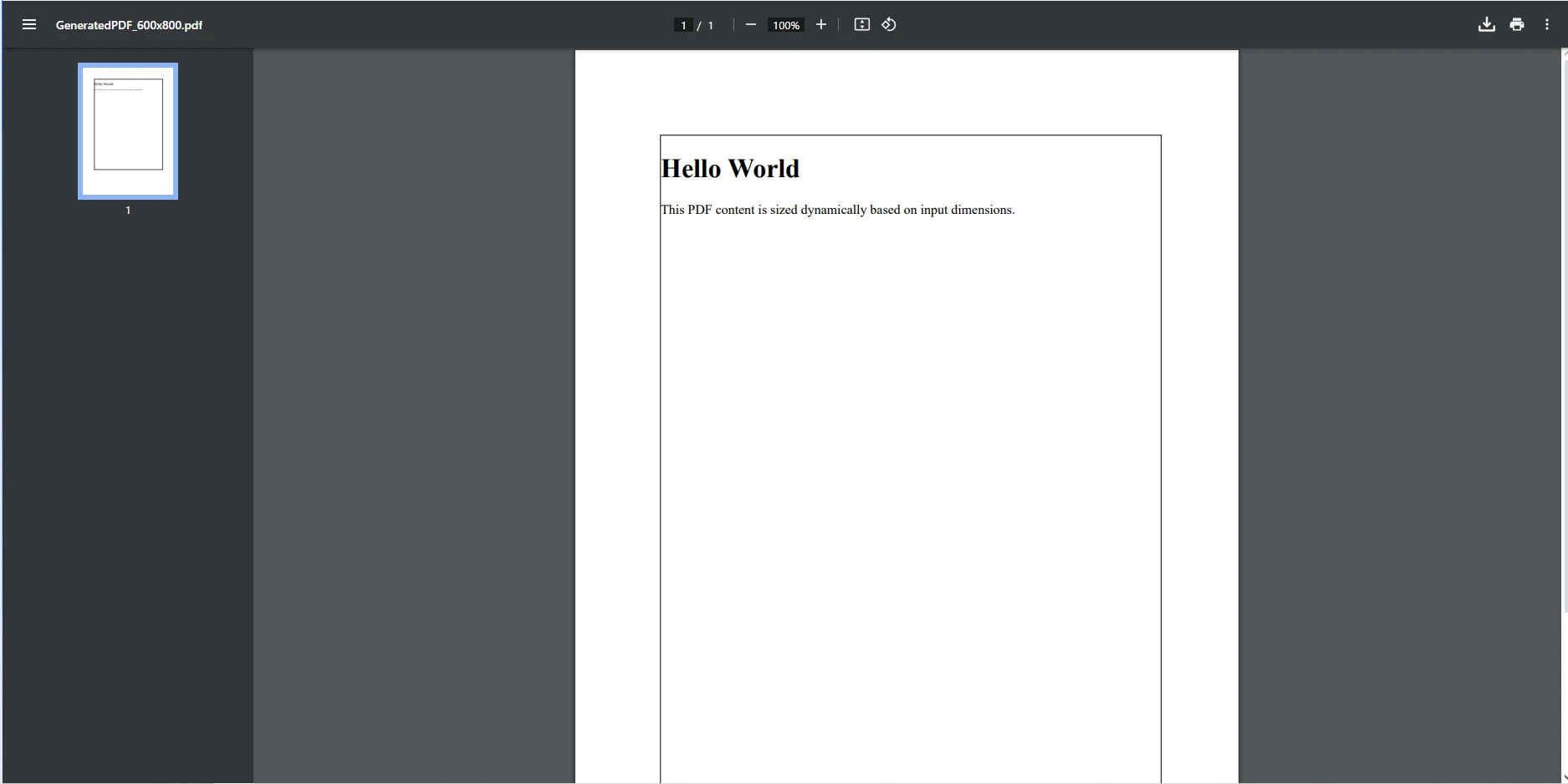
在上面的代码中,我们采用两个整数值,contentWidth 和 contentHeight,以定义要包含在 PDF 中的内容的预期尺寸。 接下来定义 PDF 的最大允许尺寸。 这些限制(宽 500 像素高 700 像素)确保内容不会超出特定的边界,可能是为了保持一致的布局或满足设计规范的需要。
接下来,Math.Max 被用来计算 PDF 的最终尺寸。 该方法将定义的内容尺寸与最大允许尺寸进行比较:
然后我们创建 HTML 内容以生成到 PDF 格式中,使用 finalWidth 和 finalHeight 值设置边界尺寸。 使用 ChromePdfRenderer 来呈现 HTML 到 PDF,然后最终使用 PdfDocument 对象保存最终的 PDF。
IronPDF 是为需要可靠和高效 PDF 创建与操作的 .NET 开发人员设计的综合库。 其丰富的功能集包括HTML 到 PDF 的转换、CSS 样式的无缝集成和处理各种 PDF 操作的能力,IronPDF 简化了常常复杂的动态文档生成任务。
IronPDF 提供广泛的功能来增强 PDF 生成,包括将多种文件类型转换为 PDF、操作现有的 PDF 以及对 CSS 样式的全面支持。 使用 Math.Max 进行计算可让您创建动态调整大小的内容以适应不同数据输入。
集成像 Math.Max 这样的数学计算可以提高您的 PDF 生成过程的性能。 通过有效地管理尺寸并确保内容符合指定限制,您可以避免错误并提高生成文档的整体质量。
总之,Math.Max 是一个强大和多功能的 C# 方法,通过让您轻松确定两个值中的最大值来增强您的编程能力。 当在 PDF 生成过程中与 IronPDF 集成使用时,这个函数尤其有用。 通过使用 Math.Max,您可以确保 PDF 内容的尺寸不仅被正确计算,而且符合您设置的任何约束,产生更完美和专业的输出。
通过将 Math.Max 等数学函数与 IronPDF 相结合,您可以增强应用程序的功能并提高 PDF 文档的质量。 这种集成使您能够创建与变化的数据输入无缝适配的动态报告、发票和其他文档,从而确保您的内容始终优化显示。
如果您想试用 IronPDF 并看看它如何转变您的 PDF 生成工作流,请探索其功能以增强您的项目并为用户提供卓越的结果。 不要错过提升您 .NET 应用程序机会——今天就尝试 IronPDF!

Jacob Mellor 是 Iron Software 的首席技术官,也是一位开创 C# PDF 技术的有远见的工程师。作为 Iron Software 核心代码库的原始开发者,他从公司成立之初就开始塑造公司的产品架构,与首席执行官 Cameron Rimington 一起将公司转变为一家拥有 50 多名员工的公司,为 NASA、特斯拉和全球政府机构提供服务。



IronPDF 是 IRONSUITE的一部分
10 个 .NET API 产品用于您的办公文档

当您需要PDF看起来像HTML时,速度快。


