




Updated April 23, 2026
Bridging CLI Simplicity & .NET : Using Curl DotNet with IronPDF
Jacob Mellor has bridged this gap with CurlDotNet, a library created to bring the familiarity of cURL to the .NET ecosystem.
Read More

Mathematical functions play a crucial role in programming, providing developers with tools to perform calculations and data manipulation efficiently. One such function, the Math.Max C# method, allows programmers to determine the maximum value between two numbers, a common requirement in many applications.
For .NET developers, IronPDF emerges as a powerful library for generating and manipulating PDF documents. With its rich features and user-friendly API, IronPDF simplifies the process of creating PDFs programmatically. In this article, we will explore how to use the Math.Max C# method and its integration with IronPDF.
Math.Max is a static method in the System namespace that returns the larger of two specified numbers. This method can handle various data types, including integers, doubles, and floating-point values, making it versatile for different applications.
Use Cases:
The syntax for using Math.Max is straightforward:
int maxValue = Math.Max(value1, value2);Dim maxValue As Integer = Math.Max(value1, value2)Parameters:
value1: The first number to compare.value2: The second number to compare.Return Value: The method returns the greater of the two numbers. If both values are equal, it returns that value.
Let's look at a simple example of how to use Math.Max in a C# console application to find the maximum of two integers.
using System;

class Program
{
    public static void Main(string[] args)
    {
        // Calling the Max method
        Max();
    }

    // Method to find and print the maximum of two numbers
    public static int Max()
    {
        int num1 = 10;
        int num2 = 20;
        int max = Math.Max(num1, num2);

        // Output the maximum value to the console
        Console.WriteLine($"The maximum value is: {max}");
        return max;
    }
}Imports System
Module Program
Sub Main(args As String())
' Calling the Max method
Max()
End Sub
' Method to find and print the maximum of two numbers
Public Function Max() As Integer
Dim num1 As Integer = 10
Dim num2 As Integer = 20
Dim max As Integer = Math.Max(num1, num2)
' Output the maximum value to the console
Console.WriteLine($"The maximum value is: {max}")
Return max
End Function
End ModuleIn this example, the program compares num1 and num2, outputting the maximum value, which would be 20.
To start using IronPDF, you first need to install it. If it's already installed, you can skip to the next section. Otherwise, the following steps cover how to install the IronPDF library.
To install IronPDF using the NuGet Package Manager Console, open Visual Studio and navigate to the Package Manager Console. Then run the following command:
In Visual Studio, go to "Tools -> NuGet Package Manager -> Manage NuGet Packages for Solution" and search for IronPDF. Select your project, click "Install," and IronPDF will be added to your project.
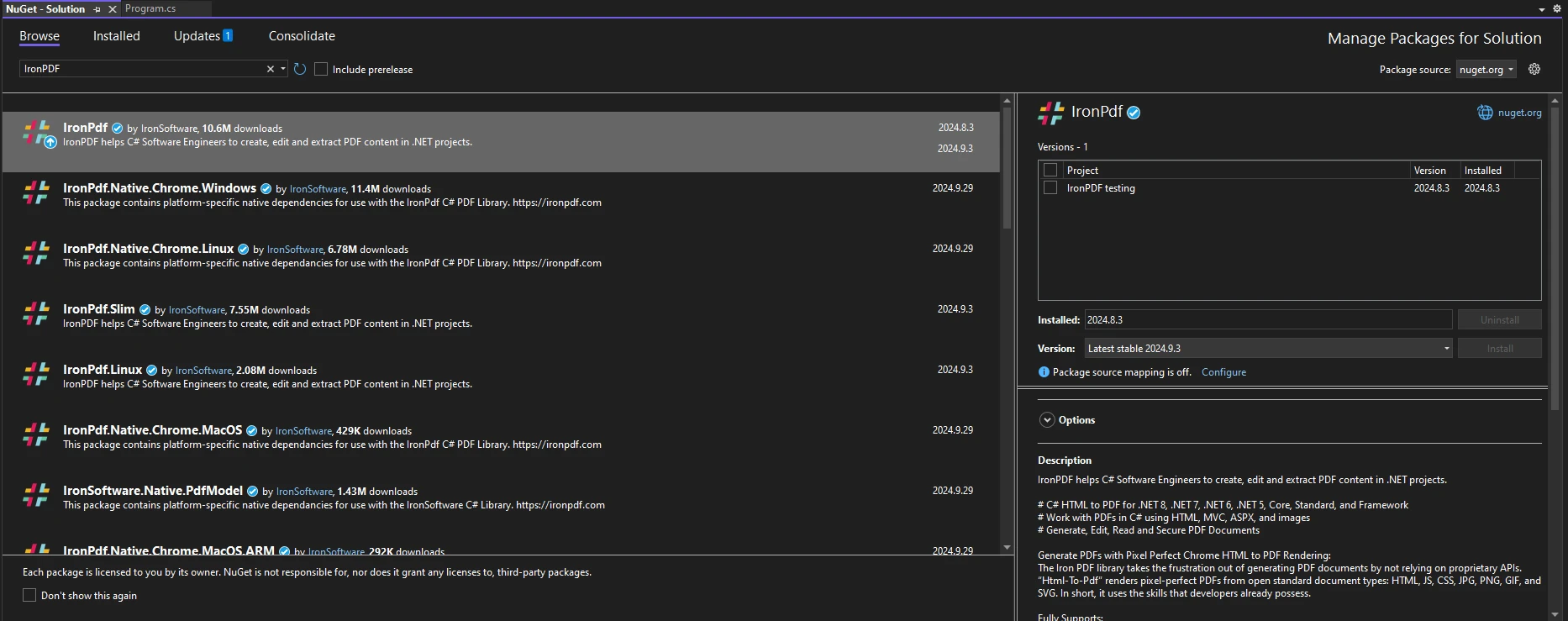
Once you have installed IronPDF, add the appropriate using statement at the top of your code:
using IronPdf;Imports IronPdfWhen working with PDFs, there are situations where determining maximum dimensions is essential. For example, when creating a report, you might want to ensure that the content fits within specific bounds.
The following example demonstrates how to use Math.Max in conjunction with IronPDF to control the dimensions of a PDF document:
using IronPdf;
using System;

public class Program
{
    public static void Main(string[] args)
    {
        ChromePdfRenderer renderer = new ChromePdfRenderer();

        // Define your content dimensions
        int contentWidth = 600;
        int contentHeight = 800;

        // Set maximum allowable dimensions
        int maxWidth = 500;
        int maxHeight = 700;

        // Calculate actual dimensions using Math.Max
        int finalWidth = Math.Max(contentWidth, maxWidth);
        int finalHeight = Math.Max(contentHeight, maxHeight);

        // Generate PDF with content styled to fit within the final dimensions
        string htmlContent = $@"
        <div style='width: {finalWidth}px; height: {finalHeight}px; border: 1px solid black;'>
            <h1>Hello World</h1>
            <p>This PDF content is sized dynamically based on input dimensions.</p>
        </div>";

        PdfDocument pdf = renderer.RenderHtmlAsPdf(htmlContent);
        pdf.SaveAs($"GeneratedPDF_{finalWidth}x{finalHeight}.pdf");
    }
}Imports IronPdf
Imports System
Public Class Program
Public Shared Sub Main(ByVal args As String())
Dim renderer As New ChromePdfRenderer()
' Define your content dimensions
Dim contentWidth As Integer = 600
Dim contentHeight As Integer = 800
' Set maximum allowable dimensions
Dim maxWidth As Integer = 500
Dim maxHeight As Integer = 700
' Calculate actual dimensions using Math.Max
Dim finalWidth As Integer = Math.Max(contentWidth, maxWidth)
Dim finalHeight As Integer = Math.Max(contentHeight, maxHeight)
' Generate PDF with content styled to fit within the final dimensions
Dim htmlContent As String = $"
<div style='width: {finalWidth}px; height: {finalHeight}px; border: 1px solid black;'>
<h1>Hello World</h1>
<p>This PDF content is sized dynamically based on input dimensions.</p>
</div>"
Dim pdf As PdfDocument = renderer.RenderHtmlAsPdf(htmlContent)
pdf.SaveAs($"GeneratedPDF_{finalWidth}x{finalHeight}.pdf")
End Sub
End ClassThe following output image is the resulting PDF:
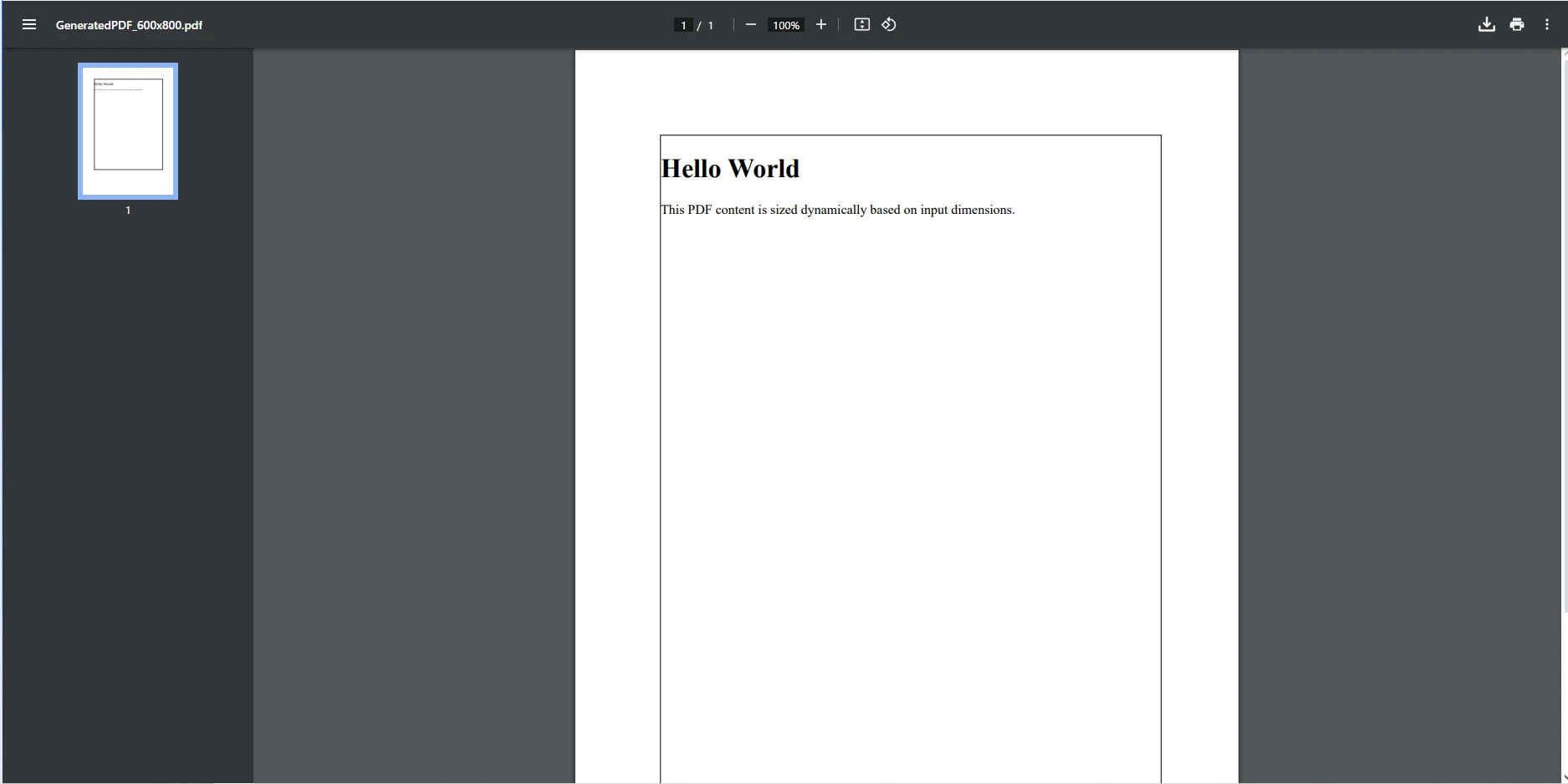
In the above code, we take two integer values, contentWidth and contentHeight, to define the intended dimensions of the content to be included in the PDF. The maximum allowable dimensions for the PDF are defined next. These limits (500 pixels wide and 700 pixels tall) ensure that the content does not exceed specific bounds, which might be necessary for maintaining a consistent layout or meeting design specifications.
Next, Math.Max is used to calculate the final dimensions for the PDF. The method compares the defined content dimensions with the maximum allowable dimensions:
We then create the HTML content to be generated into a PDF format, using the finalWidth and finalHeight values to set the dimensions of the border. The ChromePdfRenderer is used to render the HTML to PDF, before finally using the PdfDocument object to save the final PDF.
IronPDF stands out as a comprehensive library designed for .NET developers who require reliable and efficient PDF creation and manipulation. With its rich feature set - including HTML to PDF conversion, seamless integration of CSS styling, and the ability to handle various PDF operations - IronPDF simplifies the often complex task of generating dynamic documents.
IronPDF provides a wide array of features that enhance PDF generation, including the conversion of multiple file types to PDF, the ability to manipulate existing PDFs, and comprehensive support for CSS styling. Using Math.Max in your calculations allows you to create dynamically sized content that adapts to varying data inputs.
Integrating mathematical calculations such as Math.Max enhances the performance of your PDF generation process. By effectively managing dimensions and ensuring that content fits within specified limits, you can avoid errors and improve the overall quality of the generated documents.
In conclusion, Math.Max is a powerful and versatile C# method that enhances your programming capabilities by allowing you to easily determine the maximum of two values. This function becomes particularly beneficial when integrated into your PDF generation processes with IronPDF. By using Math.Max, you can ensure that the dimensions of your PDF content are not only calculated correctly but also adhere to any constraints you set, leading to a more polished and professional output.
By leveraging math functions like Math.Max alongside IronPDF, you can enhance the functionality of your applications and improve the quality of your PDF documents. This integration empowers you to create dynamic reports, invoices, and other documents that adapt seamlessly to varying data inputs, ensuring that your content is always displayed optimally.
If you want to try out IronPDF and see how it can transform your PDF generation workflow, explore its features to enhance your projects and deliver exceptional results to your users. Don't miss out on the opportunity to elevate your .NET applications - try IronPDF today!

Jacob Mellor is Chief Technology Officer at Iron Software and a visionary engineer pioneering C# PDF technology. As the original developer behind Iron Software's core codebase, he has shaped the company's product architecture since its inception, transforming it alongside CEO Cameron Rimington into a 50+ person company serving NASA, Tesla, and global government agencies.



IronPDF is a part of IRONSUITE
10 .NET API products for your office documents

When you need your PDF to look like HTML, fast.


