




已更新 2026年4月23日
简化 .NET 与 Microsoft.Extensions.AI 的 LLM 集成
AI正在改变软件开发,但将大型语言模型(LLM)集成到.NET中直到现在一直很复杂。通过IronPdf.AI,将AI集成更进一步,该产品为.NET应用程序带来了OpenAI驱动的PDF解析、数据提取和内容摘要。
阅读更多

将IronPDF的灵活PDF创建功能与Ninject强大的依赖注入功能相结合,可以将两个库集成到.NET Core应用中。 Ninject是一个轻量级的.NET应用依赖注入框架,通过允许组件松散耦合,提高了可测试性和灵活性。 与此同时,IronPDF通过提供文档合并、HTML到PDF转换和PDF操作等功能,使在.NET Core项目中创建、修改和渲染PDF文档变得更加简单。
IronPDF强大的API使开发人员能够从HTML内容或其他数据源创建动态PDF文档,同时有效管理与Ninject的控制反转(IoC)容器的依赖关系。 结合使用,Ninject和IronPDF使开发可扩展且易于维护的.NET Core应用成为可能,生成满足各种业务需求的高质量PDF输出,包括交互表单、证书和报告的开发。 本文探讨如何在.NET Core应用中集成和使用Ninject与IronPDF进行多功能且功能丰富的PDF生产。
Ninject是一个超轻量的依赖注入器,它显著简化了.NET Core应用程序中的依赖管理。 通过抽象化依赖的创建和注入,Ninject允许您去掉依赖注入的样板代码,从而实现更清晰和更易于维护的软件架构。 这一强大的工具将接口与其具体实现绑定,确保在运行时动态解决依赖关系。
Ninject的灵活性扩展到了高级场景,支持复杂的绑定、作用域和生命周期管理,使其适用于各种应用需求。 无论您是在处理简单项目还是复杂的企业级系统,Ninject都能简化依赖管理,促进更好的设计实践和更高效的开发工作流。 其易用性和强大功能使其成为任何.NET开发人员工具包中不可或缺的一部分,增强了应用程序的模块化和可测试性。
Ninject还允许多种对象生存期:作用域(每请求或作用域一个实例)、临时(每次一个新实例)和单例(每应用一个实例)。 这使Ninject能根据不同的应用上下文进行调整,并据此优化资源利用。 它与.NET Core配合良好,支持包括控制台应用、后台服务和ASP.NET Core创建的Web应用在内的多种应用程序。
Ninject 适用于 .NET Core是一个开源项目,拥有一个活跃的社区,为开发人员提供了一个强大的工具包,用于创建可扩展且稳定的软件架构,遵循控制反转和依赖管理的最佳实践。
-**构造函数依赖注入:**构造函数注入是 Ninject 支持的主要特性,它鼓励使用类构造函数来注入依赖项。 这种方法保证显式提及依赖关系,提高代码的可读性。
-**绑定配置:**开发者使用 Ninject 的流畅 API 或可配置模块,构建接口(抽象)与其具体实现之间的绑定。 此配置允许Ninject在运行时动态解析依赖关系。
-支持作用域: Ninject 支持各种对象作用域,包括作用域(每个请求或作用域一个实例)、瞬态(每次都创建一个新实例)和单例(每个应用程序一个实例)。 这种适应性有助于根据应用需求优化资源。
-**模块系统:**开发者可以使用 Ninject 的模块系统将绑定和配置整理成可重用的模块。 这种模块化策略鼓励关注点分离,提高代码组织,并简化维护。
-与 .NET Core 集成: Ninject 支持多种框架和场景,例如控制台应用程序、后台服务、ASP.NET Core Web 应用程序等,并且可以轻松地与 .NET Core 应用程序集成。
-可扩展性: Ninject 拥有蓬勃发展的插件和扩展程序社区,使其具有极强的可扩展性。 开发人员可以扩展Ninject的功能以适应特定需要,简化与外部框架和库的集成。
-可测试性: Ninject 通过鼓励松耦合和模块化设计来增强应用程序的可测试性。 它使在测试场景中引入模拟依赖关系变得简单,从而简化单元测试。
-性能: Ninject 通过其轻量级和高效的架构,最大限度地减少了解析依赖关系的开销。 它具有适合各种应用规模和复杂性水平的良好性能特征。
-**社区支持:**作为一个开源项目,Ninject 得到了开发者社区的支持。 它定期更新和维护,以保证与新的.NET Core版本和变化的软件开发最佳实践的兼容性。
要设置Ninject IoC容器以在应用中处理依赖关系,请按照以下分步骤指南进行操作:
打开终端或命令提示符后执行以下命令:
mkdir MyNinjectProject
cd MyNinjectProject
dotnet new console -n MyNinjectProject
cd MyNinjectProject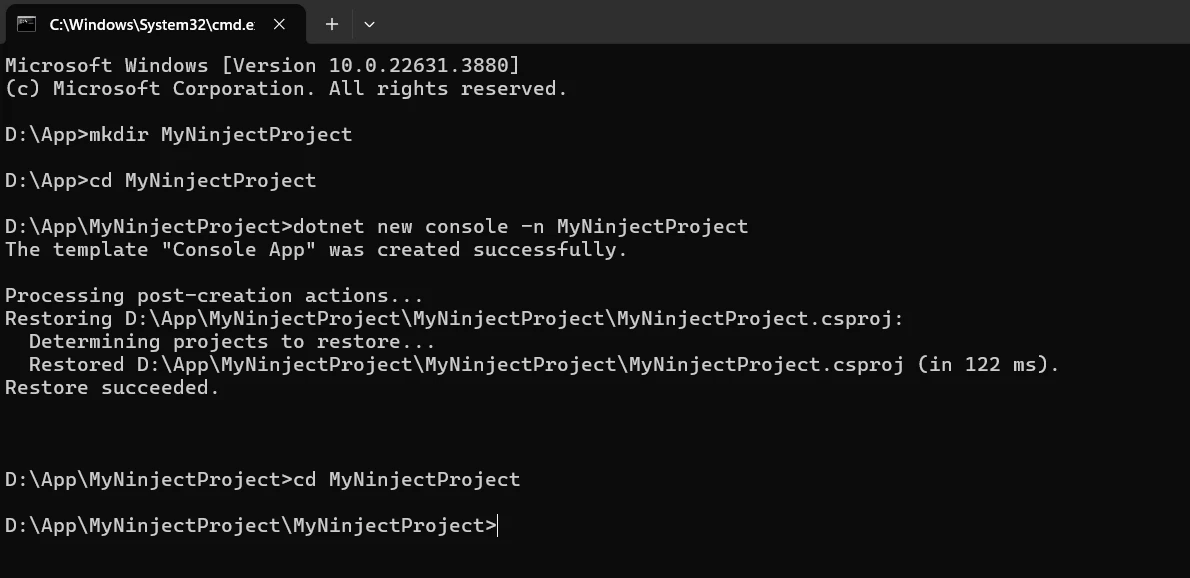
使用以下命令下载Ninject NuGet包:
dotnet add package Ninject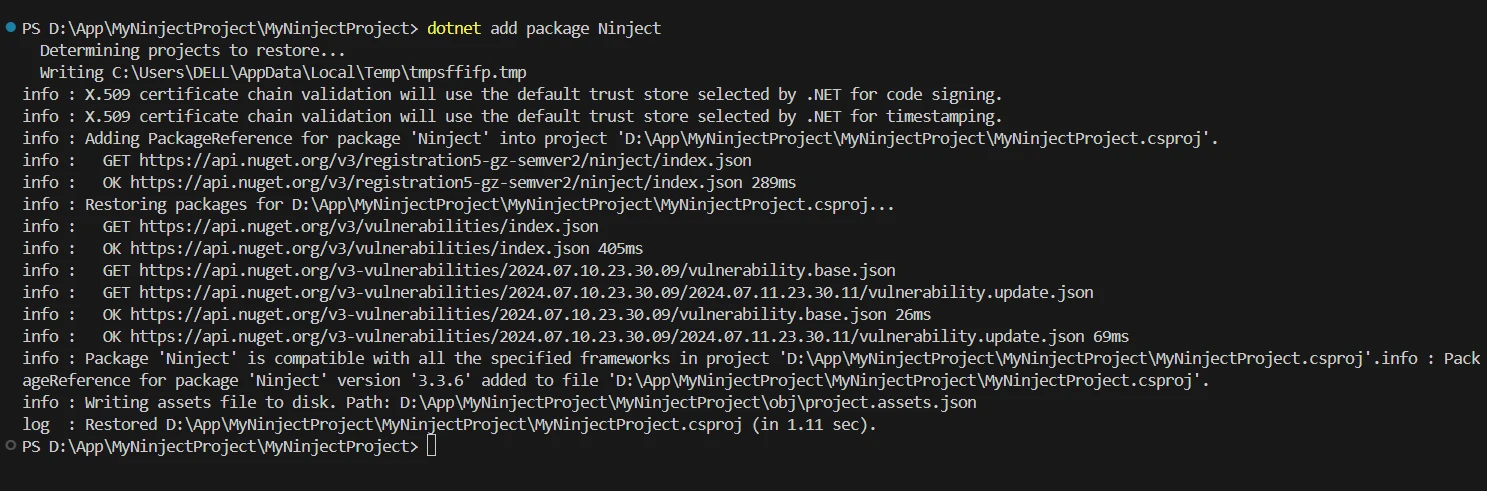
创建一个接口(Service.cs),它们将由Ninject管理:
// IService.cs
public interface IService
{
    void Run();
}' IService.vb
Public Interface IService
Sub Run()
End Interface// Service.cs
public class Service : IService
{
public void Run()
{
Console.WriteLine("Service is running...");
}
}' Service.vb
Public Class Service
Implements IService
Public Sub Run() Implements IService.Run
Console.WriteLine("Service is running...")
End Sub
End Class创建一个类来扩展NinjectModule以便定义您自己的绑定。 例如,创建一个名为NinjectBindings.cs的文件。
// NinjectBindings.cs
using Ninject.Modules;

public class NinjectBindings : NinjectModule
{
    public override void Load()
    {
        // Define bindings here
        Bind<IService>().To<Service>().InSingletonScope();
    }
}' NinjectBindings.cs
Imports Ninject.Modules
Public Class NinjectBindings
Inherits NinjectModule
Public Overrides Sub Load()
' Define bindings here
Bind(Of IService)().To(Of Service)().InSingletonScope()
End Sub
End Class设置Ninject以便在您的Main函数或启动类中使用您的模块:
// Program.cs
using Ninject;
using System;

class Program
{
    public static void ConfigureServices()
    {
        var kernel = new StandardKernel(new NinjectBindings());
        // Resolve dependencies
        var service = kernel.Get<IService>();
        // Use the resolved service
        service.Run();
        // Optional: Dispose the kernel
        kernel.Dispose();
    }

    static void Main(string[] args)
    {
        ConfigureServices();
    }
}' Program.cs
Imports Ninject
Imports System
Friend Class Program
Public Shared Sub ConfigureServices()
Dim kernel = New StandardKernel(New NinjectBindings())
' Resolve dependencies
Dim service = kernel.Get(Of IService)()
' Use the resolved service
service.Run()
' Optional: Dispose the kernel
kernel.Dispose()
End Sub
Shared Sub Main(ByVal args() As String)
ConfigureServices()
End Sub
End Class
使用Ninject设置依赖注入和IronPDF生成应用中的PDF是通过Ninject针对.NET Core与IronPDF进行集成的第一步。 这可以通过以下分步骤指南实现:
要创建、读取和编辑PDF文档,C#程序可利用IronPDF,一个功能丰富的.NET PDF库。 这一工具让开发者能简单地将HTML、CSS和JavaScript信息转换为可打印的、高质量的PDF文件。 一些关键功能包括拆分和合并PDF、添加页眉和页脚、水印文档和将HTML转换为PDF的功能。 IronPDF因同时支持.NET Framework和.NET Core而适用于多种应用。
开发者能够轻松将PDF集成到自己的程序中,并且文档丰富。 IronPDF轻松处理复杂布局和格式,确保输出的PDF与原始HTML文本高度一致。
-从 HTML 生成 PDF: IronPDF 可帮助将 HTML、CSS 和 JavaScript 转换为 PDF 文档。 它支持现代Web标准,如媒体查询和响应式设计,非常适用于使用HTML和CSS动态装饰PDF文档、报告和帐单。
**PDF 编辑:**可以在现有的 PDF 文件中添加文本、照片和其他内容。 IronPDF能够灵活地从PDF文件中提取文本和图像,合并多个PDF为一个文件,拆分PDF文件为多个,添加水印、注释、页眉和页脚等。
PDF 转换: IronPDF 允许您将各种文件格式转换为 PDF,包括 Word、Excel 和图像文件。 它还提供了PDF到图像转换(PNG、JPEG等)。
-**性能和可靠性:**高性能和高可靠性是工业环境中所需的理想设计品质。 它能轻松处理大型文档集。
要获得在 .NET 项目中处理 PDF 的工具,请安装 IronPDF 包:
指定用于创建PDF的接口(PdfService.cs):
// IPdfService.cs
public interface IPdfService
{
    void GeneratePdf(string htmlContent, string outputPath);
}' IPdfService.vb
Public Interface IPdfService
Sub GeneratePdf(htmlContent As String, outputPath As String)
End Interface// PdfService.cs
using IronPdf;
public class PdfService : IPdfService
{
public void GeneratePdf(string htmlContent, string outputPath)
{
// Initialize the PDF renderer
var renderer = new ChromePdfRenderer();
// Render the HTML content as a PDF
var pdf = renderer.RenderHtmlAsPdf(htmlContent);
// Save the PDF to the specified output path
pdf.SaveAs(outputPath);
Console.WriteLine($"PDF generated and saved to {outputPath}");
}
}' PdfService.cs
Imports IronPdf
Public Class PdfService
Implements IPdfService
Public Sub GeneratePdf(ByVal htmlContent As String, ByVal outputPath As String)
' Initialize the PDF renderer
Dim renderer = New ChromePdfRenderer()
' Render the HTML content as a PDF
Dim pdf = renderer.RenderHtmlAsPdf(htmlContent)
' Save the PDF to the specified output path
pdf.SaveAs(outputPath)
Console.WriteLine($"PDF generated and saved to {outputPath}")
End Sub
End Class建立一个名为NinjectBindings.cs的Ninject模块,其中配置接口及其相应实现之间的绑定:
// NinjectBindings.cs
using Ninject.Modules;

public class NinjectBindings : NinjectModule
{
    public override void Load()
    {
        // Bind the IPdfService interface to the PdfService implementation in a singleton scope
        Bind<IPdfService>().To<PdfService>().InSingletonScope();
    }
}' NinjectBindings.cs
Imports Ninject.Modules
Public Class NinjectBindings
Inherits NinjectModule
Public Overrides Sub Load()
' Bind the IPdfService interface to the PdfService implementation in a singleton scope
Bind(Of IPdfService)().To(Of PdfService)().InSingletonScope()
End Sub
End Class设置Ninject以解析依赖并使用IPdfService在您的Program.cs文件中创建PDF:
// Program.cs
using Ninject;
using System;

class Program
{
    static void Main(string[] args)
    {
        // Create a Ninject kernel and load the bindings
        var kernel = new StandardKernel(new NinjectBindings());
        // Resolve IPdfService instance
        var pdfService = kernel.Get<IPdfService>();
        // Define HTML content and output path
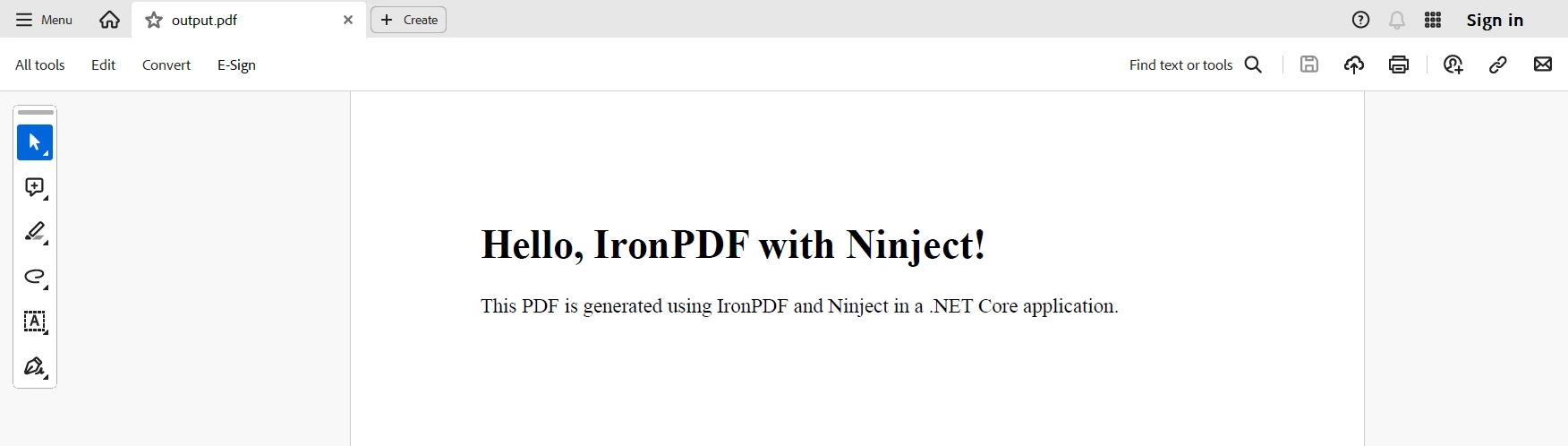
        string htmlContent = "<h1>Hello, IronPDF with Ninject!</h1><p>This PDF is generated using IronPDF and Ninject in a .NET Core application.</p>";
        string outputPath = "output.pdf";
        // Use the resolved service to generate a PDF
        pdfService.GeneratePdf(htmlContent, outputPath);
        // Dispose the kernel (optional, but recommended)
        kernel.Dispose();
    }
}' Program.cs
Imports Ninject
Imports System
Friend Class Program
Shared Sub Main(ByVal args() As String)
' Create a Ninject kernel and load the bindings
Dim kernel = New StandardKernel(New NinjectBindings())
' Resolve IPdfService instance
Dim pdfService = kernel.Get(Of IPdfService)()
' Define HTML content and output path
Dim htmlContent As String = "<h1>Hello, IronPDF with Ninject!</h1><p>This PDF is generated using IronPDF and Ninject in a .NET Core application.</p>"
Dim outputPath As String = "output.pdf"
' Use the resolved service to generate a PDF
pdfService.GeneratePdf(htmlContent, outputPath)
' Dispose the kernel (optional, but recommended)
kernel.Dispose()
End Sub
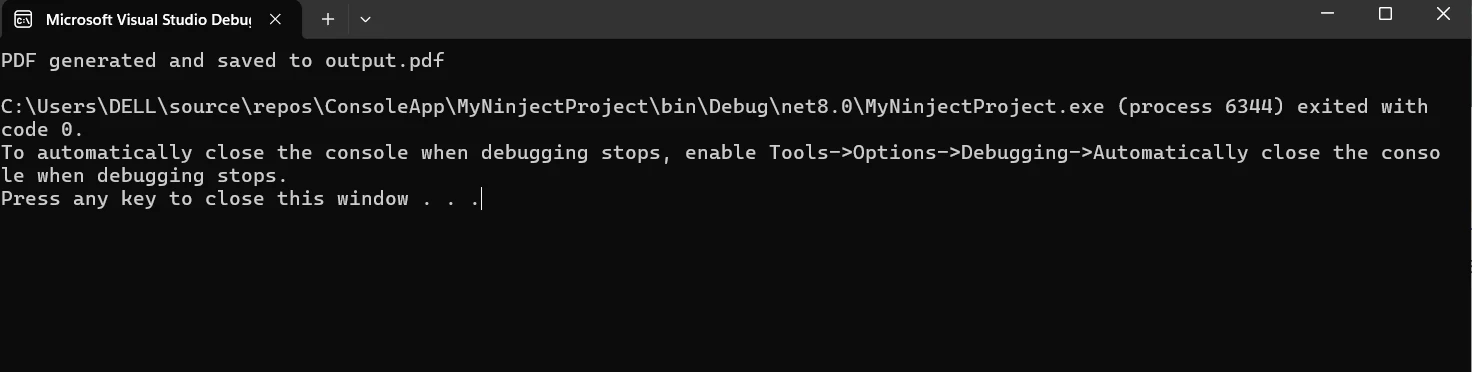
End Class上面的代码示例展示了如何在.NET Core控制台应用中整合IronPDF 和Ninject。 该应用使用Ninject,一个依赖注入框架来管理依赖关系,并鼓励松散耦合。 使用IronPDF创建PDF的功能封装在IPdfService接口中,其实现位于PdfService类中。 PdfService实现的GeneratePdf方法有两个参数:HTML内容和输出路径。 IronPDF的
为了确保在整个应用中使用单个PdfService实例,我们在Ninject模块NinjectBindings类中以单例范围将IPdfService接口绑定到PdfService实现。 我们创建一个Ninject内核,从NinjectBindings加载绑定,并在Program.cs文件中解析IPdfService的实例。然后使用解析的pdfService从预定的HTML内容生成PDF,并将其保存到指定的输出位置。 最后,我们释放内核以释放资源。 此整合展示了Ninject如何利用IronPDF强大的PDF生成能力来增强.NET Core应用的模块化、可测试性和依赖管理。
在.NET Core应用中集成Ninject和IronPDF展示了强大的PDF生产能力与高效的依赖管理的结合。 Ninject通过其轻量和适应性强的IoC容器以一种有效的方式管理依赖,促进了模块化设计、松散耦合和改进的可测试性。 这使开发人员能专注于业务逻辑和功能,而无需担心对象创建和依赖解析的复杂性。
此外,IronPDF提供了一个全面的工具套件,用于创建和修改PDF,使其简单从HTML文本或其他数据源生成高质量PDF。 通过Ninject将像IPdfService这样服务与其实现链接,开发人员可以确保他们的应用组件易于测试、可重用和可维护。
结合使用,Ninject和IronPDF简化了.NET Core应用中的依赖注入,同时增强了其生成精美、动态PDF的能力。 这种组合确保您的.NET Core应用可扩展、结构良好,并能够满足各种业务需求。 所提供的示例展示了现代依赖注入技术如何与先进的PDF功能共存,为构建更复杂的应用提供了坚实的基础。
结合$999的IronPDF定价,IronPDF通过将其基本支持与高度灵活的Iron Software Iron Suite融合为开发者提供更多的网络应用和功能以及更高效的开发。
IronPDF还提供了一个特定于项目的免费试用许可证,让开发人员更容易选择最适合他们需求的模型。 这些优势使开发人员能够成功实施适应广泛问题的解决方案。

Jacob Mellor 是 Iron Software 的首席技术官,也是一位开创 C# PDF 技术的有远见的工程师。作为 Iron Software 核心代码库的原始开发者,他从公司成立之初就开始塑造公司的产品架构,与首席执行官 Cameron Rimington 一起将公司转变为一家拥有 50 多名员工的公司,为 NASA、特斯拉和全球政府机构提供服务。



当您需要PDF看起来像HTML时,速度快。













