Die Umwandlung von Datentypen ist ein grundlegendes Konzept in der Programmierung, und beim Programmieren in C# ist es eine der häufigsten Aufgaben, eine Zeichenfolgenrepräsentation einer Zahl in einen Ganzzahlwert zu konvertieren. Dieser Prozess ist in vielen Anwendungen nützlich, bei denen Benutzereingaben oder Daten aus externen Quellen in ein numerisches Format umgewandelt werden müssen, um Berechnungen oder andere Operationen durchzuführen.
In diesem Tutorial werden wir verschiedene Methoden erkunden, die C# bietet, um Zeichenfolgen in Ganzzahlen zu konvertieren. Wir werden auch die IronPDF-Bibliotheks-Homepage erkunden.
Die Grundlagen der Konvertierung von String-Variablen in einen Int
Die Convert.ToInt32 und Int32.Parse Methoden sind Standardwerkzeuge in C#, um einen String-Wert in einen Ganzzahlwert zu konvertieren. Diese Funktionen sind darauf ausgelegt, den numerischen Wert einer Eingabezeichenkette zu interpretieren und in eine int zu verwandeln. Diese Methoden können jedoch Ausnahmen werfen, wenn die Zeichenkette nicht im korrekten Format vorliegt, was die Ausnahmebehandlung zu einem wesentlichen Aspekt der Nutzung dieser Tools macht.
Používání metody Int32.Parse
Die Int32.Parse Methode konvertiert einen gültigen numerischen String direkt in eine Ganzzahl. Sie erfordert, dass die Zeichenkette im gültigen numerischen Format vorliegt; Andernfalls wird ein FormatException ausgelöst. Diese Methode ist unkompliziert, wenn Sie sicher sind, dass die Zeichenkette eine gültige Zahl ist. Zum Beispiel:
public static string inputString = "123";
public static int result = int.Parse(inputString);
Console.WriteLine(result);
public static string inputString = "123";
public static int result = int.Parse(inputString);
Console.WriteLine(result);
Public Shared inputString As String = "123"
Public Shared result As Integer = Integer.Parse(inputString)
Console.WriteLine(result)
Public Shared inputString As String = "123"
Public Shared result As Integer = Integer.Parse(inputString)
Console.WriteLine(result)
Im obigen Code enthält inputString eine gültige Zahl, und die Parse Methode konvertiert sie in die Zahl 123. Wenn jedoch inputString nicht-numerische Zeichen enthält oder ein leerer String ist, führt die Verwendung von Parse zu einem FormatException oder ArgumentNullException.
Die Convert.ToInt32 Methode verwenden
Eine weitere Methode, um einen String in eine Ganzzahl zu konvertieren, ist Convert.ToInt32. Diese Methode ist ähnlich wie Int32.Parse, bietet aber etwas mehr Flexibilität. Sie verarbeitet null- und leere Zeichenfolgen, indem sie einen Standardwert von null zurückgibt, wodurch eine Ausnahme vermieden wird. So können Sie es verwenden:
public static string inputString = null;
public static int result = Convert.ToInt32(inputString);
Console.WriteLine(result);
public static string inputString = null;
public static int result = Convert.ToInt32(inputString);
Console.WriteLine(result);
Public Shared inputString As String = Nothing
Public Shared result As Integer = Convert.ToInt32(inputString)
Console.WriteLine(result)
Public Shared inputString As String = Nothing
Public Shared result As Integer = Convert.ToInt32(inputString)
Console.WriteLine(result)
Diese Methode wird inputString in 0 konvertieren, ohne eine Ausnahme auszulösen, was sie sicherer für Variablen macht, die möglicherweise nicht richtig initialisiert sind.
Erweiterte Techniken mit Int32.TryParse
Um die Kontrolle über den Konvertierungsprozess zu verbessern, insbesondere beim Umgang mit Benutzereingaben, die möglicherweise nicht zuverlässig sind, ist Int32.TryParse eine bevorzugte Methode. Diese Methode versucht, numerische Strings zu analysieren, und gibt einen booleschen Wert zurück, der angibt, ob die TryParse Methode erfolgreich war, den String in eine Ganzzahl zu konvertieren. Sie verwendet einen out-Parameter, um die umgewandelte Ganzzahl zurückzugeben.
Beispiel für die Verwendung von Int32.TryParse
So können Sie die Int32.TryParse Methode verwenden, um String-Eingaben sicher in einen Ganzzahlwert zu konvertieren und ungültige String-Eingaben elegant zu behandeln:
string inputString = "abc123";
int num;
bool conversionSucceeded = int.TryParse(inputString, out num);
if (conversionSucceeded)
{
    Console.WriteLine("Successfully parsed: " + num);
}
else
{
    Console.WriteLine("Conversion failed. Provided string is not a valid integer.");
}
string inputString = "abc123";
int num;
bool conversionSucceeded = int.TryParse(inputString, out num);
if (conversionSucceeded)
{
    Console.WriteLine("Successfully parsed: " + num);
}
else
{
    Console.WriteLine("Conversion failed. Provided string is not a valid integer.");
}
Dim inputString As String = "abc123"
Dim num As Integer = Nothing
Dim conversionSucceeded As Boolean = Integer.TryParse(inputString, num)
If conversionSucceeded Then
Console.WriteLine("Successfully parsed: " & num)
Else
Console.WriteLine("Conversion failed. Provided string is not a valid integer.")
End If
Dim inputString As String = "abc123"
Dim num As Integer = Nothing
Dim conversionSucceeded As Boolean = Integer.TryParse(inputString, num)
If conversionSucceeded Then
	Console.WriteLine("Successfully parsed: " & num)
Else
	Console.WriteLine("Conversion failed. Provided string is not a valid integer.")
End If
In diesem Beispiel gibt Int32.TryParse false zurück, da inputString keine gültige Ganzzahl ist. Der Ausgabewert num bleibt 0, und das Programm informiert den Benutzer über die fehlgeschlagene Konvertierung, ohne irgendwelche Ausnahmen auszulösen.
Einführung in die IronPDF-Bibliothek
IronPDF Überblicksseite ist eine robuste C#-Bibliothek, die entwickelt wurde, um die PDF-Manipulation für Entwickler mit dem .NET-Framework zu vereinfachen. Sie ermöglicht die Erstellung, Bearbeitung und Verwaltung von PDF-Dokumenten direkt aus HTML, CSS, JavaScript und Bildern. Das Hauptmerkmal von IronPDF ist seine Fähigkeit, HTML-Inhalte direkt in PDFs zu konvertieren.
Dazu gehört auch die Umwandlung ganzer Webseiten oder HTML-Strings, was es sehr flexibel macht. IronPDF ist darauf ausgelegt, sowohl leistungsstark als auch einfach zu integrieren zu sein, mit Unterstützung für eine Vielzahl von Entwicklungsumgebungen.
Codebeispiel
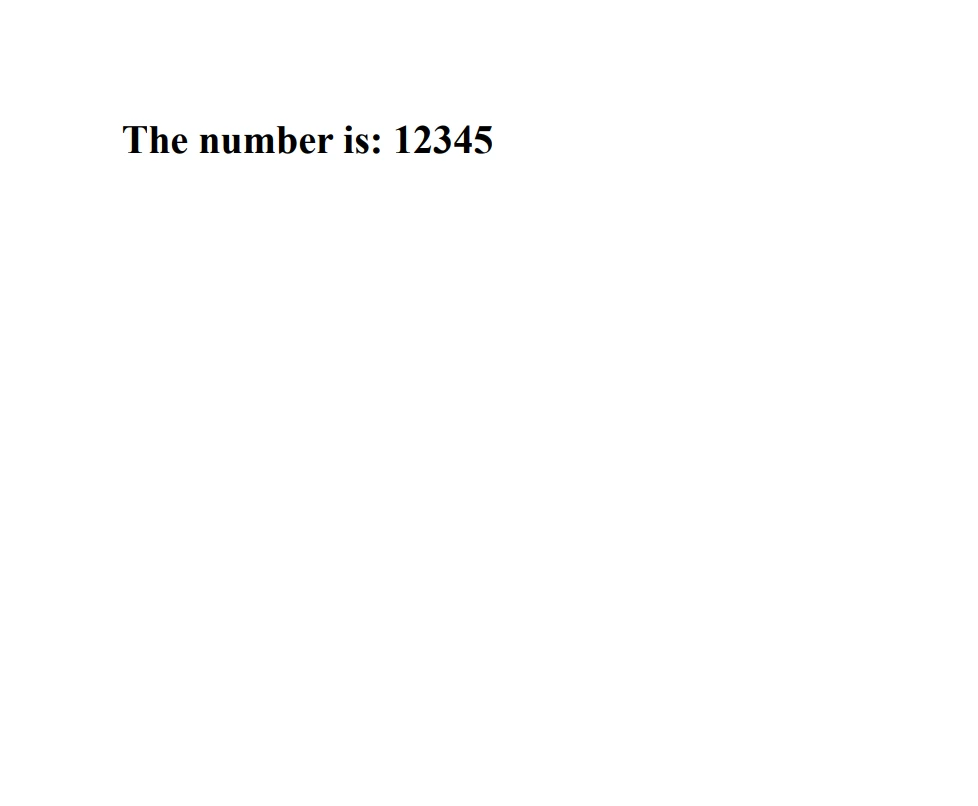
Hier ist ein einfaches Beispiel, das die PDF-Erzeugung mit IronPDF mit C#-Code kombiniert, um eine Zeichenkette in eine Ganzzahl zu analysieren und diese innerhalb des PDFs anzuzeigen. Dieses Beispiel geht davon aus, dass Sie eine numerische Zeichenfolge nehmen, in eine Ganzzahl konvertieren und dann die Ganzzahl in einem PDF-Dokument mit IronPDF ausgeben möchten.
using IronPdf;
using System;

class Program
{
    static void Main(string[] args)
    {
        // License your IronPdf installation
        License.LicenseKey = "Your-License-Key";

        // Create a new PDF document
        var pdf = new ChromePdfRenderer();

        // Sample string that represents an integer
        string numberString = "12345";

        // Attempt to parse the string into an integer
        int number;
        bool result = Int32.TryParse(numberString, out number);
        if (result)
        {
            // Create HTML content including the parsed number
            string htmlContent = $"<h1>The number is: {number}</h1>";

            // Generate a PDF from the HTML string
            var document = pdf.RenderHtmlAsPdf(htmlContent);

            // Save the PDF to a file
            document.SaveAs("Output.pdf");
            Console.WriteLine("PDF generated successfully with the number included.");
        }
        else
        {
            Console.WriteLine("The string could not be parsed into an integer.");
        }
    }
}
using IronPdf;
using System;

class Program
{
    static void Main(string[] args)
    {
        // License your IronPdf installation
        License.LicenseKey = "Your-License-Key";

        // Create a new PDF document
        var pdf = new ChromePdfRenderer();

        // Sample string that represents an integer
        string numberString = "12345";

        // Attempt to parse the string into an integer
        int number;
        bool result = Int32.TryParse(numberString, out number);
        if (result)
        {
            // Create HTML content including the parsed number
            string htmlContent = $"<h1>The number is: {number}</h1>";

            // Generate a PDF from the HTML string
            var document = pdf.RenderHtmlAsPdf(htmlContent);

            // Save the PDF to a file
            document.SaveAs("Output.pdf");
            Console.WriteLine("PDF generated successfully with the number included.");
        }
        else
        {
            Console.WriteLine("The string could not be parsed into an integer.");
        }
    }
}
Imports IronPdf
Imports System
Friend Class Program
Shared Sub Main(ByVal args() As String)
' License your IronPdf installation
License.LicenseKey = "Your-License-Key"
' Create a new PDF document
Dim pdf = New ChromePdfRenderer()
' Sample string that represents an integer
Dim numberString As String = "12345"
' Attempt to parse the string into an integer
Dim number As Integer = Nothing
Dim result As Boolean = Int32.TryParse(numberString, number)
If result Then
' Create HTML content including the parsed number
Dim htmlContent As String = $"<h1>The number is: {number}</h1>"
' Generate a PDF from the HTML string
Dim document = pdf.RenderHtmlAsPdf(htmlContent)
' Save the PDF to a file
document.SaveAs("Output.pdf")
Console.WriteLine("PDF generated successfully with the number included.")
Else
Console.WriteLine("The string could not be parsed into an integer.")
End If
End Sub
End Class
Imports IronPdf
Imports System

Friend Class Program
	Shared Sub Main(ByVal args() As String)
		' License your IronPdf installation
		License.LicenseKey = "Your-License-Key"

		' Create a new PDF document
		Dim pdf = New ChromePdfRenderer()

		' Sample string that represents an integer
		Dim numberString As String = "12345"

		' Attempt to parse the string into an integer
		Dim number As Integer = Nothing
		Dim result As Boolean = Int32.TryParse(numberString, number)
		If result Then
			' Create HTML content including the parsed number
			Dim htmlContent As String = $"<h1>The number is: {number}</h1>"

			' Generate a PDF from the HTML string
			Dim document = pdf.RenderHtmlAsPdf(htmlContent)

			' Save the PDF to a file
			document.SaveAs("Output.pdf")
			Console.WriteLine("PDF generated successfully with the number included.")
		Else
			Console.WriteLine("The string could not be parsed into an integer.")
		End If
	End Sub
End Class
Abschluss
Die Konvertierung von Zeichenfolgen in Ganzzahlen ist eine häufige Anforderung in der C#-Programmierung, insbesondere bei der Verarbeitung von Dateneingaben von Benutzern oder externen Quellen. Das Verständnis der Unterschiede zwischen den Methoden Int32.Parse, Convert.ToInt32 und TryParse ist essenziell für das Schreiben von robustem und fehlerresistentem Code.
Durch den effektiven Einsatz dieser Methoden können Sie sicherstellen, dass Ihre Anwendungen verschiedene Eingabeformate verarbeiten und auf ungültige Daten problemlos reagieren können. Erforschen Sie die kostenlose Testlizenz von IronPDF, um seine Funktionen zu erkunden, bevor Sie eine Kaufentscheidung treffen. Für diejenigen, die IronPDF langfristig in ihre Projekte integrieren möchten, bieten IronPDF Lizenzierungsoptionen ab $999 an.























