




Updated April 23, 2026
Bridging CLI Simplicity & .NET : Using Curl DotNet with IronPDF
Jacob Mellor has bridged this gap with CurlDotNet, a library created to bring the familiarity of cURL to the .NET ecosystem.
Read More

Converting data types is a fundamental concept in programming, and when programming in C#, it is one of the most common tasks to convert a string representation of a number into an integer. This process is useful in many applications where user input or data from an external source needs to be transformed into a numeric format for calculations or other operations.
In this tutorial, we'll explore different methods provided by C# to convert strings to integers. We will also explore the IronPDF library homepage.
The Convert.ToInt32 and Int32.Parse methods are standard tools in C# to convert a string value into an integer value. These functions are designed to interpret the numeric value of an input string and transform it into an int. However, these methods can throw exceptions if the string is not in the correct format, which makes exception handling an essential aspect of using these tools.
Int32.Parse MethodThe Int32.Parse method converts a valid numeric string to an integer directly. It requires the string to be in a valid numeric format; otherwise, it will throw a FormatException. This method is straightforward when you are sure the string is a valid number. For example:
public static string inputString = "123";
public static int result = int.Parse(inputString);
Console.WriteLine(result);Public Shared inputString As String = "123"
Public Shared result As Integer = Integer.Parse(inputString)
Console.WriteLine(result)In the above code, inputString contains a valid number, and the Parse method converts it to the integer 123. However, if inputString includes non-numeric characters or is an empty string, using Parse will result in a FormatException or ArgumentNullException.
Convert.ToInt32 MethodAnother method to convert a string to an integer is Convert.ToInt32. This method is similar to Int32.Parse but provides a bit more flexibility. It handles null and empty strings by returning a default value of zero, which avoids throwing an exception. Here is how you can use it:
public static string inputString = null;
public static int result = Convert.ToInt32(inputString);
Console.WriteLine(result);Public Shared inputString As String = Nothing
Public Shared result As Integer = Convert.ToInt32(inputString)
Console.WriteLine(result)This method will convert inputString to 0 without throwing an exception, making it safer for variables that might not be properly initialized.
Int32.TryParseFor better control over the conversion process, especially when dealing with user input that may not be reliable, Int32.TryParse is a preferred method. This method attempts to parse numeric strings and returns a boolean value that indicates whether the TryParse method succeeded in converting the string to an integer. It uses an out parameter to return the converted integer.
Int32.TryParseHere's how you can use the Int32.TryParse method to safely convert string input to an integer value, handling any invalid string input gracefully:
string inputString = "abc123";
int num;
bool conversionSucceeded = int.TryParse(inputString, out num);
if (conversionSucceeded)
{
    Console.WriteLine("Successfully parsed: " + num);
}
else
{
    Console.WriteLine("Conversion failed. Provided string is not a valid integer.");
}Dim inputString As String = "abc123"
Dim num As Integer = Nothing
Dim conversionSucceeded As Boolean = Integer.TryParse(inputString, num)
If conversionSucceeded Then
Console.WriteLine("Successfully parsed: " & num)
Else
Console.WriteLine("Conversion failed. Provided string is not a valid integer.")
End IfIn this example, Int32.TryParse returns false because inputString is not a valid integer. The out parameter num remains 0, and the program informs the user of the failed conversion without throwing any exceptions.
IronPDF Overview Section is a robust C# library designed to simplify PDF manipulation for developers using the .NET framework. It allows for the creation, editing, and management of PDF documents directly from HTML, CSS, JavaScript, and images. IronPDF's main feature is its capability to convert HTML content directly into PDFs.
This includes converting entire web pages or HTML strings, making it highly flexible. IronPDF is designed to be both powerful and easy to integrate, with support for a variety of development environments.
Here's a simple example that combines IronPDF for PDF generation with C# code to parse a string into an integer and display it within the PDF. This example assumes you want to take a numeric string, convert it to an integer, and then print the integer in a PDF document using IronPDF.
using IronPdf;
using System;

class Program
{
    static void Main(string[] args)
    {
        // License your IronPdf installation
        License.LicenseKey = "Your-License-Key";

        // Create a new PDF document
        var pdf = new ChromePdfRenderer();

        // Sample string that represents an integer
        string numberString = "12345";

        // Attempt to parse the string into an integer
        int number;
        bool result = Int32.TryParse(numberString, out number);
        if (result)
        {
            // Create HTML content including the parsed number
            string htmlContent = $"<h1>The number is: {number}</h1>";

            // Generate a PDF from the HTML string
            var document = pdf.RenderHtmlAsPdf(htmlContent);

            // Save the PDF to a file
            document.SaveAs("Output.pdf");
            Console.WriteLine("PDF generated successfully with the number included.");
        }
        else
        {
            Console.WriteLine("The string could not be parsed into an integer.");
        }
    }
}Imports IronPdf
Imports System
Friend Class Program
Shared Sub Main(ByVal args() As String)
' License your IronPdf installation
License.LicenseKey = "Your-License-Key"
' Create a new PDF document
Dim pdf = New ChromePdfRenderer()
' Sample string that represents an integer
Dim numberString As String = "12345"
' Attempt to parse the string into an integer
Dim number As Integer = Nothing
Dim result As Boolean = Int32.TryParse(numberString, number)
If result Then
' Create HTML content including the parsed number
Dim htmlContent As String = $"<h1>The number is: {number}</h1>"
' Generate a PDF from the HTML string
Dim document = pdf.RenderHtmlAsPdf(htmlContent)
' Save the PDF to a file
document.SaveAs("Output.pdf")
Console.WriteLine("PDF generated successfully with the number included.")
Else
Console.WriteLine("The string could not be parsed into an integer.")
End If
End Sub
End Class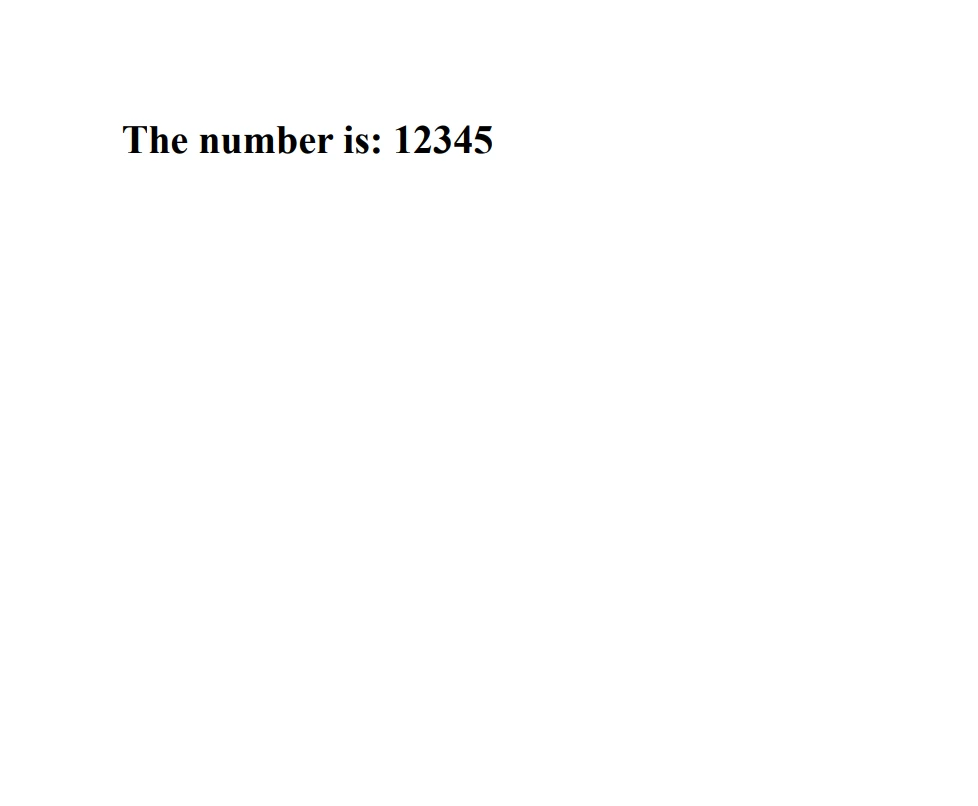
Converting strings to integers is a common requirement in C# programming, especially when dealing with data input from users or external sources. Understanding the differences between the Int32.Parse, Convert.ToInt32, and TryParse methods is essential for writing robust and error-resistant code.
By using these methods effectively, you can ensure that your applications can handle various input formats and respond gracefully to invalid data. Explore IronPDF's Free Trial License to explore its features before committing to a purchase. For those looking to integrate IronPDF into their projects long-term, IronPDF Licensing Options start from $999.

Jacob Mellor is Chief Technology Officer at Iron Software and a visionary engineer pioneering C# PDF technology. As the original developer behind Iron Software's core codebase, he has shaped the company's product architecture since its inception, transforming it alongside CEO Cameron Rimington into a 50+ person company serving NASA, Tesla, and global government agencies.



IronPDF is a part of IRONSUITE
10 .NET API products for your office documents











When you need your PDF to look like HTML, fast.


