




已更新 2026年4月23日
在 .NET 中用 Microsoft.Extensions.AI 簡化 LLM 整合
AI 正在改變軟體開發,但將大型語言模型 (LLM) 整合到 .NET 中一直很複雜。利用 IronPdf.AI 將 AI 整合推向更遠,為 .NET 應用程式帶來由 OpenAI 驅動的 PDF 解析、資料擷取和內容總結。
閱讀更多

轉換資料型別 是程式設計中的基本概念,在使用C#進行程式設計時,將數字的字串表示轉換為整數是最常見的任務之一。 這個過程在許多應用程式中很有用,尤其是需要將使用者輸入或外部來源的資料轉換為數字格式以進行計算或其他操作時。
在本教程中,我們將探索C#提供的不同方法來將字串轉換為整數。 我們還將探索 IronPDF程式庫主頁。
Convert.ToInt32 和 Int32.Parse 方法是C#中的標準工具,用於將字串值轉換為整數值。 這些函式旨在解釋輸入字串的數值並將其轉換為整數。 然而,如果字串格式不正確,這些方法可能會引發異常,這使得異常處理成為使用這些工具的重要方面。
Int32.Parse 方法Int32.Parse 方法直接將有效的數字字串轉換為整數。 它要求字串具有有效的數字格式; 否則,它將拋出 FormatException。 當您確定字串是一個有效數字時,這種方法非常簡單。 例如:
public static string inputString = "123";
public static int result = int.Parse(inputString);
Console.WriteLine(result);Public Shared inputString As String = "123"
Public Shared result As Integer = Integer.Parse(inputString)
Console.WriteLine(result)在上述程式碼中,inputString 包含一個有效的數字,Parse 方法將其轉換為整數123。然而,如果inputString 包含非數字字元或為空字串,使用ArgumentNullException。
Convert.ToInt32 方法將字串轉換為整數的另一種方法是 Convert.ToInt32。 這種方法與 Int32.Parse 相似,但提供了更多的靈活性。 它通過返回預設值0來處理空值和空字串,避免了拋出異常。 以下是您可以使用的方法:
public static string inputString = null;
public static int result = Convert.ToInt32(inputString);
Console.WriteLine(result);Public Shared inputString As String = Nothing
Public Shared result As Integer = Convert.ToInt32(inputString)
Console.WriteLine(result)使用此方法將 inputString 轉換為0而不會拋出異常,這使得對於可能尚未正確初始化的變數更安全。
Int32.TryParse 的進階技巧為了更好地控制轉換過程,尤其是當處理可能不可靠的使用者輸入時,Int32.TryParse 是首選的方法。 這種方法嘗試解析數字字串,並返回一個布林值,指示 TryParse 方法是否成功將字串轉換為整數。 它使用輸出參數來返回轉換後的整數。
Int32.TryParse 的範例以下是如何使用 Int32.TryParse 方法安全地將字串輸入轉換為整數值,並且以優雅的方式處理任何無效的字串輸入:
string inputString = "abc123";
int num;
bool conversionSucceeded = int.TryParse(inputString, out num);
if (conversionSucceeded)
{
    Console.WriteLine("Successfully parsed: " + num);
}
else
{
    Console.WriteLine("Conversion failed. Provided string is not a valid integer.");
}Dim inputString As String = "abc123"
Dim num As Integer = Nothing
Dim conversionSucceeded As Boolean = Integer.TryParse(inputString, num)
If conversionSucceeded Then
Console.WriteLine("Successfully parsed: " & num)
Else
Console.WriteLine("Conversion failed. Provided string is not a valid integer.")
End If在此範例中,Int32.TryParse 返回false,因為 inputString 不是有效的整數。 輸出參數 num 保持為 0,程式在不拋出任何異常的情況下通知使用者轉換失敗。
IronPDF概覽部分 是一個強大的C#程式庫,旨在簡化使用.NET框架的開發人員的PDF操作。 它允許直接從HTML、CSS、JavaScript和圖片建立、編輯和管理PDF文件。 IronPDF的主要特點是其直接將HTML內容轉換為PDF的能力。
這包括將整個網頁或HTML字串轉換,使其具有高度的靈活性。 IronPDF設計既強大又易於整合,並支持各種開發環境。
以下是結合IronPDF進行PDF生成並使用C#程式碼將字串解析為整數後將其顯示在PDF中的簡單範例。 這個範例假設您要將一個數字字串轉換為整數,然後使用IronPDF將其列印在PDF文件中。
using IronPdf;
using System;

class Program
{
    static void Main(string[] args)
    {
        // License your IronPdf installation
        License.LicenseKey = "Your-License-Key";

        // Create a new PDF document
        var pdf = new ChromePdfRenderer();

        // Sample string that represents an integer
        string numberString = "12345";

        // Attempt to parse the string into an integer
        int number;
        bool result = Int32.TryParse(numberString, out number);
        if (result)
        {
            // Create HTML content including the parsed number
            string htmlContent = $"<h1>The number is: {number}</h1>";

            // Generate a PDF from the HTML string
            var document = pdf.RenderHtmlAsPdf(htmlContent);

            // Save the PDF to a file
            document.SaveAs("Output.pdf");
            Console.WriteLine("PDF generated successfully with the number included.");
        }
        else
        {
            Console.WriteLine("The string could not be parsed into an integer.");
        }
    }
}Imports IronPdf
Imports System
Friend Class Program
Shared Sub Main(ByVal args() As String)
' License your IronPdf installation
License.LicenseKey = "Your-License-Key"
' Create a new PDF document
Dim pdf = New ChromePdfRenderer()
' Sample string that represents an integer
Dim numberString As String = "12345"
' Attempt to parse the string into an integer
Dim number As Integer = Nothing
Dim result As Boolean = Int32.TryParse(numberString, number)
If result Then
' Create HTML content including the parsed number
Dim htmlContent As String = $"<h1>The number is: {number}</h1>"
' Generate a PDF from the HTML string
Dim document = pdf.RenderHtmlAsPdf(htmlContent)
' Save the PDF to a file
document.SaveAs("Output.pdf")
Console.WriteLine("PDF generated successfully with the number included.")
Else
Console.WriteLine("The string could not be parsed into an integer.")
End If
End Sub
End Class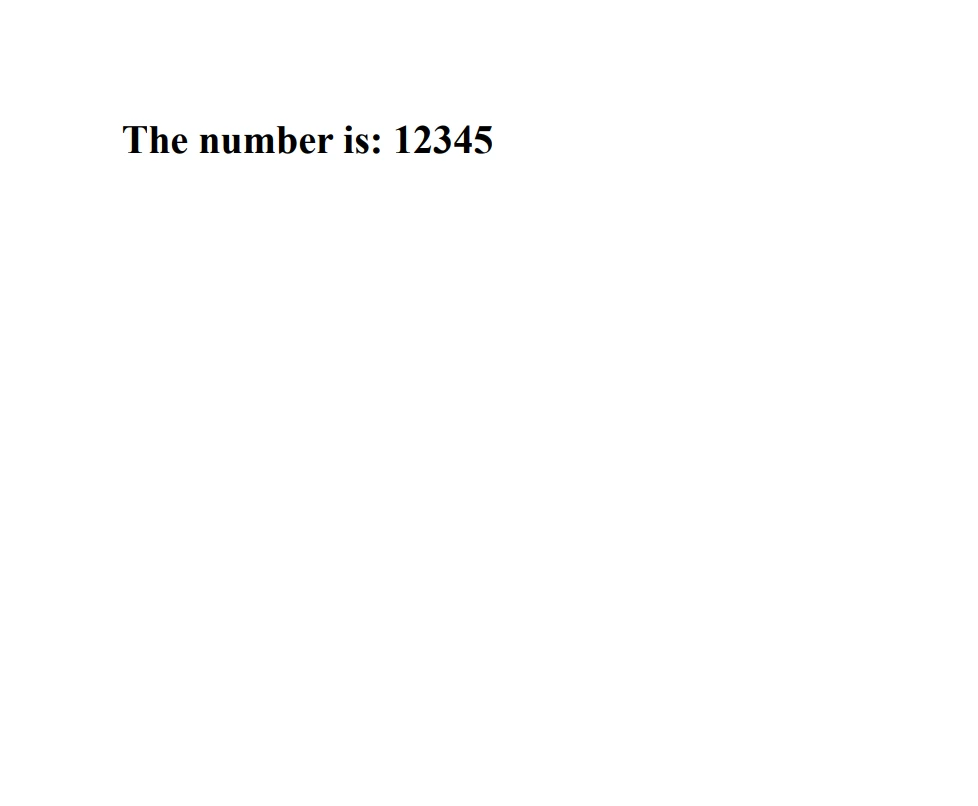
將字串轉換為整數是在C#程式設計中經常需要的操作,尤其是在處理來自使用者或外部來源的資料輸入時。 理解 Convert.ToInt32 和 TryParse 方法之間的差異對撰寫穩健且抗錯誤程式碼至關重要。
通過有效地使用這些方法,您可以確保您的應用程式能夠處理各種輸入格式,並以優雅的方式響應無效的資料。 探索 IronPDF 的免費試用授權以探索其功能,然後再決定是否購買。 對於那些希望將IronPDF長期整合到專案中的人,IronPDF授權選項從$999開始。

Jacob Mellor是Iron Software的首席技術官,一位在C# PDF技術上開創先河的遠見工程師。作為Iron Software核心程式碼庫的原開發者,他從創立以來就一直在塑造公司的產品架構,與首席執行官Cameron Rimington一起將公司轉變為服務於NASA、特斯拉和全球政府公司的50多名人員的公司。



IronPDF 是 IRONSUITE 的一部分
10 款適用於辦公室文件的 .NET API 產品

當您需要您的PDF看起來像HTML一樣快速。












