


C# 인덱서 (개발자를 위한 작동 방식)

C#의 인덱서는 클래스를 배열 접근 연산자 []로 접근할 수 있게 해주는 특수한 속성입니다. 인덱서는 "스마트 배열"을 만들거나 단순화된 문법으로 데이터를 캡슐화 하는 데 매우 유용할 수 있습니다. 클래스의 인스턴스를 배열처럼 사용하여 데이터를 인덱스를 통해 접근할 수 있는 방법을 제공합니다. 이 기사에서는 C# 인덱서를 선언하고 사용하는 방법을 실용적인 예제와 함께 탐구할 것입니다. 기사의 마지막 부분에서는 IronPDF 라이브러리를 탐구할 것입니다.
기본 인덱서 문법
인덱서는 클래스나 구조체에서 this 키워드를 사용하여 선언된 인스턴스 멤버입니다. 매개변수 유형과 반환 유형 또한 지정해야 합니다. 인덱서 인스턴스 멤버의 일반적인 문법은 다음과 같습니다:
public return_type this[parameter_type index]
{
    get
    {
        // Code to return data
    }
    set
    {
        // Code to set data
    }
}
public return_type this[parameter_type index]
{
get
{
// Code to return data
}
set
{
// Code to set data
}
}Default Public Property Item(ByVal index As parameter_type) As return_type
Get
' Code to return data
End Get
Set(ByVal value As return_type)
' Code to set data
End Set
End Property여기서 return_type은 인덱서가 반환하는 값의 유형으로, 정수 값이 될 수 있으며, parameter_type은 인덱스의 유형으로, 종종 int입니다. get 접근자는 지정된 인덱스에서 값을 반환하며, set 블록 코드 접근자가 해당 인덱스에 값을 할당합니다.
인덱서 선언 및 사용
우리는 C# 클래스 내에서 인덱서를 구현하는 기본 예를 살펴볼 것입니다. 문자열 배열을 캡슐화한 클래스 Program를 고려해보세요.
class Program
{
    private string[] values = new string[5]; // Array with 5 elements
    public string this[int index]
    {
        get
        {
            return values[index];
        }
        set
        {
            values[index] = value;
        }
    }
}
class Program
{
private string[] values = new string[5]; // Array with 5 elements
public string this[int index]
{
get
{
return values[index];
}
set
{
values[index] = value;
}
}
}Friend Class Program
Private values(4) As String ' Array with 5 elements
Default Public Property Item(ByVal index As Integer) As String
Get
Return values(index)
End Get
Set(ByVal value As String)
values(index) = value
End Set
End Property
End Class위 코드에서:
Program클래스에는values이라는 이름의 문자열 배열이 포함되어 있습니다.string this[int index]은 인덱서 선언이며,int index은 배열의 요소에 접근하기 위해 사용되는 인덱스 매개변수화된 속성입니다.get접근자는 지정된 인덱스에서 인덱싱된 값을 반환하며,set접근자는 해당 인덱스에 인덱싱된 값을 할당합니다.
즉, Program 클래스를 인스턴스화하고 인덱서를 사용하여 그 values 배열에 접근할 수 있습니다.
class Program
{
    static void Main()
    {
        Program program = new Program();
        // Set values using indexer
        program[0] = "First";
        program[1] = "Second";
        // Access values using indexer
        Console.WriteLine(program[0]); // Output: First
        Console.WriteLine(program[1]); // Output: Second
    }
}
class Program
{
static void Main()
{
Program program = new Program();
// Set values using indexer
program[0] = "First";
program[1] = "Second";
// Access values using indexer
Console.WriteLine(program[0]); // Output: First
Console.WriteLine(program[1]); // Output: Second
}
}Friend Class Program
Shared Sub Main()
Dim program As New Program()
' Set values using indexer
program(0) = "First"
program(1) = "Second"
' Access values using indexer
Console.WriteLine(program(0)) ' Output: First
Console.WriteLine(program(1)) ' Output: Second
End Sub
End Class이 코드에서는 인덱서가 values 배열에 접근하기 위한 간단한 문법을 제공한다는 것을 볼 수 있습니다. 이는 배열의 요소에 접근하는 것과 유사합니다.
get 및 set 접근자 이해하기
인덱서 내부의 get 및 set 접근자는 블록 코드와 같아 속성처럼 데이터를 검색 및 할당할 수 있게 해줍니다. 주된 차이점은 인덱서가 개개의 데이터 멤버가 아닌 데이터 컬렉션과 작동하기 위해 인덱스 매개변수를 사용한다는 점입니다.
get 블록은 지정된 인덱스의 데이터를 반환하는 역할을 하고, set 블록은 지정된 인덱스에 데이터를 할당합니다. 당신의 이해를 공고히 하기 위한 또 다른 예제가 있습니다:
class StudentRecords
{
    private string[] studentNames = new string[3];
    public string this[int index]
    {
        get
        {
            if (index >= 0 && index < studentNames.Length)
            {
                return studentNames[index];
            }
            return "Invalid Index";
        }
        set
        {
            if (index >= 0 && index < studentNames.Length)
            {
                studentNames[index] = value;
            }
        }
    }
    public int Length
    {
        get { return studentNames.Length; }
    }
}
class StudentRecords
{
private string[] studentNames = new string[3];
public string this[int index]
{
get
{
if (index >= 0 && index < studentNames.Length)
{
return studentNames[index];
}
return "Invalid Index";
}
set
{
if (index >= 0 && index < studentNames.Length)
{
studentNames[index] = value;
}
}
}
public int Length
{
get { return studentNames.Length; }
}
}Friend Class StudentRecords
Private studentNames(2) As String
Default Public Property Item(ByVal index As Integer) As String
Get
If index >= 0 AndAlso index < studentNames.Length Then
Return studentNames(index)
End If
Return "Invalid Index"
End Get
Set(ByVal value As String)
If index >= 0 AndAlso index < studentNames.Length Then
studentNames(index) = value
End If
End Set
End Property
Public ReadOnly Property Length() As Integer
Get
Return studentNames.Length
End Get
End Property
End Class이 예시에서는 다음과 같습니다.
StudentRecords클래스에는 학생들의 이름을 저장하는 비공개string[] studentNames배열이 있습니다.- 인덱서는 배열의 경계 내에 있는지의 여부를 검사하여 값을 설정하거나 검색합니다.
int타입Length속성이 배열의 길이에 대한 접근을 제공합니다.
이 클래스를 Main 메서드에서 다음과 같이 사용할 수 있습니다:
class Program
{
    public static void Main()
    {
        StudentRecords records = new StudentRecords();
        // Set values using indexer
        records[0] = "John";
        records[1] = "Jane";
        records[2] = "Bob";
        // Access values using indexer
        for (int i = 0; i < records.Length; i++)
        {
            Console.WriteLine(records[i]);
        }
    }
}
class Program
{
public static void Main()
{
StudentRecords records = new StudentRecords();
// Set values using indexer
records[0] = "John";
records[1] = "Jane";
records[2] = "Bob";
// Access values using indexer
for (int i = 0; i < records.Length; i++)
{
Console.WriteLine(records[i]);
}
}
}Friend Class Program
Public Shared Sub Main()
Dim records As New StudentRecords()
' Set values using indexer
records(0) = "John"
records(1) = "Jane"
records(2) = "Bob"
' Access values using indexer
For i As Integer = 0 To records.Length - 1
Console.WriteLine(records(i))
Next i
End Sub
End Class제네릭 인덱서 생성
인덱서를 가진 제네릭 클래스를 생성하여 여러 데이터 유형을 처리할 수 있습니다. 제네릭 인덱서를 가진 제네릭 클래스의 간단한 예가 있습니다:
class GenericClass<t>
{
    private T[] elements = new T[5];
    public T this[int index]
    {
        get
        {
            return elements[index];
        }
        set
        {
            elements[index] = value;
        }
    }
    public int Length
    {
        get { return elements.Length; }
    }
}
class GenericClass<t>
{
private T[] elements = new T[5];
public T this[int index]
{
get
{
return elements[index];
}
set
{
elements[index] = value;
}
}
public int Length
{
get { return elements.Length; }
}
}Option Strict On
Public Class GenericClass(Of T)
Private elements As T() = New T(4) {}
Default Public Property Item(index As Integer) As T
Get
Return elements(index)
End Get
Set(value As T)
elements(index) = value
End Set
End Property
Public ReadOnly Property Length As Integer
Get
Return elements.Length
End Get
End Property
End Class이 코드에서:
- GenericClass 클래스는 모든 데이터 타입을 처리할 수 있는 인덱서를 정의합니다.
this[int index]인덱서는 두 유형에 관계없이 배열의 요소에 접근할 수 있도록 해줍니다.
이제 GenericClass을(를) Main 메서드에서 다양한 데이터 유형과 함께 사용할 수 있습니다:
class Program
{
    public static void Main()
    {
        GenericClass<int> intArray = new GenericClass<int>();
        intArray[0] = 10;
        intArray[1] = 20;

        GenericClass<string> stringArray = new GenericClass<string>();
        stringArray[0] = "Hello";
        stringArray[1] = "World";

        // Output the integer array values
        for (int i = 0; i < intArray.Length; i++)
        {
            Console.WriteLine(intArray[i]);
        }

        // Output the string array values
        for (int i = 0; i < stringArray.Length; i++)
        {
            Console.WriteLine(stringArray[i]);
        }
    }
}
class Program
{
public static void Main()
{
GenericClass<int> intArray = new GenericClass<int>();
intArray[0] = 10;
intArray[1] = 20;
GenericClass<string> stringArray = new GenericClass<string>();
stringArray[0] = "Hello";
stringArray[1] = "World";
// Output the integer array values
for (int i = 0; i < intArray.Length; i++)
{
Console.WriteLine(intArray[i]);
}
// Output the string array values
for (int i = 0; i < stringArray.Length; i++)
{
Console.WriteLine(stringArray[i]);
}
}
}Friend Class Program
Public Shared Sub Main()
Dim intArray As New GenericClass(Of Integer)()
intArray(0) = 10
intArray(1) = 20
Dim stringArray As New GenericClass(Of String)()
stringArray(0) = "Hello"
stringArray(1) = "World"
' Output the integer array values
For i As Integer = 0 To intArray.Length - 1
Console.WriteLine(intArray(i))
Next i
' Output the string array values
For i As Integer = 0 To stringArray.Length - 1
Console.WriteLine(stringArray(i))
Next i
End Sub
End ClassIronPDF와 C# 인덱서 사용하기
IronPDF는 .NET 애플리케이션에서 PDF를 생성, 편집 및 변환하기 위한 C# 라이브러리입니다. 개발자가 HTML에서 PDF 생성, PDF 파일 조작 및 병합, 인쇄, 서명 추가 등 고급 기능을 프로그래밍 방식으로 처리할 수 있도록 PDF 작업을 간소화합니다.
C# 프로그램 내에서 인덱서를 활용하여 PDF 콘텐츠를 동적으로 생성하고 관리할 수 있습니다. 예를 들어, HTML 문자열을 보유하고 있는 클래스가 있고, 인덱서를 사용하여 각 HTML 항목에 대해 PDF를 생성하려고 한다고 가정합니다. 이 접근 방식은 코드를 체계적이고 직관적으로 유지하면서 PDF 생성을 간소화합니다.
using IronPdf;
using System;

class PdfGenerator
{
    private string[] htmlTemplates = new string[3];
    public string this[int index]
    {
        get { return htmlTemplates[index]; }
        set { htmlTemplates[index] = value; }
    }

    public void GeneratePdf(int index, string outputPath)
    {
        var renderer = new ChromePdfRenderer();
        var pdfDocument = renderer.RenderHtmlAsPdf(this[index]); // Access HTML string using indexer
        pdfDocument.SaveAs(outputPath);
    }
}

class Program
{
    public static void Main()
    {
        PdfGenerator pdfGen = new PdfGenerator();
        // Populate HTML templates
        pdfGen[0] = "<h1>First Document</h1><p>This is the first PDF.</p>";
        pdfGen[1] = "<h1>Second Document</h1><p>This is the second PDF.</p>";
        pdfGen[2] = "<h1>Third Document</h1><p>This is the third PDF.</p>";

        // Generate PDFs using the indexer
        pdfGen.GeneratePdf(0, "first.pdf");
        pdfGen.GeneratePdf(1, "second.pdf");
        pdfGen.GeneratePdf(2, "third.pdf");

        Console.WriteLine("PDFs generated successfully.");
    }
}
using IronPdf;
using System;
class PdfGenerator
{
private string[] htmlTemplates = new string[3];
public string this[int index]
{
get { return htmlTemplates[index]; }
set { htmlTemplates[index] = value; }
}
public void GeneratePdf(int index, string outputPath)
{
var renderer = new ChromePdfRenderer();
var pdfDocument = renderer.RenderHtmlAsPdf(this[index]); // Access HTML string using indexer
pdfDocument.SaveAs(outputPath);
}
}
class Program
{
public static void Main()
{
PdfGenerator pdfGen = new PdfGenerator();
// Populate HTML templates
pdfGen[0] = "<h1>First Document</h1><p>This is the first PDF.</p>";
pdfGen[1] = "<h1>Second Document</h1><p>This is the second PDF.</p>";
pdfGen[2] = "<h1>Third Document</h1><p>This is the third PDF.</p>";
// Generate PDFs using the indexer
pdfGen.GeneratePdf(0, "first.pdf");
pdfGen.GeneratePdf(1, "second.pdf");
pdfGen.GeneratePdf(2, "third.pdf");
Console.WriteLine("PDFs generated successfully.");
}
}Imports IronPdf
Imports System
Friend Class PdfGenerator
Private htmlTemplates(2) As String
Default Public Property Item(ByVal index As Integer) As String
Get
Return htmlTemplates(index)
End Get
Set(ByVal value As String)
htmlTemplates(index) = value
End Set
End Property
Public Sub GeneratePdf(ByVal index As Integer, ByVal outputPath As String)
Dim renderer = New ChromePdfRenderer()
Dim pdfDocument = renderer.RenderHtmlAsPdf(Me(index)) ' Access HTML string using indexer
pdfDocument.SaveAs(outputPath)
End Sub
End Class
Friend Class Program
Public Shared Sub Main()
Dim pdfGen As New PdfGenerator()
' Populate HTML templates
pdfGen(0) = "<h1>First Document</h1><p>This is the first PDF.</p>"
pdfGen(1) = "<h1>Second Document</h1><p>This is the second PDF.</p>"
pdfGen(2) = "<h1>Third Document</h1><p>This is the third PDF.</p>"
' Generate PDFs using the indexer
pdfGen.GeneratePdf(0, "first.pdf")
pdfGen.GeneratePdf(1, "second.pdf")
pdfGen.GeneratePdf(2, "third.pdf")
Console.WriteLine("PDFs generated successfully.")
End Sub
End Class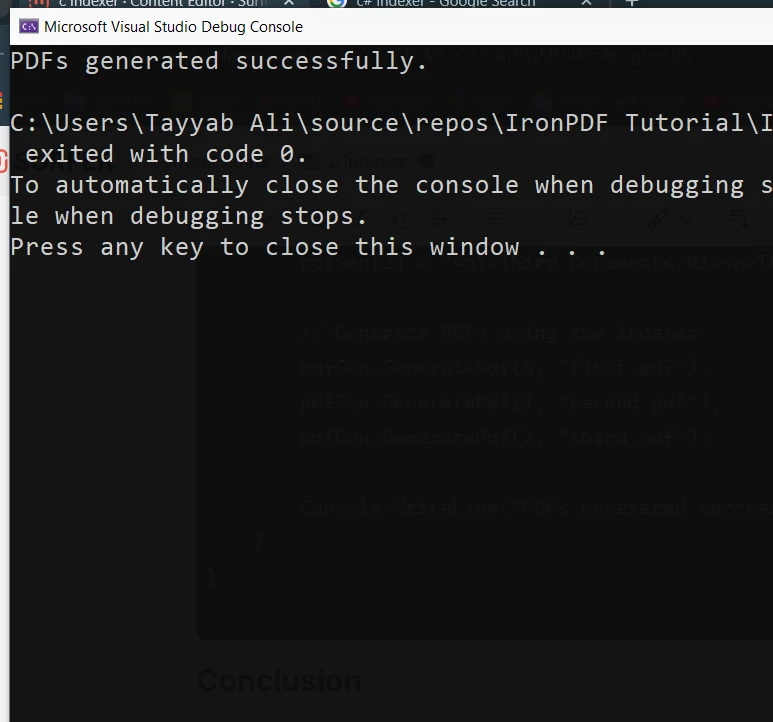
결론
C# 인덱서는 클래스와 구조체가 배열처럼 동작할 수 있도록 돕는 유용한 기능입니다. 간소화된 구문과 유연한 데이터 접근을 제공하여 보다 직관적이고 읽기 쉬운 코드를 작성할 수 있습니다. 문자열, 정수 또는 기타 데이터 유형이든 관계없이 인덱서는 데이터 구조를 캡슐화하고 인덱스를 사용하여 깔끔하고 효율적으로 접근할 수 있게 해줍니다.
IronPDF는 무료 체험판으로 시작하기 쉽게 하여 PDF를 생성, 조작 및 렌더링하는 데 필요한 모든 기능에 접근할 수 있게 해줍니다. 소프트웨어를 탐색하는 데 시간을 할애할 수 있으며, 만족하면 $999부터 라이선스를 이용할 수 있습니다.
자주 묻는 질문
C#에서 인덱서란 무엇인가요?
C#의 인덱서는 클래스나 구조체의 인스턴스를 배열 접근 연산자 []를 사용하여 접근할 수 있도록 하는 특별한 속성 유형입니다. 클래스의 인스턴스를 배열과 마찬가지로 사용할 수 있는 방법을 제공합니다.
C#에서 기본적인 인덱서를 선언하는 방법은?
C#에서 기본적인 인덱서는 'this' 키워드 다음에 인덱서 선언을 사용하여 선언됩니다. 매개변수 유형과 반환 유형을 지정해야 합니다. 예: public return_type this[parameter_type index] { get; set; }.
'get' 및 'set' 접근자가 인덱서에서 갖는 목적은 무엇인가요?
인덱서에서 'get' 접근자는 지정된 인덱스에서 데이터를 검색하는 데 사용되며, 'set' 접근자는 지정된 인덱스에 데이터를 할당하는 데 사용됩니다. 컬렉션에 대해 속성 접근자와 비슷하게 작동합니다.
C# 클래스에서 인덱서의 예제를 제공할 수 있나요?
물론입니다. 문자열 배열을 가진 'Program'이라는 클래스를 고려해 보세요. 이 인덱서는 정수 인덱스를 사용하여 이 배열에 접근할 수 있습니다. 예: public string this[int index] { get { return values[index]; } set { values[index] = value; } }.
C#에서 일반적인 인덱서를 만드는 방법은?
C#에서 일반적인 인덱서(generic indexer)는 제네릭 클래스(generic class) 내에서 생성될 수 있습니다. 예를 들어, 클래스 GenericClass는 모든 데이터 유형을 처리할 수 있는 인덱서를 포함합니다. 인덱서는 public T this[int index] { get; set; }로 선언됩니다.
C#에서 인덱서를 사용하여 PDF 생성을 간소화하는 방법은?
IronPDF와 같은 라이브러리를 사용하여 클래스 내에 저장된 HTML 템플릿을 관리하고 접근하기 위해 인덱서를 사용할 수 있습니다. 그런 다음 이를 PDF 문서로 변환합니다. 이 방법은 여러 HTML 소스에서 동적 PDF를 생성하는 과정을 간소화합니다.
인덱서를 사용하는 PDF 라이브러리의 사용 예를 줄 수 있나요?
물론입니다. HTML 템플릿을 배열에 보유하고 이 템플릿들에 접근하기 위해 인덱서를 사용하는 클래스를 만들 수 있습니다. 그런 다음 PDF 라이브러리를 사용하여 이 HTML 문자열들을 PDF 문서로 렌더링합니다. 예를 들어, PdfGenerator라는 클래스는 HTML에 접근하고 PDF를 생성하기 위해 인덱서를 사용합니다.
C#에서 인덱서를 사용하는 장점은 무엇인가요?
C#의 인덱서는 컬렉션의 요소에 접근할 수 있는 간소화된 문법을 제공하여 코드를 더 직관적이고 읽기 쉽게 만듭니다. 클래스와 구조체가 배열처럼 동작하게 하여 효율적인 데이터 캡슐화와 접근을 가능하게 합니다.
C#에서 인덱서가 동적 데이터 구조를 만드는 데 어떻게 도움이 되나요?
인덱서는 개발자가 배열과 같은 문법을 사용하여 컬렉션을 접근하고 수정할 수 있게 함으로써 동적 데이터 구조를 만들 수 있도록 합니다. 이는 예를 들어 동적 PDF 콘텐츠 생성과 같은 유연하게 데이터를 관리해야 하는 시나리오에서 유용합니다.










 무료로 시작하세요
 무료로 시작하세요
 무료 라이브 데모 예약하기





 신용카드나 계정 생성은 필요하지 않습니다.










