


C# Random Int (개발자를 위한 작동 방식)

C#에서 임의의 정수를 생성하기 위해 개발자는 무작위성을 생성하기 위한 소프트웨어 프로그래밍의 기본 도구인 Random 클래스를 활용할 수 있습니다. 임의의 정수 생성은 프로그래밍의 핵심 개념으로, 통계 시뮬레이션, 게임 개발, 예측할 수 없는 사건 모델링, 동적 콘텐츠 생성, 무작위 입력을 통한 알고리즘 구현 등의 작업을 가능하게 합니다. 게임의 레벨을 무작위로 생성하는 것부터 목록의 항목을 재배열하거나 통계 분석을 수행하는 것까지 다양한 시나리오에서 유용합니다.
C# 무작위 정수 사용 방법
- 새로운 C# 프로젝트를 만드세요.
Random클래스의 인스턴스를 생성합니다.Next()메서드를 사용하여 임의의 정수를 생성합니다.- 필요하면 임의 정수 범위를 정의합니다.
- 프로그램에서 임의 정수를 활용하고 필요할 때마다 프로세스를 반복합니다.
C# 무작위 정수란 무엇인가
Random 클래스는 C#에서 무작위 숫자를 생성하는 간단하고 적응 가능한 방법을 제공합니다. Next() 및 Next(minValue, maxValue) 메서드는 편리한 범위 내에서 의사 랜덤 숫자 생성기를 제공합니다. 또한 Random 클래스는 시드 값의 커스터마이징을 허용하여 테스트 및 디버깅을 위한 반복 가능한 랜덤 시퀀스를 용이하게 합니다.
이 기사에서는 C#에서 Random 클래스의 기능, 사용법, 안전 주의사항, 랜덤 숫자 생성을 위한 최상의 실습 방법 등을 탐구합니다. 또한, 개발자가 무작위성을 활용하여 C# 프로그램을 향상시킬 수 있는 다양한 시나리오와 예시를 소개합니다. C#의 임의 정수 생성에 대한 이해는 개발자가 애플리케이션에 예측 불가능성을 도입하여 사용자 경험을 향상하고 소프트웨어 개발 혁신을 촉진할 수 있게 합니다.
기본적인 임의 정수 생성
Next() 메서드는 매개 변수 없이 사용하는 경우 가장 간단하게 음수가 아닌 임의의 정수를 생성할 수 있습니다.
// Create an instance of Random
Random random = new Random();
// Generate a random integer
int randomNumber = random.Next();
// Create an instance of Random
Random random = new Random();
// Generate a random integer
int randomNumber = random.Next();' Create an instance of Random
Dim random As New Random()
' Generate a random integer
Dim randomNumber As Integer = random.Next()NextDouble() 메서드는 0.0과 1.0 사이의 임의의 부동 소수점 숫자를 생성할 수 있습니다.
범위 내에서 임의 숫자
지정된 범위 내에서 임의의 숫자를 생성하려면 Next(minValue, maxValue) 메서드를 사용하십시오. 이 메서드는 minValue 이상이고 maxValue 미만인 임의의 숫자를 반환합니다.
// Create an instance of Random
Random rnd = new Random();
// Generate a random integer value between 1 and 100
int randomNumberInRange = rnd.Next(1, 101);
// Create an instance of Random
Random rnd = new Random();
// Generate a random integer value between 1 and 100
int randomNumberInRange = rnd.Next(1, 101);' Create an instance of Random
Dim rnd As New Random()
' Generate a random integer value between 1 and 100
Dim randomNumberInRange As Integer = rnd.Next(1, 101)최대 값보다 작은 임의의 정수
지정된 최대값보다 작은 임의의 숫자만 필요한 경우 Next(maxValue) 메서드를 사용하십시오. 이는 제공된 maxValue보다 작은 임의의 정수를 반환합니다.
// Create an instance of Random
Random random = new Random();
// Generate a random number between 0 and 99
int randomNumberLessThanMax = random.Next(100);
// Create an instance of Random
Random random = new Random();
// Generate a random number between 0 and 99
int randomNumberLessThanMax = random.Next(100);' Create an instance of Random
Dim random As New Random()
' Generate a random number between 0 and 99
Dim randomNumberLessThanMax As Integer = random.Next(100)임의 바이트 생성
NextBytes(byte[] buffer) 메서드는 무작위 값으로 바이트 배열을 채울 수 있도록 하며, 이는 무작위 이진 데이터를 생성하는 데 유용합니다.
// Create an instance of Random
Random random = new Random();
// Create a byte array
byte[] randomBytes = new byte[10];
// Fill the array with random byte values
random.NextBytes(randomBytes);
// Create an instance of Random
Random random = new Random();
// Create a byte array
byte[] randomBytes = new byte[10];
// Fill the array with random byte values
random.NextBytes(randomBytes);' Create an instance of Random
Dim random As New Random()
' Create a byte array
Dim randomBytes(9) As Byte
' Fill the array with random byte values
random.NextBytes(randomBytes)사용자 지정 시드 값
일관된 실행을 위해 특정 시드 값으로 Random 인스턴스를 초기화하십시오. 같은 시드를 사용하는 것은 테스트 시나리오와 같은 반복 가능한 결과를 얻는 데 유용합니다.
// Initialize Random with a seed value
Random random = new Random(12345);
// Generate a random integer
int randomNumberWithSeed = random.Next();
// Initialize Random with a seed value
Random random = new Random(12345);
// Generate a random integer
int randomNumberWithSeed = random.Next();' Initialize Random with a seed value
Dim random As New Random(12345)
' Generate a random integer
Dim randomNumberWithSeed As Integer = random.Next()스레드 안전한 무작위 생성
스레드 안전한 무작위 수 생성은 다중 스레드 환경에서 중요합니다. 일반적인 기술 중 하나는 각 스레드에 대해 고유한 Random 인스턴스를 생성하기 위해 ThreadLocal 클래스를 사용하는 것입니다.
// Create a thread-local Random instance
ThreadLocal<Random> threadLocalRandom = new ThreadLocal<Random>(() => new Random());
// Generate a random number safely in a multi-threaded environment
int randomNumberThreadSafe = threadLocalRandom.Value.Next();
// Create a thread-local Random instance
ThreadLocal<Random> threadLocalRandom = new ThreadLocal<Random>(() => new Random());
// Generate a random number safely in a multi-threaded environment
int randomNumberThreadSafe = threadLocalRandom.Value.Next();' Create a thread-local Random instance
Dim threadLocalRandom As New ThreadLocal(Of Random)(Function() New Random())
' Generate a random number safely in a multi-threaded environment
Dim randomNumberThreadSafe As Integer = threadLocalRandom.Value.Next()고급 무작위 기법
특정 분포 (예: 가우시안 분포)를 가진 무작위 수를 생성하려면 서드파티 라이브러리 또는 사용자 정의 메서드가 필요할 수 있습니다.
// Example of generating random numbers with a Gaussian distribution using MathNet.Numerics
using MathNet.Numerics.Distributions;

// Parameters for the Gaussian distribution: mean and standard deviation
double mean = 0;
double standardDeviation = 1;

// Generate a random number with a Gaussian distribution
double randomNumberWithGaussianDistribution = Normal.Sample(new Random(), mean, standardDeviation);
// Example of generating random numbers with a Gaussian distribution using MathNet.Numerics
using MathNet.Numerics.Distributions;
// Parameters for the Gaussian distribution: mean and standard deviation
double mean = 0;
double standardDeviation = 1;
// Generate a random number with a Gaussian distribution
double randomNumberWithGaussianDistribution = Normal.Sample(new Random(), mean, standardDeviation);' Example of generating random numbers with a Gaussian distribution using MathNet.Numerics
Imports MathNet.Numerics.Distributions
' Parameters for the Gaussian distribution: mean and standard deviation
Private mean As Double = 0
Private standardDeviation As Double = 1
' Generate a random number with a Gaussian distribution
Private randomNumberWithGaussianDistribution As Double = Normal.Sample(New Random(), mean, standardDeviation)이 예제들은 C# Random 클래스를 사용하여 랜덤 숫자를 생성하는 다양한 응용 프로그램을 보여줍니다. 자신의 특정 요구 사항과 상황에 따라 가장 적합한 접근 방식을 선택하세요.
IronPDF란 무엇인가?
IronPDF는 PDF 문서의 생성, 편집 및 수정에 다양한 기능을 제공하는 인기 있는 C# 라이브러리입니다. 주 사용처는 PDF 관련 작업이지만, C#과 함께 사용하여 PDF 문서에 임의의 정수를 삽입하는 등의 다양한 작업에 사용할 수 있습니다.
IronPDF의 주요 기능 중 하나는 HTML을 PDF로 변환하는 기능으로, 레이아웃 및 스타일을 유지하여 보고서, 인보이스 및 문서 작성에 탁월한 기능입니다. HTML 파일, URL, HTML 문자열을 쉽게 PDF로 변환할 수 있습니다.
using IronPdf;

class Program
{
    static void Main(string[] args)
    {
        // Create a ChromePdfRenderer instance
        var renderer = new ChromePdfRenderer();

        // 1. Convert HTML String to PDF
        var htmlContent = "<h1>Hello, IronPDF!</h1><p>This is a PDF from an HTML string.</p>";
        var pdfFromHtmlString = renderer.RenderHtmlAsPdf(htmlContent);
        pdfFromHtmlString.SaveAs("HTMLStringToPDF.pdf");

        // 2. Convert HTML File to PDF
        var htmlFilePath = "path_to_your_html_file.html"; // Specify the path to your HTML file
        var pdfFromHtmlFile = renderer.RenderHtmlFileAsPdf(htmlFilePath);
        pdfFromHtmlFile.SaveAs("HTMLFileToPDF.pdf");

        // 3. Convert URL to PDF
        var url = "http://ironpdf.com"; // Specify the URL
        var pdfFromUrl = renderer.RenderUrlAsPdf(url);
        pdfFromUrl.SaveAs("URLToPDF.pdf");
    }
}
using IronPdf;
class Program
{
static void Main(string[] args)
{
// Create a ChromePdfRenderer instance
var renderer = new ChromePdfRenderer();
// 1. Convert HTML String to PDF
var htmlContent = "<h1>Hello, IronPDF!</h1><p>This is a PDF from an HTML string.</p>";
var pdfFromHtmlString = renderer.RenderHtmlAsPdf(htmlContent);
pdfFromHtmlString.SaveAs("HTMLStringToPDF.pdf");
// 2. Convert HTML File to PDF
var htmlFilePath = "path_to_your_html_file.html"; // Specify the path to your HTML file
var pdfFromHtmlFile = renderer.RenderHtmlFileAsPdf(htmlFilePath);
pdfFromHtmlFile.SaveAs("HTMLFileToPDF.pdf");
// 3. Convert URL to PDF
var url = "http://ironpdf.com"; // Specify the URL
var pdfFromUrl = renderer.RenderUrlAsPdf(url);
pdfFromUrl.SaveAs("URLToPDF.pdf");
}
}Imports IronPdf
Friend Class Program
Shared Sub Main(ByVal args() As String)
' Create a ChromePdfRenderer instance
Dim renderer = New ChromePdfRenderer()
' 1. Convert HTML String to PDF
Dim htmlContent = "<h1>Hello, IronPDF!</h1><p>This is a PDF from an HTML string.</p>"
Dim pdfFromHtmlString = renderer.RenderHtmlAsPdf(htmlContent)
pdfFromHtmlString.SaveAs("HTMLStringToPDF.pdf")
' 2. Convert HTML File to PDF
Dim htmlFilePath = "path_to_your_html_file.html" ' Specify the path to your HTML file
Dim pdfFromHtmlFile = renderer.RenderHtmlFileAsPdf(htmlFilePath)
pdfFromHtmlFile.SaveAs("HTMLFileToPDF.pdf")
' 3. Convert URL to PDF
Dim url = "http://ironpdf.com" ' Specify the URL
Dim pdfFromUrl = renderer.RenderUrlAsPdf(url)
pdfFromUrl.SaveAs("URLToPDF.pdf")
End Sub
End ClassIronPDF의 기능:
- IronPDF는 개발자가 HTML 콘텐츠에서 고품질의 PDF 문서를 생성할 수 있도록 하여 문서 보관, 보고서 생성 및 웹 페이지 스크래핑에 적합합니다.
- JPEG, PNG, BMP 및 GIF와 같은 이미지 파일을 쉽게 PDF 문서로 변환할 수 있습니다. 스캔한 문서나 사진과 같은 이미지 기반 콘텐츠에서 검색 가능하고 편집 가능한 PDF 파일을 만들 수 있습니다.
- 프로그래밍 방식으로 PDF 페이지를 분할, 회전 및 재배치할 수 있는 포괄적인 PDF 조작 및 수정 기능을 제공합니다. 기존 PDF에 텍스트, 이미지, 주석 및 워터마크를 추가할 수 있습니다.
- IronPDF는 PDF 양식을 처리할 수 있으며, 개발자가 양식 필드를 작성하고, 양식 데이터를 검색하며 PDF 양식을 동적으로 생성할 수 있게 합니다.
- 보안 기능으로는 PDF 문서를 암호화하고, 비밀번호로 보호하며, 디지털 서명을 추가하는 기능이 포함되어 데이터 프라이버시를 보장하고 무단 액세스로부터 보호합니다.
자세한 내용은 IronPDF 문서를 참조하세요.
IronPDF 설치:
IronPDF 라이브러리를 설치하려면 패키지 관리자 콘솔 또는 NuGet 패키지 관리자를 사용하세요:
Install-Package IronPdf
NuGet 패키지 관리자를 사용하여 "IronPDF"를 검색하고 관련 NuGet 패키지 목록에서 필요한 패키지를 선택하고 다운로드합니다.
IronPDF에서 랜덤 정수
IronPDF가 설치되면 코드에서 초기화할 수 있습니다. 필요한 네임스페이스를 가져온 후, IronPdf.HtmlToPdf 클래스의 인스턴스를 생성합니다.
using IronPdf;
using System;

class Program
{
    static void Main(string[] args)
    {
        // Create a new instance of Random
        Random random = new Random();
        // Generate a random integer between 1 and 100
        int randomNumber = random.Next(1, 101);

        // Create HTML content with the random integer
        string htmlContent = $@"
            <html>
            <head><title>Random Integer PDF</title></head>
            <body>
            <h1>Random Integer: {randomNumber}</h1>
            </body>
            </html>";

        // Create a new HtmlToPdf renderer
        var renderer = new HtmlToPdf();
        // Render the HTML to a PDF
        var pdf = renderer.RenderHtmlAsPdf(htmlContent);
        // Save the PDF document
        pdf.SaveAs("output.pdf");
    }
}
using IronPdf;
using System;
class Program
{
static void Main(string[] args)
{
// Create a new instance of Random
Random random = new Random();
// Generate a random integer between 1 and 100
int randomNumber = random.Next(1, 101);
// Create HTML content with the random integer
string htmlContent = $@"
<html>
<head><title>Random Integer PDF</title></head>
<body>
<h1>Random Integer: {randomNumber}</h1>
</body>
</html>";
// Create a new HtmlToPdf renderer
var renderer = new HtmlToPdf();
// Render the HTML to a PDF
var pdf = renderer.RenderHtmlAsPdf(htmlContent);
// Save the PDF document
pdf.SaveAs("output.pdf");
}
}Imports IronPdf
Imports System
Friend Class Program
Shared Sub Main(ByVal args() As String)
' Create a new instance of Random
Dim random As New Random()
' Generate a random integer between 1 and 100
Dim randomNumber As Integer = random.Next(1, 101)
' Create HTML content with the random integer
Dim htmlContent As String = $"
<html>
<head><title>Random Integer PDF</title></head>
<body>
<h1>Random Integer: {randomNumber}</h1>
</body>
</html>"
' Create a new HtmlToPdf renderer
Dim renderer = New HtmlToPdf()
' Render the HTML to a PDF
Dim pdf = renderer.RenderHtmlAsPdf(htmlContent)
' Save the PDF document
pdf.SaveAs("output.pdf")
End Sub
End ClassIronPDF는 직접적으로 랜덤 정수를 생성하지는 않지만, PDF 문서에 삽입할 수 있습니다. C#의 내장 Random 클래스를 사용하여 랜덤 숫자를 생성한 후, IronPDF의 기능을 사용하여 이를 PDF에 추가할 수 있습니다. 내용이 추가되면 수정된 PDF 문서를 파일이나 스트림으로 저장합니다.
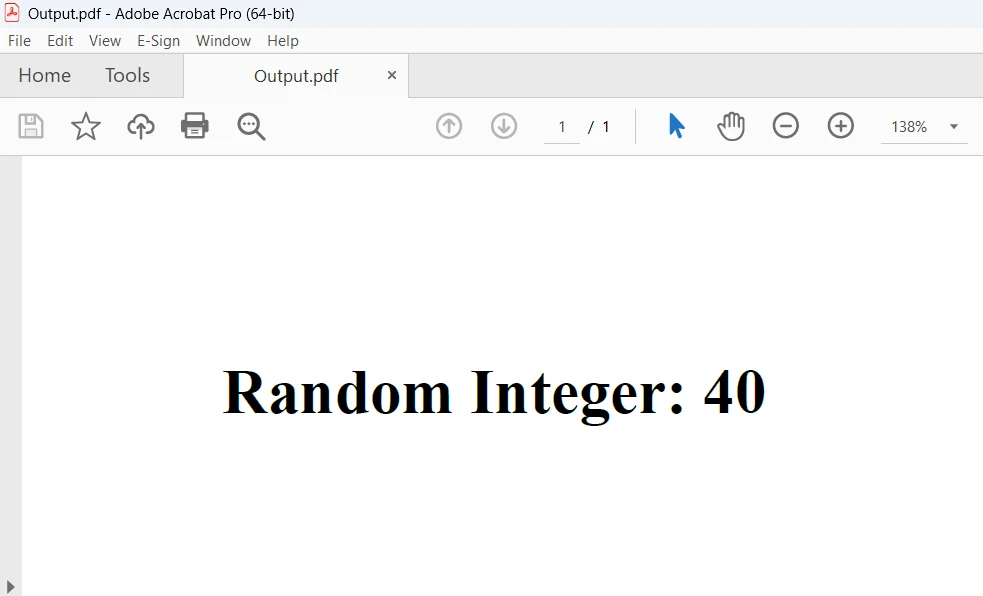
위의 화면은 코드의 출력을 보여줍니다. 자세한 내용은 HTML에서 PDF 생성 예제를 참조하세요.
결론
결론적으로, C#으로 랜덤 정수를 생성하고 IronPDF의 HtmlToPdf 기능을 활용하는 것은 랜덤 데이터를 포함한 PDF 문서를 동적으로 생성하는 강력한 접근 방식입니다. 개발자는 IronPDF의 HTML을 PDF로 변환하는 기능과 C#의 랜덤 정수 기능을 결합하여 보고서 생성, 데이터 시각화, 문서 자동화를 위한 다양한 기회를 열 수 있습니다.
IronPDF의 Lite 에디션은 1년간의 소프트웨어 유지보수, 업그레이드 옵션 및 영구 라이센스를 포함합니다. 워터마크가 있는 체험판 기간은 사용자가 제품을 평가할 수 있게 합니다. IronPDF의 비용, 라이센싱, 무료 체험판에 대한 자세한 정보는 IronPDF 라이센스 정보를 참조하세요. Iron Software에 대한 자세한 내용은 Iron Software 소개를 방문하세요.
자주 묻는 질문
C#에서 임의의 정수를 생성하려면 어떻게 해야 하나요?
C#에서 임의의 정수를 생성하려면 Random 클래스를 사용할 수 있습니다. 인스턴스를 생성하고 Next() 메서드를 사용하여 무작위 정수를 얻습니다. 예를 들어: Random random = new Random(); int randomNumber = random.Next();
C#에서 특정 범위 내의 임의의 정수를 생성할 수 있나요?
네, Random 클래스의 Next(minValue, maxValue) 메서드를 사용하여 특정 범위 내의 임의의 정수를 생성할 수 있습니다. 예를 들어: int randomNumberInRange = random.Next(1, 101);
C#의 Random 클래스에서 시드 값을 사용하는 이점은 무엇인가요?
C#의 Random 클래스에서 시드 값을 사용하면 테스트 및 디버깅에 유용한 반복 가능한 무작위 시퀀스를 생성할 수 있습니다. 특정 시드로 Random을 초기화 할 수 있습니다: Random random = new Random(12345);
C#에서 스레드 안전한 무작위 숫자 생성을 보장하려면 어떻게 해야 하나요?
다중 스레드 환경에서 스레드 안전한 무작위 숫자 생성을 보장하기 위해, ThreadLocal 클래스를 사용하여 각 스레드별로 고유한 Random 인스턴스를 생성할 수 있습니다: ThreadLocal
C#에서 무작위 숫자 생성의 고급 기법은 무엇인가요?
특정 배포(예: 가우시안 배포)로 숫자를 생성하는 것과 같은 고급 무작위 숫자 생성 기술에 대해서는 MathNet.Numerics와 같은 서드파티 라이브러리를 사용할 수 있습니다.
C#을 사용하여 PDF 문서에 임의의 정수를 어떻게 삽입할 수 있나요?
Random 클래스를 사용하여 무작위 정수를 생성하고, IronPDF와 같은 라이브러리를 사용하여 PDF에 임베드할 수 있습니다. 이렇게 하면 PDF 문서에서 동적 콘텐츠 생성을 가능하게 합니다.
C#에서 HTML 콘텐츠를 PDF로 변환하는 방법은 무엇인가요?
C#에서 HTML 콘텐츠를 PDF로 변환하려면 IronPDF와 같은 PDF 변환 라이브러리를 사용하십시오. RenderHtmlAsPdf와 같은 메서드를 사용하여 HTML 문자열을 PDF 문서로 변환할 수 있습니다.
PDF 라이브러리에서 찾아야 할 주요 기능은 무엇인가요?
강력한 PDF 라이브러리는 HTML을 PDF로 변환, 이미지를 PDF로 변환, PDF 조작 기능, 폼 처리, 암호화 및 디지털 서명과 같은 보안 기능을 제공해야 합니다.
PDF 라이브러리를 구매하기 전에 평가할 수 있나요?
예, 많은 PDF 라이브러리가 평가 목적으로 워터마크가 있는 출력과 함께 체험 기간을 제공합니다. 라이브러리의 공식 웹사이트를 방문하여 라이선스 및 가격 옵션에 대해 자세히 알아볼 수 있습니다.
C# 프로젝트에 PDF 라이브러리를 어떻게 설치할 수 있나요?
C# 프로젝트에 PDF 라이브러리를 설치하려면 NuGet 패키지 관리자를 사용할 수 있습니다. 패키지 관리자 콘솔에서 Install-Package 명령을 실행하거나 NuGet 패키지 관리자 인터페이스에서 라이브러리를 검색하세요.










 무료로 시작하세요
 무료로 시작하세요
 무료 라이브 데모 예약하기





 신용카드나 계정 생성은 필요하지 않습니다.










