




업데이트됨 2026년 4월 23일
.NET에서 Microsoft.Extensions.AI로 LLM 통합 간소화
AI는 소프트웨어 개발을 변혁하고 있으나, 대규모 언어 모델(LLM)을 .NET에 통합하는 것은 지금까지 복잡했습니다. 현대에는 OpenAI 기반 PDF 파싱, 데이터 추출 및 콘텐츠 요약을 .NET 애플리케이션에 가져오는 IronPdf.AI로 AI 통합을 더욱 확장하세요.
더 읽어보기

숫자 반올림은 프로그래밍에서 특히 재정 데이터 또는 소수점 이하 특정 자리까지의 정밀도가 필요한 측정값을 다루는 경우에 일반적인 작업입니다. C#에는 소수점 두 자리로 소수나 double 숫자를 반올림하는 방법이 여러 가지 있습니다. 이 튜토리얼은 개념을 명확히 설명하고 C#을 사용하여 이 정밀도를 달성하는 방법에 대한 포괄적인 지식을 제공합니다. IronPDF 라이브러리의 기능 및 C# 언어가 제공하는 다양한 메서드와 함수를 살펴보고 지정된 정밀도로 소수점을 조작하는 방법을 확인할 것입니다.
숫자 반올림 기술로 뛰어들기 전에 우리가 다룰 숫자 유형을 이해하는 것이 중요합니다. C#에서 decimal과 double은 숫자 값을 위해 사용되는 두 가지 다른 유형입니다. decimal 변수는 일반적으로 최고 수준의 정밀도가 필요한 경우, 예를 들어 재정 계산에 사용됩니다. 반면, double 결과는 부동 소수점 계산이 충분하고 정밀도보다 성능이 더 중요한 경우에 사용됩니다. 이 두 타입 모두 C# 라이브러리의 특정 메서드를 사용하여 반올림할 수 있습니다.
Math.Round 메서드는 지정된 소수 자릿수로 소수값이나 double 값을 반올림하는 가장 간단한 방법입니다. 이 수학 함수를 사용하여 double 값을 가장 가까운 정수로 반올림할 수도 있습니다. Math.Round 메서드는 소수점 이후에 유지할 자리 수를 지정할 수 있고, 숫자가 두 간격 사이에 정확히 절반일 때 반올림 전략을 선택할 수 있어 다재다능합니다.
소수 수를 두 자리로 반올림하려면 Math.Round 메서드를 사용할 수 있는데, 이는 반올림할 숫자와 소숫자리를 매개변수로 받습니다. 다음은 간단한 예시입니다:
decimal d = 3.14519M; // decimal number
// Round the decimal value to two decimal places
decimal roundedValue = Math.Round(d, 2);
Console.WriteLine(roundedValue); // Outputs: 3.15Dim d As Decimal = 3.14519D ' decimal number
' Round the decimal value to two decimal places
Dim roundedValue As Decimal = Math.Round(d, 2)
Console.WriteLine(roundedValue) ' Outputs: 3.15이 예제에서 소수 값 3.14519는 3.15로 반올림됩니다. 메서드 Math.Round는 소수 d를 두 자리로 반올림합니다.
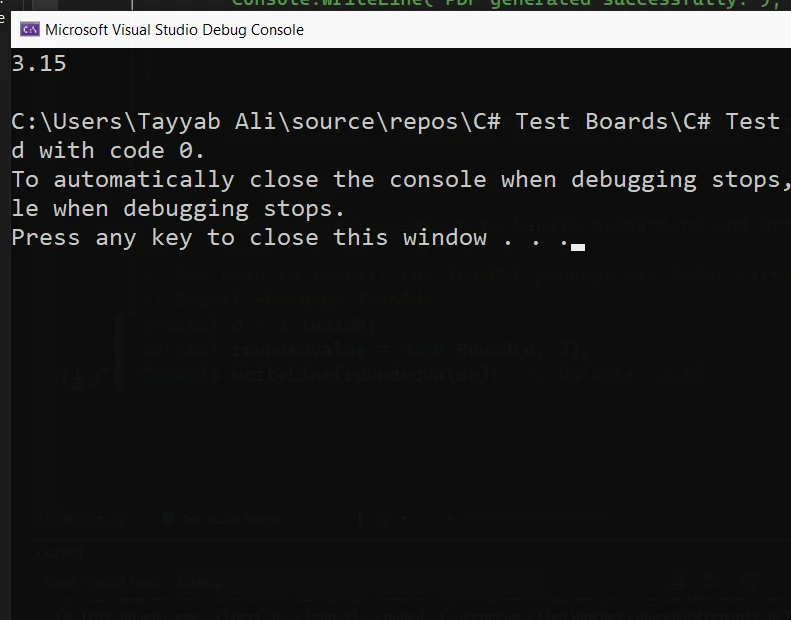
Double 값 반올림은 소수 값 반올림과 유사하게 작동합니다. 여기 Double 수를 두 자리로 반올림하는 방법에 대한 코드가 있습니다:
double num = 3.14519;
// Round the double value to two decimal places
double result = Math.Round(num, 2);
Console.WriteLine(result); // Output: 3.15Dim num As Double = 3.14519
' Round the double value to two decimal places
Dim result As Double = Math.Round(num, 2)
Console.WriteLine(result) ' Output: 3.15이 코드 스니펫은 Double 숫자 3.14519를 두 자리로 반올림하여 3.15로 효과적으로 반올림합니다. Math.Round의 두 번째 인수는 두 자리로 반올림해야 함을 지정합니다.
반올림의 중요한 측면 중 하나는 숫자가 두 가능한 반올림 값 사이의 중간점에 정확히 위치하는 경우를 처리하는 방법입니다. C#은 MidpointRounding 열거형을 통해 반올림 동작을 지정할 수 있는 옵션을 제공합니다. 이렇게 하면 이러한 경우에 반올림 방향을 제어할 수 있습니다.
double midpointNumber = 2.345; // double value
// Round with a strategy that rounds midpoints away from zero
double midpointResult = Math.Round(midpointNumber, 2, MidpointRounding.AwayFromZero);
Console.WriteLine(midpointResult); // Outputs: 2.35Dim midpointNumber As Double = 2.345 ' double value
' Round with a strategy that rounds midpoints away from zero
Dim midpointResult As Double = Math.Round(midpointNumber, 2, MidpointRounding.AwayFromZero)
Console.WriteLine(midpointResult) ' Outputs: 2.35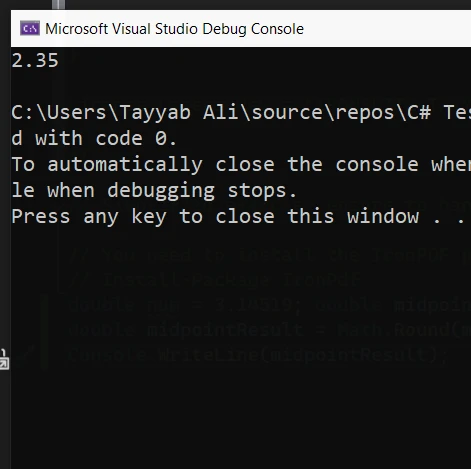
위 예제에서 MidpointRounding.AwayFromZero는 메서드에 중간점 숫자 2.345를 0에서 멀리 떨어진 가장 가까운 숫자로 반올림하도록 결과를 2.35로 만듭니다. 이는 금융 계산에서 반올림을 사용하는 경우에 특히 유용합니다.
IronPDF는 .NET 플랫폼을 위해 C#으로 작성된 포괄적인 PDF 생성 라이브러리입니다. HTML, CSS, JavaScript 및 이미지 렌더링을 통해 고품질 PDF 생성 기능으로 잘 알려져 있습니다. 이 기능 덕분에 개발자는 기존 웹 개발 기술을 PDF 생성에 활용할 수 있습니다. IronPDF는 Chrome 렌더링 엔진을 사용하여 웹 브라우저에서 보는 레이아웃을 완벽하게 반영한 PDF 문서를 만듭니다.
IronPDF의 주요 기능은 HTML에서 PDF로의 변환 기능으로, 레이아웃과 스타일이 보존됩니다. 웹 콘텐츠를 보고서, 청구서 및 문서화에 적합한 PDF로 변환합니다. HTML 파일, URL 및 HTML 문자열을 PDF로 쉽게 변환할 수 있습니다.
using IronPdf;

class Program
{
    static void Main(string[] args)
    {
        var renderer = new ChromePdfRenderer();

        // 1. Convert HTML String to PDF
        var htmlContent = "<h1>Hello, IronPDF!</h1><p>This is a PDF from an HTML string.</p>";
        var pdfFromHtmlString = renderer.RenderHtmlAsPdf(htmlContent);
        pdfFromHtmlString.SaveAs("HTMLStringToPDF.pdf");

        // 2. Convert HTML File to PDF
        var htmlFilePath = "path_to_your_html_file.html"; // Specify the path to your HTML file
        var pdfFromHtmlFile = renderer.RenderHtmlFileAsPdf(htmlFilePath);
        pdfFromHtmlFile.SaveAs("HTMLFileToPDF.pdf");

        // 3. Convert URL to PDF
        var url = "http://ironpdf.com"; // Specify the URL
        var pdfFromUrl = renderer.RenderUrlAsPdf(url);
        pdfFromUrl.SaveAs("URLToPDF.pdf");
    }
}Imports IronPdf
Module Program
Sub Main(args As String())
Dim renderer = New ChromePdfRenderer()
' 1. Convert HTML String to PDF
Dim htmlContent = "<h1>Hello, IronPDF!</h1><p>This is a PDF from an HTML string.</p>"
Dim pdfFromHtmlString = renderer.RenderHtmlAsPdf(htmlContent)
pdfFromHtmlString.SaveAs("HTMLStringToPDF.pdf")
' 2. Convert HTML File to PDF
Dim htmlFilePath = "path_to_your_html_file.html" ' Specify the path to your HTML file
Dim pdfFromHtmlFile = renderer.RenderHtmlFileAsPdf(htmlFilePath)
pdfFromHtmlFile.SaveAs("HTMLFileToPDF.pdf")
' 3. Convert URL to PDF
Dim url = "http://ironpdf.com" ' Specify the URL
Dim pdfFromUrl = renderer.RenderUrlAsPdf(url)
pdfFromUrl.SaveAs("URLToPDF.pdf")
End Sub
End ModuleIronPDF는 두 자리로 소수를 반올림한 후 PDF에 임베딩하는 등의 정밀 작업을 C#과 매끄럽게 통합할 수 있습니다. 이는 금융 보고서나 송장 등 숫자 정확도가 중요한 경우에 특히 유용합니다.
이 예제에서는 IronPDF를 사용하여 두 자리로 반올림된 숫자 목록이 포함된 PDF 문서를 생성하는 간단한 C# 애플리케이션을 만듭니다. 이는 실제 시나리오에서 수치 계산과 PDF 생성 통합 방법을 보여줍니다.
먼저 IronPDF를 설치해야 합니다. 이는 NuGet을 통해 수행할 수 있습니다:
IronPDF가 설치되면 HTML 콘텐츠에서 두 자리로 반올림된 숫자를 포함하여 PDF를 생성하는 방법은 다음과 같습니다:
using IronPdf;
using System;

class Program
{
    static void Main()
    {
        // Make sure to set the license key if using a trial or licensed version
        License.LicenseKey = "License-Key";

        var Renderer = new ChromePdfRenderer();

        // Sample data that might come from a database or computation
        double initialValue = 2.345678;
        double roundedValue = Math.Round(initialValue, 2);

        // HTML content including the rounded value
        var htmlContent = $@"
            <html>
            <head>
                <title>PDF Report</title>
            </head>
            <body>
                <h1>Financial Report</h1>
                <p>Value after rounding: {roundedValue}</p>
            </body>
            </html>";

        // Convert HTML to PDF
        var pdfDocument = Renderer.RenderHtmlAsPdf(htmlContent);
        pdfDocument.SaveAs("Report.pdf");

        Console.WriteLine("PDF generated successfully.");
    }
}Imports IronPdf
Imports System
Module Program
Sub Main()
' Make sure to set the license key if using a trial or licensed version
License.LicenseKey = "License-Key"
Dim Renderer = New ChromePdfRenderer()
' Sample data that might come from a database or computation
Dim initialValue As Double = 2.345678
Dim roundedValue As Double = Math.Round(initialValue, 2)
' HTML content including the rounded value
Dim htmlContent = $"
<html>
<head>
<title>PDF Report</title>
</head>
<body>
<h1>Financial Report</h1>
<p>Value after rounding: {roundedValue}</p>
</body>
</html>"
' Convert HTML to PDF
Dim pdfDocument = Renderer.RenderHtmlAsPdf(htmlContent)
pdfDocument.SaveAs("Report.pdf")
Console.WriteLine("PDF generated successfully.")
End Sub
End Module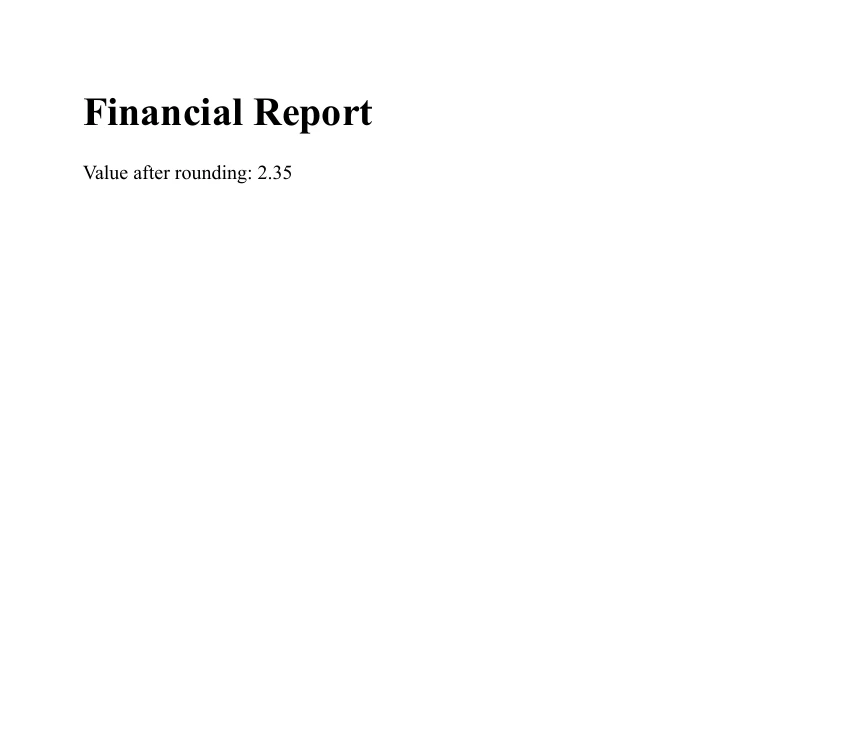
이 예제는 C#의 수학 계산 정밀도와 IronPDF의 문서 생성 기능을 결합하여 상세하고 정확한 PDF 보고서를 만드는 방법을 보여줍니다. 재무 요약, 기술 보고서 또는 숫자 정확도가 중요한 기타 문서의 경우, 이 방법은 데이터를 명확하고 정확하게 제공합니다.
지정된 소숫자 자리 수로 숫자를 반올림하는 것은 C#에서 소수 및 더블 값을 다루는 근본적인 측면입니다. 이 튜토리얼에서 우리는 두 자리로 반올림하는 방법을 Math.Round 함수를 사용하여 탐구했습니다. 또한 숫자가 두 숫자 사이에 바로 위치하는 경우를 처리하는 방법에 대해서도 논의했습니다. 개발자가 구매를 결정하기 전에 IronPDF의 기능을 탐색할 수 있도록 라이센스 페이지에서 무료 체험을 제공합니다. 필요에 맞는 올바른 도구라고 결정하셨다면, 상업적 사용을 위한 라이선스는 $999부터 시작합니다.

제이콥 멜러는 Iron Software의 최고 기술 책임자(CTO)이자 C# PDF 기술을 개척한 선구적인 엔지니어입니다. Iron Software의 핵심 코드베이스를 최초로 개발한 그는 창립 초기부터 회사의 제품 아키텍처를 설계해 왔으며, CEO인 캐머런 리밍턴과 함께 회사를 NASA, 테슬라, 그리고 전 세계 정부 기관에 서비스를 제공하는 50명 이상의 직원을 보유한 기업으로 성장시켰습니다.



IronPDF는 IRON SUITE 의 일부입니다.
10개의 .NET API 제품, 당신의 사무 문서를 위해











PDF 파일을 HTML처럼 빠르게 변환해야 할 때.


