





업데이트됨 2026년 4월 23일
.NET에서 Microsoft.Extensions.AI로 LLM 통합 간소화
AI는 소프트웨어 개발을 변혁하고 있으나, 대규모 언어 모델(LLM)을 .NET에 통합하는 것은 지금까지 복잡했습니다. 현대에는 OpenAI 기반 PDF 파싱, 데이터 추출 및 콘텐츠 요약을 .NET 애플리케이션에 가져오는 IronPdf.AI로 AI 통합을 더욱 확장하세요.
더 읽어보기

JSON-RPC 프로토콜을 사용하면, C#에서 StreamJsonRpc를 통해 다양한 전송 수준에서 클라이언트와 서버 간의 효과적인 통신이 가능합니다. 이 라이브러리를 사용하면 원격 프로시저 호출을 보다 쉽게 구현할 수 있으며, 원격 서버에서 메서드를 호출할 수 있는 신뢰할 수 있는 분산 시스템을 개발자가 작성할 수 있습니다. StreamJsonRpc는 이 라이브러리를 사용하여 IronPDF와 함께 사용할 때, 데이터를 통해 전송된 JSON-RPC 요청을 기반으로 동적 PDF 생성을 허용하여 응용 프로그램 기능을 향상시킵니다. IronPDF는 PDF 생성 및 조작을 위한 완벽한 .NET Framework를 제공합니다. 개발자들이 맞춤형 보고서, 청구서 또는 PDF를 필요에 따라 생성해야 하는 문서 중심의 응용 프로그램을 만드는 과정을 간소화하려는 경우, 이 인터페이스는 매우 유용합니다.
IronPDF는 HTML, ASPX 및 원시 데이터를 고품질 PDF 출판물로 변환하는 것을 지원하여 개발자에게 컨텐츠를 구성하고 전달하는 데에 유연성과 효율성을 제공합니다. StreamJsonRpc와 IronPDF는 C# 개발자들이 복잡한 PDF와 원격 프로시저 호출을 쉽게 결합할 수 있는 반응적이고 확장 가능한 앱을 구축할 수 있도록 함께 작동합니다.
StreamJsonRpc는 경량의 효율적인 와이어 프로토콜을 사용하여 원격 프로시저 호출(RPC)을 용이하게 하는 교차 플랫폼 라이브러리입니다. 이는 TCP/IP, 네임드 파이프, HTTP와 같은 다양한 통신 채널을 지원하는 기본 전송 메커니즘을 활용합니다. 이 라이브러리는 .NET 이벤트를 활용하여 들어오는 요청과 응답을 처리하여 비동기 통신을 위한 견고한 메커니즘을 제공합니다. 개발자는 StreamJsonRpc API를 사용하여 RPC 요청을 처리할 방법 구현을 첨부하고 사용자 정의 동작을 정의할 수 있습니다. StreamJsonRpc는 .NET 포터블 라이브러리로 제공되어 다양한 플랫폼 간의 호환성을 보장하고 다양한 .NET 응용 프로그램에 원활하게 통합할 수 있도록 합니다.
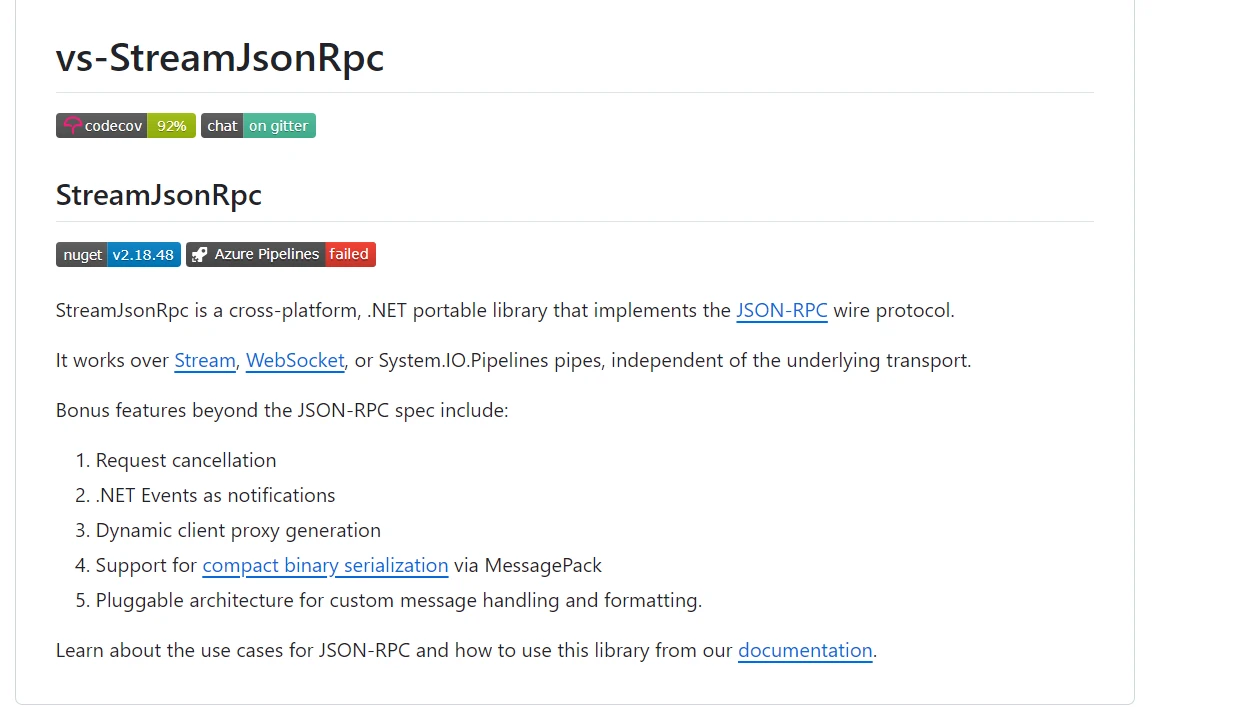
StreamJsonRpc의 주요 특성 중 하나는 알림과 진행 상황 보고를 포함한 양방향 통신에 대한 강력한 지원입니다. HTTP, Named Pipes, TCP/IP 등 다양한 전송 프로토콜을 지원하여 프로그램에 더 많은 통신 옵션을 제공합니다. JSON-RPC 메시지 직렬화 및 역직렬화는 StreamJsonRpc에 의해 처리되어 많은 플랫폼과 JSON 지원 컴퓨터 언어 간의 호환성을 보장합니다.
StreamJsonRpc는 성능과 확장성을 염두에 두고 설계되었습니다. 기존의 C# 프로그램과 호환되며, 클라이언트-서버 응용 프로그램, 마이크로서비스 아키텍처, 분산 시스템 및 안정적이고 효율적인 통신이 중요한 기타 응용 프로그램을 구축하는 데 사용할 수 있습니다. C# 프로젝트에 원격 프로시저 호출을 통합할 때 개발자들은 그 신뢰성과 사용의 용이성 때문에 이를 선택하는 경향이 있습니다.
C#의 StreamJsonRpc는 JSON-RPC 프로토콜 기반의 클라이언트-서버 응용 프로그램 통신을 용이하게 하고 개선하는 데 필요한 종합적인 기능 모음을 제공합니다.
StreamJsonRpc는 원격 작업을 로컬 함수 호출인 것처럼 고려함으로써 클라이언트가 서버에서 원격 프로시저 호출을 통해 메서드를 호출할 수 있게 합니다. 네트워크 통신의 복잡성을 숨김으로써 이 추상화는 분산 응용 프로그램의 생성을 용이하게 합니다.
라이브러리는 양방향 클라이언트-서버 통신을 지원합니다. 클라이언트가 서버에 요청을 제출할 수 있으며, 서버는 알림이나 결과로 응답할 수 있어 실시간 통신과 업데이트가 가능합니다.
StreamJsonRpc는 전송 계층에 종속되지 않아 HTTP, Named Pipes, TCP/IP 등의 다양한 전송 프로토콜을 통해 작동할 수 있습니다. 이 적응성 덕분에 개발자들은 자신의 응용 프로그램과 네트워크 설정의 요구 조건에 따라 최상의 전송 방법을 선택할 수 있습니다.
JSON-RPC 메시지 직렬화 및 역직렬화를 관리하여 다양한 플랫폼과 JSON 기능이 있는 컴퓨터 언어 간에 원활한 통신을 보장합니다.
StreamJsonRpc는 장시간 실행되는 작업에 대한 진행 상황 보고 기법을 지원합니다. 이 기능은 서버가 현재 프로세스의 상태를 클라이언트에게 업데이트하도록 하여 사용자 경험과 투명성을 향상시킵니다.
원격 메서드 호출 중 발생하는 예외 및 문제를 처리하기 위해 라이브러리는 광범위한 오류 처리 기능을 제공합니다. 이로 인해 분산 시스템의 신뢰성과 안정성이 보장됩니다.
StreamJsonRpc는 개발자가 그 기능을 변경하거나 기존 응용 프로그램 아키텍처에 포함할 수 있도록 확장할 수 있습니다. 그 유연성 덕분에 다양한 통합 요구 사항과 응용 프로그램 시나리오에 맞게 맞춤화할 수 있습니다.
StreamJsonRpc는 클라이언트-서버 통신에서 효율적인 사용자 정의 메시지 처리와 전송 계층 관리를 통해 대역폭을 최적화하면서 낮은 오버헤드를 보장합니다.
비동기 작업을 사용하여 응용 프로그램이 향상된 반응성과 확장성을 달성할 수 있도록 합니다. 비동기 통신 패턴을 완벽하게 지원합니다.
StreamJsonRpc는 JSON-RPC 표준과의 준수를 통해 C# 응용 프로그램과 다른 언어로 작성된 JSON 지원 서비스간의 상호 운용성을 촉진하여 다양한 환경에서 원활한 통합을 용이하게 합니다.
이 주요 기능 외에도 압축 바이너리 직렬화 및 동적 클라이언트 프록시 지원과 같은 JSON-RPC 사양을 넘는 몇 가지 추가 기능이 있습니다.
C# 응용 프로그램에서 StreamJsonRpc를 생성하고 구성하려면 클라이언트와 서버를 설정해야 합니다. 각 부분에 대한 자세한 지침은 다음과 같습니다:
먼저 .NET 프로젝트가 준비되었는지 확인하십시오. Visual Studio 또는 .NET CLI를 사용하여 새로 만들 수 있습니다.
dotnet new console -n StreamjsonrpcExample
cd StreamjsonrpcExampleJSON-RPC 통신을 구현하기 위해 NuGet에서 StreamJsonRpc 패키지를 설치하십시오. 필요한 라이브러리를 포함하고 있습니다.
dotnet add package StreamJsonRpcJSON-RPC의 서버로 작동할 클래스를 만드세요. 다음은 간단한 예시입니다:
using Microsoft.AspNetCore.Hosting;
using StreamJsonRpc;
using System;
using System.Threading.Tasks;

public class MyService
{
    // Asynchronous method to add two integers
    public Task<int> AddAsync(int a, int b)
    {
        return Task.FromResult(a + b);
    }

    // Asynchronous method to greet a user
    public Task<string> GreetAsync(string name)
    {
        return Task.FromResult($"Hello, {name}!");
    }
}

class Program
{
    static void Main(string[] args)
    {
        // Initialize the service offering RPC methods
        var service = new MyService();

        // Create a StreamJsonRpc server listening on websockets
        var jsonRpc = new JsonRpc(new ServerWebSocketJsonRpcMessageHandler("ws://localhost:8080"));

        // Add service as RPC target
        jsonRpc.AddLocalRpcTarget(service);

        // Start listening for incoming JSON-RPC requests
        jsonRpc.StartListening();

        Console.WriteLine("JsonRpc server listening on ws://localhost:8080");
        Console.WriteLine("Press any key to stop the server...");

        // Wait for user input to stop the server
        Console.ReadKey();

        // Dispose resources when done
        jsonRpc.Dispose();
    }
}Imports Microsoft.AspNetCore.Hosting
Imports StreamJsonRpc
Imports System
Imports System.Threading.Tasks
Public Class MyService
' Asynchronous method to add two integers
Public Function AddAsync(a As Integer, b As Integer) As Task(Of Integer)
Return Task.FromResult(a + b)
End Function
' Asynchronous method to greet a user
Public Function GreetAsync(name As String) As Task(Of String)
Return Task.FromResult($"Hello, {name}!")
End Function
End Class
Module Program
Sub Main(args As String())
' Initialize the service offering RPC methods
Dim service = New MyService()
' Create a StreamJsonRpc server listening on websockets
Dim jsonRpc = New JsonRpc(New ServerWebSocketJsonRpcMessageHandler("ws://localhost:8080"))
' Add service as RPC target
jsonRpc.AddLocalRpcTarget(service)
' Start listening for incoming JSON-RPC requests
jsonRpc.StartListening()
Console.WriteLine("JsonRpc server listening on ws://localhost:8080")
Console.WriteLine("Press any key to stop the server...")
' Wait for user input to stop the server
Console.ReadKey()
' Dispose resources when done
jsonRpc.Dispose()
End Sub
End ModuleMyService 클래스: AddAsync 및 GreetAsync와 같은 메서드를 원격으로 호출할 수 있도록 지정합니다.
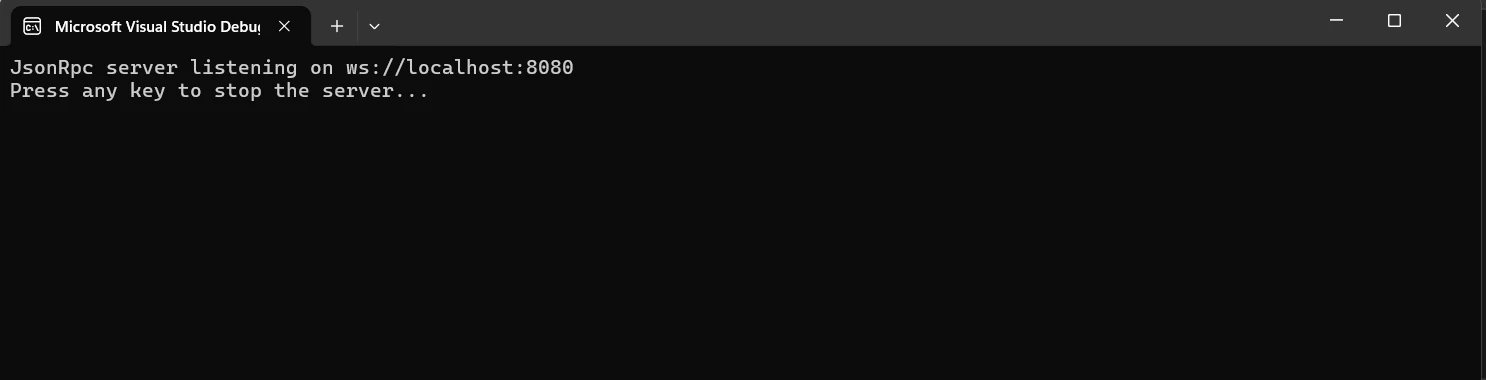
새로운 JsonRpc 인스턴스를 시작하고, MyService를 초기화하며, ws://localhost:8080에서 대기하도록 WebSocket 메시지 핸들러를 구성합니다. 서버는 새로운 로컬 RPC 대상으로 MyService를 노출하고 JSON-RPC 쿼리가 도착하기를 기다리기 시작합니다. 아무 키나 눌러 청취를 중지하고 리소스를 폐기하세요.
JSON-RPC의 클라이언트로 작동할 클래스를 만드세요. 다음은 간단한 예시입니다:
using StreamJsonRpc;
using System;
using System.Threading.Tasks;

class Program
{
    static async Task Main(string[] args)
    {
        // Create a JSON-RPC client connected to the WebSocket server endpoint
        var proxy = new JsonRpc(new ClientWebSocketJsonRpcMessageHandler("ws://localhost:8080"));

        // Start listening for incoming messages from the server
        await proxy.StartListeningAsync();

        // Invoke the AddAsync method on the server
        var resultAdd = await proxy.InvokeAsync<int>("AddAsync", 10, 20);
        Console.WriteLine($"AddAsync result: {resultAdd}");

        // Invoke the GreetAsync method on the server
        var resultGreet = await proxy.InvokeAsync<string>("GreetAsync", "John");
        Console.WriteLine($"GreetAsync result: {resultGreet}");

        // Dispose the proxy when done
        proxy.Dispose();
    }
}Imports StreamJsonRpc
Imports System
Imports System.Threading.Tasks
Module Program
Async Function Main(args As String()) As Task
' Create a JSON-RPC client connected to the WebSocket server endpoint
Dim proxy = New JsonRpc(New ClientWebSocketJsonRpcMessageHandler("ws://localhost:8080"))
' Start listening for incoming messages from the server
Await proxy.StartListeningAsync()
' Invoke the AddAsync method on the server
Dim resultAdd = Await proxy.InvokeAsync(Of Integer)("AddAsync", 10, 20)
Console.WriteLine($"AddAsync result: {resultAdd}")
' Invoke the GreetAsync method on the server
Dim resultGreet = Await proxy.InvokeAsync(Of String)("GreetAsync", "John")
Console.WriteLine($"GreetAsync result: {resultGreet}")
' Dispose the proxy when done
proxy.Dispose()
End Function
End Module이 예제는 ws://localhost:8080에 연결하여 WebSocket 메시지 핸들러와 함께 JsonRpc 인스턴스를 시작합니다. 그 후에 JSON-RPC 서버와의 연결을 통해 서버(MyService)에 정의된 AddAsync 및 GreetAsync 메서드를 활성화합니다. 마지막으로 서버가 반환한 결과를 보여주고 RPC 호출이 완료된 후 리소스를 해제합니다.

JSON-RPC 쿼리를 통해 교환된 데이터를 사용하여 StreamJsonRpc와 IronPDF를 통합함으로써 C# 애플리케이션에서 PDF 페이지를 동적으로 생성할 수 있습니다. IronPDF 및 StreamJsonRpc 설정을 위한 기본 사용 방법은 다음과 같습니다:
IronPDF는 C# 프로그램에서 PDF 문서를 생성, 읽기 및 편집하는 데 사용할 수 있습니다. 이 도구는 개발자가 HTML, CSS, JavaScript 정보를 인쇄 가능한 고품질 PDF로 변환하는 것을 간단하게 만듭니다. 주요 작업으로는 머리글 및 바닥글 추가, PDF 분할 및 병합, 문서 워터마킹 및 HTML을 PDF로 변환하는 것이 포함됩니다. IronPDF는 .NET Framework와 .NET Core 모두를 지원하므로 다양한 응용 프로그램에 유용합니다.
PDF는 사용하기 쉽고 많은 콘텐츠를 제공하기 때문에 개발자들이 자신의 제품에 쉽게 통합할 수 있습니다. IronPDF는 복잡한 레이아웃과 서식을 쉽게 처리할 수 있기 때문에 생성된 출력 PDF는 원본 HTML 텍스트와 거의 일치합니다.
HTML에서 PDF 생성
JavaScript, HTML, CSS 파일을 PDF로 변환합니다. IronPDF 미디어 쿼리와 반응형 디자인을 지원하며, 이는 최신 웹 표준 두 가지입니다. HTML과 CSS를 사용하여 PDF 문서, 보고서, 영수증을 동적으로 장식하는 데 유용한 도구입니다.
PDF 편집
기존 PDF 파일에 텍스트, 사진 및 기타 콘텐츠를 추가할 수 있습니다. PDF 파일에서 텍스트와 이미지를 추출합니다. 개발자들은 여러 PDF를 하나의 파일로 결합하거나 PDF 파일을 여러 개의 개별 문서로 분할할 수 있습니다. 워터마크, 주석, 머리글 및 바닥글을 포함하세요.
PDF 변환
IronPDF를 사용하여 Word, Excel 및 이미지 파일을 포함한 다양한 파일 형식을 PDF로 변환할 수 있습니다. 이를 통해 PDF를 이미지(PNG, JPEG 등)로 변환할 수도 있습니다.
성능 및 신뢰성
산업 현장에서는 고성능과 신뢰성이 중요한 설계 요소입니다. IronPDF는 대규모 문서 세트를 쉽게 관리합니다.
.NET 프로젝트에서 PDF를 다루는 데 필요한 도구를 얻으려면 IronPDF 패키지를 설치하십시오.
dotnet add package IronPdf받은 데이터를 기반으로 PDF를 생성할 수 있는 서비스 클래스 PdfService.cs에 메서드를 제공합니다. 예를 들어 설명하자면:
using IronPdf;
using System.IO;
using System.Threading.Tasks;

public class PdfService
{
    // Asynchronously generates a PDF from HTML content
    public async Task<byte[]> GeneratePdfAsync(string htmlContent)
    {
        var renderer = new ChromePdfRenderer();
        var pdf = renderer.RenderHtmlAsPdf(htmlContent);
        return await pdf.BinaryDataAsync();
    }
}Imports IronPdf
Imports System.IO
Imports System.Threading.Tasks
Public Class PdfService
' Asynchronously generates a PDF from HTML content
Public Async Function GeneratePdfAsync(ByVal htmlContent As String) As Task(Of Byte())
Dim renderer = New ChromePdfRenderer()
Dim pdf = renderer.RenderHtmlAsPdf(htmlContent)
Return Await pdf.BinaryDataAsync()
End Function
End Class서버의 인터페이스로 Program.cs을(를) 사용하여 StreamJsonRpc에서 스트림 JSON-RPC를 통한 GeneratePdfAsync 메서드를 제공합니다:
using StreamJsonRpc;
using System;
using System.Net.WebSockets;
using System.Threading.Tasks;

class Program
{
    static async Task Main(string[] args)
    {
        // Initialize PdfService which generates PDFs
        var service = new PdfService();

        // Create JSON-RPC server listening on websockets
        var jsonRpc = new JsonRpc(new WebSocketRpcServerMessageHandler(new Uri("ws://localhost:8080")));

        // Add the PdfService as an RPC target
        jsonRpc.AddLocalRpcTarget(service);

        // Start listening for incoming JSON-RPC requests
        jsonRpc.StartListening();

        Console.WriteLine("JsonRpc server listening on ws://localhost:8080");
        Console.WriteLine("Press any key to stop the server...");

        // Wait for user input to stop the server
        Console.ReadKey();

        // Gracefully stop listening and dispose resources when done
        await jsonRpc.StopListeningAsync();
        jsonRpc.Dispose();
    }
}Imports StreamJsonRpc
Imports System
Imports System.Net.WebSockets
Imports System.Threading.Tasks
Module Program
Async Function Main(args As String()) As Task
' Initialize PdfService which generates PDFs
Dim service As New PdfService()
' Create JSON-RPC server listening on websockets
Dim jsonRpc As New JsonRpc(New WebSocketRpcServerMessageHandler(New Uri("ws://localhost:8080")))
' Add the PdfService as an RPC target
jsonRpc.AddLocalRpcTarget(service)
' Start listening for incoming JSON-RPC requests
jsonRpc.StartListening()
Console.WriteLine("JsonRpc server listening on ws://localhost:8080")
Console.WriteLine("Press any key to stop the server...")
' Wait for user input to stop the server
Console.ReadKey()
' Gracefully stop listening and dispose resources when done
Await jsonRpc.StopListeningAsync()
jsonRpc.Dispose()
End Function
End Module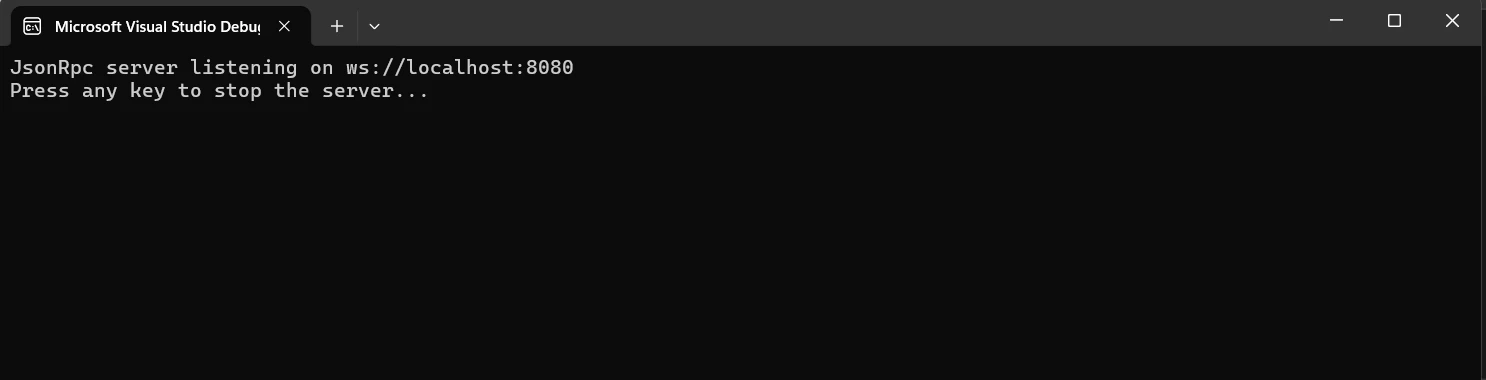
서버에 연결하고 PDF 생성 요청을 하기 위해 StreamJsonRpc 클라이언트(ClientProgram.cs)를 구현하세요:
using StreamJsonRpc;
using System;
using System.Net.WebSockets;
using System.Text;
using System.Threading.Tasks;
using System.IO;

class ClientProgram
{
    static async Task Main(string[] args)
    {
        // Create JSON-RPC client connected to WebSocket server endpoint
        var proxy = new JsonRpc(new WebSocketRpcClientMessageHandler(new Uri("ws://localhost:8080")));

        // Start listening for incoming messages from the server
        await proxy.StartListeningAsync();

        // Example HTML content
        string htmlContent = "<html><body><h1>Hello, IronPDF!</h1></body></html>";

        // Invoke GeneratePdfAsync method on the server
        var pdfBytes = await proxy.InvokeAsync<byte[]>("GeneratePdfAsync", htmlContent);

        // Save the resulted PDF to a file
        File.WriteAllBytes("GeneratedPdf.pdf", pdfBytes);

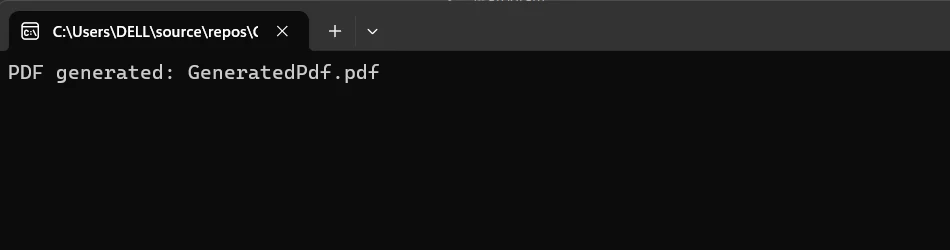
        Console.WriteLine("PDF generated: GeneratedPdf.pdf");

        // Dispose the proxy when done
        proxy.Dispose();
    }
}Imports StreamJsonRpc
Imports System
Imports System.Net.WebSockets
Imports System.Text
Imports System.Threading.Tasks
Imports System.IO
Module ClientProgram
Async Function Main(args As String()) As Task
' Create JSON-RPC client connected to WebSocket server endpoint
Dim proxy = New JsonRpc(New WebSocketRpcClientMessageHandler(New Uri("ws://localhost:8080")))
' Start listening for incoming messages from the server
Await proxy.StartListeningAsync()
' Example HTML content
Dim htmlContent As String = "<html><body><h1>Hello, IronPDF!</h1></body></html>"
' Invoke GeneratePdfAsync method on the server
Dim pdfBytes As Byte() = Await proxy.InvokeAsync(Of Byte())("GeneratePdfAsync", htmlContent)
' Save the resulted PDF to a file
File.WriteAllBytes("GeneratedPdf.pdf", pdfBytes)
Console.WriteLine("PDF generated: GeneratedPdf.pdf")
' Dispose the proxy when done
proxy.Dispose()
End Function
End ModuleC# 애플리케이션이 IronPDF를 사용하여 PDF 문서를 생성하기 쉽게 만들어 주는 StreamJsonRpc 서버 구현의 기본적인 부분인 PdfService.cs 클래스입니다. IronPDF의 RenderHtmlAsPdf을(를) 활용하여 이 서비스 클래스는 HTML 자료를 PDF 형식으로 변환하는 처리 메서드를 포함하고 있습니다. HTML 콘텐츠는 비동기로 지정된 (async Task<byte[]> GeneratePdfAsync(string htmlContent)) GeneratePdfAsync 메서드를 통해 입력으로 허용됩니다.
이는 ChromePdfRenderer 인스턴스를 생성하여 변환을 수행하고, RenderHtmlAsPdf(htmlContent)와 함께 PDF 문서를 생성합니다. 생성된 PDF의 바이너리 데이터는 그 다음에 메서드(pdf.BinaryDataAsync())에서 비동기적으로 검색되며, 이후 byte[] 배열로 데이터를 반환합니다.
이 메서드는 빠르고 반응성 있는 PDF 생성을 보장하여 문서를 빠르게 생성해야 하는 응용 프로그램에 적합합니다. PDF 생성 로직은 PdfService.cs에 포함되어 있어 개발자들이 이 기능을 StreamJsonRpc를 통해 쉽게 통합하고 공개할 수 있도록 합니다. 이는 원격 클라이언트가 서버 측 설계의 모듈성 및 명확성을 유지하면서 PDF 생성 작업을 원활하게 호출할 수 있도록 합니다.
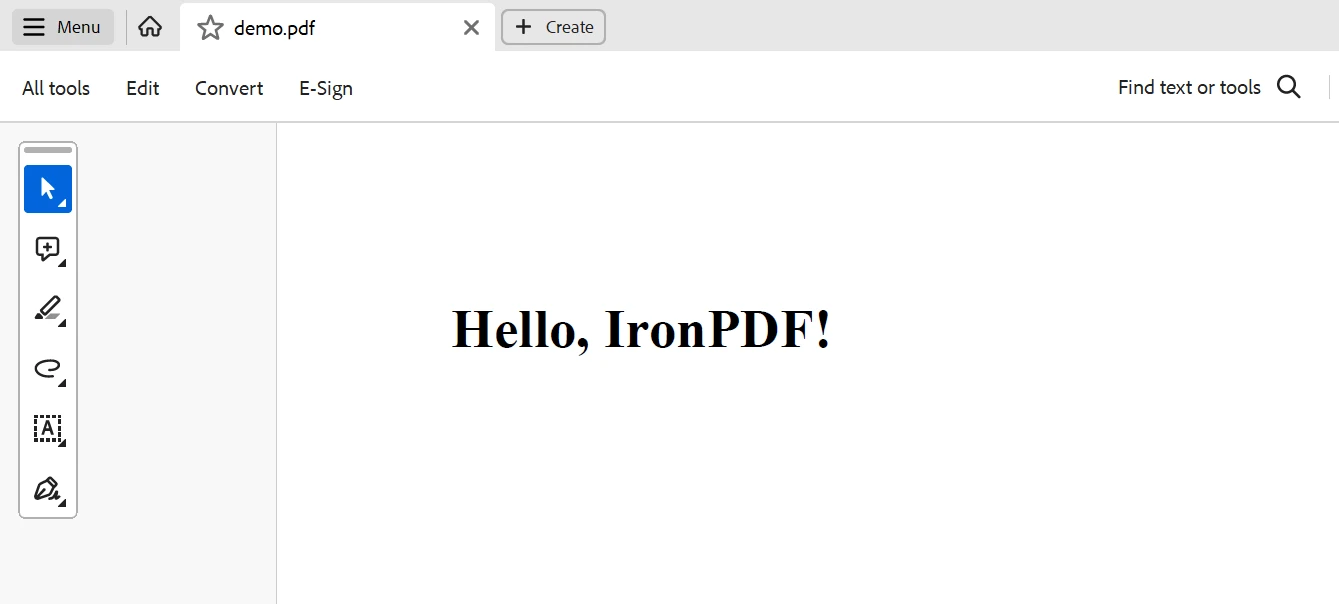
요약하자면, 개발자들은 StreamJsonRpc와 IronPDF를 결합함으로써 강력한 PDF 제작 기능을 활용하고 원격 프로시저 호출(RPC)을 지원하는 안정적이고 효과적인 .NET 앱을 만들 수 있습니다. StreamJsonRpc는 클라이언트와 서버 구성 요소 간의 원활한 통신을 가능하게 하는 경량 프로토콜인 JSON-RPC를 사용합니다. 개발자는 이를 IronPDF와 함께 사용하여 이러한 원격 호출의 결과에 따라 동적이고 데이터 기반의 PDF를 생성할 수 있습니다.
보고서, 청구서 또는 최신 데이터를 반영해야 하는 다른 문서를 준비할 때 실시간 데이터 검색 및 PDF 출력을 허용하므로 이 통합은 매우 유용합니다. 이 기술들의 통합은 개발 프로세스를 최적화하고 성능을 향상시키며 복잡한 비즈니스 요구를 효과적으로 충족시키기 위한 애플리케이션의 능력을 강화합니다.
IronPDF와 Iron Software Development Tools를 통해 개발자들은 $999부터 시작하는 가격으로 더 많은 웹 앱과 기능을 더 빠르게 개발할 수 있습니다. 이를 달성하기 위해 본질적인 개념을 매우 유연한 Iron Software 도구 상자와 결합합니다.
개발자가 프로젝트와 관련된 모든 라이선스 옵션이 명확하게 설명된 경우 최적의 모델을 선택하기가 더 쉬울 것입니다. 위에 나열된 이점들은 개발자가 시기 적절하고, 조정되며, 효율적인 방식으로 다양한 문제에 대한 솔루션을 만들기 쉽게 만듭니다.
제이콥 멜러는 Iron Software의 최고 기술 책임자(CTO)이자 C# PDF 기술을 개척한 선구적인 엔지니어입니다. Iron Software의 핵심 코드베이스를 최초로 개발한 그는 창립 초기부터 회사의 제품 아키텍처를 설계해 왔으며, CEO인 캐머런 리밍턴과 함께 회사를 NASA, 테슬라, 그리고 전 세계 정부 기관에 서비스를 제공하는 50명 이상의 직원을 보유한 기업으로 성장시켰습니다.



IronPDF는 IRON SUITE 의 일부입니다.
10개의 .NET API 제품, 당신의 사무 문서를 위해

PDF 파일을 HTML처럼 빠르게 변환해야 할 때.


