


streamjsonrpc c#(開発者向けの仕組み)

JSON-RPCプロトコルを使用して、C#のStreamJsonRpcは、さまざまなトランスポートレベルでクライアントとサーバー間の効果的なコミュニケーションを可能にします。 このライブラリを使うと、リモートプロシージャコールをより簡単に実装できるようになり、開発者はプログラムがローカルと同じ方法で遠隔サーバ上のメソッドを呼び出すことができる信頼性の高い分散システムを構築できます。 データに基づく動的PDF作成をJSON-RPCリクエストで可能にし、IronPDFと利用することで機能を向上させます。 オンデマンドでPDFを生成する必要があるカスタマイズされたレポート、請求書、またはドキュメント中心のアプリケーションを作成するプロセスを円滑にしたい開発者にとって、このインターフェースは非常に役立ちます。
IronPDFは、HTML、ASPX、および生データを高品質のPDF出版物に変換することをサポートすることで、コンテンツの整理と配信において開発者に柔軟性と効率を提供します。 StreamJsonRpcとIronPDFは連携して、C#開発者が応答性がありスケーラブルなアプリを構築し、複雑なPDFとリモートプロシージャコールを簡単に組み合わせることができるようにします。
StreamJsonRpcとは?
StreamJsonRpcは、軽量で効率的なワイヤープロトコルを使用して、リモートプロシージャコール(RPC)を容易にするために設計されたクロスプラットフォームライブラリです。 これは、TCP/IP、名前付きパイプ、HTTPなど、さまざまな通信チャネルをサポートする基盤となるトランスポートメカニズムを使用します。このライブラリは、.NETイベントを活用して着信要求と応答を処理し、非同期通信のためのロバストなメカニズムを提供します。 開発者はStreamJsonRpc APIを使用してRPCリクエストを処理するメソッド実装を添付し、カスタム動作を定義できます。 StreamJsonRpcは.NETポータブルライブラリとして利用可能であり、さまざまなプラットフォームでの互換性を確保し、多様な.NETアプリケーションへのシームレスな統合を可能にします。
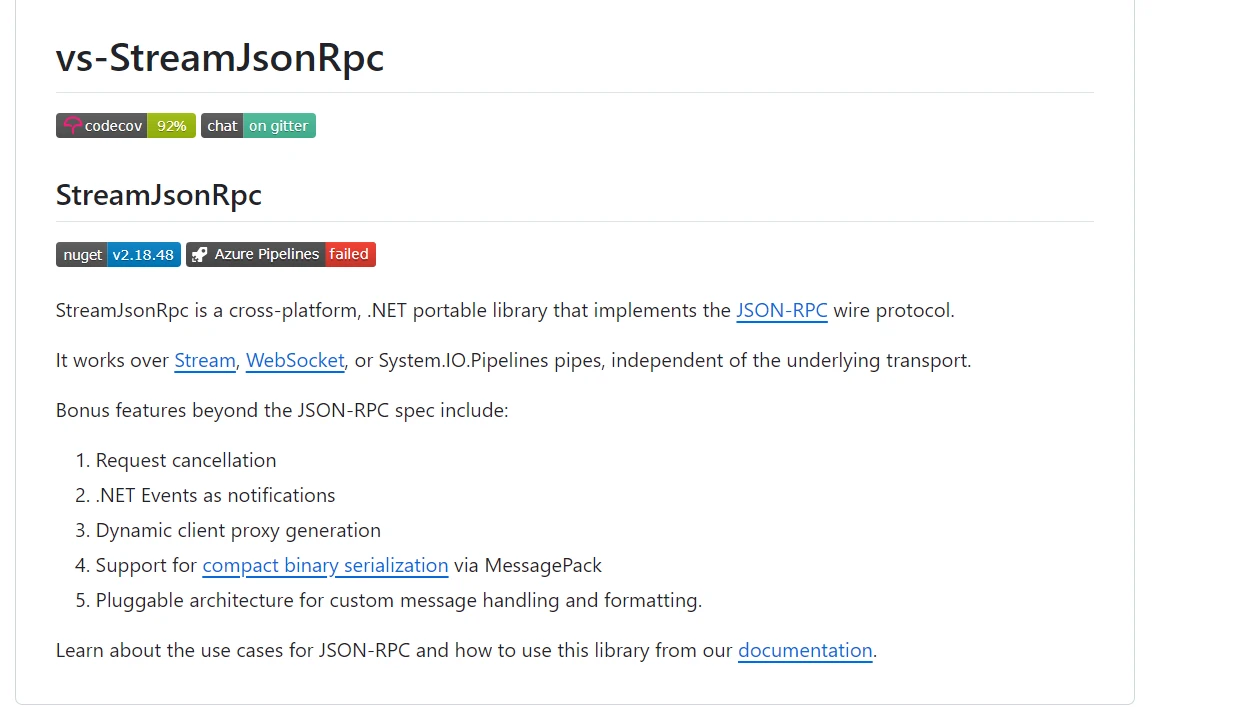
StreamJsonRpcの主な特長の1つは、通知や進捗報告を含む双方向通信の強力なサポートです。 HTTP、名前付きパイプ、TCP/IPをはじめとするさまざまなトランスポートプロトコルをサポートすることにより、プログラムにより多くの通信オプションを提供します。 StreamJsonRpcはJSON-RPCメッセージのシリアル化と逆シリアル化を処理し、多くのプラットフォーム間およびJSONをサポートするコンピュータ言語間での互換性を保証します。
StreamJsonRpcはパフォーマンスと拡張性を考慮して設計されています。 既存のC#プログラムと互換性があり、クライアントサーバーアプリケーション、マイクロサービスアーキテクチャ、分散システム、および信頼性と効率的な通信が重要な他のアプリケーションを構築するために使用できます。 リモートプロシージャコールをC#プロジェクトに統合する際には、その信頼性と使いやすさから選ばれる傾向があります。
StreamJsonRpcの機能
C#のStreamJsonRpcによる包括的な機能のセットは、JSON-RPCプロトコルに基づいたクライアントサーバーアプリケーション通信を促進し、改善することを目的としています。
リモートプロシージャコール(RPC)
リモート操作をローカル関数呼び出しのように扱うことで、StreamJsonRpcはクライアントがリモートプロシージャコールを介してサーバー上のメソッドを呼び出すことを可能にします。 ネットワーク通信の複雑さを隠すこの抽象化は、分散アプリケーションの作成を容易にします。
双方向通信
ライブラリは双方向のクライアントサーバー通信をサポートしています。 クライアントがサーバーにリクエストを送信し、サーバーが通知または結果で応答できる能力により、リアルタイムの通信と更新が可能になります。
トランスポート層非依存性
StreamJsonRpcはトランスポート層非依存性があるため、HTTP、名前付きパイプ、TCP/IPなどのさまざまなトランスポートプロトコル上で動作できます。この適応性により、開発者はアプリケーション要件とネットワーク構成に応じて最適なトランスポート方法を選択することができます。
シリアル化と非シリアル化
JSON-RPCメッセージのシリアル化と逆シリアル化を管理し、さまざまなプラットフォームおよびJSON対応のコンピュータ言語間でのスムーズな通信を保証します。
進捗報告
進捗報告技術は、StreamJsonRpcで長時間実行されるアクティビティのためにサポートされます。 この機能は、サーバーが現在のプロセスの状態をクライアントに通知できることにより、ユーザーエクスペリエンスと透明性を向上させます。
エラーハンドリング
リモートメソッドの呼び出し中に発生する例外や問題を処理するため、ライブラリには広範なエラーハンドリング機能があります。 これは、分散システムの回復力と信頼性を保証します。
拡張ポイント
StreamJsonRpcはその機能を変更し、既存のアプリケーションアーキテクチャに組み込むために開発者によって拡張されることができます。 その柔軟性により、さまざまな統合ニーズとアプリケーションシナリオに合わせてカスタマイズすることができます。
パフォーマンス最適化
StreamJsonRpcは、クライアントサーバー通信におけるスループットを最大化し、低オーバーヘッドを保証することで、カスタムメッセージ処理とトランスポート層管理を効果的に行います。
非同期サポート
非同期操作を使用することで、アプリケーションが応答性とスケーラビリティを向上させることができます。 それは完全に非同期通信パターンをサポートしています。
相互運用性
JSON-RPC標準への準拠により、StreamJsonRpcはさまざまなコンテキストでのスムーズな統合を促進し、C#アプリケーションと他の言語で作成されたJSONサポートサービス間の相互運用性を促進します。
これらの主要な機能に加えて、コンパクトバイナリシリアル化と動的クライアントプロキシをサポートする機能などの、JSON-RPC仕様を超えるボーナス機能が含まれています。
Create and Config StreamJsonRpc C
StreamJsonRpcをC#アプリケーションで作成し構成するためには、クライアントとサーバーを設定する必要があります。 各部分についての詳細な手順は以下に示されています:
プロジェクトの設定
最初に、.NETプロジェクトが準備されていることを確認します。 Visual Studioまたは.NET CLIを使用して新しいものを作成できます。
dotnet new console -n StreamjsonrpcExample
cd StreamjsonrpcExample
dotnet new console -n StreamjsonrpcExample
cd StreamjsonrpcExampleStreamJsonRpcパッケージのインストール
JSON-RPC通信を実装するために、NuGetからStreamJsonRpcパッケージをインストールしてください。 それには必要なライブラリが含まれています。
dotnet add package StreamJsonRpcdotnet add package StreamJsonRpcJSON-RPCサーバーの実装
JSON-RPCのサーバーとなるクラスを作成します。 この簡単な例を見てください:
using Microsoft.AspNetCore.Hosting;
using StreamJsonRpc;
using System;
using System.Threading.Tasks;

public class MyService
{
    // Asynchronous method to add two integers
    public Task<int> AddAsync(int a, int b)
    {
        return Task.FromResult(a + b);
    }

    // Asynchronous method to greet a user
    public Task<string> GreetAsync(string name)
    {
        return Task.FromResult($"Hello, {name}!");
    }
}

class Program
{
    static void Main(string[] args)
    {
        // Initialize the service offering RPC methods
        var service = new MyService();

        // Create a StreamJsonRpc server listening on websockets
        var jsonRpc = new JsonRpc(new ServerWebSocketJsonRpcMessageHandler("ws://localhost:8080"));

        // Add service as RPC target
        jsonRpc.AddLocalRpcTarget(service);

        // Start listening for incoming JSON-RPC requests
        jsonRpc.StartListening();

        Console.WriteLine("JsonRpc server listening on ws://localhost:8080");
        Console.WriteLine("Press any key to stop the server...");

        // Wait for user input to stop the server
        Console.ReadKey();

        // Dispose resources when done
        jsonRpc.Dispose();
    }
}
using Microsoft.AspNetCore.Hosting;
using StreamJsonRpc;
using System;
using System.Threading.Tasks;
public class MyService
{
// Asynchronous method to add two integers
public Task<int> AddAsync(int a, int b)
{
return Task.FromResult(a + b);
}
// Asynchronous method to greet a user
public Task<string> GreetAsync(string name)
{
return Task.FromResult($"Hello, {name}!");
}
}
class Program
{
static void Main(string[] args)
{
// Initialize the service offering RPC methods
var service = new MyService();
// Create a StreamJsonRpc server listening on websockets
var jsonRpc = new JsonRpc(new ServerWebSocketJsonRpcMessageHandler("ws://localhost:8080"));
// Add service as RPC target
jsonRpc.AddLocalRpcTarget(service);
// Start listening for incoming JSON-RPC requests
jsonRpc.StartListening();
Console.WriteLine("JsonRpc server listening on ws://localhost:8080");
Console.WriteLine("Press any key to stop the server...");
// Wait for user input to stop the server
Console.ReadKey();
// Dispose resources when done
jsonRpc.Dispose();
}
}Imports Microsoft.AspNetCore.Hosting
Imports StreamJsonRpc
Imports System
Imports System.Threading.Tasks
Public Class MyService
' Asynchronous method to add two integers
Public Function AddAsync(ByVal a As Integer, ByVal b As Integer) As Task(Of Integer)
Return Task.FromResult(a + b)
End Function
' Asynchronous method to greet a user
Public Function GreetAsync(ByVal name As String) As Task(Of String)
Return Task.FromResult($"Hello, {name}!")
End Function
End Class
Friend Class Program
Shared Sub Main(ByVal args() As String)
' Initialize the service offering RPC methods
Dim service = New MyService()
' Create a StreamJsonRpc server listening on websockets
Dim jsonRpc As New JsonRpc(New ServerWebSocketJsonRpcMessageHandler("ws://localhost:8080"))
' Add service as RPC target
jsonRpc.AddLocalRpcTarget(service)
' Start listening for incoming JSON-RPC requests
jsonRpc.StartListening()
Console.WriteLine("JsonRpc server listening on ws://localhost:8080")
Console.WriteLine("Press any key to stop the server...")
' Wait for user input to stop the server
Console.ReadKey()
' Dispose resources when done
jsonRpc.Dispose()
End Sub
End ClassMyService クラス: クライアントがリモートで呼び出すことができるメソッドを指定します。例:AddAsync および GreetAsync。
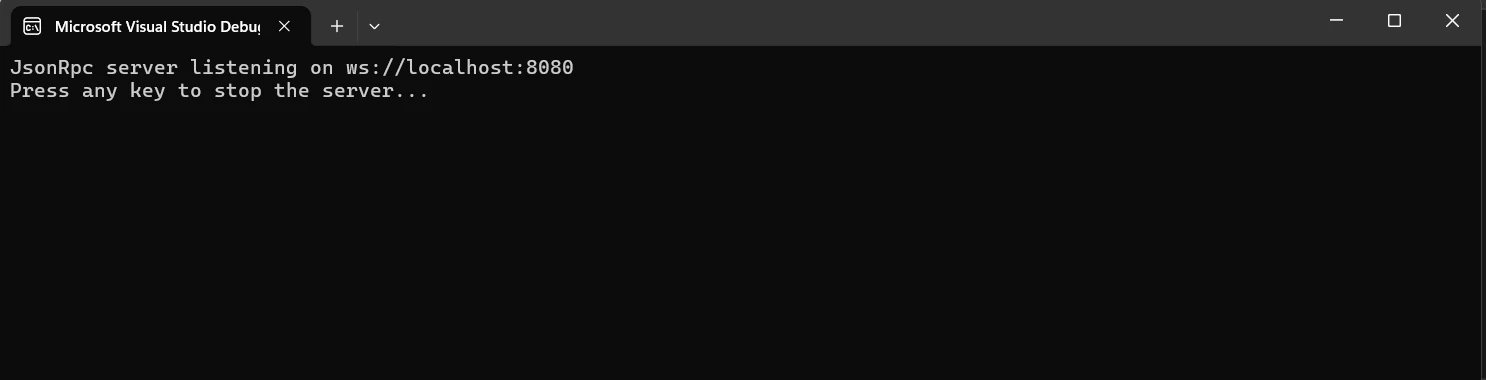
これにより、新しい JsonRpc インスタンスが開始し、ws://localhost:8080でリスニングするように構成されます。 サーバーは、新しいローカルRPCターゲットとしてMyServiceを公開し、JSON-RPCクエリが届くのを待ち始めます。キーを押してリスニングを停止し、リソースを破棄します。
クライアント設定
JSON-RPCのクライアントとして機能するクラスを作成します。 この簡単な例を見てください:
using StreamJsonRpc;
using System;
using System.Threading.Tasks;

class Program
{
    static async Task Main(string[] args)
    {
        // Create a JSON-RPC client connected to the WebSocket server endpoint
        var proxy = new JsonRpc(new ClientWebSocketJsonRpcMessageHandler("ws://localhost:8080"));

        // Start listening for incoming messages from the server
        await proxy.StartListeningAsync();

        // Invoke the AddAsync method on the server
        var resultAdd = await proxy.InvokeAsync<int>("AddAsync", 10, 20);
        Console.WriteLine($"AddAsync result: {resultAdd}");

        // Invoke the GreetAsync method on the server
        var resultGreet = await proxy.InvokeAsync<string>("GreetAsync", "John");
        Console.WriteLine($"GreetAsync result: {resultGreet}");

        // Dispose the proxy when done
        proxy.Dispose();
    }
}
using StreamJsonRpc;
using System;
using System.Threading.Tasks;
class Program
{
static async Task Main(string[] args)
{
// Create a JSON-RPC client connected to the WebSocket server endpoint
var proxy = new JsonRpc(new ClientWebSocketJsonRpcMessageHandler("ws://localhost:8080"));
// Start listening for incoming messages from the server
await proxy.StartListeningAsync();
// Invoke the AddAsync method on the server
var resultAdd = await proxy.InvokeAsync<int>("AddAsync", 10, 20);
Console.WriteLine($"AddAsync result: {resultAdd}");
// Invoke the GreetAsync method on the server
var resultGreet = await proxy.InvokeAsync<string>("GreetAsync", "John");
Console.WriteLine($"GreetAsync result: {resultGreet}");
// Dispose the proxy when done
proxy.Dispose();
}
}Imports StreamJsonRpc
Imports System
Imports System.Threading.Tasks
Friend Class Program
Shared Async Function Main(ByVal args() As String) As Task
' Create a JSON-RPC client connected to the WebSocket server endpoint
Dim proxy = New JsonRpc(New ClientWebSocketJsonRpcMessageHandler("ws://localhost:8080"))
' Start listening for incoming messages from the server
Await proxy.StartListeningAsync()
' Invoke the AddAsync method on the server
Dim resultAdd = Await proxy.InvokeAsync(Of Integer)("AddAsync", 10, 20)
Console.WriteLine($"AddAsync result: {resultAdd}")
' Invoke the GreetAsync method on the server
Dim resultGreet = Await proxy.InvokeAsync(Of String)("GreetAsync", "John")
Console.WriteLine($"GreetAsync result: {resultGreet}")
' Dispose the proxy when done
proxy.Dispose()
End Function
End Classこの例では、WebSocketメッセージハンドラーを使用してJsonRpcインスタンスを開始します。 その後、JSON-RPCサーバーと接続することで、サーバー上に定義されたMyService)を有効にします。 最後に、RPCコールが完了した後にサーバーが返した結果を示し、リソースを解放します。

開始方法
StreamJsonRpcとIronPDFを統合し、JSON-RPCクエリを介して交換されるデータを活用することで、C#アプリケーション内でPDFページを動的に生成できます。 これはIronPDFとStreamJsonRpcをセットアップするための基本的なハウツーです:
IronPDF とは何ですか?
IronPDFを使用して、C#プログラムでPDF文書を作成、読み取り、編集できます。 このツールを使用すると、開発者はHTML、CSS、JavaScript情報を印刷可能で高品質のPDFに簡単に変換できます。 重要なタスクには、ヘッダーとフッターの追加、PDFの分割とマージ、文書のウォーターマーキング、およびHTMLからPDFへの変換が含まれます。 IronPDFは.NET Frameworkと.NET Coreの両方をサポートしているため、さまざまなアプリケーションに便利です。
PDFは使いやすく、多様な内容を提供できるため、開発者は製品に簡単に統合できます。 IronPDFは複雑なレイアウトやフォーマットを容易に処理できるため、生成されるPDFはほぼオリジナルのHTMLテキストと一致します。
IronPDF の機能
HTMLからのPDF生成
JavaScript、HTML、CSSをPDFに変換します。 IronPDF は、メディア クエリとレスポンシブ デザインの 2 つの現代の Web 標準をサポートしています。 HTMLとCSSを使用したPDF文書、レポート、および請求書を動的に装飾するための便利なツールです。
PDF編集
既存の PDF にテキスト、画像、およびその他のコンテンツを追加できます。 PDFファイルからテキストや画像を取り出します。 開発者は複数のPDFを1つのファイルに結合したり、PDFファイルを複数の別々の文書に分割したりすることができます。 透かし、注釈、ヘッダー、フッターを含めます。
PDF変換
Word、Excel、画像ファイルなど、さまざまなファイル形式をPDFに変換することが可能です。 PDFから画像への変換(PNG、JPEGなど)も行えます。
性能と信頼性
工業環境で高性能と信頼性が望まれる設計特性です。 IronPDFは大量の文書セットを簡単に管理します。
IronPDFをインストールする
.NETプロジェクトでPDFを操作するためのツールを手に入れるために、IronPDFパッケージをインストールしてください。
dotnet add package IronPdfdotnet add package IronPdfIronPDFとのStreamJsonRpc
サービスクラスの作成
受信したデータからPDFを作成するPdfService.csサービスクラス内にメソッドを提供します。 例として:
using IronPdf;
using System.IO;
using System.Threading.Tasks;

public class PdfService
{
    // Asynchronously generates a PDF from HTML content
    public async Task<byte[]> GeneratePdfAsync(string htmlContent)
    {
        var renderer = new ChromePdfRenderer();
        var pdf = renderer.RenderHtmlAsPdf(htmlContent);
        return await pdf.BinaryDataAsync();
    }
}
using IronPdf;
using System.IO;
using System.Threading.Tasks;
public class PdfService
{
// Asynchronously generates a PDF from HTML content
public async Task<byte[]> GeneratePdfAsync(string htmlContent)
{
var renderer = new ChromePdfRenderer();
var pdf = renderer.RenderHtmlAsPdf(htmlContent);
return await pdf.BinaryDataAsync();
}
}Imports IronPdf
Imports System.IO
Imports System.Threading.Tasks
Public Class PdfService
' Asynchronously generates a PDF from HTML content
Public Async Function GeneratePdfAsync(ByVal htmlContent As String) As Task(Of Byte())
Dim renderer = New ChromePdfRenderer()
Dim pdf = renderer.RenderHtmlAsPdf(htmlContent)
Return Await pdf.BinaryDataAsync()
End Function
End ClassStreamJsonRpcサーバーを設定する
StreamJsonRpcで、ストリームJSON-RPCを介してProgram.csを使用します:
using StreamJsonRpc;
using System;
using System.Net.WebSockets;
using System.Threading.Tasks;

class Program
{
    static async Task Main(string[] args)
    {
        // Initialize PdfService which generates PDFs
        var service = new PdfService();

        // Create JSON-RPC server listening on websockets
        var jsonRpc = new JsonRpc(new WebSocketRpcServerMessageHandler(new Uri("ws://localhost:8080")));

        // Add the PdfService as an RPC target
        jsonRpc.AddLocalRpcTarget(service);

        // Start listening for incoming JSON-RPC requests
        jsonRpc.StartListening();

        Console.WriteLine("JsonRpc server listening on ws://localhost:8080");
        Console.WriteLine("Press any key to stop the server...");

        // Wait for user input to stop the server
        Console.ReadKey();

        // Gracefully stop listening and dispose resources when done
        await jsonRpc.StopListeningAsync();
        jsonRpc.Dispose();
    }
}
using StreamJsonRpc;
using System;
using System.Net.WebSockets;
using System.Threading.Tasks;
class Program
{
static async Task Main(string[] args)
{
// Initialize PdfService which generates PDFs
var service = new PdfService();
// Create JSON-RPC server listening on websockets
var jsonRpc = new JsonRpc(new WebSocketRpcServerMessageHandler(new Uri("ws://localhost:8080")));
// Add the PdfService as an RPC target
jsonRpc.AddLocalRpcTarget(service);
// Start listening for incoming JSON-RPC requests
jsonRpc.StartListening();
Console.WriteLine("JsonRpc server listening on ws://localhost:8080");
Console.WriteLine("Press any key to stop the server...");
// Wait for user input to stop the server
Console.ReadKey();
// Gracefully stop listening and dispose resources when done
await jsonRpc.StopListeningAsync();
jsonRpc.Dispose();
}
}Imports StreamJsonRpc
Imports System
Imports System.Net.WebSockets
Imports System.Threading.Tasks
Friend Class Program
Shared Async Function Main(ByVal args() As String) As Task
' Initialize PdfService which generates PDFs
Dim service = New PdfService()
' Create JSON-RPC server listening on websockets
Dim jsonRpc As New JsonRpc(New WebSocketRpcServerMessageHandler(New Uri("ws://localhost:8080")))
' Add the PdfService as an RPC target
jsonRpc.AddLocalRpcTarget(service)
' Start listening for incoming JSON-RPC requests
jsonRpc.StartListening()
Console.WriteLine("JsonRpc server listening on ws://localhost:8080")
Console.WriteLine("Press any key to stop the server...")
' Wait for user input to stop the server
Console.ReadKey()
' Gracefully stop listening and dispose resources when done
Await jsonRpc.StopListeningAsync()
jsonRpc.Dispose()
End Function
End Class
IronPDFクライアント作成
サーバーに接続し、PDFの作成を要求するには、StreamJsonRpcクライアント(ClientProgram.cs)を実装します:
using StreamJsonRpc;
using System;
using System.Net.WebSockets;
using System.Text;
using System.Threading.Tasks;
using System.IO;

class ClientProgram
{
    static async Task Main(string[] args)
    {
        // Create JSON-RPC client connected to WebSocket server endpoint
        var proxy = new JsonRpc(new WebSocketRpcClientMessageHandler(new Uri("ws://localhost:8080")));

        // Start listening for incoming messages from the server
        await proxy.StartListeningAsync();

        // Example HTML content
        string htmlContent = "<html><body><h1>Hello, IronPDF!</h1></body></html>";

        // Invoke GeneratePdfAsync method on the server
        var pdfBytes = await proxy.InvokeAsync<byte[]>("GeneratePdfAsync", htmlContent);

        // Save the resulted PDF to a file
        File.WriteAllBytes("GeneratedPdf.pdf", pdfBytes);

        Console.WriteLine("PDF generated: GeneratedPdf.pdf");

        // Dispose the proxy when done
        proxy.Dispose();
    }
}
using StreamJsonRpc;
using System;
using System.Net.WebSockets;
using System.Text;
using System.Threading.Tasks;
using System.IO;
class ClientProgram
{
static async Task Main(string[] args)
{
// Create JSON-RPC client connected to WebSocket server endpoint
var proxy = new JsonRpc(new WebSocketRpcClientMessageHandler(new Uri("ws://localhost:8080")));
// Start listening for incoming messages from the server
await proxy.StartListeningAsync();
// Example HTML content
string htmlContent = "<html><body><h1>Hello, IronPDF!</h1></body></html>";
// Invoke GeneratePdfAsync method on the server
var pdfBytes = await proxy.InvokeAsync<byte[]>("GeneratePdfAsync", htmlContent);
// Save the resulted PDF to a file
File.WriteAllBytes("GeneratedPdf.pdf", pdfBytes);
Console.WriteLine("PDF generated: GeneratedPdf.pdf");
// Dispose the proxy when done
proxy.Dispose();
}
}Imports StreamJsonRpc
Imports System
Imports System.Net.WebSockets
Imports System.Text
Imports System.Threading.Tasks
Imports System.IO
Friend Class ClientProgram
Shared Async Function Main(ByVal args() As String) As Task
' Create JSON-RPC client connected to WebSocket server endpoint
Dim proxy = New JsonRpc(New WebSocketRpcClientMessageHandler(New Uri("ws://localhost:8080")))
' Start listening for incoming messages from the server
Await proxy.StartListeningAsync()
' Example HTML content
Dim htmlContent As String = "<html><body><h1>Hello, IronPDF!</h1></body></html>"
' Invoke GeneratePdfAsync method on the server
Dim pdfBytes = Await proxy.InvokeAsync(Of Byte())("GeneratePdfAsync", htmlContent)
' Save the resulted PDF to a file
File.WriteAllBytes("GeneratedPdf.pdf", pdfBytes)
Console.WriteLine("PDF generated: GeneratedPdf.pdf")
' Dispose the proxy when done
proxy.Dispose()
End Function
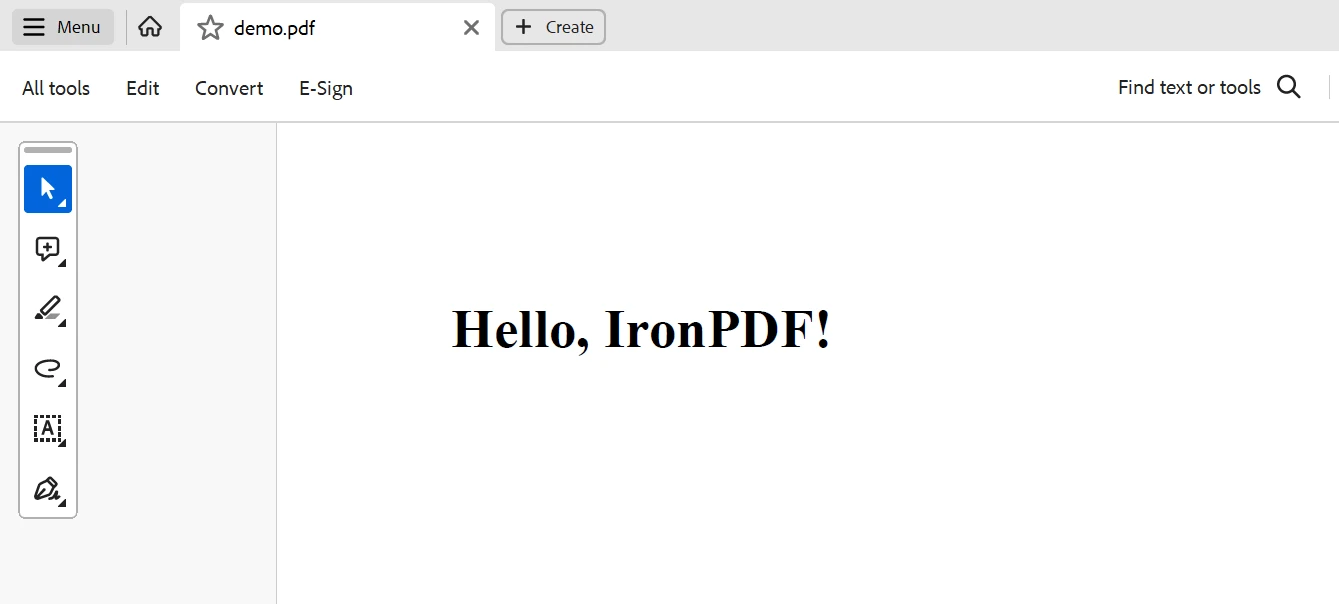
End ClassPdfService.csクラスは、C#アプリケーションがIronPDFを使用してPDFドキュメントを生成しやすくするStreamJsonRpcサーバー実装の基本的な部分です。 IronPDFのRenderHtmlAsPdfを利用することで、このサービスクラスはHTML素材のPDF形式への変換を扱うメソッドを含んでいます。 HTMLコンテンツは非同期として指定された(GeneratePdfAsyncメソッドを介して入力として受け入れられます。
このメソッドはRenderHtmlAsPdf(htmlContent)によるPDFドキュメントを生成します。 作成されたPDFのバイナリデータは、メソッド(byte[]配列としてデータを返します。
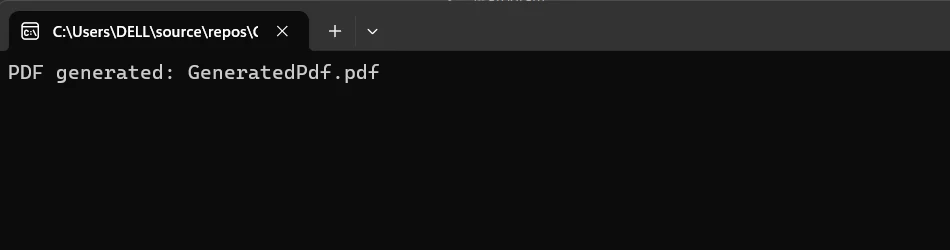
この方法は、高速かつ応答性のあるPDF生成を保証し、迅速に文書を作成する必要があるアプリケーションに適しています。 PDF生成ロジックはPdfService.csに含まれており、StreamJsonRpcを介してこの機能を統合し公開することを開発者が容易に行えます。 これにより、遠隔クライアントがPDF生成ジョブをシームレスに呼び出しながら、サーバー側の設計のモジュール性と明確さを維持することができます。
結論
要するに、StreamJsonRpcとIronPDFを組み合わせることで、開発者はリモートプロシージャコール(RPC)をサポートし、強力なPDF生成機能を活用する堅牢で効率的な .NETアプリケーションを作成することができます。 軽量のリモートプロシージャコール用プロトコルであるJSON-RPCを使用することで、StreamJsonRpcはクライアントとサーバーのコンポーネント間でのスムーズな通信を可能にします。 これをIronPDFと組み合わせることで、これらのリモートコールの結果に基づいて動的なデータ駆動型PDFを生成できます。
この統合は、レポートや請求書、または最新の利用可能なデータを反映しなければならないあらゆる文書を準備する際に非常に役立ち、リアルタイムデータの取得とPDF出力を可能にします。 これらの技術の統合により、開発プロセスが最適化され、パフォーマンスが向上し、アプリケーションの能力が強化されて複雑なビジネスニーズを効率的に満たせるようになります。
IronPDFとIron Software開発ツールを使用することで、開発者は$999からの開始価格ですばやくより多くのウェブアプリや機能を作成できます。 それはそのコアコンセプトを極めて柔軟なIron Softwareツールボックスと融合させることでこれを成し遂げます。
すべてのプロジェクトに関連するライセンスオプションが明確に説明されているため、開発者は最適なモデルを選択しやすくなります。 上記の利点によって、開発者が時間内に問題の多様な解決策を適切に、調整し、効率的に作成することが容易になります。
よくある質問
C# で HTML を PDF に変換するにはどうすればいいですか?
PDFライブラリのRenderHtmlAsPdfメソッドを使用してHTML文字列をPDFに変換できます。さらに、RenderHtmlFileAsPdfメソッドを使用してHTMLファイルをPDFに変換することも可能です。
StreamJsonRpcとは何か、そしてそれがC#でどのように機能するのか?
StreamJsonRpcは、JSON-RPCプロトコルを使用してリモートプロシージャコールを実現するC#ライブラリです。TCP/IP、名前付きパイプ、HTTPなどのさまざまなトランスポートプロトコルを介してクライアントとサーバー間の双方向の通信を可能にします。
StreamJsonRpcはどのようにしてPDF生成機能を強化しますか?
StreamJsonRpcは、リモートのクライアントがJSON-RPCを介してPDF作成タスクを呼び出すことを可能にし、HTMLコンテンツを動的にPDFに変換するPDFライブラリを使用してPDF生成機能を強化します。
なぜStreamJsonRpcは分散システムにとって有益なのでしょうか?
StreamJsonRpcは、シームレスなリモートメソッドコールを可能にし、非同期操作をサポートし、堅牢なエラーハンドリングを提供することで、システムの信頼性と効率を向上させるために分散システムにとって有益です。
C#プロジェクトでStreamJsonRpcを設定するにはどのような手順が含まれていますか?
C#プロジェクトでStreamJsonRpcを設定するには、.NETプロジェクトを作成し、NuGetを介してStreamJsonRpcパッケージをインストールし、選択したトランスポートプロトコルでの通信に設定されたJSON-RPCサーバーとクライアントの両方を実装する必要があります。
StreamJsonRpcを使用して.NETアプリケーションでレポートや請求書を生成できますか?
はい、StreamJsonRpcをPDF生成ライブラリと統合することで、JSON-RPCリクエストに応じてレポートや請求書のPDFを動的に作成し、文書中心のアプリケーションに理想的にすることができます。
StreamJsonRpcはどのトランスポートプロトコルをサポートしていますか?
StreamJsonRpcはトランスポートレイヤーに依存せず、HTTP、名前付きパイプ、TCP/IPを含むさまざまなトランスポートプロトコルをサポートし、開発者がアプリケーションの特定のニーズに基づいて選択することができます。
PDFライブラリはどのようにC#での文書操作を促進しますか?
C#のPDFライブラリは、PDFの作成、読み取り、編集を可能にすることで文書操作を促進します。これには、HTML、CSS、JavaScriptをPDFに変換すること、ヘッダーやフッターの追加、分割やマージなどの操作を行うことがサポートされています。
StreamJsonRpcで非同期操作を使用する利点は何ですか?
StreamJsonRpcの非同期操作は、.NETイベントを使用して、分散システムでの受信リクエストと応答を効率的に処理することで、アプリケーションの応答性とスケーラビリティを向上させます。
StreamJsonRpcはどのようにして信頼性の高いエラーハンドリングを保証しますか?
StreamJsonRpcは、リモートメソッド呼び出し中の例外と問題を管理するための包括的な機能を提供することで信頼性の高いエラーハンドリングを保証し、それによって分散システムのレジリエンスを維持します。










 無料で始めましょう
 無料で始めましょう
 無料ライブデモを予約
















