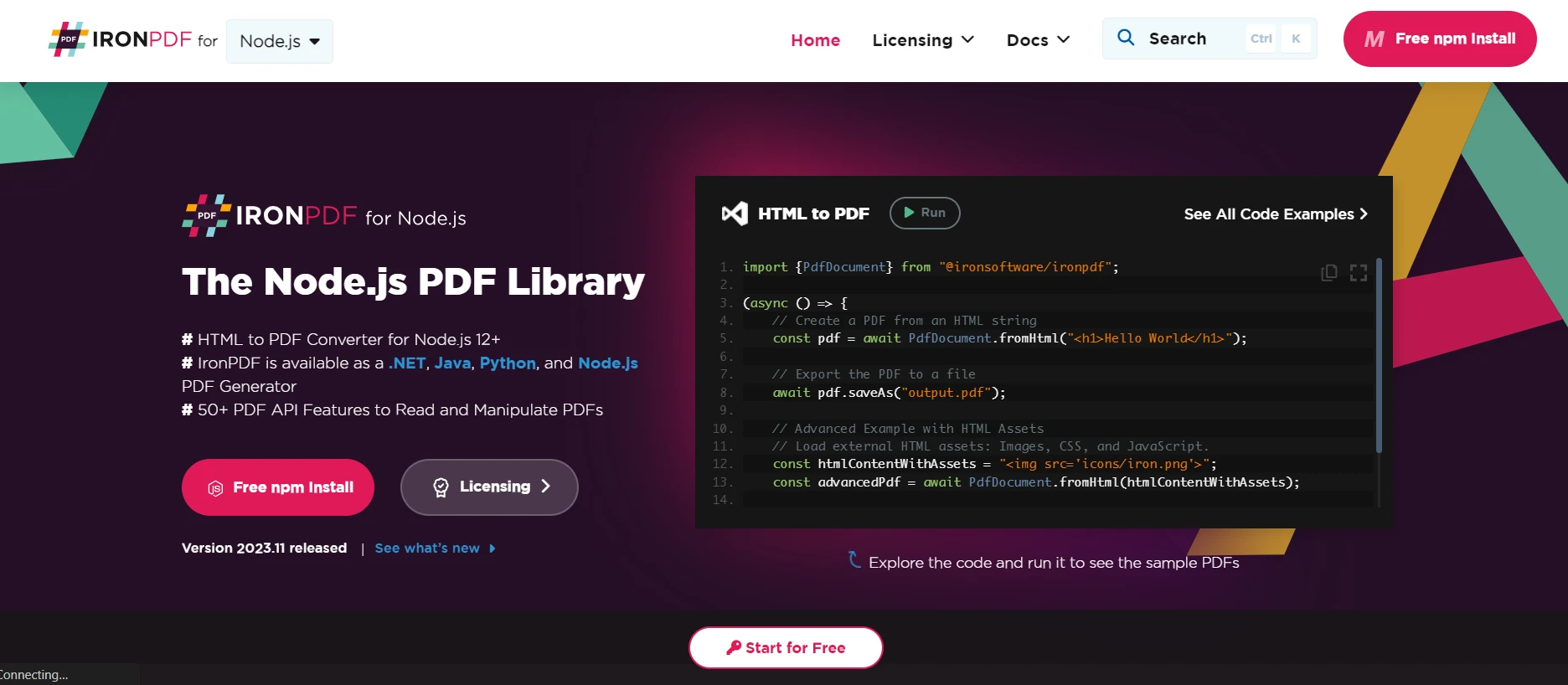
import {PdfDocument} from "@ironsoftware/ironpdf";

(async () => {
    // Create a PDF from an HTML string
    const pdf = await PdfDocument.fromHtml("<h1>Hello World</h1>");

    // Export the PDF to a file
    await pdf.saveAs("output.pdf");

    // Advanced Example with HTML Assets
    // Load external HTML assets: Images, CSS, and JavaScript.
    const htmlContentWithAssets = "<img src='icons/iron.png'>";
    const advancedPdf = await PdfDocument.fromHtml(htmlContentWithAssets);

    // Save the PDF with loaded assets
    await advancedPdf.saveAs("html-with-assets.pdf");
})();
import {PdfDocument} from "@ironsoftware/ironpdf";(async () => { // Create a PDF from an HTML string const pdf = awaitPdfDocument.fromHtml("<h1>Hello World</h1>"); // Export the PDF to a file await pdf.saveAs("output.pdf"); // Advanced Example with HTML Assets // Load external HTML assets: Images, CSS, and JavaScript. const htmlContentWithAssets = "<img src='icons/iron.png'>"; const advancedPdf = awaitPdfDocument.fromHtml(htmlContentWithAssets); // Save the PDF with loaded assets await advancedPdf.saveAs("html-with-assets.pdf");})();
This article will use IronPDF, a PDF library which helps to split PDF documents into multiple PDF files within an output folder. This can be done with a few lines of code. IronPDF is a powerful PDF library that allows you to create, open, read, and split PDF files easily.
## What is Node.js?
JavaScript code can be run outside of a web browser using the cross-platform, open-source Node.js JavaScript runtime environment. With server-side JavaScript execution enabled, programmers may construct scalable, fast, and efficient network applications. Node.js uses an event-driven, non-blocking I/O paradigm, which makes it perfect for creating real-time applications that handle several concurrent connections.
There are various applications that are commonly built with Node.js, including web servers, APIs, streaming apps, real-time chat apps, Internet of Things (IoT) devices, and more. All things considered, Node.js is becoming more and more popular due to its efficiency, speed, and back-end and front-end compatibility with JavaScript, offering a single language for full-stack development. To know more about Node.js, please refer to the [Wiki page](https://en.wikipedia.org/wiki/Node.js).
## How to split PDF in Node.js
1. To split PDFs, download the Node.js package.
2. Install the IronPDF for Node.js library.
3. Create a new PDF or import an existing one.
4. Use the `duplicate` function in the IronPDF for Node.js library.
5. Pass the page number as a parameter to the duplicate function.
6. Use the `saveAs` function to save the individual pages into a PDF file.
## IronPDF for Node.js
IronPDF was primarily a .NET library designed to function within the .NET Framework, allowing developers to work with PDF documents using C# or VB.NET. Nevertheless, IronPDF did not have a native or direct version created just for Node.js. This probably indicates that IronPDF for Node.js now offers features for generating, modifying, and processing PDF documents in Node.js applications.
## Features of IronPDF
* [HTML to PDF Generation](/nodejs/tutorials/html-to-pdf/): The capacity to create PDF documents from HTML material.
* [Text and image manipulation](/nodejs/blog/node-pdf-tools/javascript-pdf-editor/): Refers to the addition, modification, or deletion of text, shapes, images, and other items from PDF files.
* PDF document modification includes [combining](/nodejs/examples/merge-pdfs/), [extracting pages](/nodejs/blog/using-ironpdf-for-nodejs/split-pdf-node-tutorial/) from PDF files, splitting PDF files, and [encrypting and decrypting](/nodejs/examples/encryption-and-decryption/) them.
* [Form handling](/nodejs/examples/form-data/): Includes filling out forms, obtaining form data, and utilizing PDF forms programmatically.
* PDF security: Using [digital signatures](/nodejs/blog/using-ironpdf-for-nodejs/sign-pdf-node-js-tutorial/), encryption, and password protection for PDF documents.
* [Metadata handling](/nodejs/examples/security-and-metadata/): Is the process of retrieving and manipulating PDF files.
If IronPDF has extended its product line to include a Node.js version, this might offer developers creating Node.js apps a method to incorporate IronPDF's features for PDF manipulation. Developers who would rather work with a library that provides features similar to those of IronPDF in the .NET environment could find this useful.
For the most up-to-date and accurate information about IronPDF's features, compatibility, and support for Node.js, always consult the official documentation, release notes, or updates from the IronPDF team. To know more about IronPDF, refer to the [documentation pages](/nodejs/docs/).
## Package Requirement
* The IDE is Visual Studio Code.
* Node.js
* Installing packages requires package management, which you can use using Yarn or npm.
### Install IronPDF package Node
Open Terminal or the Command Prompt: Launch the terminal or command prompt. You can access it in several ways depending on your OS:
* Windows: Command Prompt or PowerShell
* MacOS X Terminal
* Linux's Terminal
Install the package: Use the package name with the npm install command to install the package. For example, run the following command to install the `@ironsoftware/ironpdf` package:
```shell
:ProductInstall
```
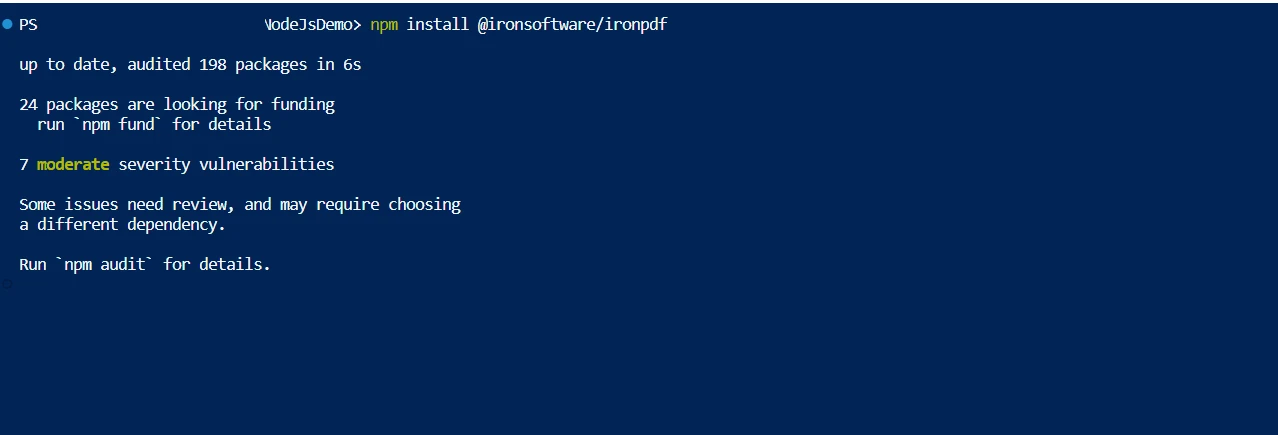
**Install IronPDF**
## Split PDF using IronPDF
It merely takes a few lines of code to split PDF documents into multiple files. Check out this sample to incorporate it into your project. Dividing a single PDF document into several documents is a fairly simple process when using IronPDF. Every document has just one page.
```nodejs
const { PdfDocument } = require("@ironsoftware/ironpdf");

const pdfprocess = async () => {
  console.log("Start split Process");
  // Load the existing PDF document
  const pdf = await PdfDocument.fromFile("Demo.pdf");

  // Get the total number of pages in the PDF
  const pagecount = await pdf.getPageCount();

  // Iterate over each page and create a separate PDF file
  for (let i = 0; i < pagecount; i++) {
    // Duplicate a single page into a new PDF document
    const spdf = await pdf.duplicate(i);

    // Save each duplicated page as a separate PDF file
    await spdf.saveAs(`split_${i}.pdf`);
  }
  console.log("End Split Process");
};

// Initiate the PDF splitting process
pdfprocess();
```
The code sample above demonstrates how to use IronPDF's `PdfDocument.fromFile` method to open an existing PDF file. By passing a document password to the `fromFile` method as a second argument, you can also open a password-protected file. The code is quite basic and easy to use to split a PDF file. Using the `duplicate` method to easily copy multiple pages from the original document, as demonstrated above.
By providing the index number as a parameter to the `duplicate` method, the PDF file is divided. Each page is then saved in a different file. A PDF can also be divided into a range of pages by duplication. For that, we are using the function [`getPageCount`](/nodejs/object-reference/api/classes/PdfDocument.html#getPageCount) which will allow us to get the page count of the PDF input file path. Then by using the `duplicate` method to split the PDF file into multiple PDF files.
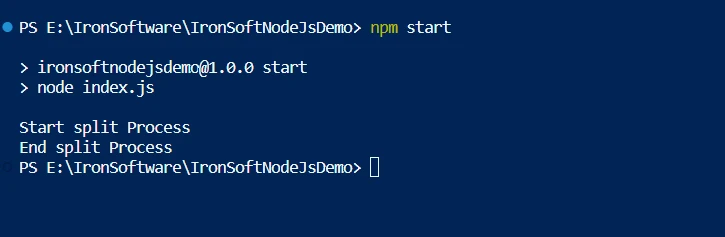
**NPM**
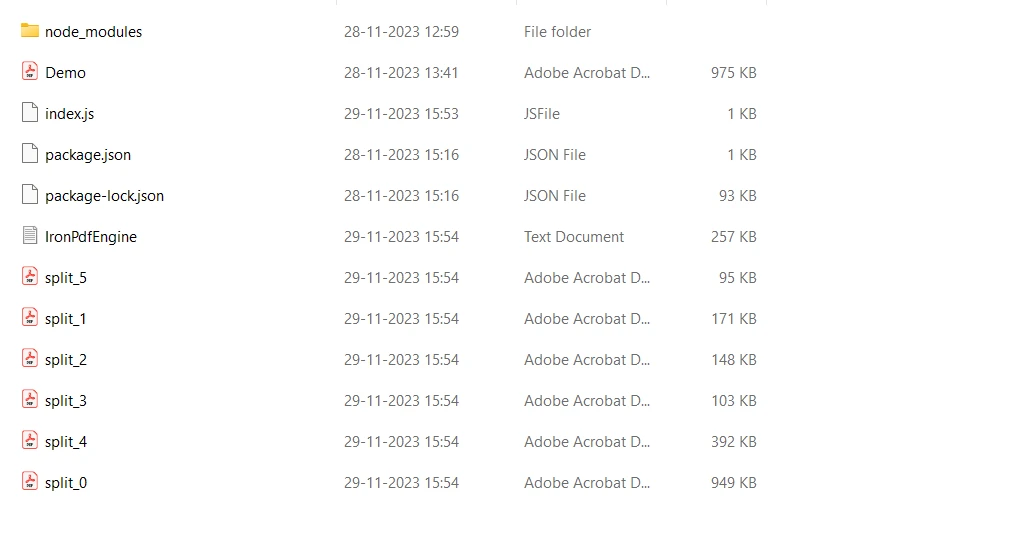
IronPDF will load the input PDF file and then split PDF files into separate files.
**PDF Files**
To know more about the IronPDF for Node.js library code, refer to the [sample page to convert HTML to a PDF file](/nodejs/examples/using-html-to-create-a-pdf/).
## Conclusion
Strong security protections are provided by the IronPDF library to reduce threats and guarantee data safety. It is not restricted to any specific browser and works with all common ones. The library provides many licensing options, including a free developer license and additional development licenses that can be purchased, to meet the varying needs of developers.
Upgrade options are included in the `$liteLicense` Lite bundle, which also comes with a permanent license, one year of software maintenance, and a thirty-day money-back guarantee. During the watermarked trial period, users can assess the product in real-world application scenarios. The [licensing page](licensing) provides additional information regarding IronPDF's pricing and licensing options, and also allows users to try [IronPDF for free for 30-days](trial-license).
This article will use IronPDF, a PDF library which helps to split PDF documents into multiple PDF files within an output folder. This can be done with a few lines of code. IronPDF is a powerful PDF library that allows you to create, open, read, and split PDF files easily.
What is Node.js?
JavaScript code can be run outside of a web browser using the cross-platform, open-source Node.js JavaScript runtime environment. With server-side JavaScript execution enabled, programmers may construct scalable, fast, and efficient network applications. Node.js uses an event-driven, non-blocking I/O paradigm, which makes it perfect for creating real-time applications that handle several concurrent connections.
There are various applications that are commonly built with Node.js, including web servers, APIs, streaming apps, real-time chat apps, Internet of Things (IoT) devices, and more. All things considered, Node.js is becoming more and more popular due to its efficiency, speed, and back-end and front-end compatibility with JavaScript, offering a single language for full-stack development. To know more about Node.js, please refer to the Wiki page.
How to split PDF in Node.js
To split PDFs, download the Node.js package.
Install the IronPDF for Node.js library.
Create a new PDF or import an existing one.
Use the duplicate function in the IronPDF for Node.js library.
Pass the page number as a parameter to the duplicate function.
Use the saveAs function to save the individual pages into a PDF file.
IronPDF for Node.js
IronPDF was primarily a .NET library designed to function within the .NET Framework, allowing developers to work with PDF documents using C# or VB.NET. Nevertheless, IronPDF did not have a native or direct version created just for Node.js. This probably indicates that IronPDF for Node.js now offers features for generating, modifying, and processing PDF documents in Node.js applications.
Form handling: Includes filling out forms, obtaining form data, and utilizing PDF forms programmatically.
PDF security: Using digital signatures, encryption, and password protection for PDF documents.
Metadata handling: Is the process of retrieving and manipulating PDF files.
If IronPDF has extended its product line to include a Node.js version, this might offer developers creating Node.js apps a method to incorporate IronPDF's features for PDF manipulation. Developers who would rather work with a library that provides features similar to those of IronPDF in the .NET environment could find this useful.
For the most up-to-date and accurate information about IronPDF's features, compatibility, and support for Node.js, always consult the official documentation, release notes, or updates from the IronPDF team. To know more about IronPDF, refer to the documentation pages.
Package Requirement
The IDE is Visual Studio Code.
Node.js
Installing packages requires package management, which you can use using Yarn or npm.
Install IronPDF package Node
Open Terminal or the Command Prompt: Launch the terminal or command prompt. You can access it in several ways depending on your OS:
Windows: Command Prompt or PowerShell
MacOS X Terminal
Linux's Terminal
Install the package: Use the package name with the npm install command to install the package. For example, run the following command to install the @ironsoftware/ironpdf package:
> npm i @ironsoftware/ironpdf
npm i @ironsoftware/ironpdf
Install IronPDF
Split PDF using IronPDF
It merely takes a few lines of code to split PDF documents into multiple files. Check out this sample to incorporate it into your project. Dividing a single PDF document into several documents is a fairly simple process when using IronPDF. Every document has just one page.
const { PdfDocument } = require("@ironsoftware/ironpdf");const pdfprocess = async () => { console.log("Start split Process"); // Load the existing PDF document const pdf = awaitPdfDocument.fromFile("Demo.pdf"); // Get the total number of pages in the PDF const pagecount = await pdf.getPageCount(); // Iterate over each page and create a separate PDF file for (let i = 0; i < pagecount; i++) { // Duplicate a single page into a new PDF document const spdf = await pdf.duplicate(i); // Save each duplicated page as a separate PDF file await spdf.saveAs(`split_${i}.pdf`); } console.log("End Split Process");};// Initiate the PDF splitting processpdfprocess();
const { PdfDocument } = require("@ironsoftware/ironpdf");

const pdfprocess = async () => {
  console.log("Start split Process");
  // Load the existing PDF document
  const pdf = await PdfDocument.fromFile("Demo.pdf");

  // Get the total number of pages in the PDF
  const pagecount = await pdf.getPageCount();

  // Iterate over each page and create a separate PDF file
  for (let i = 0; i < pagecount; i++) {
    // Duplicate a single page into a new PDF document
    const spdf = await pdf.duplicate(i);

    // Save each duplicated page as a separate PDF file
    await spdf.saveAs(`split_${i}.pdf`);
  }
  console.log("End Split Process");
};

// Initiate the PDF splitting process
pdfprocess();
JavaScript
The code sample above demonstrates how to use IronPDF's PdfDocument.fromFile method to open an existing PDF file. By passing a document password to the fromFile method as a second argument, you can also open a password-protected file. The code is quite basic and easy to use to split a PDF file. Using the duplicate method to easily copy multiple pages from the original document, as demonstrated above.
By providing the index number as a parameter to the duplicate method, the PDF file is divided. Each page is then saved in a different file. A PDF can also be divided into a range of pages by duplication. For that, we are using the function getPageCount which will allow us to get the page count of the PDF input file path. Then by using the duplicate method to split the PDF file into multiple PDF files.
NPM
IronPDF will load the input PDF file and then split PDF files into separate files.
Strong security protections are provided by the IronPDF library to reduce threats and guarantee data safety. It is not restricted to any specific browser and works with all common ones. The library provides many licensing options, including a free developer license and additional development licenses that can be purchased, to meet the varying needs of developers.
Upgrade options are included in the $999 Lite bundle, which also comes with a permanent license, one year of software maintenance, and a thirty-day money-back guarantee. During the watermarked trial period, users can assess the product in real-world application scenarios. The licensing page provides additional information regarding IronPDF's pricing and licensing options, and also allows users to try IronPDF for free for 30-days.
Curtis Chau holds a Bachelor’s degree in Computer Science (Carleton University) and specializes in front-end development with expertise in Node.js, TypeScript, JavaScript, and React. Passionate about crafting intuitive and aesthetically pleasing user interfaces, Curtis enjoys working with modern frameworks and creating well-structured, visually appealing manuals.




 Install IronPDF
 NPM
NPM PDF Files