


Jak porównać dwa pliki PDF w C#

Programowe porównywanie dokumentów PDF jest niezbędne do śledzenia zmian, weryfikacji różnych wersji oraz automatyzacji procesów zapewnienia jakości. Niezależnie od tego, czy chcesz porównać dwa pliki PDF w ramach zarządzania dokumentami, czy też znaleźć różnice w poprawkach umów, IronPDF zapewnia usprawnione rozwiązanie do porównywania plików PDF w języku C#.
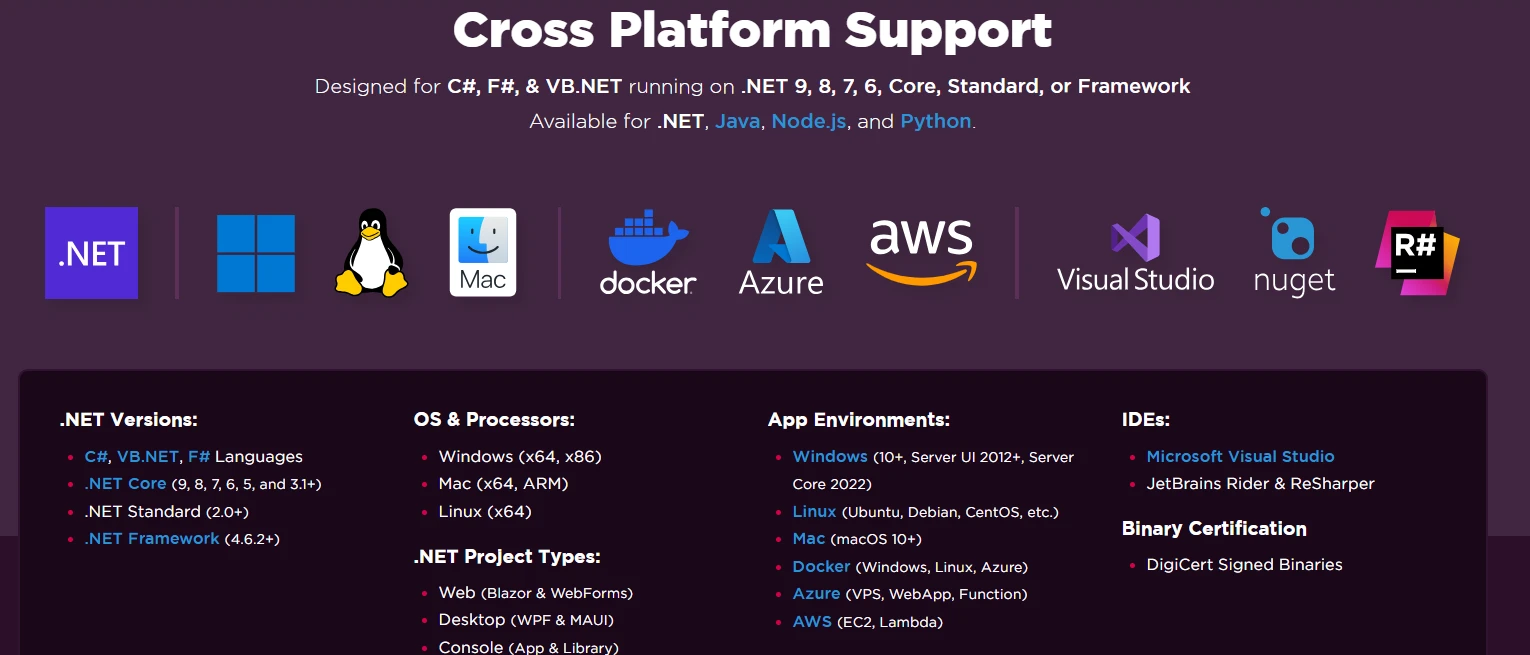
Ten samouczek pokazuje, jak porównać dwa dokumenty PDF przy użyciu funkcji wyodrębniania tekstu IronPDF, od podstawowych porównań po tworzenie szczegółowych raportów różnic. Poznasz praktyczne techniki wraz z przykładami kodu, które działają w systemach Windows, Linux, macOS, Docker oraz na platformach chmurowych.
Wymagania wstępne i konfiguracja
Przed rozpoczęciem upewnij się, że masz zainstalowane:
- Visual Studio 2019 lub nowsze
- .NET Framework 4.6.2+ lub .NET Core 3.1+
- Podstawowa znajomość języka C#
Instalacja pakietu IronPDF .NET
Zainstaluj IronPDF za pomocą menedżera pakietów NuGet w swoim projekcie .NET:
Install-Package IronPdfInstall-Package IronPdf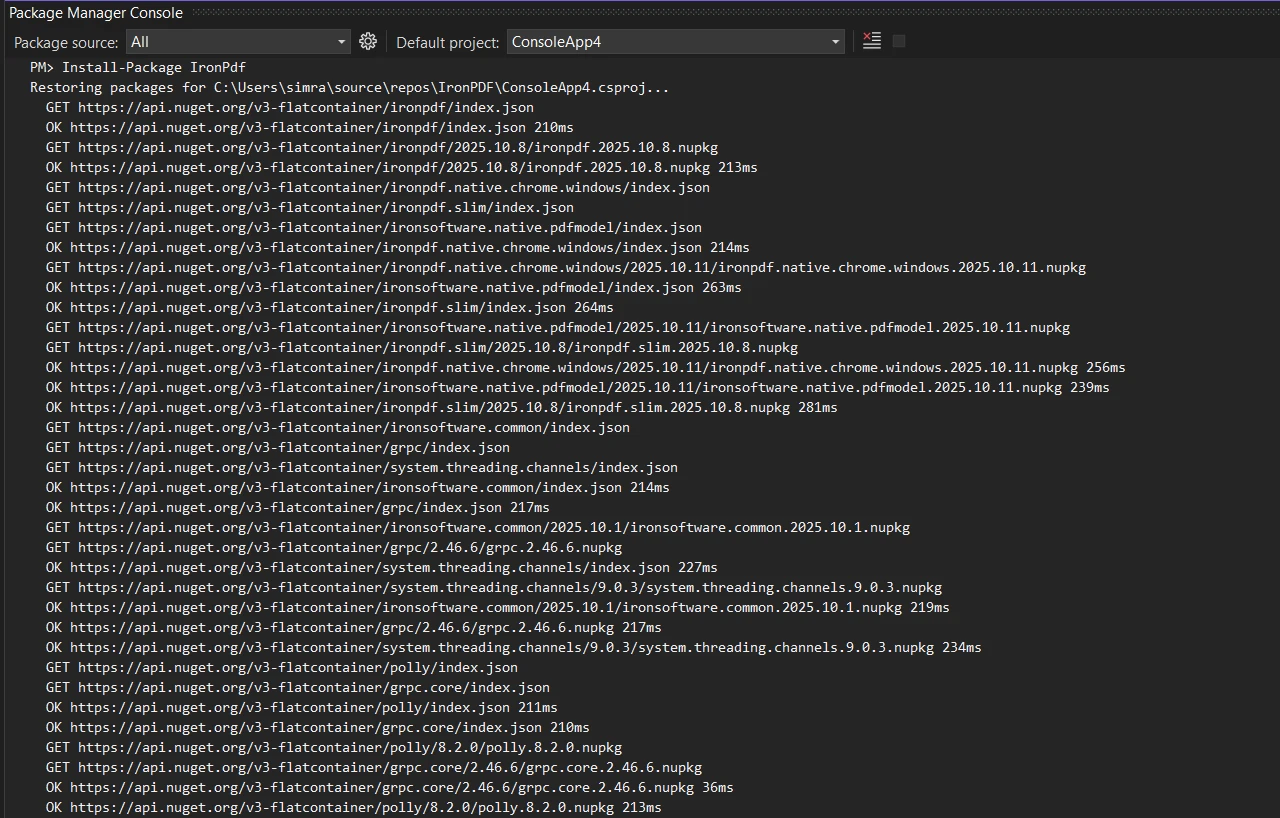
Lub przy użyciu interfejsu CLI platformy .NET:
dotnet add package IronPdfdotnet add package IronPdfDodaj niezbędne odniesienie do przestrzeni nazw do swoich plików:
using IronPdf;
using System;
using IronPdf;
using System;Imports IronPdf
Imports System
Podstawowe porównanie dokumentów PDF
Zacznijmy od przykładowego kodu służącego do porównywania plików PDF poprzez wyodrębnianie i porównywanie ich treści tekstowej:
public class BasicPdfComparer
{
    public static bool ComparePdfFiles(string firstPdfPath, string secondPdfPath)
    {
        // Load two PDF documents
        var pdf1 = PdfDocument.FromFile(firstPdfPath);
        var pdf2 = PdfDocument.FromFile(secondPdfPath);
        // Extract all text from both PDFs
        string text1 = pdf1.ExtractAllText();
        string text2 = pdf2.ExtractAllText();
        // Compare the two documents
        bool areIdentical = text1 == text2;
        // Find differences and calculate similarity
        double similarity = CalculateSimilarity(text1, text2);
        Console.WriteLine($"Documents are {(areIdentical ? "identical" : "different")}");
        Console.WriteLine($"Similarity: {similarity:F2}%");
        return areIdentical;
    }
    private static double CalculateSimilarity(string text1, string text2)
    {
        if (text1 == text2) return 100.0;
        if (string.IsNullOrEmpty(text1) || string.IsNullOrEmpty(text2)) return 0.0;
        int matchingChars = 0;
        int minLength = Math.Min(text1.Length, text2.Length);
        for (int i = 0; i < minLength; i++)
        {
            if (text1[i] == text2[i]) matchingChars++;
        }
        return (double)matchingChars / Math.Max(text1.Length, text2.Length) * 100;
    }
}
public class BasicPdfComparer
{
public static bool ComparePdfFiles(string firstPdfPath, string secondPdfPath)
{
// Load two PDF documents
var pdf1 = PdfDocument.FromFile(firstPdfPath);
var pdf2 = PdfDocument.FromFile(secondPdfPath);
// Extract all text from both PDFs
string text1 = pdf1.ExtractAllText();
string text2 = pdf2.ExtractAllText();
// Compare the two documents
bool areIdentical = text1 == text2;
// Find differences and calculate similarity
double similarity = CalculateSimilarity(text1, text2);
Console.WriteLine($"Documents are {(areIdentical ? "identical" : "different")}");
Console.WriteLine($"Similarity: {similarity:F2}%");
return areIdentical;
}
private static double CalculateSimilarity(string text1, string text2)
{
if (text1 == text2) return 100.0;
if (string.IsNullOrEmpty(text1) || string.IsNullOrEmpty(text2)) return 0.0;
int matchingChars = 0;
int minLength = Math.Min(text1.Length, text2.Length);
for (int i = 0; i < minLength; i++)
{
if (text1[i] == text2[i]) matchingChars++;
}
return (double)matchingChars / Math.Max(text1.Length, text2.Length) * 100;
}
}Imports System
Public Class BasicPdfComparer
Public Shared Function ComparePdfFiles(firstPdfPath As String, secondPdfPath As String) As Boolean
' Load two PDF documents
Dim pdf1 = PdfDocument.FromFile(firstPdfPath)
Dim pdf2 = PdfDocument.FromFile(secondPdfPath)
' Extract all text from both PDFs
Dim text1 As String = pdf1.ExtractAllText()
Dim text2 As String = pdf2.ExtractAllText()
' Compare the two documents
Dim areIdentical As Boolean = text1 = text2
' Find differences and calculate similarity
Dim similarity As Double = CalculateSimilarity(text1, text2)
Console.WriteLine($"Documents are {(If(areIdentical, "identical", "different"))}")
Console.WriteLine($"Similarity: {similarity:F2}%")
Return areIdentical
End Function
Private Shared Function CalculateSimilarity(text1 As String, text2 As String) As Double
If text1 = text2 Then Return 100.0
If String.IsNullOrEmpty(text1) OrElse String.IsNullOrEmpty(text2) Then Return 0.0
Dim matchingChars As Integer = 0
Dim minLength As Integer = Math.Min(text1.Length, text2.Length)
For i As Integer = 0 To minLength - 1
If text1(i) = text2(i) Then matchingChars += 1
Next
Return matchingChars / Math.Max(text1.Length, text2.Length) * 100
End Function
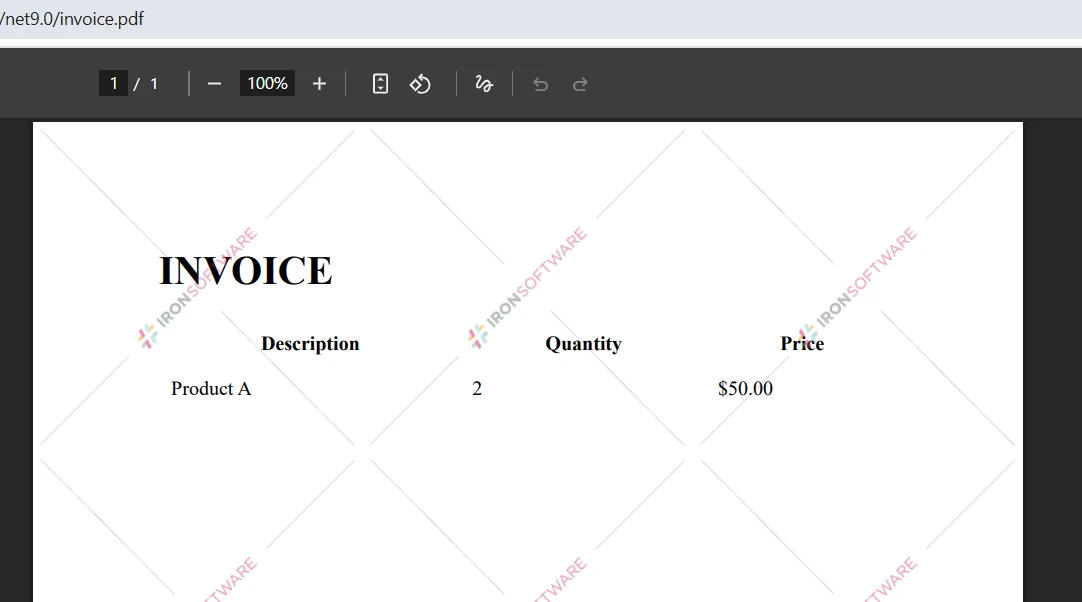
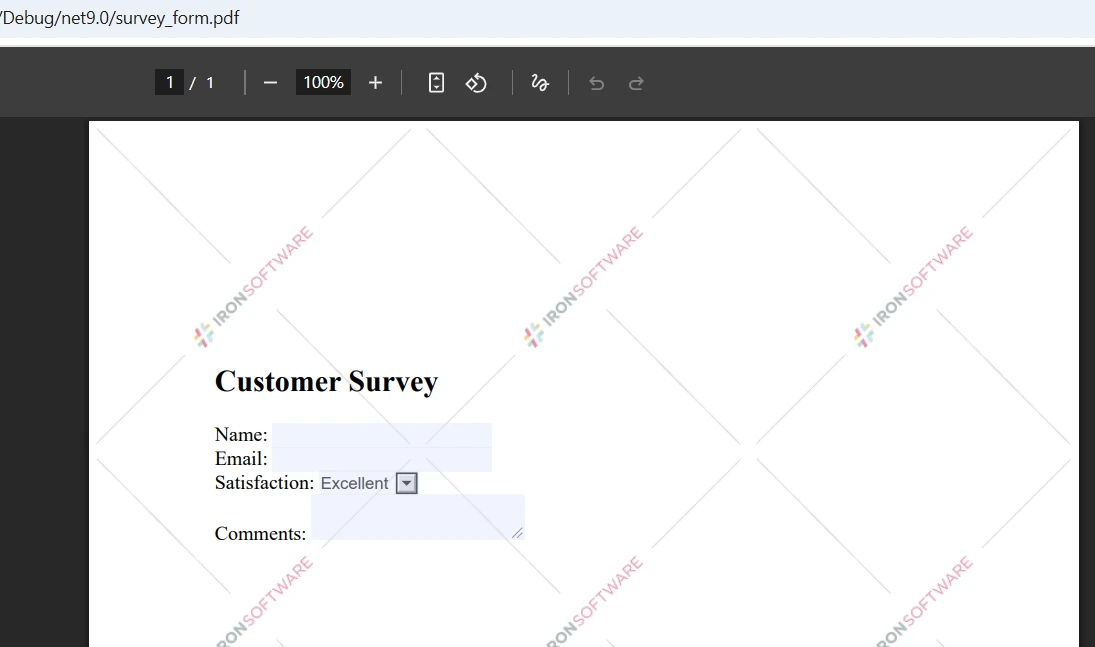
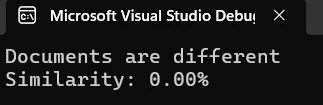
End ClassTen kod ładuje dwa pliki PDF przy użyciu metody PdfDocument.FromFile() biblioteki IronPDF, wyodrębnia całą zawartość tekstową i przeprowadza bezpośrednie porównanie ciągów znaków. Metoda porównania dostarcza wskaźników pozwalających określić stopień zgodności dokumentów.
Dane wejściowe
Wynik
Metoda porównania strona po stronie
Aby uzyskać bardziej szczegółową analizę, porównaj dwa pliki PDF strona po stronie, aby dokładnie zidentyfikować miejsca, w których występują różnice:
public static void ComparePageByPage(string firstPdfPath, string secondPdfPath)
{
    // Load two files
    var pdf1 = PdfDocument.FromFile(firstPdfPath);
    var pdf2 = PdfDocument.FromFile(secondPdfPath);
    int maxPages = Math.Max(pdf1.PageCount, pdf2.PageCount);
    int differencesFound = 0;
    for (int i = 0; i < maxPages; i++)
    {
        // Process each page
        string page1Text = i < pdf1.PageCount ? pdf1.ExtractTextFromPage(i) : "";
        string page2Text = i < pdf2.PageCount ? pdf2.ExtractTextFromPage(i) : "";
        if (page1Text != page2Text)
        {
            differencesFound++;
            Console.WriteLine($"Page {i + 1}: Differences detected");
        }
        else
        {
            Console.WriteLine($"Page {i + 1}: Identical");
        }
    }
    Console.WriteLine($"\nSummary: {differencesFound} page(s) with changes");
}
public static void ComparePageByPage(string firstPdfPath, string secondPdfPath)
{
// Load two files
var pdf1 = PdfDocument.FromFile(firstPdfPath);
var pdf2 = PdfDocument.FromFile(secondPdfPath);
int maxPages = Math.Max(pdf1.PageCount, pdf2.PageCount);
int differencesFound = 0;
for (int i = 0; i < maxPages; i++)
{
// Process each page
string page1Text = i < pdf1.PageCount ? pdf1.ExtractTextFromPage(i) : "";
string page2Text = i < pdf2.PageCount ? pdf2.ExtractTextFromPage(i) : "";
if (page1Text != page2Text)
{
differencesFound++;
Console.WriteLine($"Page {i + 1}: Differences detected");
}
else
{
Console.WriteLine($"Page {i + 1}: Identical");
}
}
Console.WriteLine($"\nSummary: {differencesFound} page(s) with changes");
}Public Shared Sub ComparePageByPage(firstPdfPath As String, secondPdfPath As String)
' Load two files
Dim pdf1 = PdfDocument.FromFile(firstPdfPath)
Dim pdf2 = PdfDocument.FromFile(secondPdfPath)
Dim maxPages As Integer = Math.Max(pdf1.PageCount, pdf2.PageCount)
Dim differencesFound As Integer = 0
For i As Integer = 0 To maxPages - 1
' Process each page
Dim page1Text As String = If(i < pdf1.PageCount, pdf1.ExtractTextFromPage(i), "")
Dim page2Text As String = If(i < pdf2.PageCount, pdf2.ExtractTextFromPage(i), "")
If page1Text <> page2Text Then
differencesFound += 1
Console.WriteLine($"Page {i + 1}: Differences detected")
Else
Console.WriteLine($"Page {i + 1}: Identical")
End If
Next
Console.WriteLine(vbCrLf & $"Summary: {differencesFound} page(s) with changes")
End SubMetoda ExtractTextFromPage() umożliwia ukierunkowane pobieranie danych z określonych stron. Takie podejście pomaga programistom wskazać rozbieżności między różnymi wersjami dokumentów PDF.
Wykorzystanie wzorca klasy porównawczej
Utwórz dedykowaną klasę porównawczą, aby ulepszyć funkcjonalność porównywania:
public class PdfComparer
{
    private PdfDocument pdf1;
    private PdfDocument pdf2;
    private bool disposed;
    public PdfComparer(string file1Path, string file2Path)
    {
        // Load the two PDFs
        pdf1 = PdfDocument.FromFile(file1Path);
        pdf2 = PdfDocument.FromFile(file2Path);
    }
    public ComparisonResult Compare()
    {
        var result = new ComparisonResult();
        // Compare PDF documents
        string text1 = pdf1?.ExtractAllText() ?? string.Empty;
        string text2 = pdf2?.ExtractAllText() ?? string.Empty;
        result.AreIdentical = string.Equals(text1, text2, StringComparison.Ordinal);
        result.SimilarityPercent = CalculateSimilarity(text1, text2);
        result.Differences = FindDifferences(text1, text2);
        return result;
    }
    private List<string> FindDifferences(string text1, string text2)
    {
        var differences = new List<string>();
        // Normalize nulls
        text1 ??= string.Empty;
        text2 ??= string.Empty;
        if (string.Equals(text1, text2, StringComparison.Ordinal))
            return differences;
        // Page-aware comparisons aren't possible here because we only have full-text;
        // produce a concise, actionable difference entry:
        int min = Math.Min(text1.Length, text2.Length);
        int firstDiff = -1;
        for (int i = 0; i < min; i++)
        {
            if (text1[i] != text2[i])
            {
                firstDiff = i;
                break;
            }
        }
        if (firstDiff == -1 && text1.Length != text2.Length)
        {
            // No differing character in the overlap, but lengths differ
            firstDiff = min;
        }
        // Create short excerpts around the first difference for context
        int excerptLength = 200;
        string excerpt1 = string.Empty;
        string excerpt2 = string.Empty;
        if (firstDiff >= 0)
        {
            int start1 = Math.Max(0, firstDiff);
            int len1 = Math.Min(excerptLength, Math.Max(0, text1.Length - start1));
            excerpt1 = start1 < text1.Length ? text1.Substring(start1, len1) : string.Empty;
            int start2 = Math.Max(0, firstDiff);
            int len2 = Math.Min(excerptLength, Math.Max(0, text2.Length - start2));
            excerpt2 = start2 < text2.Length ? text2.Substring(start2, len2) : string.Empty;
        }
        // HTML-encode excerpts if they will be embedded into HTML reports
        string safeExcerpt1 = System.Net.WebUtility.HtmlEncode(excerpt1);
        string safeExcerpt2 = System.Net.WebUtility.HtmlEncode(excerpt2);
        double similarity = CalculateSimilarity(text1, text2);
        differences.Add($"Similarity: {similarity:F2}%. Lengths: [{text1.Length}, {text2.Length}]. First difference index: {firstDiff}. Excerpt1: \"{safeExcerpt1}\" Excerpt2: \"{safeExcerpt2}\"");
        return differences;
    }
    public void Close()
    {
        Dispose();
    }
    public void Dispose()
    {
        if (disposed) return;
        disposed = true;
        pdf1?.Dispose();
        pdf2?.Dispose();
    }
}
public class ComparisonResult
{
    // True when extracted text is exactly the same
    public bool AreIdentical { get; set; }
    // Similarity expressed as percent (0..100)
    public double SimilarityPercent { get; set; }
    // Human readable difference entries
    public List<string> Differences { get; set; } = new List<string>();
}
public class PdfComparer
{
private PdfDocument pdf1;
private PdfDocument pdf2;
private bool disposed;
public PdfComparer(string file1Path, string file2Path)
{
// Load the two PDFs
pdf1 = PdfDocument.FromFile(file1Path);
pdf2 = PdfDocument.FromFile(file2Path);
}
public ComparisonResult Compare()
{
var result = new ComparisonResult();
// Compare PDF documents
string text1 = pdf1?.ExtractAllText() ?? string.Empty;
string text2 = pdf2?.ExtractAllText() ?? string.Empty;
result.AreIdentical = string.Equals(text1, text2, StringComparison.Ordinal);
result.SimilarityPercent = CalculateSimilarity(text1, text2);
result.Differences = FindDifferences(text1, text2);
return result;
}
private List<string> FindDifferences(string text1, string text2)
{
var differences = new List<string>();
// Normalize nulls
text1 ??= string.Empty;
text2 ??= string.Empty;
if (string.Equals(text1, text2, StringComparison.Ordinal))
return differences;
// Page-aware comparisons aren't possible here because we only have full-text;
// produce a concise, actionable difference entry:
int min = Math.Min(text1.Length, text2.Length);
int firstDiff = -1;
for (int i = 0; i < min; i++)
{
if (text1[i] != text2[i])
{
firstDiff = i;
break;
}
}
if (firstDiff == -1 && text1.Length != text2.Length)
{
// No differing character in the overlap, but lengths differ
firstDiff = min;
}
// Create short excerpts around the first difference for context
int excerptLength = 200;
string excerpt1 = string.Empty;
string excerpt2 = string.Empty;
if (firstDiff >= 0)
{
int start1 = Math.Max(0, firstDiff);
int len1 = Math.Min(excerptLength, Math.Max(0, text1.Length - start1));
excerpt1 = start1 < text1.Length ? text1.Substring(start1, len1) : string.Empty;
int start2 = Math.Max(0, firstDiff);
int len2 = Math.Min(excerptLength, Math.Max(0, text2.Length - start2));
excerpt2 = start2 < text2.Length ? text2.Substring(start2, len2) : string.Empty;
}
// HTML-encode excerpts if they will be embedded into HTML reports
string safeExcerpt1 = System.Net.WebUtility.HtmlEncode(excerpt1);
string safeExcerpt2 = System.Net.WebUtility.HtmlEncode(excerpt2);
double similarity = CalculateSimilarity(text1, text2);
differences.Add($"Similarity: {similarity:F2}%. Lengths: [{text1.Length}, {text2.Length}]. First difference index: {firstDiff}. Excerpt1: \"{safeExcerpt1}\" Excerpt2: \"{safeExcerpt2}\"");
return differences;
}
public void Close()
{
Dispose();
}
public void Dispose()
{
if (disposed) return;
disposed = true;
pdf1?.Dispose();
pdf2?.Dispose();
}
}
public class ComparisonResult
{
// True when extracted text is exactly the same
public bool AreIdentical { get; set; }
// Similarity expressed as percent (0..100)
public double SimilarityPercent { get; set; }
// Human readable difference entries
public List<string> Differences { get; set; } = new List<string>();
}Imports System
Imports System.Collections.Generic
Imports System.Net
Public Class PdfComparer
Implements IDisposable
Private pdf1 As PdfDocument
Private pdf2 As PdfDocument
Private disposed As Boolean
Public Sub New(file1Path As String, file2Path As String)
' Load the two PDFs
pdf1 = PdfDocument.FromFile(file1Path)
pdf2 = PdfDocument.FromFile(file2Path)
End Sub
Public Function Compare() As ComparisonResult
Dim result As New ComparisonResult()
' Compare PDF documents
Dim text1 As String = If(pdf1?.ExtractAllText(), String.Empty)
Dim text2 As String = If(pdf2?.ExtractAllText(), String.Empty)
result.AreIdentical = String.Equals(text1, text2, StringComparison.Ordinal)
result.SimilarityPercent = CalculateSimilarity(text1, text2)
result.Differences = FindDifferences(text1, text2)
Return result
End Function
Private Function FindDifferences(text1 As String, text2 As String) As List(Of String)
Dim differences As New List(Of String)()
' Normalize nulls
text1 = If(text1, String.Empty)
text2 = If(text2, String.Empty)
If String.Equals(text1, text2, StringComparison.Ordinal) Then
Return differences
End If
' Page-aware comparisons aren't possible here because we only have full-text;
' produce a concise, actionable difference entry:
Dim min As Integer = Math.Min(text1.Length, text2.Length)
Dim firstDiff As Integer = -1
For i As Integer = 0 To min - 1
If text1(i) <> text2(i) Then
firstDiff = i
Exit For
End If
Next
If firstDiff = -1 AndAlso text1.Length <> text2.Length Then
' No differing character in the overlap, but lengths differ
firstDiff = min
End If
' Create short excerpts around the first difference for context
Dim excerptLength As Integer = 200
Dim excerpt1 As String = String.Empty
Dim excerpt2 As String = String.Empty
If firstDiff >= 0 Then
Dim start1 As Integer = Math.Max(0, firstDiff)
Dim len1 As Integer = Math.Min(excerptLength, Math.Max(0, text1.Length - start1))
excerpt1 = If(start1 < text1.Length, text1.Substring(start1, len1), String.Empty)
Dim start2 As Integer = Math.Max(0, firstDiff)
Dim len2 As Integer = Math.Min(excerptLength, Math.Max(0, text2.Length - start2))
excerpt2 = If(start2 < text2.Length, text2.Substring(start2, len2), String.Empty)
End If
' HTML-encode excerpts if they will be embedded into HTML reports
Dim safeExcerpt1 As String = WebUtility.HtmlEncode(excerpt1)
Dim safeExcerpt2 As String = WebUtility.HtmlEncode(excerpt2)
Dim similarity As Double = CalculateSimilarity(text1, text2)
differences.Add($"Similarity: {similarity:F2}%. Lengths: [{text1.Length}, {text2.Length}]. First difference index: {firstDiff}. Excerpt1: ""{safeExcerpt1}"" Excerpt2: ""{safeExcerpt2}""")
Return differences
End Function
Public Sub Close()
Dispose()
End Sub
Public Sub Dispose() Implements IDisposable.Dispose
If disposed Then Return
disposed = True
pdf1?.Dispose()
pdf2?.Dispose()
End Sub
End Class
Public Class ComparisonResult
' True when extracted text is exactly the same
Public Property AreIdentical As Boolean
' Similarity expressed as percent (0..100)
Public Property SimilarityPercent As Double
' Human readable difference entries
Public Property Differences As List(Of String) = New List(Of String)()
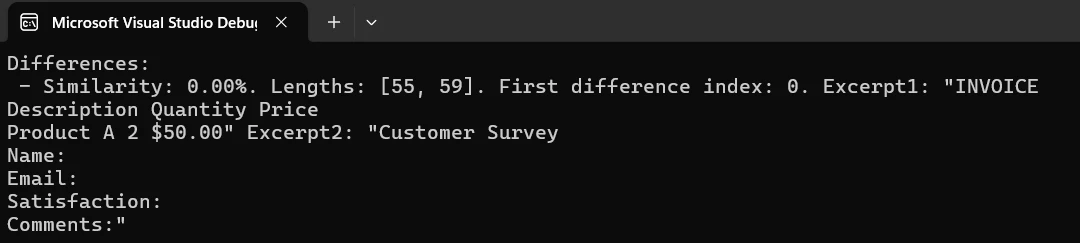
End ClassTa struktura klas zapewnia przejrzysty sposób porównywania dokumentów PDF przy jednoczesnym prawidłowym zarządzaniu obiektami dokumentów i odwołaniami.
Wynik
Tworzenie raportu z porównaniem wizualnym
Wygeneruj raport w formacie HTML, który podkreśla różnice między dwoma dokumentami, i zapisz go jako plik PDF:
public static void CreateComparisonReport(string pdf1Path, string pdf2Path, string outputPath)
{
    // Load PDFs for comparison
    var pdf1 = PdfDocument.FromFile(pdf1Path);
    var pdf2 = PdfDocument.FromFile(pdf2Path);
    // Build HTML report with details
    string htmlReport = @"
        <html>
        <head>
            <style>
                body { font-family: Arial, sans-serif; margin: 20px; }
                .identical { color: green; }
                .different { color: red; }
                table { width: 100%; border-collapse: collapse; }
                th, td { border: 1px solid #ddd; padding: 8px; }
            </style>
        </head>
        <body>
            <h1>PDF Comparison Report</h1>
            <table>
                <tr><th>Page</th><th>Status</th></tr>";
    // Process each page
    for (int i = 0; i < Math.Max(pdf1.PageCount, pdf2.PageCount); i++)
    {
        string page1 = i < pdf1.PageCount ? pdf1.ExtractTextFromPage(i) : "";
        string page2 = i < pdf2.PageCount ? pdf2.ExtractTextFromPage(i) : "";
        bool identical = page1 == page2;
        string status = identical ? "Identical" : "Different";
        htmlReport += $"<tr><td>Page {i + 1}</td><td class='{status.ToLower()}'>{status}</td></tr>";
    }
    htmlReport += "</table></body></html>";
    // Create and save the report
    var renderer = new ChromePdfRenderer();
    var reportPdf = renderer.RenderHtmlAsPdf(htmlReport);
    reportPdf.SaveAs(outputPath);
    Console.WriteLine($"Report saved to: {outputPath}");
}
public static void CreateComparisonReport(string pdf1Path, string pdf2Path, string outputPath)
{
// Load PDFs for comparison
var pdf1 = PdfDocument.FromFile(pdf1Path);
var pdf2 = PdfDocument.FromFile(pdf2Path);
// Build HTML report with details
string htmlReport = @"
<html>
<head>
<style>
body { font-family: Arial, sans-serif; margin: 20px; }
.identical { color: green; }
.different { color: red; }
table { width: 100%; border-collapse: collapse; }
th, td { border: 1px solid #ddd; padding: 8px; }
</style>
</head>
<body>
<h1>PDF Comparison Report</h1>
<table>
<tr><th>Page</th><th>Status</th></tr>";
// Process each page
for (int i = 0; i < Math.Max(pdf1.PageCount, pdf2.PageCount); i++)
{
string page1 = i < pdf1.PageCount ? pdf1.ExtractTextFromPage(i) : "";
string page2 = i < pdf2.PageCount ? pdf2.ExtractTextFromPage(i) : "";
bool identical = page1 == page2;
string status = identical ? "Identical" : "Different";
htmlReport += $"<tr><td>Page {i + 1}</td><td class='{status.ToLower()}'>{status}</td></tr>";
}
htmlReport += "</table></body></html>";
// Create and save the report
var renderer = new ChromePdfRenderer();
var reportPdf = renderer.RenderHtmlAsPdf(htmlReport);
reportPdf.SaveAs(outputPath);
Console.WriteLine($"Report saved to: {outputPath}");
}Imports System
Public Shared Sub CreateComparisonReport(pdf1Path As String, pdf2Path As String, outputPath As String)
' Load PDFs for comparison
Dim pdf1 = PdfDocument.FromFile(pdf1Path)
Dim pdf2 = PdfDocument.FromFile(pdf2Path)
' Build HTML report with details
Dim htmlReport As String = "
<html>
<head>
<style>
body { font-family: Arial, sans-serif; margin: 20px; }
.identical { color: green; }
.different { color: red; }
table { width: 100%; border-collapse: collapse; }
th, td { border: 1px solid #ddd; padding: 8px; }
</style>
</head>
<body>
<h1>PDF Comparison Report</h1>
<table>
<tr><th>Page</th><th>Status</th></tr>"
' Process each page
For i As Integer = 0 To Math.Max(pdf1.PageCount, pdf2.PageCount) - 1
Dim page1 As String = If(i < pdf1.PageCount, pdf1.ExtractTextFromPage(i), "")
Dim page2 As String = If(i < pdf2.PageCount, pdf2.ExtractTextFromPage(i), "")
Dim identical As Boolean = page1 = page2
Dim status As String = If(identical, "Identical", "Different")
htmlReport &= $"<tr><td>Page {i + 1}</td><td class='{status.ToLower()}'>{status}</td></tr>"
Next
htmlReport &= "</table></body></html>"
' Create and save the report
Dim renderer = New ChromePdfRenderer()
Dim reportPdf = renderer.RenderHtmlAsPdf(htmlReport)
reportPdf.SaveAs(outputPath)
Console.WriteLine($"Report saved to: {outputPath}")
End SubTen kod pokazuje, jak utworzyć profesjonalny dokument PDF z wynikami porównania. Raport jest zapisywany w określonej ścieżce.
Porównanie wielu dokumentów PDF
Jeśli chcesz porównać jednocześnie wiele dokumentów PDF, skorzystaj z tej metody:
public static void CompareMultiplePdfs(params string[] pdfPaths)
{
    if (pdfPaths.Length < 2)
    {
        Console.WriteLine("Need at least two files to compare");
        return;
    }
    // Load multiple PDF documents
    var pdfs = new List<PdfDocument>();
    foreach (var path in pdfPaths)
    {
        pdfs.Add(PdfDocument.FromFile(path));
    }
    // Compare all documents
    for (int i = 0; i < pdfs.Count - 1; i++)
    {
        for (int j = i + 1; j < pdfs.Count; j++)
        {
            string text1 = pdfs[i].ExtractAllText();
            string text2 = pdfs[j].ExtractAllText();
            bool identical = text1 == text2;
            Console.WriteLine($"File {i+1} vs File {j+1}: {(identical ? "Identical" : "Different")}");
        }
    }
    // Close all documents
    pdfs.ForEach(pdf => pdf.Dispose());
}
public static void CompareMultiplePdfs(params string[] pdfPaths)
{
if (pdfPaths.Length < 2)
{
Console.WriteLine("Need at least two files to compare");
return;
}
// Load multiple PDF documents
var pdfs = new List<PdfDocument>();
foreach (var path in pdfPaths)
{
pdfs.Add(PdfDocument.FromFile(path));
}
// Compare all documents
for (int i = 0; i < pdfs.Count - 1; i++)
{
for (int j = i + 1; j < pdfs.Count; j++)
{
string text1 = pdfs[i].ExtractAllText();
string text2 = pdfs[j].ExtractAllText();
bool identical = text1 == text2;
Console.WriteLine($"File {i+1} vs File {j+1}: {(identical ? "Identical" : "Different")}");
}
}
// Close all documents
pdfs.ForEach(pdf => pdf.Dispose());
}Imports System
Imports System.Collections.Generic
Public Shared Sub CompareMultiplePdfs(ParamArray pdfPaths As String())
If pdfPaths.Length < 2 Then
Console.WriteLine("Need at least two files to compare")
Return
End If
' Load multiple PDF documents
Dim pdfs As New List(Of PdfDocument)()
For Each path As String In pdfPaths
pdfs.Add(PdfDocument.FromFile(path))
Next
' Compare all documents
For i As Integer = 0 To pdfs.Count - 2
For j As Integer = i + 1 To pdfs.Count - 1
Dim text1 As String = pdfs(i).ExtractAllText()
Dim text2 As String = pdfs(j).ExtractAllText()
Dim identical As Boolean = text1 = text2
Console.WriteLine($"File {i + 1} vs File {j + 1}: {(If(identical, "Identical", "Different"))}")
Next
Next
' Close all documents
pdfs.ForEach(Sub(pdf) pdf.Dispose())
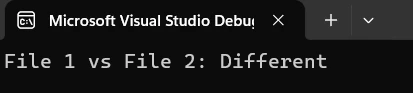
End SubTakie podejście pozwala na porównanie wielu dokumentów PDF w jednym przebiegu, co jest przydatne w przypadku przetwarzania wsadowego.
Wynik
Kontrola wersji w praktyce
Oto praktyczny przykład śledzenia zmian w dokumentach prawnych:
public class ContractVersionControl
{
    public static void CompareContractVersions(string originalPath, string revisedPath)
    {
        // System for comparing contract versions
        Console.WriteLine("Contract Version Comparison System");
        var original = PdfDocument.FromFile(originalPath);
        var revised = PdfDocument.FromFile(revisedPath);
        // Extract contract contents
        string originalText = original.ExtractAllText();
        string revisedText = revised.ExtractAllText();
        if (originalText == revisedText)
        {
            Console.WriteLine("No changes detected");
        }
        else
        {
            Console.WriteLine("Changes detected in revised version");
            // Create detailed report
            string reportPath = $"contract_comparison_{DateTime.Now:yyyyMMdd}.pdf";
            CreateComparisonReport(originalPath, revisedPath, reportPath);
            Console.WriteLine($"Report created: {reportPath}");
        }
        // Close documents
        original.Dispose();
        revised.Dispose();
    }
}
public class ContractVersionControl
{
public static void CompareContractVersions(string originalPath, string revisedPath)
{
// System for comparing contract versions
Console.WriteLine("Contract Version Comparison System");
var original = PdfDocument.FromFile(originalPath);
var revised = PdfDocument.FromFile(revisedPath);
// Extract contract contents
string originalText = original.ExtractAllText();
string revisedText = revised.ExtractAllText();
if (originalText == revisedText)
{
Console.WriteLine("No changes detected");
}
else
{
Console.WriteLine("Changes detected in revised version");
// Create detailed report
string reportPath = $"contract_comparison_{DateTime.Now:yyyyMMdd}.pdf";
CreateComparisonReport(originalPath, revisedPath, reportPath);
Console.WriteLine($"Report created: {reportPath}");
}
// Close documents
original.Dispose();
revised.Dispose();
}
}Public Class ContractVersionControl
Public Shared Sub CompareContractVersions(originalPath As String, revisedPath As String)
' System for comparing contract versions
Console.WriteLine("Contract Version Comparison System")
Dim original = PdfDocument.FromFile(originalPath)
Dim revised = PdfDocument.FromFile(revisedPath)
' Extract contract contents
Dim originalText As String = original.ExtractAllText()
Dim revisedText As String = revised.ExtractAllText()
If originalText = revisedText Then
Console.WriteLine("No changes detected")
Else
Console.WriteLine("Changes detected in revised version")
' Create detailed report
Dim reportPath As String = $"contract_comparison_{DateTime.Now:yyyyMMdd}.pdf"
CreateComparisonReport(originalPath, revisedPath, reportPath)
Console.WriteLine($"Report created: {reportPath}")
End If
' Close documents
original.Dispose()
revised.Dispose()
End Sub
End ClassPoniżej przedstawiono sposób porównywania dwóch wersji umowy w formacie PDF oraz generowania raportów do przeglądu. System automatycznie wykrywa zmiany i tworzy dokumentację.
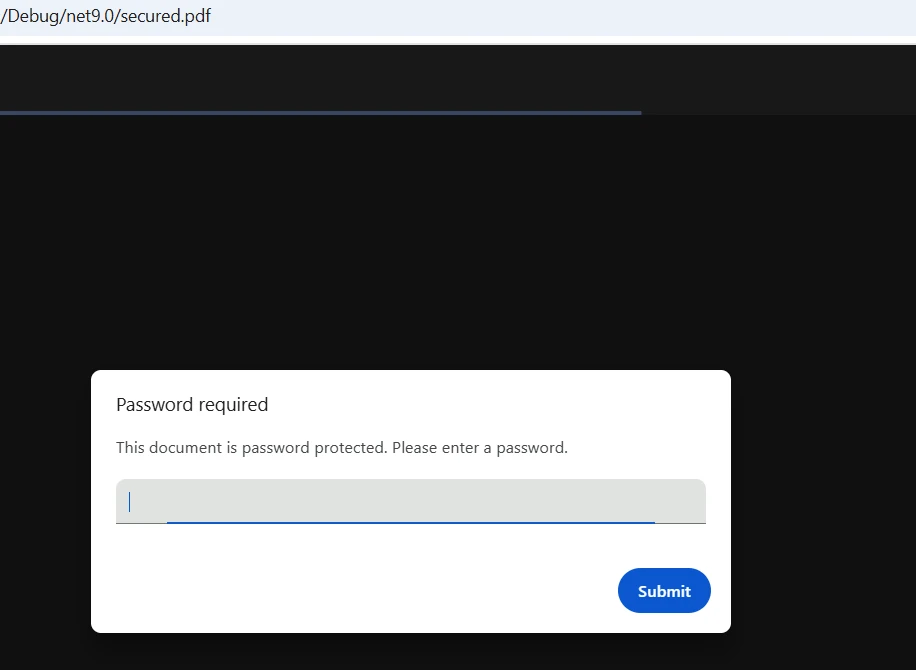
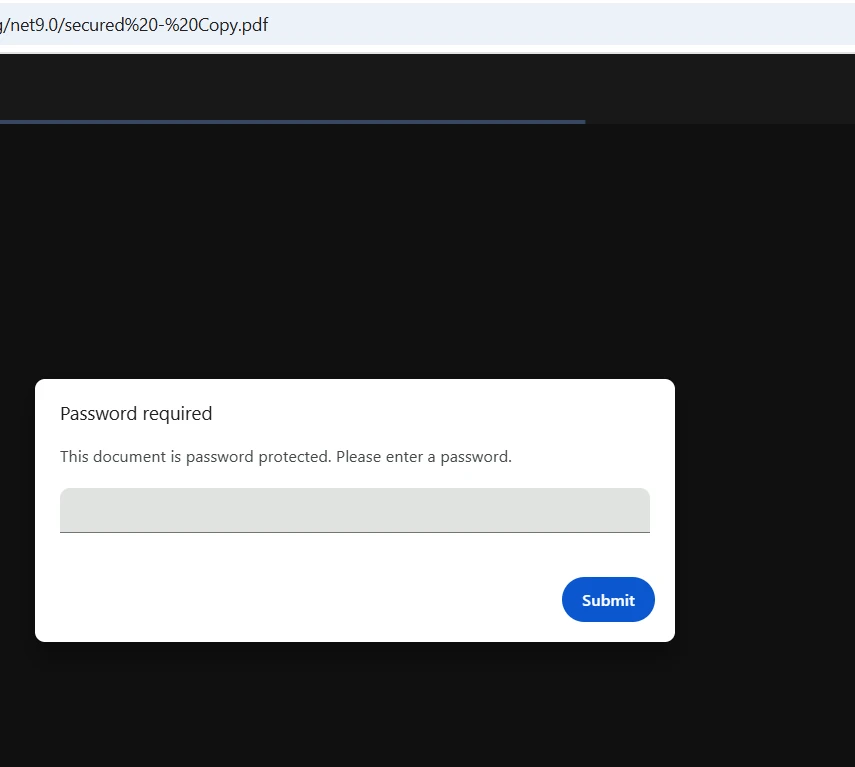
Obsługa plików PDF chronionych hasłem
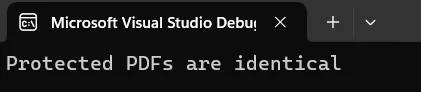
IronPDF płynnie obsługuje zaszyfrowane pliki PDF, przekazując hasło podczas wywoływania metody ładowania:
public static bool CompareProtectedPdfs(string pdf1Path, string pass1,
                                        string pdf2Path, string pass2)
{
    // Load password-protected two PDFs
    var pdf1 = PdfDocument.FromFile(pdf1Path, pass1);
    var pdf2 = PdfDocument.FromFile(pdf2Path, pass2);
    // Extract and compare text
    string text1 = pdf1.ExtractAllText();
    string text2 = pdf2.ExtractAllText();
    bool result = text1 == text2;
    // Close and dispose
    pdf1.Dispose();
    pdf2.Dispose();
    return result;
}
public static bool CompareProtectedPdfs(string pdf1Path, string pass1,
string pdf2Path, string pass2)
{
// Load password-protected two PDFs
var pdf1 = PdfDocument.FromFile(pdf1Path, pass1);
var pdf2 = PdfDocument.FromFile(pdf2Path, pass2);
// Extract and compare text
string text1 = pdf1.ExtractAllText();
string text2 = pdf2.ExtractAllText();
bool result = text1 == text2;
// Close and dispose
pdf1.Dispose();
pdf2.Dispose();
return result;
}Public Shared Function CompareProtectedPdfs(pdf1Path As String, pass1 As String, pdf2Path As String, pass2 As String) As Boolean
' Load password-protected two PDFs
Dim pdf1 = PdfDocument.FromFile(pdf1Path, pass1)
Dim pdf2 = PdfDocument.FromFile(pdf2Path, pass2)
' Extract and compare text
Dim text1 As String = pdf1.ExtractAllText()
Dim text2 As String = pdf2.ExtractAllText()
Dim result As Boolean = text1 = text2
' Close and dispose
pdf1.Dispose()
pdf2.Dispose()
Return result
End FunctionWystarczy przekazać parametr hasła podczas ładowania chronionych plików PDF. IronPDF automatycznie zajmuje się odszyfrowywaniem.
Dane wejściowe
Wynik
Instrukcje krok po kroku
Wykonaj poniższe kroki, aby wdrożyć porównywanie plików PDF w swoim projekcie .NET:
- Zainstaluj pakiet IronPDF for .NET za pośrednictwem NuGet
- Dodaj odwołanie do przestrzeni nazw IronPDF
- Utwórz instancję
PdfDocumentdla każdego pliku - Użyj metod takich jak
ExtractAllText(), aby uzyskać treść - Porównaj wyodrębniony tekst lub zaimplementuj niestandardową logikę
- Zapisuj wyniki lub generuj raporty w razie potrzeby
- Zamknij obiekty dokumentu, aby zwolnić zasoby
Ustawianie licencji
Aby korzystać z IronPDF bez znaków wodnych, ustaw swój klucz licencyjny:
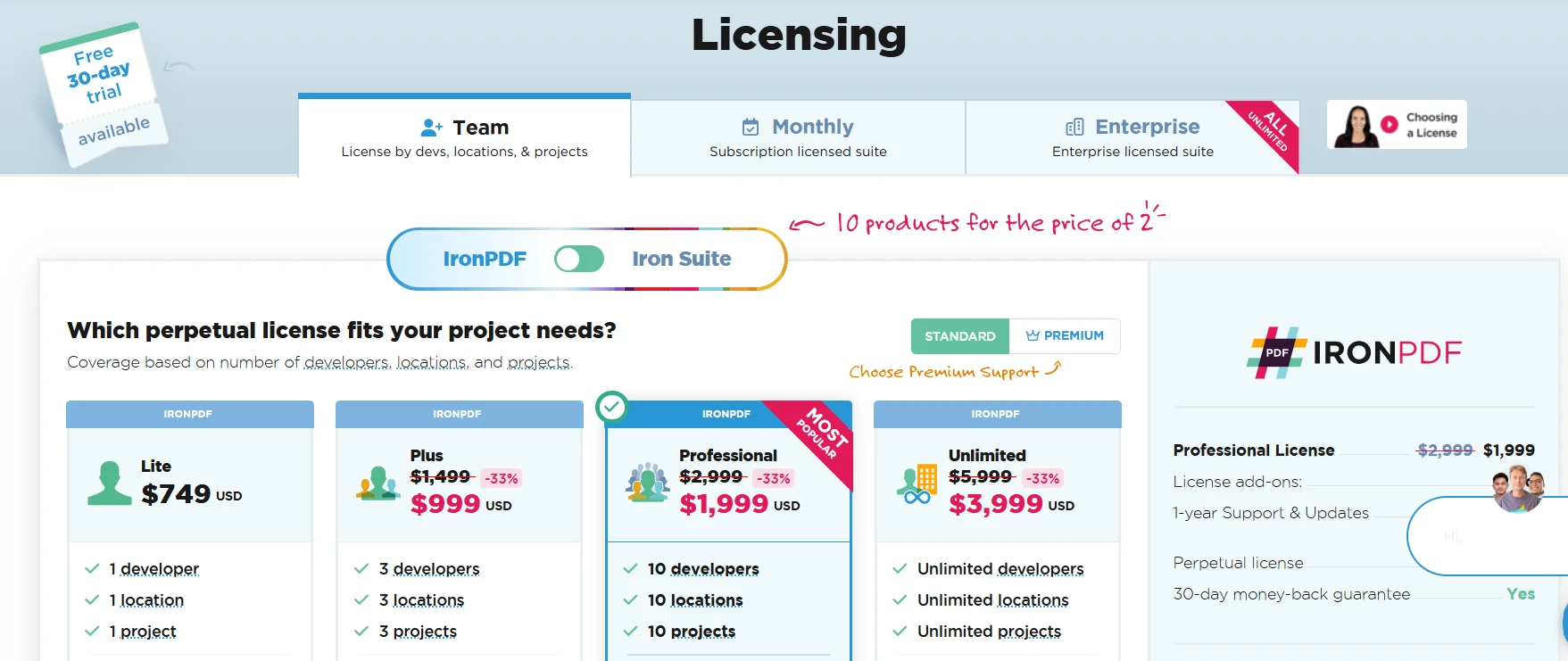
IronPdf.License.LicenseKey = "YOUR-LICENSE-KEY";IronPdf.License.LicenseKey = "YOUR-LICENSE-KEY";IronPdf.License.LicenseKey = "YOUR-LICENSE-KEY"Odwiedź stronę licencyjną, aby uzyskać szczegółowe informacje na temat dostępnych opcji. Pobierz bezpłatną wersję próbną IronPDF i skonfiguruj pliki PDF, korzystając z profesjonalnych funkcji porównawczych.
Najlepsze praktyki
- Jeśli korzystasz z funkcji śledzenia zmian, zaakceptuj wszystkie poprawki przed porównaniem.
- Opracowanie obsługi błędów dla kluczowych operacji na plikach
- Zwiększ wydajność, tworząc porównania dla poszczególnych stron w przypadku dużych dokumentów
- Asynchroniczne porównywanie wielu dokumentów PDF
- Regularnie aktualizuj bibliotekę, aby uzyskać dostęp do najnowszych funkcji i wsparcia
Wnioski
IronPDF upraszcza proces porównywania dwóch plików PDF przy użyciu języka C# dzięki intuicyjnemu interfejsowi API i zaawansowanym możliwościom ekstrakcji danych. Od podstawowego porównania po tworzenie szczegółowych raportów — IronPDF zapewnia wszystkie narzędzia potrzebne do solidnych procesów porównywania dokumentów.
Połączenie łatwej instalacji, wszechstronnej funkcjonalności i obsługi wielu platform sprawia, że IronPDF jest idealnym wyborem dla programistów wdrażających porównywanie plików PDF w aplikacjach .NET. Niezależnie od tego, czy tworzysz systemy zarządzania dokumentami, czy rozwiązania do kontroli wersji, proste podejście IronPDF pozwoli Ci szybko rozpocząć pracę.
Rozpocznij bezpłatny okres próbny IronPDF już dziś i wdrażaj profesjonalne funkcje porównywania plików PDF. Dzięki pełnemu wsparciu technicznemu i obszernej dokumentacji w ciągu kilku godzin uzyskasz funkcjonalność gotową do wdrożenia. Aby dowiedzieć się więcej o zaawansowanych funkcjach, zapoznaj się z pełną dokumentacją.
Często Zadawane Pytania
Czym jest IronPDF i w jaki sposób pomaga w porównywaniu plików PDF?
IronPDF to biblioteka .NET, która udostępnia narzędzia do pracy z plikami PDF, w tym funkcje programowego porównywania dwóch dokumentów PDF pod kątem różnic w treści lub strukturze.
Czy IronPDF może zaznaczyć różnice między dwoma plikami PDF?
Tak, IronPDF może zaznaczyć różnice między dwoma plikami PDF, porównując ich zawartość i dostarczając szczegółowy raport zmian lub rozbieżności.
Czy potrzebuję zaawansowanej znajomości języka C#, aby porównywać pliki PDF za pomocą IronPDF?
Nie, nie potrzebujesz zaawansowanych umiejętności w zakresie języka C#. IronPDF oferuje proste i intuicyjne metody porównywania plików PDF, dzięki czemu jest dostępny dla programistów o różnym poziomie umiejętności.
Czy za pomocą IronPDF można porównywać zaszyfrowane pliki PDF?
Tak, IronPDF obsługuje porównywanie zaszyfrowanych plików PDF, o ile podane zostanie prawidłowe hasło umożliwiające dostęp do treści dokumentów.
Jakie różnice może wykryć IronPDF między dwoma plikami PDF?
IronPDF potrafi wykrywać różne różnice, w tym zmiany w tekście, modyfikacje obrazów oraz zmiany strukturalne, takie jak zmiany w układzie lub formatowaniu.
Czy IronPDF można zintegrować z istniejącymi aplikacjami C#?
Tak, IronPDF można łatwo zintegrować z istniejącymi aplikacjami C#, co pozwala programistom na dodanie funkcji porównywania plików PDF bez konieczności wprowadzania znaczących zmian w kodzie źródłowym.
Czy IronPDF jest kompatybilny z innymi aplikacjami .NET?
IronPDF został zaprojektowany tak, aby był kompatybilny ze wszystkimi aplikacjami .NET, zapewniając płynne działanie programistom pracującym w środowisku .NET Framework.
Czy IronPDF obsługuje porównawcze przetwarzanie wielu plików PDF?
Tak, IronPDF obsługuje przetwarzanie wsadowe, umożliwiając programistom porównywanie wielu plików PDF w ramach jednej operacji, co jest przydatne przy obsłudze dużych ilości dokumentów.
W jaki sposób IronPDF zapewnia dokładność porównań plików PDF?
IronPDF wykorzystuje zaawansowane algorytmy, aby zapewnić dokładne i wiarygodne porównania, analizując zarówno tekst, jak i elementy wizualne w celu zidentyfikowania wszelkich rozbieżności.
Jaki jest pierwszy krok, aby rozpocząć korzystanie z IronPDF do porównywania plików PDF w języku C#?
Pierwszym krokiem jest zainstalowanie biblioteki IronPDF za pomocą menedżera pakietów NuGet w środowisku programistycznym C#, co zapewnia wszystkie narzędzia niezbędne do rozpoczęcia porównywania plików PDF.










 Rozpocznij za DARMO
 Rozpocznij za DARMO
 Zarezerwuj darmowe Demo na żywo





 Nie wymaga karty kredytowej ani tworzenia konta










