




更新日 2026年9月4日
月次口座明細書をPDF文書として生成する
IronPDF C# PDFライブラリを使用することで、開発者は外部サービスに依存することなく、.NETプロジェクト内でHTMLを信頼性の高いPDFファイルに変換することができます。
詳しく読む

PDF ドキュメントをプログラムで比較することは、変更の追跡、異なるバージョンの検証、品質保証ワークフローの自動化に不可欠です。 ドキュメント管理のために 2 つの PDF ファイルを比較する必要がある場合でも、契約書の改訂の違いを見つける必要がある場合でも、 IronPDF はC# で PDF ファイルを比較するための合理化されたソリューションを提供します。
このチュートリアルでは、基本的な比較から詳細な差異レポートの作成まで、IronPDF のテキスト抽出機能を使用して 2 つの PDF ドキュメントを比較する方法を説明します。 Windows、Linux、macOS、Docker、クラウド プラットフォームで動作するコード例を使用して、実用的なテクニックを学習します。
始める前に、以下がインストールされていることを確認してください。
NuGetパッケージマネージャーを使用して、.NETプロジェクトにIronPDFをインストールします:
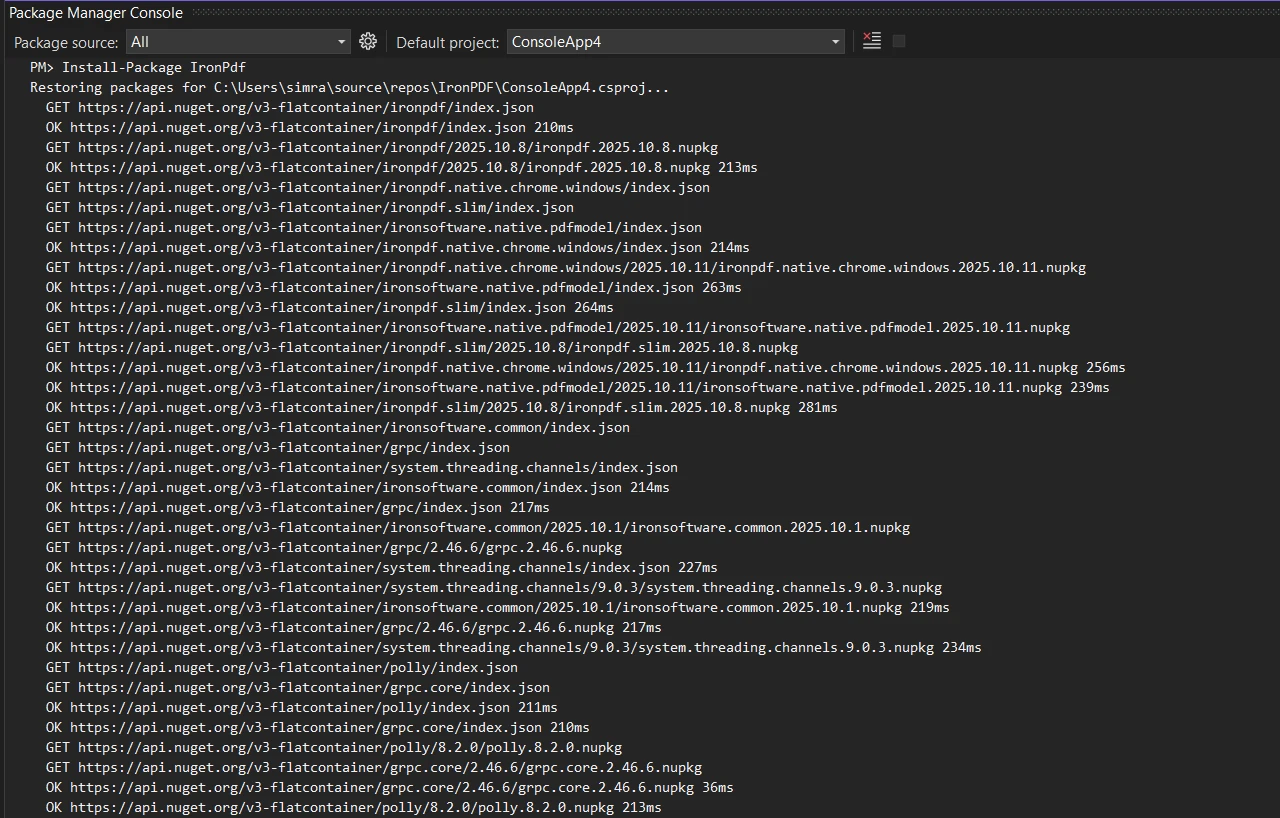
または.NET CLIを使用して:
必要な名前空間参照をファイルに追加します:
using IronPdf;
using System;Imports IronPdf
Imports System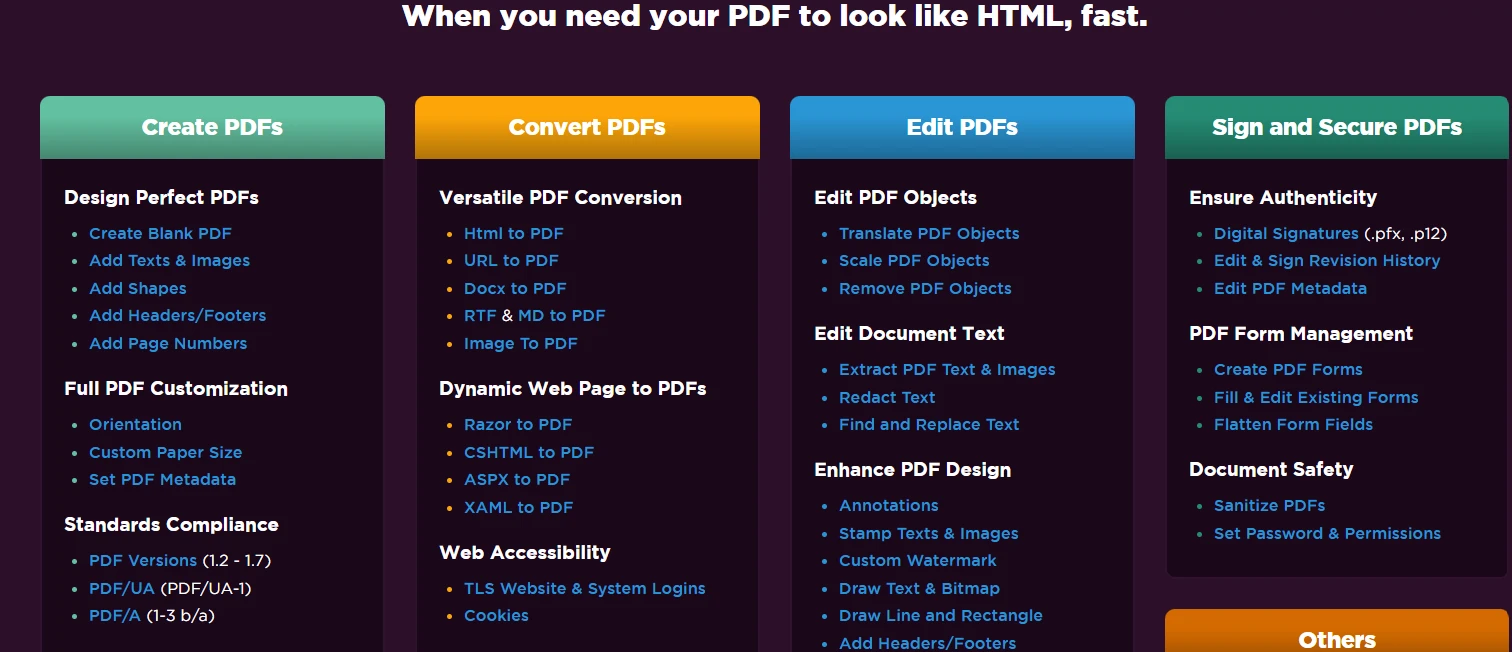
PDFファイルをそのテキスト内容を抽出して比較するサンプルコードから始めましょう:
public class BasicPdfComparer
{
    public static bool ComparePdfFiles(string firstPdfPath, string secondPdfPath)
    {
        // Load two PDF documents
        var pdf1 = PdfDocument.FromFile(firstPdfPath);
        var pdf2 = PdfDocument.FromFile(secondPdfPath);
        // Extract all text from both PDFs
        string text1 = pdf1.ExtractAllText();
        string text2 = pdf2.ExtractAllText();
        // Compare the two documents
        bool areIdentical = text1 == text2;
        // Find differences and calculate similarity
        double similarity = CalculateSimilarity(text1, text2);
        Console.WriteLine($"Documents are {(areIdentical ? "identical" : "different")}");
        Console.WriteLine($"Similarity: {similarity:F2}%");
        return areIdentical;
    }
    private static double CalculateSimilarity(string text1, string text2)
    {
        if (text1 == text2) return 100.0;
        if (string.IsNullOrEmpty(text1) || string.IsNullOrEmpty(text2)) return 0.0;
        int matchingChars = 0;
        int minLength = Math.Min(text1.Length, text2.Length);
        for (int i = 0; i < minLength; i++)
        {
            if (text1[i] == text2[i]) matchingChars++;
        }
        return (double)matchingChars / Math.Max(text1.Length, text2.Length) * 100;
    }
}Imports System
Public Class BasicPdfComparer
Public Shared Function ComparePdfFiles(firstPdfPath As String, secondPdfPath As String) As Boolean
' Load two PDF documents
Dim pdf1 = PdfDocument.FromFile(firstPdfPath)
Dim pdf2 = PdfDocument.FromFile(secondPdfPath)
' Extract all text from both PDFs
Dim text1 As String = pdf1.ExtractAllText()
Dim text2 As String = pdf2.ExtractAllText()
' Compare the two documents
Dim areIdentical As Boolean = text1 = text2
' Find differences and calculate similarity
Dim similarity As Double = CalculateSimilarity(text1, text2)
Console.WriteLine($"Documents are {(If(areIdentical, "identical", "different"))}")
Console.WriteLine($"Similarity: {similarity:F2}%")
Return areIdentical
End Function
Private Shared Function CalculateSimilarity(text1 As String, text2 As String) As Double
If text1 = text2 Then Return 100.0
If String.IsNullOrEmpty(text1) OrElse String.IsNullOrEmpty(text2) Then Return 0.0
Dim matchingChars As Integer = 0
Dim minLength As Integer = Math.Min(text1.Length, text2.Length)
For i As Integer = 0 To minLength - 1
If text1(i) = text2(i) Then matchingChars += 1
Next
Return matchingChars / Math.Max(text1.Length, text2.Length) * 100
End Function
End ClassこのコードはIroPDFのPdfDocument.FromFile()メソッドを使用して2つのPDFファイルを読み込み、すべてのテキストコンテンツを抽出し、直接的な文字列比較を実行します。 この比較メソッドは、ドキュメントがどの程度一致しているかを識別する指標を提供します。
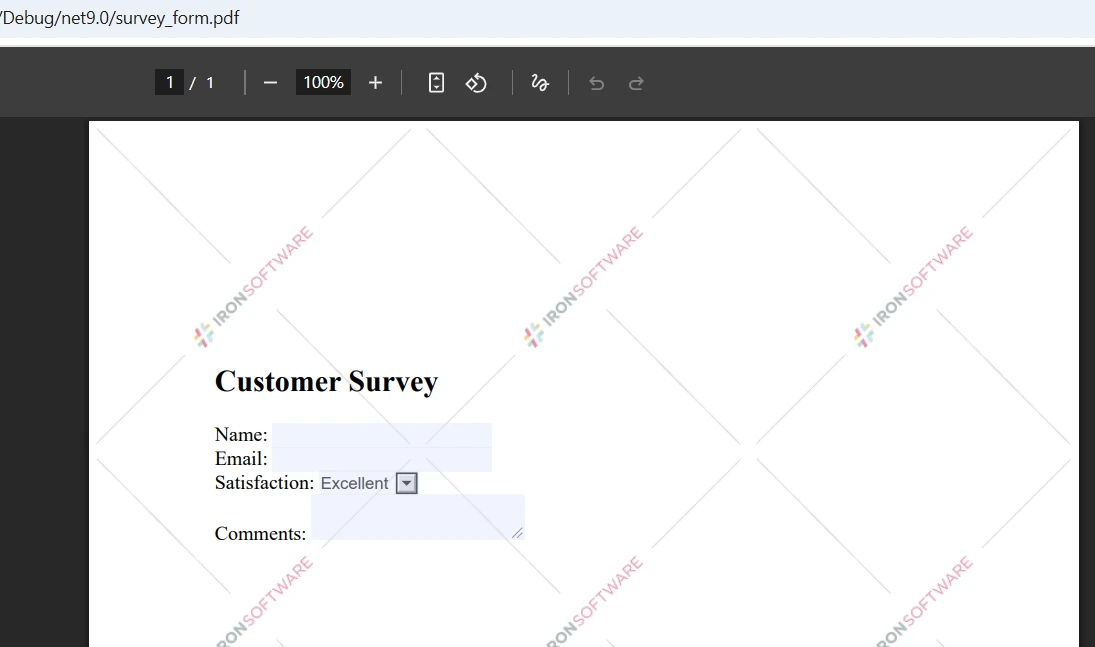
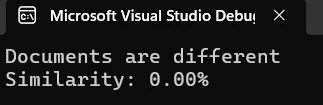
より詳細な分析が必要な場合は、ページごとに2つのPDFを比較して正確にどこで違いが生じているかを特定します:
public static void ComparePageByPage(string firstPdfPath, string secondPdfPath)
{
    // Load two files
    var pdf1 = PdfDocument.FromFile(firstPdfPath);
    var pdf2 = PdfDocument.FromFile(secondPdfPath);
    int maxPages = Math.Max(pdf1.PageCount, pdf2.PageCount);
    int differencesFound = 0;
    for (int i = 0; i < maxPages; i++)
    {
        // Process each page
        string page1Text = i < pdf1.PageCount ? pdf1.ExtractTextFromPage(i) : "";
        string page2Text = i < pdf2.PageCount ? pdf2.ExtractTextFromPage(i) : "";
        if (page1Text != page2Text)
        {
            differencesFound++;
            Console.WriteLine($"Page {i + 1}: Differences detected");
        }
        else
        {
            Console.WriteLine($"Page {i + 1}: Identical");
        }
    }
    Console.WriteLine($"\nSummary: {differencesFound} page(s) with changes");
}Public Shared Sub ComparePageByPage(firstPdfPath As String, secondPdfPath As String)
' Load two files
Dim pdf1 = PdfDocument.FromFile(firstPdfPath)
Dim pdf2 = PdfDocument.FromFile(secondPdfPath)
Dim maxPages As Integer = Math.Max(pdf1.PageCount, pdf2.PageCount)
Dim differencesFound As Integer = 0
For i As Integer = 0 To maxPages - 1
' Process each page
Dim page1Text As String = If(i < pdf1.PageCount, pdf1.ExtractTextFromPage(i), "")
Dim page2Text As String = If(i < pdf2.PageCount, pdf2.ExtractTextFromPage(i), "")
If page1Text <> page2Text Then
differencesFound += 1
Console.WriteLine($"Page {i + 1}: Differences detected")
Else
Console.WriteLine($"Page {i + 1}: Identical")
End If
Next
Console.WriteLine(vbCrLf & $"Summary: {differencesFound} page(s) with changes")
End SubExtractTextFromPage()メソッドは特定のページからのターゲット抽出を可能にします。 この方法は、開発者が異なるバージョンのPDFドキュメント間の不一致を特定するのに役立ちます。
比較機能を向上させるための専用のComparerクラスを作成します:
public class PdfComparer
{
    private PdfDocument pdf1;
    private PdfDocument pdf2;
    private bool disposed;
    public PdfComparer(string file1Path, string file2Path)
    {
        // Load the two PDFs
        pdf1 = PdfDocument.FromFile(file1Path);
        pdf2 = PdfDocument.FromFile(file2Path);
    }
    public ComparisonResult Compare()
    {
        var result = new ComparisonResult();
        // Compare PDF documents
        string text1 = pdf1?.ExtractAllText() ?? string.Empty;
        string text2 = pdf2?.ExtractAllText() ?? string.Empty;
        result.AreIdentical = string.Equals(text1, text2, StringComparison.Ordinal);
        result.SimilarityPercent = CalculateSimilarity(text1, text2);
        result.Differences = FindDifferences(text1, text2);
        return result;
    }
    private List<string> FindDifferences(string text1, string text2)
    {
        var differences = new List<string>();
        // Normalize nulls
        text1 ??= string.Empty;
        text2 ??= string.Empty;
        if (string.Equals(text1, text2, StringComparison.Ordinal))
            return differences;
        // Page-aware comparisons aren't possible here because we only have full-text;
        // produce a concise, actionable difference entry:
        int min = Math.Min(text1.Length, text2.Length);
        int firstDiff = -1;
        for (int i = 0; i < min; i++)
        {
            if (text1[i] != text2[i])
            {
                firstDiff = i;
                break;
            }
        }
        if (firstDiff == -1 && text1.Length != text2.Length)
        {
            // No differing character in the overlap, but lengths differ
            firstDiff = min;
        }
        // Create short excerpts around the first difference for context
        int excerptLength = 200;
        string excerpt1 = string.Empty;
        string excerpt2 = string.Empty;
        if (firstDiff >= 0)
        {
            int start1 = Math.Max(0, firstDiff);
            int len1 = Math.Min(excerptLength, Math.Max(0, text1.Length - start1));
            excerpt1 = start1 < text1.Length ? text1.Substring(start1, len1) : string.Empty;
            int start2 = Math.Max(0, firstDiff);
            int len2 = Math.Min(excerptLength, Math.Max(0, text2.Length - start2));
            excerpt2 = start2 < text2.Length ? text2.Substring(start2, len2) : string.Empty;
        }
        // HTML-encode excerpts if they will be embedded into HTML reports
        string safeExcerpt1 = System.Net.WebUtility.HtmlEncode(excerpt1);
        string safeExcerpt2 = System.Net.WebUtility.HtmlEncode(excerpt2);
        double similarity = CalculateSimilarity(text1, text2);
        differences.Add($"Similarity: {similarity:F2}%. Lengths: [{text1.Length}, {text2.Length}]. First difference index: {firstDiff}. Excerpt1: \"{safeExcerpt1}\" Excerpt2: \"{safeExcerpt2}\"");
        return differences;
    }
    public void Close()
    {
        Dispose();
    }
    public void Dispose()
    {
        if (disposed) return;
        disposed = true;
        pdf1?.Dispose();
        pdf2?.Dispose();
    }
}
public class ComparisonResult
{
    // True when extracted text is exactly the same
    public bool AreIdentical { get; set; }
    // Similarity expressed as percent (0..100)
    public double SimilarityPercent { get; set; }
    // Human readable difference entries
    public List<string> Differences { get; set; } = new List<string>();
}Imports System
Imports System.Collections.Generic
Imports System.Net
Public Class PdfComparer
Implements IDisposable
Private pdf1 As PdfDocument
Private pdf2 As PdfDocument
Private disposed As Boolean
Public Sub New(file1Path As String, file2Path As String)
' Load the two PDFs
pdf1 = PdfDocument.FromFile(file1Path)
pdf2 = PdfDocument.FromFile(file2Path)
End Sub
Public Function Compare() As ComparisonResult
Dim result As New ComparisonResult()
' Compare PDF documents
Dim text1 As String = If(pdf1?.ExtractAllText(), String.Empty)
Dim text2 As String = If(pdf2?.ExtractAllText(), String.Empty)
result.AreIdentical = String.Equals(text1, text2, StringComparison.Ordinal)
result.SimilarityPercent = CalculateSimilarity(text1, text2)
result.Differences = FindDifferences(text1, text2)
Return result
End Function
Private Function FindDifferences(text1 As String, text2 As String) As List(Of String)
Dim differences As New List(Of String)()
' Normalize nulls
text1 = If(text1, String.Empty)
text2 = If(text2, String.Empty)
If String.Equals(text1, text2, StringComparison.Ordinal) Then
Return differences
End If
' Page-aware comparisons aren't possible here because we only have full-text;
' produce a concise, actionable difference entry:
Dim min As Integer = Math.Min(text1.Length, text2.Length)
Dim firstDiff As Integer = -1
For i As Integer = 0 To min - 1
If text1(i) <> text2(i) Then
firstDiff = i
Exit For
End If
Next
If firstDiff = -1 AndAlso text1.Length <> text2.Length Then
' No differing character in the overlap, but lengths differ
firstDiff = min
End If
' Create short excerpts around the first difference for context
Dim excerptLength As Integer = 200
Dim excerpt1 As String = String.Empty
Dim excerpt2 As String = String.Empty
If firstDiff >= 0 Then
Dim start1 As Integer = Math.Max(0, firstDiff)
Dim len1 As Integer = Math.Min(excerptLength, Math.Max(0, text1.Length - start1))
excerpt1 = If(start1 < text1.Length, text1.Substring(start1, len1), String.Empty)
Dim start2 As Integer = Math.Max(0, firstDiff)
Dim len2 As Integer = Math.Min(excerptLength, Math.Max(0, text2.Length - start2))
excerpt2 = If(start2 < text2.Length, text2.Substring(start2, len2), String.Empty)
End If
' HTML-encode excerpts if they will be embedded into HTML reports
Dim safeExcerpt1 As String = WebUtility.HtmlEncode(excerpt1)
Dim safeExcerpt2 As String = WebUtility.HtmlEncode(excerpt2)
Dim similarity As Double = CalculateSimilarity(text1, text2)
differences.Add($"Similarity: {similarity:F2}%. Lengths: [{text1.Length}, {text2.Length}]. First difference index: {firstDiff}. Excerpt1: ""{safeExcerpt1}"" Excerpt2: ""{safeExcerpt2}""")
Return differences
End Function
Public Sub Close()
Dispose()
End Sub
Public Sub Dispose() Implements IDisposable.Dispose
If disposed Then Return
disposed = True
pdf1?.Dispose()
pdf2?.Dispose()
End Sub
End Class
Public Class ComparisonResult
' True when extracted text is exactly the same
Public Property AreIdentical As Boolean
' Similarity expressed as percent (0..100)
Public Property SimilarityPercent As Double
' Human readable difference entries
Public Property Differences As List(Of String) = New List(Of String)()
End Classこのクラス構造は、ドキュメントオブジェクトと参照を適切に管理しながらPDFドキュメントをクリーンに比較する方法を提供します。
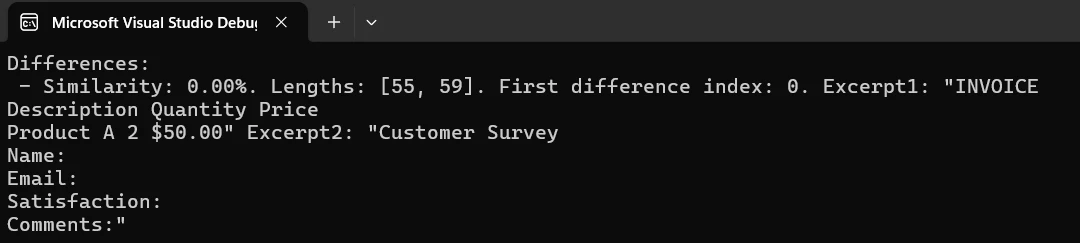
2つのドキュメント間の違いを強調するHTMLベースのレポートを作成し、それをPDFファイルとして保存します:
public static void CreateComparisonReport(string pdf1Path, string pdf2Path, string outputPath)
{
    // Load PDFs for comparison
    var pdf1 = PdfDocument.FromFile(pdf1Path);
    var pdf2 = PdfDocument.FromFile(pdf2Path);
    // Build HTML report with details
    string htmlReport = @"
        <html>
        <head>
            <style>
                body { font-family: Arial, sans-serif; margin: 20px; }
                .identical { color: green; }
                .different { color: red; }
                table { width: 100%; border-collapse: collapse; }
                th, td { border: 1px solid #ddd; padding: 8px; }
            </style>
        </head>
        <body>
            <h1>PDF Comparison Report</h1>
            <table>
                <tr><th>Page</th><th>Status</th></tr>";
    // Process each page
    for (int i = 0; i < Math.Max(pdf1.PageCount, pdf2.PageCount); i++)
    {
        string page1 = i < pdf1.PageCount ? pdf1.ExtractTextFromPage(i) : "";
        string page2 = i < pdf2.PageCount ? pdf2.ExtractTextFromPage(i) : "";
        bool identical = page1 == page2;
        string status = identical ? "Identical" : "Different";
        htmlReport += $"<tr><td>Page {i + 1}</td><td class='{status.ToLower()}'>{status}</td></tr>";
    }
    htmlReport += "</table></body></html>";
    // Create and save the report
    var renderer = new ChromePdfRenderer();
    var reportPdf = renderer.RenderHtmlAsPdf(htmlReport);
    reportPdf.SaveAs(outputPath);
    Console.WriteLine($"Report saved to: {outputPath}");
}Imports System
Public Shared Sub CreateComparisonReport(pdf1Path As String, pdf2Path As String, outputPath As String)
' Load PDFs for comparison
Dim pdf1 = PdfDocument.FromFile(pdf1Path)
Dim pdf2 = PdfDocument.FromFile(pdf2Path)
' Build HTML report with details
Dim htmlReport As String = "
<html>
<head>
<style>
body { font-family: Arial, sans-serif; margin: 20px; }
.identical { color: green; }
.different { color: red; }
table { width: 100%; border-collapse: collapse; }
th, td { border: 1px solid #ddd; padding: 8px; }
</style>
</head>
<body>
<h1>PDF Comparison Report</h1>
<table>
<tr><th>Page</th><th>Status</th></tr>"
' Process each page
For i As Integer = 0 To Math.Max(pdf1.PageCount, pdf2.PageCount) - 1
Dim page1 As String = If(i < pdf1.PageCount, pdf1.ExtractTextFromPage(i), "")
Dim page2 As String = If(i < pdf2.PageCount, pdf2.ExtractTextFromPage(i), "")
Dim identical As Boolean = page1 = page2
Dim status As String = If(identical, "Identical", "Different")
htmlReport &= $"<tr><td>Page {i + 1}</td><td class='{status.ToLower()}'>{status}</td></tr>"
Next
htmlReport &= "</table></body></html>"
' Create and save the report
Dim renderer = New ChromePdfRenderer()
Dim reportPdf = renderer.RenderHtmlAsPdf(htmlReport)
reportPdf.SaveAs(outputPath)
Console.WriteLine($"Report saved to: {outputPath}")
End Subこのコードは比較結果を含むプロフェッショナルなPDFドキュメントを作成する方法を示しています。 レポートは指定されたパスに保存されます。
複数のPDFドキュメントを同時に比較する必要がある場合は、次の方法を使用します:
public static void CompareMultiplePdfs(params string[] pdfPaths)
{
    if (pdfPaths.Length < 2)
    {
        Console.WriteLine("Need at least two files to compare");
        return;
    }
    // Load multiple PDF documents
    var pdfs = new List<PdfDocument>();
    foreach (var path in pdfPaths)
    {
        pdfs.Add(PdfDocument.FromFile(path));
    }
    // Compare all documents
    for (int i = 0; i < pdfs.Count - 1; i++)
    {
        for (int j = i + 1; j < pdfs.Count; j++)
        {
            string text1 = pdfs[i].ExtractAllText();
            string text2 = pdfs[j].ExtractAllText();
            bool identical = text1 == text2;
            Console.WriteLine($"File {i+1} vs File {j+1}: {(identical ? "Identical" : "Different")}");
        }
    }
    // Close all documents
    pdfs.ForEach(pdf => pdf.Dispose());
}Imports System
Imports System.Collections.Generic
Public Shared Sub CompareMultiplePdfs(ParamArray pdfPaths As String())
If pdfPaths.Length < 2 Then
Console.WriteLine("Need at least two files to compare")
Return
End If
' Load multiple PDF documents
Dim pdfs As New List(Of PdfDocument)()
For Each path As String In pdfPaths
pdfs.Add(PdfDocument.FromFile(path))
Next
' Compare all documents
For i As Integer = 0 To pdfs.Count - 2
For j As Integer = i + 1 To pdfs.Count - 1
Dim text1 As String = pdfs(i).ExtractAllText()
Dim text2 As String = pdfs(j).ExtractAllText()
Dim identical As Boolean = text1 = text2
Console.WriteLine($"File {i + 1} vs File {j + 1}: {(If(identical, "Identical", "Different"))}")
Next
Next
' Close all documents
pdfs.ForEach(Sub(pdf) pdf.Dispose())
End Subこのアプローチは一度に複数のPDFドキュメントを比較することを可能にし、バッチ処理の要件に役立ちます。
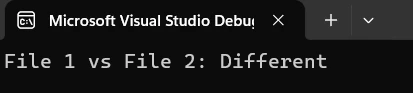
法的文書での改訂を追跡するための実用的な例です:
public class ContractVersionControl
{
    public static void CompareContractVersions(string originalPath, string revisedPath)
    {
        // System for comparing contract versions
        Console.WriteLine("Contract Version Comparison System");
        var original = PdfDocument.FromFile(originalPath);
        var revised = PdfDocument.FromFile(revisedPath);
        // Extract contract contents
        string originalText = original.ExtractAllText();
        string revisedText = revised.ExtractAllText();
        if (originalText == revisedText)
        {
            Console.WriteLine("No changes detected");
        }
        else
        {
            Console.WriteLine("Changes detected in revised version");
            // Create detailed report
            string reportPath = $"contract_comparison_{DateTime.Now:yyyyMMdd}.pdf";
            CreateComparisonReport(originalPath, revisedPath, reportPath);
            Console.WriteLine($"Report created: {reportPath}");
        }
        // Close documents
        original.Dispose();
        revised.Dispose();
    }
}Public Class ContractVersionControl
Public Shared Sub CompareContractVersions(originalPath As String, revisedPath As String)
' System for comparing contract versions
Console.WriteLine("Contract Version Comparison System")
Dim original = PdfDocument.FromFile(originalPath)
Dim revised = PdfDocument.FromFile(revisedPath)
' Extract contract contents
Dim originalText As String = original.ExtractAllText()
Dim revisedText As String = revised.ExtractAllText()
If originalText = revisedText Then
Console.WriteLine("No changes detected")
Else
Console.WriteLine("Changes detected in revised version")
' Create detailed report
Dim reportPath As String = $"contract_comparison_{DateTime.Now:yyyyMMdd}.pdf"
CreateComparisonReport(originalPath, revisedPath, reportPath)
Console.WriteLine($"Report created: {reportPath}")
End If
' Close documents
original.Dispose()
revised.Dispose()
End Sub
End Classこれにより、2つのPDF契約バージョンを比較し、レビュー用のレポートを生成する方法が示されます。 システムは自動的に変更を検出し、ドキュメントを作成します。
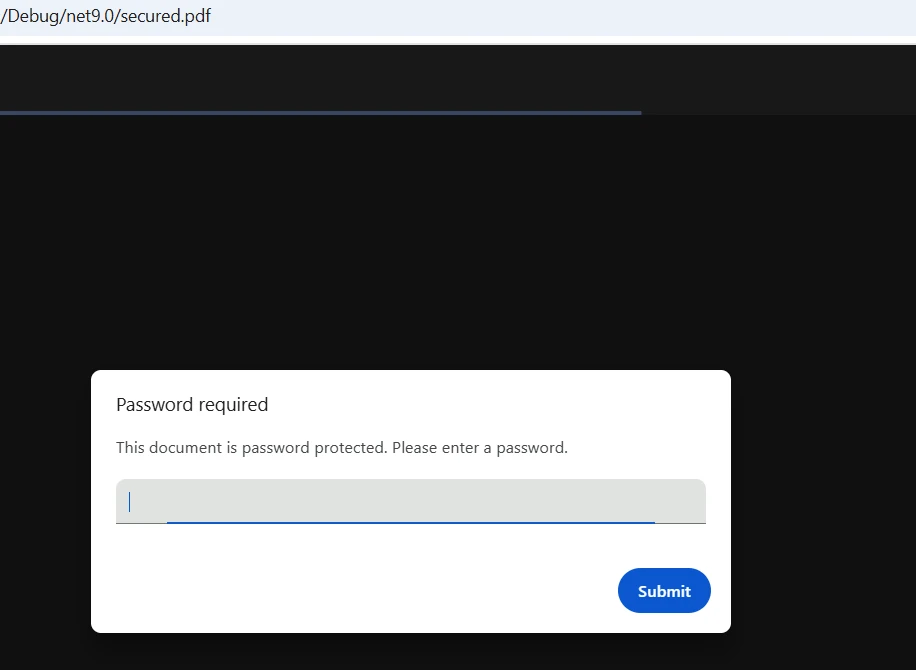
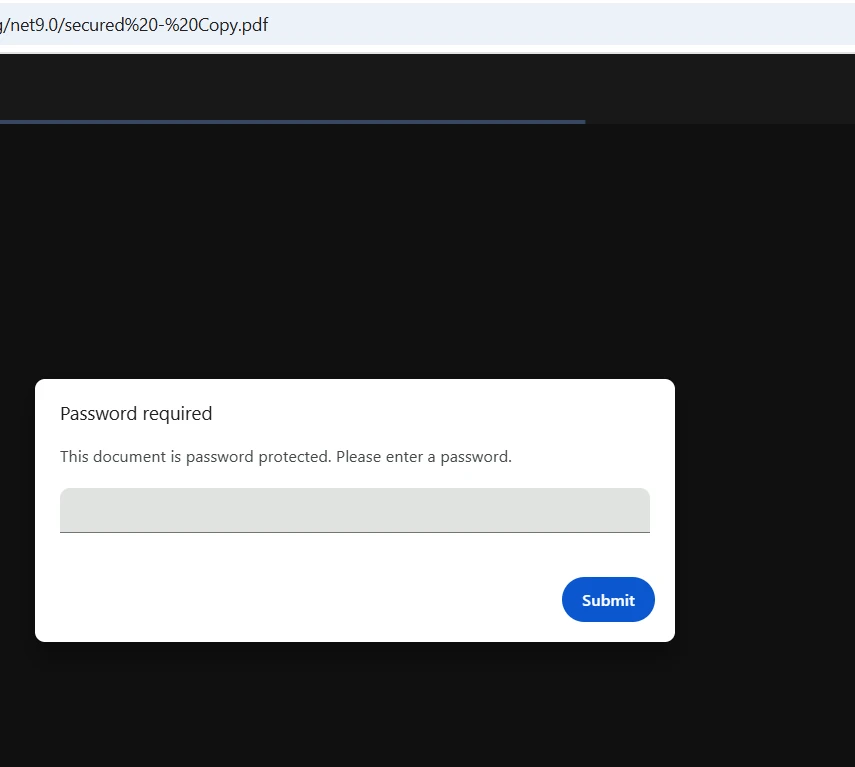
IronPDFは、ロードメソッドを呼び出す際にパスワードを渡すことで、暗号化されたPDFファイルをシームレスに処理します:
public static bool CompareProtectedPdfs(string pdf1Path, string pass1,
                                        string pdf2Path, string pass2)
{
    // Load password-protected two PDFs
    var pdf1 = PdfDocument.FromFile(pdf1Path, pass1);
    var pdf2 = PdfDocument.FromFile(pdf2Path, pass2);
    // Extract and compare text
    string text1 = pdf1.ExtractAllText();
    string text2 = pdf2.ExtractAllText();
    bool result = text1 == text2;
    // Close and dispose
    pdf1.Dispose();
    pdf2.Dispose();
    return result;
}Public Shared Function CompareProtectedPdfs(pdf1Path As String, pass1 As String, pdf2Path As String, pass2 As String) As Boolean
' Load password-protected two PDFs
Dim pdf1 = PdfDocument.FromFile(pdf1Path, pass1)
Dim pdf2 = PdfDocument.FromFile(pdf2Path, pass2)
' Extract and compare text
Dim text1 As String = pdf1.ExtractAllText()
Dim text2 As String = pdf2.ExtractAllText()
Dim result As Boolean = text1 = text2
' Close and dispose
pdf1.Dispose()
pdf2.Dispose()
Return result
End Function保護されたPDFを読み込む際にパスワードパラメータを単に渡します。 IronPDFは自動的に復号化を処理します。
.NETプロジェクトでPDF比較を実装するために次の手順に従います:
PdfDocumentのインスタンスを作成しますExtractAllText()のようなメソッドを使用して内容を取得します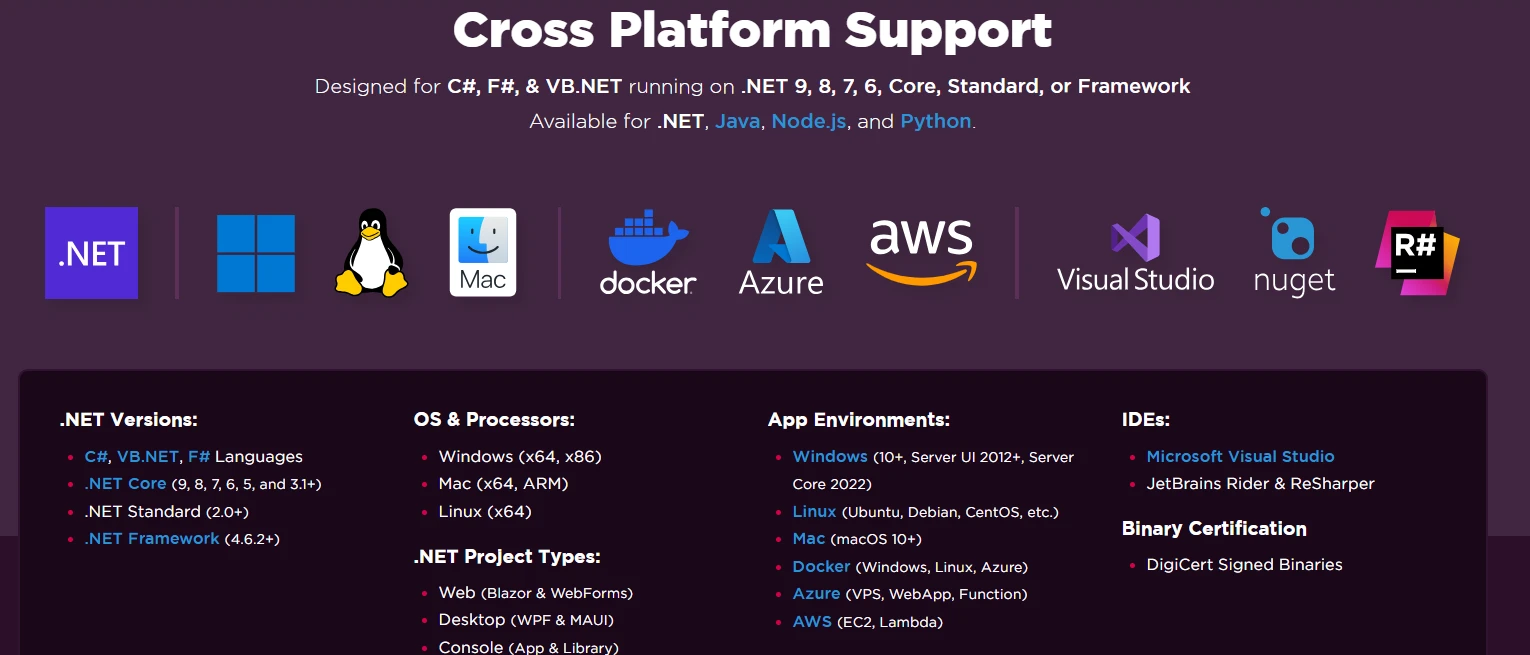
透かしなしでIronPDFを使用するために、ライセンスキーを設定します:
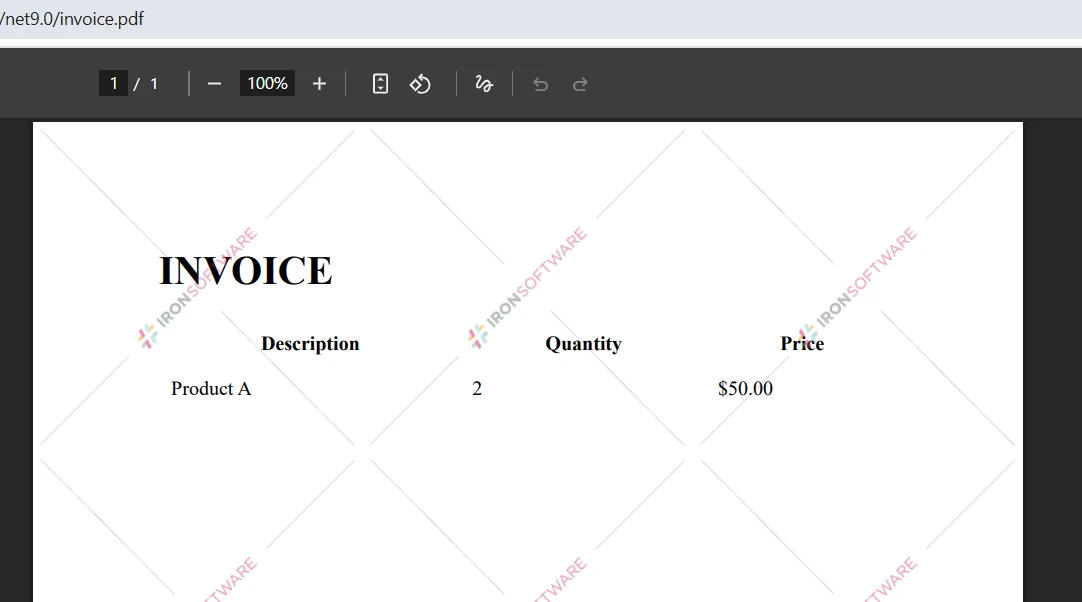
IronPdf.License.LicenseKey = "YOUR-LICENSE-KEY";IronPdf.License.LicenseKey = "YOUR-LICENSE-KEY"利用可能なオプションの詳細については、ライセンス ページをご覧ください。 IronPDF の無料トライアルをダウンロードし、プロフェッショナル グレードの比較機能を使用して PDF ファイルを設定します。
IronPDFはその直感的なAPIと強力な抽出機能で、C#を使用した2つのPDFファイルを比較するプロセスを簡素化します。 基本的な比較から詳細なレポートの作成まで、IronPDFは強力なドキュメント比較ワークフローに必要なすべてのツールを提供します。
容易なインストール、包括的な機能、クロスプラットフォームサポートの組み合わせにより、IronPDFは.NETアプリケーションにおけるPDF比較の実装に最適な選択肢です。 ドキュメント管理システムやバージョン管理ソリューションを開発する場合でも、IronPDFの簡単なアプローチが迅速に実行可能にします。
今すぐ IronPDF の無料トライアルを開始し、プロフェッショナルな PDF 比較機能を実装してください。 完全な技術サポートと広範なドキュメントがあれば、数時間で本番準備が整った機能を持つことができます。 高度な機能の詳細については、完全なドキュメントを参照してください。

Curtis Chauは、カールトン大学でコンピュータサイエンスの学士号を取得し、Node.js、TypeScript、JavaScript、およびReactに精通したフロントエンド開発を専門としています。直感的で美しいユーザーインターフェースを作成することに情熱を持ち、Curtisは現代のフレームワークを用いた開発や、構造の良い視覚的に魅力的なマニュアルの作成を楽しんでいます。

IronPDF はIRONSUITEの一部です
オフィス文書向けの.NET API製品10個

PDFがHTMLのように見える必要があるとき、迅速に。




