
已更新 2026年9月4日
產生每月帳戶報表(PDF 文件)
using IronPDF C# PDF 庫,開發人員可以在 .NET 專案中將 HTML 轉換為可靠的 PDF 文件,而無需依賴外部服務。
閱讀更多

程式化比較PDF文件對於追蹤變更、驗證不同版本以及自動化品質保證工作流程至關重要。 無論您是需要對文件管理中的兩個PDF檔進行比較,還是想找出合約修訂中的差異,IronPDF都提供了一個精簡的方案來比較C#中的PDF檔。
本教程演示如何使用IronPDF的文字提取功能來比較兩個PDF文件,從基本比較到建立詳細的差異報告。 您將學習含程式碼範例的實用技術,這些程式碼可在Windows、Linux、macOS、Docker和雲平台上運行。
開始之前,請確保您已安裝:
透過NuGet套件管理器在您的.NET專案中安裝IronPDF:
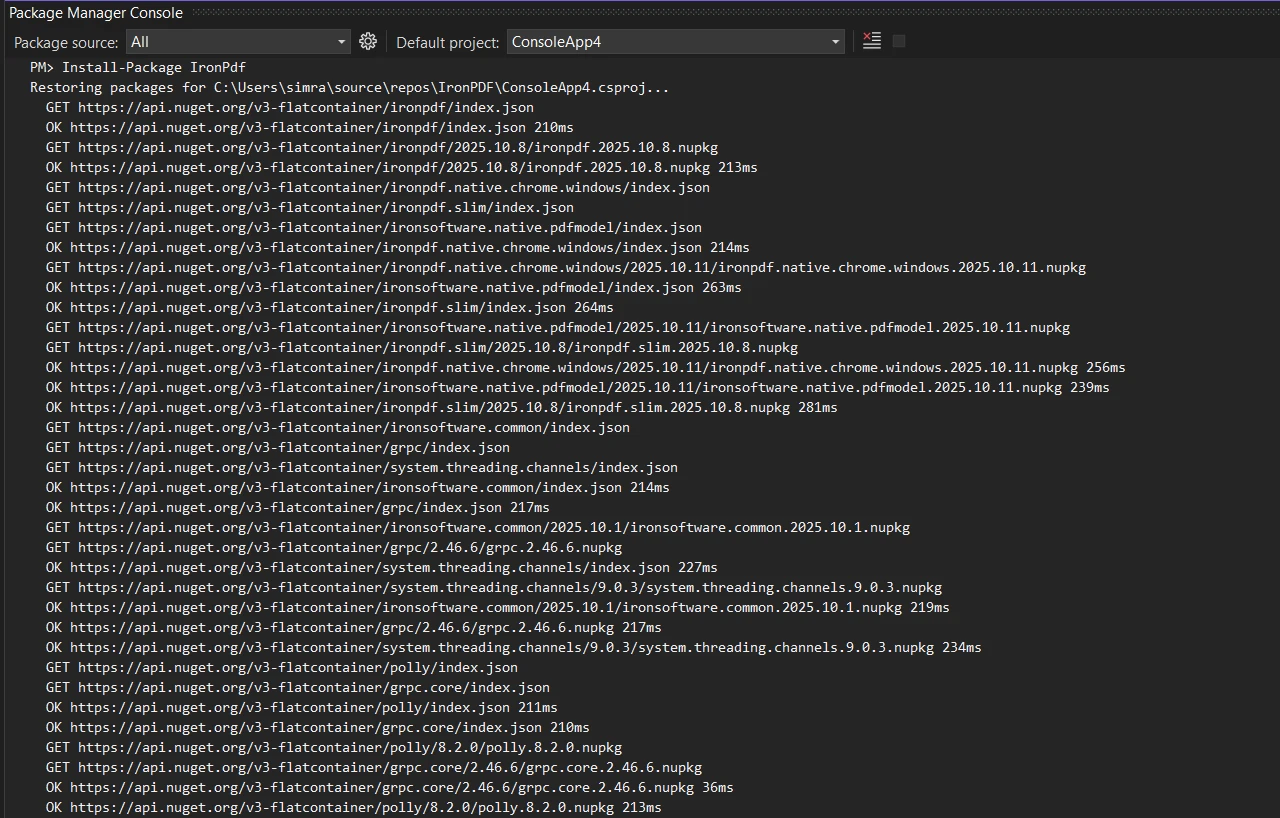
或使用.NET CLI:
在檔案中新增必要的命名空間參考:
using IronPdf;
using System;Imports IronPdf
Imports System
讓我們從範例程式碼開始,通過提取並比較其文字內容來比較PDF檔:
public class BasicPdfComparer
{
    public static bool ComparePdfFiles(string firstPdfPath, string secondPdfPath)
    {
        // Load two PDF documents
        var pdf1 = PdfDocument.FromFile(firstPdfPath);
        var pdf2 = PdfDocument.FromFile(secondPdfPath);
        // Extract all text from both PDFs
        string text1 = pdf1.ExtractAllText();
        string text2 = pdf2.ExtractAllText();
        // Compare the two documents
        bool areIdentical = text1 == text2;
        // Find differences and calculate similarity
        double similarity = CalculateSimilarity(text1, text2);
        Console.WriteLine($"Documents are {(areIdentical ? "identical" : "different")}");
        Console.WriteLine($"Similarity: {similarity:F2}%");
        return areIdentical;
    }
    private static double CalculateSimilarity(string text1, string text2)
    {
        if (text1 == text2) return 100.0;
        if (string.IsNullOrEmpty(text1) || string.IsNullOrEmpty(text2)) return 0.0;
        int matchingChars = 0;
        int minLength = Math.Min(text1.Length, text2.Length);
        for (int i = 0; i < minLength; i++)
        {
            if (text1[i] == text2[i]) matchingChars++;
        }
        return (double)matchingChars / Math.Max(text1.Length, text2.Length) * 100;
    }
}Imports System
Public Class BasicPdfComparer
Public Shared Function ComparePdfFiles(firstPdfPath As String, secondPdfPath As String) As Boolean
' Load two PDF documents
Dim pdf1 = PdfDocument.FromFile(firstPdfPath)
Dim pdf2 = PdfDocument.FromFile(secondPdfPath)
' Extract all text from both PDFs
Dim text1 As String = pdf1.ExtractAllText()
Dim text2 As String = pdf2.ExtractAllText()
' Compare the two documents
Dim areIdentical As Boolean = text1 = text2
' Find differences and calculate similarity
Dim similarity As Double = CalculateSimilarity(text1, text2)
Console.WriteLine($"Documents are {(If(areIdentical, "identical", "different"))}")
Console.WriteLine($"Similarity: {similarity:F2}%")
Return areIdentical
End Function
Private Shared Function CalculateSimilarity(text1 As String, text2 As String) As Double
If text1 = text2 Then Return 100.0
If String.IsNullOrEmpty(text1) OrElse String.IsNullOrEmpty(text2) Then Return 0.0
Dim matchingChars As Integer = 0
Dim minLength As Integer = Math.Min(text1.Length, text2.Length)
For i As Integer = 0 To minLength - 1
If text1(i) = text2(i) Then matchingChars += 1
Next
Return matchingChars / Math.Max(text1.Length, text2.Length) * 100
End Function
End Class此程式碼使用IronPDF的PdfDocument.FromFile()方法載入兩個PDF文件,提取所有文字內容,並執行直接的字串比較。 比較方法提供了指標來識別文件間的相似度。
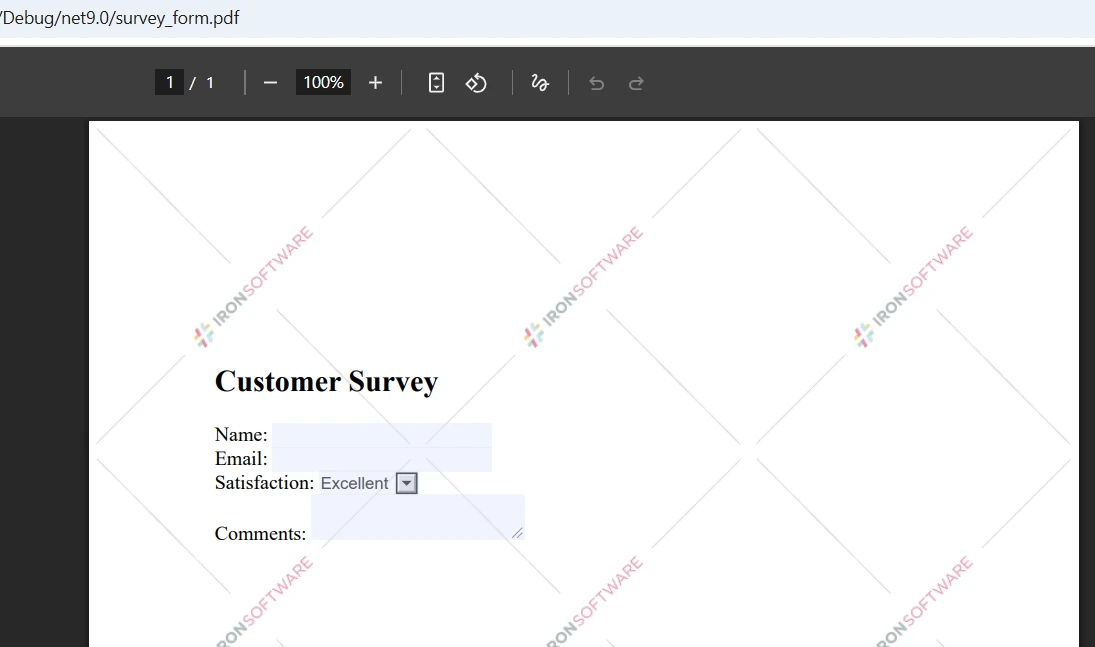
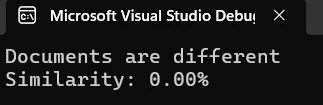
如需更詳細的分析,逐頁比較兩個PDF,以確定差異發生的確切位置:
public static void ComparePageByPage(string firstPdfPath, string secondPdfPath)
{
    // Load two files
    var pdf1 = PdfDocument.FromFile(firstPdfPath);
    var pdf2 = PdfDocument.FromFile(secondPdfPath);
    int maxPages = Math.Max(pdf1.PageCount, pdf2.PageCount);
    int differencesFound = 0;
    for (int i = 0; i < maxPages; i++)
    {
        // Process each page
        string page1Text = i < pdf1.PageCount ? pdf1.ExtractTextFromPage(i) : "";
        string page2Text = i < pdf2.PageCount ? pdf2.ExtractTextFromPage(i) : "";
        if (page1Text != page2Text)
        {
            differencesFound++;
            Console.WriteLine($"Page {i + 1}: Differences detected");
        }
        else
        {
            Console.WriteLine($"Page {i + 1}: Identical");
        }
    }
    Console.WriteLine($"\nSummary: {differencesFound} page(s) with changes");
}Public Shared Sub ComparePageByPage(firstPdfPath As String, secondPdfPath As String)
' Load two files
Dim pdf1 = PdfDocument.FromFile(firstPdfPath)
Dim pdf2 = PdfDocument.FromFile(secondPdfPath)
Dim maxPages As Integer = Math.Max(pdf1.PageCount, pdf2.PageCount)
Dim differencesFound As Integer = 0
For i As Integer = 0 To maxPages - 1
' Process each page
Dim page1Text As String = If(i < pdf1.PageCount, pdf1.ExtractTextFromPage(i), "")
Dim page2Text As String = If(i < pdf2.PageCount, pdf2.ExtractTextFromPage(i), "")
If page1Text <> page2Text Then
differencesFound += 1
Console.WriteLine($"Page {i + 1}: Differences detected")
Else
Console.WriteLine($"Page {i + 1}: Identical")
End If
Next
Console.WriteLine(vbCrLf & $"Summary: {differencesFound} page(s) with changes")
End SubExtractTextFromPage()方法允許從特定頁面提取內容。 此方法幫助開發者標記不同版本PDF文件之間的差異。
建立一個專用的比較類,增強您的比較功能:
public class PdfComparer
{
    private PdfDocument pdf1;
    private PdfDocument pdf2;
    private bool disposed;
    public PdfComparer(string file1Path, string file2Path)
    {
        // Load the two PDFs
        pdf1 = PdfDocument.FromFile(file1Path);
        pdf2 = PdfDocument.FromFile(file2Path);
    }
    public ComparisonResult Compare()
    {
        var result = new ComparisonResult();
        // Compare PDF documents
        string text1 = pdf1?.ExtractAllText() ?? string.Empty;
        string text2 = pdf2?.ExtractAllText() ?? string.Empty;
        result.AreIdentical = string.Equals(text1, text2, StringComparison.Ordinal);
        result.SimilarityPercent = CalculateSimilarity(text1, text2);
        result.Differences = FindDifferences(text1, text2);
        return result;
    }
    private List<string> FindDifferences(string text1, string text2)
    {
        var differences = new List<string>();
        // Normalize nulls
        text1 ??= string.Empty;
        text2 ??= string.Empty;
        if (string.Equals(text1, text2, StringComparison.Ordinal))
            return differences;
        // Page-aware comparisons aren't possible here because we only have full-text;
        // produce a concise, actionable difference entry:
        int min = Math.Min(text1.Length, text2.Length);
        int firstDiff = -1;
        for (int i = 0; i < min; i++)
        {
            if (text1[i] != text2[i])
            {
                firstDiff = i;
                break;
            }
        }
        if (firstDiff == -1 && text1.Length != text2.Length)
        {
            // No differing character in the overlap, but lengths differ
            firstDiff = min;
        }
        // Create short excerpts around the first difference for context
        int excerptLength = 200;
        string excerpt1 = string.Empty;
        string excerpt2 = string.Empty;
        if (firstDiff >= 0)
        {
            int start1 = Math.Max(0, firstDiff);
            int len1 = Math.Min(excerptLength, Math.Max(0, text1.Length - start1));
            excerpt1 = start1 < text1.Length ? text1.Substring(start1, len1) : string.Empty;
            int start2 = Math.Max(0, firstDiff);
            int len2 = Math.Min(excerptLength, Math.Max(0, text2.Length - start2));
            excerpt2 = start2 < text2.Length ? text2.Substring(start2, len2) : string.Empty;
        }
        // HTML-encode excerpts if they will be embedded into HTML reports
        string safeExcerpt1 = System.Net.WebUtility.HtmlEncode(excerpt1);
        string safeExcerpt2 = System.Net.WebUtility.HtmlEncode(excerpt2);
        double similarity = CalculateSimilarity(text1, text2);
        differences.Add($"Similarity: {similarity:F2}%. Lengths: [{text1.Length}, {text2.Length}]. First difference index: {firstDiff}. Excerpt1: \"{safeExcerpt1}\" Excerpt2: \"{safeExcerpt2}\"");
        return differences;
    }
    public void Close()
    {
        Dispose();
    }
    public void Dispose()
    {
        if (disposed) return;
        disposed = true;
        pdf1?.Dispose();
        pdf2?.Dispose();
    }
}
public class ComparisonResult
{
    // True when extracted text is exactly the same
    public bool AreIdentical { get; set; }
    // Similarity expressed as percent (0..100)
    public double SimilarityPercent { get; set; }
    // Human readable difference entries
    public List<string> Differences { get; set; } = new List<string>();
}Imports System
Imports System.Collections.Generic
Imports System.Net
Public Class PdfComparer
Implements IDisposable
Private pdf1 As PdfDocument
Private pdf2 As PdfDocument
Private disposed As Boolean
Public Sub New(file1Path As String, file2Path As String)
' Load the two PDFs
pdf1 = PdfDocument.FromFile(file1Path)
pdf2 = PdfDocument.FromFile(file2Path)
End Sub
Public Function Compare() As ComparisonResult
Dim result As New ComparisonResult()
' Compare PDF documents
Dim text1 As String = If(pdf1?.ExtractAllText(), String.Empty)
Dim text2 As String = If(pdf2?.ExtractAllText(), String.Empty)
result.AreIdentical = String.Equals(text1, text2, StringComparison.Ordinal)
result.SimilarityPercent = CalculateSimilarity(text1, text2)
result.Differences = FindDifferences(text1, text2)
Return result
End Function
Private Function FindDifferences(text1 As String, text2 As String) As List(Of String)
Dim differences As New List(Of String)()
' Normalize nulls
text1 = If(text1, String.Empty)
text2 = If(text2, String.Empty)
If String.Equals(text1, text2, StringComparison.Ordinal) Then
Return differences
End If
' Page-aware comparisons aren't possible here because we only have full-text;
' produce a concise, actionable difference entry:
Dim min As Integer = Math.Min(text1.Length, text2.Length)
Dim firstDiff As Integer = -1
For i As Integer = 0 To min - 1
If text1(i) <> text2(i) Then
firstDiff = i
Exit For
End If
Next
If firstDiff = -1 AndAlso text1.Length <> text2.Length Then
' No differing character in the overlap, but lengths differ
firstDiff = min
End If
' Create short excerpts around the first difference for context
Dim excerptLength As Integer = 200
Dim excerpt1 As String = String.Empty
Dim excerpt2 As String = String.Empty
If firstDiff >= 0 Then
Dim start1 As Integer = Math.Max(0, firstDiff)
Dim len1 As Integer = Math.Min(excerptLength, Math.Max(0, text1.Length - start1))
excerpt1 = If(start1 < text1.Length, text1.Substring(start1, len1), String.Empty)
Dim start2 As Integer = Math.Max(0, firstDiff)
Dim len2 As Integer = Math.Min(excerptLength, Math.Max(0, text2.Length - start2))
excerpt2 = If(start2 < text2.Length, text2.Substring(start2, len2), String.Empty)
End If
' HTML-encode excerpts if they will be embedded into HTML reports
Dim safeExcerpt1 As String = WebUtility.HtmlEncode(excerpt1)
Dim safeExcerpt2 As String = WebUtility.HtmlEncode(excerpt2)
Dim similarity As Double = CalculateSimilarity(text1, text2)
differences.Add($"Similarity: {similarity:F2}%. Lengths: [{text1.Length}, {text2.Length}]. First difference index: {firstDiff}. Excerpt1: ""{safeExcerpt1}"" Excerpt2: ""{safeExcerpt2}""")
Return differences
End Function
Public Sub Close()
Dispose()
End Sub
Public Sub Dispose() Implements IDisposable.Dispose
If disposed Then Return
disposed = True
pdf1?.Dispose()
pdf2?.Dispose()
End Sub
End Class
Public Class ComparisonResult
' True when extracted text is exactly the same
Public Property AreIdentical As Boolean
' Similarity expressed as percent (0..100)
Public Property SimilarityPercent As Double
' Human readable difference entries
Public Property Differences As List(Of String) = New List(Of String)()
End Class此類結構提供了一種清晰的方法來比較PDF文件,同時正確管理文件物件和引用。
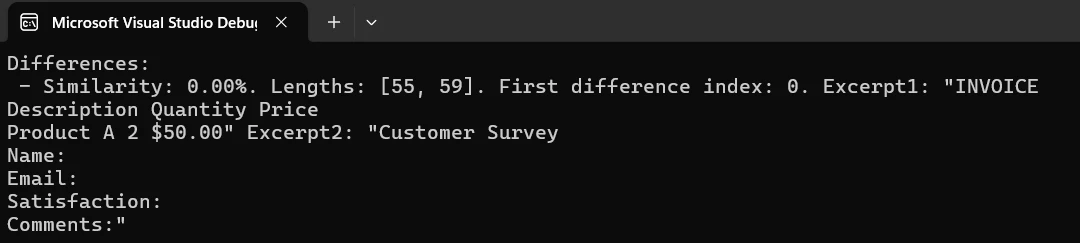
生成一個以HTML為基礎的報告,突出顯示兩個文件之間的差異,並將其保存為PDF文件:
public static void CreateComparisonReport(string pdf1Path, string pdf2Path, string outputPath)
{
    // Load PDFs for comparison
    var pdf1 = PdfDocument.FromFile(pdf1Path);
    var pdf2 = PdfDocument.FromFile(pdf2Path);
    // Build HTML report with details
    string htmlReport = @"
        <html>
        <head>
            <style>
                body { font-family: Arial, sans-serif; margin: 20px; }
                .identical { color: green; }
                .different { color: red; }
                table { width: 100%; border-collapse: collapse; }
                th, td { border: 1px solid #ddd; padding: 8px; }
            </style>
        </head>
        <body>
            <h1>PDF Comparison Report</h1>
            <table>
                <tr><th>Page</th><th>Status</th></tr>";
    // Process each page
    for (int i = 0; i < Math.Max(pdf1.PageCount, pdf2.PageCount); i++)
    {
        string page1 = i < pdf1.PageCount ? pdf1.ExtractTextFromPage(i) : "";
        string page2 = i < pdf2.PageCount ? pdf2.ExtractTextFromPage(i) : "";
        bool identical = page1 == page2;
        string status = identical ? "Identical" : "Different";
        htmlReport += $"<tr><td>Page {i + 1}</td><td class='{status.ToLower()}'>{status}</td></tr>";
    }
    htmlReport += "</table></body></html>";
    // Create and save the report
    var renderer = new ChromePdfRenderer();
    var reportPdf = renderer.RenderHtmlAsPdf(htmlReport);
    reportPdf.SaveAs(outputPath);
    Console.WriteLine($"Report saved to: {outputPath}");
}Imports System
Public Shared Sub CreateComparisonReport(pdf1Path As String, pdf2Path As String, outputPath As String)
' Load PDFs for comparison
Dim pdf1 = PdfDocument.FromFile(pdf1Path)
Dim pdf2 = PdfDocument.FromFile(pdf2Path)
' Build HTML report with details
Dim htmlReport As String = "
<html>
<head>
<style>
body { font-family: Arial, sans-serif; margin: 20px; }
.identical { color: green; }
.different { color: red; }
table { width: 100%; border-collapse: collapse; }
th, td { border: 1px solid #ddd; padding: 8px; }
</style>
</head>
<body>
<h1>PDF Comparison Report</h1>
<table>
<tr><th>Page</th><th>Status</th></tr>"
' Process each page
For i As Integer = 0 To Math.Max(pdf1.PageCount, pdf2.PageCount) - 1
Dim page1 As String = If(i < pdf1.PageCount, pdf1.ExtractTextFromPage(i), "")
Dim page2 As String = If(i < pdf2.PageCount, pdf2.ExtractTextFromPage(i), "")
Dim identical As Boolean = page1 = page2
Dim status As String = If(identical, "Identical", "Different")
htmlReport &= $"<tr><td>Page {i + 1}</td><td class='{status.ToLower()}'>{status}</td></tr>"
Next
htmlReport &= "</table></body></html>"
' Create and save the report
Dim renderer = New ChromePdfRenderer()
Dim reportPdf = renderer.RenderHtmlAsPdf(htmlReport)
reportPdf.SaveAs(outputPath)
Console.WriteLine($"Report saved to: {outputPath}")
End Sub此程式碼展示如何建立帶有比較結果的專業PDF文件。 報告將保存到指定路徑。
當您需要同時比較多個PDF文件時,用此方法:
public static void CompareMultiplePdfs(params string[] pdfPaths)
{
    if (pdfPaths.Length < 2)
    {
        Console.WriteLine("Need at least two files to compare");
        return;
    }
    // Load multiple PDF documents
    var pdfs = new List<PdfDocument>();
    foreach (var path in pdfPaths)
    {
        pdfs.Add(PdfDocument.FromFile(path));
    }
    // Compare all documents
    for (int i = 0; i < pdfs.Count - 1; i++)
    {
        for (int j = i + 1; j < pdfs.Count; j++)
        {
            string text1 = pdfs[i].ExtractAllText();
            string text2 = pdfs[j].ExtractAllText();
            bool identical = text1 == text2;
            Console.WriteLine($"File {i+1} vs File {j+1}: {(identical ? "Identical" : "Different")}");
        }
    }
    // Close all documents
    pdfs.ForEach(pdf => pdf.Dispose());
}Imports System
Imports System.Collections.Generic
Public Shared Sub CompareMultiplePdfs(ParamArray pdfPaths As String())
If pdfPaths.Length < 2 Then
Console.WriteLine("Need at least two files to compare")
Return
End If
' Load multiple PDF documents
Dim pdfs As New List(Of PdfDocument)()
For Each path As String In pdfPaths
pdfs.Add(PdfDocument.FromFile(path))
Next
' Compare all documents
For i As Integer = 0 To pdfs.Count - 2
For j As Integer = i + 1 To pdfs.Count - 1
Dim text1 As String = pdfs(i).ExtractAllText()
Dim text2 As String = pdfs(j).ExtractAllText()
Dim identical As Boolean = text1 = text2
Console.WriteLine($"File {i + 1} vs File {j + 1}: {(If(identical, "Identical", "Different"))}")
Next
Next
' Close all documents
pdfs.ForEach(Sub(pdf) pdf.Dispose())
End Sub此方法允許在一次運行中比較多個PDF文件,適合批量處理需求。
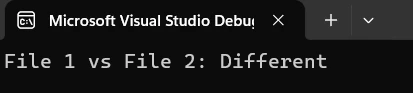
這是一個用於追踪法律文件修訂的實用範例:
public class ContractVersionControl
{
    public static void CompareContractVersions(string originalPath, string revisedPath)
    {
        // System for comparing contract versions
        Console.WriteLine("Contract Version Comparison System");
        var original = PdfDocument.FromFile(originalPath);
        var revised = PdfDocument.FromFile(revisedPath);
        // Extract contract contents
        string originalText = original.ExtractAllText();
        string revisedText = revised.ExtractAllText();
        if (originalText == revisedText)
        {
            Console.WriteLine("No changes detected");
        }
        else
        {
            Console.WriteLine("Changes detected in revised version");
            // Create detailed report
            string reportPath = $"contract_comparison_{DateTime.Now:yyyyMMdd}.pdf";
            CreateComparisonReport(originalPath, revisedPath, reportPath);
            Console.WriteLine($"Report created: {reportPath}");
        }
        // Close documents
        original.Dispose();
        revised.Dispose();
    }
}Public Class ContractVersionControl
Public Shared Sub CompareContractVersions(originalPath As String, revisedPath As String)
' System for comparing contract versions
Console.WriteLine("Contract Version Comparison System")
Dim original = PdfDocument.FromFile(originalPath)
Dim revised = PdfDocument.FromFile(revisedPath)
' Extract contract contents
Dim originalText As String = original.ExtractAllText()
Dim revisedText As String = revised.ExtractAllText()
If originalText = revisedText Then
Console.WriteLine("No changes detected")
Else
Console.WriteLine("Changes detected in revised version")
' Create detailed report
Dim reportPath As String = $"contract_comparison_{DateTime.Now:yyyyMMdd}.pdf"
CreateComparisonReport(originalPath, revisedPath, reportPath)
Console.WriteLine($"Report created: {reportPath}")
End If
' Close documents
original.Dispose()
revised.Dispose()
End Sub
End Class這演示了如何比較兩個PDF合同版本並生成報告以供審核。 系統會自動檢測變更並建立文件。
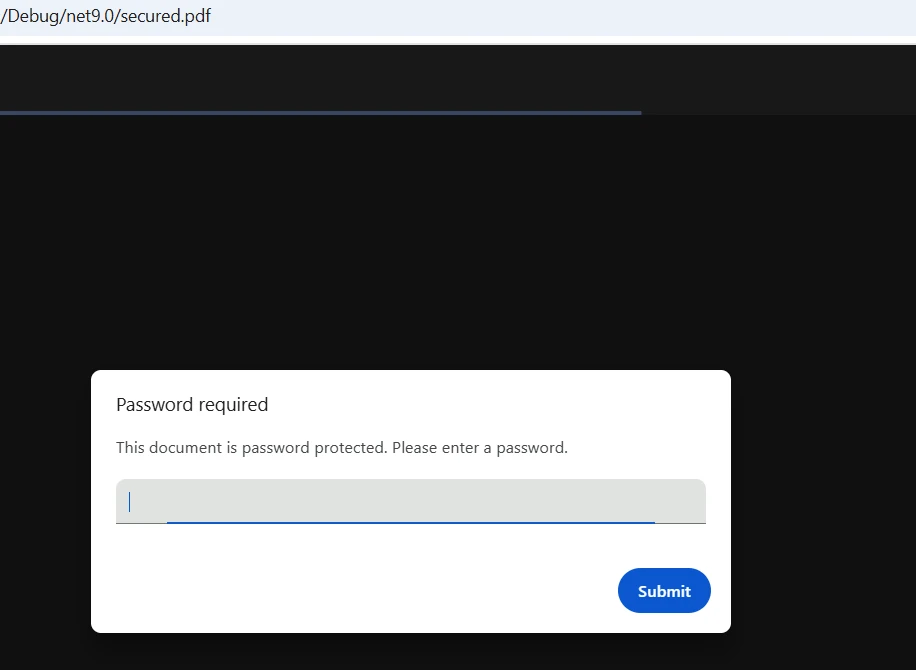
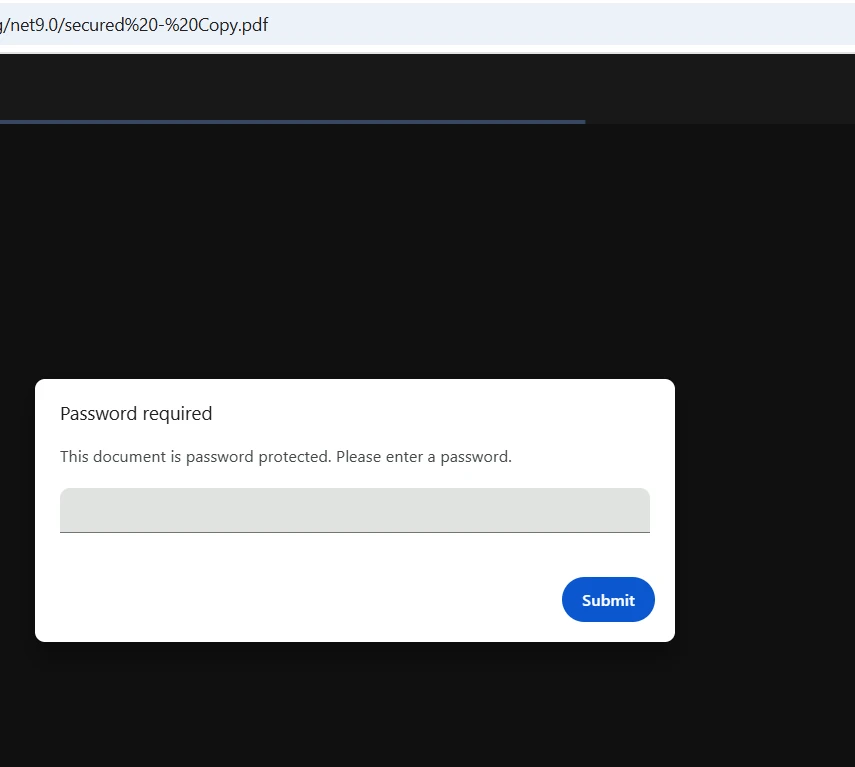
IronPDF無縫處理加密的PDF文件,通過在調用載入方法時傳遞密碼:
public static bool CompareProtectedPdfs(string pdf1Path, string pass1,
                                        string pdf2Path, string pass2)
{
    // Load password-protected two PDFs
    var pdf1 = PdfDocument.FromFile(pdf1Path, pass1);
    var pdf2 = PdfDocument.FromFile(pdf2Path, pass2);
    // Extract and compare text
    string text1 = pdf1.ExtractAllText();
    string text2 = pdf2.ExtractAllText();
    bool result = text1 == text2;
    // Close and dispose
    pdf1.Dispose();
    pdf2.Dispose();
    return result;
}Public Shared Function CompareProtectedPdfs(pdf1Path As String, pass1 As String, pdf2Path As String, pass2 As String) As Boolean
' Load password-protected two PDFs
Dim pdf1 = PdfDocument.FromFile(pdf1Path, pass1)
Dim pdf2 = PdfDocument.FromFile(pdf2Path, pass2)
' Extract and compare text
Dim text1 As String = pdf1.ExtractAllText()
Dim text2 As String = pdf2.ExtractAllText()
Dim result As Boolean = text1 = text2
' Close and dispose
pdf1.Dispose()
pdf2.Dispose()
Return result
End Function載入受保護的PDF時只需傳遞密碼參數。 IronPDF自動處理解密。
按照這些步驟來在您的.NET專案中實現PDF比較:
PdfDocument實例ExtractAllText()的方法來獲取內容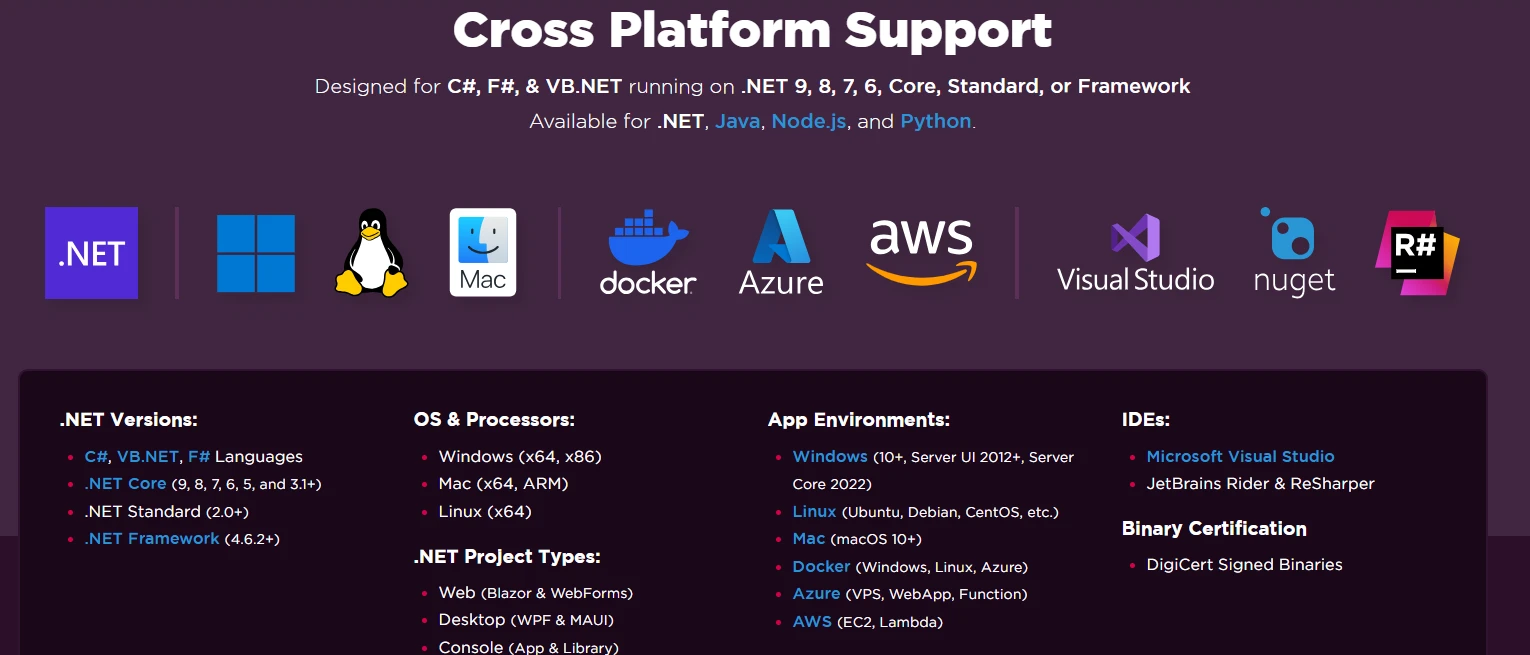
如要使用IronPDF無水印,請設定您的授權金鑰:
IronPdf.License.LicenseKey = "YOUR-LICENSE-KEY";IronPdf.License.LicenseKey = "YOUR-LICENSE-KEY"前往授權頁面了解可用選項的詳情。 下載IronPDF的免費試用並使用專業級比較功能來設置PDF文件。
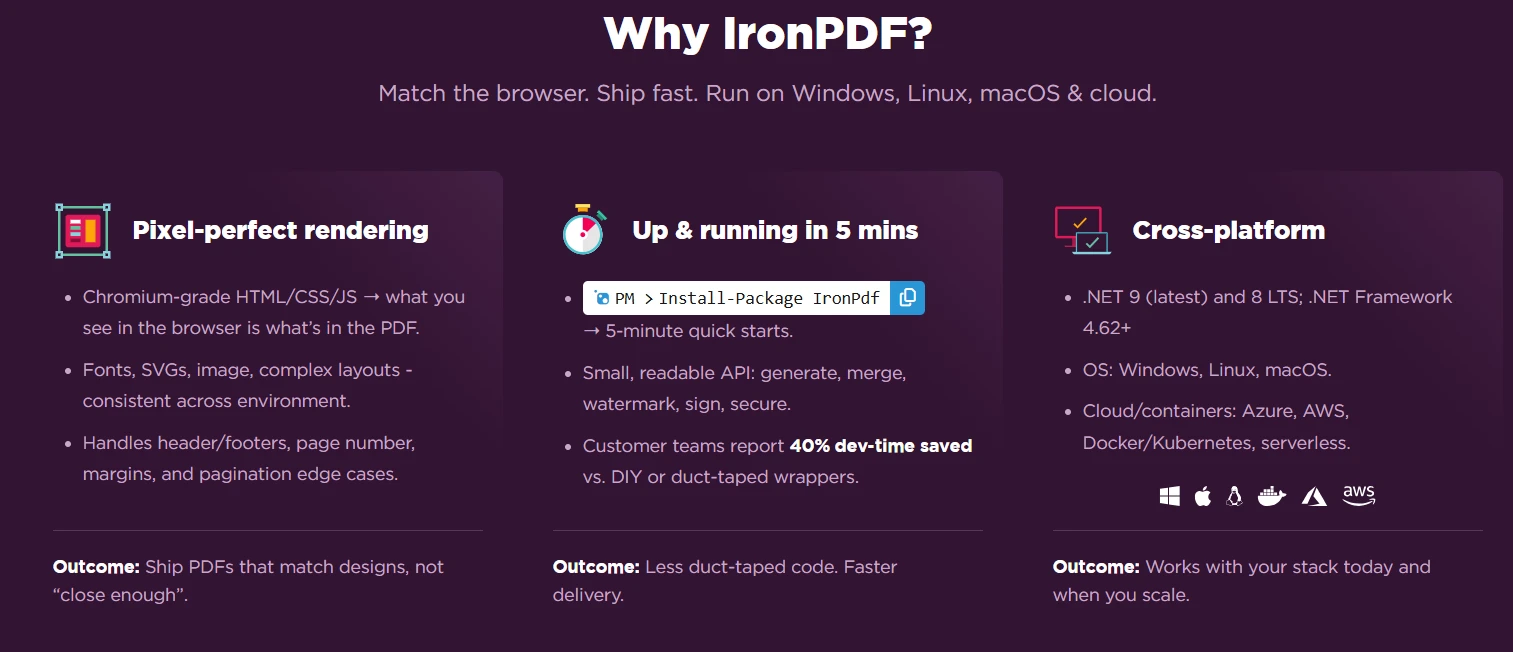
IronPDF透過直觀的API和強大的提取功能簡化了使用C#比較兩個PDF文件的過程。 從基本比較到建立詳細報告,IronPDF提供了強大文件比較工作流所需的全部工具。
簡單安裝、全面功能及跨平台支援的結合,使IronPDF成為在.NET應用程式中實施PDF比較的開發者首選。 無論您是在開發文件管理系統還是版本控制解決方案,IronPDF的簡潔方法能讓您迅速上手。
今天就開始您的IronPDF免費試用,實現專業的PDF比較功能。 擁有完整的技術支援和豐富的文件,您能在數小時內搭建具備生產條件的功能。 參閱完整文件了解更多進階功能。

Curtis Chau擁有Carleton大學的電腦科學學士學位,專精於前端開發,擁有Node.js、TypeScript、JavaScript和React的專業知識。Curtis熱衷於建立直觀且美觀的使用者介面,喜愛使用現代框架並建立結構良好、視覺吸引力的手冊。

IronPDF 是 IRONSUITE 的一部分
10 款適用於辦公室文件的 .NET API 產品

當您需要您的PDF看起來像HTML一樣快速。