




업데이트됨 2026년 9월 4일
월별 계정 명세서를 PDF 문서로 생성하기
개발자는 IronPDF C# PDF 라이브러리를 사용하여 외부 서비스에 의존하지 않고도 .NET 프로젝트 내에서 HTML을 신뢰할 수 있는 PDF 파일로 변환할 수 있습니다.
더 읽어보기

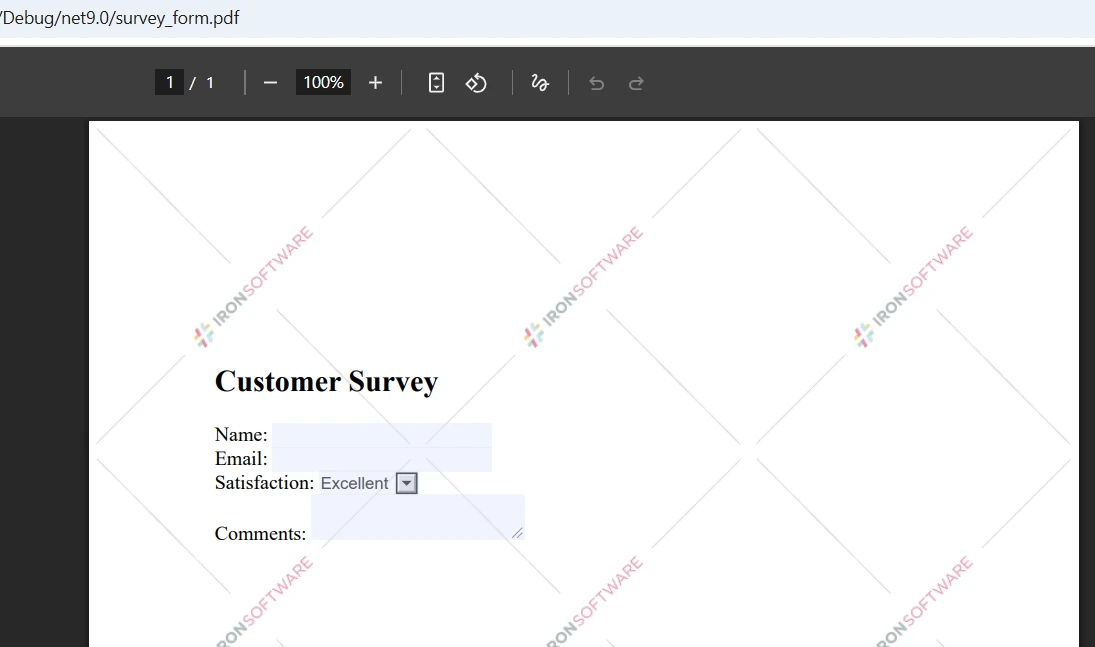
PDF 문서를 프로그래밍 방식으로 비교하는 것은 변경 사항 추적, 다양한 버전 검증 및 품질 보증 워크플로우 자동화에 필수적입니다. 문서 관리를 위해 두 개의 PDF 파일을 비교하거나 계약 수정 간의 차이점을 확인해야 하든, IronPDF는 C#에서 PDF 파일을 비교하기 위한 간소화된 솔루션을 제공합니다.
이 튜토리얼은 기본 비교부터 상세 차이점 보고서 생성까지 IronPDF의 텍스트 추출 기능을 사용하여 두 개의 PDF 문서를 비교하는 방법을 시연합니다. Windows, Linux, macOS, Docker, 클라우드 플랫폼 전반에서 작동하는 실제 코드 예제와 실용적인 기술을 배울 수 있습니다.
시작하기 전에 다음이 설치되어 있는지 확인하십시오:
.NET 프로젝트에 NuGet 패키지 관리자를 통해 IronPDF 설치:
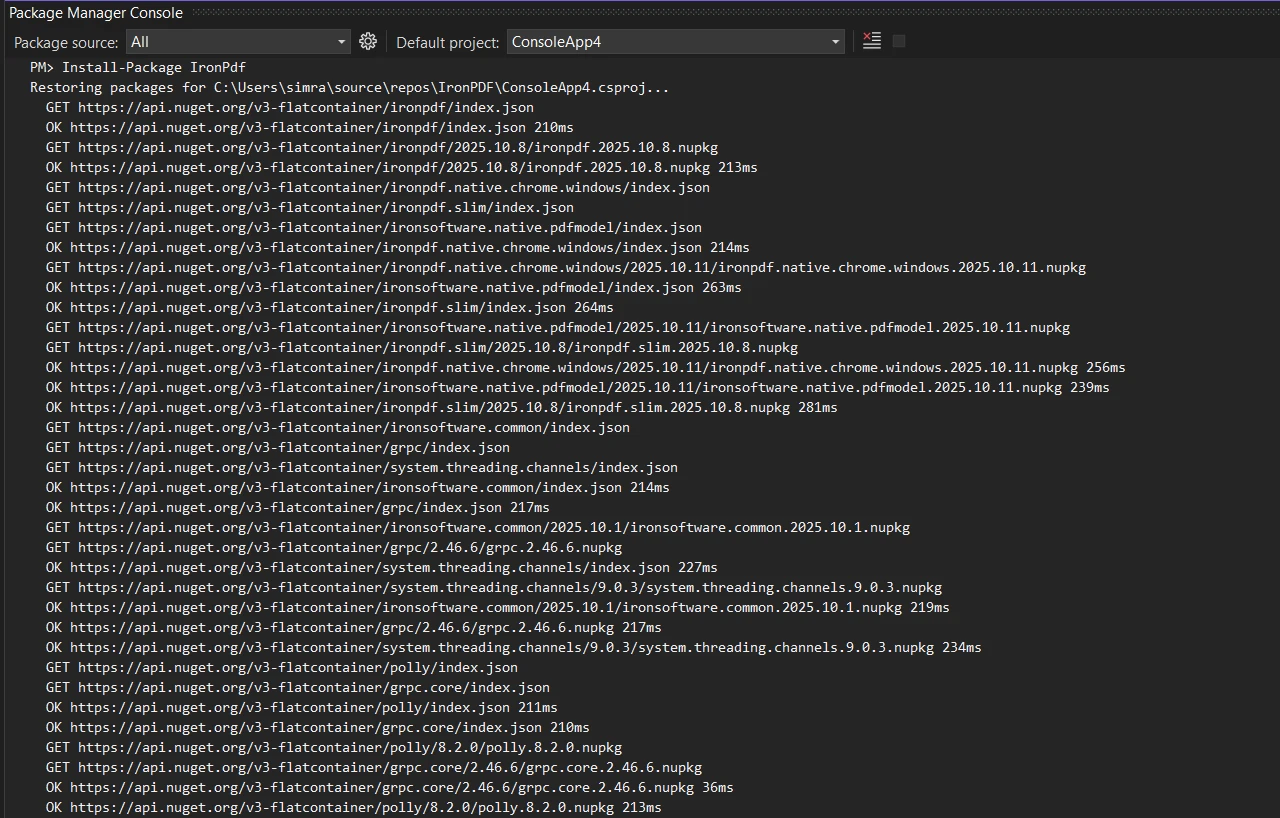
또는 .NET CLI를 사용하여 다음과 같이 할 수 있습니다.
파일에 필요한 네임스페이스 참조 추가:
using IronPdf;
using System;Imports IronPdf
Imports System
PDF 파일의 텍스트 내용을 추출하고 비교하여 PDF 파일을 비교하는 샘플 코드로 시작해 보겠습니다:
public class BasicPdfComparer
{
    public static bool ComparePdfFiles(string firstPdfPath, string secondPdfPath)
    {
        // Load two PDF documents
        var pdf1 = PdfDocument.FromFile(firstPdfPath);
        var pdf2 = PdfDocument.FromFile(secondPdfPath);
        // Extract all text from both PDFs
        string text1 = pdf1.ExtractAllText();
        string text2 = pdf2.ExtractAllText();
        // Compare the two documents
        bool areIdentical = text1 == text2;
        // Find differences and calculate similarity
        double similarity = CalculateSimilarity(text1, text2);
        Console.WriteLine($"Documents are {(areIdentical ? "identical" : "different")}");
        Console.WriteLine($"Similarity: {similarity:F2}%");
        return areIdentical;
    }
    private static double CalculateSimilarity(string text1, string text2)
    {
        if (text1 == text2) return 100.0;
        if (string.IsNullOrEmpty(text1) || string.IsNullOrEmpty(text2)) return 0.0;
        int matchingChars = 0;
        int minLength = Math.Min(text1.Length, text2.Length);
        for (int i = 0; i < minLength; i++)
        {
            if (text1[i] == text2[i]) matchingChars++;
        }
        return (double)matchingChars / Math.Max(text1.Length, text2.Length) * 100;
    }
}Imports System
Public Class BasicPdfComparer
Public Shared Function ComparePdfFiles(firstPdfPath As String, secondPdfPath As String) As Boolean
' Load two PDF documents
Dim pdf1 = PdfDocument.FromFile(firstPdfPath)
Dim pdf2 = PdfDocument.FromFile(secondPdfPath)
' Extract all text from both PDFs
Dim text1 As String = pdf1.ExtractAllText()
Dim text2 As String = pdf2.ExtractAllText()
' Compare the two documents
Dim areIdentical As Boolean = text1 = text2
' Find differences and calculate similarity
Dim similarity As Double = CalculateSimilarity(text1, text2)
Console.WriteLine($"Documents are {(If(areIdentical, "identical", "different"))}")
Console.WriteLine($"Similarity: {similarity:F2}%")
Return areIdentical
End Function
Private Shared Function CalculateSimilarity(text1 As String, text2 As String) As Double
If text1 = text2 Then Return 100.0
If String.IsNullOrEmpty(text1) OrElse String.IsNullOrEmpty(text2) Then Return 0.0
Dim matchingChars As Integer = 0
Dim minLength As Integer = Math.Min(text1.Length, text2.Length)
For i As Integer = 0 To minLength - 1
If text1(i) = text2(i) Then matchingChars += 1
Next
Return matchingChars / Math.Max(text1.Length, text2.Length) * 100
End Function
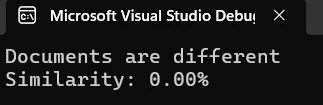
End Class이 코드는 IronPDF의 PdfDocument.FromFile() 메서드를 사용하여 두 개의 PDF 파일을 로드하고 모든 텍스트 콘텐츠를 추출하여 직접 문자열 비교를 수행합니다. 비교 메소드는 문서의 일치도를 식별하는 메트릭을 제공합니다.
더 자세한 분석을 위해, 두 PDF를 페이지별로 비교하여 정확히 어디에서 차이가 발생하는지 식별합니다:
public static void ComparePageByPage(string firstPdfPath, string secondPdfPath)
{
    // Load two files
    var pdf1 = PdfDocument.FromFile(firstPdfPath);
    var pdf2 = PdfDocument.FromFile(secondPdfPath);
    int maxPages = Math.Max(pdf1.PageCount, pdf2.PageCount);
    int differencesFound = 0;
    for (int i = 0; i < maxPages; i++)
    {
        // Process each page
        string page1Text = i < pdf1.PageCount ? pdf1.ExtractTextFromPage(i) : "";
        string page2Text = i < pdf2.PageCount ? pdf2.ExtractTextFromPage(i) : "";
        if (page1Text != page2Text)
        {
            differencesFound++;
            Console.WriteLine($"Page {i + 1}: Differences detected");
        }
        else
        {
            Console.WriteLine($"Page {i + 1}: Identical");
        }
    }
    Console.WriteLine($"\nSummary: {differencesFound} page(s) with changes");
}Public Shared Sub ComparePageByPage(firstPdfPath As String, secondPdfPath As String)
' Load two files
Dim pdf1 = PdfDocument.FromFile(firstPdfPath)
Dim pdf2 = PdfDocument.FromFile(secondPdfPath)
Dim maxPages As Integer = Math.Max(pdf1.PageCount, pdf2.PageCount)
Dim differencesFound As Integer = 0
For i As Integer = 0 To maxPages - 1
' Process each page
Dim page1Text As String = If(i < pdf1.PageCount, pdf1.ExtractTextFromPage(i), "")
Dim page2Text As String = If(i < pdf2.PageCount, pdf2.ExtractTextFromPage(i), "")
If page1Text <> page2Text Then
differencesFound += 1
Console.WriteLine($"Page {i + 1}: Differences detected")
Else
Console.WriteLine($"Page {i + 1}: Identical")
End If
Next
Console.WriteLine(vbCrLf & $"Summary: {differencesFound} page(s) with changes")
End SubExtractTextFromPage() 메서드는 특정 페이지에서 타겟팅된 추출을 허용합니다. 이 접근법은 서로 다른 버전의 PDF 문서 사이의 불일치를 개발자가 빠르게 파악하도록 돕습니다.
비교 기능을 강화하기 위해 전용 비교 클래스를 만듭니다:
public class PdfComparer
{
    private PdfDocument pdf1;
    private PdfDocument pdf2;
    private bool disposed;
    public PdfComparer(string file1Path, string file2Path)
    {
        // Load the two PDFs
        pdf1 = PdfDocument.FromFile(file1Path);
        pdf2 = PdfDocument.FromFile(file2Path);
    }
    public ComparisonResult Compare()
    {
        var result = new ComparisonResult();
        // Compare PDF documents
        string text1 = pdf1?.ExtractAllText() ?? string.Empty;
        string text2 = pdf2?.ExtractAllText() ?? string.Empty;
        result.AreIdentical = string.Equals(text1, text2, StringComparison.Ordinal);
        result.SimilarityPercent = CalculateSimilarity(text1, text2);
        result.Differences = FindDifferences(text1, text2);
        return result;
    }
    private List<string> FindDifferences(string text1, string text2)
    {
        var differences = new List<string>();
        // Normalize nulls
        text1 ??= string.Empty;
        text2 ??= string.Empty;
        if (string.Equals(text1, text2, StringComparison.Ordinal))
            return differences;
        // Page-aware comparisons aren't possible here because we only have full-text;
        // produce a concise, actionable difference entry:
        int min = Math.Min(text1.Length, text2.Length);
        int firstDiff = -1;
        for (int i = 0; i < min; i++)
        {
            if (text1[i] != text2[i])
            {
                firstDiff = i;
                break;
            }
        }
        if (firstDiff == -1 && text1.Length != text2.Length)
        {
            // No differing character in the overlap, but lengths differ
            firstDiff = min;
        }
        // Create short excerpts around the first difference for context
        int excerptLength = 200;
        string excerpt1 = string.Empty;
        string excerpt2 = string.Empty;
        if (firstDiff >= 0)
        {
            int start1 = Math.Max(0, firstDiff);
            int len1 = Math.Min(excerptLength, Math.Max(0, text1.Length - start1));
            excerpt1 = start1 < text1.Length ? text1.Substring(start1, len1) : string.Empty;
            int start2 = Math.Max(0, firstDiff);
            int len2 = Math.Min(excerptLength, Math.Max(0, text2.Length - start2));
            excerpt2 = start2 < text2.Length ? text2.Substring(start2, len2) : string.Empty;
        }
        // HTML-encode excerpts if they will be embedded into HTML reports
        string safeExcerpt1 = System.Net.WebUtility.HtmlEncode(excerpt1);
        string safeExcerpt2 = System.Net.WebUtility.HtmlEncode(excerpt2);
        double similarity = CalculateSimilarity(text1, text2);
        differences.Add($"Similarity: {similarity:F2}%. Lengths: [{text1.Length}, {text2.Length}]. First difference index: {firstDiff}. Excerpt1: \"{safeExcerpt1}\" Excerpt2: \"{safeExcerpt2}\"");
        return differences;
    }
    public void Close()
    {
        Dispose();
    }
    public void Dispose()
    {
        if (disposed) return;
        disposed = true;
        pdf1?.Dispose();
        pdf2?.Dispose();
    }
}
public class ComparisonResult
{
    // True when extracted text is exactly the same
    public bool AreIdentical { get; set; }
    // Similarity expressed as percent (0..100)
    public double SimilarityPercent { get; set; }
    // Human readable difference entries
    public List<string> Differences { get; set; } = new List<string>();
}Imports System
Imports System.Collections.Generic
Imports System.Net
Public Class PdfComparer
Implements IDisposable
Private pdf1 As PdfDocument
Private pdf2 As PdfDocument
Private disposed As Boolean
Public Sub New(file1Path As String, file2Path As String)
' Load the two PDFs
pdf1 = PdfDocument.FromFile(file1Path)
pdf2 = PdfDocument.FromFile(file2Path)
End Sub
Public Function Compare() As ComparisonResult
Dim result As New ComparisonResult()
' Compare PDF documents
Dim text1 As String = If(pdf1?.ExtractAllText(), String.Empty)
Dim text2 As String = If(pdf2?.ExtractAllText(), String.Empty)
result.AreIdentical = String.Equals(text1, text2, StringComparison.Ordinal)
result.SimilarityPercent = CalculateSimilarity(text1, text2)
result.Differences = FindDifferences(text1, text2)
Return result
End Function
Private Function FindDifferences(text1 As String, text2 As String) As List(Of String)
Dim differences As New List(Of String)()
' Normalize nulls
text1 = If(text1, String.Empty)
text2 = If(text2, String.Empty)
If String.Equals(text1, text2, StringComparison.Ordinal) Then
Return differences
End If
' Page-aware comparisons aren't possible here because we only have full-text;
' produce a concise, actionable difference entry:
Dim min As Integer = Math.Min(text1.Length, text2.Length)
Dim firstDiff As Integer = -1
For i As Integer = 0 To min - 1
If text1(i) <> text2(i) Then
firstDiff = i
Exit For
End If
Next
If firstDiff = -1 AndAlso text1.Length <> text2.Length Then
' No differing character in the overlap, but lengths differ
firstDiff = min
End If
' Create short excerpts around the first difference for context
Dim excerptLength As Integer = 200
Dim excerpt1 As String = String.Empty
Dim excerpt2 As String = String.Empty
If firstDiff >= 0 Then
Dim start1 As Integer = Math.Max(0, firstDiff)
Dim len1 As Integer = Math.Min(excerptLength, Math.Max(0, text1.Length - start1))
excerpt1 = If(start1 < text1.Length, text1.Substring(start1, len1), String.Empty)
Dim start2 As Integer = Math.Max(0, firstDiff)
Dim len2 As Integer = Math.Min(excerptLength, Math.Max(0, text2.Length - start2))
excerpt2 = If(start2 < text2.Length, text2.Substring(start2, len2), String.Empty)
End If
' HTML-encode excerpts if they will be embedded into HTML reports
Dim safeExcerpt1 As String = WebUtility.HtmlEncode(excerpt1)
Dim safeExcerpt2 As String = WebUtility.HtmlEncode(excerpt2)
Dim similarity As Double = CalculateSimilarity(text1, text2)
differences.Add($"Similarity: {similarity:F2}%. Lengths: [{text1.Length}, {text2.Length}]. First difference index: {firstDiff}. Excerpt1: ""{safeExcerpt1}"" Excerpt2: ""{safeExcerpt2}""")
Return differences
End Function
Public Sub Close()
Dispose()
End Sub
Public Sub Dispose() Implements IDisposable.Dispose
If disposed Then Return
disposed = True
pdf1?.Dispose()
pdf2?.Dispose()
End Sub
End Class
Public Class ComparisonResult
' True when extracted text is exactly the same
Public Property AreIdentical As Boolean
' Similarity expressed as percent (0..100)
Public Property SimilarityPercent As Double
' Human readable difference entries
Public Property Differences As List(Of String) = New List(Of String)()
End Class이 클래스 구조는 문서 객체와 참조를 적절히 관리하면서 PDF 문서를 비교하는 깨끗한 방법을 제공합니다.
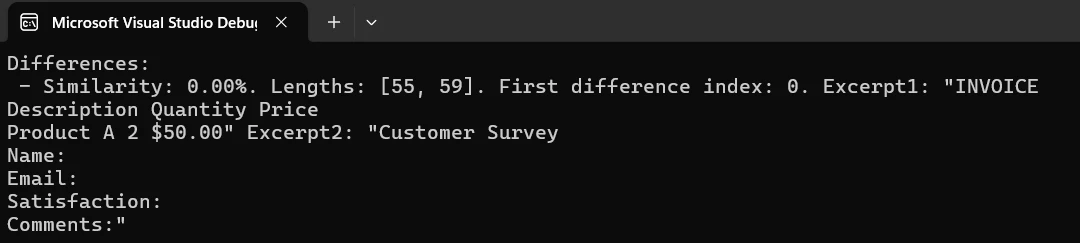
두 문서 간 차이를 강조하는 HTML 기반 보고서를 생성하고 이를 PDF 파일로 저장합니다:
public static void CreateComparisonReport(string pdf1Path, string pdf2Path, string outputPath)
{
    // Load PDFs for comparison
    var pdf1 = PdfDocument.FromFile(pdf1Path);
    var pdf2 = PdfDocument.FromFile(pdf2Path);
    // Build HTML report with details
    string htmlReport = @"
        <html>
        <head>
            <style>
                body { font-family: Arial, sans-serif; margin: 20px; }
                .identical { color: green; }
                .different { color: red; }
                table { width: 100%; border-collapse: collapse; }
                th, td { border: 1px solid #ddd; padding: 8px; }
            </style>
        </head>
        <body>
            <h1>PDF Comparison Report</h1>
            <table>
                <tr><th>Page</th><th>Status</th></tr>";
    // Process each page
    for (int i = 0; i < Math.Max(pdf1.PageCount, pdf2.PageCount); i++)
    {
        string page1 = i < pdf1.PageCount ? pdf1.ExtractTextFromPage(i) : "";
        string page2 = i < pdf2.PageCount ? pdf2.ExtractTextFromPage(i) : "";
        bool identical = page1 == page2;
        string status = identical ? "Identical" : "Different";
        htmlReport += $"<tr><td>Page {i + 1}</td><td class='{status.ToLower()}'>{status}</td></tr>";
    }
    htmlReport += "</table></body></html>";
    // Create and save the report
    var renderer = new ChromePdfRenderer();
    var reportPdf = renderer.RenderHtmlAsPdf(htmlReport);
    reportPdf.SaveAs(outputPath);
    Console.WriteLine($"Report saved to: {outputPath}");
}Imports System
Public Shared Sub CreateComparisonReport(pdf1Path As String, pdf2Path As String, outputPath As String)
' Load PDFs for comparison
Dim pdf1 = PdfDocument.FromFile(pdf1Path)
Dim pdf2 = PdfDocument.FromFile(pdf2Path)
' Build HTML report with details
Dim htmlReport As String = "
<html>
<head>
<style>
body { font-family: Arial, sans-serif; margin: 20px; }
.identical { color: green; }
.different { color: red; }
table { width: 100%; border-collapse: collapse; }
th, td { border: 1px solid #ddd; padding: 8px; }
</style>
</head>
<body>
<h1>PDF Comparison Report</h1>
<table>
<tr><th>Page</th><th>Status</th></tr>"
' Process each page
For i As Integer = 0 To Math.Max(pdf1.PageCount, pdf2.PageCount) - 1
Dim page1 As String = If(i < pdf1.PageCount, pdf1.ExtractTextFromPage(i), "")
Dim page2 As String = If(i < pdf2.PageCount, pdf2.ExtractTextFromPage(i), "")
Dim identical As Boolean = page1 = page2
Dim status As String = If(identical, "Identical", "Different")
htmlReport &= $"<tr><td>Page {i + 1}</td><td class='{status.ToLower()}'>{status}</td></tr>"
Next
htmlReport &= "</table></body></html>"
' Create and save the report
Dim renderer = New ChromePdfRenderer()
Dim reportPdf = renderer.RenderHtmlAsPdf(htmlReport)
reportPdf.SaveAs(outputPath)
Console.WriteLine($"Report saved to: {outputPath}")
End Sub이 코드는 비교 결과가 포함된 전문 PDF 문서를 만드는 방법을 보여줍니다. 보고서는 지정된 경로에 저장됩니다.
여러 PDF 문서를 동시에 비교해야 할 때 이 방법을 사용합니다:
public static void CompareMultiplePdfs(params string[] pdfPaths)
{
    if (pdfPaths.Length < 2)
    {
        Console.WriteLine("Need at least two files to compare");
        return;
    }
    // Load multiple PDF documents
    var pdfs = new List<PdfDocument>();
    foreach (var path in pdfPaths)
    {
        pdfs.Add(PdfDocument.FromFile(path));
    }
    // Compare all documents
    for (int i = 0; i < pdfs.Count - 1; i++)
    {
        for (int j = i + 1; j < pdfs.Count; j++)
        {
            string text1 = pdfs[i].ExtractAllText();
            string text2 = pdfs[j].ExtractAllText();
            bool identical = text1 == text2;
            Console.WriteLine($"File {i+1} vs File {j+1}: {(identical ? "Identical" : "Different")}");
        }
    }
    // Close all documents
    pdfs.ForEach(pdf => pdf.Dispose());
}Imports System
Imports System.Collections.Generic
Public Shared Sub CompareMultiplePdfs(ParamArray pdfPaths As String())
If pdfPaths.Length < 2 Then
Console.WriteLine("Need at least two files to compare")
Return
End If
' Load multiple PDF documents
Dim pdfs As New List(Of PdfDocument)()
For Each path As String In pdfPaths
pdfs.Add(PdfDocument.FromFile(path))
Next
' Compare all documents
For i As Integer = 0 To pdfs.Count - 2
For j As Integer = i + 1 To pdfs.Count - 1
Dim text1 As String = pdfs(i).ExtractAllText()
Dim text2 As String = pdfs(j).ExtractAllText()
Dim identical As Boolean = text1 = text2
Console.WriteLine($"File {i + 1} vs File {j + 1}: {(If(identical, "Identical", "Different"))}")
Next
Next
' Close all documents
pdfs.ForEach(Sub(pdf) pdf.Dispose())
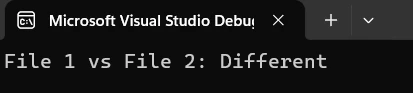
End Sub이 접근법은 배치 처리 요구에 유용하게 단일 실행으로 여러 PDF 문서를 비교할 수 있습니다.
법적 문서의 개정을 추적하기 위한 실제 예입니다:
public class ContractVersionControl
{
    public static void CompareContractVersions(string originalPath, string revisedPath)
    {
        // System for comparing contract versions
        Console.WriteLine("Contract Version Comparison System");
        var original = PdfDocument.FromFile(originalPath);
        var revised = PdfDocument.FromFile(revisedPath);
        // Extract contract contents
        string originalText = original.ExtractAllText();
        string revisedText = revised.ExtractAllText();
        if (originalText == revisedText)
        {
            Console.WriteLine("No changes detected");
        }
        else
        {
            Console.WriteLine("Changes detected in revised version");
            // Create detailed report
            string reportPath = $"contract_comparison_{DateTime.Now:yyyyMMdd}.pdf";
            CreateComparisonReport(originalPath, revisedPath, reportPath);
            Console.WriteLine($"Report created: {reportPath}");
        }
        // Close documents
        original.Dispose();
        revised.Dispose();
    }
}Public Class ContractVersionControl
Public Shared Sub CompareContractVersions(originalPath As String, revisedPath As String)
' System for comparing contract versions
Console.WriteLine("Contract Version Comparison System")
Dim original = PdfDocument.FromFile(originalPath)
Dim revised = PdfDocument.FromFile(revisedPath)
' Extract contract contents
Dim originalText As String = original.ExtractAllText()
Dim revisedText As String = revised.ExtractAllText()
If originalText = revisedText Then
Console.WriteLine("No changes detected")
Else
Console.WriteLine("Changes detected in revised version")
' Create detailed report
Dim reportPath As String = $"contract_comparison_{DateTime.Now:yyyyMMdd}.pdf"
CreateComparisonReport(originalPath, revisedPath, reportPath)
Console.WriteLine($"Report created: {reportPath}")
End If
' Close documents
original.Dispose()
revised.Dispose()
End Sub
End Class두 PDF 계약 버전을 비교하고 검토를 위한 보고서를 생성하는 방법을 보여줍니다. 시스템은 자동으로 변경사항을 감지하고 문서를 생성합니다.
IronPDF는 로드 메소드 호출 시 암호를 전달하여 암호화된 PDF 파일을 매끄럽게 처리합니다:
public static bool CompareProtectedPdfs(string pdf1Path, string pass1,
                                        string pdf2Path, string pass2)
{
    // Load password-protected two PDFs
    var pdf1 = PdfDocument.FromFile(pdf1Path, pass1);
    var pdf2 = PdfDocument.FromFile(pdf2Path, pass2);
    // Extract and compare text
    string text1 = pdf1.ExtractAllText();
    string text2 = pdf2.ExtractAllText();
    bool result = text1 == text2;
    // Close and dispose
    pdf1.Dispose();
    pdf2.Dispose();
    return result;
}Public Shared Function CompareProtectedPdfs(pdf1Path As String, pass1 As String, pdf2Path As String, pass2 As String) As Boolean
' Load password-protected two PDFs
Dim pdf1 = PdfDocument.FromFile(pdf1Path, pass1)
Dim pdf2 = PdfDocument.FromFile(pdf2Path, pass2)
' Extract and compare text
Dim text1 As String = pdf1.ExtractAllText()
Dim text2 As String = pdf2.ExtractAllText()
Dim result As Boolean = text1 = text2
' Close and dispose
pdf1.Dispose()
pdf2.Dispose()
Return result
End Function보호된 PDF를 로드할 때 암호 매개변수를 간단히 전달합니다. IronPDF는 자동으로 복호화를 처리합니다.
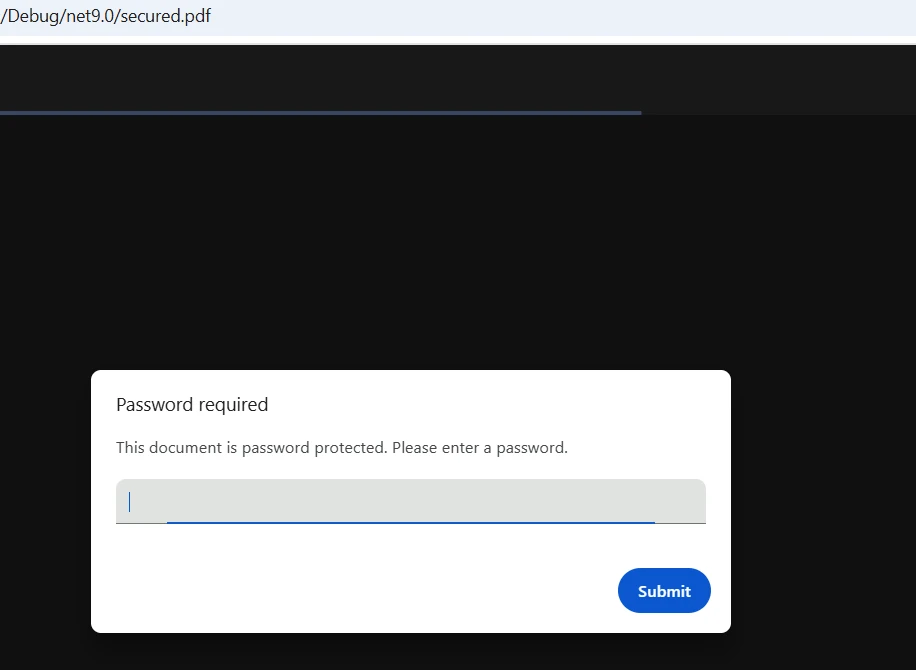
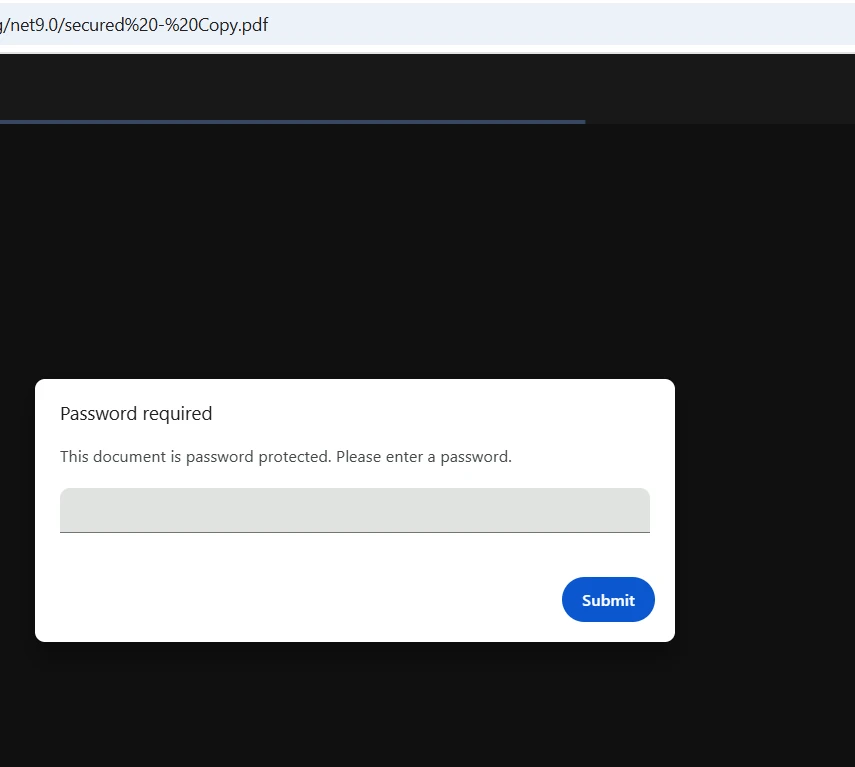
.NET 프로젝트에서 PDF 비교를 구현하기 위해 다음 단계를 따르세요:
PdfDocument 인스턴스를 생성합니다ExtractAllText() 같은 메서드를 사용합니다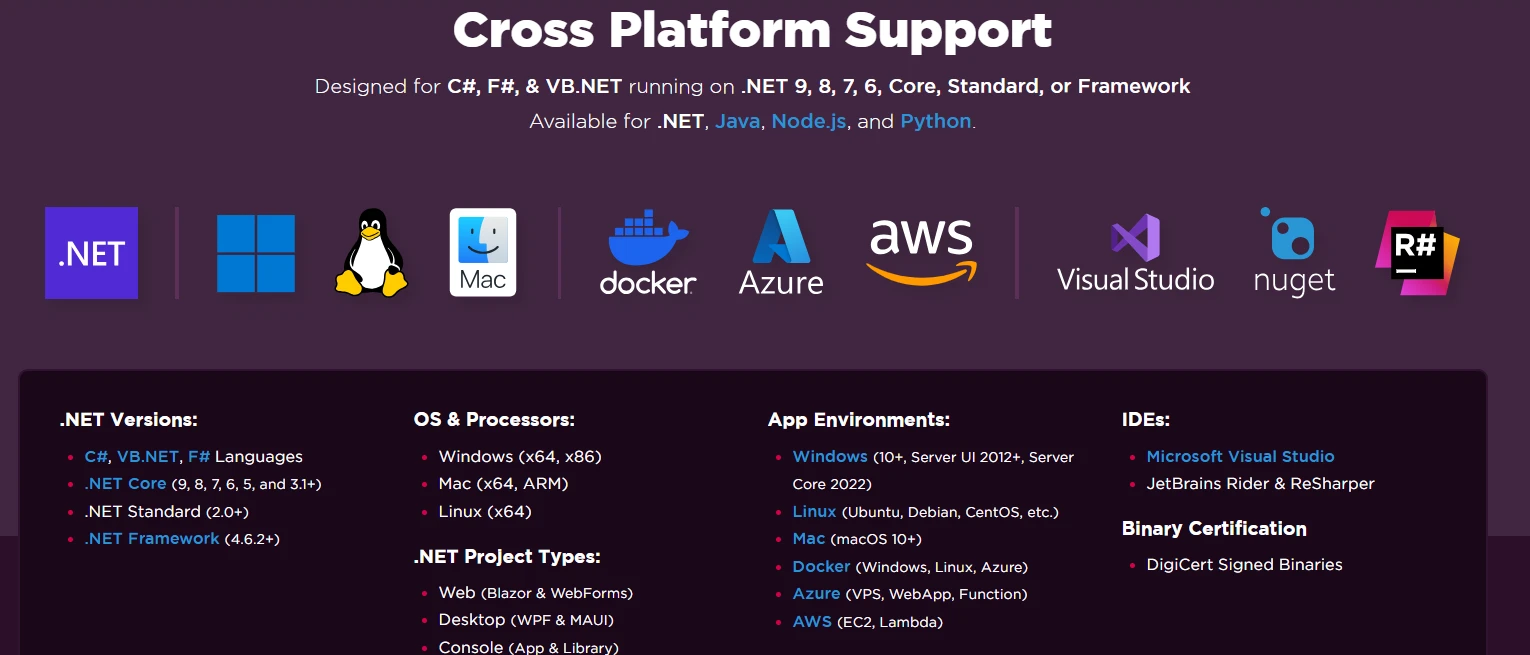
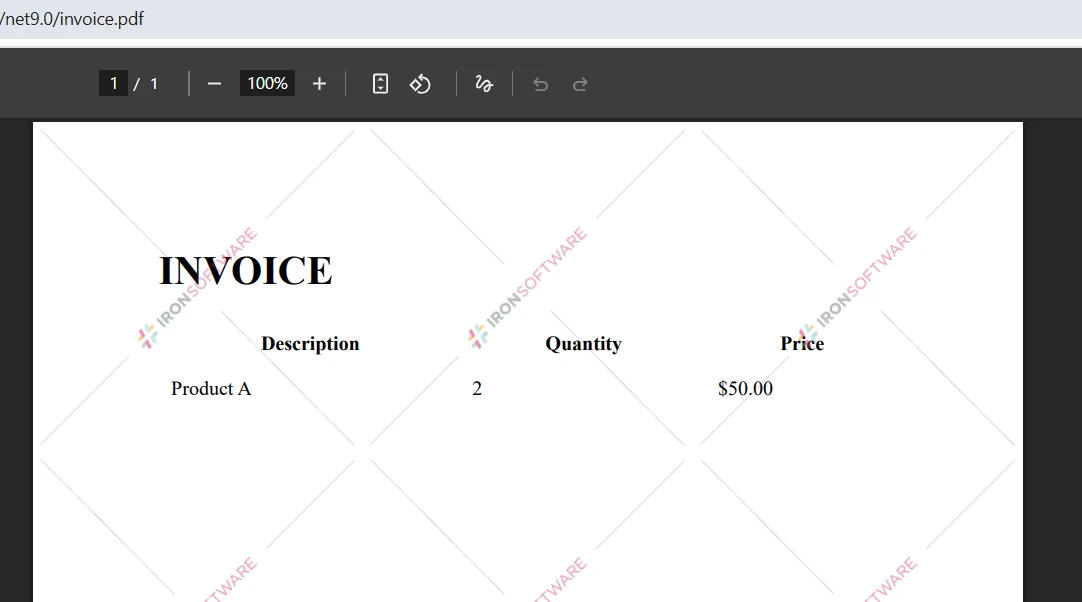
워터마크 없이 IronPDF를 사용하려면 라이선스 키를 설정하세요:
IronPdf.License.LicenseKey = "YOUR-LICENSE-KEY";IronPdf.License.LicenseKey = "YOUR-LICENSE-KEY"using 가능한 옵션에 대한 자세한 정보는 라이선스 페이지를 방문하십시오. IronPDF의 무료 체험판을 다운로드하고, 전문급 비교 기능을 사용하여 PDF 파일을 설정하십시오.
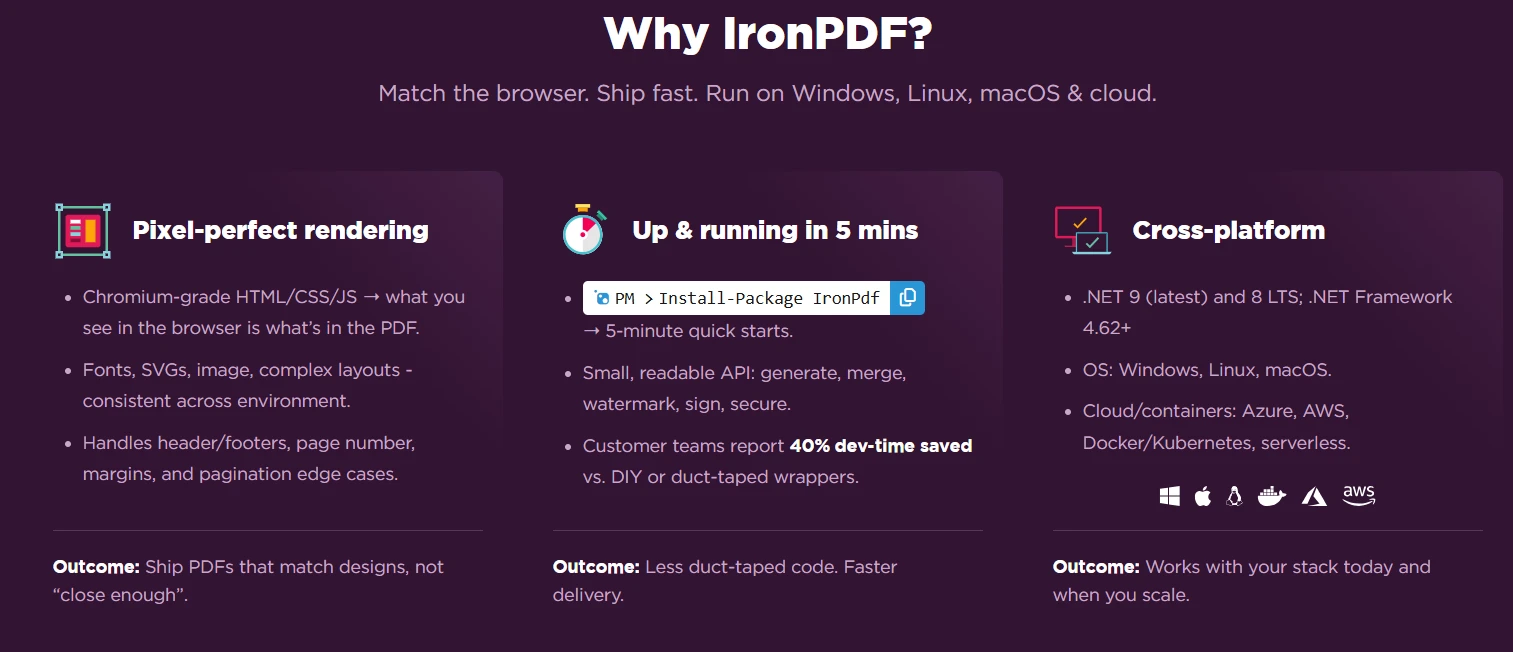
IronPDF는 직관적인 API와 강력한 추출 기능으로 C#을 사용하여 두 PDF 파일을 비교하는 과정을 단순화합니다. 기본 비교에서 상세 보고서 작성까지, IronPDF는 강력한 문서 비교 워크플로우에 필요한 모든 도구를 제공합니다.
간편한 설치, 포괄적인 기능 및 크로스 플랫폼 지원의 조합은 IronPDF를 .NET 응용 프로그램에서 PDF 비교를 구현하기 위한 개발자의 이상적인 선택입니다. 문서 관리 시스템 또는 버전 관리 솔루션을 개발하든 상관없이, IronPDF의 간단한 접근 방식은 빠른 시작을 가능하게 합니다.
오늘 IronPDF의 무료 체험판을 시작하고 전문적인 PDF 비교 기능을 구현하십시오. 기술 지원이 완비되어 있고 광범위한 문서가 제공되므로 몇 시간 안에 생산 준비가 된 기능을 갖추게 됩니다. 고급 기능에 대해 더 알고 싶다면 전체 문서를 참조하십시오.

커티스 차우는 칼턴 대학교에서 컴퓨터 과학 학사 학위를 취득했으며, Node.js, TypeScript, JavaScript, React를 전문으로 하는 프론트엔드 개발자입니다. 직관적이고 미적으로 뛰어난 사용자 인터페이스를 만드는 데 열정을 가진 그는 최신 프레임워크를 활용하고, 잘 구성되고 시각적으로 매력적인 매뉴얼을 제작하는 것을 즐깁니다.



IronPDF는 IRON SUITE 의 일부입니다.
10개의 .NET API 제품, 당신의 사무 문서를 위해

PDF 파일을 HTML처럼 빠르게 변환해야 할 때.


