




已更新 2026年4月23日
简化 .NET 与 Microsoft.Extensions.AI 的 LLM 集成
AI正在改变软件开发,但将大型语言模型(LLM)集成到.NET中直到现在一直很复杂。通过IronPdf.AI,将AI集成更进一步,该产品为.NET应用程序带来了OpenAI驱动的PDF解析、数据提取和内容摘要。
阅读更多

NHibernate 是一个专为 .NET Framework设计的强大的对象关系映射 (ORM) 框架。 它为开发人员提供了一种有效的方法来弥合 .NET 应用程序的面向对象世界和数据库的关系世界之间的鸿沟。 通过使用 NHibernate,您可以显著减少实现数据访问层所需的样板代码数量,使您的 .NET 应用程序更加清晰和易于维护。
像 NHibernate 这样的 ORM 框架通过允许开发人员以对象及其属性而不是 SQL 语句的方式与数据交互来简化与关系数据库的交互。 这种抽象帮助开发人员更多地关注他们应用程序的业务逻辑,而不是底层的 SQL 命令和数据库架构。 例如,NHibernate 处理所有 SQL 生成和执行,允许通过简单的对象转换和对象操作来进行插入、删除和更新等操作。
要在 .NET 项目中开始使用 NHibernate,第一步是安装 NHibernate 包。 这可以通过 Visual Studio 的 NuGet 程序包管理器轻松完成,使用以下命令:
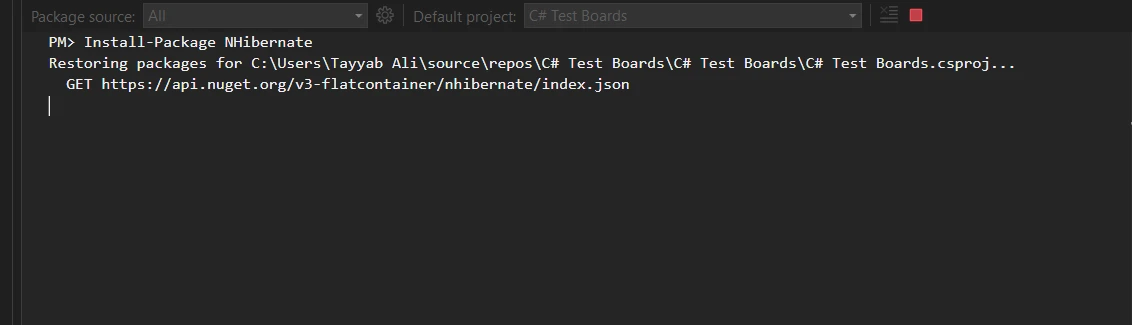
NHibernate 安装后,下一步是对其进行配置。 这涉及创建一个 Hibernate 映射文件,详细记录您的数据库服务器设置以及对象与数据库表的映射细节。 主XML文件,通常命名为hibernate.cfg.xml,包括数据库连接字符串、方言和其他数据库特定的设置。
<?xml version="1.0" encoding="utf-8" ?>
<hibernate-configuration xmlns="urn:nhibernate-configuration-2.2">
  <session-factory>
    <property name="connection.provider">
      NHibernate.Connection.DriverConnectionProvider
    </property>
    <property name="connection.driver_class">
      NHibernate.Driver.SqlClientDriver
    </property>
    <property name="connection.connection_string">
      Server=myServerAddress;Database=myDataBase;User Id=myUsername;Password=myPassword;
    </property>
    <property name="dialect">
      NHibernate.Dialect.MsSql2012Dialect
    </property>
    <property name="show_sql">true</property>
    <mapping resource="Employee.hbm.xml"/>
  </session-factory>
</hibernate-configuration>NHibernate 的关键组件之一是使用工厂设计模式设计的 Session Factory。 该组件创建的 Session 对象负责管理与数据库的连接并持有事务操作。 创建 Session Factory 的代价高昂,因此通常在应用程序生命周期中只创建一次,这使其成为性能优化的关键元素。
NHibernate 围绕几个基本的类和方法运转。 例如,ISession接口在NHibernate中起到基础作用,促进数据查询和操作会话的创建。 像OpenSession这样的方法帮助开发人员启动事务,执行SQL命令,并使用SQL语句或NHibernate自己的HQL(Hibernate Query Language)查询数据库。
NHibernate 中的实体映射是通过通常用 XML 编写的映射文件来完成的。 这些文件通常以实体类命名(例如,Employee.hbm.xml),定义实体属性如何映射到数据库表的列。 一个典型的映射文件包括类名、表名以及关于每个属性的详细信息,包括主键、列名和数据类型。
在这些映射文件中,您可以为每个属性指定各种属性,例如非空约束或唯一性约束。 NHibernate 还允许进行复杂的映射,如一对多和多对一关系,提供了一整套强大的工具来在面向对象框架中表示关系型数据结构。
NHibernate 通过抽象底层的 SQL 命令来简化 CRUD(创建、读取、更新、删除)操作。 开发人员可以不写显式的SQL代码,而是使用ISession接口提供的方法进行这些操作。 例如,要向数据库添加新实体,只需创建对象的新实例,设置其属性,然后使用ISession中。
ITransaction管理事务NHibernate中的事务通过ITransaction接口管理,从而确保数据的完整性和一致性。 使用ISession,开发人员可以确保在将数据提交到数据库之前,所有操作都成功完成,或者如果出错则回滚,从而维护数据的稳定性。
这个示例包括 NHibernate 配置和映射文件的设置,并演示了如何使用 NHibernate 执行创建、读取、更新和删除操作。
using NHibernate;
using NHibernate.Cfg;
using System;

// Define the Employee class with virtual properties
public class Employee
{
    public virtual int Id { get; set; }
    public virtual string FirstName { get; set; }
    public virtual string LastName { get; set; }
}

class Program
{
    private static ISessionFactory sessionFactory;

    static void Main()
    {
        // Initialize the SessionFactory using NHibernate configuration
        sessionFactory = new Configuration().Configure().BuildSessionFactory();

        // Perform database operations
        CreateEmployee();
        ReadEmployee(1);
        UpdateEmployee(1, "UpdatedName");
        DeleteEmployee(1);
    }

    static void CreateEmployee()
    {
        using (var session = sessionFactory.OpenSession())
        using (var transaction = session.BeginTransaction())
        {
            var newEmployee = new Employee
            {
                FirstName = "Iron",
                LastName = "Software"
            };
            session.Save(newEmployee); // Save the new Employee object to the database
            transaction.Commit(); // Commit the transaction to finalize the insertion
            Console.WriteLine("Employee created: " + newEmployee.Id);
        }
    }

    static void ReadEmployee(int id)
    {
        using (var session = sessionFactory.OpenSession())
        {
            // Retrieve the Employee object by its Id
            var employee = session.Get<Employee>(id);
            Console.WriteLine("Read Employee: " + employee.FirstName + " " + employee.LastName);
        }
    }

    static void UpdateEmployee(int id, string newFirstName)
    {
        using (var session = sessionFactory.OpenSession())
        using (var transaction = session.BeginTransaction())
        {
            // Get the Employee object by its Id
            var employee = session.Get<Employee>(id);
            employee.FirstName = newFirstName; // Update the employee's first name
            session.Update(employee); // Update the Employee object in the database
            transaction.Commit(); // Commit the transaction to save changes
            Console.WriteLine("Employee updated: " + employee.FirstName);
        }
    }

    static void DeleteEmployee(int id)
    {
        using (var session = sessionFactory.OpenSession())
        using (var transaction = session.BeginTransaction())
        {
            // Retrieve the Employee object to be deleted
            var employee = session.Get<Employee>(id);
            session.Delete(employee); // Delete the Employee from the database
            transaction.Commit(); // Commit the transaction to finalize the deletion
            Console.WriteLine("Employee deleted");
        }
    }
}Imports NHibernate
Imports NHibernate.Cfg
Imports System
' Define the Employee class with virtual properties
Public Class Employee
Public Overridable Property Id() As Integer
Public Overridable Property FirstName() As String
Public Overridable Property LastName() As String
End Class
Friend Class Program
Private Shared sessionFactory As ISessionFactory
Shared Sub Main()
' Initialize the SessionFactory using NHibernate configuration
sessionFactory = (New Configuration()).Configure().BuildSessionFactory()
' Perform database operations
CreateEmployee()
ReadEmployee(1)
UpdateEmployee(1, "UpdatedName")
DeleteEmployee(1)
End Sub
Private Shared Sub CreateEmployee()
Using session = sessionFactory.OpenSession()
Using transaction = session.BeginTransaction()
Dim newEmployee = New Employee With {
.FirstName = "Iron",
.LastName = "Software"
}
session.Save(newEmployee) ' Save the new Employee object to the database
transaction.Commit() ' Commit the transaction to finalize the insertion
Console.WriteLine("Employee created: " & newEmployee.Id)
End Using
End Using
End Sub
Private Shared Sub ReadEmployee(ByVal id As Integer)
Using session = sessionFactory.OpenSession()
' Retrieve the Employee object by its Id
Dim employee = session.Get(Of Employee)(id)
Console.WriteLine("Read Employee: " & employee.FirstName & " " & employee.LastName)
End Using
End Sub
Private Shared Sub UpdateEmployee(ByVal id As Integer, ByVal newFirstName As String)
Using session = sessionFactory.OpenSession()
Using transaction = session.BeginTransaction()
' Get the Employee object by its Id
Dim employee = session.Get(Of Employee)(id)
employee.FirstName = newFirstName ' Update the employee's first name
session.Update(employee) ' Update the Employee object in the database
transaction.Commit() ' Commit the transaction to save changes
Console.WriteLine("Employee updated: " & employee.FirstName)
End Using
End Using
End Sub
Private Shared Sub DeleteEmployee(ByVal id As Integer)
Using session = sessionFactory.OpenSession()
Using transaction = session.BeginTransaction()
' Retrieve the Employee object to be deleted
Dim employee = session.Get(Of Employee)(id)
session.Delete(employee) ' Delete the Employee from the database
transaction.Commit() ' Commit the transaction to finalize the deletion
Console.WriteLine("Employee deleted")
End Using
End Using
End Sub
End ClassNHibernate 的设计提供了数据库可移植性。 得益于其方言配置,NHibernate 可以适应大多数 SQL 数据库,代码库只需做少量修改。 这意味着您可以从 SQL Server 切换到 MySQL 或 Oracle,而无需重写您的数据访问层。
NHibernate 中的 XML 配置文件允许开发人员指定其数据库系统特定的 SQL 方言。 这使得 NHibernate 成为一个灵活的解决方案,可以轻松适应任何支持 SQL 的关系数据库,确保您的应用程序在不同的数据库系统中具有可移植性。
将 NHibernate 与 IronPDF 集成是一种强大的组合,可以增强您的 .NET 应用程序。 它允许您通过 NHibernate 管理数据库操作,同时利用 IronPDF 从您的数据中生成 PDF 文档。 考虑一个场景,您的应用程序需要提供特定用户的文档,例如员工报告,这些文档需要生成并以 PDF 格式下载。 NHibernate 可以高效地管理从数据库中检索数据的过程,而 IronPDF 可以将这些数据转换为格式良好的 PDF 文件。
首先,确保将 IronPDF 添加到项目中。 您可以通过安装 IronPDF 包在 NuGet 包管理器中包含它。
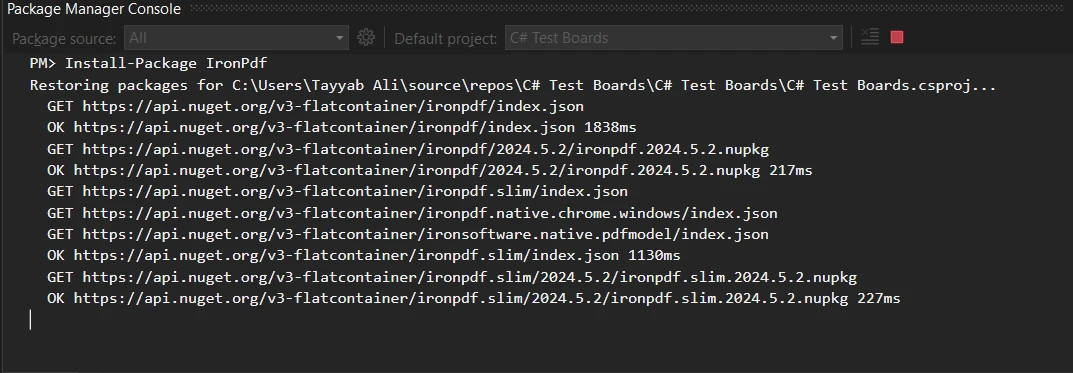
让我们深入了解如何在您的应用程序中实现这一点。 在设置好 NHibernate 并从数据库中检索到必要的数据(例如员工详情)后,您将准备一个 HTML 模板,该模板表示 PDF 文档的外观。 此 HTML 模板可以使用从 NHibernate 获取的数据动态填充。 例如,如果您正在为员工生成报告,模板将包括员工姓名、ID 和其他相关细节的占位符。
这是一个详细的代码示例,演示如何使用 NHibernate 获取数据并使用 IronPDF 将其转换为 PDF:
using IronPdf;
using NHibernate;

static void CreateEmployeeReport(int employeeId)
{
    // Open a session to interact with the database
    using (var session = OpenSession())
    {
        // Retrieve the employee object based on the provided ID
        var employee = session.Get<Employee>(employeeId);

        // Create an instance of the ChromePdfRenderer class from IronPDF
        var renderer = new ChromePdfRenderer();

        // Create the HTML content for the PDF, embedding employee data into the HTML
        var htmlTemplate = $@"
            <html>
            <head>
                <title>Employee Report</title>
            </head>
            <body>
                <h1>Employee Details</h1>
                <p>Name: {employee.FirstName} {employee.LastName}</p>
                <p>ID: {employee.Id}</p>
            </body>
            </html>";

        // Render the HTML string as a PDF document
        var pdf = renderer.RenderHtmlAsPdf(htmlTemplate);

        // Save the generated PDF to a file
        pdf.SaveAs("EmployeeReport.pdf");
    }
}Imports IronPdf
Imports NHibernate
Shared Sub CreateEmployeeReport(ByVal employeeId As Integer)
' Open a session to interact with the database
Using session = OpenSession()
' Retrieve the employee object based on the provided ID
Dim employee = session.Get(Of Employee)(employeeId)
' Create an instance of the ChromePdfRenderer class from IronPDF
Dim renderer = New ChromePdfRenderer()
' Create the HTML content for the PDF, embedding employee data into the HTML
Dim htmlTemplate = $"
<html>
<head>
<title>Employee Report</title>
</head>
<body>
<h1>Employee Details</h1>
<p>Name: {employee.FirstName} {employee.LastName}</p>
<p>ID: {employee.Id}</p>
</body>
</html>"
' Render the HTML string as a PDF document
Dim pdf = renderer.RenderHtmlAsPdf(htmlTemplate)
' Save the generated PDF to a file
pdf.SaveAs("EmployeeReport.pdf")
End Using
End Sub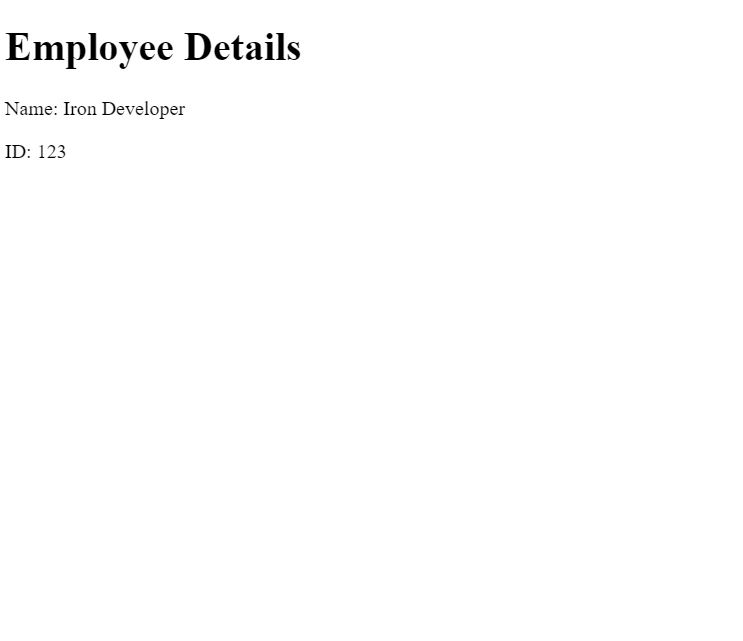
在此代码中,OpenSession()是一个初始化NHibernate会话的方法,此会话用于获取员工数据。 然后,IronPDF的ChromePdfRenderer类将填充了获取的数据的HTML模板渲染为PDF。 此 PDF 被保存为本地文件,但也可以通过 Web 界面直接流式传输给用户。
在本教程中,我们探讨了 NHibernate 如何简化 .NET 应用程序中的数据库操作,以及其与 IronPDF 的集成如何通过允许生成动态 PDF 文档来增强功能。 NHibernate 提供强大的数据管理工具,而 IronPDF 提供了一种方便的方法来从填充了数据的 HTML 模板创建专业质量的 PDF。
IronPDF 可用于免费试用,许可证从经济实惠的解决方案开始,为您的应用程序集成强大的 PDF 生成功能。 这些工具结合在一起提供了一种综合解决方案,可以管理数据和生成文档,适合企业级和较小规模的项目。

Jacob Mellor 是 Iron Software 的首席技术官,也是一位开创 C# PDF 技术的有远见的工程师。作为 Iron Software 核心代码库的原始开发者,他从公司成立之初就开始塑造公司的产品架构,与首席执行官 Cameron Rimington 一起将公司转变为一家拥有 50 多名员工的公司,为 NASA、特斯拉和全球政府机构提供服务。



IronPDF 是 IRONSUITE的一部分
10 个 .NET API 产品用于您的办公文档

当您需要PDF看起来像HTML时,速度快。


