




已更新 2026年4月23日
简化 .NET 与 Microsoft.Extensions.AI 的 LLM 集成
AI正在改变软件开发,但将大型语言模型(LLM)集成到.NET中直到现在一直很复杂。通过IronPdf.AI,将AI集成更进一步,该产品为.NET应用程序带来了OpenAI驱动的PDF解析、数据提取和内容摘要。
阅读更多

在.NET开发的复杂世界中,管理服务之间的异步通信是构建健壮且可扩展应用程序的关键方面。 进入Rebus.NET,这是一个强大的库,简化了.NET生态系统内基于消息的通信和路由。 让我们探索Rebus如何赋能开发人员,利用提供的关键字来发挥服务总线和排队服务调用机制的全部潜力。
开发人员可以通过将Rebus .NET与IronPDF的PDF生成功能结合起来,构建具有生成PDF文档能力的复杂分布式系统,作为消息操作的一部分。 例如,一个由Rebus构建的系统可能会收到生成PDF文档的请求,用Rebus处理程序来处理,随后使用IronPDF生成并回复该文档。
开发人员可以使用Rebus和IronPDF创建功能丰富、可扩展且可靠的分布式应用程序,这些应用程序可以轻松集成到PDF生成的消息工作流中。 这种集成为开发各种应用程序,如报告工具和文档管理系统,提供了强大的基础。
在分布式系统的核心中,存在高效传递和处理消息的需求。 Rebus概述和资源,凭借其直观的API和全面的功能,成为了分布式应用程序不同组件之间的纽带。 无论是协调微服务之间的通信还是管理异步任务,Rebus提供了必要的工具来简化消息处理和传递。
使用Rebus,根据预定义的标准来路由消息变得轻而易举。 开发人员可以利用Rebus的路由功能将消息定向到特定的处理程序或队列,确保每条消息都能高效地到达预定的目的地。 通过使用Rebus的扩展方法定义路由规则,开发人员可以根据其应用架构的独特要求自定义消息流。
Rebus .NET兼容多种消息模式,如消息路由、命令/查询、请求/响应和发布/订阅。这种多功能性使开发人员可以选择最适合其特定用例的设计。
Rebus.NET使分布式系统的组件能够彼此通信,而无需等待响应或彼此阻塞。 这种异步通信增强了系统的响应性和可扩展性。
Rebus.NET旨在开发分布式系统,其中使用多个进程或网络作为组件之间的通信媒介。 它提供了处理消息序列化和反序列化、维持消息传递可靠性以及管理消息队列的功能。
Rebus.NET非常可扩展,允许程序员根据需要修改和扩展其功能。 它提供与多个中间件平台、序列化格式和消息代理的集成点。
Rebus.NET有内置的重试和错误处理技术,确保即使在短暂的故障或网络问题时也能一致地处理消息。 开发人员可以设置重试策略和错误处理技术,以满足其应用程序的弹性需求。
Rebus.NET通过提供消息加密和安全功能,使开发人员能够保护跨分布式组件、托管环境和混合云应用程序传输的敏感数据。 它通过轻松集成到加密库和协议中,保障混合云应用程序的安全通信信道。
处理异步消息是Rebus的核心特性。 通过使用await bus模式,开发人员可以让应用程序代码等待消息到达,并异步执行相应的消息处理程序。 这允许无阻塞的消息处理,确保即使在繁重负载下,应用程序也能保持响应性和可扩展性。
在分布式系统中,故障是不可避免的。 Rebus为开发人员提供了管理和处理失败消息的机制,方法得当。 通过配置错误日志和重试策略,开发人员可以定义Rebus如何处理失败消息,无论是重试传递错误消息、将消息转移到死信队列,还是记录错误以便进一步记录和分析。
Rebus完全兼容.NET Core,是现代跨平台应用程序的理想选择。 无论您是在构建微服务、无服务器函数、混合云应用程序还是本机应用程序,Rebus都为.NET Core生态系统中的异步通信和消息处理提供了坚实的基础。
然后必须创建消息处理类,以处理传入的消息。 每个消息处理程序类都应实现MyMessage是处理程序类将处理的消息类型。
public class MyMessageHandler : IHandleMessages<MyMessage>
{
    public async Task Handle(MyMessage message)
    {
        // Process the incoming message here
        // Example: Log the message or perform some business logic
    }
}Public Class MyMessageHandler
Implements IHandleMessages(Of MyMessage)
Public Async Function Handle(ByVal message As MyMessage) As Task
' Process the incoming message here
' Example: Log the message or perform some business logic
End Function
End ClassRebus必须配置一个消息传输机制来发送和接收消息。 Rebus兼容多种传输选项,如用于测试的内存传输、Azure服务总线、RabbitMQ和SQL服务器。 通过使用这个功能,它不仅绑定到任何特定的排队技术,还可以移动到任何托管环境中。
以RabbitMQ作为消息传输为例:
var services = new ServiceCollection();
// Configure the message transport with RabbitMQ
services.AddRebus(configure => configure
    .Transport(t => t.UseRabbitMq("amqp://guest:guest@localhost", "my-queue"))
.Routing(r => r.TypeBased().Map<MyMessage>("my-queue")));Dim services = New ServiceCollection()
' Configure the message transport with RabbitMQ
services.AddRebus(Function(configure) configure.Transport(Function(t) t.UseRabbitMq("amqp://guest:guest@localhost", "my-queue")).Routing(Function(r) r.TypeBased().Map(Of MyMessage)("my-queue")))最后,您必须开始消息处理循环进程并使用配置的服务初始化Rebus。
var serviceProvider = services.BuildServiceProvider();
var bus = serviceProvider.GetRequiredService<IBus>();
await bus.Start(); // Start the Rebus message processing loopDim serviceProvider = services.BuildServiceProvider()
Dim bus = serviceProvider.GetRequiredService(Of IBus)()
Await bus.Start() ' Start the Rebus message processing loop**重试策略:**通过在配置中包含重试选项,您可以设置 Rebus 在发生故障时重试消息处理。
**并发控制:**通过调整工作线程或处理程序的数量,Rebus 使您能够调节消息处理的并发性。
消息序列化: Rebus 能够以多种格式序列化消息,包括 JSON、XML 和 Protobuf。 序列化设置可配置,以适应您的应用程序代码和需求。
一个流行的.NET库,被称为IronPDF,允许我们在程序内创建、修改和呈现PDF文档。 有多种处理PDF的方式,包括将HTML页面转换为PDF与IronPDF例子,以及将文本、图像和形状插入到现有的文档中。甚至更好,您可以使用IronPDF的HTML来创建PDF的应用程序代码、图片或原始数据,创造新的PDF文档。
IronPDF在HTML到PDF转换方面表现出色,确保精确保留原始布局和样式。 它非常适合从基于Web的内容中创建PDF,如报告、发票和文档。 利用对HTML文件、URL和原始HTML字符串的支持,IronPDF轻松生成高质量的PDF文档。
using IronPdf;

class Program
{
    static void Main(string[] args)
    {
        var renderer = new ChromePdfRenderer();

        // 1. Convert HTML String to PDF
        var htmlContent = "<h1>Hello, IronPDF!</h1><p>This is a PDF from an HTML string.</p>";
        var pdfFromHtmlString = renderer.RenderHtmlAsPdf(htmlContent);
        pdfFromHtmlString.SaveAs("HTMLStringToPDF.pdf");

        // 2. Convert HTML File to PDF
        var htmlFilePath = "path_to_your_html_file.html"; // Specify the path to your HTML file
        var pdfFromHtmlFile = renderer.RenderHtmlFileAsPdf(htmlFilePath);
        pdfFromHtmlFile.SaveAs("HTMLFileToPDF.pdf");

        // 3. Convert URL to PDF
        var url = "http://ironpdf.com"; // Specify the URL
        var pdfFromUrl = renderer.RenderUrlAsPdf(url);
        pdfFromUrl.SaveAs("URLToPDF.pdf");
    }
}Imports IronPdf
Friend Class Program
Shared Sub Main(ByVal args() As String)
Dim renderer = New ChromePdfRenderer()
' 1. Convert HTML String to PDF
Dim htmlContent = "<h1>Hello, IronPDF!</h1><p>This is a PDF from an HTML string.</p>"
Dim pdfFromHtmlString = renderer.RenderHtmlAsPdf(htmlContent)
pdfFromHtmlString.SaveAs("HTMLStringToPDF.pdf")
' 2. Convert HTML File to PDF
Dim htmlFilePath = "path_to_your_html_file.html" ' Specify the path to your HTML file
Dim pdfFromHtmlFile = renderer.RenderHtmlFileAsPdf(htmlFilePath)
pdfFromHtmlFile.SaveAs("HTMLFileToPDF.pdf")
' 3. Convert URL to PDF
Dim url = "http://ironpdf.com" ' Specify the URL
Dim pdfFromUrl = renderer.RenderUrlAsPdf(url)
pdfFromUrl.SaveAs("URLToPDF.pdf")
End Sub
End Class易用性是IronPDF的主要优点之一。 由于其用户友好的API和广泛的文档支持,开发人员可以快速开始从其.NET应用程序创建PDF。此外,IronPDF的效率和速度也是帮助开发人员快速创建高质量PDF文档的两大特点。
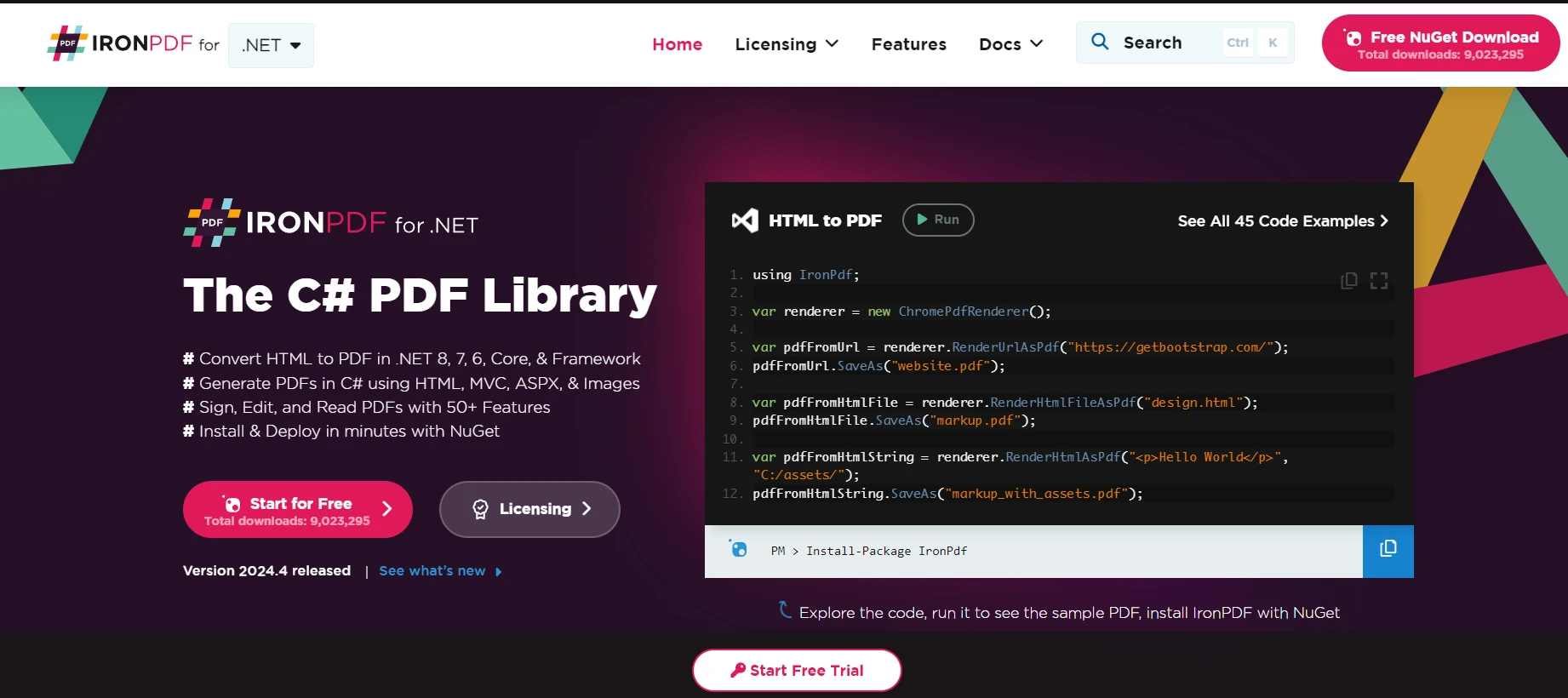
一些IronPDF功能的优点:
要在.NET应用程序中使用它们,您必须首先设置Rebus以进行消息传递和IronPDF以进行PDF生产。 这是一个详细的操作指南:
Install-Package Rebus
Install-Package Rebus.ServiceProvider
Install-Package IronPdf将应用程序配置为通过Rebus处理消息。 要发送和接收消息,请使用消息传输机制(如RabbitMQ或Azure服务总线)配置Rebus。 这项服务可以管理失败的消息。
以下是一个简单的示例,其中使用RabbitMQ设置消息传输的队列名称:
// Create service broker config
var services = new ServiceCollection();
// Add Rebus configuration to the services
services.AddRebus(configure => configure
    .Transport(t => t.UseRabbitMq("amqp://guest:guest@localhost", "my-queue"))
    .Routing(r => r.TypeBased().Map<MyMessage>("my-queue")));
var serviceProvider = services.BuildServiceProvider();
var bus = serviceProvider.GetRequiredService<IBus>();
await bus.Start();' Create service broker config
Dim services = New ServiceCollection()
' Add Rebus configuration to the services
services.AddRebus(Function(configure) configure.Transport(Function(t) t.UseRabbitMq("amqp://guest:guest@localhost", "my-queue")).Routing(Function(r) r.TypeBased().Map(Of MyMessage)("my-queue")))
Dim serviceProvider = services.BuildServiceProvider()
Dim bus = serviceProvider.GetRequiredService(Of IBus)()
Await bus.Start()Rebus和IronPDF现在可以集成,以支持和管理IronPDF的PDF创建作业,作为消息工作流的一部分。 对于Rebus实例,您可以使用Rebus设计消息处理程序,当接收到特定消息时,生成PDF。
public class GeneratePdfMessageHandler : IHandleMessages<GeneratePdfMessage>
{
    public async Task Handle(GeneratePdfMessage message)
    {
        // Create an instance of ChromePdfRenderer to render HTML as PDF
        var renderer = new IronPdf.ChromePdfRenderer();

        // Render the incoming HTML content to a PDF document
        var pdfDocument = renderer.RenderHtmlAsPdf(message.HtmlContent);

        // Save the generated PDF to the specified output path
        pdfDocument.SaveAs(message.OutputPath);
    }
}Public Class GeneratePdfMessageHandler
Implements IHandleMessages(Of GeneratePdfMessage)
Public Async Function Handle(message As GeneratePdfMessage) As Task Implements IHandleMessages(Of GeneratePdfMessage).Handle
' Create an instance of ChromePdfRenderer to render HTML as PDF
Dim renderer As New IronPdf.ChromePdfRenderer()
' Render the incoming HTML content to a PDF document
Dim pdfDocument = renderer.RenderHtmlAsPdf(message.HtmlContent)
' Save the generated PDF to the specified output path
pdfDocument.SaveAs(message.OutputPath)
End Function
End Class最后,您可以通过向Rebus发送消息来启动PDF创建任务。 作为示例:
var message = new GeneratePdfMessage
{
    HtmlContent = "<h1>Hello, IronPDF!</h1>",
    OutputPath = "Sample.pdf"
};
await bus.Send(message); // Send the message to the configured queueDim message = New GeneratePdfMessage With {
.HtmlContent = "<h1>Hello, IronPDF!</h1>",
.OutputPath = "Sample.pdf"
}
Await bus.Send(message) ' Send the message to the configured queue以下是上述源代码的输出结果。
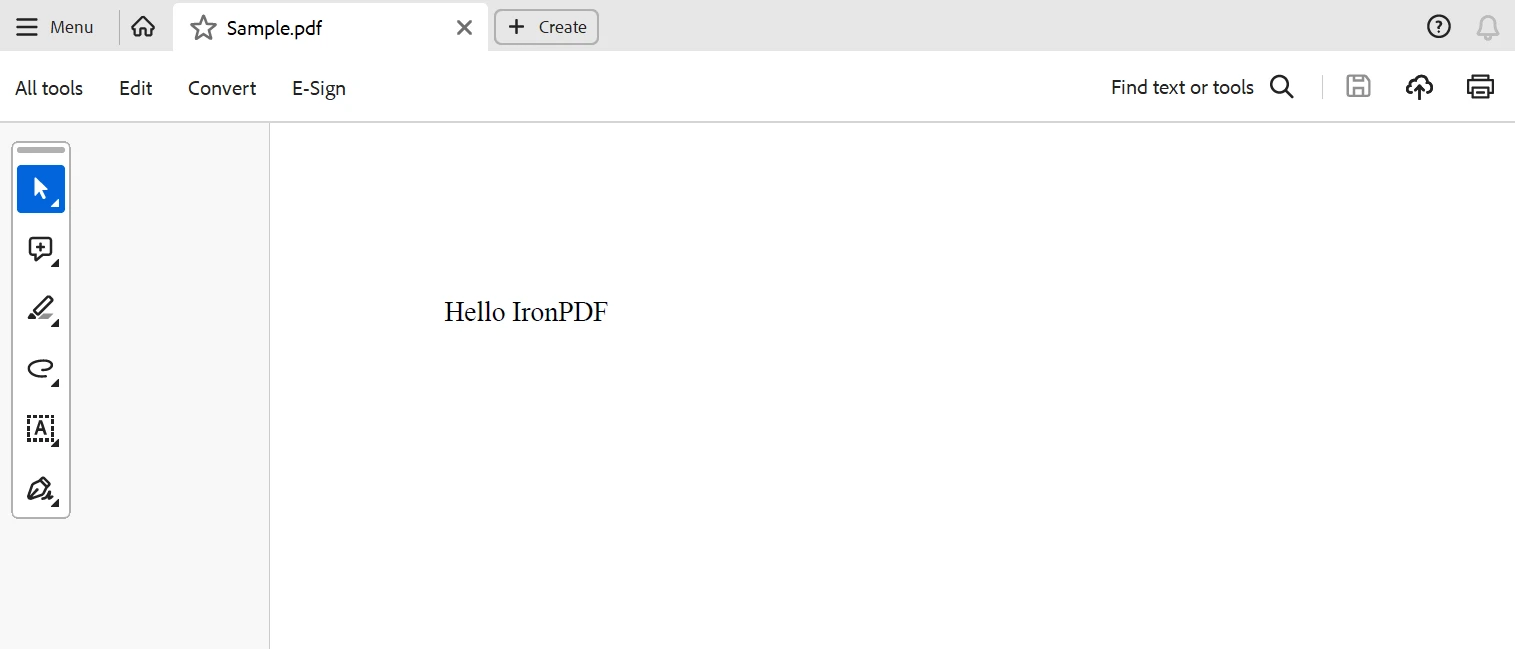
最后,通过Rebus和IronPDF特性和功能的结合,开发人员现在拥有了一个强大的工具箱,用于在.NET应用中创建集成文档生成的分布式系统。
通过Rebus坚固而灵活的消息架构,开发人员可以设计多样化的消息模式并协调各种分布式系统组件之间的通信。 相反,IronPDF为.NET应用生成PDF提供了完整的解决方案。开发人员可以使用IronPDF从HTML内容、照片或原始数据创建专业的PDF文档,并能够根据自己的需求调整PDF的样式和布局。
总而言之,通过结合Rebus和IronPDF解决方案,开发人员可以创建功能丰富、可扩展且可靠的分布式系统,具备集成的文档生成功能。 Rebus和IronPDF提供了为开发尖端.NET应用程序和服务的坚实基础,这些应用和服务能够让用户受益,无论是用于即时的文档、报告或发票生成服务。
IronPDF还提供了详细的IronPDF功能文档,其广泛的功能,以及多个详尽的代码示例。
IronPDF附带了一个终身实惠的许可证,包含在包中。 该软件包可用于多种系统,价格仅为$999,非常划算。 向许可证持有者提供全天候在线的工程支持。 它还提供IronPDF的免费试用版以供查询价格的更多信息。 访问此Iron Software网站以获取更多关于Iron Software提供的服务的信息。

Jacob Mellor 是 Iron Software 的首席技术官,也是一位开创 C# PDF 技术的有远见的工程师。作为 Iron Software 核心代码库的原始开发者,他从公司成立之初就开始塑造公司的产品架构,与首席执行官 Cameron Rimington 一起将公司转变为一家拥有 50 多名员工的公司,为 NASA、特斯拉和全球政府机构提供服务。



当您需要PDF看起来像HTML时,速度快。













