已更新 2026年5月8日
生成每月账户报表(PDF 文档)
using IronPDF C# PDF 库,开发人员可以在 .NET 项目中将 HTML 转换为可靠的 PDF 文件,而无需依赖外部服务。
阅读更多

 当每个需要PDF导出的团队都构建了自己的实现时,代码库最终会出现同一渲染逻辑的六个版本,虽然每个逻辑略有不同,由不同优先级的不同团队维护。 BI仪表板有自己的导出控制器。 管理面板还有另一个。 金融系统有一个不同的由三年前的不同库构建的第三个。 它们产生的文件看起来不像来自同一家公司。
耦合问题和重复问题一样昂贵。 当PDF模板需要更改时,需要更新的法律声明、刷新图标、标准报告中添加的列,这些更改必须部署到每个嵌入其自己的渲染逻辑的应用程序中。 一个本应在下午更新的模板变成了一个多团队、多Sprint的协调工作。
替代方案往往会引入不同的问题。 通过CLI工具管道传输JSON在有效时正常运行,但在生产中悄无声息地失败的Shell脚本调试体验是痛苦的。 外部文件生成API解决了隔离问题,但增加了按调用成本和网络往返问题,而这本应是内部能力。 Ops团队请求临时报告仍然需要开发人员编写自定义导出,因为没有通用端点可调用。
真实场景:一个BI后端需要提供任意图表或表格的PDF导出,而无需每个仪表板拥有自己的渲染器,一个财务系统调用内部服务,在分发前渲染月末摘要,一个质量保证平台从CI管道JSON输出生成PDF测试运行报告,一个ops团队希望拥有一个单一的端点,将任何结构化负载转换为格式化报告。
IronPDF在一个轻量级的.NET微服务中作为渲染引擎运行,该服务接受通过HTTP POST的JSON,将数据映射到HTML和CSS模板,并在响应正文中返回完成的PDF。 任何内部系统如仪表板后端、调度程序、CLI工具或另一个微服务都可以发送包含模板名称和JSON负载的请求,返回PDF二进制文件。
模板更改一次部署到报告服务并立即影响每个消费者,无需团队之间的协调重新部署。 没有按次计费的SaaS费,没有分散在应用程序中的重复渲染逻辑,也没有团队间的库版本不匹配。 该服务作为容器化的.NET应用程序运行,一个NuGet包,无外部进程。
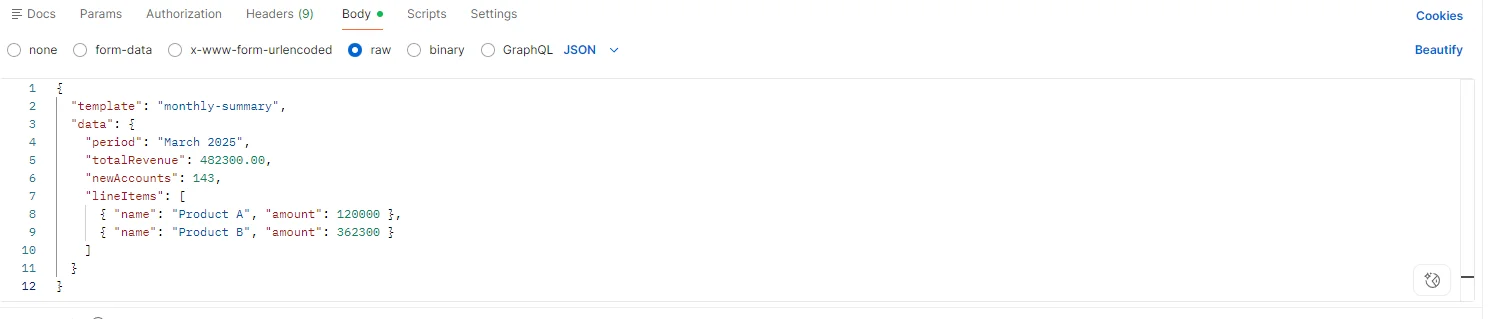
服务公开一个端点:POST /api/reports/generate。 请求正文携带模板标识符和JSON数据负载。 模板标识符映射到由负责报告设计的团队维护的HTML文件,与服务在源控制中一起进行版本控制。
{
  "template": "monthly-summary",
"data": {
"period": "2025年3月",
"totalRevenue": 482300.00,
"newAccounts": 143,
"lineItems": [...]
  }
}服务是组织生产的每个PDF格式的单一真相源。 添加新的报告类型意味着添加一个新的HTML模板和一个新的模板标识符,无需在任何消费系统中进行更改。
接收到请求后,服务加载HTML模板,将JSON负载反序列化为类型化或动态模型,并用数据填充模板。 对于具有一致架构的结构化报告,类型化反序列化步骤提供了编译时安全性。 对于架构因模板而异的临时负载,JsonDocument或动态绑定与字符串插值或像Scriban这样的轻量库一起使用。
using IronPdf;

using System.Text.Json;

app.MapPost("/api/reports/generate", async (HttpContext ctx) =>
{
    using var doc = await JsonDocument.ParseAsync(ctx.Request.Body);
    string templateId = doc.RootElement.GetProperty("template").GetString();
    var data = doc.RootElement.GetProperty("data");

    string templateHtml = await File.ReadAllTextAsync($"Templates/{templateId}.html");

    // Populate template with data values via string replacement or templating engine
    string html = templateHtml
        .Replace("{{period}}", data.GetProperty("period").GetString())
        .Replace("{{totalRevenue}}", data.GetProperty("totalRevenue").GetDecimal().ToString("C"))
        .Replace("{{newAccounts}}", data.GetProperty("newAccounts").GetInt32().ToString());

    var renderer = new ChromePdfRenderer();

    renderer.RenderingOptions.PaperSize = IronPdf.Rendering.PdfPaperSize.A4;

    renderer.RenderingOptions.MarginTop = 20;

    renderer.RenderingOptions.MarginBottom = 20;

    PdfDocument pdf = renderer.RenderHtmlAsPdf(html);

    ctx.Response.ContentType = "application/pdf";

    ctx.Response.Headers["Content-Disposition"] = $"attachment; filename=\"{templateId}-report.pdf\"";

    await ctx.Response.Body.WriteAsync(pdf.BinaryData);

});Imports IronPdf
Imports System.Text.Json
app.MapPost("/api/reports/generate", Async Function(ctx As HttpContext) As Task
Using doc = Await JsonDocument.ParseAsync(ctx.Request.Body)
Dim templateId As String = doc.RootElement.GetProperty("template").GetString()
Dim data = doc.RootElement.GetProperty("data")
Dim templateHtml As String = Await File.ReadAllTextAsync($"Templates/{templateId}.html")
' Populate template with data values via string replacement or templating engine
Dim html As String = templateHtml _
.Replace("{{period}}", data.GetProperty("period").GetString()) _
.Replace("{{totalRevenue}}", data.GetProperty("totalRevenue").GetDecimal().ToString("C")) _
.Replace("{{newAccounts}}", data.GetProperty("newAccounts").GetInt32().ToString())
Dim renderer As New ChromePdfRenderer()
renderer.RenderingOptions.PaperSize = IronPdf.Rendering.PdfPaperSize.A4
renderer.RenderingOptions.MarginTop = 20
renderer.RenderingOptions.MarginBottom = 20
Dim pdf As PdfDocument = renderer.RenderHtmlAsPdf(html)
ctx.Response.ContentType = "application/pdf"
ctx.Response.Headers("Content-Disposition") = $"attachment; filename=""{templateId}-report.pdf"""
Await ctx.Response.Body.WriteAsync(pdf.BinaryData)
End Using
End Function)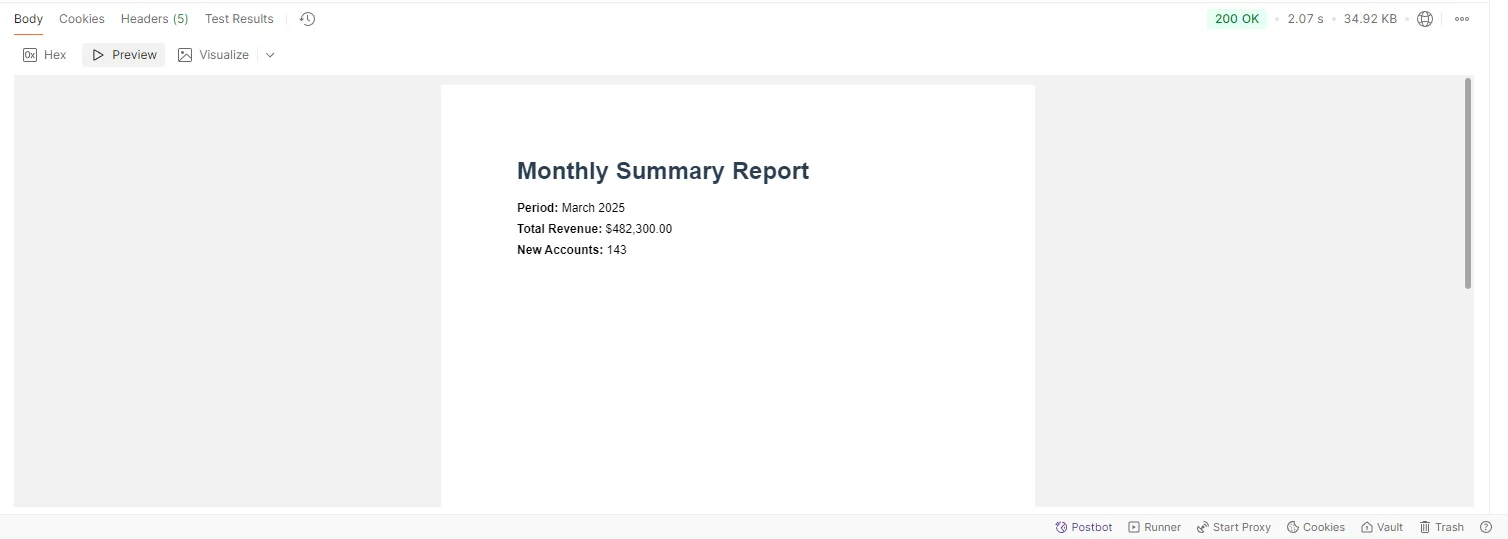
任何可以执行HTTP POST的内部系统都可以生成PDF而无需嵌入任何渲染逻辑或管理任何库依赖:
using System.Net.Http;
using System.Text;
using System.Text.Json;

var payload = new
{
    template = "monthly-summary",
    data = new { period = "March 2025", totalRevenue = 482300.00, newAccounts = 143 }
};

using var client = new HttpClient { BaseAddress = new Uri("http://pdf-service.internal") };

var content = new StringContent(JsonSerializer.Serialize(payload), Encoding.UTF8, "application/json");

using var response = await client.PostAsync("/api/reports/generate", content);

response.EnsureSuccessStatusCode();

byte[] pdfBytes = await response.Content.ReadAsByteArrayAsync();

// Stream to browser, save to storage, attach to email, etc.Imports System.Net.Http
Imports System.Text
Imports System.Text.Json
Dim payload = New With {
.template = "monthly-summary",
.data = New With {.period = "March 2025", .totalRevenue = 482300.0, .newAccounts = 143}
}
Using client As New HttpClient With {.BaseAddress = New Uri("http://pdf-service.internal")}
Dim content As New StringContent(JsonSerializer.Serialize(payload), Encoding.UTF8, "application/json")
Using response As HttpResponseMessage = Await client.PostAsync("/api/reports/generate", content)
response.EnsureSuccessStatusCode()
Dim pdfBytes As Byte() = Await response.Content.ReadAsByteArrayAsync()
' Stream to browser, save to storage, attach to email, etc.
End Using
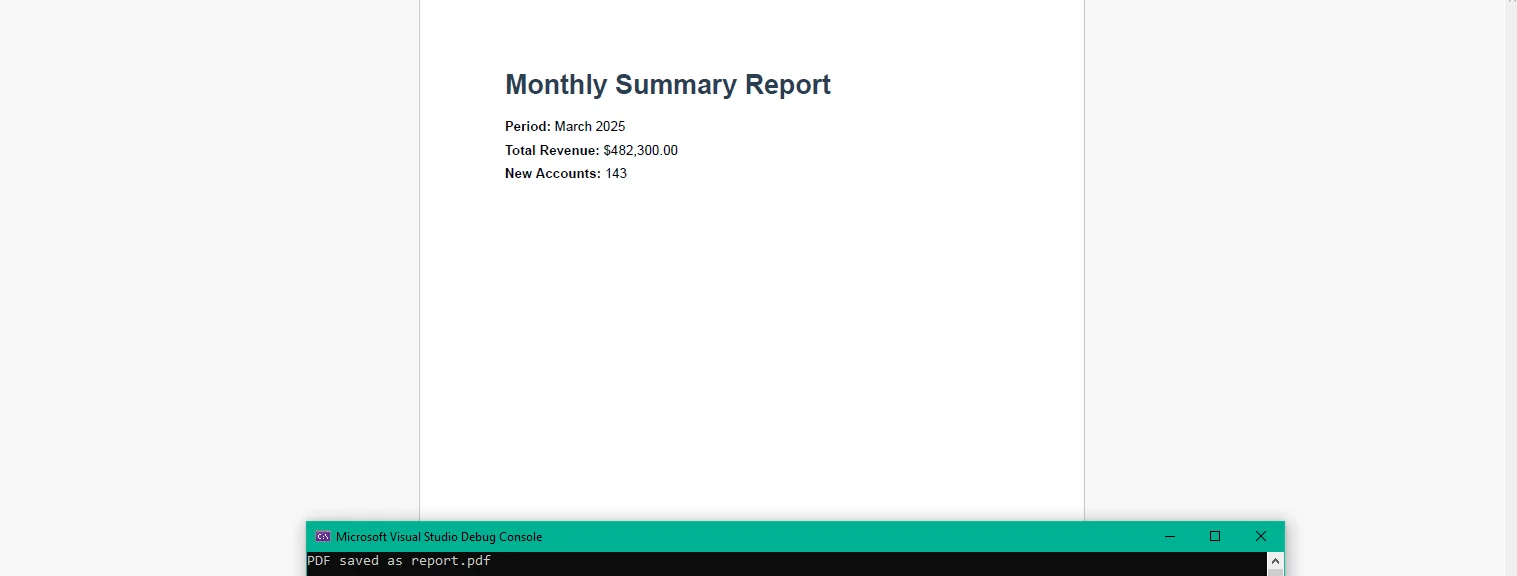
End Using此代码运行在任何消费系统(控制台应用程序、后端服务或微服务)中,而不是在PDF服务本身。 调用系统接收其可以流式传输到用户浏览器、写入Blob存储或附加到外发电子邮件中的原始PDF字节,以满足其上下文需求。 它不知道PDF是如何生成的。
服务在请求之间不持有任何数据。 每个渲染都是独立的,这意味着服务可水平扩展到负载均衡后或在Kubernetes部署中,无需协调。 如月末运行或按计划作业触发的大宗导出时的报告需求峰值,通过增加副本而不是更改应用程序逻辑来处理。
结构化日志记录捕获渲染时间、模板标识符、负载大小以及每个请求的成功或失败。集中式指标看到渲染延迟趋势、模板的错误率和一个位置的量模式,而不是分散在每个消费应用程序的日志中。
**集中式渲染。**一个服务在整个组织中负责PDF生成。 模板更新一次部署,每个消费者都获得更改而不需要更改他们自己的代码库或协调发布。
**无状态可扩展性。**请求之间没有共享状态,这意味着服务可水平扩展以满足需求,添加副本,减轻负载下降时的负担。 没有粘性会话,不需要分布式缓存。
**一致的输出。**服务生成的每个PDF使用相同的渲染引擎、相同的模板和相同的配置。 金融系统生产的与仪表板导出的没有偏差。
**快速集成。**任何可以执行HTTP POST的系统都能创建PDF文件。 在消费端没有SDK嵌入,没有需要管理的库版本,也没有要添加的导入。 合同是JSON输入,PDF输出。
**可观测性。**每次渲染在一个地方记录并测量。 响应时间百分位、按模板的错误率和每日量在一个仪表板上可见,而不是分散在多个应用程序中。
**没有按次收费。**服务在容器内部处理进程运行。 没有第三方API计量,也没有随着报告量扩展的成本模型,生成100或100,000个报告在基础设施的成本上是相同的。
将PDF生成集中到一个专用的微服务中,将分布式维护问题转换为一个简单的问题:一个服务,一个渲染引擎,一个更新模板的地方。 每个生成PDF文件的内部系统都从变化中收益,而无需自行投入工作。
服务本身是一个极简的.NET应用程序,一个端点,一个模板加载器和一个呈现调用。 IronPDF在C#中的ironpdf.com上处理PDF生成的完整生命周期,从渲染HTML模板到保存、流式传输和操作文档。 如果您准备好了根据您自己的内部API构建和验证服务,请开始您的30天免费试用,足够的时间来建立服务,将其连接到您的数据源,并在向团队推出之前确认输出。

Curtis Chau 拥有卡尔顿大学的计算机科学学士学位,专注于前端开发,精通 Node.js、TypeScript、JavaScript 和 React。他热衷于打造直观且美观的用户界面,喜欢使用现代框架并创建结构良好、视觉吸引力强的手册。

当您需要PDF看起来像HTML时,速度快。