已更新 2026年9月4日
產生每月帳戶報表(PDF 文件)
using IronPDF C# PDF 庫,開發人員可以在 .NET 專案中將 HTML 轉換為可靠的 PDF 文件,而無需依賴外部服務。
閱讀更多

 當每個需要PDF匯出的團隊自行建立實作,程式碼基礎最終會包含相同渲染邏輯的六個版本,每個版本略有不同,由不同的團隊維護,且有不同的優先事項。 BI儀表板有自己的匯出控制器。 管理面板則有另一個。 財務系統則使用一個三年前的不同程式庫構建的第三個控制器。 它們產生的文件看起來都不像同一家公司發出的。
耦合問題與重複相同昂貴。 當需要變更PDF範本時,例如更新法律聲明、刷新商標、或將欄位新增至標準報告中,這些變更必須部署到每一個嵌入自己渲染邏輯的應用程式中。 一個應該花一個下午更新的範本變成了多團隊、多衝刺的協調工作。
替代方案往往會引入不同的問題。 用CLI工具處理JSON是可行的,直到它出問題,並且除錯一個在生產環境中默默出錯的Shell腳本是一個糟糕的經歷。 外部文件生成API解決了隔離問題,但增加了每次呼叫的成本和應屬內部功能的網路往返。 因為沒有通用的使用者端點,所以運行團隊要求即時報告時仍需等待開發者撰寫自訂匯出。
實際場景包括:需要為任何圖表或表格提供PDF匯出的BI後端,不需每個儀表板擁有自己的渲染器;在分發前調用內部服務渲染月底摘要的財務系統;從CI流水線JSON輸出中生成PDF測試運行報告的QA平台;希望有一個單一端點可以將任何結構化資料轉換為格式化報告的運行團隊。
IronPDF作為渲染引擎在接受JSON的輕量級.NET微服務中運作,通過HTTP POST接收資料,將資料映射到HTML和CSS模板,並在回應正文中返回完成的PDF。 任何內部系統,如儀表板後端、調度器、CLI工具或其他微服務,都可以通過請求夾帶模板名稱和JSON負載,然後獲得PDF二進位。
模板變更一經部署到報告服務就立即生效,無需跨團隊協調重新部署。 沒有每次呼叫的SaaS費用,沒有散佈在應用程式中的重複渲染邏輯,沒有版本不匹配的問題。 該服務作為容器化.NET應用程式運行,一個NuGet包,沒有外部過程。
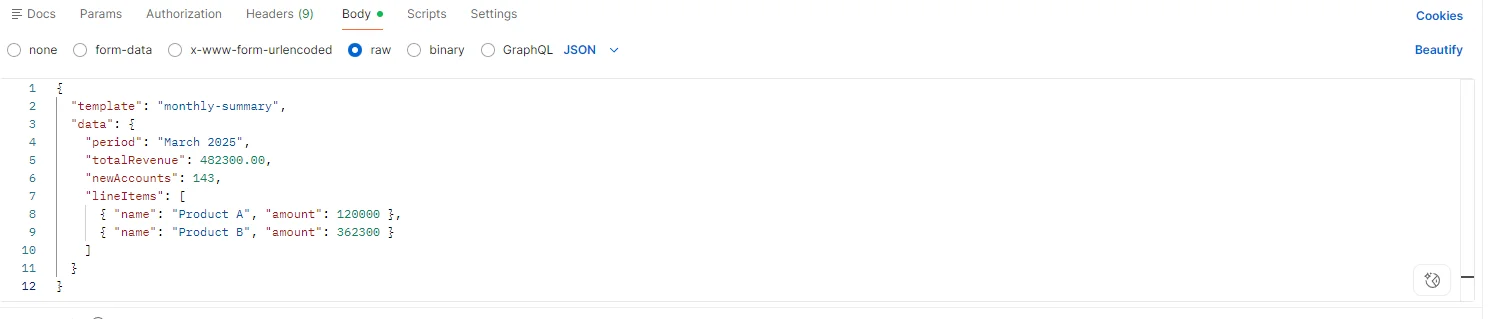
服務公開一個端點:POST /api/reports/generate。 請求體載有模板識別符和JSON資料負載。 模板識別符映射到由報告設計團隊擁有並版本控制中管理的HTML文件。
{
  "template": "monthly-summary",
  "data": {
    "period": "March 2025",
    "totalRevenue": 482300.00,
    "newAccounts": 143,
    "lineItems": [...]
  }
}服務是組織生成的每一個PDF格式的單一真實來源。 新增一種型別的報告意味著新增新的HTML範本和模板識別符,任何使用的系統都不需要改變。
收到請求後,服務載入HTML模板,將JSON負載反序列化為已定義型別或動態模型,並用資料填充模板。 對於結構化報告,能確保一致的模式,型別化的反序列化步驟提供了編譯時的安全性。 對於根據模板而變化的即時負載,JsonDocument或動態繫結可與字串插值或輕量級函式庫如Scriban一起使用。
using IronPdf;

using System.Text.Json;

app.MapPost("/api/reports/generate", async (HttpContext ctx) =>
{
    using var doc = await JsonDocument.ParseAsync(ctx.Request.Body);
    string templateId = doc.RootElement.GetProperty("template").GetString();
    var data = doc.RootElement.GetProperty("data");

    string templateHtml = await File.ReadAllTextAsync($"Templates/{templateId}.html");

    // Populate template with data values via string replacement or templating engine
    string html = templateHtml
        .Replace("{{period}}", data.GetProperty("period").GetString())
        .Replace("{{totalRevenue}}", data.GetProperty("totalRevenue").GetDecimal().ToString("C"))
        .Replace("{{newAccounts}}", data.GetProperty("newAccounts").GetInt32().ToString());

    var renderer = new ChromePdfRenderer();

    renderer.RenderingOptions.PaperSize = IronPdf.Rendering.PdfPaperSize.A4;

    renderer.RenderingOptions.MarginTop = 20;

    renderer.RenderingOptions.MarginBottom = 20;

    PdfDocument pdf = renderer.RenderHtmlAsPdf(html);

    ctx.Response.ContentType = "application/pdf";

    ctx.Response.Headers["Content-Disposition"] = $"attachment; filename=\"{templateId}-report.pdf\"";

    await ctx.Response.Body.WriteAsync(pdf.BinaryData);

});Imports IronPdf
Imports System.Text.Json
app.MapPost("/api/reports/generate", Async Function(ctx As HttpContext) As Task
Using doc = Await JsonDocument.ParseAsync(ctx.Request.Body)
Dim templateId As String = doc.RootElement.GetProperty("template").GetString()
Dim data = doc.RootElement.GetProperty("data")
Dim templateHtml As String = Await File.ReadAllTextAsync($"Templates/{templateId}.html")
' Populate template with data values via string replacement or templating engine
Dim html As String = templateHtml _
.Replace("{{period}}", data.GetProperty("period").GetString()) _
.Replace("{{totalRevenue}}", data.GetProperty("totalRevenue").GetDecimal().ToString("C")) _
.Replace("{{newAccounts}}", data.GetProperty("newAccounts").GetInt32().ToString())
Dim renderer As New ChromePdfRenderer()
renderer.RenderingOptions.PaperSize = IronPdf.Rendering.PdfPaperSize.A4
renderer.RenderingOptions.MarginTop = 20
renderer.RenderingOptions.MarginBottom = 20
Dim pdf As PdfDocument = renderer.RenderHtmlAsPdf(html)
ctx.Response.ContentType = "application/pdf"
ctx.Response.Headers("Content-Disposition") = $"attachment; filename=""{templateId}-report.pdf"""
Await ctx.Response.Body.WriteAsync(pdf.BinaryData)
End Using
End Function)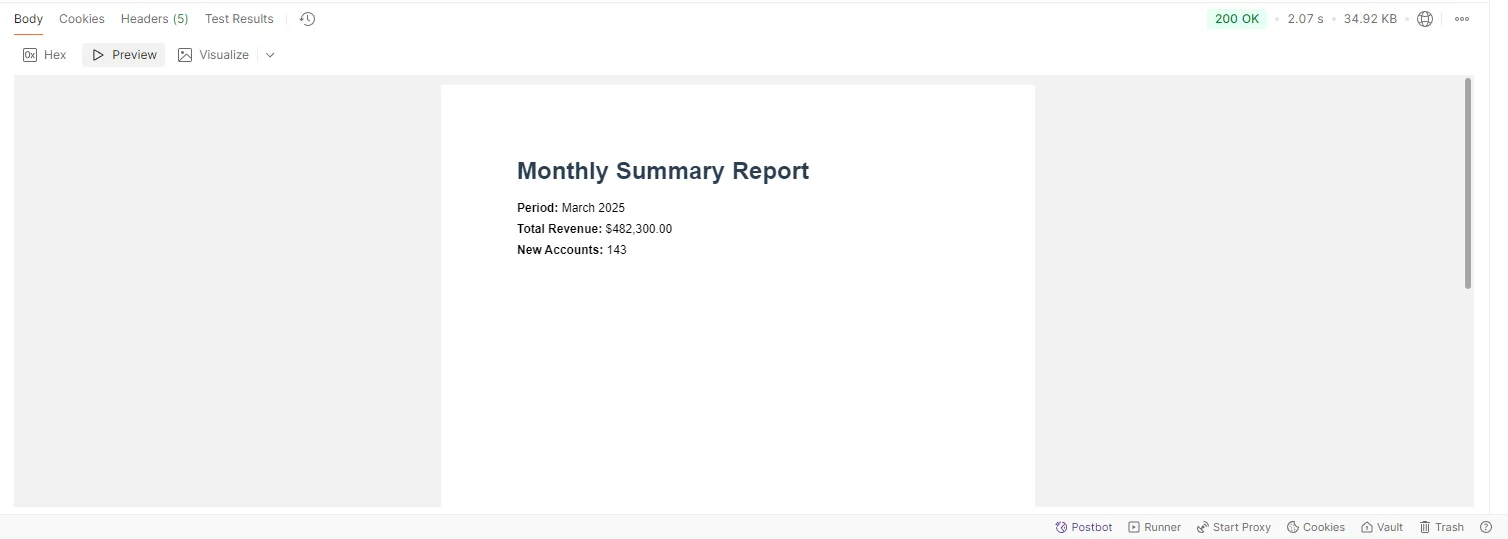
任何可以執行HTTP POST的內部系統都可以生成PDF,而不需要嵌入任何渲染邏輯或管理任何函式庫依賴:
using System.Net.Http;
using System.Text;
using System.Text.Json;

var payload = new
{
    template = "monthly-summary",
    data = new { period = "March 2025", totalRevenue = 482300.00, newAccounts = 143 }
};

using var client = new HttpClient { BaseAddress = new Uri("http://pdf-service.internal") };

var content = new StringContent(JsonSerializer.Serialize(payload), Encoding.UTF8, "application/json");

using var response = await client.PostAsync("/api/reports/generate", content);

response.EnsureSuccessStatusCode();

byte[] pdfBytes = await response.Content.ReadAsByteArrayAsync();

// Stream to browser, save to storage, attach to email, etc.Imports System.Net.Http
Imports System.Text
Imports System.Text.Json
Dim payload = New With {
.template = "monthly-summary",
.data = New With {.period = "March 2025", .totalRevenue = 482300.0, .newAccounts = 143}
}
Using client As New HttpClient With {.BaseAddress = New Uri("http://pdf-service.internal")}
Dim content As New StringContent(JsonSerializer.Serialize(payload), Encoding.UTF8, "application/json")
Using response As HttpResponseMessage = Await client.PostAsync("/api/reports/generate", content)
response.EnsureSuccessStatusCode()
Dim pdfBytes As Byte() = Await response.Content.ReadAsByteArrayAsync()
' Stream to browser, save to storage, attach to email, etc.
End Using
End Using此程式碼運行於任何消費系統(如控制台應用程式、後端服務或微服務),而非PDF服務本身。 呼叫系統接收其可以流式傳輸到使用者瀏覽器、寫入Blob儲存、或附加到發送電郵的原始PDF字節,按上下文要求。 它不知道PDF是如何生成的。
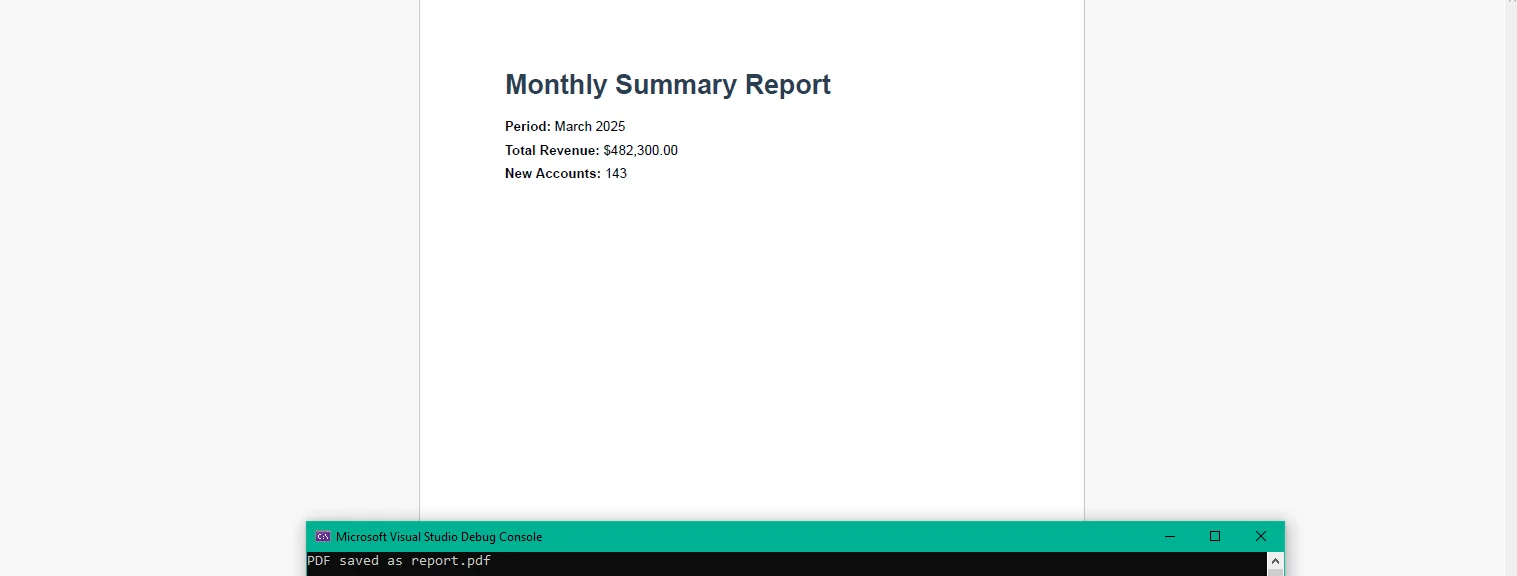
服務在請求之間不保存資料。 每次渲染是獨立的,這意味著服務可以在負載平衡器或Kubernetes部署後的水平擴展。 如月底運行或由排定工作觸發的批量匯出需求增加時,可通過新增副本來處理,而非修改應用程式邏輯。
結構化日誌記錄捕獲渲染時間、模板識別符、負載大小以及每次請求的成功或失敗。在一個地方而非散布於每個消費應用程式的日誌中,集中化的指標顯示渲染延遲趨勢、模板錯誤率及數量模式。
**集中化渲染。**一個服務擁有整個組織的PDF生成工作。 模板更新一經部署,每個消費者都能立即獲得該變更,無需觸及自己的程式碼庫或協調發佈。
**無狀態擴展。**請求間沒有共享狀態,意味著服務可以水平擴展以滿足需求,增加副本,當負載下降時再移除。 不需要黏性會話,也不需要分布式快取。
**一致輸出。**服務生成的每個PDF使用相同的渲染引擎,相同的模板和配置。 財務系統產生的和儀表板匯出的沒有任何差異。
**快速整合。**任何能夠執行HTTP POST的系統都可以建立PDF文件。 消費方無需嵌入SDK,也不需管理函式庫版本或加入導入。 合同是JSON進,PDF出。
**可觀察性。**每次渲染都會記錄並在一處觀察。 反應時間分佈、模板錯誤率和每日量都在單一儀表板中可見,而不分散於多個應用程式。
**無每次呼叫成本。**服務在進程內運行並且位於容器中。 沒有第三方API度量及沒有隨報告量增長的成本模型,生成100或100,000個報告在基礎設施成本方面都是一樣的。
將PDF生成集中到專用的微服務中,將分散的維護問題轉換為一個簡單的問題:一個服務,一個渲染引擎,一個地方更新範本。 每個生成PDF文件的內部系統都從該變更中受益而無需自己動手。
該服務本身是一個最小的.NET應用程式,一個端點,一個模板載入器以及渲染呼叫。 IronPDF在ironpdf.com全面處理PDF生成的全生命週期,從渲染HTML範本到保存、流式傳輸和操作文件。 如果您準備好用自己的內部API構建並驗證服務,開始您的免費30天試用,這足夠時間來成立服務,將其連結到資料源,並在向團隊推出之前確認輸出。

Curtis Chau擁有Carleton大學的電腦科學學士學位,專精於前端開發,擁有Node.js、TypeScript、JavaScript和React的專業知識。Curtis熱衷於建立直觀且美觀的使用者介面,喜愛使用現代框架並建立結構良好、視覺吸引力的手冊。

IronPDF 是 IRONSUITE 的一部分
10 款適用於辦公室文件的 .NET API 產品

當您需要您的PDF看起來像HTML一樣快速。