




已更新 2026年5月8日
生成每月账户报表(PDF 文档)
using IronPDF C# PDF 库,开发人员可以在 .NET 项目中将 HTML 转换为可靠的 PDF 文件,而无需依赖外部服务。
阅读更多

IronPDF通过使用Stream属性进行内存操作,简化了PDF到字节数组的转换,支持高效的数据库存储、API传输和内存中的文档操作。
将 PDF 文档转换为字节数组是现代 .NET 应用程序的一项基本需求。 无论是需要将PDF存储在数据库中,通过API传输文件,还是在内存中处理文档内容,理解字节数组转换都是必不可少的。 IronPDF 凭借其直观的 API 简化了这一流程,让您无需编写复杂的基础架构代码,即可高效转换 PDF 文件。
字节数组是一种数据结构,将二进制数据存储为字节序列。 在处理 PDF 文档时,将其转换为字节数组具有多项实际优势。 这种格式能够高效地存储在数据库 BLOB 字段中,通过 Web 服务进行可靠传输,并简化内存中的文件内容操作。
在构建文档管理系统、实施云存储解决方案或创建处理 PDF 数据的 API 时,您经常需要将 PDF 文件转换为字节数组。 二进制数据格式确保文档内容在传输和存储期间保持完整,保留所有页面、格式和嵌入资源。
了解何时使用字节数组转换(以及何时不使用字节数组转换)是构建高效文档工作流程的重要组成部分。 对于只需要将 PDF 文件保存到磁盘的应用来说,直接文件操作更简单。 但对于任何涉及数据库、API 或内存处理的场景,字节数组都能提供合适的抽象层。
在多种情况下,字节数组转换变得至关重要。 数据库存储是最常见的用例,其中 PDF 文件以 BLOB 字段的形式存储在 SQL Server、PostgreSQL 或其他关系数据库中。 在实现需要版本控制和高效检索的文档管理功能时,这种方法非常有价值。
API 开发也大量依赖字节数组,因为它们为通过 RESTful 服务或 GraphQL 端点传输 PDF 数据提供了一种标准化格式。 在构建微服务架构时,字节数组能够实现服务之间流畅的 PDF 数据交换,而不会引入文件系统依赖性。
基于内存的处理场景可以从字节数组转换中获益匪浅。 在实现PDF 水印或签名流程时,使用字节数组可以消除磁盘读/写开销。 这在 Azure Functions 或 AWS Lambda 等云环境中尤为重要,因为在这些环境中,文件系统访问可能受到限制或成本高昂。
通过字节数组进行性能优化体现在多个方面。 内存操作消除了磁盘读写延迟,从而加快了 PDF 处理任务的处理速度。 在实施缓存策略时,与基于文件的替代方案相比,存储在 Redis 或 Memcached 中的字节数组可提供亚毫秒级的检索时间。
此外,字节数组支持高效的并行处理场景,可以同时处理多个 PDF 文件而不会出现文件锁定问题。 在构建高吞吐量文档管道时,这一点至关重要,因为其中可能同时运行数十个 PDF 操作。
对于大规模部署而言,与临时文件方法相比,字节数组还可以减少攻击面。 使用字节数组,不存在临时文件相关的竞争条件,故障后无需清理,也不会出现敏感文档内容意外持久化到磁盘的风险。
在将 PDF 转换为字节数组之前,您需要在 .NET 项目中安装 IronPDF。 您可以通过 NuGet 包管理器或 .NET CLI 来完成此操作:
安装完成后,您需要许可证密钥才能在生产环境中使用 IronPDF。 我们提供免费试用许可证,供您评估之用。 获取许可证密钥后,请在调用任何 IronPDF 函数之前进行设置:
IronPdf.License.LicenseKey = "YOUR-LICENSE-KEY-HERE";IronPdf.License.LicenseKey = "YOUR-LICENSE-KEY-HERE"安装完成后,即可开始将 PDF 文档转换为字节数组。
IronPDF 的渲染引擎提供了两种将 PDF 文档转换为字节数组的简单方法。 MemoryStream以提供额外的灵活性。
using IronPdf;

// Set your license key
IronPdf.License.LicenseKey = "YOUR-LICENSE-KEY-HERE";

// Create a new PDF document from HTML
var renderer = new ChromePdfRenderer();
var pdf = renderer.RenderHtmlAsPdf("<h1>Sample Document</h1><p>This is test content.</p>");

// Method 1: Direct conversion to byte array
byte[] pdfBytes = pdf.BinaryData;

// Method 2: Using MemoryStream
using var memoryStream = pdf.Stream;
byte[] pdfBytesFromStream = memoryStream.ToArray();

// Verify the result
Console.WriteLine($"PDF size: {pdfBytes.Length} bytes");Imports IronPdf
' Set your license key
IronPdf.License.LicenseKey = "YOUR-LICENSE-KEY-HERE"
' Create a new PDF document from HTML
Dim renderer As New ChromePdfRenderer()
Dim pdf = renderer.RenderHtmlAsPdf("<h1>Sample Document</h1><p>This is test content.</p>")
' Method 1: Direct conversion to byte array
Dim pdfBytes As Byte() = pdf.BinaryData
' Method 2: Using MemoryStream
Using memoryStream = pdf.Stream
Dim pdfBytesFromStream As Byte() = memoryStream.ToArray()
End Using
' Verify the result
Console.WriteLine($"PDF size: {pdfBytes.Length} bytes")上面的代码展示了两种转换方法。 BinaryData属性提供了最直接的方法,即时返回字节数组表示。 对于需要流操作的场景,ToArray()方法将其转换为字节。 这种灵活性在与需要流式输入的库集成时非常有用。
对于HTML 转 PDF 的转换场景,这些方法处理渲染后的输出结果的方式相同。 无论您如何生成文档,底层字节都代表完整的、渲染后的 PDF。
在Stream之间的选择取决于您的具体使用案例。 当您需要立即访问完整字节数组时,例如存储在数据库中或通过API发送,请使用BinaryData。 这种方法最适用于简单的转换场景,并且在单次操作中能提供最佳性能。
当处理流API、实施渐进上传或需要对大PDF进行内存高效管理时,Stream方法是更好的选择。 基于流的处理允许分块操作,并能更好地与 ASP.NET Core 的流式响应模式集成。
对于生产环境,请考虑实现完整的错误处理:
using IronPdf;
using System;

IronPdf.License.LicenseKey = "YOUR-LICENSE-KEY-HERE";

var renderer = new ChromePdfRenderer
{
    RenderingOptions = new ChromePdfRenderOptions
    {
        CssMediaType = PdfCssMediaType.Print,
        EnableJavaScript = true,
        RenderDelay = 100
    }
};

byte[] ConvertHtmlToPdfBytes(string html)
{
    try
    {
        var pdf = renderer.RenderHtmlAsPdf(html);
        return pdf.BinaryData;
    }
    catch (IronPdf.Exceptions.IronPdfProductException ex)
    {
        throw new InvalidOperationException("PDF generation failed", ex);
    }
}

var result = ConvertHtmlToPdfBytes("<h1>Invoice</h1><p>Amount due: $250</p>");
Console.WriteLine($"Generated PDF: {result.Length} bytes");Imports IronPdf
Imports System
IronPdf.License.LicenseKey = "YOUR-LICENSE-KEY-HERE"
Dim renderer = New ChromePdfRenderer With {
.RenderingOptions = New ChromePdfRenderOptions With {
.CssMediaType = PdfCssMediaType.Print,
.EnableJavaScript = True,
.RenderDelay = 100
}
}
Function ConvertHtmlToPdfBytes(html As String) As Byte()
Try
Dim pdf = renderer.RenderHtmlAsPdf(html)
Return pdf.BinaryData
Catch ex As IronPdf.Exceptions.IronPdfProductException
Throw New InvalidOperationException("PDF generation failed", ex)
End Try
End Function
Dim result = ConvertHtmlToPdfBytes("<h1>Invoice</h1><p>Amount due: $250</p>")
Console.WriteLine($"Generated PDF: {result.Length} bytes")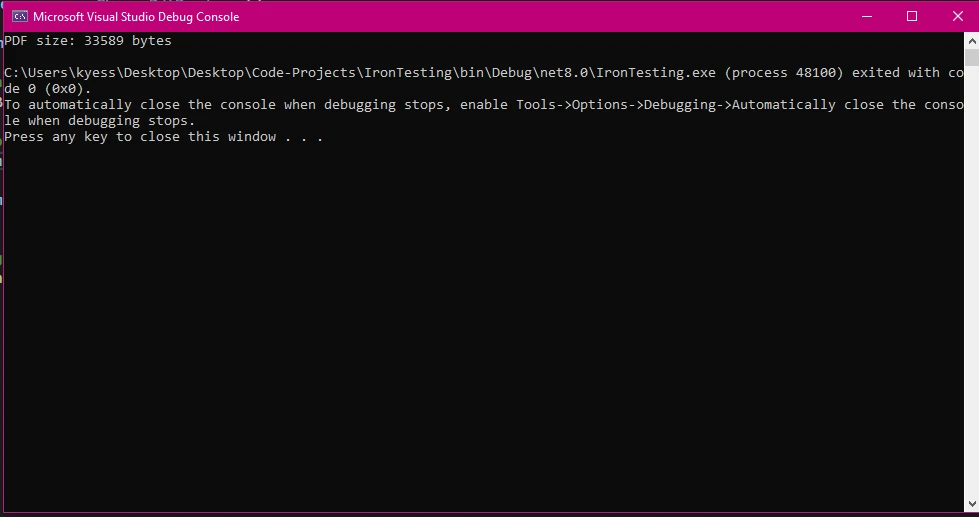
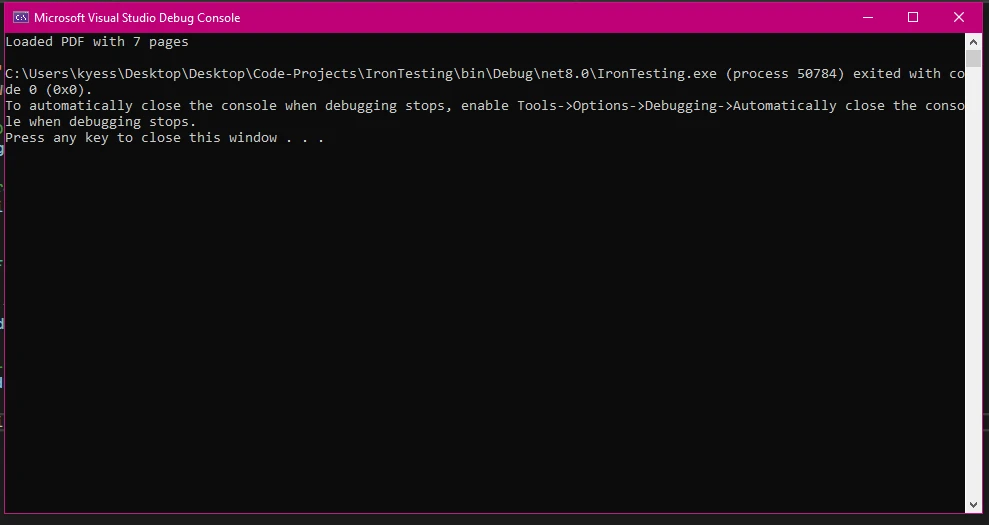
在处理磁盘上现有的 PDF 文档时,IronPDF 的文档加载功能可以轻松读取文件内容并将其转换为字节数组。 此功能对于批量处理场景或将现有文档库迁移到云存储至关重要。
using IronPdf;
using System.IO;

IronPdf.License.LicenseKey = "YOUR-LICENSE-KEY-HERE";

// Load an existing PDF document
var existingPdf = PdfDocument.FromFile("report.pdf");

// Convert to byte array using BinaryData
byte[] fileBytes = existingPdf.BinaryData;

// Alternative: Using System.IO for direct file reading
byte[] directBytes = File.ReadAllBytes("report.pdf");

// Create PdfDocument from byte array
var loadedPdf = new PdfDocument(directBytes);

// Verify pages were loaded correctly
Console.WriteLine($"Loaded PDF with {loadedPdf.PageCount} pages");Imports IronPdf
Imports System.IO
IronPdf.License.LicenseKey = "YOUR-LICENSE-KEY-HERE"
' Load an existing PDF document
Dim existingPdf As PdfDocument = PdfDocument.FromFile("report.pdf")
' Convert to byte array using BinaryData
Dim fileBytes As Byte() = existingPdf.BinaryData
' Alternative: Using System.IO for direct file reading
Dim directBytes As Byte() = File.ReadAllBytes("report.pdf")
' Create PdfDocument from byte array
Dim loadedPdf As New PdfDocument(directBytes)
' Verify pages were loaded correctly
Console.WriteLine($"Loaded PDF with {loadedPdf.PageCount} pages")上面的代码显示了处理现有文件的两种方法。 IronPDF的BinaryData属性的访问。 或者,您可以直接使用PdfDocument实例。 这种双管齐下的方法为不同的架构模式提供了灵活性。
当您需要执行后续PDF操作(如提取文本、添加数字签名或修改页面)时,请使用IronPDF的FromFile。 此方法可确保正确解析 PDF 文件并使其可以进行操作。
System.IO方法适用于简单的文件传输或当您只需要原始字节而无需特定的PDF处理时。 在实施文件验证以进行PDF处理或构建非特定于IronPDF的通用文件处理实用工具时,请考虑使用System.IO方法。
一个实用规则是:如果您计划在加载后读取或修改PDF的内容,请使用IronPDF的FromFile。 如果您只是需要在数据库、API或消息队列之间传输字节,那么File.ReadAllBytes()更简单且依赖性更少。
处理大型PDF文件需要谨慎管理内存。 对于超过 100MB 的文件,可以考虑采用分段处理 PDF 的流式解决方案。 尽可能使用 IronPDF 的压缩功能,在进行字节数组转换之前减小文件大小。
处理多页文档时,应实施分页策略,逐页加载和处理,而不是一次性将整个文档加载到内存中。 使用性能分析器监控内存使用,并使用PdfDocument实例处置模式。
using IronPdf;
using System;
using System.Threading.Tasks;

IronPdf.License.LicenseKey = "YOUR-LICENSE-KEY-HERE";

async Task ProcessLargePdfAsync(string filePath, int chunkSize = 10)
{
    using var pdf = PdfDocument.FromFile(filePath);
    var totalPages = pdf.PageCount;

    for (int i = 0; i < totalPages; i += chunkSize)
    {
        var endPage = Math.Min(i + chunkSize - 1, totalPages - 1);

        // Extract chunk as new PDF
        using var chunkPdf = pdf.CopyPages(i, endPage);
        byte[] chunkBytes = chunkPdf.BinaryData;

        // Process chunk (e.g., save to database, compress, etc.)
        await ProcessChunkAsync(chunkBytes, i, endPage);
    }
}

async Task ProcessChunkAsync(byte[] bytes, int startPage, int endPage)
{
    Console.WriteLine($"Processing pages {startPage}-{endPage}: {bytes.Length} bytes");
    await Task.CompletedTask;
}

await ProcessLargePdfAsync("large-document.pdf");Imports IronPdf
Imports System
Imports System.Threading.Tasks
IronPdf.License.LicenseKey = "YOUR-LICENSE-KEY-HERE"
Public Module PdfProcessor
Public Async Function ProcessLargePdfAsync(filePath As String, Optional chunkSize As Integer = 10) As Task
Using pdf = PdfDocument.FromFile(filePath)
Dim totalPages = pdf.PageCount
For i As Integer = 0 To totalPages - 1 Step chunkSize
Dim endPage = Math.Min(i + chunkSize - 1, totalPages - 1)
' Extract chunk as new PDF
Using chunkPdf = pdf.CopyPages(i, endPage)
Dim chunkBytes As Byte() = chunkPdf.BinaryData
' Process chunk (e.g., save to database, compress, etc.)
Await ProcessChunkAsync(chunkBytes, i, endPage)
End Using
Next
End Using
End Function
Public Async Function ProcessChunkAsync(bytes As Byte(), startPage As Integer, endPage As Integer) As Task
Console.WriteLine($"Processing pages {startPage}-{endPage}: {bytes.Length} bytes")
Await Task.CompletedTask
End Function
Public Sub Main()
ProcessLargePdfAsync("large-document.pdf").GetAwaiter().GetResult()
End Sub
End Module将字节数组转换回PDF文档同样简单。 从数据库检索 PDF 数据或通过 API 接收文件时,此功能至关重要。该过程可在保持文档完整性的同时,支持对文档进行进一步处理或交付给最终用户。
using IronPdf;
using System.IO;

IronPdf.License.LicenseKey = "YOUR-LICENSE-KEY-HERE";

// Simulate fetching PDF bytes from a database or API
byte[] GetPdfBytesFromDatabase()
{
    return File.ReadAllBytes("example.pdf");
}

// Retrieve bytes
byte[] pdfBytes = GetPdfBytesFromDatabase();

// Create PdfDocument from byte array
var pdfDocument = new PdfDocument(pdfBytes);

// Perform operations on the restored document
Console.WriteLine($"Restored document has {pdfDocument.PageCount} pages");

// Save the document (with any modifications)
pdfDocument.SaveAs("restored-document.pdf");

// Or get updated bytes for further storage
byte[] updatedBytes = pdfDocument.BinaryData;
Console.WriteLine($"Updated bytes: {updatedBytes.Length}");Imports IronPdf
Imports System.IO
IronPdf.License.LicenseKey = "YOUR-LICENSE-KEY-HERE"
' Simulate fetching PDF bytes from a database or API
Private Function GetPdfBytesFromDatabase() As Byte()
Return File.ReadAllBytes("example.pdf")
End Function
' Retrieve bytes
Dim pdfBytes As Byte() = GetPdfBytesFromDatabase()
' Create PdfDocument from byte array
Dim pdfDocument As New PdfDocument(pdfBytes)
' Perform operations on the restored document
Console.WriteLine($"Restored document has {pdfDocument.PageCount} pages")
' Save the document (with any modifications)
pdfDocument.SaveAs("restored-document.pdf")
' Or get updated bytes for further storage
Dim updatedBytes As Byte() = pdfDocument.BinaryData
Console.WriteLine($"Updated bytes: {updatedBytes.Length}")PdfDocument构造函数直接接受字节数组,使从二进制数据到可用PDF的转换更加顺畅。 此功能对于实现文档工作流程至关重要,在这种工作流程中,PDF 文件集中存储并按需处理。

常见的转换错误包括字节数组损坏、数据传输不完整和编码问题。 通过实现try-catch块处理在加载可能损坏的数据时出现的InvalidPdfException。 转换前使用校验和或哈希验证来验证字节数组的完整性。
对于受密码保护的 PDF 文件,请确保在创建文档时提供正确的凭据。 在处理大文件时监控内存不足异常,并通过使用using语句实施适当的内存管理策略,以确保确定性清理。
一种在生产中效果良好的防御模式是在尝试创建PdfDocument之前验证字节数组。 检查数组是否不为null,是否有合理的最小大小(有效PDF至少有几百字节),并以PDF魔法字节%PDF开头。
验证确保转换后文档的可靠性。 检查PageCount属性以验证所有页面是否加载正确。 使用IronPDF 的文本提取功能,从特定页面中提取内容样本,并与预期值进行比较。
当往返完整性至关重要时,通过比较转换前后的 SHA-256 哈希值来实现校验和验证。 对于真实性至关重要的文件,可以考虑实施数字签名验证,以确保文件未被篡改。
using IronPdf;
using System;
using System.Security.Cryptography;

IronPdf.License.LicenseKey = "YOUR-LICENSE-KEY-HERE";

bool ValidatePdfBytes(byte[] pdfBytes)
{
    if (pdfBytes == null || pdfBytes.Length < 100)
        return false;

    // Check PDF magic bytes
    if (pdfBytes[0] != 0x25 || pdfBytes[1] != 0x50 || pdfBytes[2] != 0x44 || pdfBytes[3] != 0x46)
        return false;

    try
    {
        using var pdf = new PdfDocument(pdfBytes);
        return pdf.PageCount > 0;
    }
    catch (Exception)
    {
        return false;
    }
}

string ComputeSha256(byte[] data)
{
    using var sha256 = SHA256.Create();
    return BitConverter.ToString(sha256.ComputeHash(data)).Replace("-", "");
}

// Usage
byte[] pdfData = File.ReadAllBytes("example.pdf");
Console.WriteLine($"Valid PDF: {ValidatePdfBytes(pdfData)}");
Console.WriteLine($"SHA-256: {ComputeSha256(pdfData)}");Imports IronPdf
Imports System
Imports System.Security.Cryptography
Imports System.IO
IronPdf.License.LicenseKey = "YOUR-LICENSE-KEY-HERE"
Function ValidatePdfBytes(pdfBytes As Byte()) As Boolean
If pdfBytes Is Nothing OrElse pdfBytes.Length < 100 Then
Return False
End If
' Check PDF magic bytes
If pdfBytes(0) <> &H25 OrElse pdfBytes(1) <> &H50 OrElse pdfBytes(2) <> &H44 OrElse pdfBytes(3) <> &H46 Then
Return False
End If
Try
Using pdf As New PdfDocument(pdfBytes)
Return pdf.PageCount > 0
End Using
Catch ex As Exception
Return False
End Try
End Function
Function ComputeSha256(data As Byte()) As String
Using sha256 As SHA256 = SHA256.Create()
Return BitConverter.ToString(sha256.ComputeHash(data)).Replace("-", "")
End Using
End Function
' Usage
Dim pdfData As Byte() = File.ReadAllBytes("example.pdf")
Console.WriteLine($"Valid PDF: {ValidatePdfBytes(pdfData)}")
Console.WriteLine($"SHA-256: {ComputeSha256(pdfData)}")内存流提供了一种高效的方式来处理PDF内容,而无需创建临时文件。 这种方法在需要动态生成和提供 PDF 的 Web 应用程序中尤其有用。
using IronPdf;
using System.IO;

IronPdf.License.LicenseKey = "YOUR-LICENSE-KEY-HERE";

var renderer = new ChromePdfRenderer();

// Generate PDF and work with it as a stream
var pdf = renderer.RenderHtmlAsPdf("<h1>Invoice</h1><p>Total: $100</p>");

using var pdfStream = pdf.Stream;
byte[] pdfData = pdfStream.ToArray();

// Use bytes for web response, email attachment, or storage
Console.WriteLine($"PDF data ready: {pdfData.Length} bytes");

// Load PDF from byte array into a new MemoryStream
byte[] storedBytes = pdfData; // Typically retrieved from a database
using var loadStream = new MemoryStream(storedBytes);
var restoredPdf = new PdfDocument(loadStream);
Console.WriteLine($"Restored: {restoredPdf.PageCount} page(s)");Imports IronPdf
Imports System.IO
IronPdf.License.LicenseKey = "YOUR-LICENSE-KEY-HERE"
Dim renderer As New ChromePdfRenderer()
' Generate PDF and work with it as a stream
Dim pdf = renderer.RenderHtmlAsPdf("<h1>Invoice</h1><p>Total: $100</p>")
Using pdfStream = pdf.Stream
Dim pdfData As Byte() = pdfStream.ToArray()
' Use bytes for web response, email attachment, or storage
Console.WriteLine($"PDF data ready: {pdfData.Length} bytes")
' Load PDF from byte array into a new MemoryStream
Dim storedBytes As Byte() = pdfData ' Typically retrieved from a database
Using loadStream As New MemoryStream(storedBytes)
Dim restoredPdf As New PdfDocument(loadStream)
Console.WriteLine($"Restored: {restoredPdf.PageCount} page(s)")
End Using
End Using本例展示了使用内存流创建、保存和加载PDF的完整工作流程。 这种模式在按需生成报告或创建发票时特别有效,可以避免创建任何临时文件。
在 ASP.NET Core 端点中提供 PDF 时,内存流也是一种正确的方法。 你可以直接将字节流通过管道传递给响应,而无需写入磁盘。 .NET 运行时能够高效地处理最大可达数兆字节的典型文档大小的缓冲。
内存流在需要渐进式处理或与基于流的 API 集成的场景中表现出色。例如,在实现文件上传处理程序以在传输过程中处理 PDF 文件时,或者在构建无需缓冲整个文件即可提供 PDF 文件的流式端点时,都可以使用内存流。
关键区别在于MemoryStream提供光标位置并允许增量读取数据,而字节数组是一个简单的缓冲区。 如果您正在集成的API接受Stream属性。 如果接受BinaryData。
这些方法都适用于IronPDF的PDF功能,如添加页眉和页脚、处理PDF表单和将PDF转换为图像。 记忆表征是相同的; 仅访问模式不同。
内存优化策略包括正确实施处置模式,使用using语句自动清理资源,并尽可能以块的形式处理PDF。 考虑将大型 PDF 文件分割成较小的部分进行并行处理。
在高吞吐量场景中,对频繁分配的字节数组实现内存池化。 .NET中的ArrayPool<byte>类提供了一个可共享的可重用字节数组池,当您每秒处理多个PDF时,减少了垃圾回收压力。
对于非常大的文档,请考虑是否真的需要一次性将整个 PDF 文件加载到内存中。 IronPDF 的页面级操作允许您处理单个页面,这可以显著降低生成大型报告时的峰值内存消耗。
在 Web 应用程序中提供 PDF 时,正确处理字节数组可确保最佳性能和正确的浏览器行为。 以下是一个最简控制器操作,用于生成 PDF 文件并将其作为文件下载返回:
using Microsoft.AspNetCore.Mvc;
using IronPdf;
using System;
using System.Threading.Tasks;

IronPdf.License.LicenseKey = "YOUR-LICENSE-KEY-HERE";

// Minimal API endpoint (top-level statements, .NET 10)
var builder = WebApplication.CreateBuilder(args);
var app = builder.Build();

app.MapGet("/api/report/{reportId}", async (int reportId) =>
{
    var renderer = new ChromePdfRenderer
    {
        RenderingOptions = new ChromePdfRenderOptions
        {
            MarginTop = 25,
            MarginBottom = 25,
            CssMediaType = PdfCssMediaType.Print,
            EnableJavaScript = true
        }
    };

    try
    {
        var html = $"<h1>Report #{reportId}</h1><p>Generated: {DateTime.UtcNow:yyyy-MM-dd}</p>";
        var pdf = renderer.RenderHtmlAsPdf(html);
        var pdfBytes = pdf.BinaryData;

        return Results.File(pdfBytes, "application/pdf", $"report-{reportId}.pdf");
    }
    catch (Exception ex)
    {
        return Results.Problem($"PDF generation failed: {ex.Message}");
    }
});

app.Run();Imports Microsoft.AspNetCore.Mvc
Imports IronPdf
Imports System
Imports System.Threading.Tasks
IronPdf.License.LicenseKey = "YOUR-LICENSE-KEY-HERE"
' Minimal API endpoint (top-level statements, .NET 10)
Dim builder = WebApplication.CreateBuilder(args)
Dim app = builder.Build()
app.MapGet("/api/report/{reportId}", Async Function(reportId As Integer)
Dim renderer = New ChromePdfRenderer With {
.RenderingOptions = New ChromePdfRenderOptions With {
.MarginTop = 25,
.MarginBottom = 25,
.CssMediaType = PdfCssMediaType.Print,
.EnableJavaScript = True
}
}
Try
Dim html = $"<h1>Report #{reportId}</h1><p>Generated: {DateTime.UtcNow:yyyy-MM-dd}</p>"
Dim pdf = renderer.RenderHtmlAsPdf(html)
Dim pdfBytes = pdf.BinaryData
Return Results.File(pdfBytes, "application/pdf", $"report-{reportId}.pdf")
Catch ex As Exception
Return Results.Problem($"PDF generation failed: {ex.Message}")
End Try
End Function)
app.Run()这种模式适用于任何 .NET Web 框架。 在最小API中(或MVC控制器中的Content-Type: application/pdf头,并在浏览器中触发文件下载。
对于经常访问的报告,可以考虑添加 HTTP 缓存标头。 从 PDF 字节计算 ETag 可以让客户端在本地缓存文档,避免重复下载,从而降低服务器负载和数据传输成本。
同时进行的PDF操作需要仔细同步。 为并行处理每个线程或每个请求创建单独的ChromePdfRenderer实例——渲染器不是线程安全的,不能跨并发操作共享。
在需要限制同时PDF生成操作数量时,请使用SemaphoreSlim进行速率限制。 这样可以防止在高流量场景下(许多用户可能同时请求生成 PDF)出现内存耗尽的情况。
对于长时间运行的PDF生成任务,考虑使用像Hangfire库或内置的.NET IHostedService将工作移到后台队列中。 这样可以缩短 HTTP 响应时间,并允许异步处理 PDF,将结果以字节数组的形式存储在数据库中以便稍后检索。
在 Web 应用程序中处理 PDF 字节数组时,安全性仍然至关重要。 使用 IronPDF 的安全功能对敏感 PDF 文件实施加密,验证文件大小以防止客户端上传巨大文件而发起拒绝服务攻击,并清理文件名以防止路径遍历漏洞。
对于来自外部来源的 PDF 字节数组,应像对待任何不受信任的输入一样谨慎对待。 格式错误或恶意的 PDF 文件可能会触发 PDF 解析器的漏洞。 在处理字节之前务必对其进行验证,对于特别敏感的应用,请考虑在沙盒环境中运行 PDF 处理。
对于允许用户上传 PDF 文件的应用程序,应在应用程序层和 Web 服务器层强制执行最大文件大小限制。 只有在验证之后才能存储上传的字节,并且未经彻底审查,绝不能在特权上下文中执行或渲染它们。
下表总结了常见 PDF 字节数组场景的推荐方法:
| 场景 | 建议的翻译方法 | 关键考虑因素 |
|---|---|---|
| 将PDF文件存储到数据库中 | 使用BinaryData属性 | 存储为 BLOB/BYTEA 列类型 |
| 通过 API 提供 PDF 服务 | 返回具有正确 MIME 类型的字节数组 | 设置内容类型:application/pdf |
| 流式传输大型 PDF | 使用Stream属性 | 避免将整个文件缓冲到内存中 |
| 加载PDF文件进行编辑 | 使用PdfDocument.FromFile() | 当需要后续手术时,优先选择此方案。 |
| 从存储中重建 | 将字节数组传递给PdfDocument构造函数 | 构造前验证字节 |
| 无服务器/容器化 | 临时文件上的字节数组 | 避免对文件系统的依赖 |
所有这些方法的共同之处在于,字节数组为 PDF 数据提供了一种清晰、可移植的抽象。 它们在 Windows、Linux、macOS 和容器化环境中的工作方式相同。 无需管理文件系统状态,无需担心临时文件清理,也无需处理特定于平台的路径。
构建新的文档工作流时,首先要使用字节数组作为主要数据表示形式。 你可以随时将文件系统持久性作为次要考虑因素,但从一开始就围绕字节数组进行设计,可以使系统更容易测试、部署和扩展。
测试 PDF 字节数组操作很简单,因为字节是确定性的,易于比较。 编写单元测试,从已知的 HTML 生成 PDF,捕获生成的字节,并验证基本属性,例如字节计数是否在预期范围内以及魔数是否正确。
对于集成测试,使用往返模式:生成一个PDF到字节,加载这些字节回到PdfDocument中,并验证页面计数和提取的文本是否匹配预期值。 这会同时测试序列化和反序列化路径。
IronPDF 文档和功能概述中包含有关测试场景的更多指导。 微软关于 MemoryStream 的文档和Adobe 的 PDF 规范等外部资源提供了有关底层技术的更深入背景信息。 对于 Web 端点的测试, ASP.NET Core 测试文档涵盖了适用于 PDF 服务端点的集成测试模式。
IronPDF使 C# 中的 PDF 到字节数组转换变得简单,为您提供将 PDF 文档作为二进制数据处理的实用方法。 无论您是在构建API、管理文档数据库还是创建Web应用程序,IronPDF的Stream属性提供了现代PDF处理所需的灵活性。
该库一致的 API 设计符合 .NET 约定,因此对于已经熟悉该平台的开发人员来说很容易上手。 使用简洁易读的代码,可以实现将 PDF 转换为字节数组、数据库往返传输、通过 HTTP 端点提供文件以及验证文档完整性等功能。
有关完整文档和更多示例,请浏览IronPDF 文档并查看NuGet 包安装指南。 功能概述涵盖了高级功能,包括自定义水印、PDF合并和拆分以及表单处理。 许可选项为各种规模的项目提供了灵活的部署选择。

Curtis Chau 拥有卡尔顿大学的计算机科学学士学位,专注于前端开发,精通 Node.js、TypeScript、JavaScript 和 React。他热衷于打造直观且美观的用户界面,喜欢使用现代框架并创建结构良好、视觉吸引力强的手册。

IronPDF 是 IRONSUITE的一部分
10 个 .NET API 产品用于您的办公文档

当您需要PDF看起来像HTML时,速度快。




